
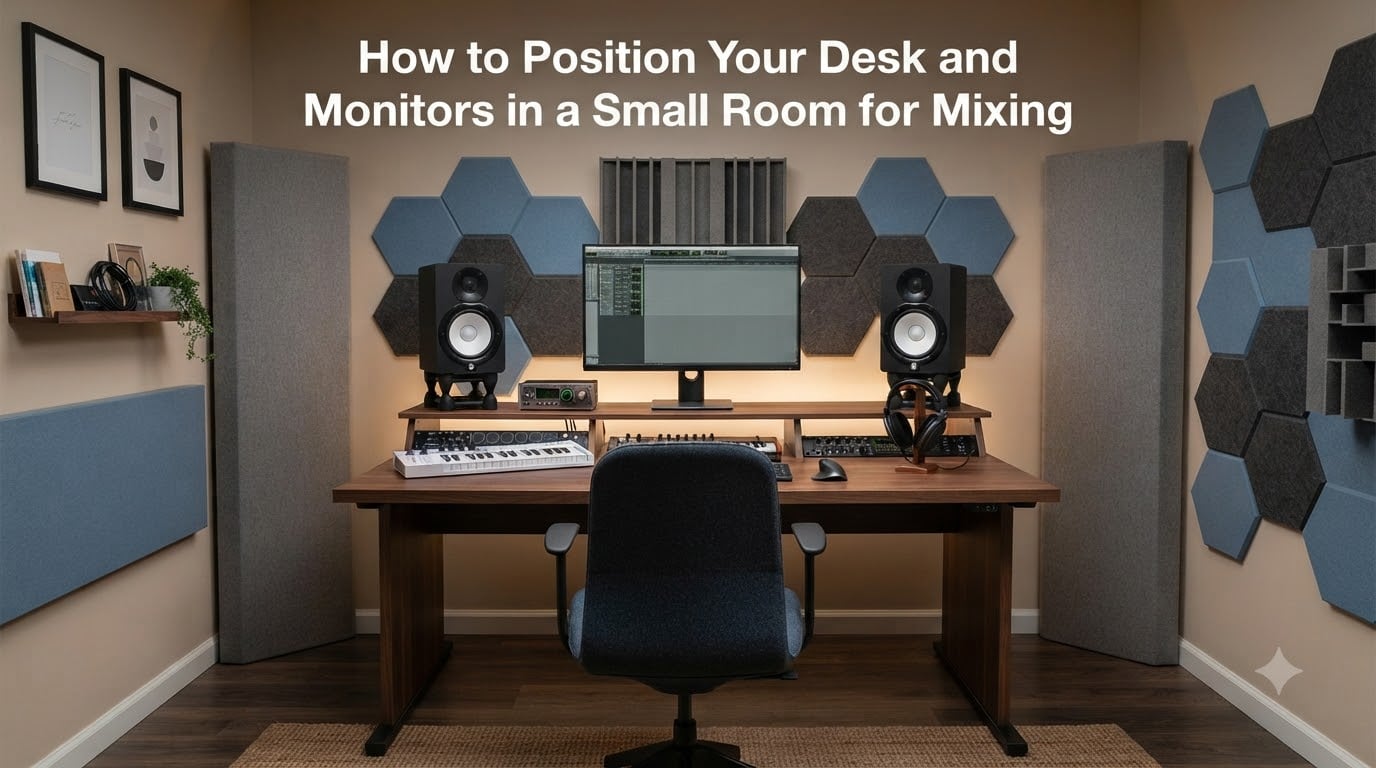
Mixing in a small room used to feel like fighting my own space. I kept wondering why my bass sounded huge in the bedroom and thin on my phone, until I learned that the room was shaping my mixes more than the monitors were.
If you have ever finished a mix that sounded great at home and fell apart in the car, the problem is almost certainly where your desk and monitors are sitting. This guide breaks down how to position your desk and monitors in a small room for mixing so your decisions actually translate to other systems. I will share the exact rules I use in my own project studio and the measurements that matter most.
Table of Contents
Understanding the Sweet Spot: Finding Your Ideal Listening Position
The sweet spot is the single point in your room where the stereo image snaps into focus. It is a small zone, usually only a few inches wide, where the left and right speaker signals reach your ears at the same level and at the same time.
When you sit in the sweet spot, vocals lock to the center, bass feels even across the low end, and you can place individual instruments in the stereo field with confidence. Move your head six inches in any direction and that focus falls apart.
What the Sweet Spot Actually Means
The sweet spot exists because stereo monitoring depends on equal path lengths. Your brain compares tiny differences in arrival time and level between your left and right ear to build a stereo image.
If your head is closer to one speaker than the other, that image shifts off-center. The sweet spot is the one chair position where those differences cancel out and the stereo field sounds neutral.
Why Small Rooms Make This Harder
Small rooms add two complications: room modes and early reflections. Room modes are resonances that make some bass frequencies louder and others quieter at certain positions.
Early reflections bounce off the side walls, ceiling, and desk surface and arrive at your ears a few milliseconds after the direct sound. They blur detail and make the stereo image wider than it should be. Good placement minimizes both problems.
The Equilateral Triangle Setup: Monitor Angle and Distance
The single most important rule for monitor placement is the equilateral triangle. Imagine a triangle between your head and the two monitors, with all three sides exactly the same length.
If the distance from your nose to the left speaker is three feet, the distance from your nose to the right speaker is also three feet, and the distance between the two speakers is three feet. That geometry is the foundation of accurate monitoring.
Setting Up the 60-Degree Angle
To get the equilateral triangle right, angle each monitor inward so the tweeters point directly at your ears. The angle between the speakers and your listening position should be about 60 degrees.
You can measure this with a protractor app or just eyeball it. Sit in your chair, close one eye, and look at the left monitor. If you see mostly the front face of the cabinet, you are too far off-axis. Rotate the speaker until you can see the inner side panel at roughly the same angle as the front face. Repeat for the right speaker.
Choosing Your Listening Distance
For nearfield monitors in a small room, I recommend a listening distance of 3 to 5 feet. This keeps you close enough that the direct sound from the speakers dominates over the room sound.
If your room is very small and you sit closer than 3 feet, the stereo image can get confusing because you hear too much of the speaker’s near-field behavior. If you sit farther than 5 feet, the room’s acoustics start to take over and the monitors become midfield monitors in practice.
Desk Placement in Small Rooms: Long Wall vs Short Wall
This is the most common debate I see in audio forums. Should your desk run along the longest wall or the shortest wall? The answer depends on your room shape.
A general rule of thumb is to place your desk so you face down the longest dimension of the room. This usually gives you more distance behind your head and more even bass response.
When to Choose the Long Wall
If your room is roughly rectangular and the long wall gives you at least 4 to 5 feet of distance from the front wall to your ears, the long wall is the safer choice. Your listening position ends up centered between the side walls, which keeps the stereo image balanced.
This setup also gives you room to place bass traps behind the monitors if you decide to add treatment later.
When the Short Wall Works Better
In a narrow room, like a 10 by 12 bedroom where the long wall leaves you squeezed against the back wall, the short wall can be the right call. You get more depth, which lets you sit farther from the front wall and away from bass buildup.
Sound On Sound recommended the shortest wall in a 410 by 215 centimeter room for this exact reason. More length means more distance between you and the front wall, which means more even low-frequency response.
Distance from Walls and Corners: Avoiding Bass Buildup
Bass builds up when sound waves reflect off a nearby wall and combine with the original sound wave. The closer your monitor is to a wall, the stronger this buildup becomes.
Corners are even worse. A monitor placed in a corner gets reinforcement from two walls plus the floor or ceiling, and bass can become boomy and indistinct.
The Minimum Wall Distance Rule
Keep your monitors at least 6 to 12 inches away from any wall. Twelve inches is a safer minimum in small rooms because it reduces the worst of the bass reinforcement.
If your desk forces the monitors close to the wall, you can compensate with foam or fiberglass absorption directly behind each speaker. Just pushing them 4 inches forward off the wall makes a noticeable difference.
The 38 Percent Rule Explained
The 38 percent rule says that the best position for your listening chair is 38 percent of the way into the room, measured from the wall behind your monitors. If your room is 10 feet long from front wall to back wall, your ears should sit about 3.8 feet from the front wall.
This position avoids the worst spots for room mode problems. Sitting right against the front or back wall usually puts you at a bass null, while the exact center of the room amplifies certain frequencies and cancels others. The 38 percent point keeps you out of both traps.
Monitor Stands and Isolation: Decoupling from Surfaces
Placing monitors directly on a desk is the single most common mistake I see in small studios. The desk becomes a giant resonating surface and adds its own sound to your mix.
Every kick drum and bass note makes the desk vibrate, and that vibration re-radiates back into your room. Your monitors end up mixing themselves and the desk, not just the song.
Why Decoupling Changes the Sound
Decoupling means separating the monitor from any solid surface so vibrations cannot transfer. Isolation pads made of dense foam or sorbothane do this cheaply and well.
Proper studio monitor stands with sand or shot filling do it even better. The added mass makes the stands stable, and the foam pads at the top prevent the speaker cabinet from energizing the stand itself.
Budget-Friendly Stand Options
You do not need expensive stands to start. Isolation pads like the Auralex MoPad or Primacoustic IsoPlane run under 50 dollars a pair and dramatically reduce desk coupling.
If you want full stands, look for solid metal or wood designs with a heavy base you can fill with sand. Avoid lightweight tubular stands that wobble and color the sound.
Speaker Height and Tweeter Alignment: Aiming for Ear Level
Tweeters are the small drivers in your monitors that handle high frequencies. Because high frequencies are highly directional, your ear position relative to the tweeter changes what you hear.
If the tweeters fire above or below your ears, the top end of your mix will sound dull or harsh depending on which direction you are off-axis.
Setting Tweeter Height to Your Ears
Sit in your chair in the position where you will mix and measure the height of your ears. Adjust your monitor stands, isolation pads, or desk surface so the tweeters sit at exactly the same height.
Most desks put the tweeters too low because the speaker sits flat on the desk surface. A pair of foam wedges angled slightly upward is often enough to fix this without buying new stands.
Acoustic Treatment on a Budget: DIY Solutions for Small Rooms
Even with perfect placement, small rooms benefit from a small amount of acoustic treatment. The goal is not to make your room dead, just to tame the worst reflections.
I built my first set of absorbers from rigid fiberglass boards wrapped in fabric. Total cost was about 80 dollars for enough panels to cover the first reflection points and two corners.
First Reflection Points
First reflection points are the spots on your side walls where sound from the monitors bounces straight to your ears. You can find them with the mirror trick.
Sit in your listening position and have a friend hold a mirror flat against the side wall. Slide the mirror until you can see the reflection of the left monitor in the mirror from your seat. Mark that spot. Repeat for the right side. Place a 2 to 4 inch thick absorber at each mark.
Bass Traps for Corners
Bass traps go in the corners where walls meet. Triangular foam pieces or stacked fiberglass panels work well.
Even four simple corner traps can noticeably tighten the low end. In a small bedroom, that one upgrade made my mixes translate better to earbuds and car systems immediately.
Testing Your Setup with Reference Tracks
Once everything is positioned, you need to verify it works. Reference tracks you know well are the best test tool.
Pick three songs you have heard on many different systems. One should be a stripped-down vocal and acoustic guitar, one should be bass-heavy electronic music, and one should be a full band mix.
What to Listen For
In a well-placed setup, vocals should sit dead center and stay there when you close your eyes. The kick drum should feel tight, not boomy.
Bass notes should sound even as the song moves up and down the keyboard. If the bass gets loud at one note and disappears at the next, you have a room mode problem at your listening position.
Common Mistakes to Avoid in Small Room Setup
Here are the mistakes I made and watched others make in small rooms. Avoid these and you will be ahead of most home studios.
First, never put monitors in the corners. The bass buildup is severe and almost impossible to fix with treatment alone.
Second, do not chase perfect symmetry by sticking your desk in a corner. Symmetry matters for stereo imaging, but corner placement ruins bass so badly that it is not worth the trade.
Third, never skip isolation pads. A monitor sitting directly on a desk will never give you an honest mix, no matter where you place it.
Fourth, do not place your listening chair against the back wall. You need at least 3 feet of space behind your head to avoid bass buildup and to keep the stereo image accurate.
Fifth, do not trust your setup until you have tested it with reference tracks. Many placement problems are invisible until you A/B against familiar material.
Frequently Asked Questions
What is the 38 rule for studio monitors?
The 38 percent rule says your listening chair should sit 38 percent of the way into the room from the wall behind your monitors. In a 10 foot room, that is about 3.8 feet from the front wall. This position minimizes room mode problems and gives the most even bass response.
How far should studio monitors be from the wall?
Keep your monitors at least 6 to 12 inches away from any wall, with 12 inches being safer in small rooms. Corners are the worst and should be avoided completely. If you must place monitors close to a wall, add thick absorption directly behind them to tame bass buildup.
Should monitors go on the long wall or short wall?
In most cases, place your desk against the long wall so you face down the longest dimension of the room. This puts you closer to the center between side walls and gives a more even stereo image. In narrow rooms, the short wall may give you more usable depth.
How do I deal with bass buildup in a small room?
Move your monitors away from walls and corners, place your listening chair at the 38 percent point of the room, and add bass traps in the corners. Thick absorption panels behind the monitors and along the side walls also help tame low-frequency buildup.
Final Thoughts
Learning how to position your desk and monitors in a small room for mixing is the single biggest upgrade you can make without spending much money. Move your desk away from corners, set up the equilateral triangle, sit at the 38 percent point, and decouple your monitors with isolation pads.
Your mixes will start translating better to other systems within the first session. That is the real test of a good small room setup, and it is well within reach in 2026.