
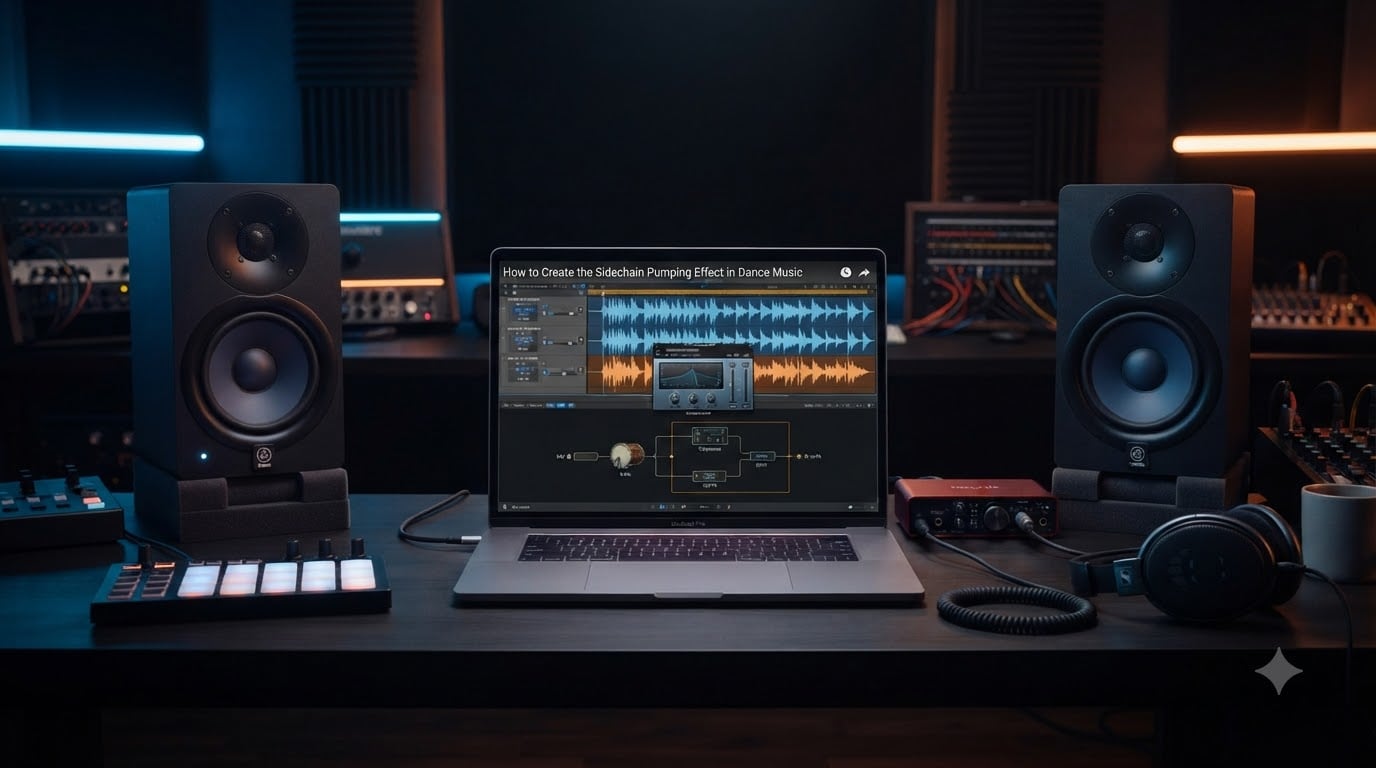
If you have ever wondered why professional dance tracks have that irresistible, breathing groove where the bass seems to duck every time the kick drum hits, you are hearing the sidechain pumping effect in action. It is one of the most defining sounds in modern electronic music production, and once you understand how it works, it transforms the way you approach mixing bass, synths, and drums together.
In this guide, I will walk you through exactly how to create the sidechain pumping effect in dance music from scratch. We will cover what it is, how the signal flow works, step-by-step setup in any DAW, the specific compressor settings that deliver a professional pump, genre-specific recommendations, alternative methods, and how to fix common mistakes that make your mix sound amateur.
Whether you produce EDM, house, techno, or pop, this technique will give your tracks the rhythmic energy and low-end clarity that separates bedroom demos from club-ready releases. Let me break it down so you can apply it to your next production today.
Table of Contents
What Is Sidechain Pumping?
Sidechain pumping is a production technique where a compressor automatically reduces the volume of one track whenever another track plays, creating a rhythmic ducking or breathing effect. In dance music, the kick drum almost always serves as the trigger, and the bass, synths, or entire mix bus get ducked out of its way each time the kick fires.
The result is a pulsing, surging motion that listeners feel physically. The track seems to inhale and exhale in time with the beat, which is why producers also call it a breathing or ducking effect. When done well, it makes the kick drum punch through the mix with clarity while giving the rest of the arrangement a hypnotic, grooving quality.
The pumping sound became a signature of dance music in the late 1990s and early 2000s. Daft Punk were among the first producers to push the effect to the forefront, using heavy sidechain compression on tracks that defined the French house movement. Eric Prydz famously popularized the sound with “Call On Me” in 2004, where the entire mix ducks hard on every kick, creating an almost violent pumping sensation that became a reference point for a generation of producers.
Since then, the sidechain pumping effect has become so embedded in dance music that many listeners do not even notice it consciously. They just feel the energy. As a producer, learning to control it is one of the highest-leverage skills you can develop.
How Sidechain Compression Works
To understand sidechain pumping, you first need to understand what a sidechain input is on a compressor. A standard compressor reacts to the audio passing through it, turning itself down when that signal gets loud. A sidechain compressor reacts to a separate signal instead, turning down the audio passing through it based on what a different track is doing.
Here is the signal flow in plain terms. You place a compressor on your bass track. Instead of letting the bass trigger the compression, you route your kick drum into the compressor’s sidechain input. Now, every time the kick drum plays, the compressor clamps down on the bass. When the kick stops, the compressor releases and the bass comes back up.
The speed and depth of that ducking motion are what create the pump. A fast attack makes the volume drop instantly when the kick hits. A timed release brings the volume back up at a musical rate, often syncing to quarter notes, eighth notes, or off-beat patterns. The gain reduction meter on your compressor becomes your visual heartbeat for the effect.
Most modern DAWs and compressor plugins make this routing simple. You no longer need external hardware or complex auxiliary sends. A few clicks in Ableton, FL Studio, Logic Pro, or Pro Tools get you there, and I will cover the exact steps in the next section.
How to Create the Sidechain Pumping Effect in Dance Music: Step-by-Step Setup
Follow these steps to set up sidechain pumping in any major DAW. The core process is identical everywhere, though the menu names differ slightly.
Step 1: Choose Your Trigger and Target Tracks
Start by identifying what will trigger the compressor and what will get ducked. In most dance music, the kick drum is your trigger and the bass line is your target. You can also sidechain pads, leads, vocals, or even your full mix bus to the kick.
Step 2: Add a Compressor to the Target Track
Load a compressor plugin onto the track you want to duck. This could be your DAW’s stock compressor, or a third-party option like Pro-C 2, The Glue, or Pressha. Any compressor with a sidechain or external input function will work.
Step 3: Route the Kick Into the Sidechain Input
In Ableton Live, open the compressor, click the small triangle icon to enable the sidechain, then select your kick track from the dropdown menu. In FL Studio, load the Fruity Limiter on the bass track, right-click the Comp sidechain section, and route the kick to it from the mixer. In Logic Pro, insert a Compressor on the bass, click the Side Chain dropdown at the top, and choose your kick track. In Pro Tools, use a bus send from the kick into the key input of a compressor on the bass.
Step 4: Set the Compressor to React Only to the Kick
Make sure the compressor is now ignoring the bass signal entirely and only responding to the kick. Play your track and watch the gain reduction meter. If it moves in time with the kick drum, your routing is correct. If it reacts to the bass, double-check your sidechain input selection.
Step 5: Dial In Your Attack, Release, Ratio, and Threshold
Set a fast attack so the compressor grabs the bass immediately when the kick hits. Set the release to match the rhythm of your track, typically between 100 and 300 milliseconds for a musical pump. Use a ratio between 4:1 and 10:1 for a noticeable effect, and lower the threshold until you see roughly 5 to 8 dB of gain reduction on the meter. I will break down each of these settings in detail in the next section.
Step 6: Fine-Tune by Ear
Numbers are a starting point, but your ears make the final call. Solo the kick and bass together, then toggle the compressor bypass on and off. You should hear the bass clearly ducking on each kick and surging back up in between, creating that signature groove. Adjust the release time until the pump feels musical and locked to the tempo.
Essential Compressor Settings Explained
Getting the sidechain pumping effect right comes down to four main controls on your compressor. Here is what each one does and how to set it for a clean, musical pump.
Threshold
The threshold determines how loud the kick signal needs to be before the compressor starts ducking the bass. Set it low enough that every kick hit triggers compression consistently. If your threshold is too high, some kicks will not trigger the effect and the pump will feel uneven. Aim for steady gain reduction on every beat.
Ratio
The ratio controls how aggressively the bass gets turned down when the kick hits. A ratio of 4:1 gives a gentle duck that works well for pop and melodic house. A ratio of 10:1 or higher creates the hard, slamming pump associated with big-room EDM and festival anthems. Most producers land somewhere between 4:1 and 8:1 for a balanced effect.
Attack
Attack time is how quickly the compressor reacts after the kick hits. For sidechain pumping, you almost always want the fastest attack possible, ideally under 1 millisecond. This ensures the bass ducks instantly at the exact moment the kick plays, letting the kick transient punch through with zero masking. A slow attack leaves the bass loud at the moment of impact, which defeats the purpose.
Release
Release time is the most important setting for the musical feel of your pump. It controls how quickly the bass comes back up after the kick. Too fast and the effect sounds jumpy and nervous. Too slow and the bass never fully returns, sounding flat and lifeless. Sync the release to your tempo so the volume swells back in time with the groove. As a general rule, somewhere between 100 and 300 milliseconds works for most dance tracks at 120 to 128 BPM.
Many producers on forums like r/edmproduction note that the sweet spot for gain reduction is around 6 dB. Anything beyond that starts to sound exaggerated unless you are going for an intentionally aggressive, festival-style effect.
Genre-Specific Sidechain Settings
Different genres call for different amounts of pump. Here are starting-point settings I have gathered from professional producers and forum discussions across the most common dance music styles.
EDM and Big Room
For EDM, you want the pump to be obvious and powerful. Set your ratio to 10:1 or higher, aim for 8 to 12 dB of gain reduction, and use a release time around 150 milliseconds. This creates the hard, surging motion that defines festival drops. Sidechain not just the bass but also your supersaw leads and even the drum bus for maximum impact.
House and Deep House
House music calls for a smoother, more musical pump. Use a ratio around 4:1 to 6:1, target 4 to 6 dB of gain reduction, and set a slightly longer release of 200 to 250 milliseconds. The effect should feel like a gentle breathing motion rather than a violent duck. Daft Punk and classic French house tend to push it harder, while modern deep house keeps it subtle.
Pop and Commercial
In pop production, sidechain pumping should be felt rather than heard. Use a low ratio of 3:1 or 4:1, keep gain reduction between 2 and 4 dB, and use a fast release so the ducking is barely perceptible. The goal is to create space for the kick without making the listener aware that anything is being ducked.
One important tip from experienced producers is that sidechain settings should always be adjusted in the context of the full mix, not in solo. The interaction between kick, bass, and other elements determines what sounds right.
Alternative Methods: Volume Automation and LFO Tools
Traditional sidechain compression is not the only way to achieve the pumping effect. In fact, many modern producers prefer alternative methods that offer more control and avoid some of the sonic artifacts of compression.
Volume Automation
You can draw volume dips directly onto your bass or synth tracks using your DAW’s automation feature. Manually lower the volume by a few dB on every kick hit, then bring it back up between beats. This gives you complete visual control over the shape of the pump and avoids any coloration or dynamic artifacts that a compressor might introduce. It takes more time to set up, but many producers swear by it for its transparency and precision.
LFO Tools and Dedicated Plugins
Plugins like Nicky Romero Kickstart, LFO Tool by Xfer Records, and ShaperBox use volume modulation driven by a synchronized LFO to create the pump. Instead of reacting to a kick drum, these tools apply a repeating volume envelope synced to your project tempo. You simply select a curve shape and the plugin handles the rest. This is extremely fast, reliable, and consistent, which is why Kickstart has become one of the most popular plugins in dance music production.
Which Method Should You Use?
Sidechain compression offers the most natural, dynamic response because it reacts to the actual kick signal. Volume automation gives you the most precise control. LFO tools are the fastest and most consistent. Many professional producers use a combination, relying on Kickstart for quick results and switching to compression or automation when they need a more organic feel.
Common Mistakes and How to Fix Them
Sidechain pumping is powerful, but it is easy to overdo. Here are the most common mistakes I see producers make and how to fix each one.
Mistake 1: Pumping Too Hard
This is the number one complaint on production forums. Too much gain reduction makes the mix sound like it is gasping for air. If your bass disappears completely on every kick, you have gone too far. Fix it by reducing your ratio, raising the threshold, or aiming for around 4 to 6 dB of gain reduction instead of 10 or more.
Mistake 2: Release Time Not Synced to Tempo
If your release is too short, the pump sounds jittery and distracting. If it is too long, the bass never fully returns and your low end feels weak. Set the release so the volume returns just before the next kick hits, creating a smooth, musical swell. Use your ears and the gain reduction meter together to find the sweet spot.
Mistake 3: Sidechaining Everything
Some producers slap sidechain on every track including vocals, percussion, and effects. This creates a chaotic, seasick feeling. Be selective. Sidechain the elements that actually clash with the kick, usually bass and heavy mid-range sounds. Leave percussion, vocals, and atmospheres alone unless they specifically need the effect.
Mistake 4: Phase Issues from Duplicate Kick Signals
If you use a separate ghost kick to trigger the sidechain, make sure it does not bleed into the mix audibly. Mute the ghost track’s output or route it only to the sidechain bus. A duplicate kick signal leaking into your mix can cause phase cancellation and weaken your low end.
Mistake 5: Forgetting to Bypass and Compare
Always toggle your sidechain compressor on and off while listening to the full mix. If the effect is not clearly improving the groove and kick clarity, it may be doing more harm than good. Trust your ears over the numbers.
FAQs
What is sidechain pumping?
Sidechain pumping is a music production technique where a compressor automatically ducks the volume of a track, usually bass or synths, every time a trigger signal, typically a kick drum, plays. This creates a rhythmic breathing or surging effect that gives dance music its signature groove.
How do I set up sidechain ducking?
Place a compressor on the track you want to duck, enable the sidechain input, and route your kick drum into it. Set a fast attack, a release time synced to your tempo (100 to 300 ms), a ratio between 4:1 and 10:1, and lower the threshold until you see 4 to 8 dB of gain reduction on the meter.
What compressor settings should I use for sidechain?
Start with a fast attack under 1 ms, a release between 100 and 300 ms synced to your track tempo, a ratio of 4:1 to 8:1 for most genres, and a threshold that produces 4 to 6 dB of gain reduction. Adjust by ear in the context of the full mix.
Why does sidechaining sound so good in dance music?
Sidechaining creates space for the kick drum to punch through the bass and synths, improving mix clarity. It also adds rhythmic movement and energy that makes listeners want to move, which is essential for dance music. The breathing effect feels natural and hypnotic when timed to the beat.
Can I create sidechain pumping without a compressor?
Yes. You can draw volume automation manually on your tracks, or use dedicated LFO tools like Nicky Romero Kickstart, Xfer LFO Tool, or ShaperBox. These methods apply a synced volume envelope that mimics the pumping effect without using compression at all.
How do I fix sidechain pumping that sounds too aggressive?
Reduce the compression ratio, raise the threshold so you see less gain reduction, or shorten the effect by using a faster release. Aim for around 4 to 6 dB of gain reduction instead of 8 or more, and always evaluate the effect in the context of your full mix.
Conclusion
Learning how to create the sidechain pumping effect in dance music is one of the most impactful skills you can develop as a producer. It gives your kicks clarity, your bass groove, and your tracks the professional energy that defines the genre.
Start with the compressor settings I outlined, experiment with alternative methods like Kickstart or volume automation, and always trust your ears over the numbers. The best pump is the one that serves the song, not the one that hits a formula.
Open your DAW, route your kick to a sidechain compressor on your bass, and start dialing in the effect on your next track. Once you feel that groove lock in, you will wonder how you ever produced dance music without it.