
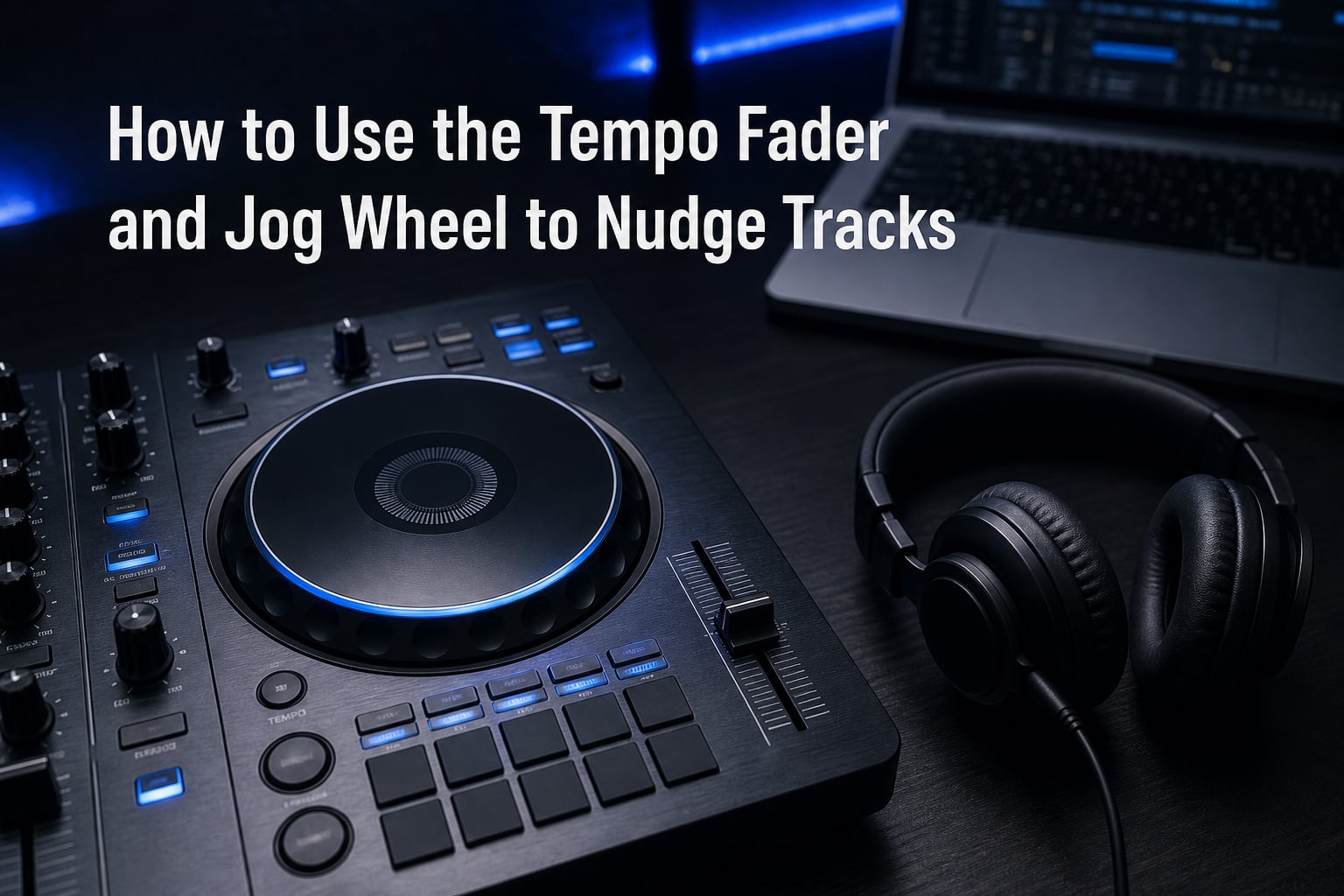
Learning how to use the tempo fader and jog wheel to nudge tracks is the single most important manual beatmatching skill a DJ can develop. I remember the first time I tried to mix two records by ear without sync: my pitch fader was glued to my right hand, my fingers were white-knuckling the jog wheel, and the mix sounded like two metronomes fighting each other. That is the moment every DJ goes through. The good news is that tempo fader and jog wheel nudging follow a clear logic. Once you understand what each control does, you stop guessing and start mixing with intention.
In this guide I will walk you through exactly how to use the tempo fader and jog wheel to nudge tracks, when to use each control, and how to fix the most common problems that DJs run into when they first start beatmatching by ear. By the end you will know why nudge feels invisible at times, why your mix keeps drifting after a perfect tempo match, and what the “Rule of 32” really means.
Table of Contents
What Is the Tempo Fader and How Does It Work?
The tempo fader (also called the pitch slider, pitch fader, or tempo slider) is a vertical or horizontal slider on your DJ controller or CDJ that permanently changes the playback speed of the track loaded on that deck. When you push it up, the track speeds up. When you pull it down, the track slows down. The change stays in place until you move the slider again.
On most modern gear the tempo fader has a range of +/- 8%, +/- 16%, +/- 50%, or even +/- 100%. The wider the range, the more you can speed a track up or down relative to its original BPM, which matters when you are matching tracks with very different tempos. The BPM display on your deck updates in real time as you move the slider, so you can see exactly how fast the track is playing.
The tempo fader is the control you reach for when you want a permanent, locked-in tempo change. Once your faders are aligned, the new speed stays put for the entire track unless you touch the slider again. This is perfect for the initial BPM match before you start mixing, but it is not the right tool for fine adjustments mid-mix. That is where the jog wheel comes in.
What Is a Jog Wheel and What Does It Do?
A jog wheel is the large circular dial on each deck of a DJ controller or CDJ. It looks like a record platter, and on most gear it is touch-sensitive, meaning the deck reacts differently depending on where you touch it and how you move it. Modern jog wheels come in two flavors: static jog wheels (found on most entry-level controllers) and motorized jog wheels (found on CDJs, high-end controllers, and turntable-style setups).
The jog wheel has three physical zones that DJs use every day:
Top surface: the flat round center. On vinyl mode this controls scratch and cueing behavior. In CDJ mode it is largely inactive.
Outer edge / side: the rim of the wheel. Touching the side and rotating it nudges the tempo forward or backward without changing pitch permanently.
Sides of the platter: on vinyl-style platters, grabbing the side and rotating mimics the feel of a turntable and is where most scratching happens.
Static jog wheels do not physically spin under your hand. They use sensors to detect how fast you push or pull the wheel. Motorized jog wheels physically rotate and can be stopped or pushed with pressure. Both types work for nudging once you understand how the deck is configured. The behavior of the wheel changes dramatically based on the mode your deck is set to, which I will cover in detail below.
Understanding Nudge: Temporary vs Permanent Speed Changes
Nudging a track means temporarily speeding it up or slowing it down by touching the outer edge of the jog wheel, then releasing. The speed change lasts only while you are touching the wheel. The instant you let go, the track returns to whatever tempo the tempo fader is set to.
This is the single biggest difference between the tempo fader and the jog wheel:
Tempo fader = permanent change. Move it once, and the new speed stays for the whole track.
Jog wheel nudge = temporary change. The moment you let go, the original tempo comes back.
Nudging exists because even a perfectly aligned tempo fader match is not enough. Two tracks rarely stay in phase forever. Slight differences in how the software reads the waveform, tiny buffer differences, and even minute drift in your source files mean the beats slowly slide apart. Nudge lets you push a track a few milliseconds forward or pull it back, in real time, without committing to a new overall tempo.
When DJs nudge, they are usually doing one of three things: correcting drift after a tempo fader match, lining up the very first beat of a track against a playing track, or making micro-adjustments to a track that is already in sync but has fallen a fraction out of phase.
How to Use a Jog Wheel to Nudge Tracks: Step-by-Step
Here is the exact motion I use, and that I teach in every beginner DJ lesson, to nudge a track with the jog wheel.
Place your fingers on the outer edge of the jog wheel. Use your thumb and index finger or the side of your palm, whichever feels most stable. The outer ring is where nudge lives.
Identify which track is falling behind. Listen to the bass drum or kick of both tracks. If track B is sliding behind track A, track B needs a forward nudge.
Push the jog wheel clockwise to speed the track up. A small forward push (about a quarter inch) buys you a few milliseconds of faster playback.
Release and listen. The moment you let go, the track returns to its tempo fader speed. If you nudged enough, the beats should now sit on top of each other.
Pull counter-clockwise to slow the track down. If you overshot, or if the other track is now slightly behind, reverse the motion to slow the track for a moment.
Repeat as needed until the mix holds in phase. A clean mix only needs occasional nudges once tempos are matched correctly. If you are nudging constantly, your tempo fader setting is off.
The motion is small. I usually teach beginners to imagine turning a jar lid a fraction of an inch. Big wheel spins are for scratching and searching, not nudging.
How to Use the Tempo Fader for Beatmatching
The tempo fader is your “set and forget” control. The workflow I follow every time I load a new track goes like this.
Load the incoming track and look at its BPM on the deck display.
Look at the playing track’s BPM on the other deck.
If the incoming track is slower, push the tempo fader up until the BPM numbers match.
If the incoming track is faster, pull the tempo fader down to slow it.
Use the jog wheel to nudge the first beat into alignment, then start mixing.
The tempo fader is also the right control when you want to dramatically change the energy of a track. DJs will sometimes speed up a 124 BPM house track to 128 BPM during a peak-time set by sliding the tempo fader to its new position. The jog wheel cannot do this. It can only nudge.
Tempo Fader vs Jog Wheel: When to Use Each
This is the question I get asked the most often: should I use the tempo fader or the jog wheel to fix a beatmatch issue? The answer depends on what kind of fix you need.
| Situation | Use tempo fader | Use jog wheel |
|---|---|---|
| Initial BPM match between tracks | Yes | No |
| First beat alignment after tempo match | No | Yes |
| Drift correction mid-mix | No | Yes |
| Major energy change (120 to 128 BPM) | Yes | No |
| Precise phase alignment | No | Yes |
| Cueing to a specific position | No | Yes |
| Maintaining a stable loop | No | Yes |
Rule of thumb: use the tempo fader to set the speed, use the jog wheel to set the timing. If you find yourself constantly nudging throughout a mix, your tempo fader setting is wrong by a fraction and needs a small permanent adjustment.
Key Lock and Master Tempo: Why Nudges May Not Sound Right
One of the most confusing things for new DJs is that they nudge the jog wheel and hear nothing happen. Nine times out of ten, the culprit is key lock (also called master tempo or quantize). Key lock keeps the musical key of the track the same even when you change its speed. It does this by adjusting the pitch independently of the tempo.
When key lock is on, nudging the jog wheel still changes the timing of the track, but the pitch stays locked to the musical key. This is the correct setting for most mixes. If key lock is off, nudging changes both timing and pitch. A forward nudge sounds like a chipmunk for a moment. A backward nudge sounds like a slowed-down voice. This is jarring but it can actually help you hear nudges when you are learning.
Many beginners turn key lock off while practicing precisely so they can hear the effect of their nudges. Once you are confident in your technique, turn it back on so your mixes sound professional.
Vinyl Mode vs CDJ Mode: How Mode Affects Jog Wheel Behavior
The mode your deck is set to completely changes how the jog wheel behaves. Knowing the difference between vinyl mode and CDJ mode is critical for understanding why nudging feels different on different gear.
| Mode | Touch the top | Touch the edge | Release behavior |
|---|---|---|---|
| Vinyl mode | Stops or scratches playback | Nudges tempo | Track resumes at tempo fader speed |
| CDJ mode | No effect on playback | Nudges tempo | Track resumes at tempo fader speed |
In vinyl mode, putting your hand on the top of the platter stops the track like placing a finger on a vinyl record. In CDJ mode, the top of the platter is just a place to rest your hand. The edge of the wheel nudges in both modes, but CDJ mode also lets you push and spin the platter freely without stopping playback. Most modern controllers default to CDJ mode because it is more forgiving for new DJs.
Pitch Bend Buttons: A Third Way to Adjust Speed
Many DJ controllers and CDJs include pitch bend buttons next to the tempo fader. Pressing the plus button speeds the track up by a fixed amount (usually around 0.1% to 0.5%) and continues to speed it up while you hold the button. Releasing returns the track to its tempo fader speed.
Pitch bend buttons give you nudge control without touching the jog wheel. They are great for small corrections when your hand is already near the tempo fader. They feel less intuitive than the jog wheel for most DJs, but once you build muscle memory they are a powerful backup option, especially when one hand is on the mixer EQ.
Common Mistakes When Nudging Tracks (and How to Fix Them)
I have made every one of these mistakes, and I see them in almost every beginner DJ set. Here are the most common problems and how to solve them.
You are nudging constantly. If you find yourself nudging every bar or two, your tempo fader is set slightly off. The jog wheel can only fix phase. It cannot fix a real tempo difference. Stop the mix, recheck both BPMs, and adjust the tempo fader.
You cannot hear the nudge. Key lock is on and your ear is not trained yet. Turn key lock off temporarily, nudge, and listen for the pitch change. This builds your ear.
You are touching the wrong part of the wheel. Beginners often press the top surface of the jog wheel expecting a nudge. In vinyl mode this stops playback. In CDJ mode it does nothing. Move your fingers to the outer rim.
Sync is on. Most controllers disable manual nudge behavior when sync is engaged. The deck is being controlled by the master tempo automatically. Turn sync off to practice manual beatmatching.
Overcorrecting with big wheel spins. A nudge is a quarter inch. A scratch is a full rotation. If you spin the wheel hard, you are scratching, not nudging. Be gentle.
The Rule of 32 in DJing: What It Means for Your Mix
The “Rule of 32” is a quick mental math shortcut DJs use to figure out how much they need to adjust the tempo fader when beatmatching by ear. The rule states that for a small tempo difference, the percentage adjustment on the tempo fader should be roughly equal to the number of beats of drift divided by 32.
For example, if your tracks are drifting apart by about 1 beat every 32 beats, the BPM difference is roughly 1/32, or about 3%. If your tempo fader is at zero and you need to nudge the incoming track 3% faster, you slide the tempo fader up by 3% (or to about 3 on a +/- 8% range).
It is not an exact formula, but it is fast. I use it to sanity-check my ear when I am setting up a mix. If I hear drift, I count the beats, divide by 32, and that gives me a ballpark adjustment to try on the tempo fader. From there, the jog wheel handles the final fine-tuning.
Practice Drills to Build Muscle Memory
Nudge technique is built through repetition. Here are three drills I recommend to every DJ learning to beatmatch manually.
Drill 1: Slow nudge control. Load two identical tracks. Mute one channel. Practice nudging the live track forward and backward by tiny amounts. Listen for the pitch shift with key lock off, then switch key lock on and listen for timing changes only. Do this for 10 minutes a day for a week.
Drill 2: Drift correction. Load two tracks at the same BPM. Set the tempo fader slightly off on purpose (1% faster on one deck). Practice nudging the slower track to stay in phase for the entire track. Time yourself on how long you can hold the mix without drift.
Drill 3: Long-form mix. Pick two tracks that share a key. Use only the tempo fader and jog wheel to bring them in and out of phase over 5 minutes. No sync, no hot cues, just your hands and your ears. Record yourself and listen back.
FAQs
Does the jog wheel change the BPM of the track?
The jog wheel only temporarily changes the speed of the track while you are touching it. Once you release, the track returns to the BPM set by the tempo fader. So no, nudging does not permanently change the BPM of the track.
What is the rule of 32 in DJing?
The Rule of 32 is a mental shortcut DJs use to estimate tempo fader adjustments. Divide the number of beats of drift by 32 to get a rough percentage adjustment. It is not exact, but it is fast and works well for sanity-checking your ear when beatmatching.
How to use a jog wheel?
To use a jog wheel for nudging, place your fingers on the outer edge of the wheel. Push clockwise to speed the track up temporarily, or counter-clockwise to slow it down. Release to return to the tempo fader speed. For scratching, use the top surface in vinyl mode and spin the wheel under your hand.
Why do DJs tap the cue button?
DJs tap the cue button to set the starting point of a track and to beatmatch by ear. Tapping cue in time with the playing track lets the DJ hear the tempo of the incoming track against the live one before they start the track playing, which is the foundation of manual beatmatching.
Why is my jog wheel not working with sync enabled?
Most DJ controllers disable manual nudge behavior on the slave deck when sync is enabled, because the deck is automatically matched to the master tempo. Turn sync off on both decks if you want to practice manual beatmatching with the jog wheel.
Conclusion
Learning how to use the tempo fader and jog wheel to nudge tracks is what separates a DJ who relies on sync from a DJ who can mix under any condition, on any gear. The tempo fader handles permanent speed changes. The jog wheel handles temporary timing corrections. Used together, they let you bring two tracks into perfect phase and keep them there for as long as the mix requires.
If you take one thing from this guide, let it be this: set your tempo with the tempo fader, set your timing with the jog wheel, and keep key lock on for clean mixes. Practice the three drills at the end of this article, and you will find that nudging stops being something you think about and starts being something your hands do automatically. For more DJ technique breakdowns and gear walkthroughs, keep exploring the rest of the Nabiha Music library.