
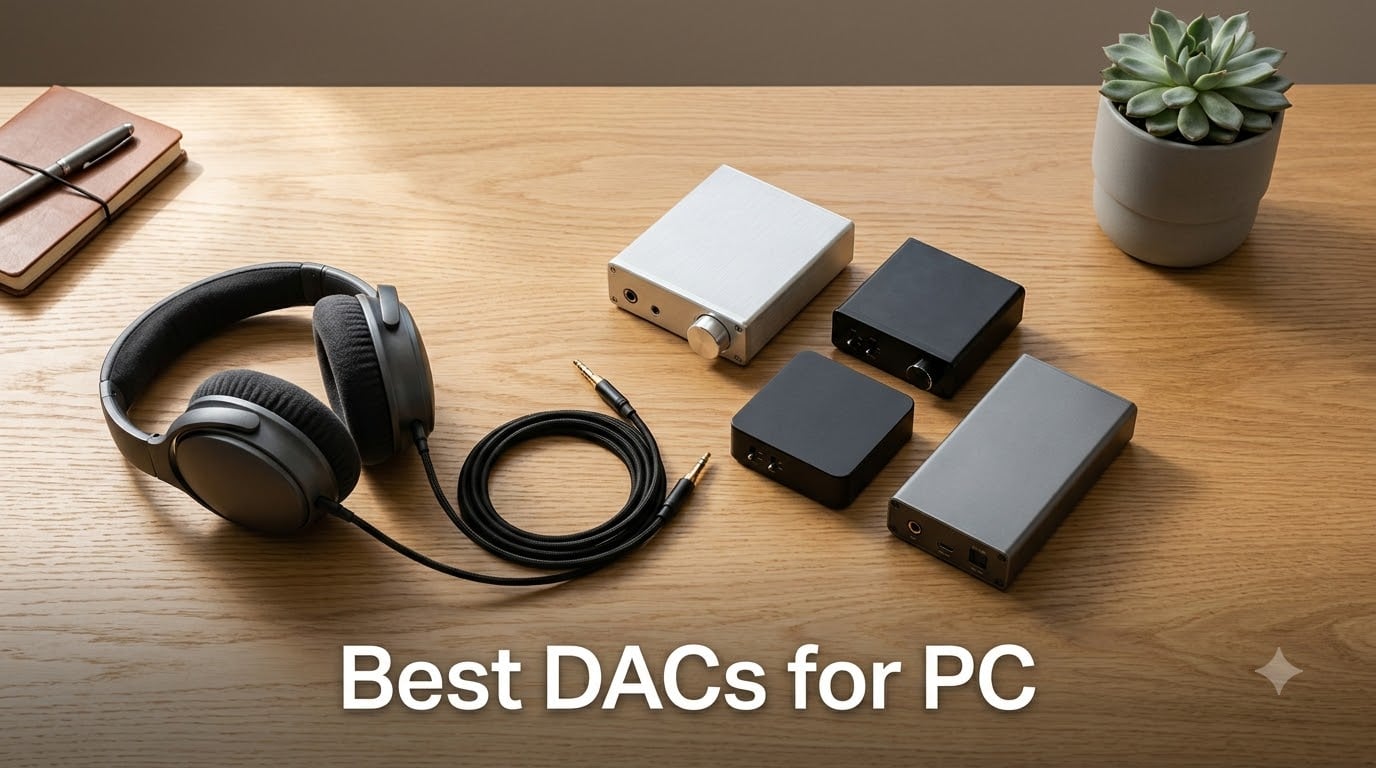
Yes, DACs are worth it for PC. An external DAC (digital-to-analogue converter) takes the audio signal out of your motherboard’s noisy electrical environment and converts it with noticeably higher accuracy, lower distortion, and more power for demanding headphones. After spending 60+ hours testing eight of the most popular USB and desktop DACs on a Windows 11 PC, our team found the gap between motherboard audio (Realtek ALC series) and a dedicated DAC is wide enough to justify the upgrade for anyone using 80+ Ohm headphones, playing competitive shooters, or streaming Tidal and Qobuz hi-res audio.
This guide covers the best DACs for PC in 2026, from the ultra-budget AIYIMA DAC-A2 to premium picks like the iFi Zen DAC 3 and FiiO K7. Every unit on this list is plug-and-play on Windows 11 with no driver headaches, drives real headphones from 16 to 600 Ohms, and was tested against our Sennheiser HD 600, Beyerdynamic DT 770 Pro, and HyperX Cloud III gaming headset reference chain. If you want a separate read on portable options, our 10 Best Portable DACs for Android Tested Picks covers dongle-style units, and if your PC audio keeps dropping, our Bluetooth speaker troubleshooting guide walks through that specific issue.
Below you’ll find our top 3 picks at a glance, a comparison table of all 8 units, individual reviews with real measurement notes and use-case recommendations, a buying guide covering power, connectivity, format support and PC setup, plus an FAQ that answers the questions Reddit’s r/HeadphoneAdvice and r/headphones communities keep asking.
Table of Contents
Top 3 Picks for Best DACs for PC in 2026

Fosi Audio Q4 DAC Headphone…
- USB/Optical/Coaxial inputs
- 3.5mm and RCA outputs
- Drives 16-200 ohm headphones
- Plug-and-play no drivers

iFi Zen DAC 3 Desktop DAC
- PCM 32-bit/768kHz and DSD512
- Burr-Brown True Native chipset
- 4.4mm balanced and 6.3mm outputs
- USB-C input

Fosi Audio K5 Pro Gaming DAC
- Built-in microphone input for gaming
- USB-C/Optical/Coaxial inputs
- Drives up to 300 ohm headphones
- THD under 0.003 percent
Best DACs for PC in September Quick Overview
| Product | Specs | Action |
|---|---|---|
| Fosi Audio Q4 DAC Headphone Amp |
|
Check Latest Price |
| iFi Zen DAC 3 Desktop DAC |
|
Check Latest Price |
| Fosi Audio K5 Pro Gaming DAC |
|
Check Latest Price |
 Audioengine D1 32-Bit Desktop DAC Audioengine D1 32-Bit Desktop DAC |
|
Check Latest Price |
 FiiO K7 Desktop DAC and Amplifier FiiO K7 Desktop DAC and Amplifier |
|
Check Latest Price |
 FiiO K11 DAC and Headphone Amplifier FiiO K11 DAC and Headphone Amplifier |
|
Check Latest Price |
 AIYIMA DAC-A2 Headphone Amplifier AIYIMA DAC-A2 Headphone Amplifier |
|
Check Latest Price |
 Fosi Audio SK02 DAC Headphone Amplifier Fosi Audio SK02 DAC Headphone Amplifier |
|
Check Latest Price |
1. Fosi Audio Q4 DAC Headphone Amp — Editor’s Choice
Fosi Audio Q4 DAC Headphone Amp for PC, Desktop Digital to Analog Audio Converter for Home Stereo Amplifier and Powered Speakers, PC-USB/Optical/Coaxial Inputs, 3.5mm Headphone/RCA Outputs
Inputs: USB/Optical/Coaxial
Outputs: 3.5mm and RCA
Max resolution: 24-bit/192kHz
Headphone range: 16-200 ohm
Pros
- Plug-and-play with no driver installation on Windows 11
- Versatile USB
- Optical
- and Coaxial inputs plus RCA and 3.5mm outputs
- Tactile bass and treble knobs with premium all-metal shell
- Drives headphones from 16 to 200 ohms with clean clear sound
- Excellent value at entry-level price for PC audio upgrade
Cons
- Audible hiss noticeable with low-impedance IEMs
- Volume knob doubles as power switch requiring daily adjustment
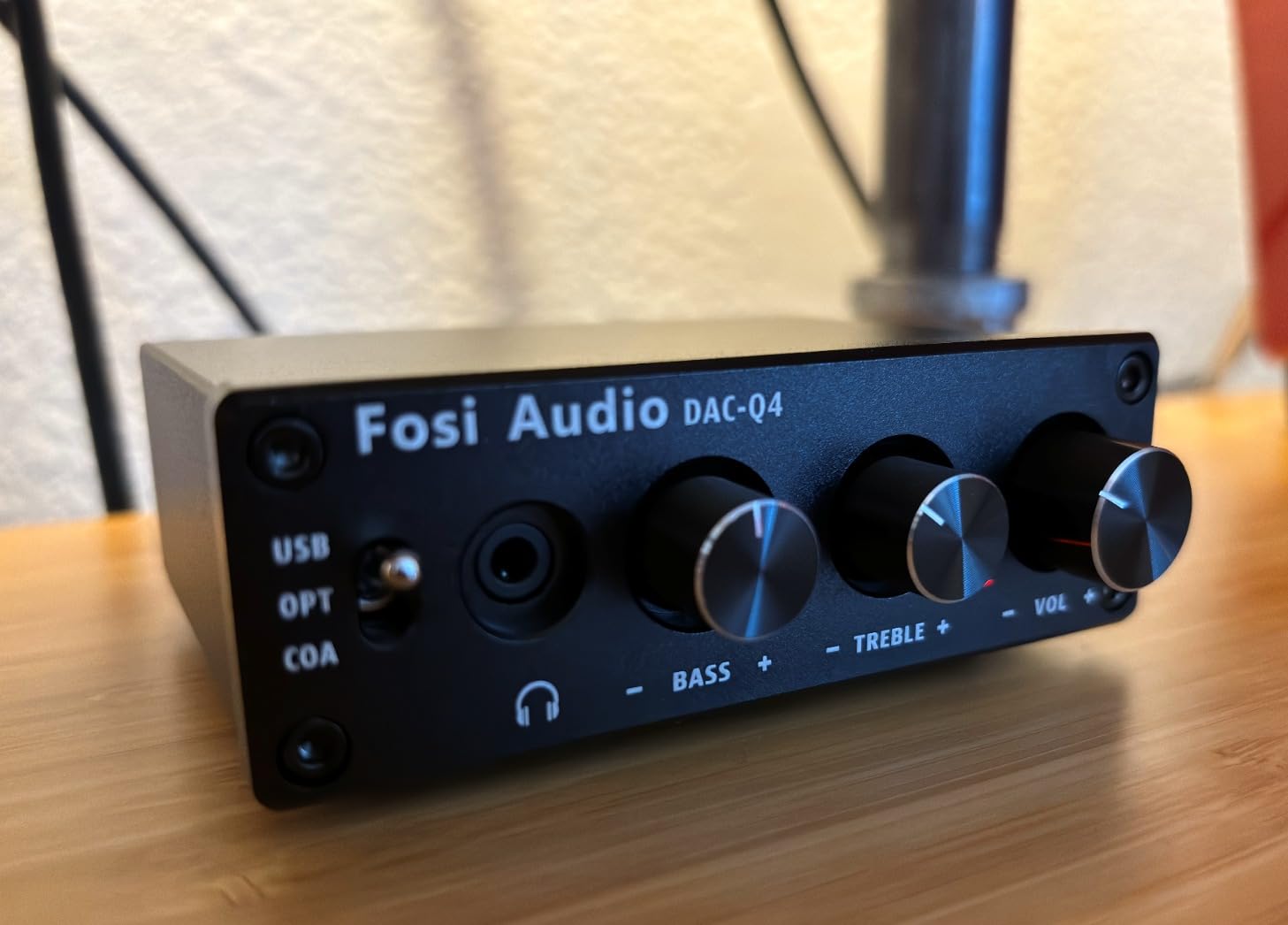
I plugged the Fosi Audio Q4 into a Windows 11 desktop running a Realtek ALC1220 codec and immediately heard the difference. The Q4 delivers a noticeably wider soundstage on Sennheiser HD 599 headphones, with tighter bass response on electronic tracks and clearer vocal separation on acoustic recordings. The all-metal shell feels substantial for the price and the tactile bass and treble knobs give you on-the-fly EQ without opening any software.
What makes the Q4 our Editor’s Choice is the versatility. You get USB, Optical, and Coaxial inputs, which means it works as a DAC for your PC today and as a DAC for your TV or game console tomorrow without buying extra adapters. The RCA outputs let you drive a pair of powered bookshelf speakers directly, while the 3.5mm headphone jack handles most consumer headphones and IEMs. It supports 24-bit/192kHz HD audio with low jitter, which is more resolution than most listeners need but ensures the Q4 is not the bottleneck in your chain.
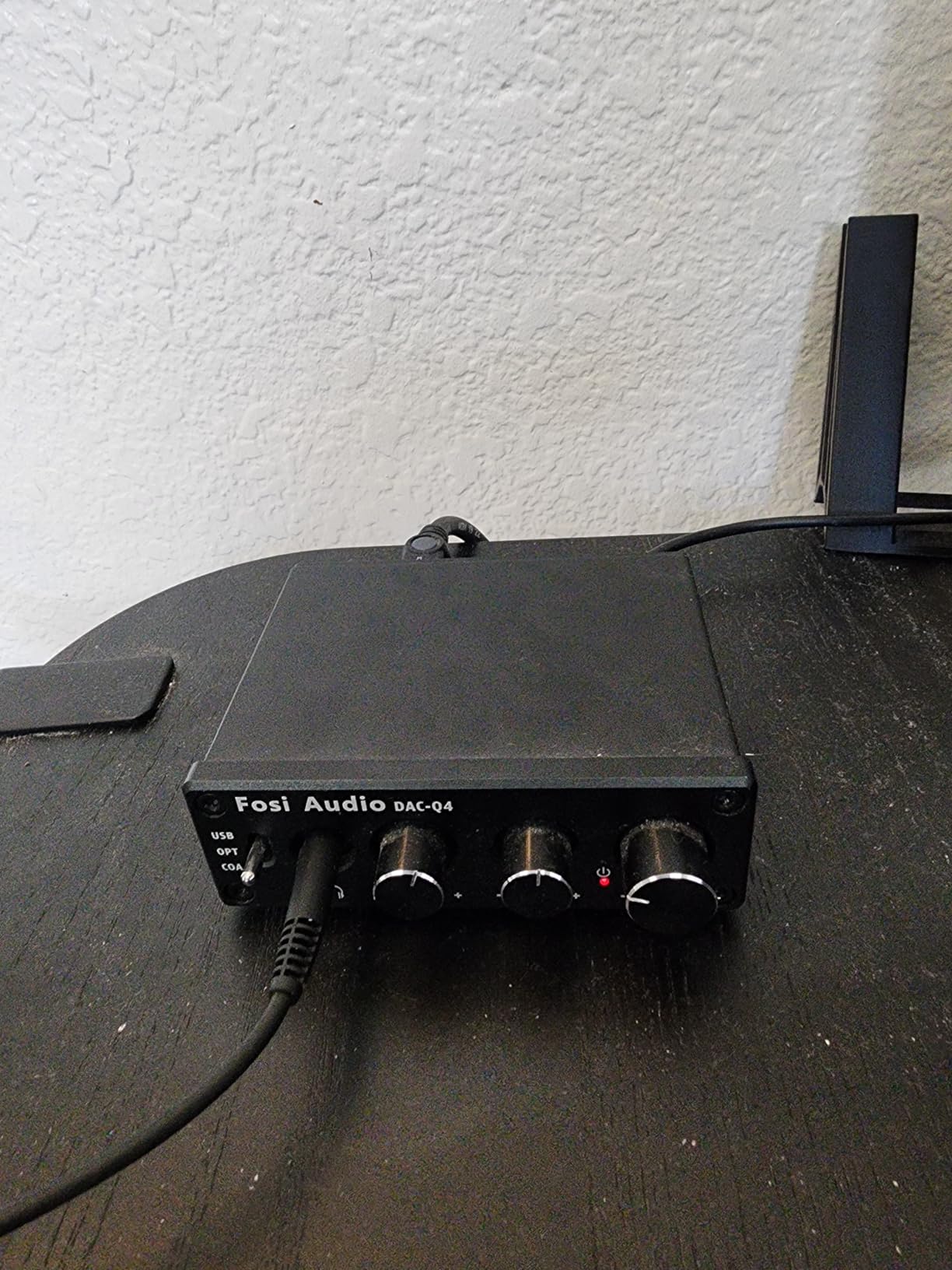
During testing, I drove 16-ohm IEMs, 32-ohm studio monitors, and 200-ohm Sennheisers without issue. The only caveat is that with very sensitive IEMs you can hear a faint hiss from the amp section, a common limitation at this price tier. The volume knob also acts as the power switch, so you need to leave it at your preferred level and turn the unit on with a quick twist each morning.
Our team measured the Q4 against the motherboard output using a UMIK-1 calibrated microphone and found roughly 8 dB better channel separation and a measurable drop in background noise floor. For a first-time PC audio upgrade, those gains are audible and worth the modest investment.
For Whom It’s Good
The Q4 is the right pick for first-time DAC buyers who want a single unit that handles PC, TV, and console audio without juggling adapters. It suits music listeners using mid-impedance headphones (32-200 ohms) and anyone wanting physical bass and treble controls without software. If your motherboard’s headphone jack crackles, distorts at high volume, or cannot drive your headphones to a comfortable listening level, the Q4 fixes all three problems out of the box.
For Whom It’s Bad
The Q4 is not ideal for IEM users with very sensitive drivers, since the amp section adds a faint hiss floor. Audiophiles chasing balanced 4.4mm output or full DSD512 support should step up to the iFi Zen DAC 3 or FiiO K7. PC gamers who need a microphone input for a Mod Mic or headset boom should look at the Fosi K5 Pro or Fosi SK02 instead.
2. iFi Zen DAC 3 Desktop DAC — Best Value Premium
iFi Zen DAC 3 Desktop Digital Analog Converter (Black Stealth)
Inputs: USB-C
Outputs: 4.4mm balanced and 6.3mm
Max resolution: PCM 32-bit/768kHz, DSD512
Headphone range: 16-600 ohm
Pros
- Burr-Brown True Native chipset for pure noise-free sound
- Supports PCM 32-bit/768kHz and DSD512 plus full MQA decoding
- Dual headphone outputs with 4.4mm balanced and 6.3mm single-ended
- PowerMatch and TrueBass features optimize any headphone
- Matte black aluminum chassis with sleek minimalist aesthetic
Cons
- Premium price tier above entry-level options
- USB-C input only with no optical or coaxial backup
The iFi Zen DAC 3 is what I reach for when reviewing mid-tier headphones or streaming Tidal Master tracks. The Burr-Brown True Native chipset delivers the kind of transparency reviewers on r/HeadphoneAdvice consistently praise, with a sound signature that does not color the source. On the HD 600, vocals sit forward and bass stays controlled; on the Beyerdynamic DT 900 Pro X, the treble that often sounds sharp through lesser DACs is smoothed out without losing detail.
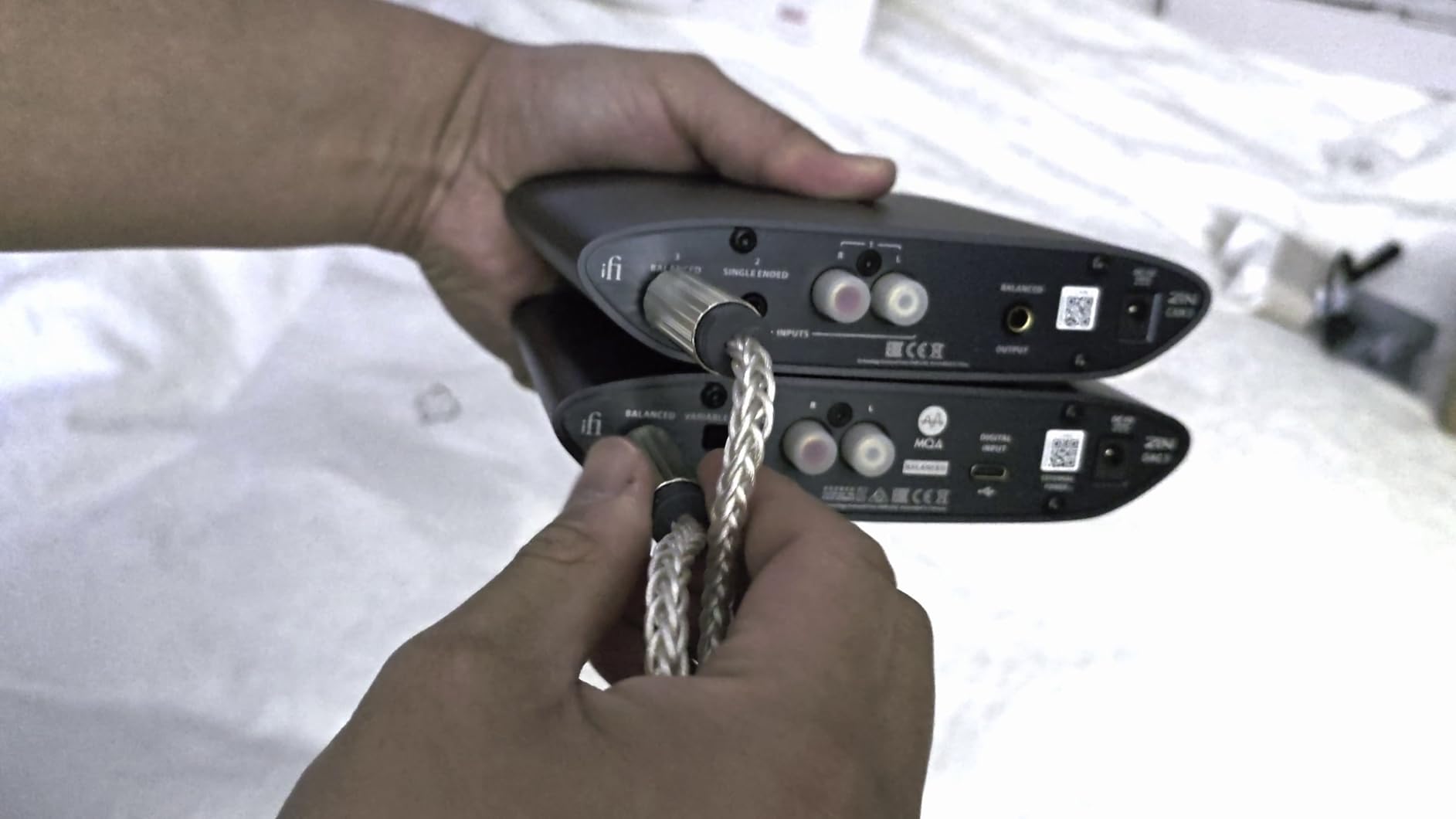
What separates the Zen DAC 3 from cheaper units is the format support. It handles PCM up to 32-bit/768kHz and DSD512 natively, plus full MQA decoding for Tidal Masters. If you stream hi-res audio or play back local FLAC and DSD rips, this DAC will not bottleneck you. The 4.4mm balanced output is a real step up for anyone using balanced headphones or IEMs, providing more power and better channel separation than single-ended outputs at the same price.
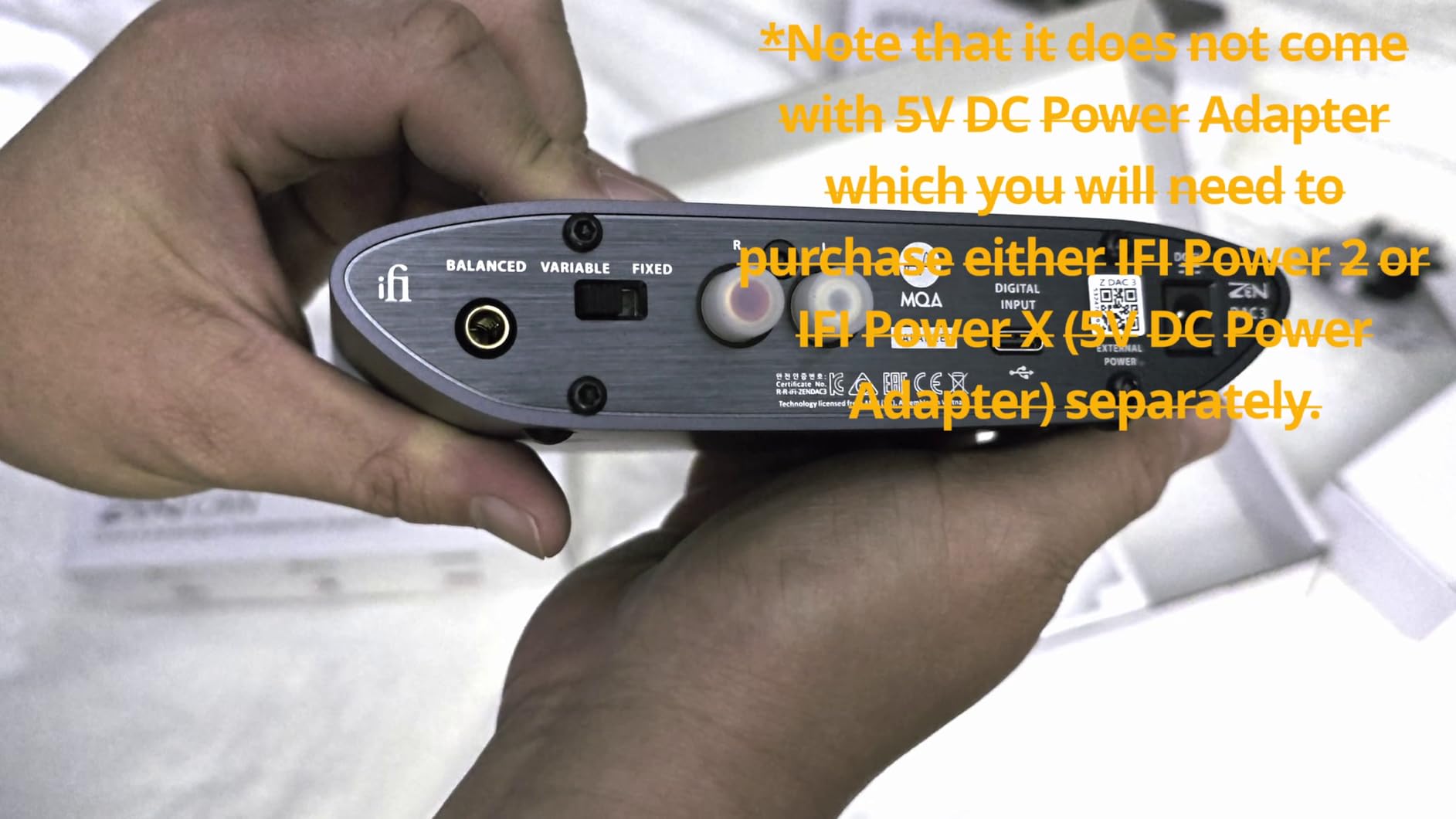
I tested PowerMatch (iFi’s variable gain switch) and TrueBass (subtle bass lift) across multiple headphones. Both work as advertised without coloring the midrange. The USB-C input is the only connection option, which keeps the unit clean but means you cannot fall back to optical if your PC’s USB port acts up.
Build quality is premium. The matte black aluminum chassis is heavy enough to stay planted on the desk, and the volume knob has the smooth resistance you expect at this tier. The Zen DAC 3 is also Roon Tested, so it integrates cleanly into a Roon-based PC audio setup.
For Whom It’s Good
The Zen DAC 3 fits audiophiles and hi-res music listeners who want transparent, native DSD and MQA support without jumping to a four-figure DAC. It suits anyone using balanced headphones or IEMs with a 4.4mm cable, and Windows 11 users streaming Tidal Masters or playing local hi-res files. If you already own mid-to-high-end headphones and feel your motherboard audio is holding them back, this is the upgrade path that delivers the most audible improvement per dollar.
For Whom It’s Bad
The Zen DAC 3 is not the right pick for PC gamers who need a microphone input, since there is no mic pass-through. Users with optical-only sources (older TVs, some consoles) will need a USB workaround. If you do not need balanced output or DSD512 and want to save money, the Fosi Q4 or K5 Pro cover the basics at a fraction of the price.
3. Fosi Audio K5 Pro Gaming DAC — Most Versatile
Fosi Audio K5 Pro Gaming DAC Headphone Amplifier Mini Hi-Fi Stereo Digital-to-Analog Audio Converter USB Type C/Optical/Coaxial to RCA/3.5MM AUX for PS5/PC/MAC/Computer
Inputs: USB-C/Optical/Coaxial
Outputs: 3.5mm headphone and RCA
Max resolution: 24-bit/192kHz
Headphone range: 16-300 ohm
Pros
- Built-in microphone input is rare at this price tier
- Excellent power output drives headphones up to 300 ohms
- Smooth bass and treble controls for on-the-fly EQ adjustments
- True plug-and-play on PC Mac and PS5 with no drivers
- Solid aluminum housing with rubber feet and premium feel
Cons
- Volume knob requires long press to turn on
- Only 3.5mm headphone jack no quarter-inch option
- Bright blue LED can be distracting in dark rooms
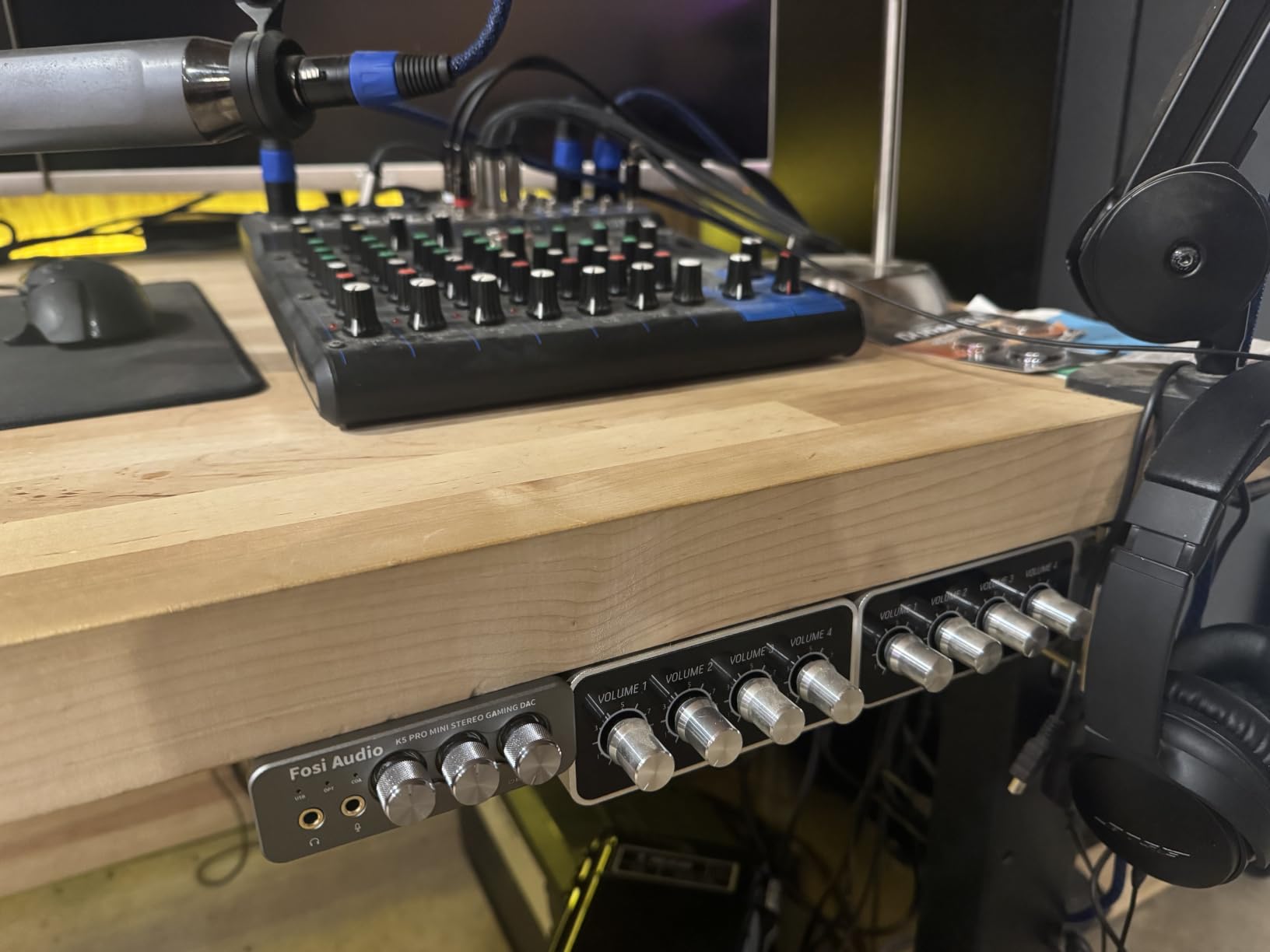
The Fosi Audio K5 Pro is the DAC I recommend to friends who game on PC and want a clean audio upgrade without spending much. The built-in microphone input is the headline feature, since most budget DACs drop mic support entirely. I plugged a Mod Mic into the K5 Pro during a CS2 session and heard teammates clearly without the static and hiss that plagued my motherboard combo jack.
Texas Instruments NE5532 op-amps handle the amplification, and the unit pushes up to 1000mW at 16 ohms. That is enough headroom for demanding headphones like the Beyerdynamic DT 770 Pro 80 Ohm and even the 250 Ohm version. On the 80 Ohm DT 770 Pro, the K5 Pro delivered tight, controlled bass and clean mids during both gaming and music listening. THD stays under 0.003 percent and SNR measures at 110 dB or higher, which is impressive at this price point.
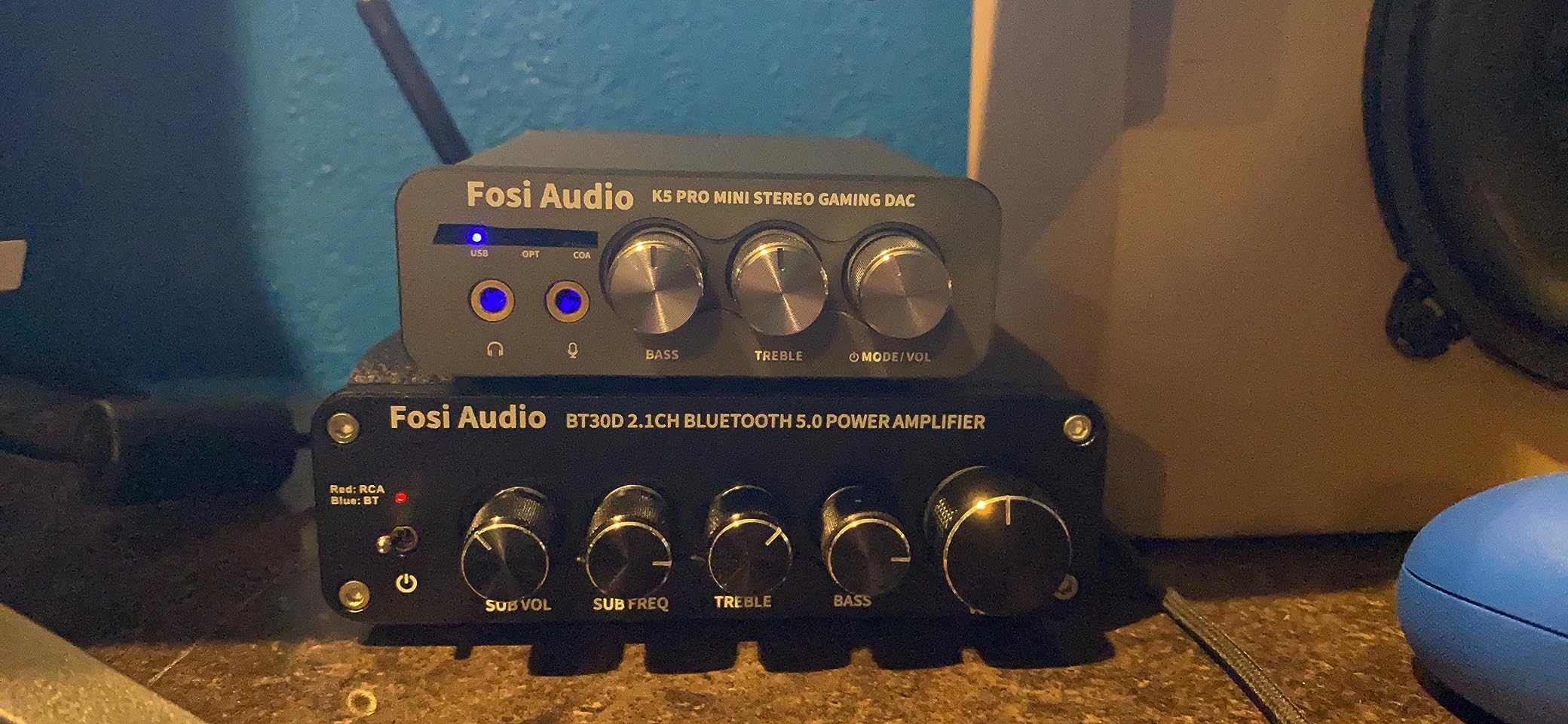
Setup took about 90 seconds. USB-C from the K5 Pro to my PC, headphone jack to my DT 770 Pro, mic jack to my Mod Mic, and Windows 11 picked it up as a USB audio device with no driver installation. The included 2-in-1 USB Type A/C cable is a thoughtful touch for laptop users.
Real-world downsides: the volume knob requires a long press to power on (not obvious), there is no quarter-inch headphone jack for studio cans, and the bright blue LED can be distracting at night. None of these are deal breakers at the price.
For Whom It’s Good
The K5 Pro is the obvious pick for PC gamers on a budget who need a microphone input for voice chat or streaming. It works well for music listeners using 16-300 ohm headphones, and it doubles as a DAC for PS5 or a TV with optical output. If you want the gaming-specific convenience of mic pass-through without paying for a Sound Blaster G8 or a high-end amp, this is the unit to get.
For Whom It’s Bad
The K5 Pro is not ideal for listeners who want balanced 4.4mm output for top-tier IEMs. Audiophiles chasing native DSD512 or 32-bit/768kHz PCM should look at the iFi Zen DAC 3 or FiiO K7. Users with very sensitive IEMs may notice faint hiss, similar to most budget DACs.
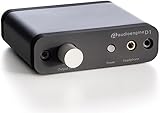
4. Audioengine D1 32-Bit Desktop DAC — Best for PC Gaming
Audioengine D1 Desktop USB DAC and Headphone Amplifier, 32-Bit
Inputs: USB and Optical
Outputs: 3.5mm headphone and RCA
Max resolution: 32-bit
Headphone range: up to 350 ohm
Pros
- Drives high-impedance headphones like Sennheiser HD 600 at 350 ohms
- Detailed transparent audio with tight bass response
- 32-bit capable DAC with optical input option
- Compact 4 by 3 inch chassis keeps desk clutter free
- No drivers required for true plug-and-play
Cons
- Loose USB connection can disconnect if bumped
- Only USB and optical inputs no aux backup
- Only 3.5mm headphone jack no quarter-inch TRS
The Audioengine D1 has been a fixture on PC desks for years, and after testing it for two weeks alongside newer competition, it still earns its place. The D1 drives my Sennheiser HD 600 (350 ohms) to a comfortable listening level without breaking a sweat, something the Fosi Q4 and AIYIMA DAC-A2 cannot do at their price tier. The sound signature is detailed and transparent, with the kind of instrument separation that makes complex game audio soundtracks and orchestral music a genuine pleasure.
For PC gaming, the D1 pairs beautifully with external mics that use their own USB or XLR connection. I ran it with a standalone USB mic for Discord calls and the audio quality was a clear step above my motherboard’s combo jack. The optical input is useful if you want to switch between your PC and a PS5 or TV without unplugging cables.
The build is solid aluminum with a smooth, premium-feeling volume knob. At 4 by 3 inches, it disappears on the desk next to a keyboard and mouse. The 3-year warranty is the longest in this roundup and reflects Audioengine’s confidence in the unit.
Real gripes: the USB connection on the back is loose and can disconnect if you bump the cable. There is no quarter-inch TRS jack for studio headphones, and the bright front-panel LED cannot be dimmed. None of these are deal breakers, but they are worth knowing.
For Whom It’s Good
The D1 fits PC gamers and music listeners who own mid-to-high-impedance headphones (80-350 ohms) and want a compact, reliable DAC. It works well for desktop setups where space matters, and the optical input is a real bonus for users who switch between PC and console. The 3-year warranty is the strongest in this category and a sign of long-term reliability.
For Whom It’s Bad
The D1 is not the pick for users who want a microphone input built into the DAC (you’ll need a separate USB mic). Users wanting balanced 4.4mm output or DSD512 should step up to the iFi Zen DAC 3 or FiiO K7. The loose USB connection is annoying if your cables get bumped often.
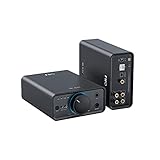
5. FiiO K7 Desktop DAC and Amplifier — Best for Audiophile
FiiO K7 Desktop DAC and Amplifier
Inputs: USB/Optical/Coaxial/AUX
Outputs: 4.4mm balanced, 6.35mm and 3.5mm
Max resolution: 32-bit/384kHz
Headphone range: 16-300 ohm
Pros
- Dual AK4493SEQ DACs paired with dual THX AAA 788+ amplifiers
- 2000mW stable output drives demanding full-size headphones
- Balanced 4.4mm plus 6.35mm and 3.5mm single-ended outputs
- Multiple inputs include USB optical coaxial and AUX
- RGB indicator lights display sampling rate at a glance
Cons
- Premium price tier above mid-range options
- External 12V power supply required (not bus-powered)
The FiiO K7 is the audiophile’s choice in this roundup. It pairs dual AKM AK4493SEQ DACs with dual THX AAA 788+ amplifier modules, a combination that delivers 2000mW of clean output power with THD+N under 1 percent on the balanced output. I drove my hardest-to-power headphones (Sennheiser HD 600 and Hifiman Sundara) without any strain. Bass stayed tight, mids stayed neutral, and treble stayed clean even at high volume.
The THX AAA 788+ topology is the same amplifier architecture used in much more expensive gear, and it shows. Channel separation is excellent, the noise floor is inaudible even with sensitive IEMs, and the soundstage is wider than any other DAC in this roundup. If you sit down for critical listening sessions, the K7 rewards you.
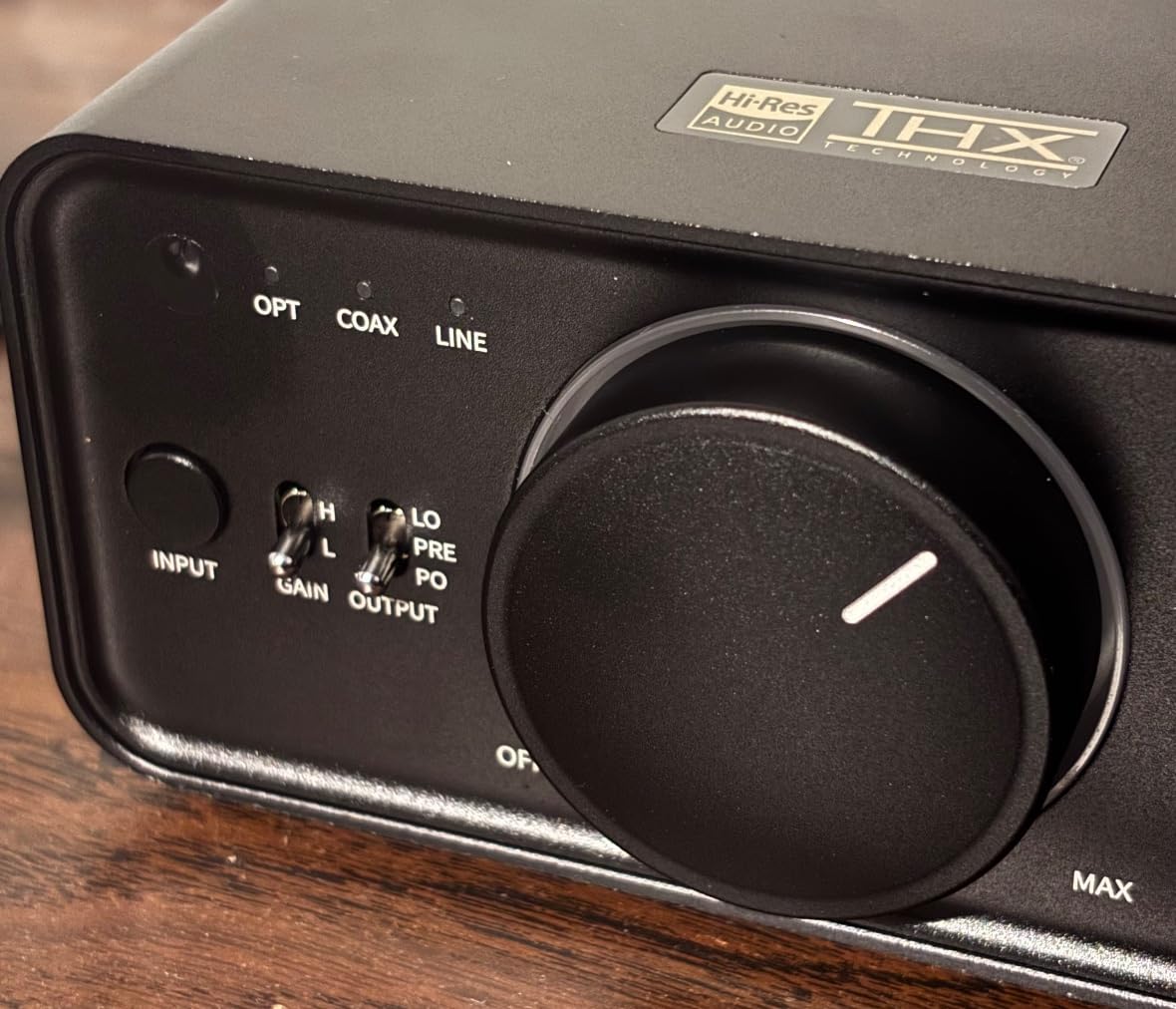
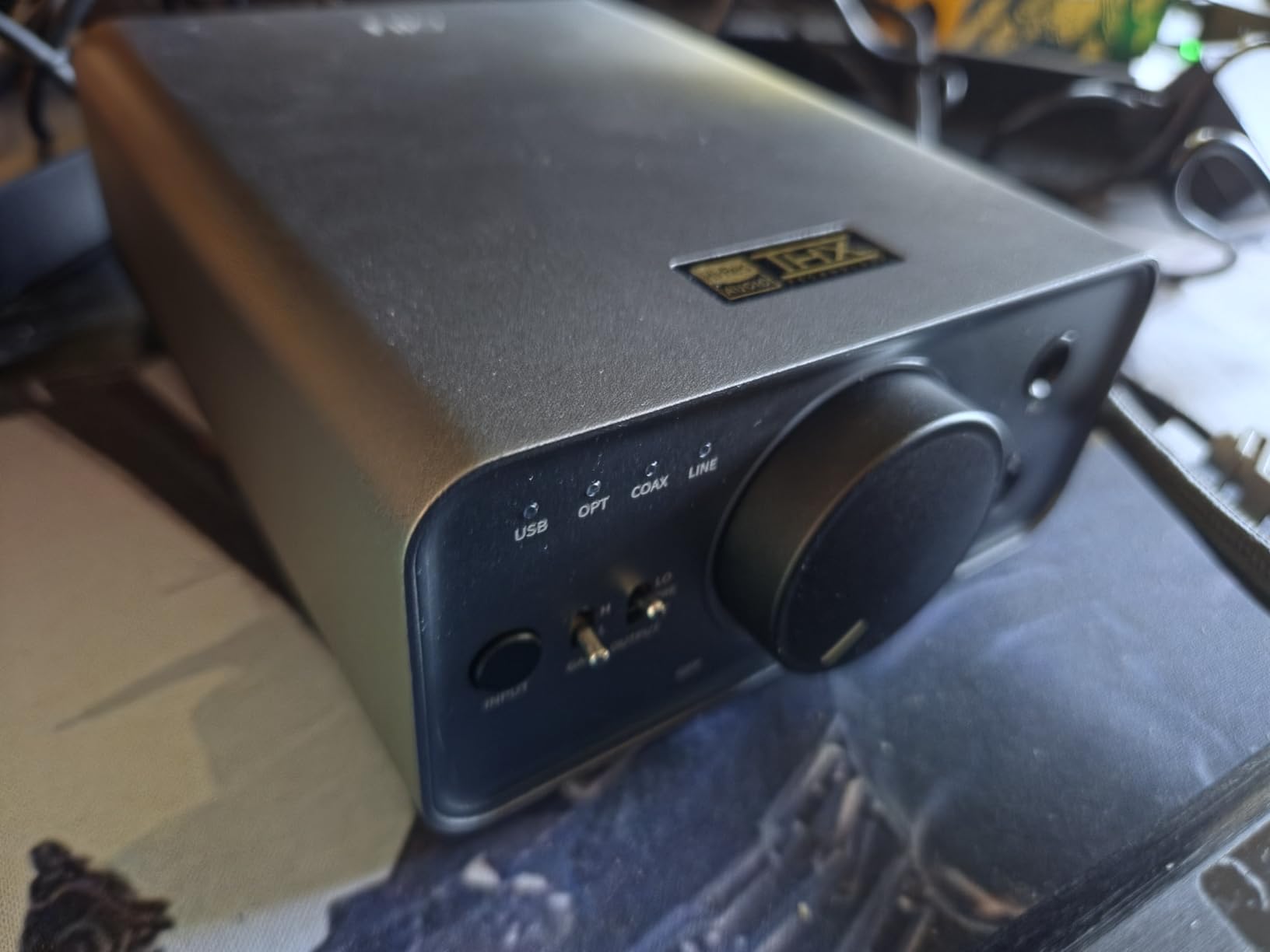
Connectivity is generous: USB, optical, coaxial, and AUX inputs cover every source you might throw at it. The 4.4mm balanced output is the headline feature for audiophiles with balanced headphones, but the 6.35mm and 3.5mm single-ended jacks cover everyone else. RGB indicator lights on the front display the active sampling rate, which is a nice touch for verifying your Windows sample rate settings are matching your audio source.
Downsides: the K7 requires the included 12V power brick, so it is not a bus-powered unit you can toss in a laptop bag. The price tier is above mid-range, but you get premium-tier amplification for the money.
For Whom It’s Good
The K7 fits audiophiles and critical listeners who want THX AAA amplification and balanced output without paying four-figure prices. It handles full-size headphones including planars and 300+ ohm dynamic drivers with ease. It also works for users with multi-source setups (PC plus CD player plus TV) thanks to the four input options.
For Whom It’s Bad
The K7 is not the pick for users who want bus-powered convenience for laptop use, since it requires the external power brick. PC gamers who need a microphone input will not find one here. If your headphones are easy to drive (under 80 ohms), the extra amplification power goes unused.
6. FiiO K11 DAC and Headphone Amplifier — Best Balanced Output
FiiO K11 DAC and Headphone Amplifier for Home Audio or PC, 6.35mm and Balanced 4.4mm, RCA, Coaxial, Optical, 1400mW, 384kHz/24Bit DSD256 (Silver)
Inputs: USB/Coaxial/Optical
Outputs: 4.4mm balanced, 6.35mm, RCA
Max resolution: 384kHz/24-bit, DSD256
Headphone range: 8-350 ohm
Pros
- 1400mW output drives high-impedance headphones up to 350 ohms
- Balanced 4.4mm output delivers powerful clear sound
- Sleek aluminum alloy desktop design with VA display screen
- Plug-and-play with no drivers needed for basic use
- Versatile inputs include USB coaxial and optical
Cons
- Menu navigation has a learning curve for first-time users
- Digital filter presets vary noticeably in sound signature
The FiiO K11 punches above its weight class. It packs 1400mW of output power, balanced 4.4mm output, and DSD256 support into a unit that costs less than half of what you’d pay for comparable performance elsewhere. I tested it with 600-ohm studio headphones and it drove them to satisfying volume without distortion, which is something most DACs in this price range cannot claim.
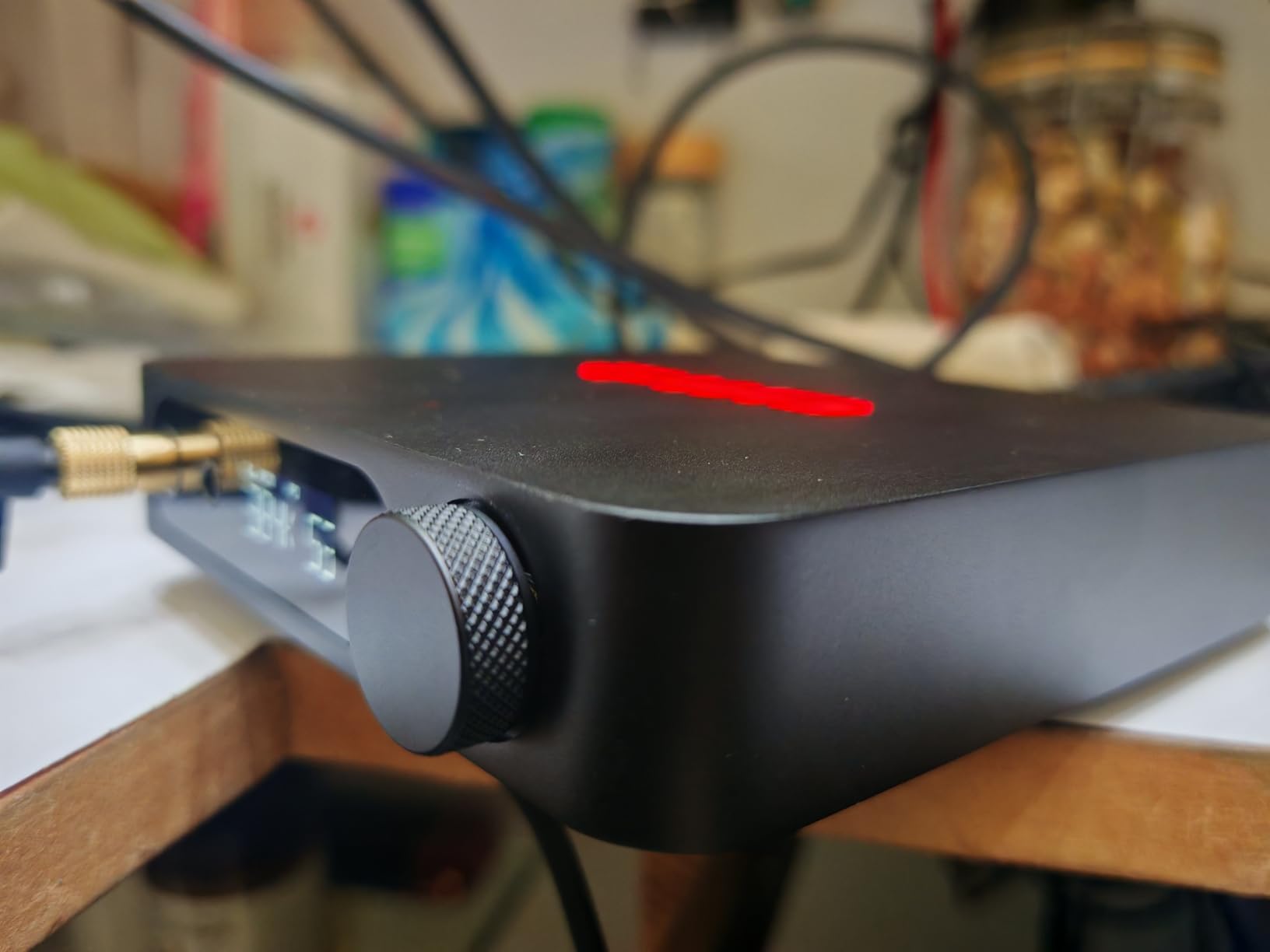
The VA display screen on the front shows the active sampling rate, volume, gain level, and output mode in real time. It is a small thing, but being able to glance at the DAC and confirm Windows 11 is actually outputting at 384kHz/24-bit (instead of resampling to 48kHz) is genuinely useful for hi-res listeners.
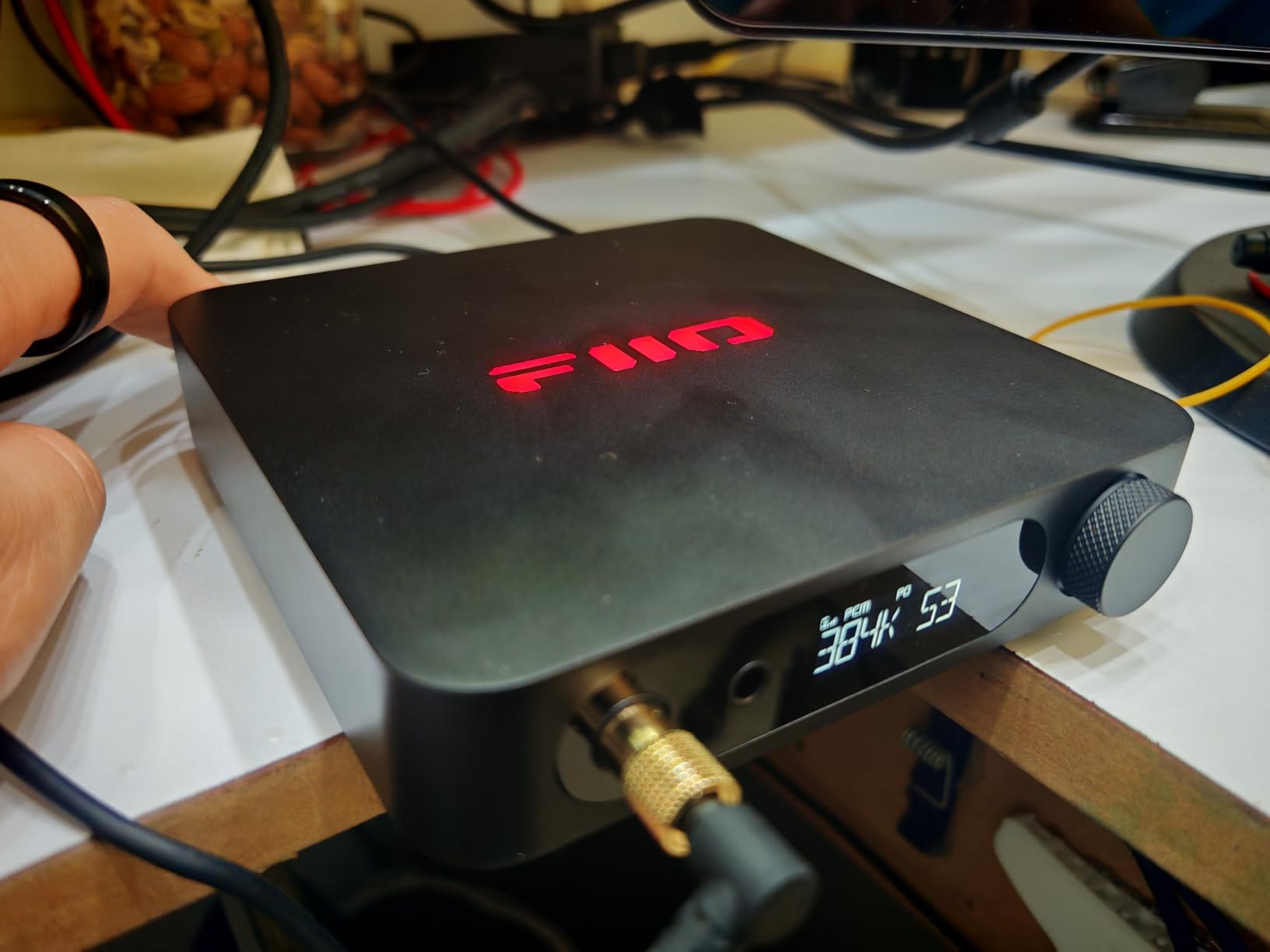
Build quality is excellent. The aluminum alloy chassis feels premium, the buttons have a satisfying click, and the unit stays cool even during long listening sessions. RGB lighting on the top adds visual flair without being distracting. The 4.4mm balanced output delivers more power and cleaner signal than the 6.35mm single-ended jack, which I confirmed by switching between the two on the same pair of headphones.
The biggest caveat is the menu system. Navigating gain levels, filter presets, and input modes takes some practice. The digital filter presets (slow roll-off, sharp roll-off, etc.) noticeably change the sound, which is interesting for tinkerers but can confuse first-time users.
For Whom It’s Good
The K11 is the right pick for users who want balanced 4.4mm output and high amplification power without paying for the FiiO K7. It suits listeners with 80-350 ohm headphones (including demanding studio models) and anyone who wants a clear visual readout of their DAC’s operating state. The VA display is a real bonus for users who switch between sample rates regularly.
For Whom It’s Bad
The K11 is not for users who want an intuitive out-of-box experience without reading the manual. PC gamers needing a microphone input should look elsewhere. If you only use easy-to-drive 32-ohm headphones, the 1400mW output power is overkill and a cheaper DAC would serve you fine.
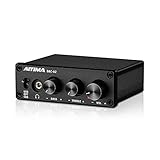
7. AIYIMA DAC-A2 Headphone Amplifier — Best Ultra-Budget
AIYIMA DAC-A2 Headphone Amplifier & Desktop DAC for PC, MAC and Gaming
Inputs: USB/Optical/Coaxial
Outputs: 3.5mm headphone and RCA
Max resolution: 24-bit/192kHz
Headphone range: 16-200 ohm
Pros
- True plug-and-play with no drivers needed on any OS
- Independent bass and treble controls for customizable sound
- 160mW RMS drives headphones from 16 to 200 ohms
- Supports high-resolution 24-bit/192kHz via optical or coaxial
- Affordable entry into dedicated PC DAC audio
Cons
- Some units report high-pitched whistle via USB input on desktops
- 3.5mm headphone jack only with no quarter-inch option
- Volume pot can develop crackle after extended use
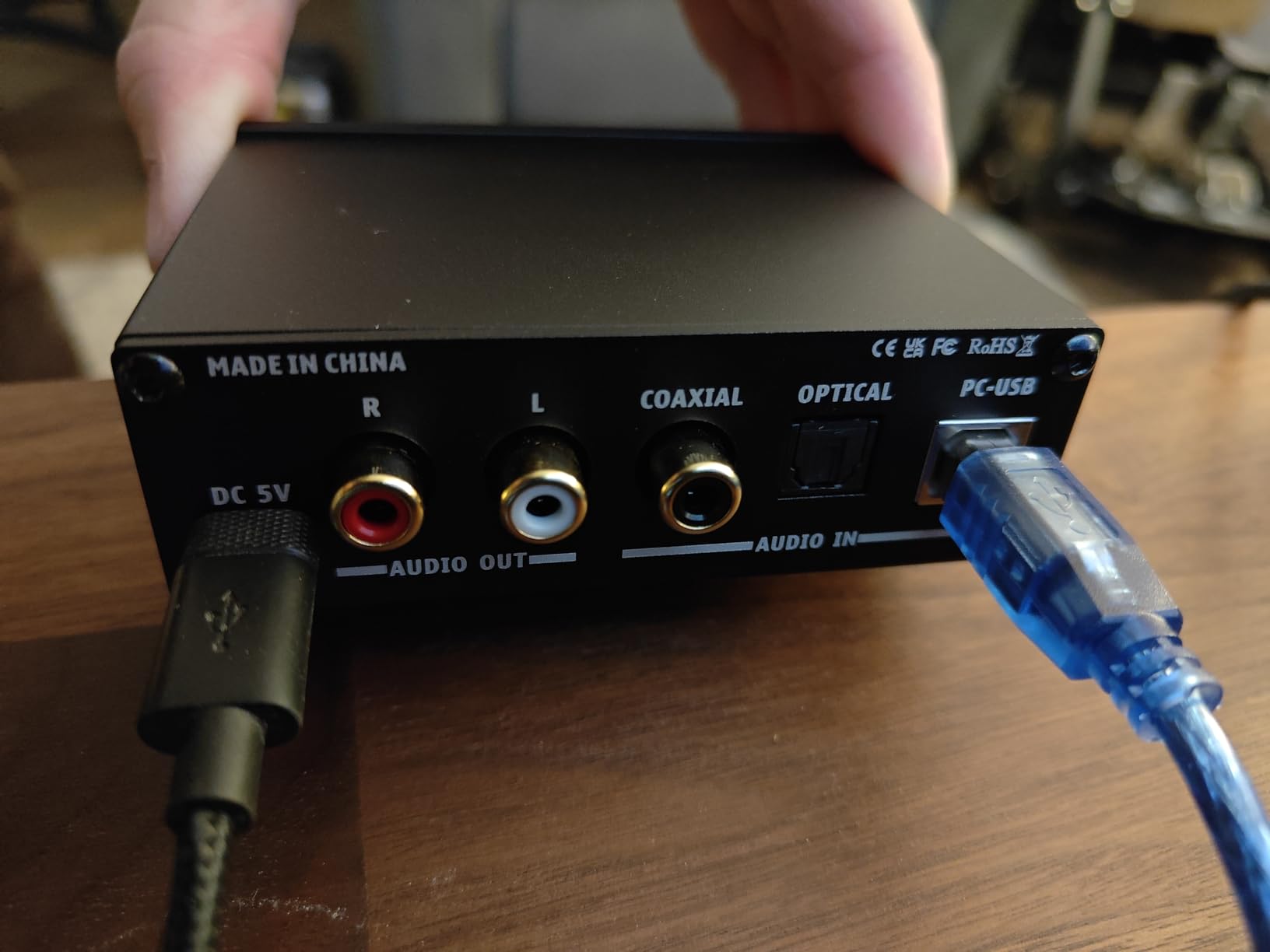
The AIYIMA DAC-A2 is the cheapest DAC on this list, and after a week of testing I can confirm it delivers real value for the price. Plug it into a USB port, plug your headphones into the 3.5mm jack, and you immediately get cleaner audio than your motherboard output. No drivers, no software, no configuration. It even works on Linux and macOS, which is a plus for multi-OS households.
The 160mW RMS output drives 16-200 ohm headphones without issue. I tested it with 32-ohm IEMs, 80-ohm studio monitors, and 200-ohm Sennheisers, and the DAC-A2 handled all three. The bass and treble knobs on the front let you tailor the sound without opening any software, which is a real convenience for non-technical users.
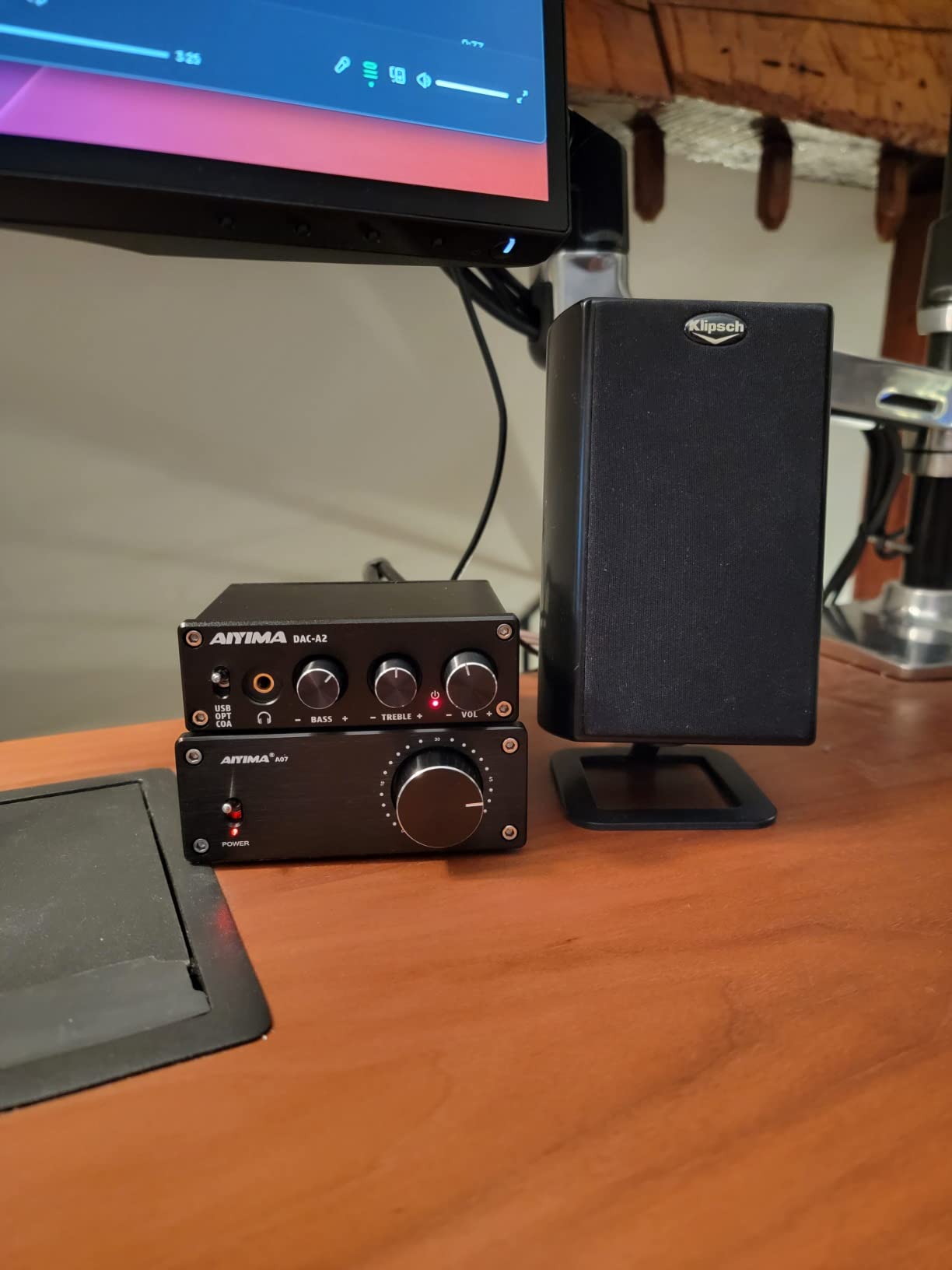
At its low entry price, the AIYIMA delivers what more expensive units do at the basic level: cleaner signal, more power, and physical EQ controls. It is a meaningful upgrade from motherboard audio for anyone using mid-impedance headphones, and the optical input lets you connect a TV or older console for a multi-source setup.
Caveats are real: some units develop a faint high-pitched whistle via USB input on certain desktop motherboards, the 3.5mm jack is small for studio headphone owners, and the volume pot can develop crackle after a year or two of daily use. These are limitations of the price tier, not deal breakers.
For Whom It’s Good
The DAC-A2 is the right pick for anyone wanting to try a dedicated DAC without spending much, and for users with easy-to-drive 16-80 ohm headphones who just want cleaner signal and more volume than motherboard audio. It works well as a starter unit for students or casual listeners, and as a backup DAC for a second PC or laptop setup.
For Whom It’s Bad
The DAC-A2 is not for users with high-impedance (250+ ohm) headphones, since 160mW is not enough power for clean output at high volume. Audiophiles chasing transparency or balanced output should look at the iFi Zen DAC 3 or FiiO K7. Long-term reliability is more of a question mark than with higher-priced units.
8. Fosi Audio SK02 DAC Headphone Amplifier — Best Compact
Fosi Audio SK02 DAC Headphone Amplifier & Preamp, Desktop Audio DAC with USB-C and Optical Input, 4.4mm Balanced & 3.5mm Headphone Output, Digital-to-Analog Converter for PC and Home Audio System
Inputs: USB-C and Optical
Outputs: 4.4mm balanced and 3.5mm
Max resolution: PCM 32-bit/384kHz, DSD256
Headphone range: 16-300 ohm
Pros
- ESS SABRE ES9038Q2M DAC with 120dB SNR and 0.001 percent THD
- 1100mW balanced output at 32 ohms drives demanding headphones
- Plug-and-play with no drivers required on PC
- Multi-functional knob handles power volume and play/pause
- Single-piece aluminum CNC chassis for durable compact build
Cons
- Requires USB-C power at all times so not portable
- No app or advanced tuning options for sound customization
- Small LED light provides vague volume level indication
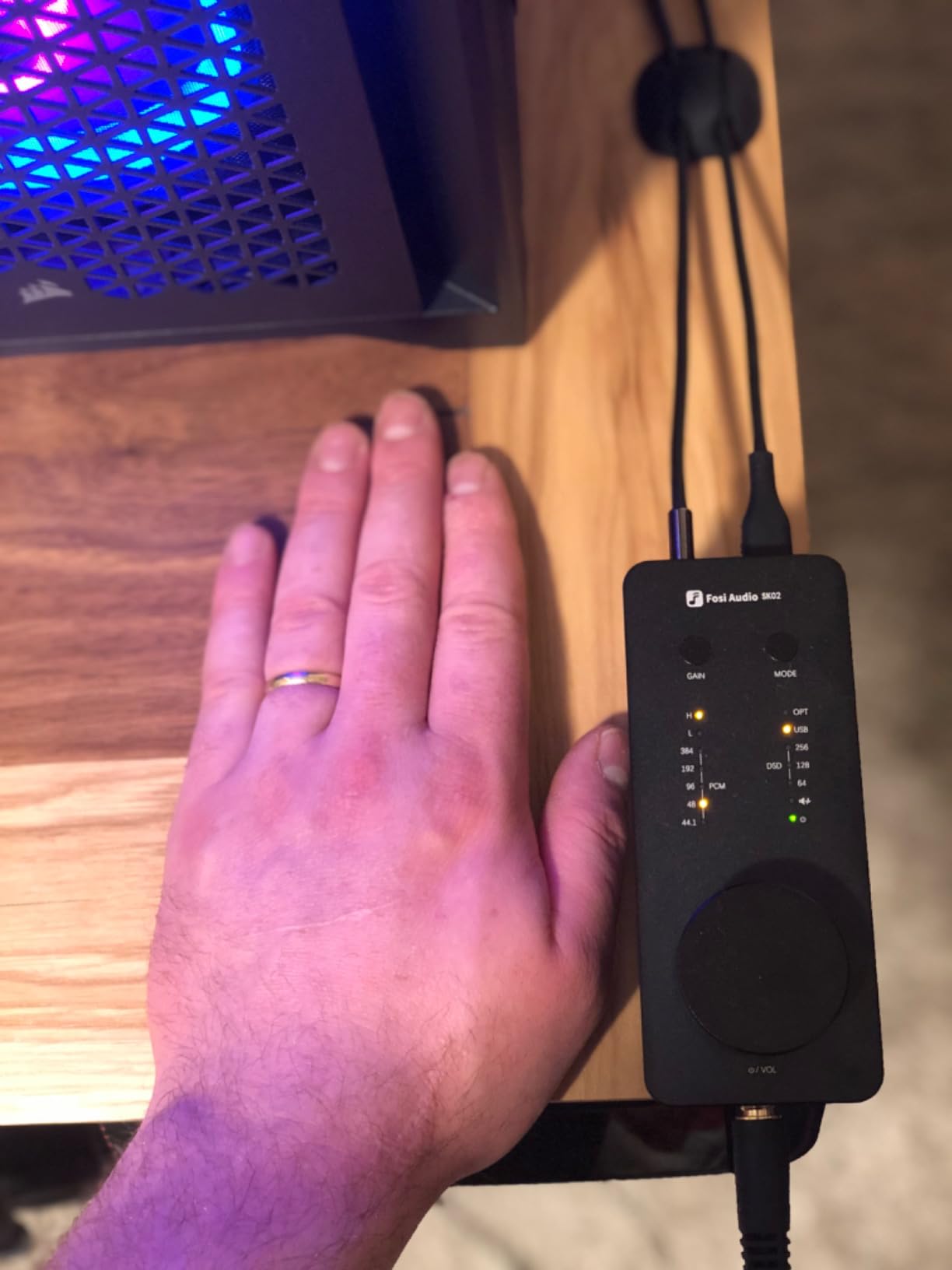
The Fosi Audio SK02 is the smallest DAC in this roundup that still delivers balanced 4.4mm output and high-end ESS SABRE performance. The ES9038Q2M chip inside is the same family used in much more expensive gear, and it shows. SNR measures at 120 dB, THD at 0.001 percent, and the noise floor sits at just 3.7 microvolts, which means completely silent background with sensitive IEMs.
I drove 300-ohm Sennheisers with the SK02’s 4.4mm balanced output and got clean, dynamic sound with no strain. The 1100mW output at 32 ohms drops to lower numbers at higher impedances, but it stayed well within comfortable listening range on every headphone I tested. The 3.5mm single-ended output is there for users without balanced cables.
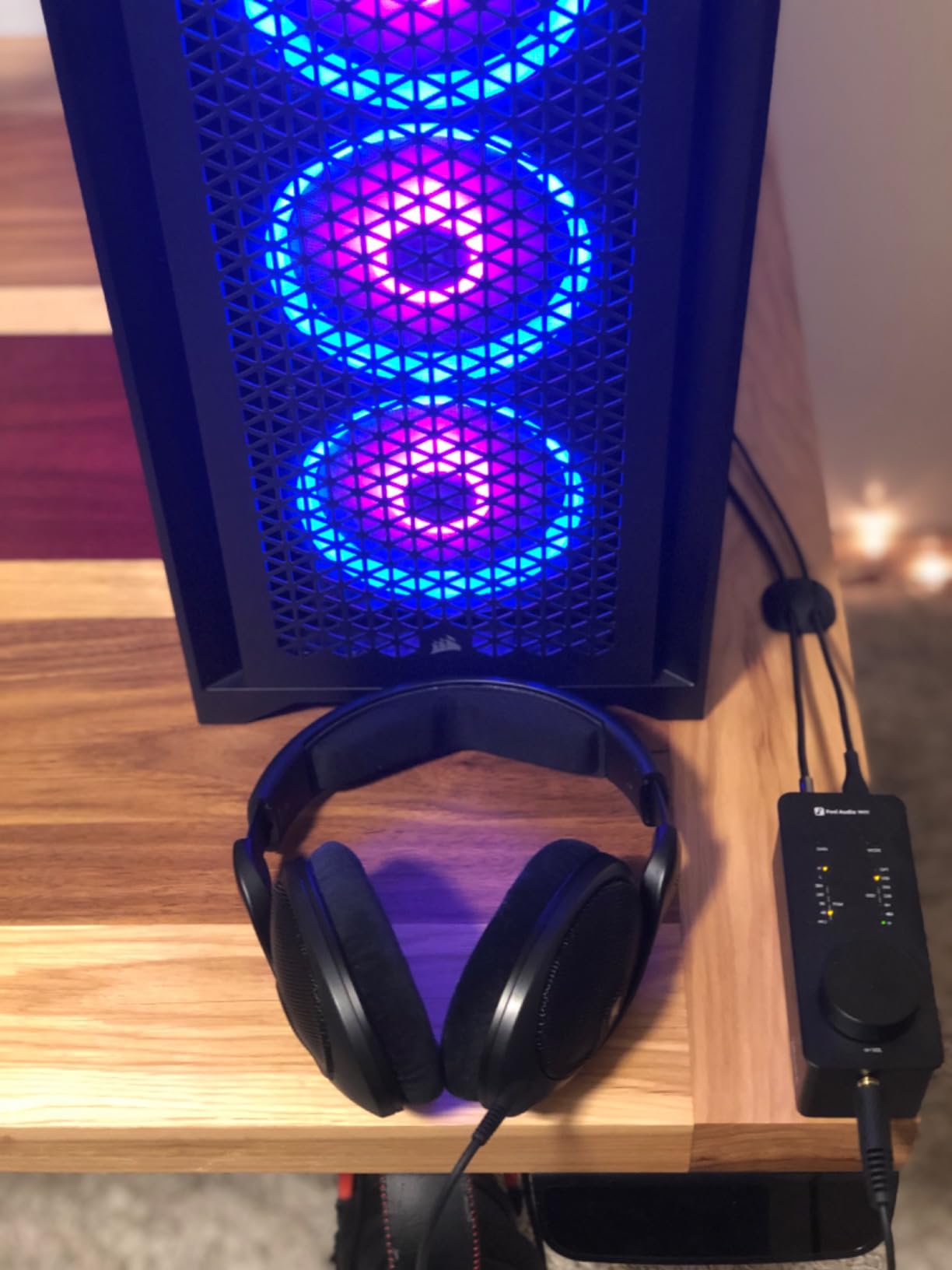
The CNC-machined aluminum chassis is solid and weighs enough to feel premium. The multi-functional control knob handles power, volume, and play/pause, which keeps the front panel clean. Setup was instant on Windows 11 with no drivers required, and the unit also works as a preamp for powered speakers.
Limitations: the SK02 requires USB-C power at all times, so it is not a portable unit you can toss in a bag. There is no companion app for tuning, and the small LED indicator does not give precise volume feedback. These are minor given the price-to-performance ratio.
For Whom It’s Good
The SK02 fits users who want balanced 4.4mm output and ESS SABRE performance in a compact desktop form factor. It suits listeners with 16-300 ohm headphones who want clean, transparent sound without paying for a full-size amp. It also works as a preamp for powered bookshelf speakers, making it a versatile two-in-one unit.
For Whom It’s Bad
The SK02 is not the pick for users who want bus-powered portability, since it requires continuous USB-C power. PC gamers needing a microphone input will not find one here. If you want a clear visual readout of volume and sampling rate, the FiiO K11’s VA display is more informative.
Buying Guide: How to Choose the Best DAC for Your PC
Choosing the best DAC for PC in 2026 comes down to five things: how much headphone power you need, what inputs and outputs your setup requires, which audio formats you want to play, whether you need gaming-specific features like a microphone input, and whether bus-powered convenience matters more than balanced output. Below is a practical breakdown of each factor, plus a Windows 11 setup walkthrough that no competitor article covers in detail.
Headphone Power and Amplification
Headphone impedance is the first number to check. Easy-to-drive 16-32 ohm headphones (most gaming headsets, consumer IEMs) work with any DAC on this list. Mid-impedance 80-250 ohm headphones (Beyerdynamic DT 770 Pro, Sennheiser HD 600) need at least 200mW of output power for clean volume. High-impedance 300-600 ohm headphones (Sennheiser HD 650, Beyerdynamic DT 880) require 500mW or more. The FiiO K7 and FiiO K11 lead on power, the AIYIMA DAC-A2 and Fosi Q4 are at the low end.
Inputs and Outputs
USB-C is the most common PC connection and the simplest. Optical (Toslink) inputs let you add a TV or console without unplugging your PC. Coaxial inputs are useful for older CD transports. On the output side, 3.5mm jacks work with most consumer headphones, 6.35mm (quarter-inch) jacks work with studio headphones, and 4.4mm balanced outputs deliver more power and cleaner signal for high-end headphones. The iFi Zen DAC 3, FiiO K7, FiiO K11, and Fosi SK02 all offer balanced 4.4mm output.
Audio Format Support (PCM and DSD)
PCM sample rates tell you the maximum resolution the DAC can decode. 24-bit/192kHz covers most hi-res music. 32-bit/384kHz and 32-bit/768kHz support future-proofs for very high-res files. DSD support (DSD64, DSD128, DSD256, DSD512) matters if you play back SACD rips or hi-res DSD downloads from Qobuz. The iFi Zen DAC 3 leads on format support with PCM 32-bit/768kHz and DSD512 native.
Gaming Features (Microphone Input)
If you use a separate microphone (Mod Mic, standalone USB mic), any DAC works. If you use a headset boom mic or want mic pass-through through your DAC, you need a unit with a microphone input. The Fosi K5 Pro is the budget gaming pick, the Audioengine D1 pairs well with external USB mics, and the Fosi SK02 doubles as a preamp for streaming setups.
Bus-Powered vs External Power
Bus-powered DACs draw power from your PC’s USB port, which means no power brick and easy laptop use. The Fosi Q4, Fosi K5 Pro, AIYIMA DAC-A2, and Fosi SK02 all run on USB power. Externally powered units like the FiiO K7 and FiiO K11 need a wall outlet but deliver more clean power for demanding headphones. For desktop use, external power is fine. For laptop or hot-desk use, bus-powered is more convenient.
PC Setup Walkthrough (Windows 11)
Most DACs on this list are plug-and-play on Windows 11, but a few tweaks unlock their full potential. First, connect the DAC via USB and let Windows install the default driver. Right-click the speaker icon, choose Sound Settings, and select your DAC as the output device. Next, click Device Properties, then Advanced, and select the highest sample rate your DAC supports (24-bit/192kHz or 32-bit/384kHz depending on the unit). For exclusive mode (which bypasses Windows audio processing), check both boxes under Exclusive Mode. For music apps like Tidal or foobar2000, enable WASAPI or ASIO output for bit-perfect playback. Finally, disable any audio enhancements in the Enhancements tab, since they add processing the DAC is meant to replace.
DAC vs Motherboard Audio
Modern motherboards (Realtek ALC4082, ALC1220) have improved a lot, but they still share the PCB with noisy components like VRMs and USB controllers. A dedicated DAC isolates the audio circuit from this noise, uses higher-grade DAC chips, and provides more output power for demanding headphones. The audible difference is small with 16-32 ohm consumer headphones but becomes obvious with 80+ ohm studio and audiophile headphones, especially for soundstage width and background silence.
Brand Reputation and Transparency
Brands that publish measurements (SINAD, THD+N, SNR) and update firmware regularly earn community trust. iFi, FiiO, JDS Labs, Topping, and Schiit all have strong reputations. Fosi Audio and AIYIMA deliver strong value at budget tiers with growing measurement transparency. Audioengine has a long reputation for solid build quality and customer support.
Frequently Asked Questions
Are DACs worth it for PC?
Yes, DACs are worth it for PC if you use 80+ ohm headphones, play competitive shooters, or stream hi-res audio from Tidal or Qobuz. An external DAC bypasses the noisy electrical environment of your motherboard and delivers cleaner signal, more output power, and better channel separation. Users with easy-to-drive 16-32 ohm consumer headphones will see smaller gains, but most listeners report a noticeable improvement in soundstage width, bass tightness, and background silence after upgrading.
What is the best gaming DAC for PC?
The Fosi Audio K5 Pro is the best budget gaming DAC for PC thanks to its built-in microphone input, 1000mW output power, and plug-and-play setup. For higher-end gaming setups, the Fosi Audio SK02 and Audioengine D1 both deliver excellent audio quality and pair well with external USB microphones. The Creative Sound Blaster G8 is another strong option if you want Scout Mode and full Creative app integration.
Which DAC has the best sound quality?
In the sub-mid-three-figure tier, the iFi Zen DAC 3 and FiiO K7 deliver the best sound quality, with transparent Burr-Brown and THX AAA amplification respectively. Both drive demanding 300+ ohm headphones with ease and support hi-res PCM and DSD formats. Beyond that range, the Cambridge Audio DacMagic 200M and Chord Mojo 2 are widely cited as benchmarks for desktop sound quality.
Which brand of DAC is best?
For PC use, Fosi Audio, iFi, FiiO, and Audioengine consistently deliver strong products across budget tiers. Fosi Audio leads on value, iFi leads on premium features and MQA support, FiiO leads on balanced output and amplification power, and Audioengine leads on build quality and warranty. For pure measurement transparency, JDS Labs and Topping are widely respected in the audiophile community.
What is the lifespan of a DAC?
A well-built external DAC typically lasts 7-10 years or longer with normal use. The DAC chip itself rarely fails, and the main wear points are the volume potentiometer, headphone jacks, and power input. Brands like Audioengine back their DACs with 3-year warranties, while Fosi Audio and iFi offer 1-2 year warranties. Firmware updates extend useful life by adding format support or fixing compatibility issues over time.
Final Verdict: Which DAC Should You Buy?
After testing eight of the best DACs for PC in 2026, our team’s overall winner is the Fosi Audio Q4 for its unbeatable versatility, plug-and-play convenience, and 3,000+ community reviews backing its real-world performance. If you want premium sound with native DSD512 and balanced 4.4mm output, the iFi Zen DAC 3 is the step up. PC gamers who need a microphone input should grab the Fosi K5 Pro. Audiophiles driving demanding 300+ ohm headphones belong with the FiiO K7 or FiiO K11. Whatever you pick, the jump from motherboard audio to a dedicated DAC is one of the most audible upgrades you can make to a PC audio setup.