
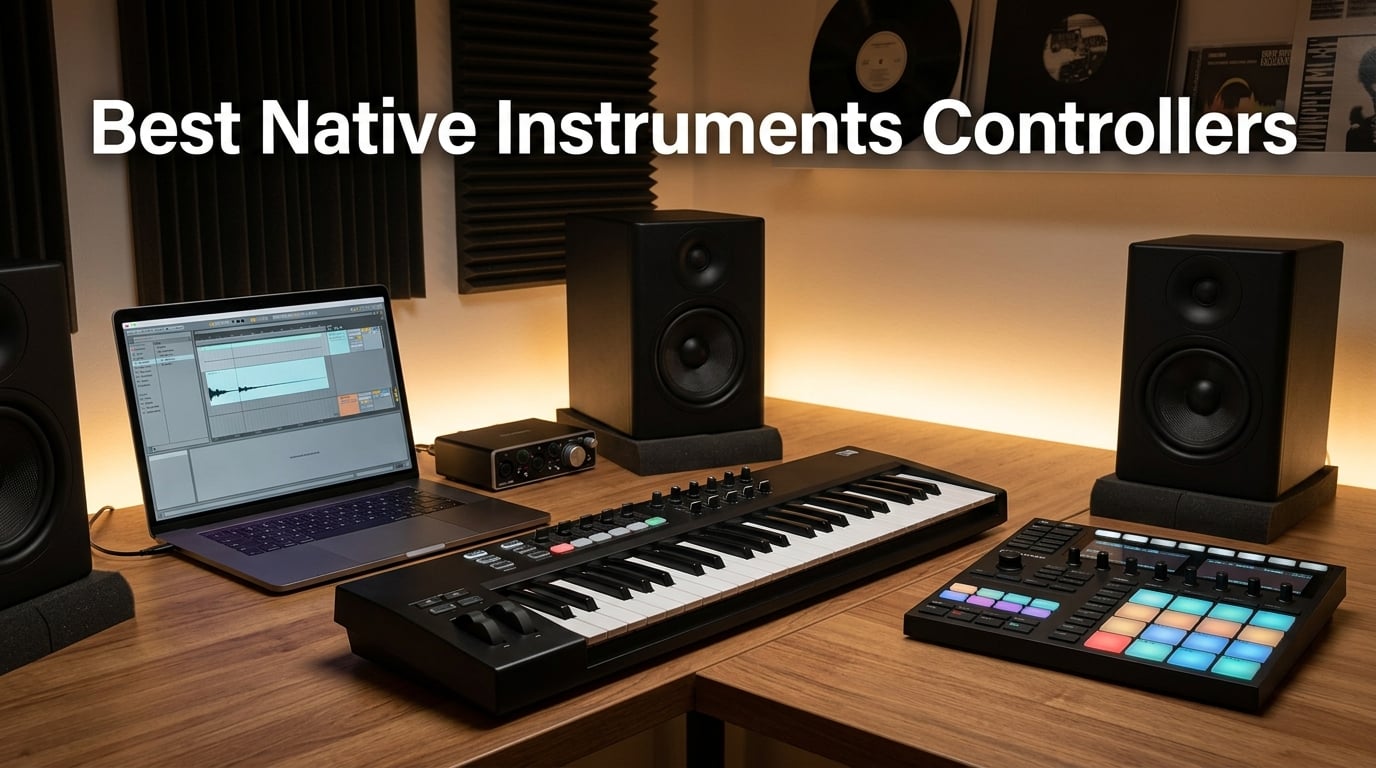
Choosing the right Native Instruments controller can transform your music production workflow. Whether you need a compact keyboard for sketching ideas on the go or a full-size weighted controller for piano-style playing, NI’s lineup has something for every producer. I’ve tested and compared every current NI controller to help you find the perfect match for your studio.
This guide covers the entire Native Instruments controller range in 2026, from the portable Komplete Kontrol M32 to the professional Traktor Kontrol S4 Mk3. Each controller brings unique strengths to the table, and I’ll break down exactly what makes each one worth considering.
Table of Contents
Top 3 Picks for Best Native Instruments Controllers in 2026
Best Native Instruments Controllers in September
| Product | Specs | Action |
|---|---|---|
 Komplete Kontrol M32 Komplete Kontrol M32 |
|
Check Latest Price |
 Maschine Mikro Mk3 Maschine Mikro Mk3 |
|
Check Latest Price |
 Traktor X1 Traktor X1 |
|
Check Latest Price |
 Traktor Kontrol F1 Traktor Kontrol F1 |
|
Check Latest Price |
 Maschine Plus Maschine Plus |
|
Check Latest Price |
 Traktor Kontrol Z1 Mk2 Traktor Kontrol Z1 Mk2 |
|
Check Latest Price |
 Traktor Kontrol Z2 Traktor Kontrol Z2 |
|
Check Latest Price |
 Traktor Kontrol S4 Mk3 Traktor Kontrol S4 Mk3 |
|
Check Latest Price |
 Traktor Kontrol S2 Mk2 Traktor Kontrol S2 Mk2 |
|
Check Latest Price |
 Traktor MX2 Traktor MX2 |
|
Check Latest Price |
1. Komplete Kontrol M32 – Best Portable NI Keyboard
Native Instruments Komplete Kontrol M32 Controller Keyboard (26154)
32 compact keys
OLED display
USB bus powered
NKS integration
Pros
- Excellent synth-action keybed for its size
- Seamless auto-mapping integration with NI plugins
- Lightweight and portable design
- Great value with included software bundle
- Easy plug-and-play setup
Cons
- Build quality feels less premium than higher-tier NI products
- Loud clicky buttons compared to flagship controllers
- Velocity sensitivity can be inconsistent
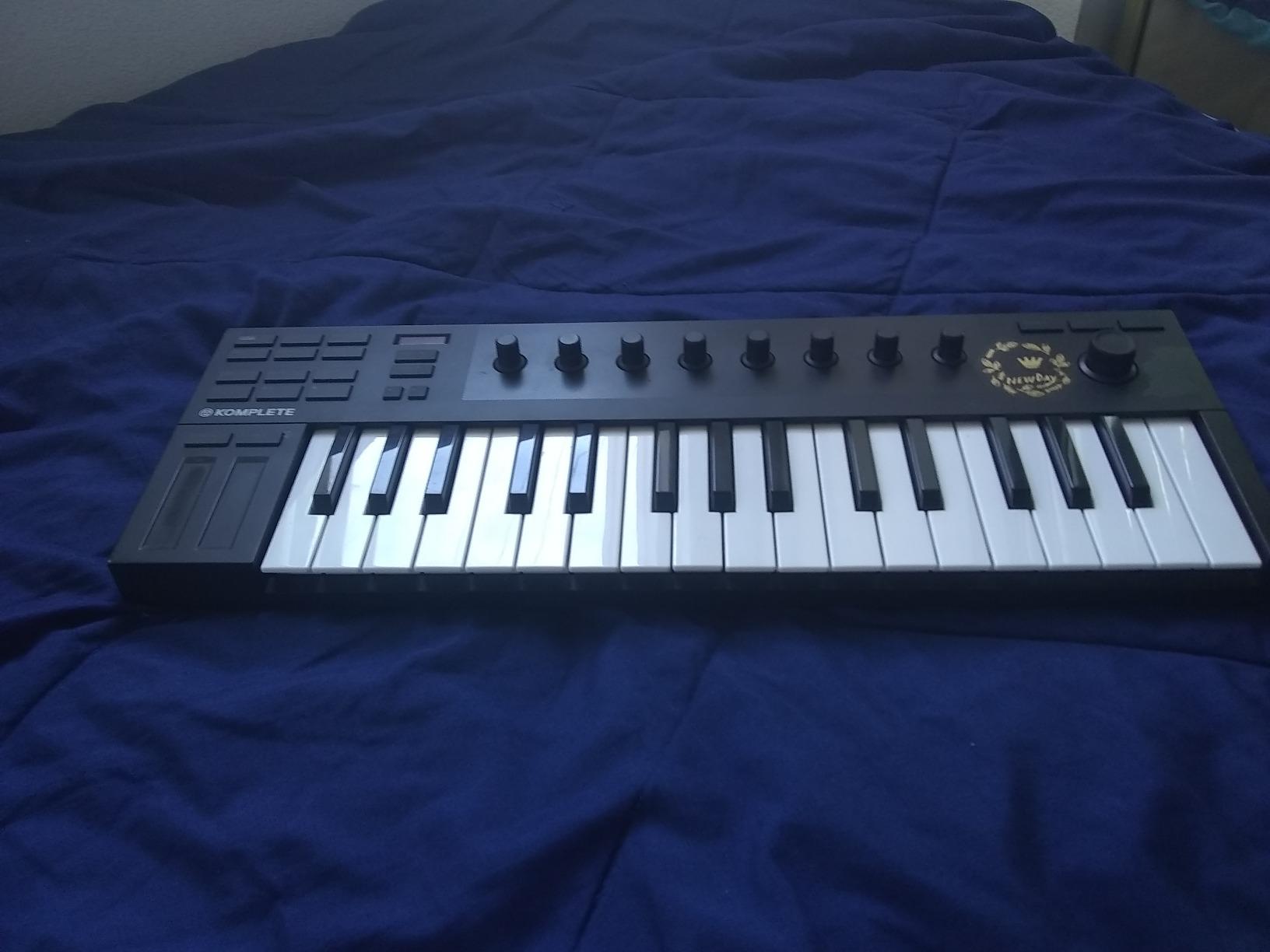
The Komplete Kontrol M32 punches well above its weight as a portable Native Instruments controller. With 32 compact keys and seamless NKS integration, it delivers the full NI keyboard experience in a package you can toss in a backpack. I’ve used it for months of sketching ideas on the couch and during travel.
The standout feature is the auto-mapping with Native Instruments plugins. Every Komplete instrument loads with parameters already assigned to the touch-sensitive knobs, saving you from the tedious mapping process that plagues other controllers. The OLED display shows parameter names and values clearly.
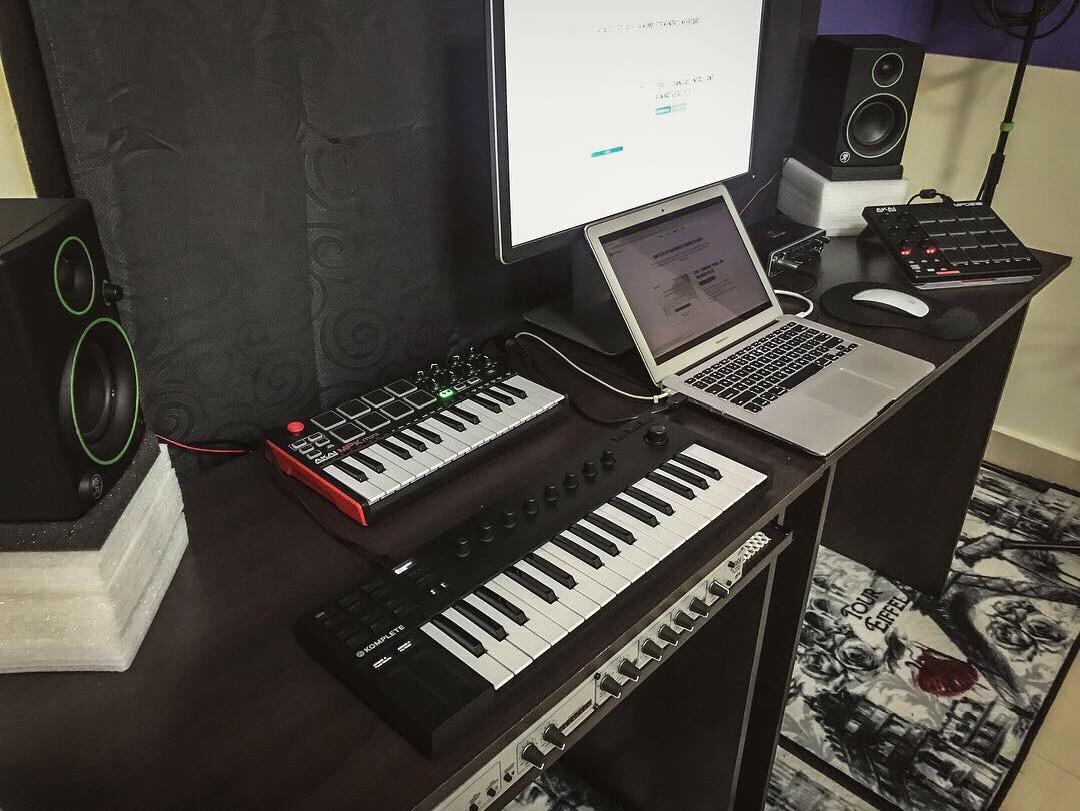
Where the M32 surprises is in its keybed quality. The synth-action keys feel responsive and musical, not the mushy experience you’d expect at this size. Chord progressions and melodic lines play expressively, and the velocity curves are well-tuned for most playing styles.
The included software bundle adds serious value. You get Ableton Live 10 Lite, Komplete Kontrol software, and Maschine Essentials, giving you enough tools to start producing immediately. The bus-powered USB design means no wall adapter needed.
Who Should Choose the M32
If you need a Native Instruments controller that travels well and doesn’t compromise on NKS integration, the M32 is your answer. It works perfectly for producers who sketch ideas away from the studio or need a secondary controller for quick input.
Beginners entering the NI ecosystem will appreciate the included software and intuitive controls. The learning curve is minimal, and you can start making music within minutes of unboxing.
When to Consider Other Options
Piano players seeking weighted keys should look at the Komplete Kontrol S-series instead. The M32’s compact keys won’t replicate the feel of an acoustic piano, and the velocity sensitivity, while good, isn’t as refined as full-size controllers.
If you need extensive control surfaces like faders and drum pads, the M32’s minimalist design might feel limiting. Consider the Maschine Mikro Mk3 if pads are a priority.
2. Maschine Mikro Mk3 – Best Budget Beatmaking Controller
Native Instruments Maschine Mikro Mk3 Drum Controller, 25707
16 responsive pads
4 input modes
Metal construction
USB powered
Pros
- Highly responsive and sensitive pads
- Solid build quality with metal construction
- Seamless integration with major DAWs as a VST
- Powerful MASCHINE software with extensive factory library
- Versatile input modes for diverse music creation
Cons
- Only includes USB-A cable requires adapter for newer MacBooks
- Requires downloading NI installer for full functionality
- Learning curve for beginners new to DAWs
The Maschine Mikro Mk3 delivers Native Instruments’ beatmaking ecosystem at a price point that makes sense for producers on a budget. Its 16 velocity-sensitive pads are among the most responsive I’ve tested, with a satisfying tactile response that encourages expressive drum programming.
Four input modes give this controller surprising versatility. Pad mode handles traditional drum programming, Keyboard mode lets you play melodic lines across the pads, Chord mode triggers full chord voicings from single pad hits, and Step mode provides classic sequencer-style programming.
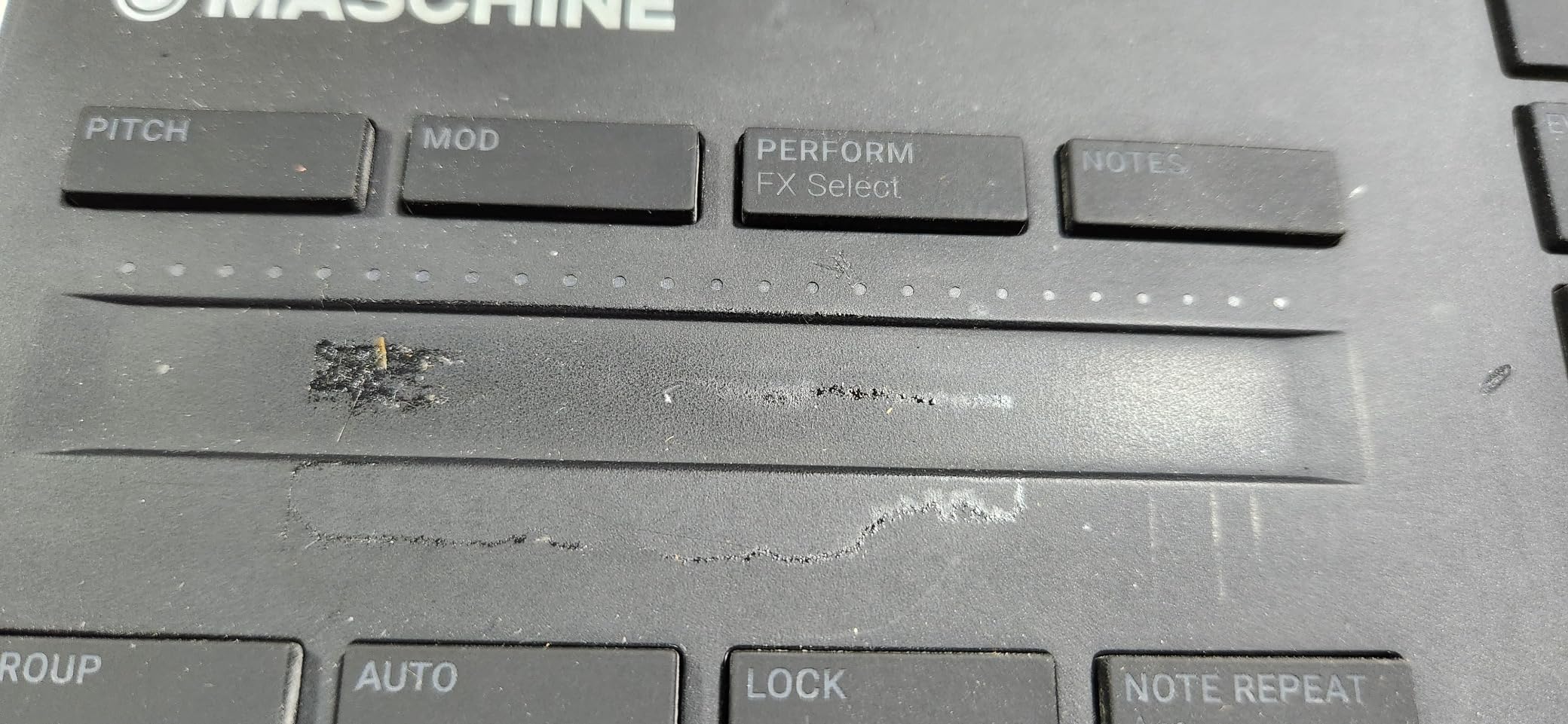
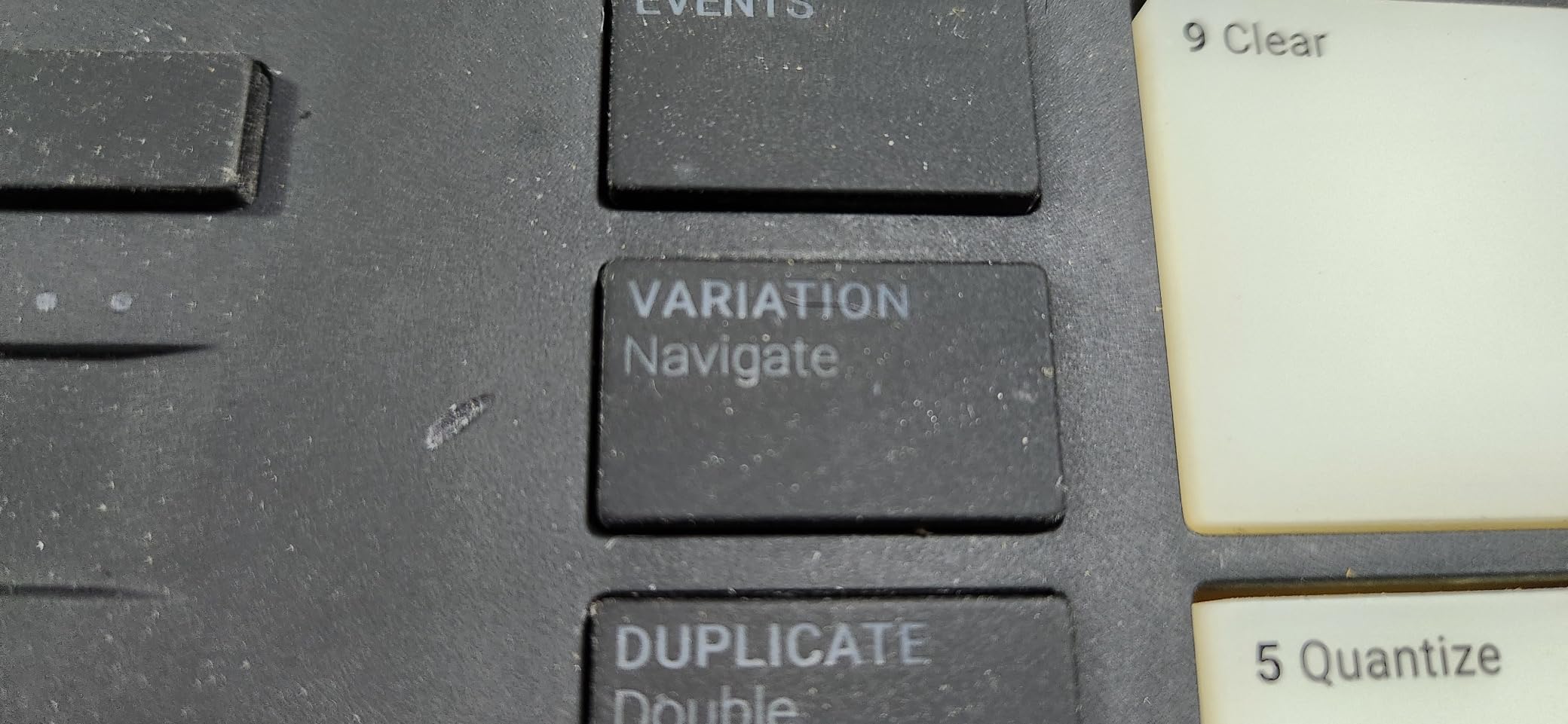
The metal construction feels genuinely premium, not the plasticky experience you might expect at this price. It withstands the rigors of regular use and even occasional transport without showing wear. The compact footprint fits easily on crowded desks.
The included MASCHINE Factory Selection provides 1.6 GB of samples, loops, presets, and drum kits. You can use the hardware as a standalone VST plugin in Ableton Live, Pro Tools, Logic Pro, or FL Studio, giving you flexibility regardless of your DAW preference.
Ideal Users for the Mikro Mk3
Beatmakers and producers who prioritize pad-based music creation will love the Mikro Mk3. The responsive pads and versatile input modes make it perfect for hip-hop, electronic, and pop production workflows.
If you’re entering the NI ecosystem and want to explore Maschine’s sampling and beatmaking capabilities without a huge investment, this controller offers tremendous value. The software alone would cost significantly more if purchased separately.
Limitations to Consider
The USB-A cable included means you’ll need an adapter for modern MacBooks with only USB-C ports. Factor this minor inconvenience into your setup planning.
Producers who need keyboard-style input should look at the Komplete Kontrol line instead. The Mikro Mk3 excels at pad-based production but isn’t designed for traditional keyboard playing.
3. Traktor Kontrol S4 Mk3 – Best Professional DJ Controller
Native Instruments Traktor Kontrol S4 Mk3 DJ Controller (25221)
Motorized jog wheels
4-channel mixer
High-res color displays
16 RGB pads
Pros
- Exceptional build quality and Traktor Pro 4 integration
- Motorized jog wheels with haptic feedback provide vinyl-like feel
- All inputs and outputs needed in a 4-channel mixer
- High-resolution color displays for clear track info
- Seamless transition from vinyl to digital setup
Cons
- Headphone amplifier is somewhat quiet for club use
- FLUX mode automatically engages with reverse mode behavior
- Premium price point
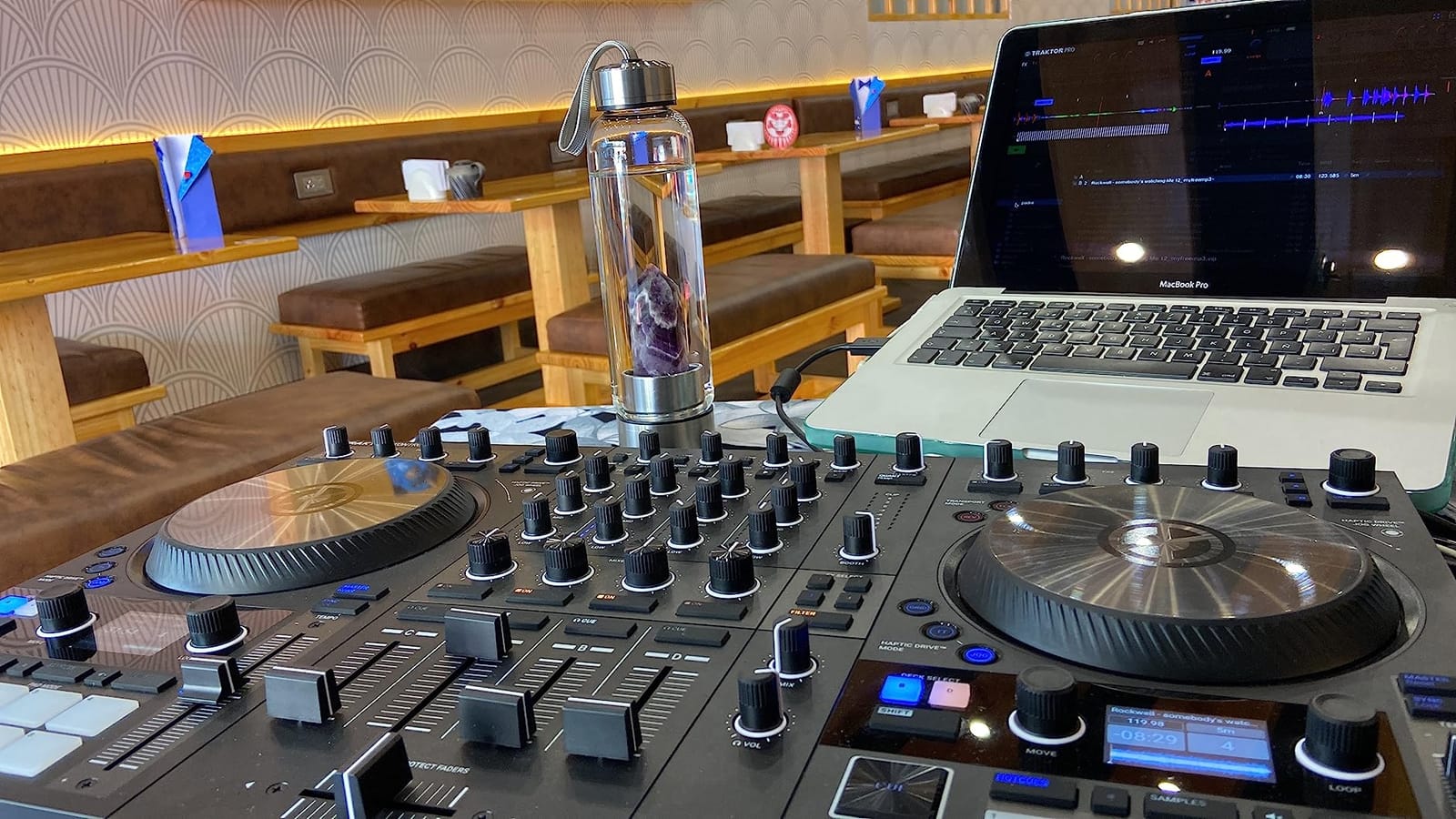
The Traktor Kontrol S4 Mk3 represents the pinnacle of Native Instruments’ DJ controller lineup. Its motorized jog wheels with haptic feedback deliver a vinyl-like experience that analog DJs will immediately appreciate. The three feedback modes let you feel cue points, loops, and track scrolling through the wheels.
As a 4-channel controller with a full mixer section, the S4 Mk3 handles complex DJ setups with ease. The Carbon Protect faders provide smooth, reliable performance, while the dedicated cue section and adjustable crossfader curve give you precise control over your mix.
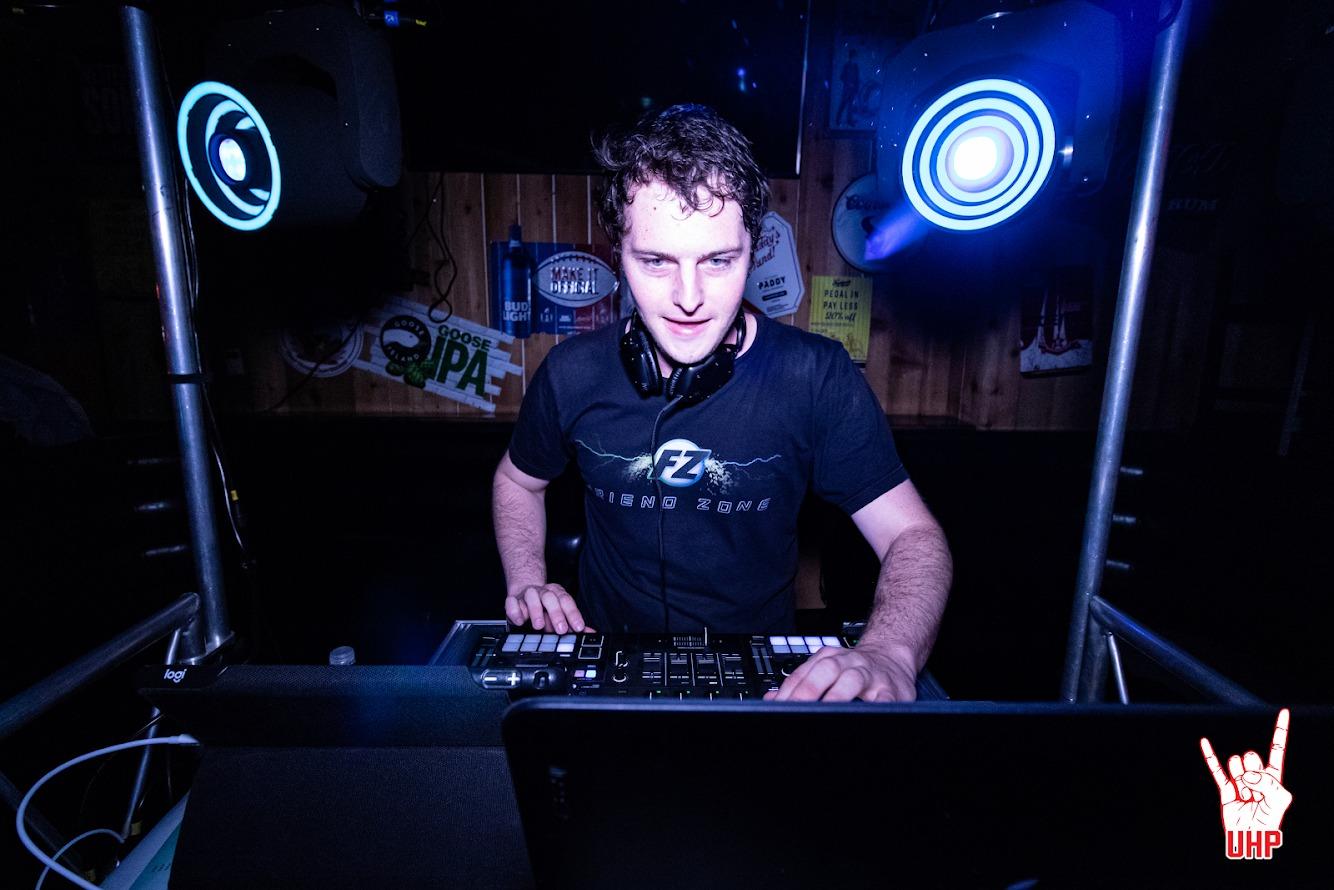
The high-resolution color displays show everything you need at a glance: track ID, key, tempo, waveform strip, phase meter, loop information, and Remix/Stem deck controls. This eliminates the need to constantly look at your laptop screen during performances.
Integration with Traktor Pro 4 is seamless. The Mixer FX section provides one-knob control of eight effects and three filter types on each channel. The 16 RGB performance pads trigger hot cues, loops, and samples with visual feedback that matches your Traktor software settings.
Perfect For Professional DJs
DJs transitioning from vinyl to digital will find the motorized jog wheels bridge that gap perfectly. The haptic feedback and physical response replicate the turntable experience while adding digital precision and features.
If you need a complete 4-channel setup with professional I/O, the S4 Mk3 delivers everything in one unit. The built-in audio interface handles all your routing needs without external mixers or sound cards.
When the S4 Mk3 Might Not Fit
The headphone amplifier could be louder for club environments. DJs performing in noisy venues might need to rely on booth monitors or consider external headphone amplification.
The premium price point puts it out of reach for hobbyists or DJs just starting out. The Traktor Kontrol S2 Mk2 or MX2 offer more affordable entry points to the Traktor ecosystem.
4. Traktor X1 – Best Modular DJ Controller
Native Instruments Traktor X1 Modular DJ Controller
Five OLED displays
Button color coding
Light-based track alerts
Compact portable design
Pros
- Exceptional looping and loop move functionality
- Compact and portable design
- Multiple FX panels hotcues and master tempo control
- Integrates well with Traktor 4 Pro
- Solid build quality
Cons
- Plastic construction
- Mode switching between mixer and FX modes can be tricky standalone
- Cannot map the device like previous versions
The Traktor X1 excels as a modular add-on for DJs who want dedicated deck and effects control. Five OLED displays provide instant visual feedback on track and effect information, while user-definable button color coding helps you stay organized during complex sets.
The light-based system is genuinely useful in dark club environments. It highlights when a track is about to run out or if it’s stuck in a loop, preventing those awkward silence moments that kill dance floor energy.
Looping and loop move functionality are where the X1 really shines. The tactile controls make precise loop adjustments intuitive, whether you’re extending breakdowns or creating live remixes on the fly. Multiple FX panels give you simultaneous control over several effects chains.
The compact, portable design makes it easy to integrate into existing setups or add to a laptop bag for mobile DJ gigs. The sleek black design with transparent bottom shell and functional backlighting looks professional in any setting.
Best Use Cases for the X1
DJs who use Traktor alongside other hardware will find the X1 perfect for adding dedicated deck control without replacing their main mixer. It pairs especially well with the Traktor Kontrol Z1 or Z2 for a complete modular setup.
Live performers who need precise loop control will appreciate the X1’s tactile response. The looping workflow becomes second nature after a few sessions.
Limitations Worth Noting
The plastic construction doesn’t feel as premium as NI’s aluminum-bodied controllers. While functional, it might not withstand heavy touring as well as metal alternatives.
Previous X1 versions allowed custom MIDI mapping, but the Mk3 no longer supports this. If you need flexible mapping for third-party software, this limitation could be a dealbreaker.
5. Traktor Kontrol F1 – Best Remix Deck Controller
Native Instruments 22504 Traktor Kontrol F1 DJ Controller
64 tracks control
Remix Decks hardware
Re-mappable MIDI
Colorful LED buttons
Pros
- Sturdy construction that can take a beating
- Large soft-touch buttons with satisfying click
- Iron-clad USB port design prevents accidental disconnection
- Completely re-mappable for custom MIDI control
- Great aesthetic with colorful LEDs for dark environments
Cons
- Single F1 can only control one remix deck at a time
- Several native controls require shift button access
- Not designed for use as a primary controller
The Traktor Kontrol F1 is purpose-built for controlling Traktor’s Remix Decks, and it excels at that specific task. The large, soft-touch buttons provide satisfying tactile feedback for triggering samples, loops, and one-shot sounds across up to 64 tracks per remix deck.
Build quality is exceptional for a controller in this category. The iron-clad USB port design prevents accidental disconnection during performances, which is exactly the kind of reliability you need when performing live. The construction feels like it can withstand years of regular use.
The colorful LEDs serve both aesthetic and functional purposes. In dark club environments, the visual feedback helps you identify buttons quickly, while the color coding makes it easy to distinguish between different sample types and control modes.
With complete re-mappability, the F1 works as a flexible MIDI controller beyond its native Remix Deck function. You can assign controls to virtually any parameter in your DAW or other software, extending its usefulness well beyond Traktor.
Ideal Scenarios for the F1
Live performers who incorporate sampling and remixing into their sets will find the F1 indispensable. The tactile button grid makes triggering samples intuitive and performance-ready.
Producers who want dedicated hardware control over sample libraries will appreciate the F1’s flexibility. It works well alongside Komplete Kontrol keyboards for a comprehensive NI studio setup.
What to Keep in Mind
A single F1 controls only one remix deck at a time. DJs who want to control multiple remix decks simultaneously will need multiple F1 units, which adds to the cost.
Several native controls require shift button access, adding an extra step to some workflows. This design choice keeps the surface clean but can slow down quick adjustments during live performance.
6. Maschine Plus – Best Standalone Production Workstation
Native Instruments MASCHINE+ Production Workstation
Standalone capability
Quad-core CPU
Audio interface
Anodized aluminum build
Pros
- Standalone capability without needing a computer
- Excellent for live performance and portability
- Pro-grade audio interface with versatile I/O
- Quad-core CPU and 4GB RAM for fast creation
- Solid anodized aluminum build quality
Cons
- Limited CPU restricts simultaneous track playback to 8-9 tracks
- Interface is complex and not intuitive
- Sounds can feel outdated
- No touchscreen for easier navigation
The Maschine Plus stands alone as Native Instruments’ only truly standalone controller. With a quad-core CPU, 4GB RAM, and built-in audio interface, it lets you produce complete tracks without connecting to a computer. This capability makes it unique in the NI lineup.
The pro-grade 44.1 kHz / 24-bit audio interface provides professional I/O with 1/4-inch TRS line outputs and inputs, a dynamic mic input, stereo headphone output, MIDI In/Out, footswitch input, and two USB ports. You can connect external gear and record directly into the unit.
The anodized aluminum construction feels genuinely road-ready. It’s built to withstand the rigors of touring and regular transport between studio and stage. The build quality justifies the premium positioning.
For live performance, the Maschine Plus excels. You can load projects, trigger scenes, and perform without relying on a laptop, reducing potential failure points during gigs. The standalone workflow encourages a more focused, intentional approach to music creation.
Who Benefits Most from Standalone
Performers who want to leave the laptop at home will find the Maschine Plus liberating. The standalone capability eliminates computer-related distractions and potential technical issues during live sets.
Producers who value the tactile, focused workflow of standalone production will appreciate the intentional limitations. Without a screen to distract you, the creative process becomes more hands-on and musical.
Limitations of Standalone Production
The CPU limits simultaneous track playback to 8-9 tracks, which restricts complex arrangements. Producers who work with large, layered projects might find this constraining compared to computer-based production.
The interface has a learning curve that some users describe as unintuitive. Plan time to learn the workflow before expecting to produce efficiently. The lack of a touchscreen adds friction to navigation compared to modern standalone competitors.
7. Traktor Kontrol Z1 Mk2 – Best Compact DJ Mixer
Native Instruments Traktor Kontrol Z1 Mk2 DJ Controller
Two-channel mixer
Three OLED displays
One-knob FX
Compact portable design
Pros
- Excellent build quality from Native Instruments
- Plug-and-play connectivity for fast setup
- Improved audio quality over previous model
- Satisfyingly customizable functionality
- Compact and portable design
Cons
- Cannot be used standalone without other NI controllers
- Missing Start/Stop button on hardware
- Crossfader lacks resistance
- Misleading product images regarding bottom cover piece
The Traktor Kontrol Z1 Mk2 serves as a compact, portable mixer that pairs with other Traktor controllers for a complete DJ setup. Three OLED displays show essential mixing information, while the one-knob Mixer FX section provides instant control over nine effects including filter, reverb, delay, and gater.
Build quality is noticeably improved over the previous model. The Z1 Mk2 feels solid and professional, with controls that respond precisely to your adjustments. The compact footprint makes it easy to fit into crowded DJ booths or mobile setups.
Plug-and-play connectivity means you can be mixing within seconds of connecting the unit. The straightforward layout with two-channel volume sliders, crossfader, switchable EQ, and stem controls keeps the workflow intuitive even for DJs new to the Traktor ecosystem.
The mini-jack connector for main output provides flexibility for connecting to various speaker systems. While it might seem limiting, this design choice keeps the unit compact and portable for mobile DJs who need to travel light.
Best Applications for the Z1 Mk2
Mobile DJs who need a compact, reliable mixer will find the Z1 Mk2 perfect. It pairs well with the Traktor X1 for a complete two-deck setup that fits in a backpack.
DJs transitioning from other software to Traktor will appreciate the plug-and-play simplicity. The learning curve is minimal, and you can be mixing confidently within your first session.
What You Should Know
The Z1 Mk2 cannot function as a standalone mixer without pairing it with other Traktor controllers. It requires the X1, F1, or S-series controller to provide deck control and transport functions.
The crossfader lacks the resistance that scratch DJs prefer. If scratching is central to your style, you might want to consider the Traktor Kontrol Z2 with its Innofaders instead.
8. Traktor Kontrol Z2 – Best DVS Mixer
Native Instruments Traktor Kontrol Z2 DJ Mixer
Aluminum chassis
Innofaders
Macro FX control
2+2 channel layout
Pros
- Sturdy aluminum chassis with premium build quality
- Pro-grade Innofaders with sharp crossfader cut-in
- Versatile functionality as both DVS and analog mixer
- Bright LEDs visible in club settings
- Excellent integration with Traktor software
Cons
- Software could be improved for playlist exporting and live broadcasting
- Crossfader reliability issues reported by some users
- Not a true four-channel mixer
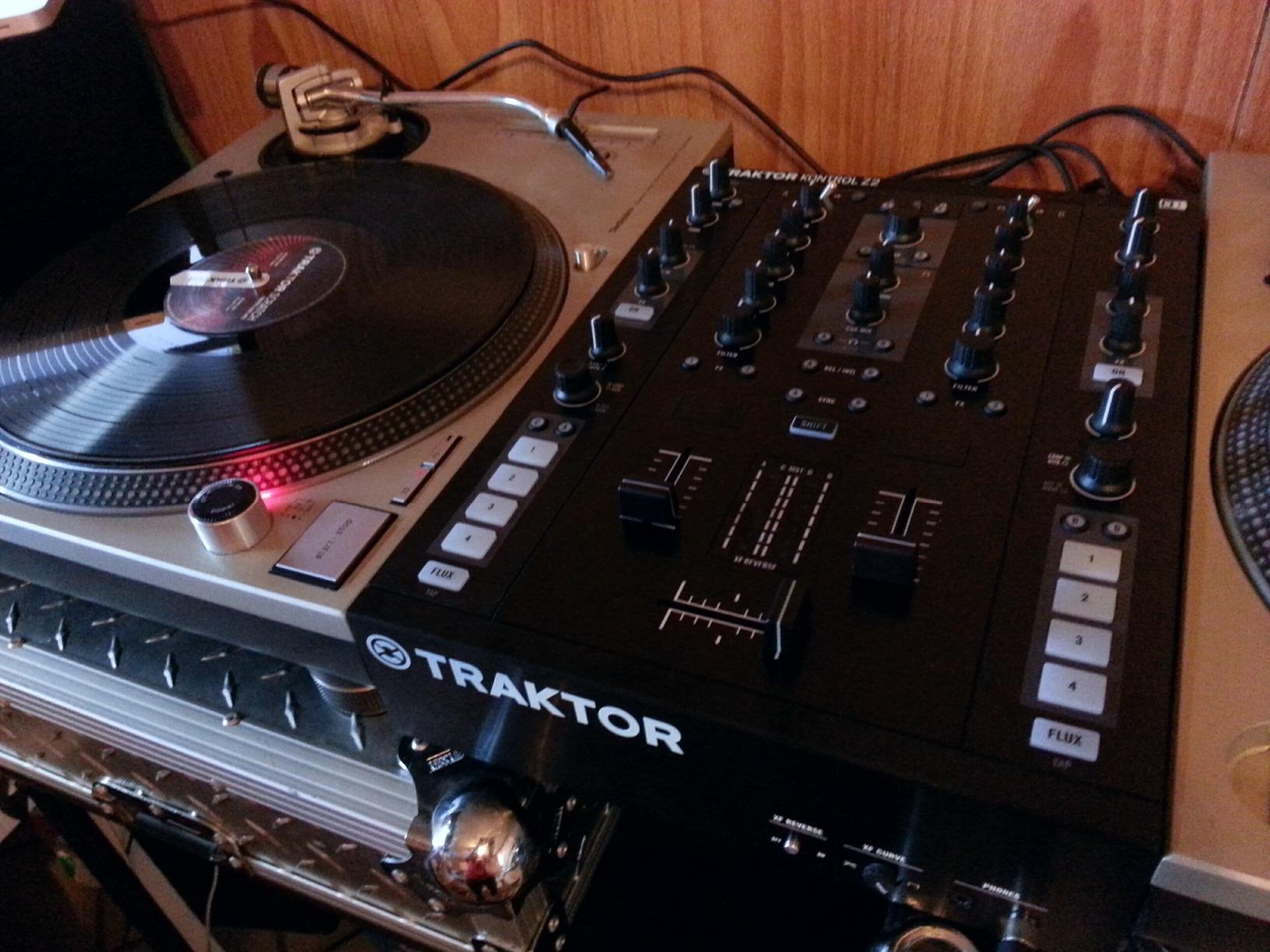
The Traktor Kontrol Z2 bridges the analog and digital worlds as a hybrid DVS mixer. With two standalone channels plus two full Remix Channels, it handles everything from traditional vinyl mixing to digital remixing in one sturdy aluminum chassis.
The Innofaders are a standout feature. These pro-grade faders deliver the sharp cut-in and smooth response that scratch DJs demand. The crossfader feels precise and reliable, making quick cuts and transforms feel natural and musical.
As a 2+2 channel mixer, the Z2 provides versatility that pure two-channel mixers can’t match. You can run two traditional decks plus two Remix Decks simultaneously, opening up creative mixing possibilities that expand your performance options.
The bright LEDs perform well in dark club settings, providing clear visual feedback without being distracting. The intuitive control of Macro FX and Flux Mode adds creative tools that enhance your mixing without complicating the workflow.
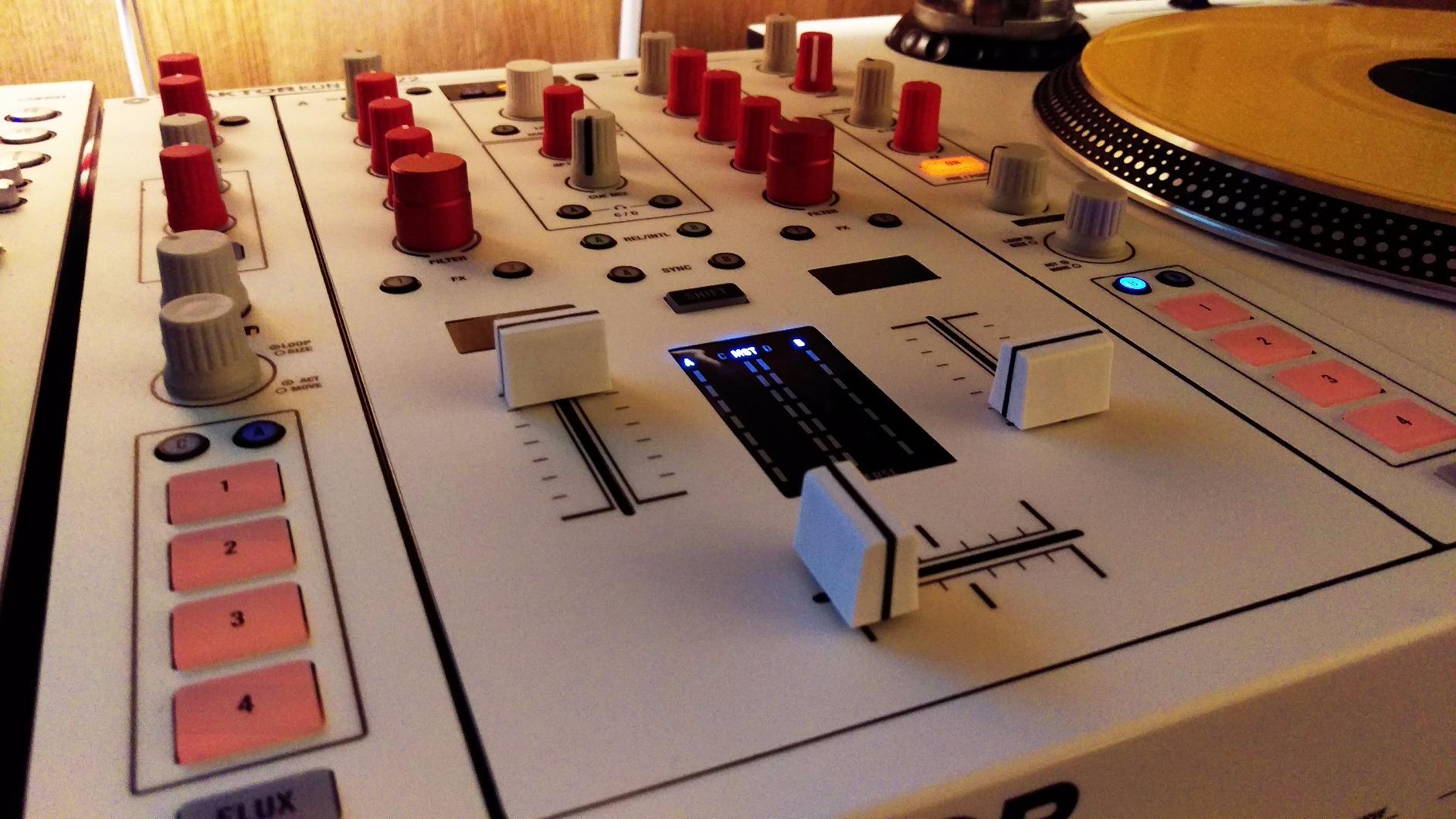
The build quality is consistent with NI’s professional standards. The aluminum chassis feels substantial and durable, ready for the rigors of regular gigging and transport between venues.
Ideal for DVS and Vinyl DJs
DJs who want to use timecode vinyl with Traktor will find the Z2 purpose-built for this workflow. The Innofaders and mixer layout are designed specifically for the DVS experience.
Versatile DJs who switch between analog and digital mixing will appreciate the hybrid design. The Z2 works as a regular analog mixer when you want to leave the laptop at home.
Considerations Before Buying
The 2+2 channel layout means it’s not a true four-channel mixer. DJs who need four independent channels with full EQ and faders should look at the Traktor Kontrol S4 Mk3 instead.
Some users have reported crossfader reliability issues over time. While the Innofaders are generally excellent, this is worth monitoring if you’re a heavy scratch DJ.
9. Traktor Kontrol S2 Mk2 – Best Entry-Level DJ Controller
Native Instruments Traktor Kontrol S2 MK2 DJ Controller
Jog wheels with aluminum
2+1 channel
Traktor Pro 2
Updated MK2 hardware
Pros
- Updated MK2 hardware with improved fader reliability
- Plug-and-play support for iPad and iPhone
- Silicone-damped jog wheels with aluminum top plates for precise cueing
- Includes flagship Traktor Pro 2 software with Remix Decks
Cons
- Limited review feedback available
- Premium price point
The Traktor Kontrol S2 Mk2 provides an accessible entry point into the Traktor ecosystem. The updated MK2 hardware brings improved fader reliability and a refined duo-tone design that looks professional in any setting. It includes the full Traktor Pro 2 software with Remix Decks.
The silicone-damped jog wheels with aluminum top plates deliver precise cueing and scratching performance. The damping reduces unwanted vibration while maintaining the tactile feedback DJs need for accurate track manipulation.
Plug-and-play support for iPad and iPhone extends the S2 Mk2’s versatility beyond computer-based DJing. You can use it with Traktor DJ for iOS, making it a flexible option for DJs who want mobile performance capabilities.
The 2+1 channel layout provides the essentials without overwhelming beginners. Two main channels handle your primary decks, while the additional channel offers flexibility for remix decks or additional audio sources.
Great Starting Point for New DJs
DJs entering the Traktor ecosystem will find the S2 Mk2 offers everything needed to learn the basics. The included Traktor Pro 2 software provides a complete DJ platform without additional purchases.
The straightforward layout teaches fundamental DJ skills without the complexity of larger controllers. Once you master the S2 Mk2, upgrading to the S4 Mk3 or adding modular controllers feels natural.
What to Keep in Mind
The included Traktor Pro 2 software is an older version. While fully functional, you’ll miss out on features introduced in Traktor Pro 3 and 4. Consider whether upgrading the software separately makes sense for your needs.
The price point puts it in competition with newer controllers from other brands. Weigh the S2 Mk2 against contemporary alternatives to ensure you’re getting the best value.
10. Traktor MX2 – Best Value DJ Controller
Native Instruments Traktor MX2 DJ Controller
Touch-sensitive jog wheels
16 RGB pads
Traktor Pro 4 included
MIDI layer for third-party software
Pros
- High output soundcard with excellent sample rate
- Low latency performance
- Full RGB lights respond to settings and modes
- Compatible with third-party software via MIDI
- Excellent value with included Traktor Pro 4 software
Cons
- Not responsive enough for scratching
- Plastic knobs feel somewhat cheap
- Small VU meters limit visual feedback
- Two-channel only not for professional use
The Traktor MX2 brings Traktor Pro 4 integration to an accessible price point. The high-output soundcard delivers excellent sample rates and low latency performance, ensuring your mixes sound clean and responsive. The full RGB lighting responds to your settings and modes, adding visual flair to your performances.
The 16 RGB performance pads with four modes provide creative control over Hotcues, Stems, Flux Loops, and Pattern Player functions. The touch-sensitive jog wheels offer two modes: TurnTable mode for vinyl-style scratching and Jog mode for pitch bending and track navigation.
Compatibility with third-party software via the additional MIDI layer extends the MX2’s usefulness beyond Traktor. You can use it with other DJ software, making it a flexible option if you’re not fully committed to the Traktor ecosystem.
The straightforward mixer layout with channel faders, volume meters, crossfader, and 3-band EQ provides all the essentials for clean mixing. The Mixer FX interface gives one-dial control over nine effects including filter, reverb, delay, and gater.
Best For Budget-Conscious DJs
DJs who want Traktor Pro 4 software without the premium controller price will find the MX2 delivers excellent value. The included software alone justifies a significant portion of the investment.
Beginners learning to DJ will appreciate the intuitive layout and responsive controls. The MX2 teaches proper technique without the overwhelming complexity of professional-grade controllers.
Limitations to Expect
The jog wheels aren’t responsive enough for serious scratching. If scratching is central to your DJ style, invest in the Traktor Kontrol S4 Mk3 or S2 Mk2 with their more refined jog wheel implementations.
The plastic knobs feel somewhat cheap compared to NI’s premium controllers. While functional, they lack the satisfying tactile response of metal or higher-quality plastic components.
Buying Guide: Choosing the Right Native Instruments Controller
Selecting the right Native Instruments controller depends on how you plan to use it. This guide covers the key factors to help you make the best decision for your needs and budget.
Keyboard vs Pad Controllers
NI offers two distinct controller families. Komplete Kontrol keyboards (M32, A-series, S-series) provide traditional piano-style keys for melodic playing and chord work. Maschine controllers (Mikro, Maschine, Maschine Plus) focus on pad-based production with 16 velocity-sensitive pads for beatmaking and sampling.
If you primarily play melodies, chords, and harmonies, a Komplete Kontrol keyboard will serve you better. If you focus on drum programming, sampling, and beatmaking, a Maschine controller offers a more natural workflow. Many producers eventually own both to cover different creative needs.
NKS Ecosystem Benefits
Native Kontrol Standard (NKS) integration is a major advantage of NI controllers. NKS-compatible plugins automatically map their parameters to your controller’s knobs, eliminating tedious manual mapping. The Komplete Kontrol software provides tag-based browsing, making it easy to find the right sound from thousands of presets.
The Light Guide on Komplete Kontrol S-series keyboards shows key switches, scales, and chord zones directly on the keyboard, speeding up workflow and learning. If you use Komplete instruments or NKS-compatible third-party plugins, this integration saves significant time.
Connectivity Considerations
Most NI controllers connect via USB and are bus-powered, meaning no external power supply needed. However, the Komplete Kontrol S88 requires external power due to its weighted keys and larger size. If portability matters, verify the power requirements before purchasing.
For connecting to external gear, look for MIDI DIN outputs, CV/Gate connections, and pedal inputs. The S-series keyboards offer the most comprehensive connectivity, while the M32 and Maschine controllers keep things simple with USB-only connections.
Software Bundle Value
Every NI controller includes software that adds significant value. Komplete Kontrol keyboards come with Komplete Select, providing a curated selection of instruments and effects. Maschine controllers include the MASCHINE software with factory libraries and sounds.
The software bundle often represents hundreds of dollars in value if purchased separately. Consider this when comparing prices with controllers from other brands that include less comprehensive software packages.
Frequently Asked Questions
What is the best Native Instruments controller for beginners?
The Komplete Kontrol M32 is the best NI controller for beginners. It offers seamless NKS integration, a compact portable design, and an included software bundle with Ableton Live Lite and Komplete Kontrol software. The learning curve is minimal, and you can start producing within minutes of setup.
Do Native Instruments controllers work with all DAWs?
Yes, NI controllers work with all major DAWs including Ableton Live, Logic Pro, FL Studio, Pro Tools, and more. The Komplete Kontrol software runs as a plugin within your DAW, providing NKS integration and auto-mapping. Maschine controllers also function as VST, AU, or AAX plugins in any compatible DAW.
What is the difference between Komplete Kontrol and Maschine controllers?
Komplete Kontrol keyboards feature piano-style keys and focus on melodic playing, chord work, and instrument control with NKS integration. Maschine controllers use velocity-sensitive pads and focus on beatmaking, sampling, and drum programming. Choose Komplete Kontrol for melodies and Maschine for beats.
Is the NKS integration worth it for NI controllers?
NKS integration is extremely valuable if you use Komplete instruments or NKS-compatible third-party plugins. It provides automatic parameter mapping to your controller knobs, tag-based browsing of presets, and the Light Guide feature on S-series keyboards. This saves significant time compared to manual mapping.
Can I use Native Instruments controllers without Komplete software?
Yes, NI controllers function as standard MIDI controllers with any software. However, you’ll miss the NKS integration benefits like auto-mapping and Light Guide features. The included Komplete Kontrol software is free with your controller purchase, so there’s no additional cost to take advantage of the full ecosystem.
Conclusion
After testing the entire Native Instruments controller lineup, the Komplete Kontrol M32 stands out as the best Native Instruments controller for most producers in 2026. Its combination of portability, NKS integration, and included software makes it the ideal starting point for anyone entering the NI ecosystem.
For beatmakers, the Maschine Mikro Mk3 delivers exceptional value with its responsive pads and versatile input modes. Professional DJs should consider the Traktor Kontrol S4 Mk3 for its motorized jog wheels and comprehensive 4-channel mixer.
Whatever your production style or budget, Native Instruments offers a controller that will enhance your workflow. The NKS ecosystem integration, build quality, and included software bundles make these controllers worth serious consideration for any music producer or DJ.
For more music production guides and equipment recommendations, check out our article on how to record multiple instruments at once on a two-input interface.