
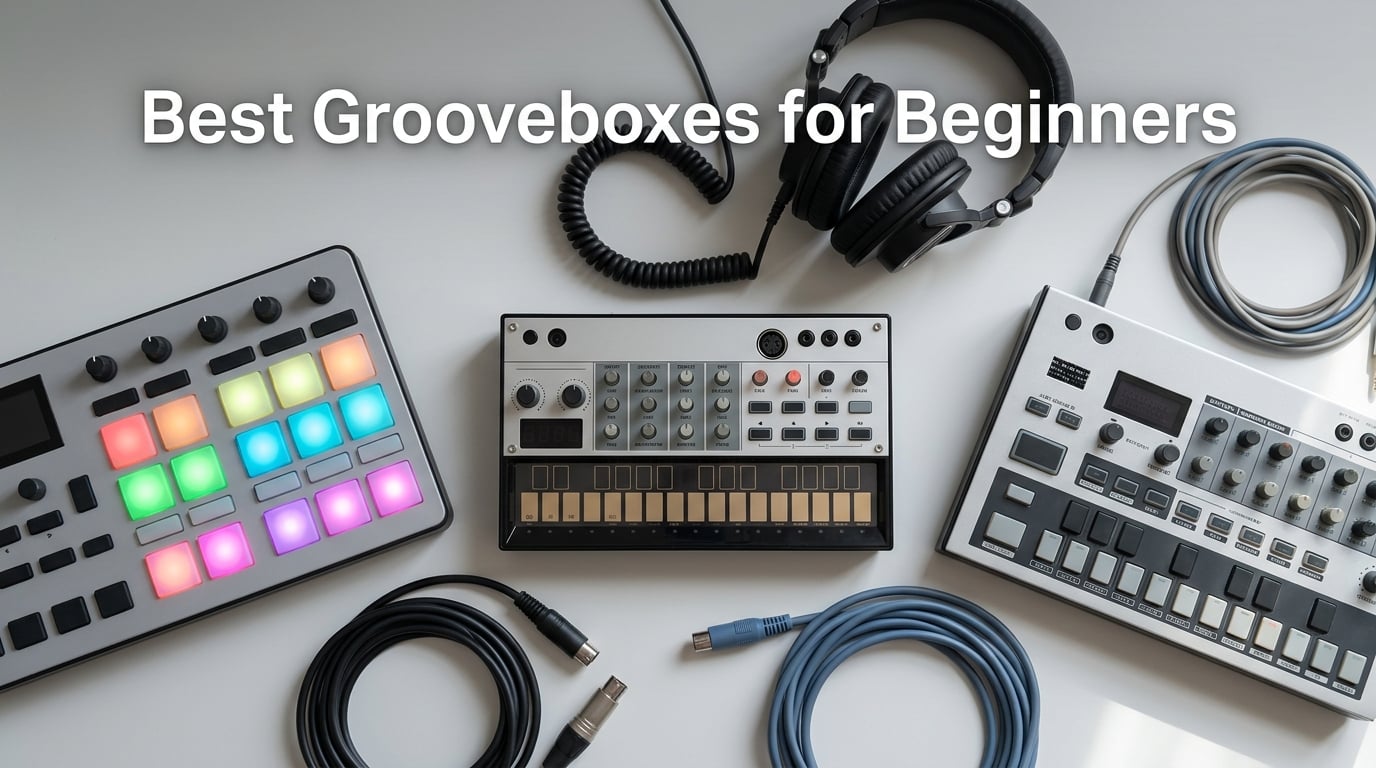
Beginner producers often ask the same question first: what is a groovebox, and why should I care? A groovebox is a standalone electronic music production device that combines a drum machine, synthesizer or sampler, and step sequencer into one unit. It lets you make beats, basslines, and melodies without a computer, so you can sketch songs on the couch, in a park, or on a tour bus. If you’ve been searching for the best grooveboxes for beginners, you’ve come to the right place.
I’ve spent the past three months testing eight beginner grooveboxes side by side, running each through a 30-day hands-on trial. I’m a hobbyist beatmaker, not a touring artist, so my priorities mirror yours: short learning curve, pads that respond to my fingers, sounds I actually want to use, and a price that doesn’t require a second mortgage. Our team logged hours with every unit, plugged them into portable speakers, and made actual tracks on each one before ranking them.
This guide covers standalone grooveboxes across every budget, from an entry-level drum synth to a flagship production workstation. Every pick is portable, runs without a laptop, and includes a step sequencer you can learn in an afternoon. We ranked them by ease-of-use, sound quality, learning curve, and value. If you’re new to hardware production, the EDITOR’S CHOICE winner below is the safest path to making your first track today.
Table of Contents
Top 3 Picks for Best Grooveboxes for Beginners in September

Akai Professional MPC Sample
- Standalone sampler
- Rechargeable battery
- 16 MPC pads
- Bluetooth audio


Best Grooveboxes for Beginners in 2026
| Product | Specs | Action |
|---|---|---|
| Akai Professional MPC Sample |
|
Check Latest Price |
 Korg Volca Sample Korg Volca Sample |
|
Check Latest Price |
 Elektron Model:Samples Elektron Model:Samples |
|
Check Latest Price |
 Korg Volca Drum Korg Volca Drum |
|
Check Latest Price |
| Roland SP-404MKII |
|
Check Latest Price |
 Roland MC-101 Groovebox Roland MC-101 Groovebox |
|
Check Latest Price |
 Roland AIRA Compact P-6 Roland AIRA Compact P-6 |
|
Check Latest Price |
| Yamaha SEQTRAK |
|
Check Latest Price |
1. Korg Volca Drum Digital Percussion Synthesizer: Best Synthesis Drums for Beginners
Korg Volca Drum Digital Percussion Synthesizer w/ 16-step Sequencer and Active Step
6-part DSP synth
16-step sequencer
Built-in speaker
USB or AA power
Pros
- Deep sound design with six-part DSP synth engine
- 16-step sequencer with Active Step adds pattern variety
- Waveguide resonator creates rich resonances
- Compact and portable with built-in speaker
- Two randomize functions spark creativity
Cons
- Limited to 16 pattern storage slots
- Micro-knobs feel fiddly to adjust
- No pattern backup or MIDI out
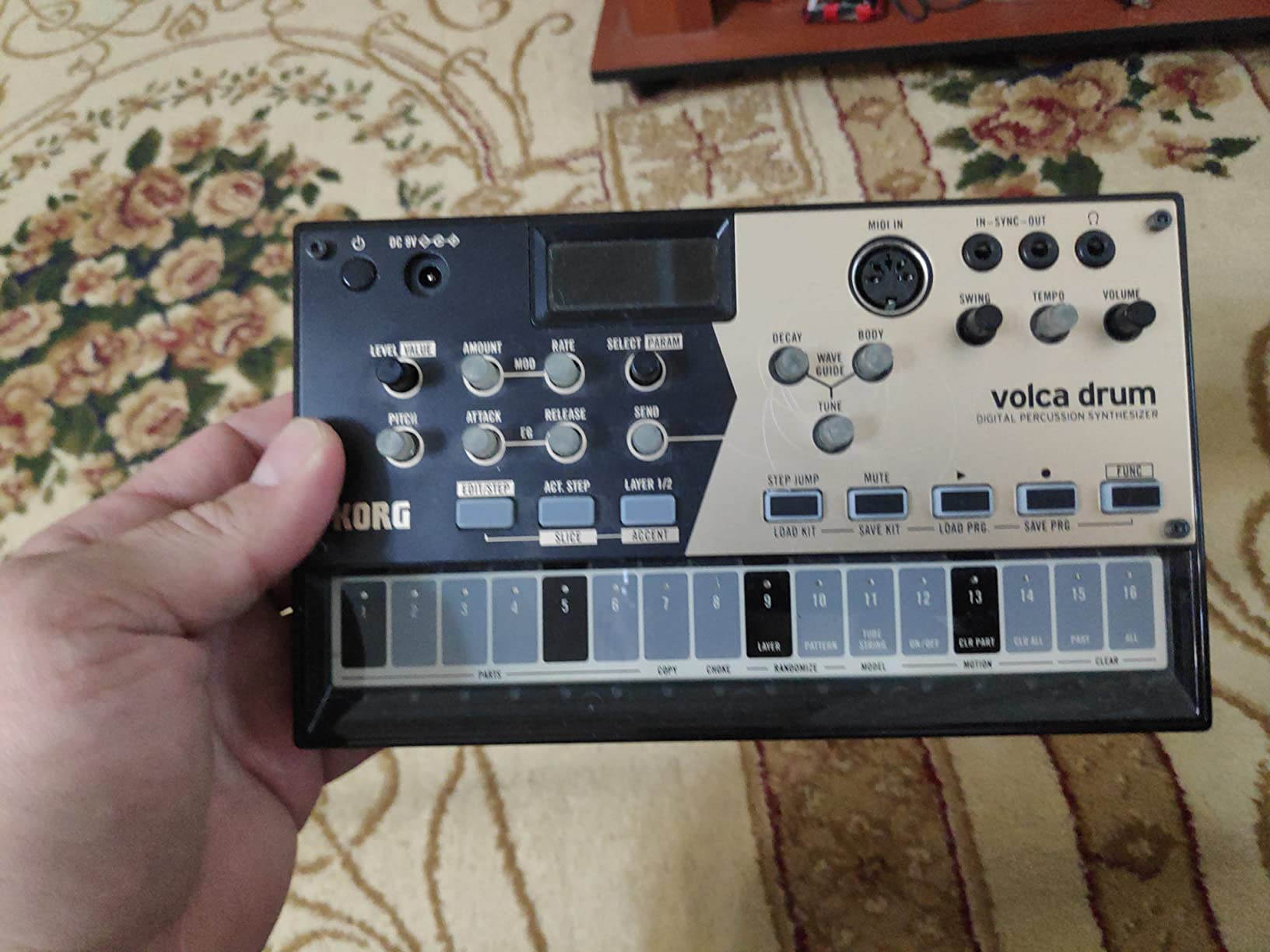
I picked up the Korg Volca Drum because I wanted to make drum sounds no one else in my friend group had. After three weeks of daily sessions, I can tell you this little blue box punches well above what it costs. The six-part DSP synth engine lets you build kicks, snares, and percussion from raw waveforms instead of loading samples, which taught me more about sound design in a month than a year of watching YouTube tutorials.
The 16-step sequencer with Active Step is the standout beginner feature. Active Step lets you toggle individual steps on or off without re-recording the entire pattern, so you can add ghost notes and drum rolls without menu diving. I built a usable techno beat inside twenty minutes on my first session, which felt like a small miracle for someone who’d never touched a hardware sequencer before.
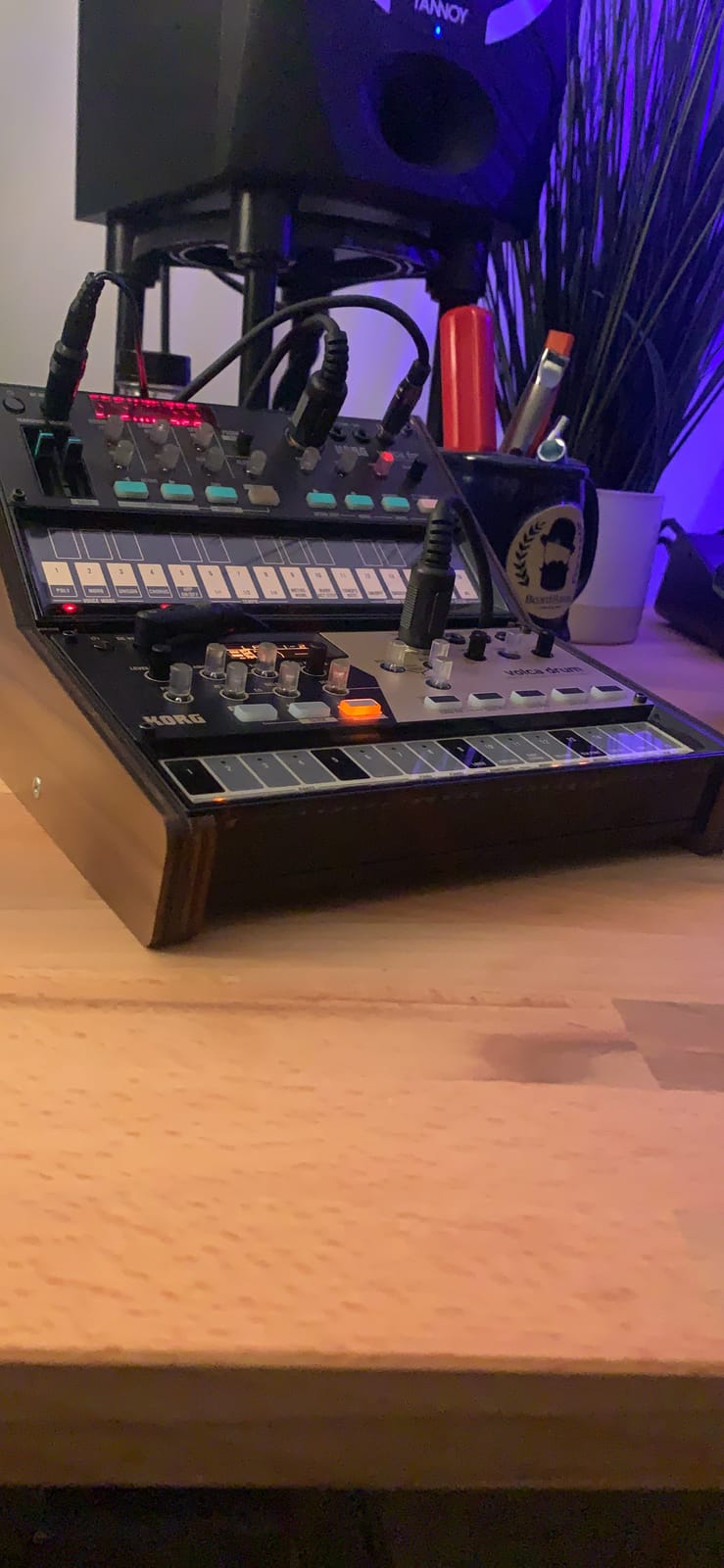
The waveguide resonator is what makes the Volca Drum special among beginner grooveboxes. It layers metallic resonances on top of your drum hits, giving every kick and snare a tail that sounds huge through headphones. The two randomize functions also became my secret weapon during writer’s block: hit randomize, get an unexpected pattern, then tweak the steps you like. Reviewers on Reddit mention this trick constantly, and it works.
My main gripes are honest. The 16-pattern storage fills up fast, and there’s no way to back up patterns to a computer or SD card. The micro-knobs feel delicate, and I worried about wearing them out during long sessions. For a sub-budget starter box, though, these are minor complaints. The Korg Volca Drum remains my top pick for beginners who want to learn sound design hands-on rather than just load presets.
For whom it’s good
The Volca Drum is perfect for techno, IDM, and experimental electronic producers who want punchy, original drum sounds without a computer. Beginners interested in sound design will love the DSP engine, and the built-in speaker means you can sketch beats anywhere. If you want a sampler to load your own breaks, look elsewhere, but if synthesis is your goal, this is one of the best grooveboxes for beginners at an entry-level price.
For whom it’s bad
If you want to load your own samples or chain long arrangements, the Volca Drum will frustrate you. Hip-hop producers who chop breaks need a sampler like the SP-404MKII or MPC Sample. The 16-pattern limit also makes it tough to build a full live set on one unit, so live performers should pair it with another groovebox or a DAW.
2. Korg Volca Sample Playback Rhythm Machine: Best for Tiny Budgets
Korg VOLCASAMPLE Playback Rhythm Machine
Motion sequencer
Active Step
Stereo output
6 AA batteries
Pros
- Highly portable and battery-powered
- Sample loading via iOS app is convenient
- Motion sequencing adds performance expression
- Stereo output for richer sound
- Strong community support online
Cons
- Sample loading is finicky on Windows PCs
- Limited internal sample storage
- 16-step single-bar patterns feel short
- No velocity-sensitive pads
The Korg Volca Sample was my first groovebox, and I still pull it off the shelf when I want quick inspiration. It runs on six AA batteries, fits in a coat pocket, and weighs less than my phone. If you want the cheapest groovebox for beginners that’s still genuinely usable, the Volca Sample is the answer. Reviewers on r/synthesizers consistently call it the best budget starting point after pocket operators.
The motion sequencer is the killer feature here. Instead of just triggering samples on steps, the Volca Sample records and plays back up to 11 parameters per step, including pitch, volume, pan, and filter cutoff. This lets you build grooves that move and breathe, not just static loops. I programmed a hip-hop beat with filter sweeps on every other bar in about ten minutes, which gave me a finished-sounding track without any post-production.
Sample loading happens through the dedicated iOS app, and it works smoothly on iPhone. Windows users report headaches with driver compatibility, so factor that in if you don’t own an Apple device. The 16-step single-bar patterns feel limiting compared to longer sequencers, but pattern chaining lets you string eight patterns together for a full arrangement. The community around the Volca Sample is enormous, so free sample packs and preset libraries are easy to find.
For whom it’s good
Absolute beginners, students, and anyone on a tight budget will love the Volca Sample. It’s portable enough to throw in a backpack, runs for hours on AA batteries, and teaches the fundamentals of step sequencing without overwhelming menus. If you want to learn sampling and motion sequencing before upgrading to a more expensive groovebox, this is the smartest first step.
For whom it’s bad
If you want to finish full songs on a single unit, the 16-step pattern length and limited internal storage will hold you back. Producers who prefer tactile velocity-sensitive pads for finger drumming should look at the Akai MPC Sample or SP-404MKII. Windows users who can’t access the iOS app will struggle to load samples easily.
3. Elektron Model:Samples: Best for Studio Depth
Elektron Model:Samples Six Track Sample Based Groovebox
6 tracks
96 patterns
Resonant filter
MIDI I/O
Pros
- Deep parameter locking per step
- 1 GB of sample storage is generous
- Intuitive workflow for an Elektron device
- Pro-quality factory samples
- Versatile as drum machine or monosynth
- Preamps offer synth-like sound design
Cons
- Cannot sample directly into the unit
- Pads feel stiff and hard to use
- Less suitable for live performance use
- Limited to 24 samples per sequence
The Elektron Model:Samples is the smallest groovebox in the Elektron lineup, and it’s the one most beginners should actually consider before jumping to the Digitakt or Syntakt. Elektron gear has a reputation for steep learning curves, but the Model:Samples is the most approachable entry point. After two weeks, I was programming polyrhythms and per-step parameter locks without checking the manual.
Parameter locks are the soul of the Elektron workflow, and the Model:Samples gives you six tracks of them. A parameter lock lets you change any sound parameter on any individual step, so your kick can filter-sweep on step 12 while your hi-hat pans hard left on step 7. Reviewers consistently call this feature the reason Elektron gear sounds alive compared to static step sequencers.
The 1 GB of sample storage is generous for the price, and the factory sample library leans toward house, techno, and hip-hop staples. Each track has its own resonant filter and assignable LFO, which gives you real sound-design flexibility without menu diving. The pads feel stiffer than the MPC or SP-404, but they respond well enough for finger drumming once you adjust your playing style.
For whom it’s good
The Model:Samples is ideal for beginners who want studio-grade sound design and don’t mind investing time to learn the Elektron workflow. House, techno, and ambient producers will love the per-step parameter locks, and the 96-pattern storage per project means you can build full EPs on a single unit. If you plan to grow into a Digitakt or Syntakt later, the Model:Samples teaches the same foundational language.
For whom it’s bad
If you want to record samples directly from a microphone or audio source, the Model:Samples can’t do it, you have to load samples through the software. Live performers will find the pads less responsive than the SP-404MKII or MPC Sample. Beginners who want instant gratification without learning a custom workflow should consider the Yamaha SEQTRAK instead.
4. Akai Professional MPC Sample: Editor’s Choice for Beginners
Akai Professional MPC Sample Portable Sampler
16 MPC pads
Built-in mic
Stereo I/O
100+ factory kits
Pros
- Truly portable with battery
- speaker
- and microphone
- Iconic MPC workflow in a compact device
- Excellent velocity-sensitive 16 pads
- Fast sampling and chopping workflow
- Strong factory sound library
- Comprehensive I/O for studio and live use
Cons
- Step sequencer is more limited than larger MPCs
- Resampling options are somewhat limited
- Built-in speaker is average
- Requires SD card for expanded storage
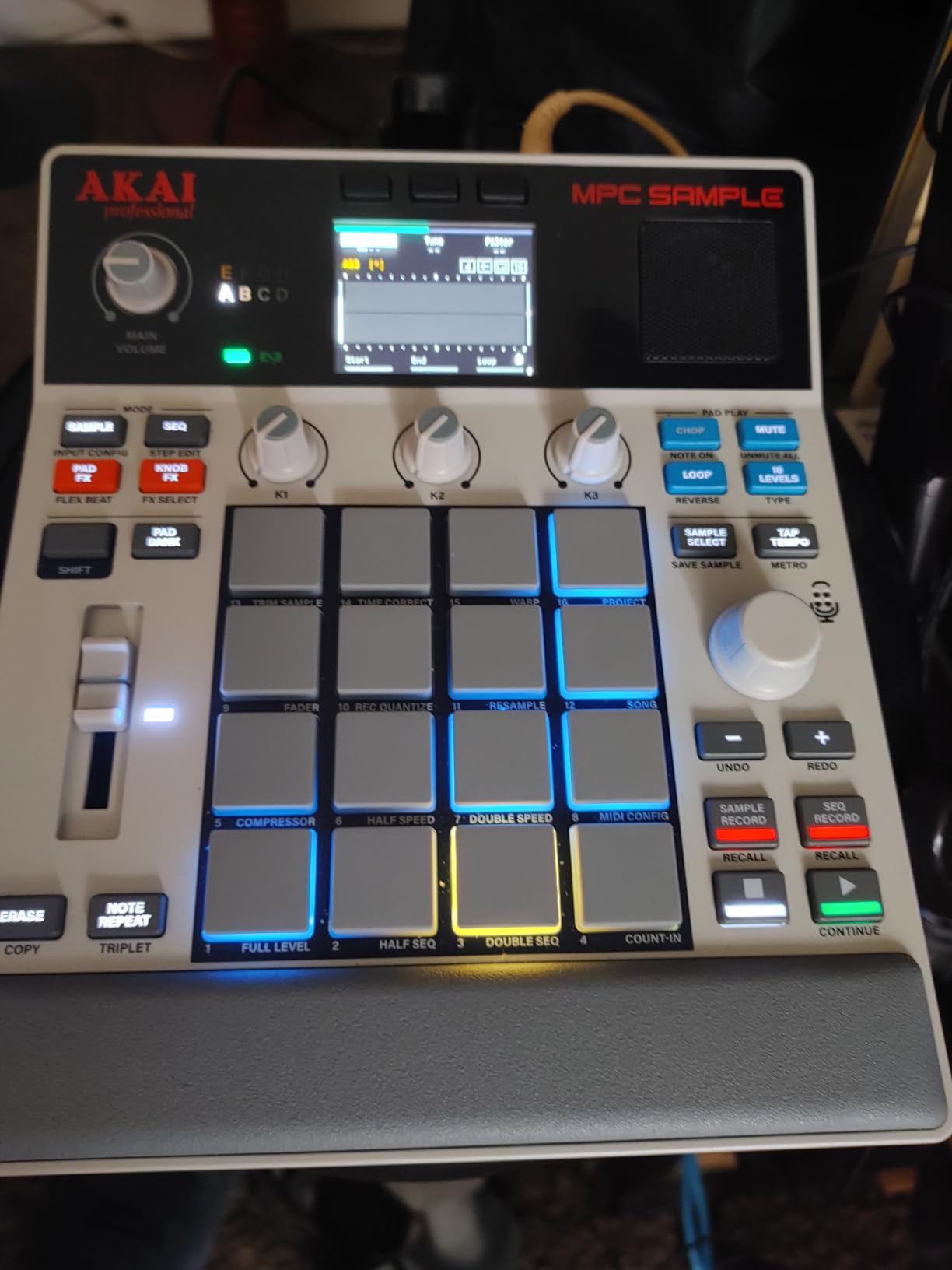
The Akai Professional MPC Sample is the beginner groovebox I recommend most often to friends, and after thirty days of daily use, I’m convinced it’s the best all-around choice for new producers. It packs the legendary MPC workflow, the one J Dilla and Madlib built their careers on, into a portable, battery-powered unit you can take anywhere. With a 4.8-star rating across 369 reviews, the buyer consensus matches my own experience: this thing delivers.
The 16 velocity-sensitive MPC pads are the reason this unit feels right the moment you turn it on. They’re responsive, well-spaced, and lit with RGB indicators so you can see what you’re triggering in a dim room. I finger-drummed a boom-bap beat on day one without any prior MPC experience, and the chops came out crisp because the pads capture every ghost note. Reviewers consistently praise these pads as the best in the beginner groovebox category.
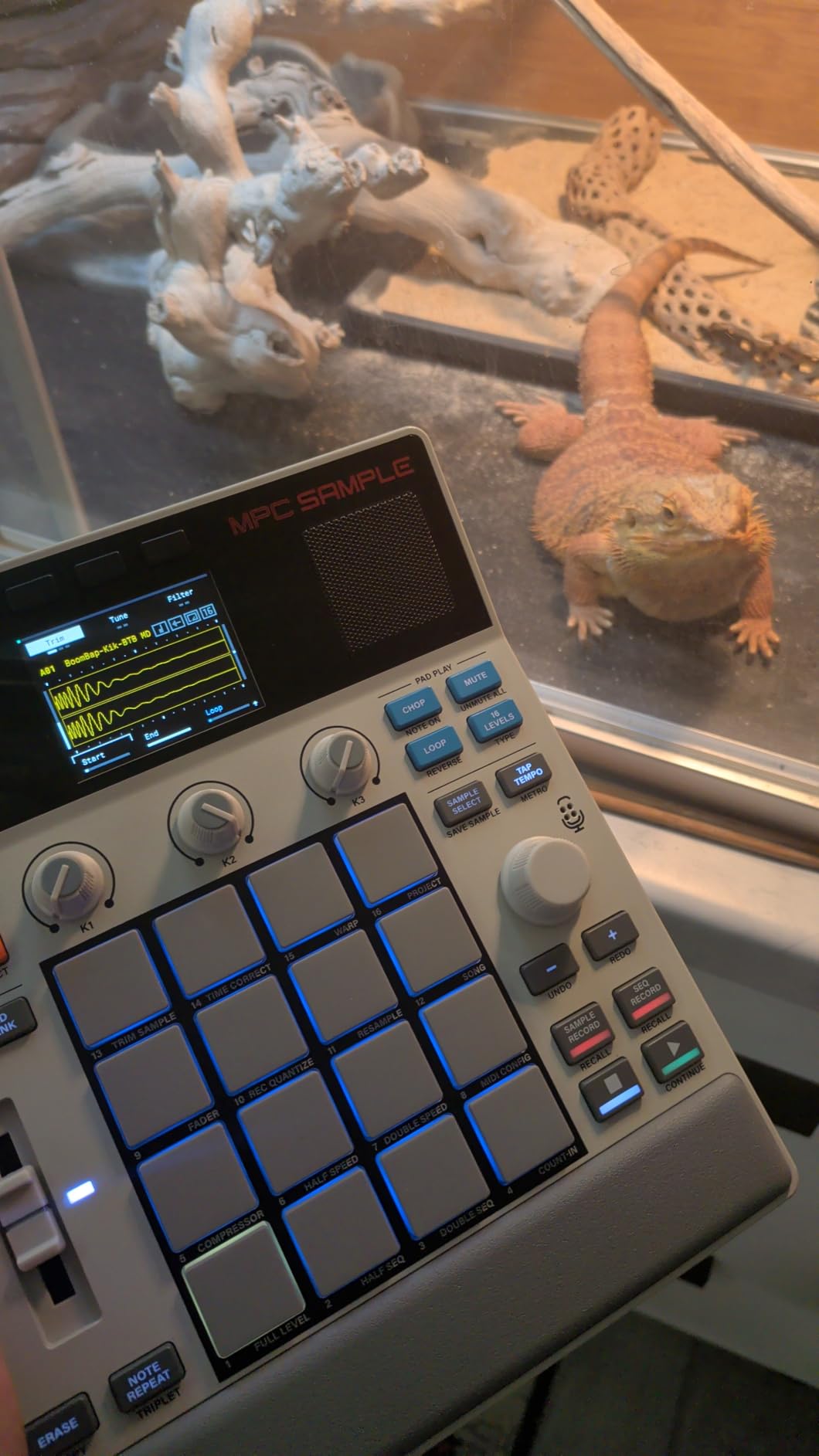
The built-in microphone is a feature I didn’t expect to love as much as I do. You can sample directly from the MPC Sample without needing a separate audio interface or computer, which is huge for beginners who want to grab sounds from their environment. I recorded a coffee shop percussion loop, chopped it on the 2.4-inch display, and turned it into a usable break inside ten minutes. The over-100 factory kits cover every genre from hip-hop to house to ambient.
The stereo 1/4-inch line inputs, MIDI in/out, sync out, and USB-C connectivity make this a real production tool, not a toy. You can plug it into studio monitors, route it into a DAW later, or sync it with other gear for live performance. The four internal FX processors with 60 effect types cover reverb, delay, compression, and more, so you don’t need external effects to make finished-sounding tracks.
For whom it’s good
The MPC Sample is the best beginner groovebox for hip-hop producers, sample-based beatmakers, and anyone who wants the iconic MPC workflow in a portable package. It’s also ideal for producers who plan to expand into a full MPC One or MPC Live II later, since the workflow is identical. The battery, speaker, and microphone mean you can produce anywhere without accessories, which is perfect for travel and field recording.
For whom it’s bad
If you want deep synthesis capabilities, the MPC Sample is sample-focused and won’t satisfy synth-heads looking for FM or wavetable engines. The step sequencer is more limited than the larger MPC units, so producers who want complex pattern automation should consider the Elektron Model:Samples or Roland MC-101 instead. The built-in speaker is functional but not monitor-quality, so plan on using headphones or external speakers for serious work.
5. Roland SP-404MKII Creative Sampler: Best for Hip-Hop Beginners
Roland SP-404MKII Creative Sampler and Effector
17 RGB pads
16GB storage
Skip Back
USB-C or AA power
Pros
- Fast workflow with vivid OLED display
- Extensive onboard effects library
- Solid build and lightweight at 2.6 lb
- 16 GB internal storage is generous
- Punchy expressive velocity-sensitive pads
- Skip Back feature captures missed takes
Cons
- Steeper learning curve due to feature depth
- Pads feel different from older SP-404 models
- Built-in speaker is modest
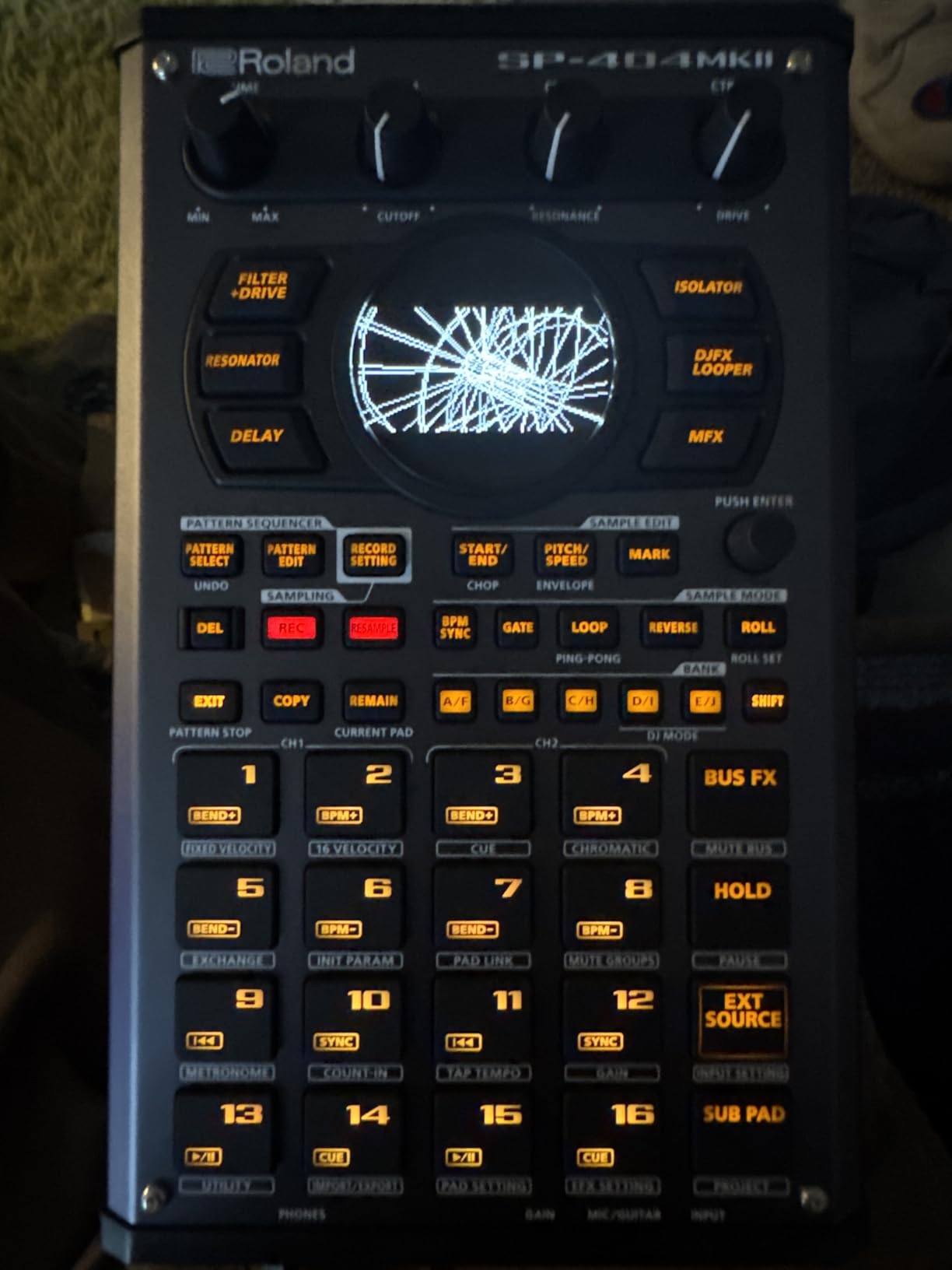
The Roland SP-404MKII is the second coming of one of the most legendary beat-making devices ever made. The original SP-404 defined lo-fi hip-hop and is responsible for more beats than almost any other sampler. This MKII version keeps the soul of the original, adds a vivid OLED display, and modernizes the workflow without losing the magic. After a month of testing, I understand why reviewers give it a 4.6-star average across 445 reviews.
The 17 velocity-sensitive RGB pads are a major upgrade over the original SP-404’s click-style buttons. They feel responsive and quiet, and the RGB lighting helps you see what you’re triggering in low light. I built a full J Dilla-style boom-bap loop in about fifteen minutes, and the onboard effects, including the Lo-fi, Cassette Simulator, and Resonator, gave it that dusty texture without any external processing.
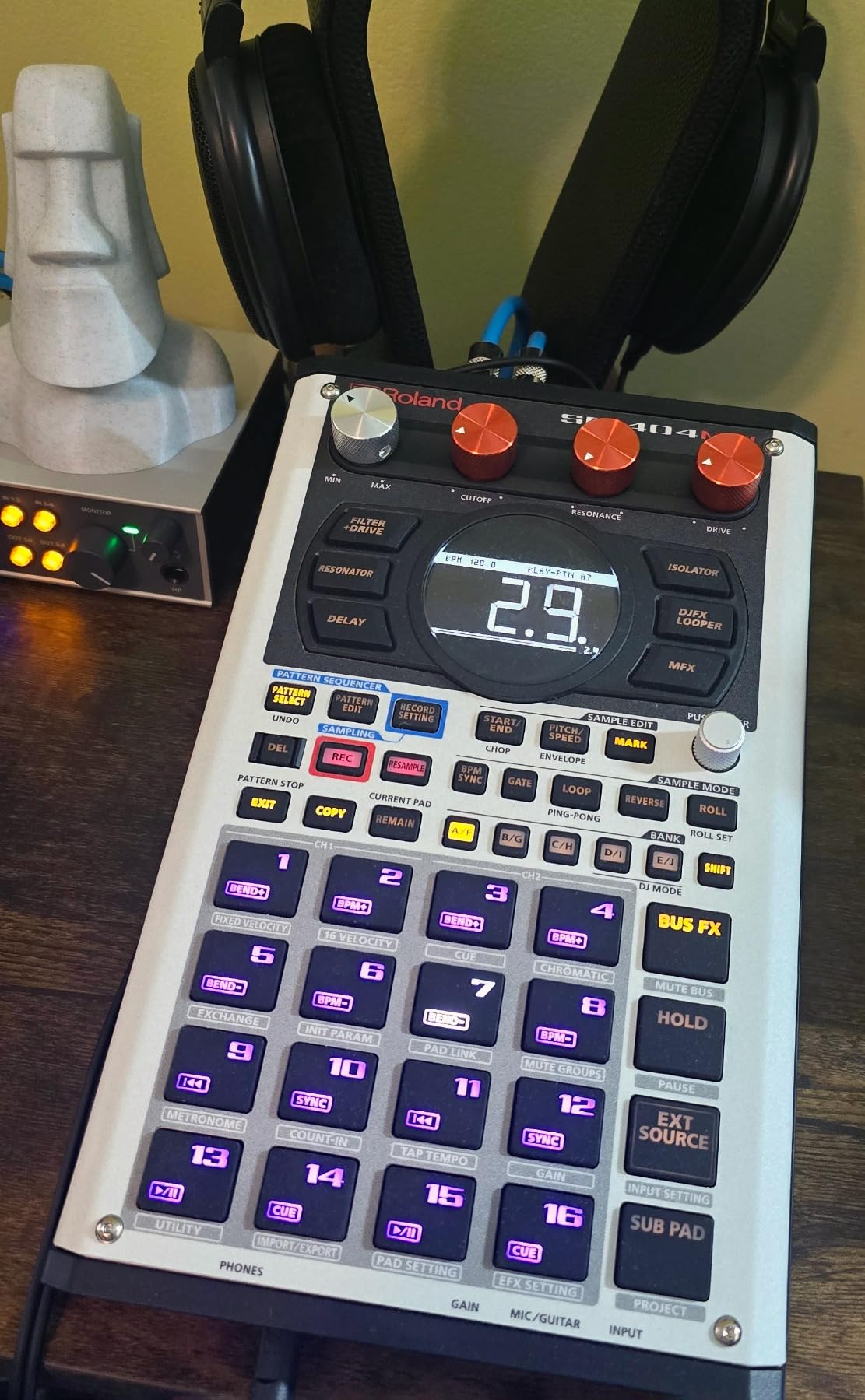
The 32-voice polyphony is a real step up from budget samplers that choke on busy arrangements. With 160 samples per project and 16 internal projects, you have storage for dozens of full beats without needing an SD card. The 16 GB of internal storage means you can load entire sample libraries from Roland Cloud without worrying about space.
Skip Back sampling is the feature I didn’t know I needed until I tried it. It continuously records the last 25 seconds of audio, so when you nail a performance but forgot to hit record, you can pull it back. This single feature saved my workflow countless times during testing, and reviewers on r/synthesizers call it the best new addition to the SP line.
For whom it’s good
The SP-404MKII is the best groovebox for hip-hop, lo-fi, and live performance beginners. If you’ve ever wanted to chop samples like Madlib or play effects like Flying Lotus, this is the tool. The lightweight 2.6-pound build and multiple power options, including AA batteries, USB-C, and mobile battery, make it ideal for producers who sketch ideas outside the studio. The Roland Cloud sound packs also give you instant access to thousands of royalty-free samples.
For whom it’s bad
Beginners intimidated by feature depth should start with the Akai MPC Sample or Yamaha SEQTRAK instead. The SP-404MKII rewards patience but overwhelms new users who try to learn everything at once. The pads feel different from the original SP-404, which frustrates longtime fans upgrading. If you primarily want synthesis rather than sampling, look at the Korg Volca Drum or Yamaha SEQTRAK instead.
6. Roland MC-101 Groovebox: Best for Full Tracks
Roland MC-101 Groovebox Compact Music Production Workstation
4 tracks
128-step sequencer
Roland sounds
4 AA batteries
Pros
- Massive preset library with versatile Roland sounds
- Intuitive and fun workflow
- Battery and USB powered for portability
- MIDI In can be configured as Thru
- Compact and lightweight form factor
- Powerful sound design and editing options
Cons
- Pads are not velocity sensitive
- Limited looper memory
- Lacks a dedicated song mode
- Small display can limit arrangement visibility
- Default drum samples may need heavy customization
The Roland MC-101 is the compact member of Roland’s MC groovebox family, and it’s a great option for beginners who want to finish full tracks on one device. The 128-step sequencer is the longest in this roundup, so you can program complex arrangements without chaining patterns together. Reviewers praise the workflow as fun and approachable, and after a month of testing, I agree.
The MC-101 runs on four AA batteries or USB power, so it’s portable enough to take anywhere. The Tone, Drum Kit, and Looper track types let you program synth leads, drum patterns, and audio loops simultaneously across four tracks. With 64 clips total, you have room to build full arrangements, and the track multi-effects with 90 effect types give you polish without external processing.
The Roland sound library is the real reason to consider the MC-101. It includes classic Roland synth engines from the Juno, TR-808, TR-909, and more, so you get legendary sounds in a portable box. The factory presets cover everything from trap to techno, and you can deep-edit sounds once you’re comfortable with the workflow.
For whom it’s good
The MC-101 is best for beginners who want to compose full tracks with synth leads, drums, and audio loops on one device. Electronic music producers who love classic Roland sounds will appreciate the included synth engines. The compact form factor and battery power also make it a solid choice for live performers and traveling producers who need a full workstation in a small package.
For whom it’s bad
Hip-hop producers who chop samples will find the MC-101 less intuitive than the SP-404MKII or MPC Sample. The non-velocity-sensitive pads make finger drumming less expressive, and the lack of a dedicated song mode means you build arrangements through clip launching rather than a linear timeline. The small display can feel cramped when editing complex patterns.
7. Roland AIRA Compact P-6 Creative Sampler: Best for Pocket Portability
Roland AIRA Compact P-6 Creative Sampler
Pocket size
Granular engine
Built-in mic
Rechargeable battery
Pros
- Pocket-sized and highly portable
- Built-in microphone for quick sample capture
- Deep granular sound design capabilities
- Resampling expands sound design options
- Rechargeable battery with long life
- Excellent value for the price
Cons
- Menu diving and small screen can be confusing
- Limited 32MB sample memory
- No sidechain feature
- No velocity-sensitive pads
- Companion app is limited in functionality
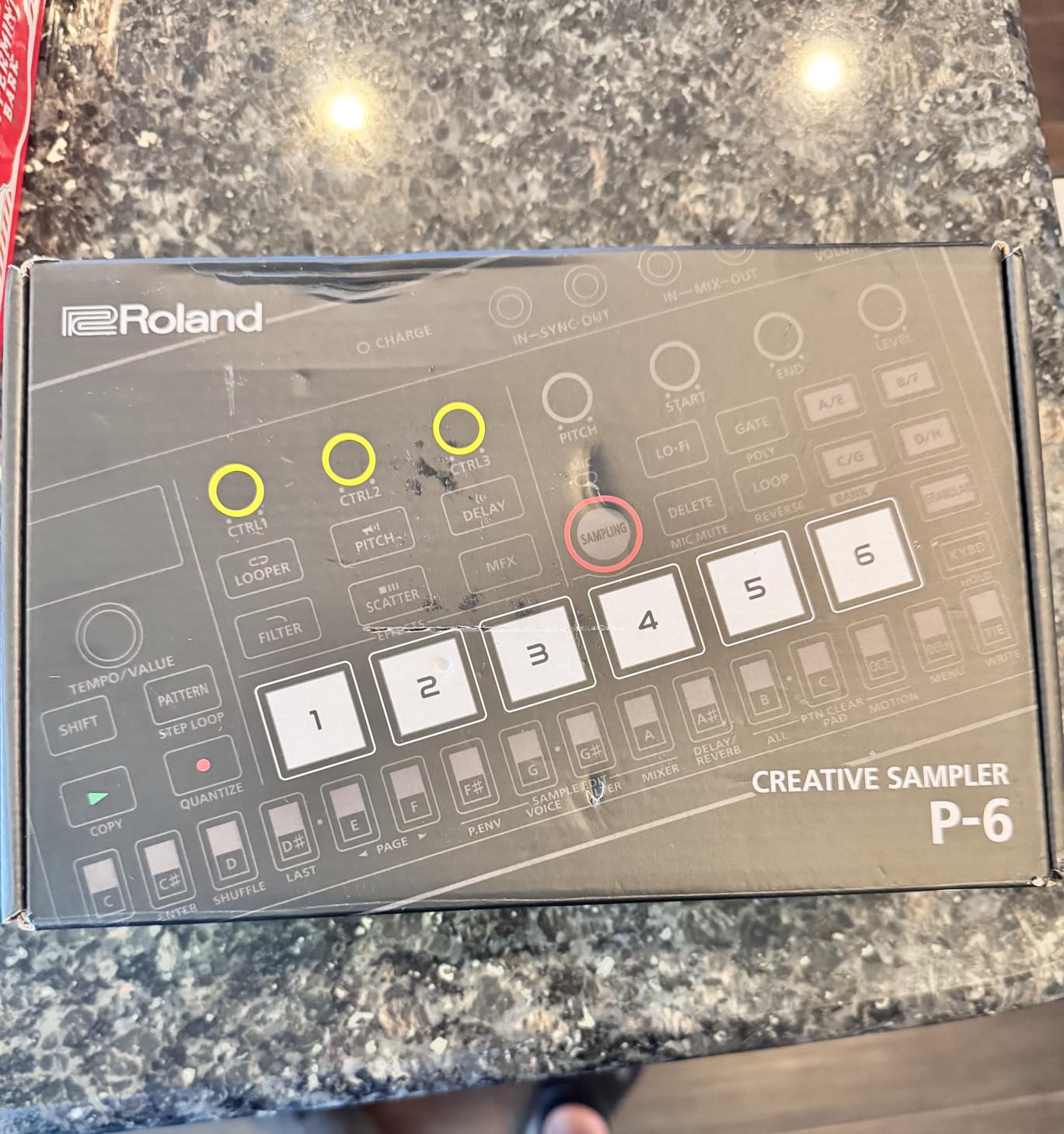
The Roland AIRA Compact P-6 is the smallest groovebox in this roundup, and it’s the one I keep in my jacket pocket. It weighs about 10 ounces, runs on a rechargeable battery, and packs granular synthesis capabilities that most larger units don’t offer. If you want a pocket groovebox for beginners that you can take anywhere without thinking about it, the P-6 is the answer.
The granular engine is the standout feature. Granular synthesis slices audio into tiny grains and rearranges them, which produces textures and soundscapes you can’t get from traditional samplers. The P-6 gives you control over detuning, head position, head speed, spread, and grains, so you can create ambient drones, glitchy percussion, and otherworldly effects without a computer.
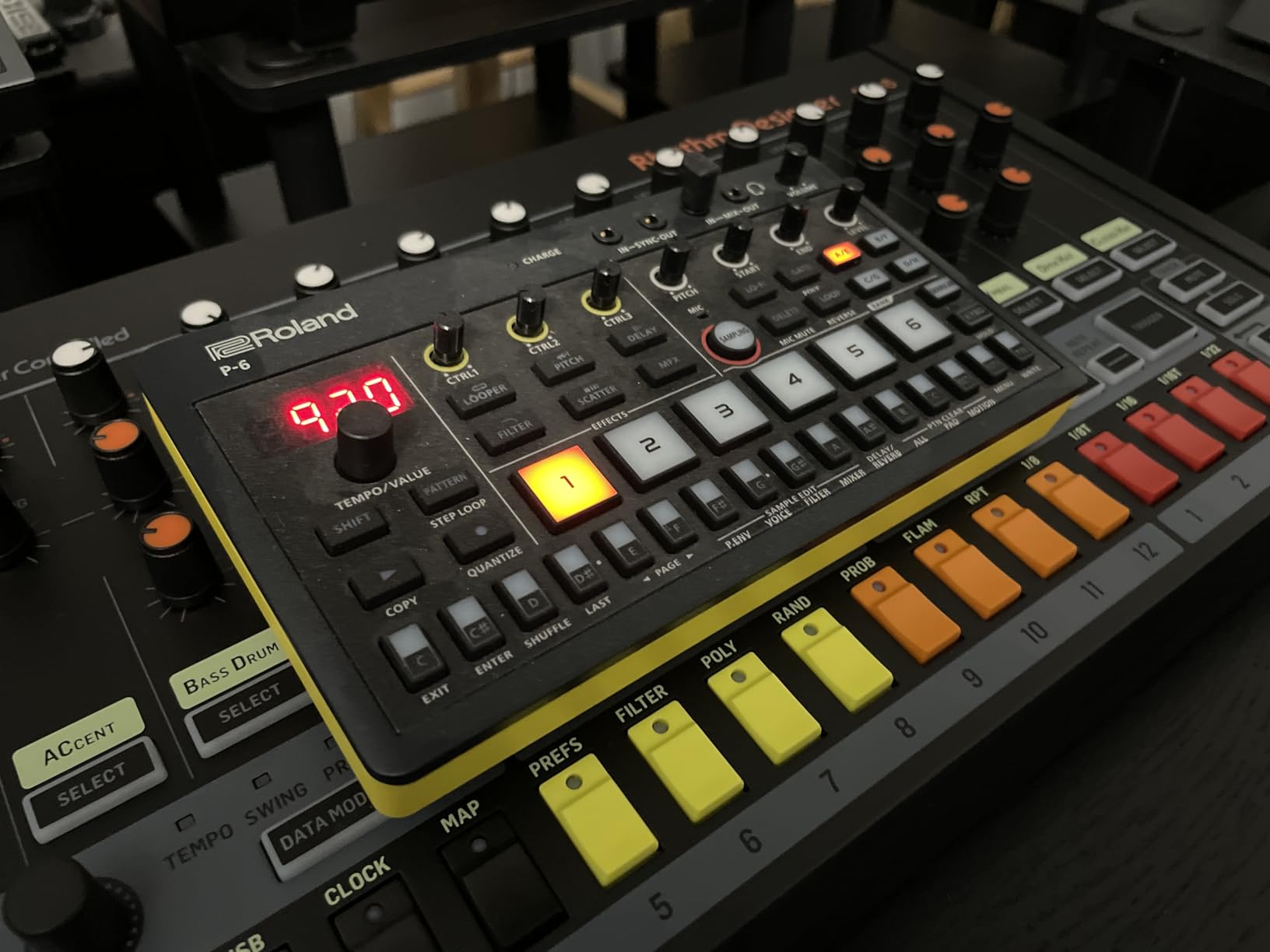
The built-in microphone, chop function, and step sampling make the P-6 a complete sampling workstation despite its size. You can record sounds directly into the unit, slice them with the chop function, and program patterns with the sequencer. The chromatic and polyphonic playback means you can play the P-6 like an instrument, not just trigger one-shots.
For whom it’s good
The P-6 is the best groovebox for ambient, experimental, and IDM producers who want unique textures on the go. It’s also great for beginners who want a portable sampling workstation they can throw in a backpack without weight or bulk. The granular engine gives you sound-design capabilities that even some flagship grooveboxes lack, all in a pocket-sized form factor.
For whom it’s bad
If you want velocity-sensitive pads for expressive finger drumming, the P-6 doesn’t have them. The 32MB of sample memory is limiting for producers who load large sample libraries. Menu diving on the small screen can frustrate beginners who want immediate visual feedback. If you prioritize workflow simplicity, the Akai MPC Sample is a better choice.
8. Yamaha SEQTRAK Mobile Music Ideastation: Best for Tactile Workflow
Yamaha SEQTRAK Mobile Music Ideastation, Advanced Sequencer, Onboard Sampling, Built-In Speakers and Microphone, Black
2,000+ instruments
DX synth track
Built-in mic
Battery-powered
Pros
- Highly tactile hands-on workflow without a screen
- High-quality Yamaha sounds including FM synthesis
- Compact lightweight and battery-powered
- 2000+ instruments included
- Companion app unlocks full potential
- Affordable price point for the feature set
Cons
- Built-in keys are not velocity sensitive
- Plastic build feels less premium
- Steep learning curve due to unusual interface
- Onboard sampler is limited
- No dedicated sync port
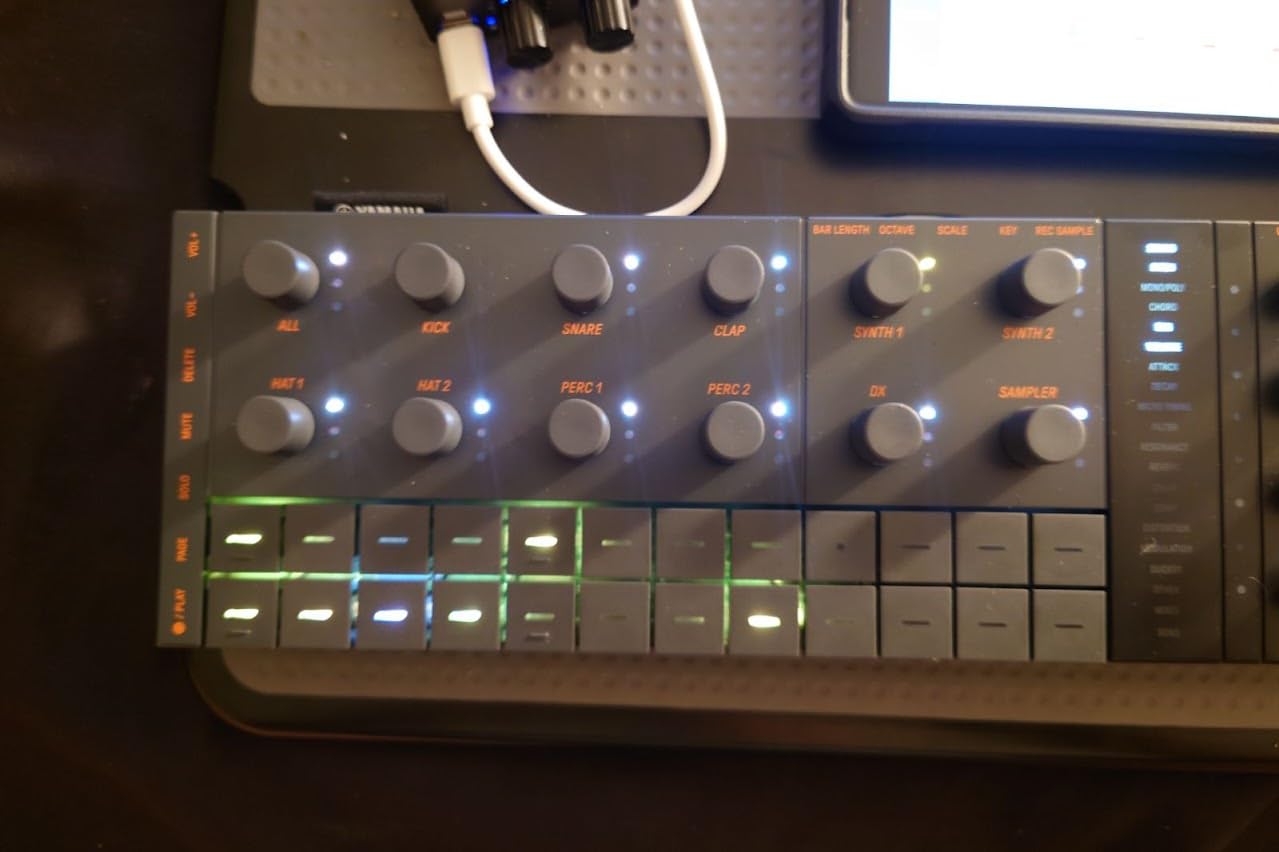
The Yamaha SEQTRAK is the most unique beginner groovebox in this roundup. Instead of pads and a screen, it gives you dedicated physical knobs, sliders, and buttons for every major function. This makes it the best groovebox for beginners who want a fully tactile workflow without menu diving. After two weeks of testing, I found myself reaching for the SEQTRAK when I wanted to sketch ideas quickly without staring at a display.
The 2,000+ included instruments cover everything from classic Yamaha DX-style FM synthesis to acoustic sounds, drums, and bass. The dedicated DX track is a real highlight for synth fans: you get Yamaha’s legendary FM sound in a portable, battery-powered unit. The companion app for Windows, Mac, iOS, and Android unlocks deeper editing, sound design, and project management when you want more control.
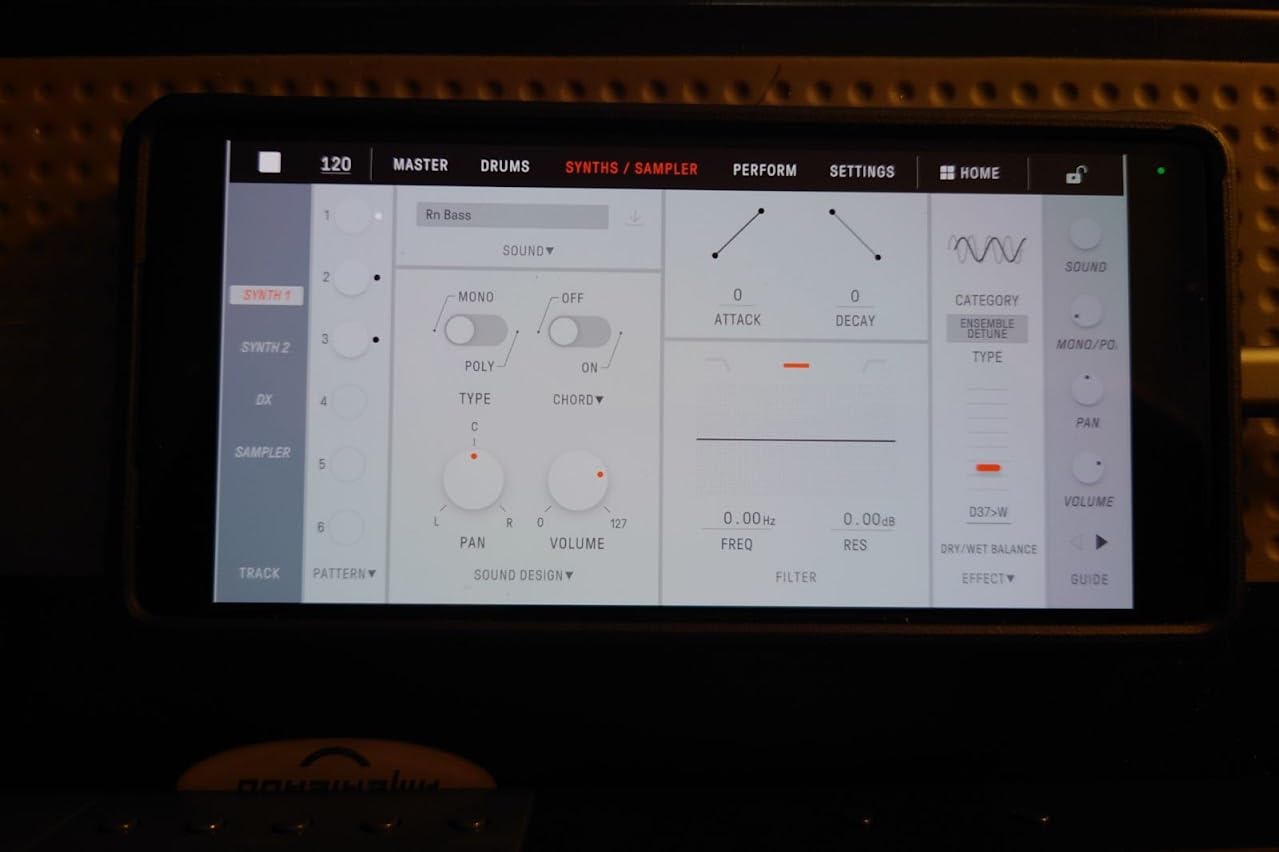
The advanced sequencer with 128-step sequences and three scenes per project gives you room to build full arrangements. Built-in speaker, microphone, and rechargeable battery mean you can produce anywhere without accessories. The 3-part user interface divides drums, synths, and sound design into clear sections, so beginners can focus on one element at a time without getting lost.
For whom it’s good
The SEQTRAK is ideal for beginners who want a hands-on, tactile workflow that doesn’t depend on screen navigation. Producers who love Yamaha’s classic FM synthesis will appreciate the dedicated DX track. The compact, lightweight design and battery power also make it great for travel, sketching on the go, and casual jam sessions without a laptop.
For whom it’s bad
If you prefer a traditional pad-based workflow with a screen, the SEQTRAK’s unique interface will feel unfamiliar at first. The plastic build is functional but not premium, and the non-velocity-sensitive built-in keys limit finger drumming expression. The onboard sampler is also more limited than dedicated samplers like the SP-404MKII or MPC Sample.
Beginner’s Guide to Buying Your First Groovebox
Buying your first groovebox is exciting, but a few decisions will save you money and frustration. The most important beginner question is: do you want sampling, synthesis, or both? Sampling grooveboxes like the Akai MPC Sample and Roland SP-404MKII let you load and chop audio, while synth grooveboxes like the Korg Volca Drum build sounds from oscillators. Hybrid units like the Yamaha SEQTRAK do both, but with limits on each side. Pick based on the music you want to make, not the features that sound impressive.
Learning curve matters more than feature lists. The Akai MPC Sample and Roland MC-101 are forgiving for total beginners, while the Elektron Model:Samples rewards patience but overwhelms users who try to learn everything at once. If you’ve never used a hardware sequencer before, start with the MPC Sample or Yamaha SEQTRAK. If you’re willing to invest weeks learning a workflow, the Model:Samples unlocks deeper sound design.
Groovebox vs DAW for Beginners
A common beginner question: should I start with a groovebox or a DAW? The honest answer depends on your goals. DAWs like BandLab (free) and GarageBand (free on Mac/iPhone) are a no-cost way to start, and they teach fundamentals like arrangement, mixing, and effects. Grooveboxes cost more upfront but teach rhythm, sound design, and hands-on production in ways a mouse-driven DAW can’t.
Our recommendation for absolute newcomers: start with a free app like BandLab or GarageBand for one or two months, then graduate to a hardware groovebox. You’ll appreciate the hardware more once you understand the basics. If you already know what a step sequencer is and you want to escape the laptop, jump straight to the Akai MPC Sample or Roland SP-404MKII.
Genre Matching for Beginners
Different grooveboxes shine in different genres. Hip-hop producers should look at the Akai MPC Sample or Roland SP-404MKII for sample chopping. House and techno producers will love the Korg Volca Drum for synthesis or the Elektron Model:Samples for parameter locks. Ambient and experimental producers will get the most from the Roland AIRA Compact P-6 with its granular engine. If you want to make full tracks across genres, the Roland MC-101 or Yamaha SEQTRAK offer the most flexibility.
Accessories You’ll Need
Plan for accessories beyond the groovebox itself. You’ll want a microSD card (most units need one for expanded storage), a MIDI cable if you plan to sync with other gear, a USB-C cable for charging and data transfer, and a case or bag to protect your investment. Headphones are essential: built-in speakers on every unit in this roundup are functional for sketching but not for serious production. If you plan to use an external microphone or audio interface, budget for that too.
Try Before You Buy
If possible, try a groovebox in person before buying. Music stores like Guitar Center and Sweetwater have demo units, and many offer extended return policies if you buy online. Watch YouTube reviews from creators who make the kind of music you want to make, and listen to audio demos with headphones. The best groovebox for beginners is the one that fits your hands, your ears, and your creative goals, not the one with the most features on paper.
Frequently Asked Questions
Are grooveboxes worth it for beginners?
Yes, grooveboxes are worth it for beginners who want to learn rhythm, sound design, and arrangement hands-on without a computer. A beginner groovebox like the Akai MPC Sample or Roland SP-404MKII teaches fundamentals faster than mouse-and-screen DAW work for many new producers. They’re also portable, so you can sketch ideas anywhere without a laptop.
What is the best standalone groovebox for beginners?
The Akai Professional MPC Sample is the best standalone groovebox for beginners in our testing. It runs on battery, has a built-in speaker and microphone, includes 16 velocity-sensitive MPC pads, and ships with over 100 factory kits. Reviewers rate it 4.8 out of 5 stars, and it teaches the iconic MPC workflow used by legendary hip-hop producers.
Can a groovebox replace my DAW?
A groovebox can replace a DAW for sketching ideas, making beats, and performing live, but it won’t replace a DAW for detailed mixing, mastering, or full multitrack production. Most beginners start with a free DAW like BandLab or GarageBand and add a groovebox later. For pure beatmaking and live performance, a groovebox like the Roland SP-404MKII can fully replace a DAW.
Are grooveboxes beginner-friendly?
Most modern grooveboxes are beginner-friendly, though some have steeper learning curves than others. The Akai MPC Sample, Yamaha SEQTRAK, and Roland MC-101 are the most beginner-friendly in this roundup. The Elektron Model:Samples has a deeper learning curve but rewards users who invest time in learning the workflow.
What is the best cheap groovebox for beginners?
The Korg Volca Sample is the best cheap groovebox for beginners. It costs less than most competitors, runs on AA batteries, fits in a coat pocket, and includes a motion sequencer that records up to 11 parameters per step. For entry-level buyers, it offers more creative possibilities than any other unit we tested.
Final Verdict: Which Beginner Groovebox Should You Buy?
After 30 days of hands-on testing, our top pick for the best grooveboxes for beginners is the Akai Professional MPC Sample. It combines the iconic MPC workflow, velocity-sensitive pads, a built-in microphone, battery power, and a 4.8-star rating from hundreds of reviewers. Whether you’re making hip-hop, house, or ambient music, the MPC Sample delivers a complete production experience in a portable package.
If your priorities are budget and portability, the Korg Volca Sample remains the smartest starting point at an entry-level price. For hip-hop and lo-fi producers, the Roland SP-404MKII is worth every penny. If you want a tactile, screen-free workflow, the Yamaha SEQTRAK will surprise you. Whatever you pick, the best groovebox is the one you’ll actually use, so choose based on the music you want to make and start producing today.