
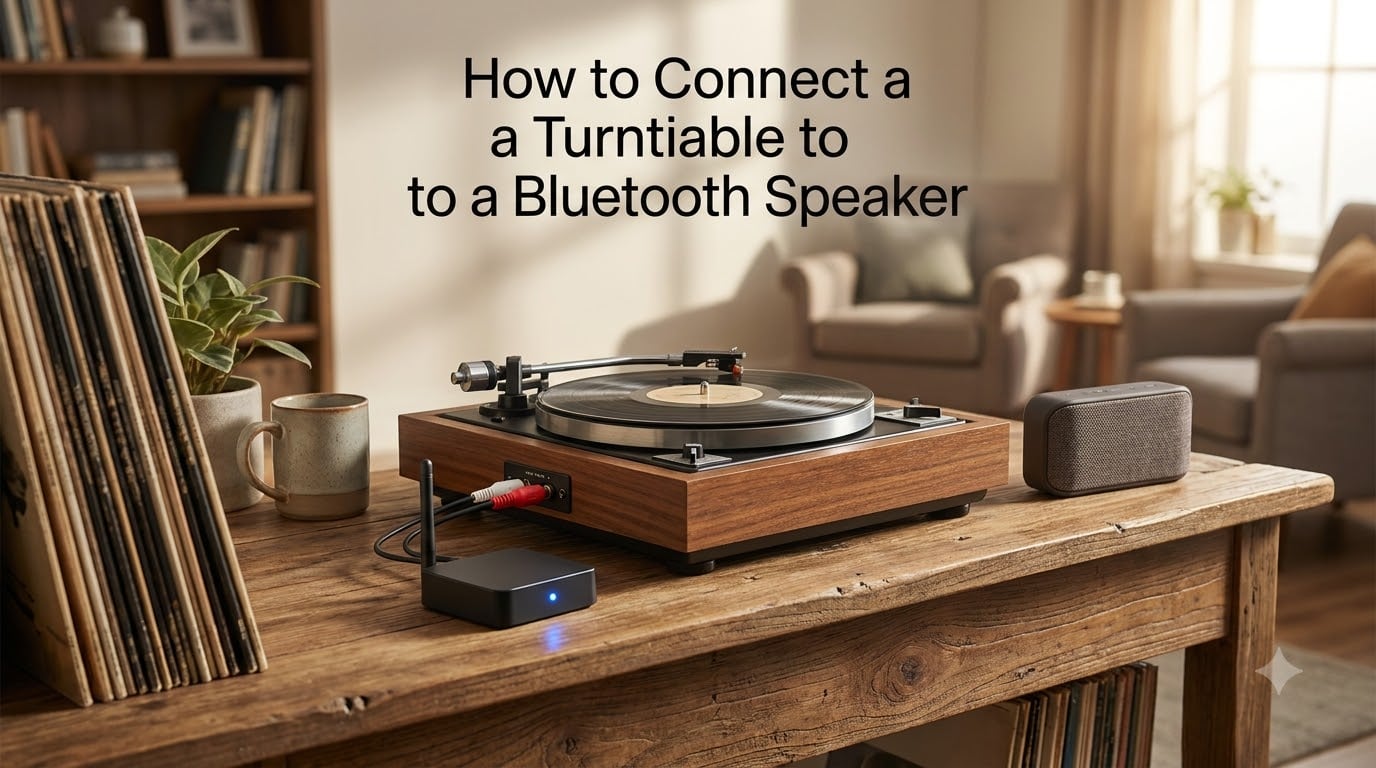
Yes, you can absolutely connect a turntable to a Bluetooth speaker. There are two main ways to make it happen: using a turntable that has built-in Bluetooth output, or attaching an external Bluetooth transmitter to a turntable that does not. Both approaches let you enjoy records without running speaker cables across your living room, and both work with popular Bluetooth speakers, headphones, and soundbars.
Our team has helped readers troubleshoot everything from pairing failures to ground hum, so we wanted to put together a single guide that walks through the entire process from start to finish. In this 2026 update, we cover what gear you need, the exact step-by-step pairing instructions for each method, and how to fix the common problems that trip people up. If you have ever asked yourself “how do I connect a turntable to a Bluetooth speaker,” this guide is for you.
It helps to know one important detail up front: a turntable’s audio signal is too weak on its own. Most setups need a phono preamp somewhere in the chain to bring that signal up to line level before it goes wireless. We cover preamp requirements in detail, along with Bluetooth code support, latency, and multi-room wireless vinyl streaming.
Table of Contents
What You Need Before You Start
Before you learn how to connect a turntable to a Bluetooth speaker, gather the right gear. The exact equipment depends on which of the two methods you use, but a few basics show up in every setup.
At minimum, you need: a working turntable, a Bluetooth speaker (or headphones), a preamp somewhere in the signal chain, and either built-in Bluetooth output or an external Bluetooth transmitter. RCA cables and a 3.5mm jack come into play when you add a transmitter. A ground wire is required if your turntable uses an external phono preamp.
If your turntable has built-in Bluetooth (like the Audio-Technica LP60XBT or similar models), you can skip the transmitter entirely. If your turntable is older or has only a phono output, an external Bluetooth transmitter is the way to go. The table below summarizes which items each method requires.
Equipment Checklist
Turntable — Any model works, but built-in Bluetooth makes setup easier.
Preamp — Built-in, switchable, or external. Most Bluetooth transmitters need a line-level signal.
Bluetooth transmitter (Method 2) — A small dongle that plugs into RCA or headphone output.
Bluetooth speaker or headphones — The receiving device that plays your records.
RCA cables and 3.5mm adapter — Used to connect the transmitter to your turntable output.
Ground wire — Required only when using an external phono preamp to avoid hum.
One last thing: keep your speaker’s user manual handy. Bluetooth speakers use different pairing procedures, and a quick check of the manual saves you fifteen minutes of button-pressing later.
Method 1: Connect a Turntable With Built-in Bluetooth
If you bought a turntable within the last few years, there is a good chance it has Bluetooth output built in. This is by far the simplest way to connect a turntable to a Bluetooth speaker. The turntable itself acts as the transmitter, so you do not need any extra dongles or adapters.
Models like the Audio-Technica LP60XBT, the LP120XBT, and several Victrola and Sony models include Bluetooth output that pairs directly with speakers and headphones. The pairing process is similar to pairing a phone: you put the turntable into pairing mode, then select it from your speaker’s Bluetooth menu.
The catch is that built-in Bluetooth only works one direction: output, not input. Some readers get confused because their turntable also has Bluetooth receive (input) for streaming phone audio through the turntable’s speakers. That feature does not help you here. You want Bluetooth transmit (output).
Steps for a Built-in Bluetooth Turntable
Power on the turntable. Make sure the platter is not spinning and the stylus is in its rest.
Activate pairing mode on the turntable. Usually this means holding the Bluetooth button for a few seconds until an LED flashes. Check your manual for the exact button.
Put your Bluetooth speaker in pairing mode. Most speakers have a dedicated Bluetooth button or a long-press on the power button.
Bring the devices within 1 metre of each other. This is the range Audio-Technica and most manufacturers recommend for first-time pairing.
Confirm the connection. When the LED on the turntable stays solid (or you hear a confirmation tone from the speaker), pairing is complete.
Drop the needle and play. The audio should come through the speaker immediately.
This method is ideal if you want the simplest path from record to wireless speaker. The downside is that built-in Bluetooth usually supports only one paired device at a time, and the codec is often limited to SBC or aptX rather than the higher-resolution aptX HD.
Method 2: Use an External Bluetooth Transmitter With Any Turntable
An external Bluetooth transmitter is the answer if your turntable does not have built-in Bluetooth. A small transmitter plugs into the RCA output or headphone jack of your turntable (or preamp) and broadcasts the audio to your Bluetooth speaker. This works with essentially any turntable you already own, including vintage and budget models.
Our team has tested transmitters ranging from $20 budget dongles to $80 audiophile units with aptX Low Latency. The quality difference is real, especially if you care about sync and detail. But even the cheap ones make your records wireless in under five minutes.
The key question with this method is where to plug the transmitter in. If your turntable has a built-in preamp (or a switchable phono/line output), plug the transmitter into the line output. If it only has a phono output, you need an external phono preamp between the turntable and the transmitter.
Steps for an External Bluetooth Transmitter
Identify your turntable’s output. Look for RCA outputs (red and white) or a 3.5mm headphone jack.
Check for a preamp. If your turntable has a phono/line switch, set it to line. If not, you need an external phono preamp.
Connect the transmitter to the line-level output. Use RCA cables or a 3.5mm cable depending on the transmitter’s input.
Power the transmitter. Most use USB. Plug into a USB charger or the turntable’s USB port if it has one.
Put the transmitter in pairing mode. Usually a long-press on a button until an LED flashes rapidly.
Put your Bluetooth speaker in pairing mode. The two devices should find each other within a few seconds.
Drop the needle and confirm audio. Adjust the volume on the speaker, not the turntable.
This method gives you more flexibility than built-in Bluetooth. Higher-end transmitters support aptX Low Latency, multiple paired devices, and even dual-link output to two speakers at once. The trade-off is one more box and one more cable on your shelf.
Understanding Preamp Requirements for Bluetooth Use
The preamp is the single most confusing part of connecting a turntable to anything, Bluetooth or otherwise. The short answer: yes, you almost always need a preamp. The longer answer depends on what kind of turntable you own and where the preamp lives in your signal chain.
A turntable’s phono output is extremely quiet and has a specific frequency curve called RIAA equalization. A phono preamp does two things: it boosts the signal to line level (the standard level that Bluetooth transmitters, speakers, and amps expect), and it applies RIAA correction so the music sounds right instead of thin and tinny.
If you skip the preamp, your Bluetooth speaker gets a signal that is far too quiet and tonally wrong. You will hear faint, scratchy audio with no bass. This is why people plug a transmitter directly into a phono output and assume Bluetooth “does not work” — the transmitter is fine, but the signal feeding it is broken.
How to Know if You Have a Preamp
Check the back of your turntable for a switch labeled “phono / line” or “preamp on / off.” If the switch exists, set it to line (or on) and you are good — your preamp is built in. If there is no switch and the outputs are labeled simply “phono,” you need an external phono preamp.
Many popular 2026 turntables (the LP120X, Fluance RT82, and similar) include a switchable preamp. Budget models like the basic LP60 and most suitcase-style Crosley and Victrola players usually have a built-in preamp that is always on. Vintage turntables from the 70s and 80s almost never have a built-in preamp, so plan for an external one.
Can You Connect a Turntable to an Aux Input or Directly to Speakers?
You can connect a turntable to an aux input only if the signal is already at line level, which means a preamp is in the chain. You cannot hook a raw phono output directly to powered speakers or an aux input and expect usable sound. The same rule applies whether the destination is a wired speaker, an amp, or a Bluetooth transmitter.
Step-by-Step Pairing Instructions for Turntable and Bluetooth Speaker
Pairing is where most people get stuck, regardless of which method they use. The process below works for both built-in Bluetooth turntables and external transmitters. The key is to get both devices into pairing mode at the same time and keep them close together until they connect.
Universal Pairing Workflow
Step 1 — Power everything off, then back on. This clears any stale pairing state on both devices.
Step 2 — Disconnect other paired devices. If your speaker is currently paired to your phone, unpair it so it is free to find the turntable.
Step 3 — Activate pairing mode on the turntable or transmitter. Hold the Bluetooth button until the LED flashes or you hear a tone.
Step 4 — Activate pairing mode on the speaker. Most speakers flash or pulse when they are discoverable.
Step 5 — Wait for the pair. Within 10 to 30 seconds, the two devices should find each other. The LED on the transmitter or turntable usually goes solid when paired.
Step 6 — Confirm with audio. Drop the needle and listen. If you hear music, you are done.
Step 7 — Save the pairing. Most devices auto-connect from now on when both are powered up.
If pairing fails, the most common reason is that one device is still connected to something else. Bluetooth speakers usually only accept one active connection at a time. Unpair the speaker from your phone or laptop and try again.
How do you put your Bluetooth transmitter in pairing mode? Hold the pairing button (usually the only button on the unit) for 3 to 5 seconds until the LED flashes rapidly. On transmitters with a switch, slide the switch to “TX” for transmit mode, then hold the button.
Built-in Bluetooth vs External Transmitter: Which Should You Choose?
Choosing between a built-in Bluetooth turntable and an external transmitter comes down to whether you already own a turntable and how much you value flexibility versus simplicity. Both methods let you connect a turntable to a Bluetooth speaker successfully.
Built-in Bluetooth is the right call if you do not yet own a turntable or you are upgrading. The setup is one less box, one less cable, and one less power adapter. Pairing is also generally more reliable because the Bluetooth hardware is designed specifically for that turntable.
An external transmitter is the right call if you already own a turntable you love, or if you want features the built-in option does not offer. Higher-end transmitters support aptX Low Latency (which keeps audio and movement in sync), dual-link output to two speakers, and a longer wireless range. You can also move the transmitter between turntables if you have more than one.
Quick Comparison
Setup simplicity: Built-in wins. One device, one power source, one pairing process.
Codec support: External transmitter wins. Look for aptX Low Latency or aptX HD.
Cost: Built-in wins if you are buying new anyway. External transmitter wins if you already own a turntable.
Multi-speaker output: External transmitter wins. Dual-link models broadcast to two speakers at once.
Upgrade flexibility: External transmitter wins. Swap it out when better codecs arrive without replacing your turntable.
Audio Quality and Latency: What to Expect From Bluetooth Vinyl
Honest answer: Bluetooth changes the sound of your vinyl. How much depends on the codec your transmitter and speaker both support. The vinyl purists on r/vinyl and r/turntables are right that you lose some detail and dynamic range compared to a wired connection. But for casual listening, kitchen setups, and outdoor decks, the convenience is hard to beat.
The baseline Bluetooth codec, SBC, compresses the audio noticeably. If both your transmitter and speaker support aptX (not just aptX-compatible, but actually aptX-capable on both ends), you get a meaningful step up in clarity. aptX Low Latency is the codec to look for if you notice lag between dropping the needle and hearing the sound.
Latency Explained
Latency is the delay between the moment the stylus reads the groove and the moment you hear sound from the speaker. Standard Bluetooth adds anywhere from 150 to 250 milliseconds of latency. For music-only listening this is fine — you cannot perceive the delay. But if you are watching the record spin and expecting instant feedback, the lag can feel odd.
aptX Low Latency cuts that to about 40 milliseconds, which is essentially imperceptible. Both your transmitter and your speaker need to support it. This is the single biggest reason to spend a little more on a transmitter instead of grabbing the cheapest dongle.
Multi-Room and Multiple Speakers
One feature no competitor covers well is connecting multiple Bluetooth speakers to one turntable. Higher-end transmitters support dual-link output, which sends audio to two Bluetooth speakers at the same time. This is great for filling a larger room or for syncing audio in adjacent spaces.
Beyond two speakers, Bluetooth starts to struggle. True multi-room wireless vinyl usually requires a Wi-Fi-based system (like Sonos or a Raspberry Pi running a streaming server) rather than Bluetooth. For most listeners, one or two Bluetooth speakers per turntable is the sweet spot.
Troubleshooting Common Bluetooth Turntable Connection Problems
If you cannot connect your turntable to your Bluetooth speaker, the problem is almost always one of five things: pairing mode is not actually engaged, the speaker is paired to another device, the preamp is missing or off, the transmitter is in receive mode instead of transmit mode, or there is a ground loop causing hum rather than a connection problem at all.
Why Won’t My Turntable Connect to Bluetooth?
Check pairing mode on both devices. The LED on the turntable or transmitter should be flashing, not solid. A solid LED usually means it is already paired to something else.
Unpair the speaker from your phone. Bluetooth speakers typically hold one connection at a time. If your phone is connected, the turntable cannot pair.
Move the devices closer. First-time pairing works best within 1 metre, as Audio-Technica recommends.
Confirm the transmitter is in TX mode. Many transmitters have a TX/RX switch. TX means transmit (turntable to speaker). RX means receive. You want TX.
Restart both devices. Power-cycle the speaker and the turntable or transmitter to clear any stuck state.
No Sound or Very Quiet Sound
If the devices pair but you hear almost nothing, the preamp is the prime suspect. Check the phono/line switch on your turntable and make sure it is set to line. If you are using an external phono preamp, confirm it is powered on and connected between the turntable and the transmitter, not bypassed.
Also check the volume on the speaker itself. Some Bluetooth speakers default to a low volume after pairing. The turntable’s own volume (if it has one) is rarely the issue, but it is worth a quick check.
Hum, Buzz, or Ground Loop Issues
A persistent low hum is the number one complaint from readers adding an external transmitter to a vintage turntable. This is usually a ground loop, not a Bluetooth problem. The fix is to connect the ground wire from your turntable to the grounding post on your external phono preamp.
If you still hear hum after grounding, try plugging the turntable, preamp, and transmitter into the same power strip or outlet. Ground loops happen when devices share an audio connection but use different ground paths through the wall wiring. Getting everything on one circuit usually eliminates the noise.
Bluetooth itself does not cause ground loops because the wireless link has no electrical connection. The hum comes from the analog side of your chain — the turntable, the preamp, and how they are powered relative to each other.
Audio Drops or Stuttering
If your music cuts in and out, the issue is range or interference. Bluetooth’s reliable range is about 10 metres (30 feet) line of sight. Walls, microwaves, Wi-Fi routers, and other Bluetooth devices all reduce that. Move the speaker closer to the transmitter, or clear a path between them.
A weak transmitter battery can also cause drops. If your transmitter is USB-powered and you have it plugged into a flaky port, switch to a dedicated USB charger. Consistent power is essential for stable Bluetooth streaming.
FAQs
Can you connect a turntable to a Bluetooth speaker?
Yes. You can connect a turntable to a Bluetooth speaker using either a turntable with built-in Bluetooth output, or an external Bluetooth transmitter plugged into your turntable’s line-level output. Both methods work with standard Bluetooth speakers and headphones.
Can I use a turntable without a preamp?
Only if your turntable has a built-in or switchable preamp set to line level. A raw phono output is too quiet and lacks RIAA equalization, so a Bluetooth transmitter cannot work with it directly. Most modern turntables include a preamp; vintage models require an external phono preamp.
Can I connect a turntable to an aux input?
Yes, but only if the turntable signal has already passed through a preamp and is at line level. You cannot plug a raw phono output directly into an aux input and get usable sound. Check for a phono/line switch on your turntable and set it to line.
Can you hook up a turntable directly to speakers?
Only to powered speakers, and only if the turntable signal is at line level (meaning a preamp is in the chain). Passive speakers require a separate amplifier. A raw phono output will not work with any speaker without a preamp first.
Why won’t my turntable connect to Bluetooth?
The most common causes are: pairing mode is not actually engaged, the speaker is still paired to your phone, the transmitter is in RX mode instead of TX mode, the devices are too far apart, or the preamp is off or missing. Restart both devices, unpair other connections, move within 1 metre, and try again.
How do I put my Bluetooth transmitter in pairing mode?
Most transmitters have a single button. Hold it for 3 to 5 seconds until the LED flashes rapidly. If your transmitter has a TX/RX switch, set it to TX (transmit) first. Then put your Bluetooth speaker into its own pairing mode and wait for the two devices to connect.
Final Thoughts on Connecting Your Turntable to a Bluetooth Speaker
Connecting a turntable to a Bluetooth speaker is straightforward once you know which method fits your setup. Built-in Bluetooth turntables handle everything in one box, while an external transmitter brings wireless vinyl to any turntable you already own. Either way, make sure a preamp is in the signal chain and both devices are in pairing mode at the same time.
The honest trade-off is audio quality for convenience. Bluetooth compresses the signal and adds a little latency, so purists will still prefer a wired connection. But for kitchen listening, outdoor decks, and casual setups, wireless vinyl is a genuinely useful option that more and more listeners are enjoying in 2026. Start with the method that matches your gear, follow the pairing steps above, and you should be spinning records wirelessly within minutes.