
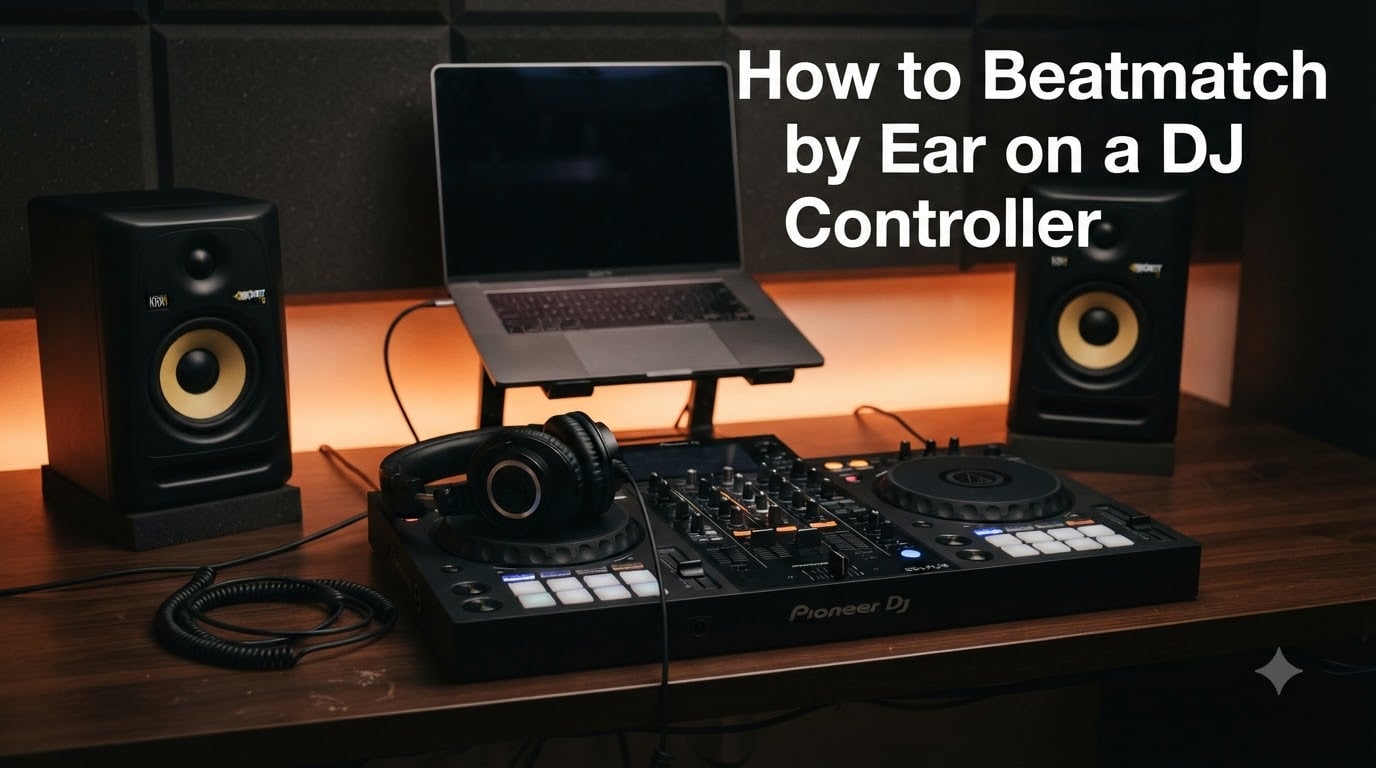
Learning to beatmatch by ear on a DJ controller is the single most important skill that separates someone who presses play from someone who actually mixes. I remember staring at my first controller, the sync button glowing like a shortcut to competence, wondering why every experienced DJ told me to ignore it. It took weeks of frustrating practice before the concept clicked, and once it did, everything about DJing made sense on a deeper level.
Beatmatching by ear means using your headphones, the pitch fader, and the jog wheel to match two tracks’ tempos and align their beats, all without looking at a screen or relying on automatic sync. It is a skill that transfers to every piece of DJ equipment you will ever touch, from budget controllers to club-standard CDJs and vinyl turntables. Once your ears are trained, you can walk up to any setup and mix confidently.
This guide walks through the entire process from scratch, specifically for DJ controllers. I will cover the essential concepts, a step-by-step beatmatching method, how to tell which track is faster or slower, practice drills you can start today, and the common mistakes that slow beginners down. By the end, you will have a clear roadmap to develop this skill on your own controller.
Table of Contents
What Is Beatmatching?
Beatmatching is the technique of getting two tracks to play at the same tempo so their beats align perfectly, allowing you to transition smoothly from one song to the next. When two tracks are beatmatched, their kick drums, snares, and hi-hats hit at the same time, creating a seamless blend that keeps the dance floor moving without interruption.
Every track has a tempo measured in BPM, or beats per minute. A track at 124 BPM has 124 beats every 60 seconds. If you try to mix a 124 BPM track with a 130 BPM track without adjusting either one, the beats will clash almost immediately, creating a galloping or train-wreck effect that sounds terrible.
Beatmatching solves this problem by speeding up or slowing down one track until both are at the same tempo. On a DJ controller, you do this with the pitch fader (also called the tempo slider) and fine-tune with the jog wheel. The goal is to get both tracks running at identical speed with their beats locked together in phase.
Why You Should Learn to Beatmatch by Ear on a DJ Controller
Every modern DJ controller has a sync button that can match tempos automatically. So why bother learning to do it manually? The answer comes down to skill, reliability, and musical understanding.
Sync buttons fail. They depend on software analysis of each track’s beat grid, and when that analysis is wrong, or when a track has a live drummer with slight tempo variations, sync produces a messy mix. If you only know how to use sync, you are helpless when it misfires in the middle of a set. Knowing how to beatmatch by ear gives you a backup plan that always works.
The skill transfers everywhere. Controllers are training wheels for club gear. When you step up to CDJs in a booth, there is no laptop screen, no waveform to stare at, and sometimes no reliable sync function. DJs who learned on controllers by actually using their ears adapt to club equipment in minutes. DJs who depended on visual aids struggle for hours.
Ear training makes you a better DJ overall. When you learn to hear tempo differences, you start noticing musical details that sync-only DJs miss entirely. You develop a feel for when a transition should happen, how long to let tracks overlap, and which songs actually work together musically. This instinct is what makes mixes feel organic rather than robotic.
Other DJs respect the effort. In B2B sets and DJ communities, the ability to mix without crutches earns credibility. It shows you understand the craft, not just the technology.
Essential Concepts Before You Start
Before diving into the step-by-step process, you need to understand three foundational concepts. These ideas apply whether you are mixing on a controller, CDJs, or vinyl.
Understanding BPM (Beats Per Minute)
BPM measures how fast a track is. A house track typically sits between 120 and 130 BPM. Drum and bass runs around 170 to 180 BPM. Hip-hop usually falls between 80 and 100 BPM. When you beatmatch, you are adjusting one track’s BPM to match the other.
Most controllers display BPM numbers on screen or on the hardware itself. But when practicing by ear, you should try to ignore that display. Instead, learn to feel the tempo by counting beats. Tap your foot to the kick drum for 30 seconds, multiply by two, and you have a rough BPM estimate. This exercise trains your internal clock and makes beatmatching far easier over time.
Beats, Bars, and Phrases
Electronic music is structured in repeating patterns. A beat is a single pulse, usually marked by the kick drum. Four beats make one bar. Four bars (16 beats) typically form a phrase. Phrases are where transitions naturally happen, because that is where new elements enter or existing elements drop out in a track.
When you beatmatch, you want the incoming track’s phrases to line up with the playing track’s phrases. Starting a new track at the beginning of a phrase in the currently playing track gives you a clean, musical transition. This is called phrasing, and it works hand in hand with beatmatching.
Phase Alignment Explained
Phase refers to whether the beats of two tracks are hitting at exactly the same moment. Even if two tracks are at the same BPM, if one’s kick drum lands a split second before the other’s, they are out of phase. You will hear a doubled, flammy sound instead of a clean single hit.
Fixing phase alignment is what the jog wheel is for. A small nudge forward or drag backward on the jog wheel shifts the incoming track’s beat to land precisely on top of the playing track’s beat. Once phase is aligned and BPM is matched, the tracks stay locked together.
How to Beatmatch by Ear on a DJ Controller: Step by Step
Here is the complete process broken into six steps. Follow these in order every time you practice, and the sequence will become second nature within a few weeks.
Step 1: Choose Two Tracks with Similar BPM
Start with two tracks that are within 3 to 5 BPM of each other. If the gap is larger, one track will sound noticeably sped up or slowed down when you match them. Pick tracks in the same genre for your first attempts, since their drum patterns will be similar and easier to compare by ear.
Load the first track onto Deck A and start it playing through your speakers. Load the second track onto Deck B but do not start it yet. Make sure the crossfader is all the way over to Deck A so your audience only hears the playing track.
Step 2: Cue the Incoming Track in Your Headphones
Put on your headphones and set your cue mix so you can hear both the playing track (from the master output) and the incoming track (from Deck B). Most controllers have a cue mix knob or split-cue option that lets you blend both signals.
Find a clear section of the incoming track to work with, usually a part where the kick drum is steady and prominent. Set a cue point at the first beat of a phrase. Press the cue button to preview the track in your headphones without sending it to the main output. You should hear the playing track in one ear and the incoming track in the other (or both mixed, depending on your cue settings).
Step 3: Match the BPM Using the Pitch Fader
Press play on Deck B at the start of a phrase on Deck A. Listen carefully to both tracks in your headphones. If the incoming track sounds faster, its beats will creep ahead of the playing track. If it sounds slower, its beats will lag behind.
Move the pitch fader on Deck B up or down to adjust its tempo. If the incoming track is faster, slow it down by moving the fader toward the minus direction. If it is slower, speed it up by moving toward the plus direction. Make small adjustments and listen to how the relationship between the two tracks changes.
This step takes the most practice. You are training your ears to detect speed differences, and at first the changes will seem subtle and confusing. With repetition, you will start to hear the gap instantly and know roughly how much to move the fader.
Step 4: Align the Beats with the Jog Wheel
Once the BPM is close, use the jog wheel to align the beats precisely. If the incoming track is slightly ahead, touch the top of the jog wheel and apply gentle backward pressure to drag it into alignment. If the incoming track is slightly behind, give the side of the jog wheel a small forward flick to nudge it ahead.
Think of the jog wheel as a fine-tuning tool, while the pitch fader handles coarse adjustments. You nudge or drag for a split second, then listen. If the beats are now landing together and staying together for several seconds, your BPM is matched. If they drift apart again after a few seconds, your pitch fader still needs adjustment.
Step 5: Use Nudging and Dragging to Correct Drift
Even after you have a solid match, tracks will sometimes drift slightly over time. This is normal. Vinyl records, live drum recordings, and older tracks all have subtle tempo fluctuations that cause gradual drift.
When you hear the beats start to separate, use the same nudge or drag technique to bring them back. Then make a tiny pitch fader adjustment to compensate for the ongoing drift. If the incoming track keeps running ahead, lower the pitch fader by a hair. If it keeps falling behind, raise it slightly.
This constant micro-adjustment is called pitch riding, and it is what experienced DJs do unconsciously during long blends. You listen, adjust, listen again, and keep the tracks locked for as long as the mix requires.
Step 6: Bring In the Transition
Once the tracks are beatmatched and stable, gradually bring in Deck B using the channel fader or crossfader. Simultaneously manage your EQs, pulling back the bass on one track as you bring it up on the other to prevent a muddy low-end buildup. Listen to the blend and make any final adjustments to keep everything tight.
When the transition is complete, pull out the outgoing track and reset its pitch fader to zero. Your next track is now playing on its own, and the cycle begins again with a new incoming track.
How to Tell Which Track Is Faster or Slower
This is the number one stumbling block for beginners, and it comes up constantly on DJ forums. When two tracks are playing in your headphones and the beats are galloping, how do you know which one to speed up or slow down?
Focus on the kick drums. After you start the incoming track, listen to what happens over the next four to eight beats. If the incoming track’s kick drum is landing earlier than the playing track’s kick drum, the incoming track is faster. If it lands later, the incoming track is slower.
Another approach is to listen to the overall feel. When tracks are close but not locked, you hear a wah-wah-wah phasing sound. That phasing speeds up as the tracks separate faster, and slows down as they get closer to matched. If the phasing is accelerating in one direction, adjust the pitch fader the opposite way and listen for whether the phasing slows down or speeds up.
A practical trick from experienced forum DJs: deliberately nudge the jog wheel forward on the incoming track. If the galloping gets worse, it means the track was already running fast and you made it worse, so you need to slow it down with the pitch fader. If the galloping improves, the track was running slow and you correctly sped it up. This trial-and-error method trains your ears over time.
The most important thing is to make one adjustment at a time and listen for several seconds before making another. Beginners often panic and make multiple changes at once, which makes it impossible to tell what is working.
How to Hide Your Screen and Practice Truly by Ear
The biggest trap for controller DJs is the laptop screen. Waveforms, BPM readouts, and phase meters give you so much visual information that you stop using your ears entirely. You can get away with it at home, but the moment you play on gear without a screen, you are lost.
To practice genuinely by ear, you need to remove the visual aids. In Serato DJ Pro, you can enable a privacy mode or simply minimize the waveform display. In Rekordbox, you can switch to a minimal display layout that hides the BPM difference readout. In Traktor, you can turn off the phase meter in the preferences.
The nuclear option, and the one most recommended on DJ forums, is to physically cover your laptop screen with a piece of cardboard or a cloth. Leave just enough visible to load tracks. This forces you to rely entirely on your headphones and the hardware controls on your controller.
Another method is to deliberately disable the beat grid on your incoming tracks. Without a beat grid, sync will not work, and the software cannot analyze the tempo for you. You are on your own with the pitch fader and jog wheel, which is exactly the scenario you are training for.
Start with 15-minute screen-free sessions. It will feel uncomfortable at first, like trying to mix blindfolded. But within a few sessions, your ears will start picking up details you never noticed before, and your beatmatching speed will improve dramatically.
Common Beginner Mistakes to Avoid
I made every one of these mistakes when I started, and they are the same issues that come up repeatedly in beginner questions on DJ forums. Avoiding them from the beginning will save you weeks of frustration.
Mistake 1: Staring at the screen instead of listening. If you are watching the waveforms to see whether the beats line up, you are not training your ears. The whole point of practicing by ear is to develop the ability to hear tempo differences. Cover the screen or turn off the waveform display during practice sessions.
Mistake 2: Overcorrecting with large pitch fader moves. Beginners tend to shove the pitch fader too far in one direction, then overshoot in the other direction, bouncing back and forth without ever settling. Make small, deliberate movements and listen between each one.
Mistake 3: Using the jog wheel instead of the pitch fader to fix ongoing drift. The jog wheel is for momentary corrections, not permanent tempo changes. If you nudge a track forward every few seconds because it keeps falling behind, you are treating the symptom instead of the cause. Move the pitch fader up slightly instead.
Mistake 4: Trying to beatmatch tracks that are too far apart in BPM. If two tracks are more than 8 BPM apart, one will sound obviously pitch-shifted when you match them. Start with tracks within 3 to 5 BPM and gradually widen your range as your skills improve.
Mistake 5: Giving up too early. Beatmatching by ear takes consistent practice over weeks, not hours. Every DJ goes through a frustrating phase where nothing seems to work. This is normal. The skill clicks suddenly, almost overnight, after enough repetition. Stick with it.
Mistake 6: Not using headphone cueing properly. If you cannot hear both tracks clearly in your headphones, you cannot beatmatch. Spend time getting your cue mix balance right before you even try to match tempos.
Practice Exercises to Build Your Ear
Consistent, structured practice is the fastest path to mastery. Here are six exercises sourced from experienced DJs and forum discussions that target specific skills. Do them in order, spending a few sessions on each before moving to the next.
Exercise 1: The Same-Track Drill. Load the same track on both decks. They are obviously the same BPM, so your only job is to align the beats using the jog wheel. Start Deck A, then start Deck B at a random point. Nudge or drag until the kicks land together. This isolates the phase alignment skill from tempo matching, making it the perfect starting point.
Exercise 2: BPM Guessing. Before you start a track, guess its BPM by counting beats for 30 seconds and doubling the number. Write down your guess, then check the actual BPM on your controller display. Do this with 20 tracks across different genres. Within a week, your guesses will be within 2 BPM consistently.
Exercise 3: The 2-BPM Gap. Pick two tracks with a known 2-BPM difference (for example, 124 and 126). Start the slower one, then beatmatch the faster one down. This small gap is realistic for real mixing and trains you to make fine pitch fader adjustments.
Exercise 4: Blind Beatmatching. Cover your screen completely. Load two tracks you know well. Beatmatch them using only your ears. After you think they are locked, uncover the screen and check whether the BPM values match. This exercise simulates real club conditions and builds confidence.
Exercise 5: Long Mix Drift Control. Get two tracks beatmatched and then let them run together for a full minute. Listen for drift and correct it in real time using micro pitch fader adjustments. This builds the pitch riding skill you need for extended blends.
Exercise 6: Tempo Recovery. Start with two matched tracks, then deliberately move the pitch fader on Deck B out of position. Try to get the tracks matched again as quickly as possible. This simulates the situation where a mix goes wrong mid-set and you need to recover fast.
Aim for 20 to 30 minutes of focused practice daily rather than long, unfocused sessions. Short, consistent practice builds muscle memory and ear training far more effectively than marathon sessions.
Controller Beatmatching vs CDJ and Vinyl
The core skill of beatmatching by ear is identical across all equipment. You listen, adjust tempo, and align beats. But the hardware differs in ways worth understanding.
On a DJ controller, you have the pitch fader, jog wheel, and cue buttons, plus a laptop screen that can either help or hinder you. Controllers with smaller jog wheels (like the Pioneer DDJ-FLX4 or Numark Mixtrack) require more sensitivity in your touch, since there is less physical surface to work with. Larger controllers with full-size jog wheels feel closer to CDJs.
CDJs are standalone players found in clubs. They have larger jog wheels, no laptop screen, and often no sync button. Beatmatching on CDJs is pure ear work by necessity. The pitch fader on a CDJ has a longer throw (more physical range of motion), which allows for finer adjustments. This is why DJs who learn on controllers with short pitch faders sometimes struggle initially on CDJs, until they adapt to the different sensitivity.
Vinyl turntables add the most complexity. There is no pitch percentage display, the tempo can drift as the record physically wears, and you make fine adjustments by physically touching the record or the platter spindle. Beatmatching on vinyl is the ultimate test of ear training, and DJs who master it find controllers and CDJs straightforward by comparison.
The good news is that once your ears are trained, the transfer between formats takes minutes, not weeks. The skill is in your hearing, not your hands.
Tips to Improve Faster
Beyond structured exercises, a few habits will accelerate your progress significantly. These come from veteran DJs who have taught hundreds of beginners.
Record your practice sessions and listen back. When you are focused on adjusting the pitch fader in real time, you miss things. Listening to a recording afterward reveals whether your mixes were actually tight or just close. You will hear drift and misalignments that flew past you in the moment.
Practice with music you know intimately. When you can anticipate every beat drop and phrase change in a track, your brain has more bandwidth to focus on tempo matching. Unfamiliar music adds cognitive load that makes ear training harder.
Listen to percussion, not just kick drums. Hi-hats and snares give you additional reference points for detecting speed differences. The kick drum alone can be ambiguous, but if the hi-hats are also offset, the problem is obvious.
Accept that tracks drift. Live drums, older recordings, and vinyl rips all have tempo variations. Constant adjustment is not a sign of poor technique, it is the reality of mixing real music. Veteran DJs adjust continuously without thinking about it.
FAQs
How to beatmatch by ear DJ?
Start a track on Deck A, cue a second track on Deck B in your headphones, press play on Deck B at the start of a phrase, then adjust the pitch fader on Deck B until both tracks are at the same tempo. Use the jog wheel to nudge or drag the incoming track’s beats into phase alignment with the playing track. Listen for whether the beats are landing together or galloping, and make small corrections until they stay locked.
How do DJs beatmatch?
DJs beatmatch by listening to two tracks simultaneously in their headphones, adjusting the pitch fader to match tempos, and using the jog wheel or pitch bend buttons to align the beats. The process involves matching BPM, aligning phase, and correcting any drift that occurs during the mix.
How to beatmatch properly?
To beatmatch properly, first match the BPM using the pitch fader for coarse adjustment, then use the jog wheel for fine phase alignment. If the incoming track drifts ahead, slow the pitch fader slightly. If it drifts behind, speed it up. Make one adjustment at a time and listen for several seconds before correcting again. Cover your screen during practice to force your ears to do the work.
How long does it take to learn to beatmatch by ear?
Most DJs can beatmatch by ear reasonably well within 2 to 4 weeks of consistent daily practice of 20 to 30 minutes. Reaching a level where it feels automatic and effortless typically takes 2 to 3 months. Everyone learns at a different pace, and the key is short, regular practice sessions rather than occasional long ones.
Should I use the BPM counter or learn completely by ear?
Learn to beatmatch completely by ear, even if your controller has a BPM display. The BPM counter helps you get close quickly, but relying on it prevents you from developing the ear training needed for club setups that have no screen. Use the counter to check your work after practicing, not as a crutch during practice.
Is beatmatching by ear supposed to be hard?
Yes, beatmatching by ear is genuinely difficult at first. It takes weeks of practice before the skill clicks, and every beginner goes through a frustrating phase. The difficulty is normal and temporary. Once your ears are trained, the process becomes almost automatic and you will wonder why it ever felt so hard.
Wrapping Up
Learning to beatmatch by ear on a DJ controller is a journey of patience and repetition, but it pays off for the rest of your DJing life. The six-step process, consistent practice drills, and screen-free sessions will get you there faster than you think. Within a few weeks of daily 20-minute sessions, you will hear tempo differences that used to be invisible to you.
Start with the same-track drill today. Cover your screen, put on your headphones, and spend 15 minutes just listening. The frustration you feel in the first session is the same frustration every DJ has felt, and it is the price of admission for a skill that will set you apart from sync-dependent DJs forever. Once your ears are trained, you can mix on any controller, any CDJ setup, and any pair of turntables with total confidence.
2 thoughts on “How to Beatmatch by Ear on a DJ Controller (2026 Guide)”