
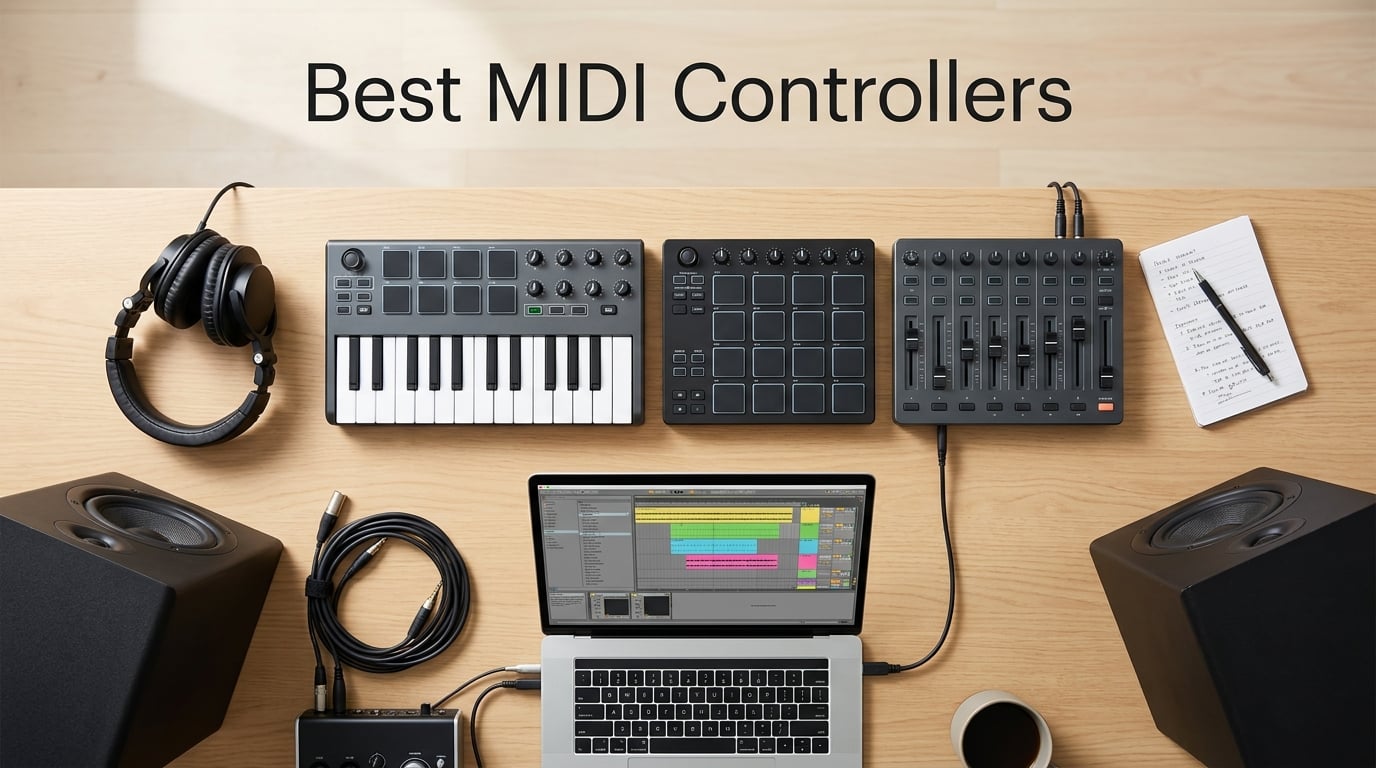
If you have ever tried to program drums or lay down a chord progression with a mouse, you already know why the best MIDI controllers exist. A solid controller turns your DAW into something you can actually play. It gives you keys, pads, knobs, and faders that respond to your hands, not your cursor.
Our team has been testing MIDI controllers for years, and the category has matured fast. In 2026, you can find compact 25-key boards that fit in a backpack, full 88-note semi-weighted stages, pad controllers built for finger drumming, and hybrid sequencers that bridge software and hardware synths. The challenge is matching the right tool to your workflow, your DAW, and your budget.
That is exactly what this guide covers. We evaluated ten of the best MIDI controllers available right now, weighing key feel, build quality, DAW integration, software bundles, and real-world use cases. Whether you are a beginner building your first home studio or a producer looking to upgrade to a serious 49 or 88-key setup, you will find a clear pick below. We also included a buying guide that explains keys, aftertouch, CV/Gate, and the difference between mini keys and full-size action, plus an FAQ that tackles the questions our readers ask most.
Table of Contents
Top 3 MIDI Controllers at a Glance in 2026

Arturia MiniLab 3
- 25 velocity-sensitive keys
- 8 RGB pads
- 8 rotary encoders
- Analog Lab Intro included
Best MIDI Controllers in September Quick Overview
| Product | Specs | Action |
|---|---|---|
| Arturia MiniLab 3 |
|
Check Latest Price |
 Akai MPK Mini MK3 Akai MPK Mini MK3 |
|
Check Latest Price |
 Akai MPD218 Akai MPD218 |
|
Check Latest Price |
 M-Audio Keystation 49 MK3 M-Audio Keystation 49 MK3 |
|
Check Latest Price |
 Novation Launchkey 88 MK3 Novation Launchkey 88 MK3 |
|
Check Latest Price |
 Novation Launchpad Mini MK3 Novation Launchpad Mini MK3 |
|
Check Latest Price |
 M-Audio Oxygen 49 MKV M-Audio Oxygen 49 MKV |
|
Check Latest Price |
 Akai APC40 MKII Akai APC40 MKII |
|
Check Latest Price |
 Novation Launchkey Mini 25 MK4 Novation Launchkey Mini 25 MK4 |
|
Check Latest Price |
 Arturia KeyStep Pro Arturia KeyStep Pro |
|
Check Latest Price |
1. Arturia MiniLab 3 — Best Overall MIDI Controller
Arturia MiniLab 3 Universal MIDI Controller, White
25 velocity-sensitive keys
8 RGB pads
USB-C with MIDI out
Analog Lab Intro software
Pros
- Exceptional key feel for a 25-key controller
- 8 rotary encoders and 4 faders for deep control
- Built-in arpeggiator and chord modes
- USB-C plus real 5-pin MIDI out
- Comprehensive Analog Lab Intro software bundle
- Compact 3.1 pound chassis travels easily
Cons
- Pads feel stiffer than competitors
- Only 25 keys may limit two-handed playing
- Touch sensors replace traditional pitch/mod wheels
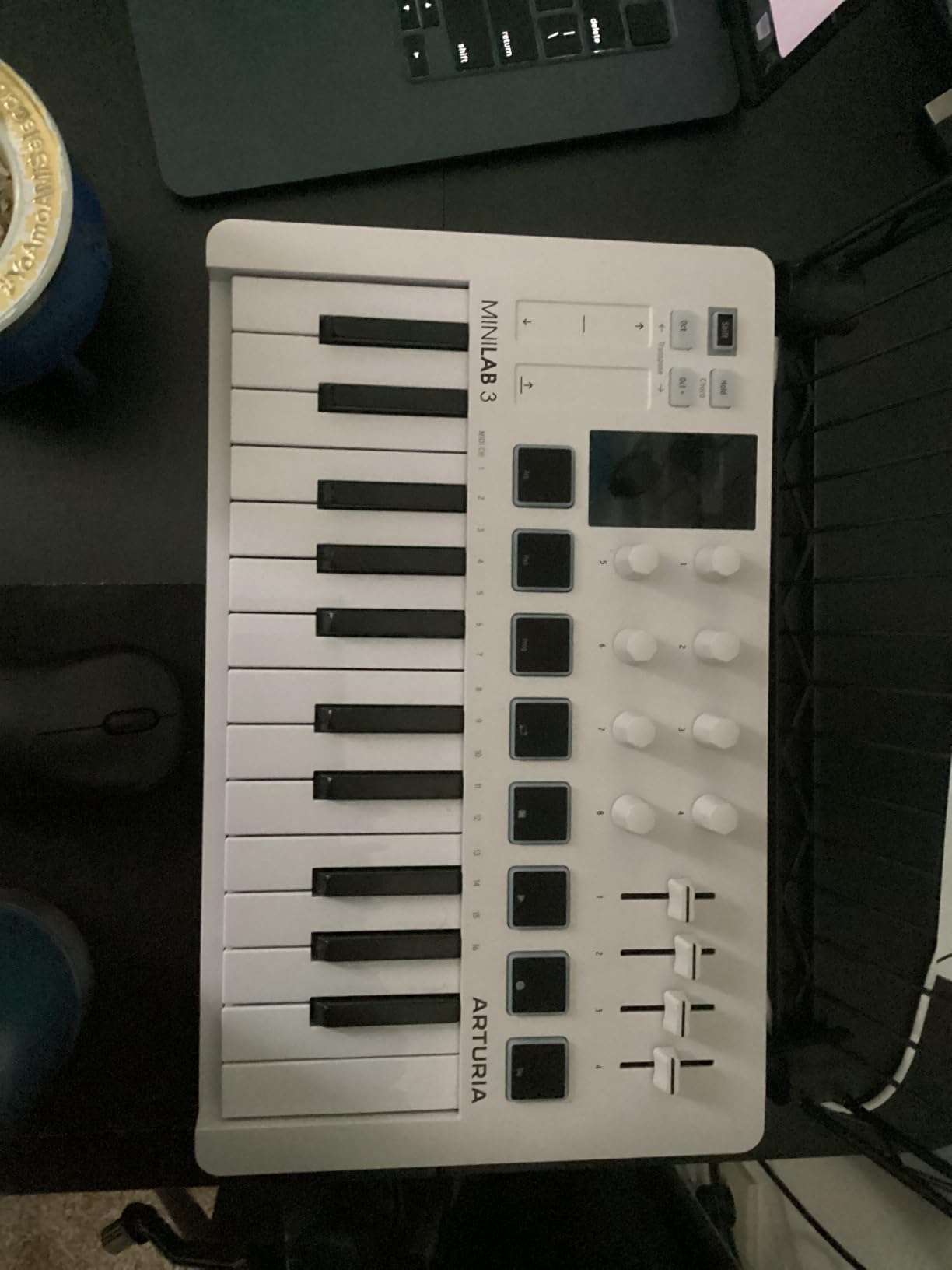
I have been using the Arturia MiniLab 3 as my go-to grab-and-go controller for about six months, and it has earned its place on my desk. The slim 25-key chassis weighs just 3.1 pounds, slips into a laptop bag, and feels solid enough to throw in a backpack without worry. When I sit down to sketch an idea, the keys are the first thing that impress me. Arturia clearly put real effort into the keybed for a board this small. The action is smoother and quieter than most of the mini keys I have tested, with enough resistance to feel like a real instrument rather than a toy.
What sets the MiniLab 3 apart from other compact controllers is the control layout. You get 8 rotary encoders, 4 faders, and 2 banks of 8 RGB-backlit pads. The encoders feel sturdy with satisfying detents, and they map cleanly to anything I throw at them in Ableton. The built-in arpeggiator and chord modes are not gimmicks either — I have actually used the chord mode to lay down quick synth pad progressions while my right hand stayed free to tweak filter cuts on the encoders.
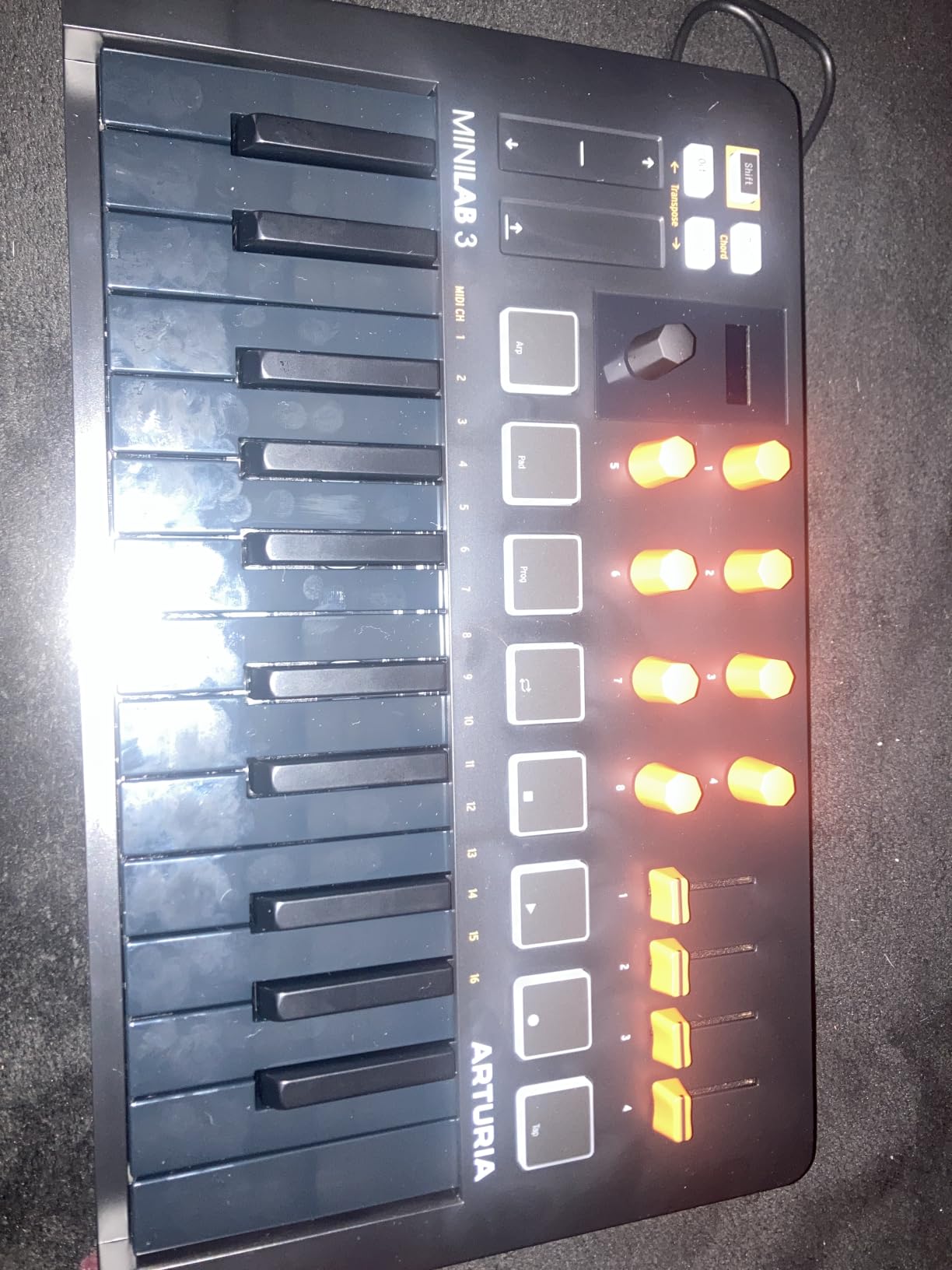
Connectivity is another area where this board punches above its class. USB-C handles data and power, but Arturia also included a real 5-pin MIDI out port on the back. That means I can plug straight into a hardware synth like a Korg Minilogue without needing a computer in the chain. For producers who split time between DAW work and hardware jam sessions, that is a meaningful feature at this size.
The bundled software is where Arturia adds real value. Analog Lab Intro gives you access to hundreds of presets drawn from their V Collection, including pianos, electric pianos, synth leads, and pads. You also get Ableton Live Lite and UVI Model D. Together, the bundle is worth more than the controller itself in many cases.
Who should buy the MiniLab 3
This is the controller I recommend to anyone who wants one board that does almost everything well. Beginners get an easy entry point with bundled software, mobile producers get a board that fits in any bag, and experienced producers get enough controls to actually mix and perform without reaching for the mouse.
If you primarily need pads for finger drumming, look elsewhere — the MiniLab 3 pads are functional but noticeably stiffer than Akai’s MPC pads. For keys-first players, though, this is the best compact MIDI controller available in 2026.
Where the MiniLab 3 falls short
The touch sensors for pitch and modulation take some adjustment if you are coming from traditional wheels. They work fine once you adapt, but the learning curve is real. Also, 25 keys means two-handed piano parts are out — you will need octave buttons to reach the full range.
2. Akai MPK Mini MK3 — Best MIDI Controller for Beginners
Akai Professional MPK Mini MK3 25-Key USB MIDI Keyboard Controller
25 mini velocity-sensitive keys
8 MPC-style pads
8 assignable knobs
Bundled software suite
Pros
- Compact and portable 25-key design
- Built-in arpeggiator with adjustable settings
- 8 velocity-sensitive MPC pads with Note Repeat
- 8 assignable 360-degree knobs
- Comprehensive software bundle including MPC Beats
- 4-way thumbstick for pitch and modulation
Cons
- Mini keys may feel cramped for larger hands
- MPC Beats software has a learning curve
- Some features require paid subscription upgrades
The Akai MPK Mini MK3 is the controller I recommend most often to friends who ask where to start. With over 30,000 reviews and a 4.6-star average, it is also the most popular USB MIDI controller on Amazon for good reason. Akai stripped the concept down to the essentials and priced it for anyone willing to invest in their first studio setup.
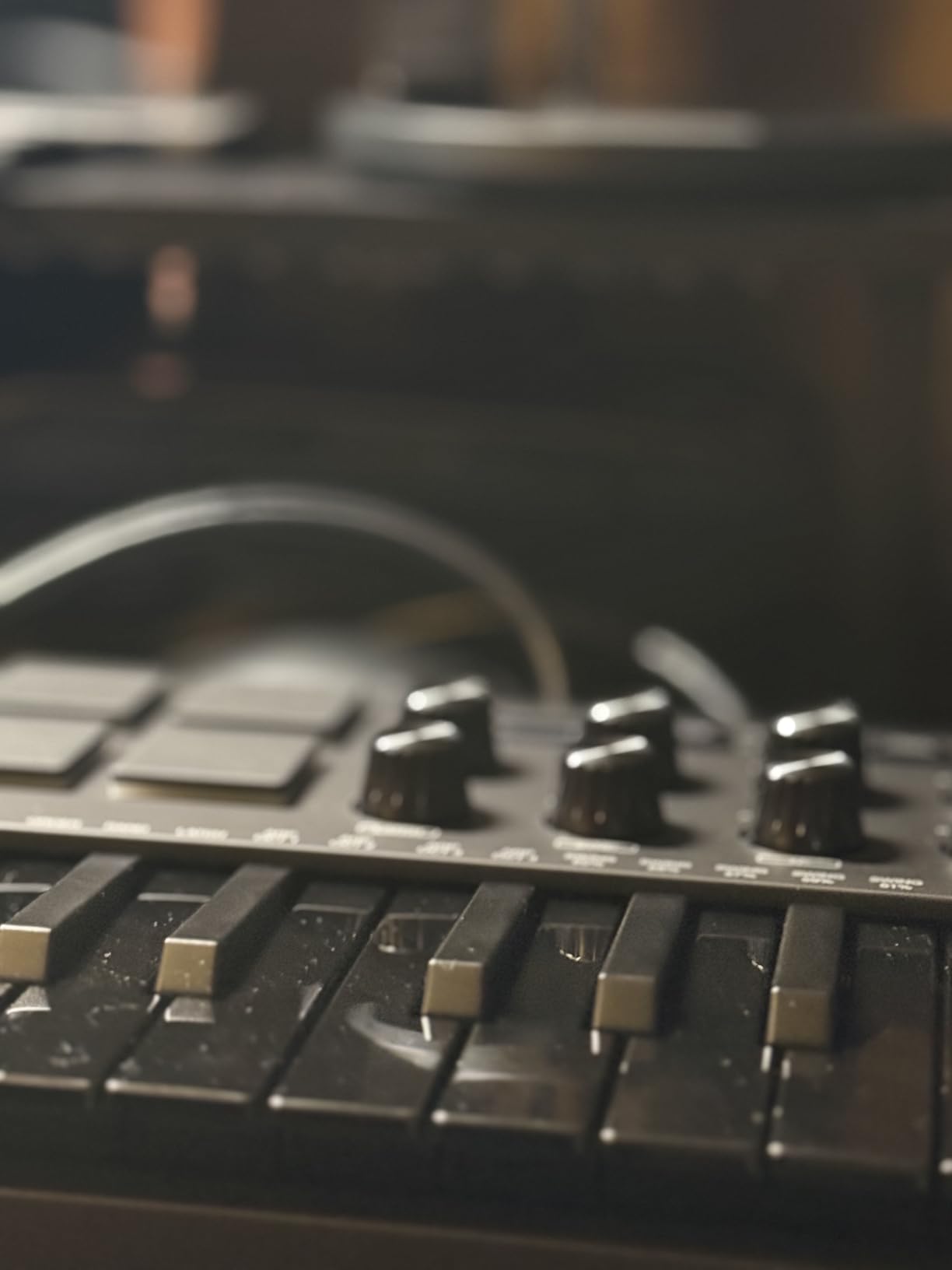
The hardware is straightforward but well-built. You get 25 velocity-sensitive mini keys, 8 backlit MPC-style drum pads with Note Repeat and Full Level, 8 assignable 360-degree knobs, and a 4-way thumbstick for pitch and modulation. The thumbstick is divisive — some users love the modern feel, others miss traditional wheels. I found it accurate enough for sketching ideas, though I would not want to perform a slow synth solo with it.
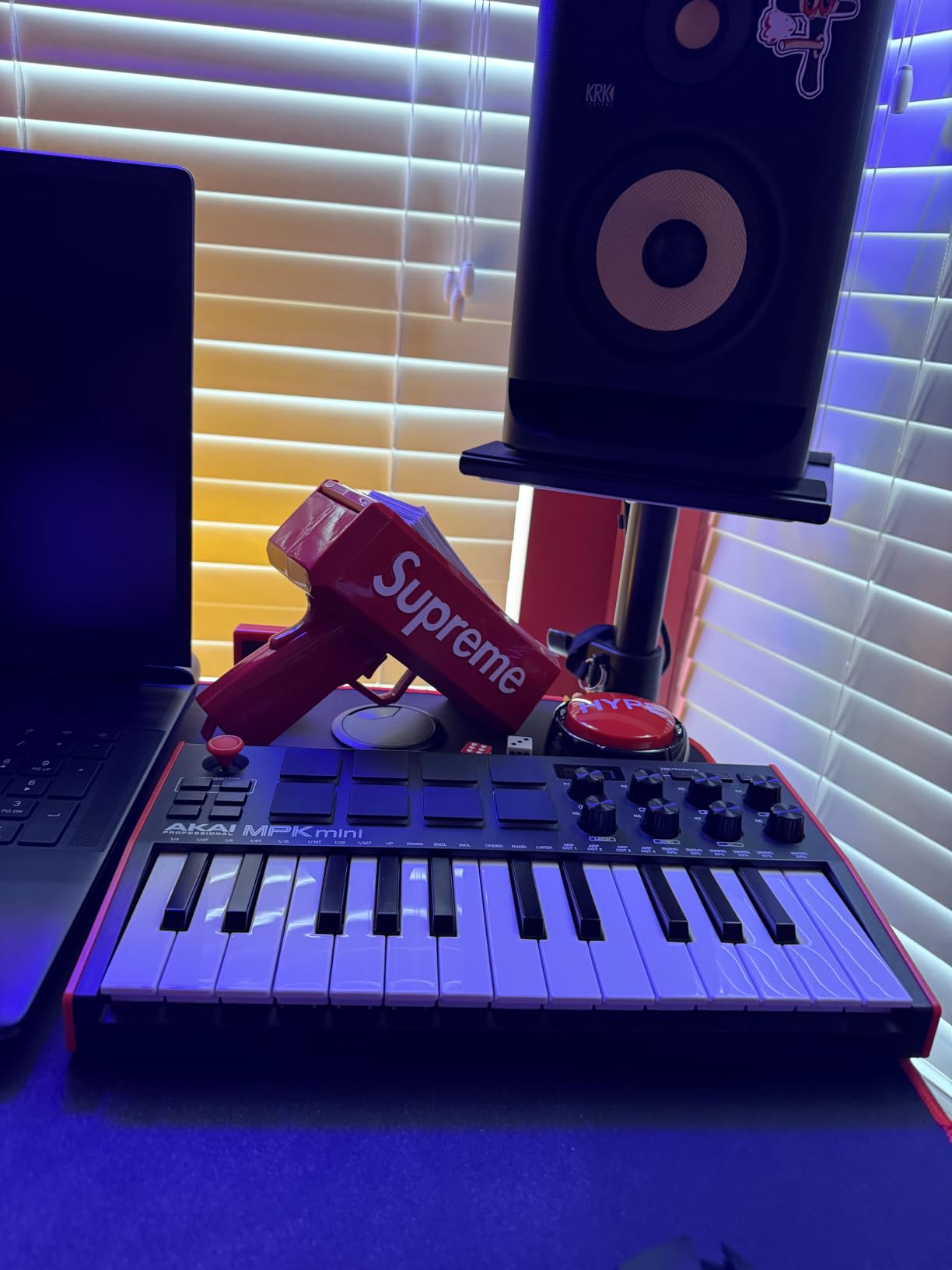
The real magic for beginners is the bundled software. MPC Beats is a fully featured DAW that comes free with the controller, and the package also includes three virtual instruments covering everything from acoustic sounds to modern synths. For someone starting from zero, that means you can unbox the controller and start making music within minutes. Akai also baked in NKS integration with Native Instruments, so any NI plugins you own will map automatically.
For producers who already know their DAW, the MPK Mini MK3 plugs in and works without fuss on Windows, Mac, and even iOS with the right adapter. If you want to learn how velocity curves affect your playing, check out our velocity curves guide for tips that apply directly to this controller.
Who should buy the MPK Mini MK3
If you are picking up your first MIDI controller and want the safest possible entry, this is it. The price is friendly, the bundle covers all your starter needs, and the pads are excellent for beat making. Hip-hop and EDM producers who focus on finger drumming and one-handed basslines will especially love this format.
It is also a strong choice as a portable secondary controller for producers who already own a larger keyboard. Toss it in your bag for laptop sessions on the road.
Where the MPK Mini MK3 falls short
Mini keys are the obvious trade-off. If you have larger hands or come from a piano background, 25 mini keys will feel cramped. Also, the bundled MPC Beats is a full-featured DAW, but it is not Ableton or Logic — if you already use one of those, MPC Beats becomes optional rather than central.
3. Akai MPD218 — Best MIDI Pad Controller for Beat Makers
Akai Professional MPD218 USB MIDI Pad Controller
16 thick MPC pads
18 assignable knobs
3 pad banks
Note Repeat and Full Level
Pros
- 16 thick MPC-style pads with great feel
- 3 banks give you 48 total assignable pads
- 18 assignable 360-degree knobs across 3 banks
- MPC Note Repeat and Full Level included
- Ableton Live Lite and MPC Beats in the box
- USB powered with no external supply needed
Cons
- Pad sensitivity can cause occasional double-strikes
- Global pad sensitivity only — no per-pad settings
- No keys at all — pad-only design
For producers who think in terms of samples and drum hits rather than chords and melodies, a dedicated pad controller makes more sense than a full keyboard. The Akai MPD218 sits at the top of that category for good reason. It delivers the thick MPC-style pads that Akai built its reputation on, and packs in enough assignable controls to handle full production sessions.
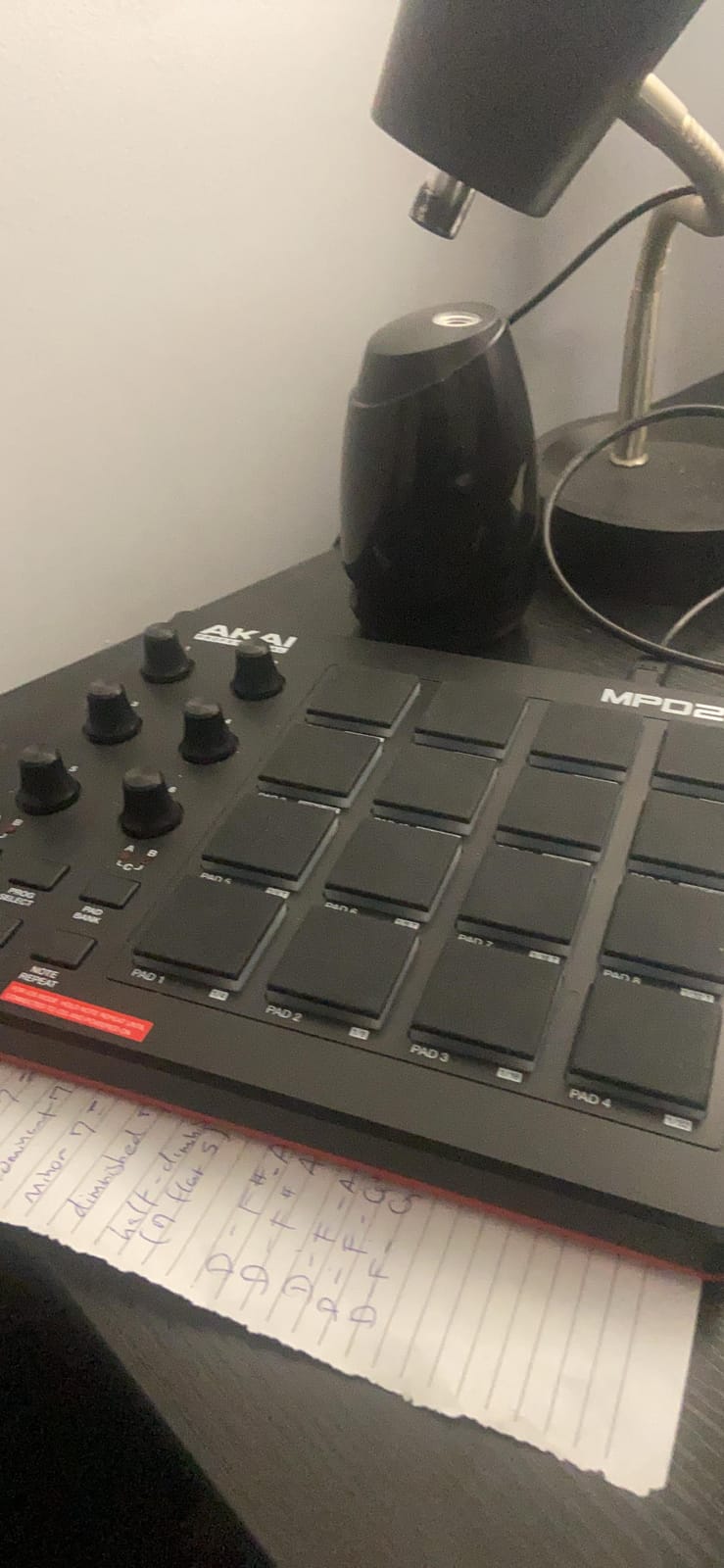
The pads themselves are the star. Sixteen fat, velocity-sensitive pads give you finger-drumming expression that budget controllers cannot match. Three banks expand that to 48 total pad slots, which is more than enough for most drum kits, melodic one-shots, and effect triggers. The MPC Note Repeat and Full Level features are deeply integrated, letting you program trap hi-hats or finger-drum a house beat with the kind of control you usually only get on a full MPC sampler.
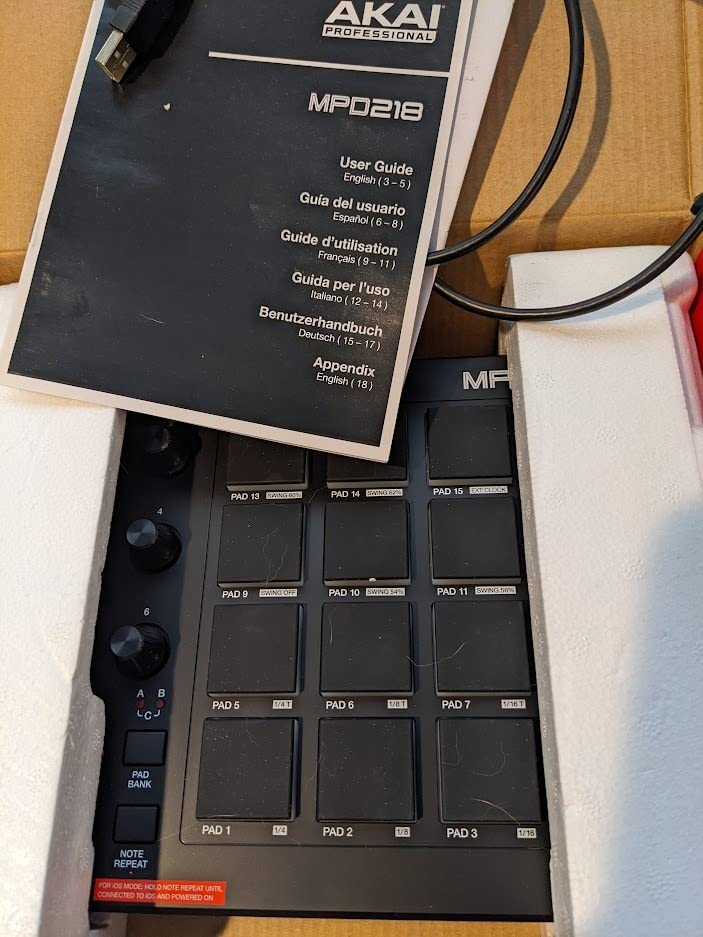
Around the pads, Akai added 18 fully assignable 360-degree knobs spread across three banks. That is a serious amount of MIDI control in a pad-only unit. You can map plugins, mixer channels, or effect parameters and never touch your mouse during a session. The unit is also USB powered, so there is no wall wart to deal with — just plug into your laptop and you are ready.
The bundled software covers Ableton Live Lite, MPC Beats, and Drum Synth 500 by AIR Music Tech. Between those, you have a complete beat-making rig right out of the box.
Who should buy the MPD218
This controller is built for beat makers and finger drummers. If your workflow centers on chopping samples, programming drum patterns, or triggering one-shots, the MPD218 delivers a better pad experience than any keyboard-based controller in this price range.
It is also a smart add-on for producers who already own a 49 or 88-key MIDI keyboard but want dedicated pads for drum programming.
Where the MPD218 falls short
Several users report occasional double-strikes and accidental triggering on adjacent pads, especially with lighter finger technique. You can mitigate this by adjusting the global sensitivity and tightening your playing style, but it is worth noting. Also, there are no keys at all — if you need to play melodies, this is not the right pick.
4. M-Audio Keystation 49 MK3 — Best Value 49-Key MIDI Controller
M-AUDIO Keystation 49 MK3 USB MIDI Controller
49 full-size velocity-sensitive keys
Pitch and mod wheels
Plug-and-play USB
MPC Beats and Ableton Live Lite included
Pros
- 49 full-size velocity-sensitive keys for natural feel
- Volume fader and transport buttons for software control
- Pitch and modulation wheels feel ergonomic
- Octave buttons and sustain pedal input included
- Plug-and-play with no drivers required
- Comprehensive software suite with MPC Beats and Ableton Live Lite
Cons
- Synth-action keys are not weighted
- USB only — no 5-pin MIDI out
- No built-in pads for finger drumming
The M-Audio Keystation 49 MK3 is the quiet workhorse of the 49-key category. It does not try to impress with flashy extras. Instead, it delivers exactly what most producers need at a price that is hard to argue with. If you are looking for full-size keys without breaking into premium tier, this is the controller to shortlist.
The keybed is the headline feature here. Forty-nine full-size velocity-sensitive keys give you the proper spacing and weighting that mini keys cannot. For anyone coming from piano, or anyone who plays two-handed parts, this alone justifies the step up from a 25-key board. The keys are synth-action rather than weighted, so they are not trying to mimic a piano — they are designed for fast synth playing and tracking MIDI parts.
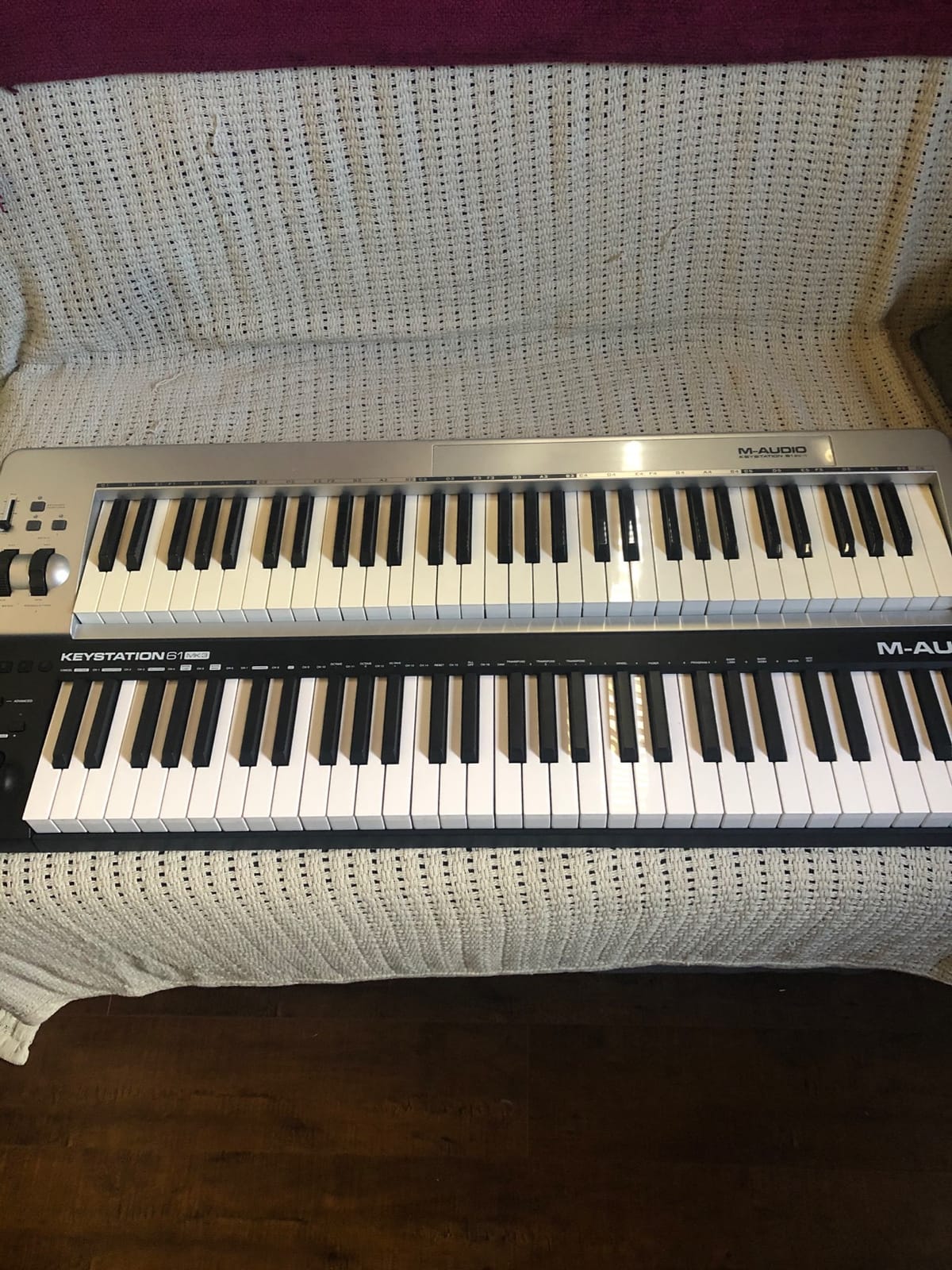
M-Audio added the practical controls that producers actually use. There is a volume fader, transport buttons, pitch and modulation wheels, octave shift buttons, and a sustain pedal input. The whole thing runs over USB with no drivers or external power supply required. Plug it into your laptop and your DAW recognizes it immediately. This kind of frictionless setup matters more than people think, especially if you are switching between studio and live environments.
The software bundle includes MPC Beats, Ableton Live Lite, Velvet, XPand2, and Mini Grand. You also get free lessons from Skoove and Melodics, which is a meaningful bonus for beginners still developing technique.
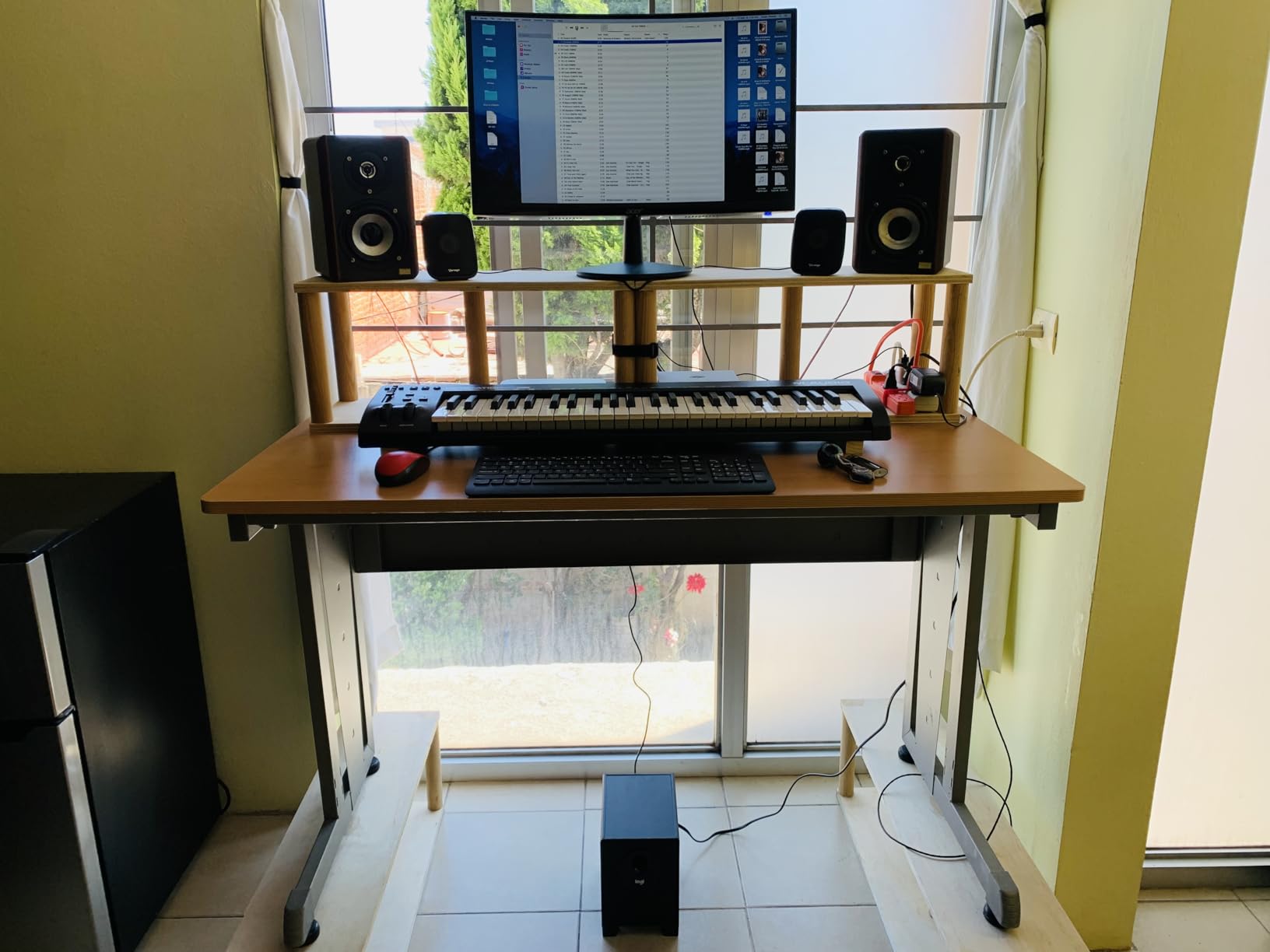
Who should buy the Keystation 49 MK3
This is the right pick for producers who want proper full-size keys without paying for premium features they will not use. If your priority is a clean, reliable 49-key playing surface that works with any DAW, the Keystation 49 MK3 delivers. Songwriters and producers who lay down tracks in Logic, Reaper, Cubase, or Studio One will find it especially painless.
If you have ever struggled with a MIDI controller that does not trigger sounds, our troubleshooting guide walks through the common causes and fixes.
Where the Keystation 49 MK3 falls short
The lack of drum pads is the most obvious omission. If you do a lot of finger drumming, you will want a separate pad controller. Also, there is no MIDI out port — you cannot send MIDI to a hardware synth from this board, only to your computer. And the synth-action keys, while pleasant, are not weighted, so piano players will feel the difference.
5. Novation Launchkey 88 MK3 — Best 88-Key MIDI Controller for Piano Feel
Novation Launchkey 88 [MK3]
88 premium semi-weighted keys
16 velocity-sensitive pads
Scale and Chord modes
Deep DAW integration
Pros
- 88 premium semi-weighted keys feel substantial
- 16 velocity-sensitive pads for drumming and clips
- Deep DAW integration across all major DAWs
- Powerful arpeggiator with Strum Mode
- Creative Scale and Chord modes included
- Custom Modes and MIDI output for hardware control
Cons
- Larger and heavier than compact boards at 18.2 pounds
- Premium price tier compared to smaller options
- Semi-weighted action is heavier than synth action
When you need a full piano range without dragging an acoustic piano to your studio, the Novation Launchkey 88 MK3 is the controller that comes to mind. Eighty-eight semi-weighted keys give you the proper span and resistance for two-handed playing, expressive synth leads, and convincing piano parts. If you write across the full keyboard, the extra range is genuinely useful.
The keybed feels excellent for a controller at this tier. The keys have enough weight to feel like a real instrument, but they are not so heavy that fast synth runs become a workout. Aftertouch is supported, which adds expressive control to compatible patches. For piano-focused producers, composers, and anyone who wants a serious stage keyboard feel at home, this delivers.
![Novation Launchkey 88 [MK3] | Premium 88-note MIDI keyboard for expressive music creation customer photo 1](https://nabihamusic.com/wp-content/uploads/2026/09/B09XHQ8XLK_customer_1.jpg)
Around the keys, Novation packed in 16 velocity-sensitive pads, full transport controls, and the deep DAW integration that the Launchkey series is known for. The arpeggiator is one of the best I have used on any controller, with a Strum Mode that mimics guitar strumming patterns. The Scale and Chord modes are not just demo features either — they actually speed up composition when you are sketching.
For producers who also work with hardware synths and grooveboxes, the Custom Modes and 5-pin MIDI output make this a true studio hub rather than just a computer keyboard.
![Novation Launchkey 88 [MK3] | Premium 88-note MIDI keyboard for expressive music creation customer photo 2](https://nabihamusic.com/wp-content/uploads/2026/09/B09XHQ8XLK_customer_2.jpg)
Who should buy the Launchkey 88 MK3
This is the right pick for composers, songwriters, and producers who want full piano range with professional key feel. It is also a strong choice for live performers who need an expressive 88-key controller that integrates with their DAW of choice. If you work in Logic Pro or Cubase and want deep control without mapping every parameter by hand, the Launchkey integration saves real time.
For latency-sensitive setups, our latency fix guide covers the buffer size and audio interface tweaks that pair well with this board.
Where the Launchkey 88 MK3 falls short
At 18.2 pounds and 50 inches wide, this is not a portable controller. You will set it up once and leave it. The premium tier pricing also reflects the build quality, so budget-conscious producers may want to look at the 49-key options instead.
6. Novation Launchpad Mini MK3 — Best MIDI Controller for Clip Launching
Novation Launchpad Mini MK3 MIDI USB Grid Controller
64 RGB grid pads
USB-C connectivity
Three Custom Modes
Ableton Live integration
Pros
- 64 vibrant RGB pads reflect Ableton session state
- Seamless 1:1 integration with Ableton Live
- Three Custom Modes for MIDI mapping
- Ultra-slim and lightweight at 14 ounces
- USB-C powered with no external power needed
- Works with Logic and other HUI-compatible DAWs
Cons
- Pads are not velocity-sensitive
- Small pad size may challenge larger fingers
- No knobs or faders for mixing control
The Novation Launchpad Mini MK3 is a different kind of MIDI controller. There are no keys, no faders, no traditional knobs. Instead, you get a 64-pad RGB grid designed for one thing: launching clips and triggering sounds. For Ableton Live users who think in scenes and loops, that singular focus is exactly the point.
The grid is genuinely expressive in a live performance context. Each pad lights up with the color and state of the corresponding Ableton clip, so you can see your entire session at a glance. Stop, solo, and mute controls are integrated into the layout, which means you can mix entire tracks from the controller without ever touching your laptop.
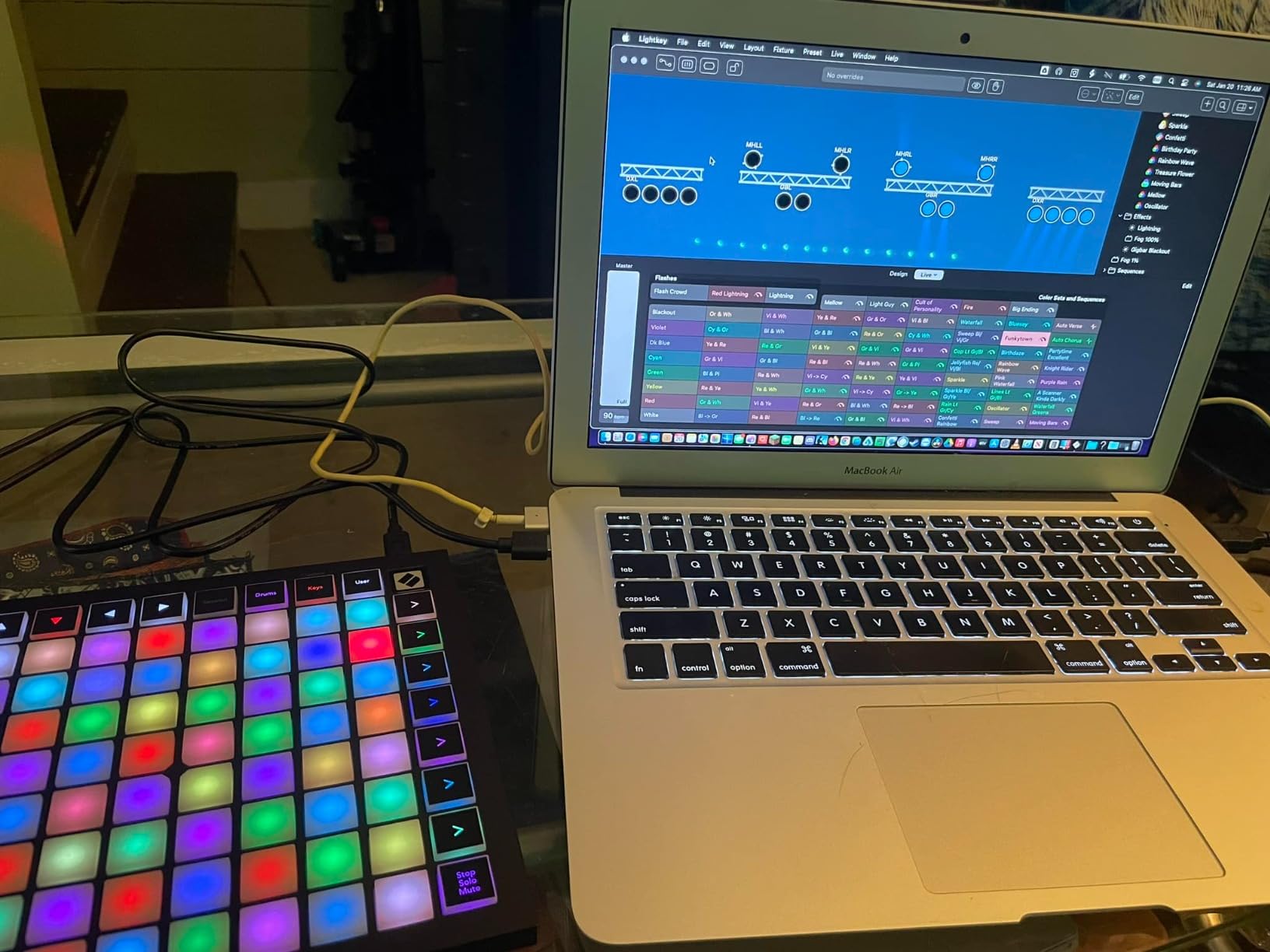
Beyond clip launching, the Launchpad Mini MK3 offers three Custom Modes that turn the grid into a fully programmable MIDI controller. You can map it to drum racks, effect parameters, or even third-party plugins using Novation Components. That flexibility turns what looks like a one-trick controller into a versatile performance tool.
It is also ridiculously portable. At 14 ounces and 7 inches square, it slips into any bag. USB-C power means you do not need an extra cable or power brick.
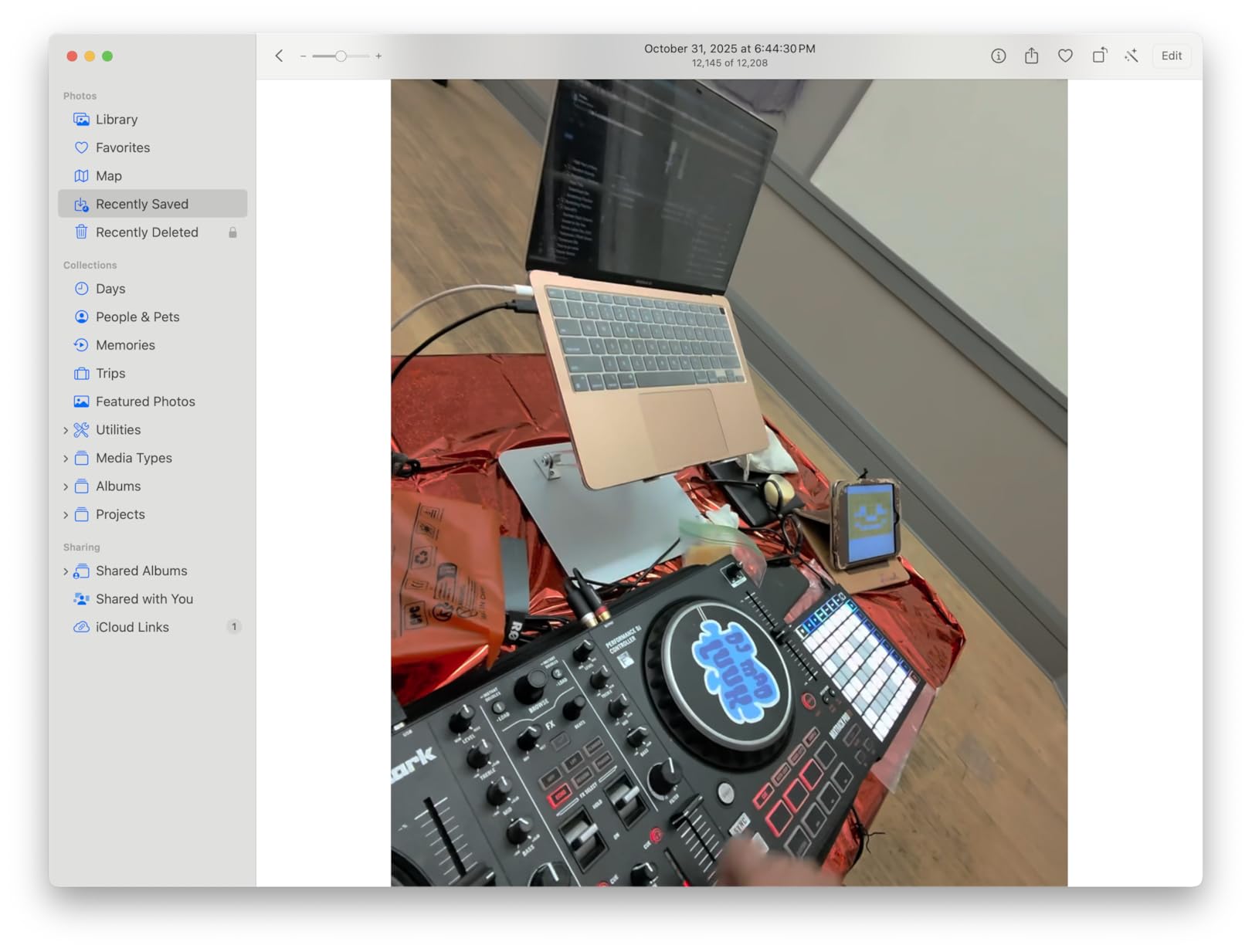
Who should buy the Launchpad Mini MK3
If Ableton Live is your DAW and clip launching is part of your live or studio workflow, this is the controller designed for you. It is also a great secondary controller for producers who already own a keyboard but want a dedicated clip launcher on the side.
For finger drummers specifically, though, the lack of velocity sensitivity limits expressive playing — pads do not respond to how hard you hit them.
Where the Launchpad Mini MK3 falls short
The small pad size takes adjustment. If you have larger hands or prefer big MPC-style pads, the MPD218 above will feel more comfortable. Also, the absence of knobs and faders means you will still need another controller or your mouse for mixing and sound design tasks.
7. M-Audio Oxygen 49 MKV — Best MIDI Controller for Production Workflows
M-AUDIO Oxygen 49 MKV USB MIDI Keyboard Controller
49 full-size keys
8 knobs
9 faders
Smart Chord and Smart Scale modes
Pros
- 49 velocity-sensitive full-size keys with natural feel
- Native Kontrol Standard integration with NI plugins
- 2 banks of 8 backlit drum pads with Note Repeat
- 8 knobs and 9 faders for tactile mixing
- Smart Chord and Smart Scale for fast composition
- Auto-mapping for DAW controls and plugin parameters
Cons
- Software setup can be time-consuming
- Synth-action keys are not weighted
- USB only — no 5-pin MIDI out
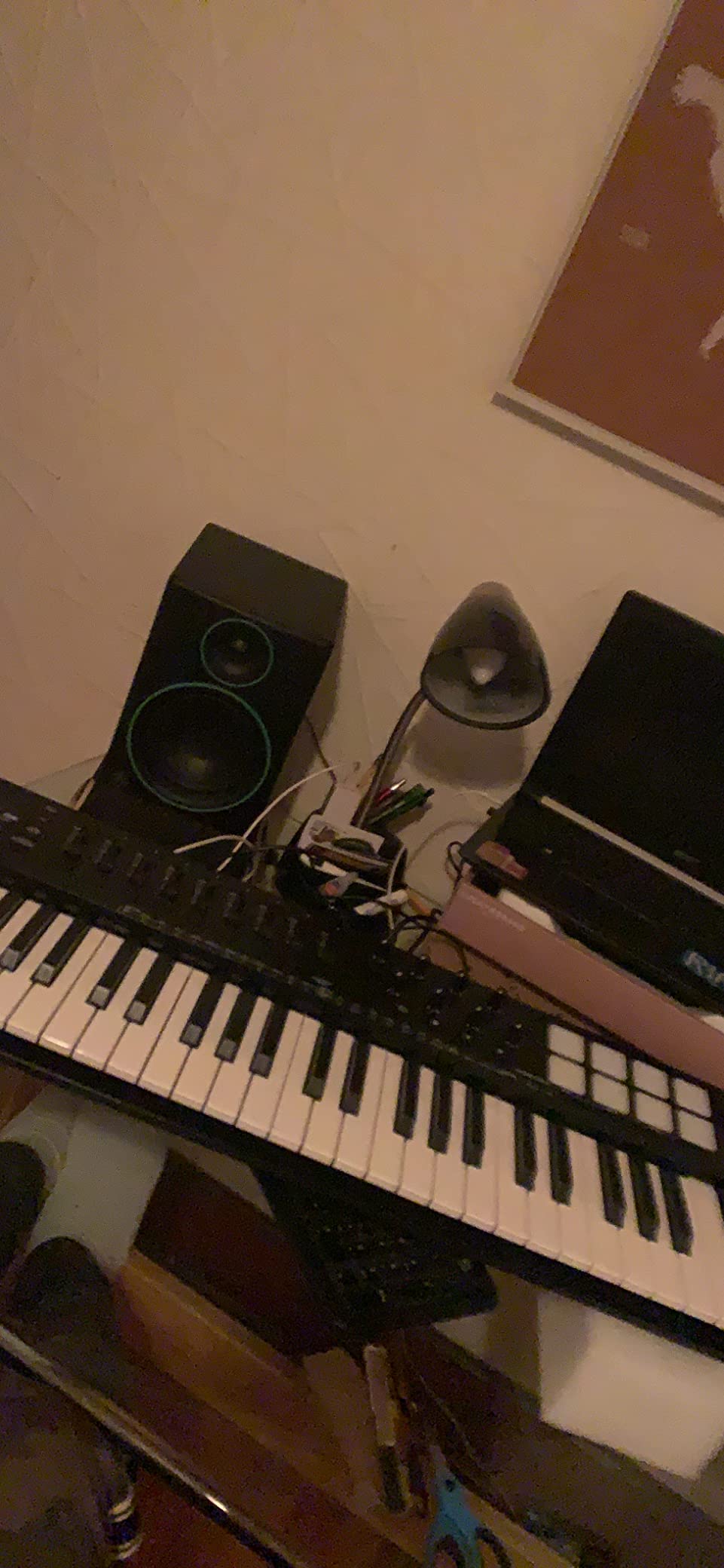
The M-Audio Oxygen 49 MKV is the controller I reach for when I want everything in one place. It combines a proper 49-key playing surface with enough pads, knobs, and faders to handle most of a mix session without touching the mouse. If you are the kind of producer who wants tactile control over plugins and mixer channels, this is the board that delivers.
The keybed feels solid for the price. Forty-nine full-size velocity-sensitive keys with a natural response that works well for both synth parts and piano-style playing. The keys are synth-action, not weighted, so this is not a piano substitute — but it is a comfortable surface for any kind of MIDI performance work.
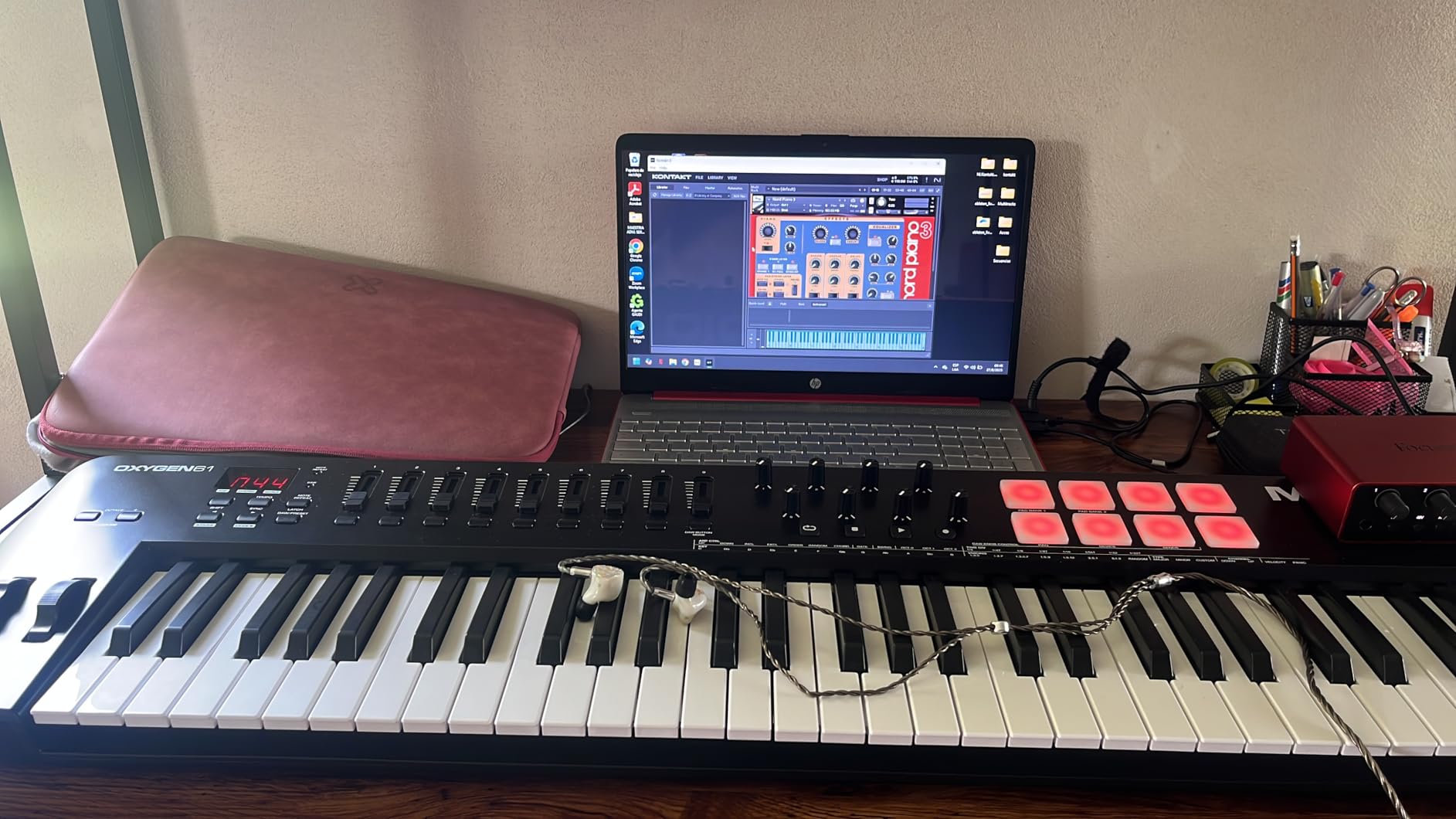
What really sets the Oxygen 49 MKV apart is the depth of controls. Eight assignable knobs, nine assignable faders, two banks of eight backlit drum pads, pitch and modulation wheels, and transport buttons. That is a complete mixing and performance surface on a single board. Smart Chord and Smart Scale modes are genuinely useful when you are sketching ideas and do not want to be limited by music theory in the moment.
Auto-mapping is the headline feature for DAW integration. Connect the controller and your DAW recognizes it and maps the most common controls automatically. NKS integration means Native Instruments plugins light up automatically too. That kind of plug-and-play integration saves real time when you are switching between projects.
Who should buy the Oxygen 49 MKV
This is the right pick for producers who want one controller that handles keys, pads, and mixing duties without compromise. If your workflow involves heavy sound design or plugin tweaking, the 8 knobs and 9 faders give you meaningful hands-on control. NKS users will especially appreciate the automatic mapping to Komplete and other NI instruments.
If you want to layer sounds across the keyboard for performance, our split and layer guide pairs well with this controller.
Where the Oxygen 49 MKV falls short
The software registration process requires creating accounts across multiple platforms, which is annoying but only a one-time setup cost. Like the Keystation, there is no MIDI out for hardware synths and the keys are not weighted.
8. Akai APC40 MKII — Best MIDI Controller for Ableton Live
Akai Professional APC40 MKII USB MIDI Pad Controller
40 RGB clip pads
9 faders
8 knobs
A/B crossfader
1:1 Ableton mapping
Pros
- 5x8 clip-launch matrix with RGB feedback
- 9 channel faders plus 8 control knobs
- Assignable A/B crossfader for DJ-style mixing
- Plug-and-play USB with no drivers needed
- Excellent build quality with durable construction
- Seamless 1:1 mapping with Ableton Live
Cons
- Designed primarily for Ableton Live — limited other DAW use
- No keyboard keys at all
- Premium price point for a pad-only unit
The Akai APC40 MKII is the controller Ableton Live users have been quietly worshipping for over a decade. With a 4.8-star average rating and a reputation that has not faded, it remains the gold standard for hands-on Ableton performance and production. If you live inside Ableton, this is the controller built specifically for you.
The clip-launch matrix is the headline feature. Forty RGB pads arranged in a 5×8 grid give you instant access to clips and scenes with full color feedback. You can see your entire session structure at a glance, launch loops, and rearrange arrangements in real time. For live performance, there is no faster way to work.
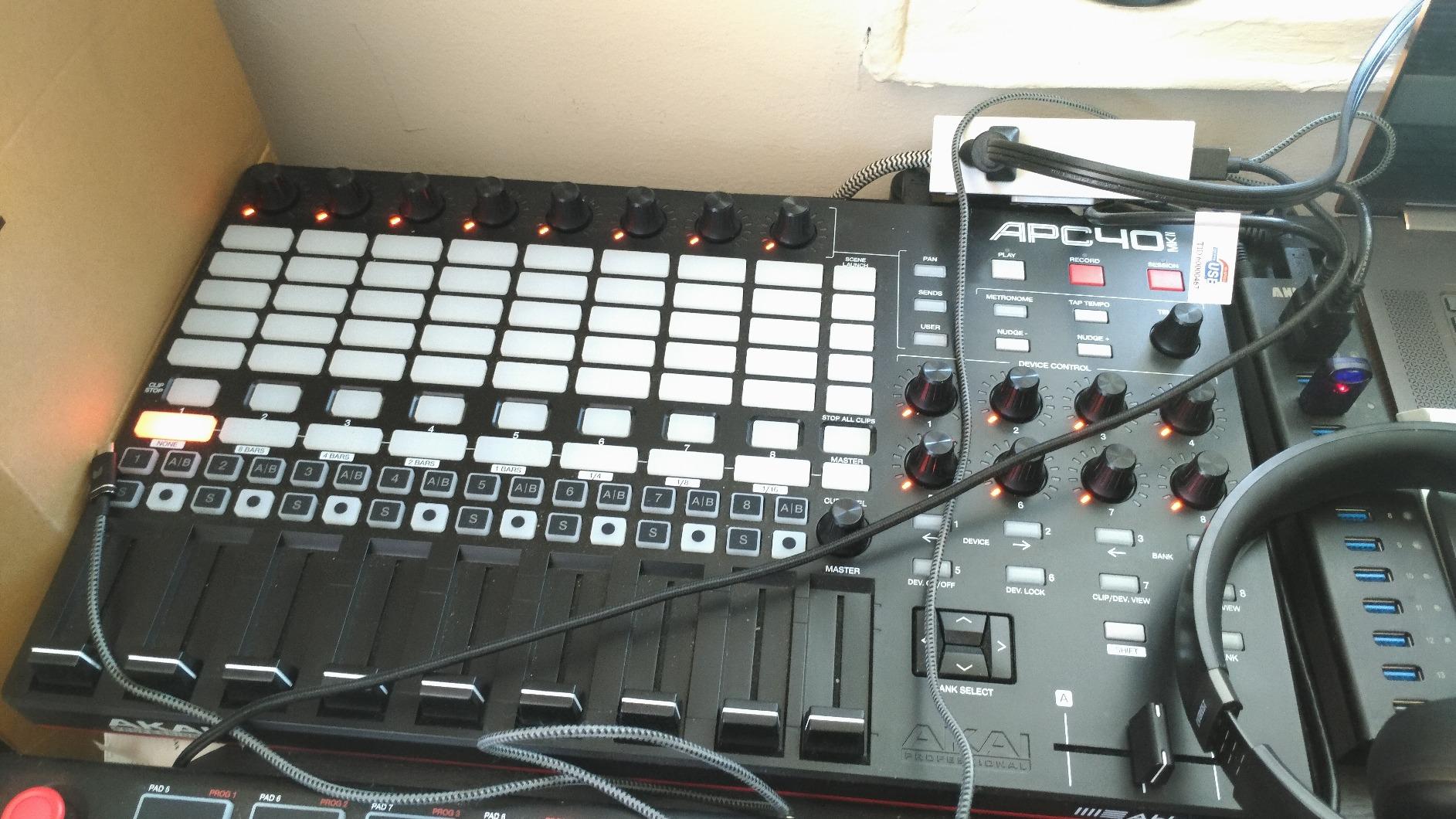
The mixing controls are equally serious. Nine channel faders, eight control knobs, eight device controls, and an assignable A/B crossfader give you full hands-on control over Ableton’s mixer. You can ride faders, tweak effect parameters, and crossfade between tracks without ever looking at the screen. That level of tactile control is what separates the APC40 from a generic pad controller.
Build quality is excellent. The chassis feels solid on the desk, the faders are smooth, and the buttons are rated for heavy use. This is a controller designed for touring producers and serious performers.
Who should buy the APC40 MKII
If Ableton Live is your primary DAW and you want the deepest possible hardware integration, this is it. The 1:1 mapping means setup is essentially zero — plug it in and every control is already configured. Live performers will find the clip matrix and fader layout incredibly fast to work with.
It pairs especially well with a separate keyboard controller for producers who want both expressive playing and serious Ableton control on the same desk.
Where the APC40 MKII falls short
The Achilles heel of the APC40 MKII is its Ableton focus. While you can map it to other DAWs using generic MIDI, you lose the magic of the 1:1 integration. Producers who split time across multiple DAWs should look at a more neutral option. There are also no keys at all, so you will need a separate MIDI keyboard if you want melodic playing.
9. Novation Launchkey Mini 25 MK4 — Best Compact MIDI Controller for Mobile Production
Novation Launchkey Mini 25 MK4 USB MIDI Keyboard Controller
25 velocity-sensitive keys
16 FSR pads with polyphonic aftertouch
Scale and Chord modes
NKS-ready
Pros
- 16 FSR pads with polyphonic aftertouch for expressive drumming
- Seamless DAW integration across all major DAWs
- Scale Mode and chord triggers for fast composition
- Compact 1.7 pound design fits any setup
- NKS-ready for Native Instruments control
- Comprehensive software bundle with Ableton Live Lite and Cubase LE
Cons
- Smaller keys may tire larger hands during long sessions
- Software registration can be time-consuming
- USB-C to USB-A cable may not suit newer laptops
The Novation Launchkey Mini 25 MK4 is the newest entry in Novation’s compact controller line, and it brings meaningful upgrades over the previous generation. The standout addition is polyphonic aftertouch on the 16 FSR pads — a feature you rarely see on controllers at this size. For producers who want expressive playing in a portable package, that alone justifies the upgrade.
The build quality matches what you would expect from Novation. At 1.7 pounds, it is light enough to slip into a backpack yet substantial enough to feel like a real instrument on the desk. The mini keys have a smooth action that holds up well during extended sessions, though players with larger hands will still feel the size limitation after a while.
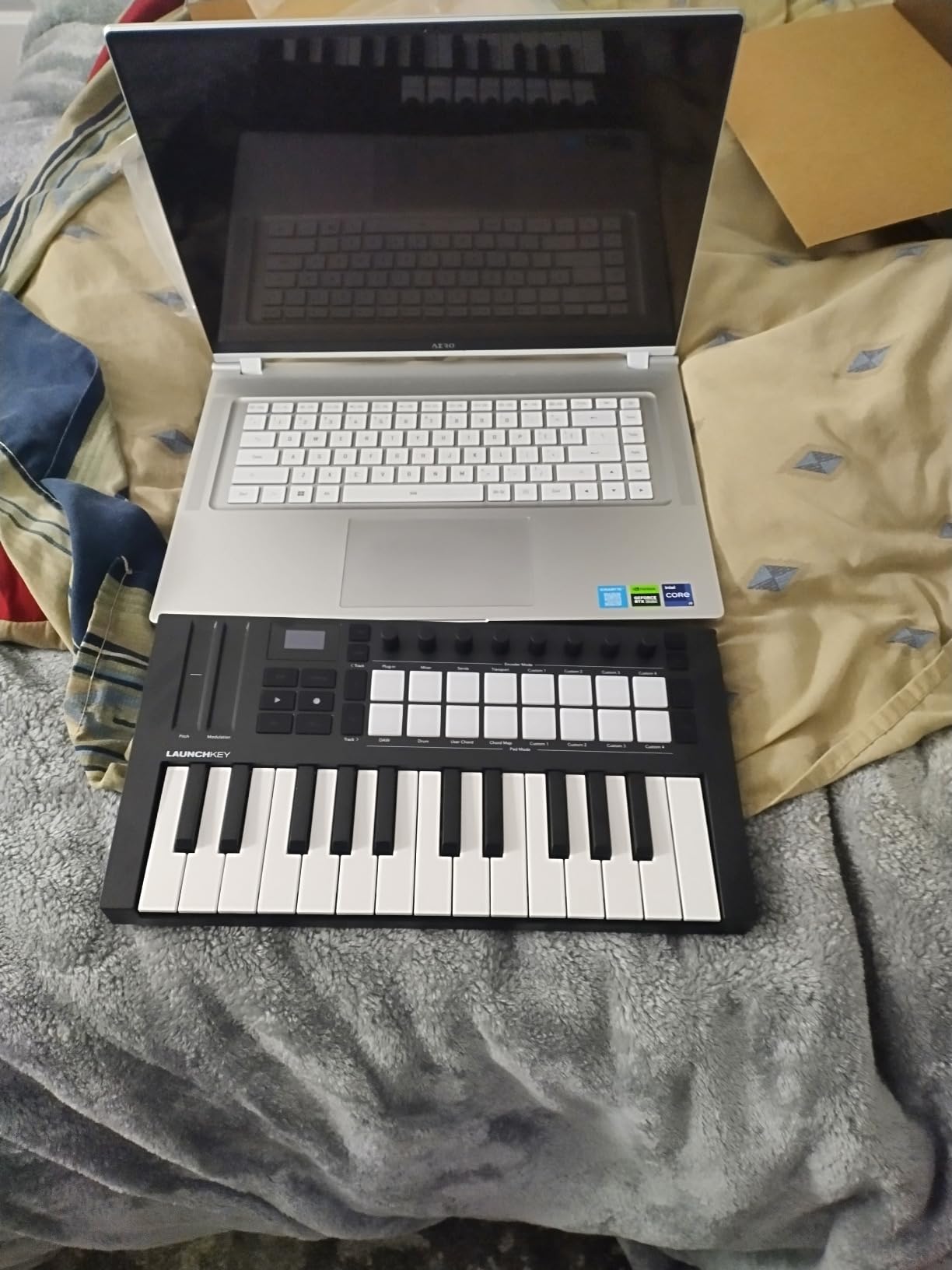
The pads are the highlight. Force-sensitive resistor pads respond to pressure individually across all 16 pads, so you can apply aftertouch to each finger independently. That opens up expressive drum programming, dynamic clip launching, and creative chord work that simpler pad controllers cannot match. Combined with Scale Mode, Chord triggers, and the arpeggiator, you have a compact board with serious compositional tools.
DAW integration is broad. The Launchkey Mini 25 MK4 works seamlessly with Ableton Live, Logic Pro, Cubase, Reason, Reaper, FL Studio, and Ardour. NKS support means Native Instruments plugins map automatically. The included software bundle covers Ableton Live Lite, Cubase LE, and sound packs from GForce, Klevgrand, Orchestral Tools, and Native Instruments.
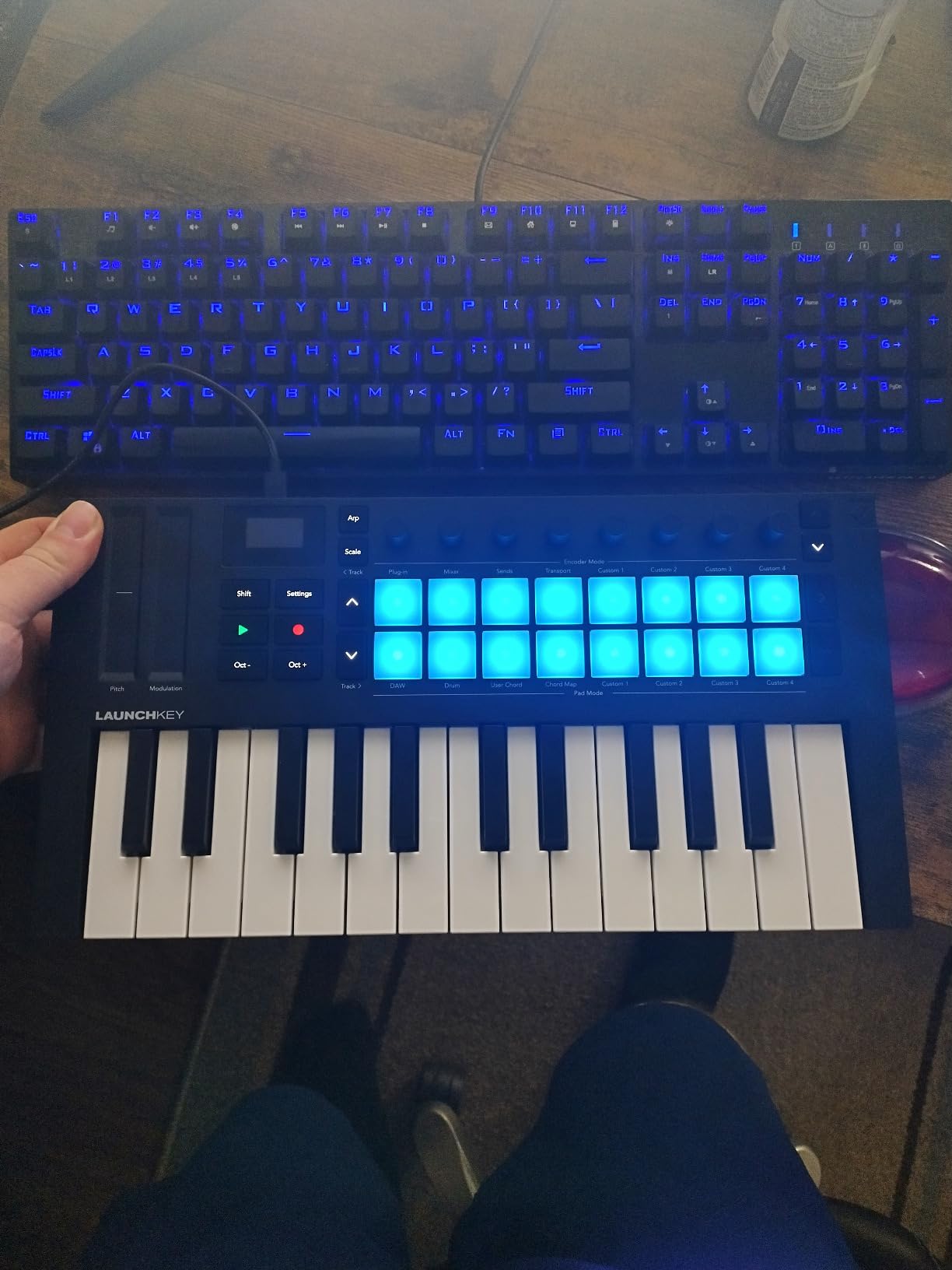
Who should buy the Launchkey Mini 25 MK4
This is the right pick for mobile producers, iPad musicians, and laptop producers who want maximum creative power in minimum space. The polyphonic aftertouch makes it especially appealing to producers interested in MPE-style expressive playing or anyone using software that responds to per-note pressure.
It is also a strong secondary controller for producers who already own a larger board but want a portable rig for travel or smaller sessions.
Where the Launchkey Mini 25 MK4 falls short
The 25-key format still limits two-handed piano work. Some users report frustration with the software registration process, which requires multiple steps across platforms. Also, the included USB-C to USB-A cable may not match newer laptops — you may need a USB-C to USB-C cable separately.
10. Arturia KeyStep Pro — Best MIDI Controller for Hardware Sequencing
Arturia KeyStep Pro 37-Key Controller & Sequencer USB/MIDI/CV Keyboard Controller, with Aftertouch, 4 Polyphonic, 16-Track Drum Sequencer
37 velocity-sensitive keys with aftertouch
4-track polyphonic sequencer
16-track drum sequencer
CV/Gate and MIDI connectivity
Pros
- All-in-one keyboard
- sequencer
- and arpeggiator in one unit
- Extensive CV/Gate connectivity for modular setups
- 4-track polyphonic sequencer plus 16-track drum sequencer
- Aftertouch support for expressive playing
- Solid build quality with metal and plastic construction
- Works with Eurorack modules
- analog synths
- and VSTs
Cons
- Steep learning curve for new users
- Some reports of freezing with complex patterns
- Higher price point for a 37-key controller
The Arturia KeyStep Pro is in a category of its own. It is not just a MIDI controller — it is a sequencing brain that sits at the center of a hardware rig. If you work with Eurorack modules, vintage analog synths, or a hybrid software-and-hardware setup, this is the controller that ties everything together.
The keyboard itself is compact at 37 slim keys, but it includes aftertouch, which gives you expressive control that most controllers at this size lack. The keys feel good for sketching and editing patterns, though they are too short for serious piano playing. The real value lives in the sequencing and connectivity.
Connectivity is where the KeyStep Pro pulls ahead. You get 4 CV/Gate/Mod outputs, 8 dedicated drum Gate outputs, MIDI in plus two MIDI outs, and clock outputs. That means you can sequence an entire hardware studio from a single box — modular synths, analog drum machines, and your computer can all run from the KeyStep Pro’s clock.
The sequencing is also seriously deep. You get a 4-track polyphonic sequencer for melodic parts and a separate 16-track polyrhythmic drum sequencer with individual Gate outputs per track. The arpeggiator includes randomization, scale filtering, and chord mode. Once you get past the learning curve, you can build full arrangements using nothing but the KeyStep Pro and your hardware.
Who should buy the KeyStep Pro
If you own Eurorack modules, analog synths, or vintage gear, the KeyStep Pro is one of the best hardware sequencers you can buy at any price. It is also a strong choice for producers who want a single device that can sequence both software instruments and hardware simultaneously.
For hands-free control during live performance, our MIDI foot controller guide shows how to pair footswitches with rigs like this.
Where the KeyStep Pro falls short
This is not a beginner-friendly controller. The interface is dense, and unlocking the full potential requires reading the manual and investing real setup time. Some users report occasional freezing with very complex patterns, though firmware updates have improved stability over time.
How to Choose the Best MIDI Controller for Your Studio
Picking the best MIDI controller is less about finding the most expensive option and more about matching the right tool to your workflow. Here are the factors that matter most.
Key count: 25, 37, 49, 61, or 88 keys
Key count is the single biggest decision you will make. A 25-key controller is portable and affordable, but you will spend a lot of time using octave buttons to reach the full range. 49 keys covers most two-handed parts without overwhelming your desk. 61 keys adds the upper register without taking up too much space. 88 keys gives you the full piano range but takes up serious desk real estate.
For most producers, 49 keys is the sweet spot. You can play two-handed parts comfortably, cover most synth lead ranges, and still pack it up if needed. If you are a pianist or composer who needs the full range, go for 61 or 88.
Key action: mini keys vs synth action vs semi-weighted vs weighted
Mini keys are smaller and lighter — great for portability, but they feel cramped for larger hands or piano-style playing. Synth action is the standard feel on most controllers: smooth, light, and fast. Semi-weighted adds resistance, which feels closer to a real piano without being heavy. Fully weighted (hammer action) keyboards mimic an acoustic piano but are expensive and rare on controllers.
For most electronic producers, synth action is fine. If you play a lot of piano parts or come from a piano background, semi-weighted will feel more natural. Mini keys are acceptable for sketching but uncomfortable for long sessions.
DAW integration
Some controllers are built specifically for one DAW. The Akai APC40 MKII is the classic example — its 1:1 mapping with Ableton Live is unmatched. Other controllers like the Novation Launchkey series work across most major DAWs but specialize in Ableton. Arturia and Nektar lean toward Logic, Cubase, and Pro Tools integration.
Check that your chosen controller has solid integration with your DAW before buying. Generic MIDI works everywhere, but you lose the magic of automatic mapping and labeled controls.
Connectivity: USB, 5-pin MIDI, CV/Gate
Most controllers connect via USB and work straight with your computer. If you want to control hardware synths directly, look for a 5-pin MIDI out port. The Arturia MiniLab 3 and KeyStep Pro both include MIDI out, which makes them much more versatile for hybrid setups.
If you work with modular synths, CV/Gate connectivity is essential. The KeyStep Pro is the standout here, with multiple CV/Gate outputs designed for Eurorack systems.
Pads, knobs, and faders
Drum pads matter most if you do finger drumming or program beats. MPC-style pads from Akai set the standard. The MPD218 has the thickest pads in this roundup. The Launchpad Mini MK3 offers an RGB grid designed for clip launching rather than expressive playing.
Knobs and faders give you tactile control over plugins and your mixer. The M-Audio Oxygen 49 MKV has the deepest combination (8 knobs, 9 faders). The Arturia MiniLab 3 strikes a great balance in a compact form factor.
Software bundles
Most controllers ship with a software bundle, and the value of these bundles varies widely. Arturia consistently includes the most useful software — Analog Lab Intro alone is worth a meaningful chunk of the controller’s cost. Akai’s MPC Beats and Ableton Live Lite covers the basics. M-Audio includes a wider selection of plugins but with more limited utility.
If you already own a full DAW and a plugin library, the bundle matters less. For beginners, a strong bundle can save hundreds of dollars in starter software.
Budget tiers
Budget tier (under 100 dollars): The Akai MPK Mini MK3 is the standout here. Compact, capable, and well-supported by the community. This is where most beginners start.
Mid tier (100 to 200 dollars): The Arturia MiniLab 3, M-Audio Keystation 49 MK3, and Novation Launchpad Mini MK3 all live here. This is where most home producers find their sweet spot.
Premium tier (200 to 500 dollars): The Novation Launchkey 88 MK3, Akai APC40 MKII, and Arturia KeyStep Pro offer deeper features, better build quality, and broader connectivity.
Specific use cases
For hip-hop and beat making, prioritize pads and finger-drumming feel — the MPD218 and MPK Mini MK3 are strong picks. For EDM and electronic production, full-size keys with good arpeggiators matter — the Oxygen 49 MKV or Launchkey series works well. For film scoring and classical-leaning composition, go for 88 keys with weighted or semi-weighted action.
For live performance, prioritize clip launching and tactile mixer control — the Launchpad Mini MK3 and APC40 MKII dominate this category.
Frequently Asked Questions
What is the best MIDI controller in 2026?
The best MIDI controller in 2026 depends on your needs. For most producers, the Arturia MiniLab 3 is the best overall pick thanks to its excellent key feel, versatile controls, and Analog Lab Intro software. Beginners should look at the Akai MPK Mini MK3, while Ableton Live users will get the most from the Akai APC40 MKII. For full piano range, the Novation Launchkey 88 MK3 is the standout 88-key option.
Is it worth getting a MIDI controller?
Yes, a MIDI controller is one of the best investments a music producer can make. Playing virtual instruments and programming drums with a mouse is slow and unintuitive. A MIDI controller gives you tactile control that speeds up composition, makes performances more expressive, and turns your DAW into an instrument you can actually play. Even an entry-level controller like the Akai MPK Mini MK3 will transform your workflow.
What are the best MIDI pad controllers?
The best MIDI pad controllers are the Akai MPD218 for serious finger drummers, the Novation Launchpad Mini MK3 for Ableton clip launching, and the Akai MPK Mini MK3 if you also want keys. The MPD218 offers the thickest MPC-style pads and the deepest control expansion. The Launchpad Mini MK3 is unbeatable for Ableton session view work but lacks velocity sensitivity. The MPK Mini MK3 is the best hybrid option for producers who want both pads and keys.
What MIDI controller should beginners buy?
Beginners should buy the Akai MPK Mini MK3. It is the most popular MIDI controller on Amazon for good reason — it is compact, affordable, and comes with a comprehensive software bundle including MPC Beats and three virtual instruments. The 25 mini keys are friendly for new players, the 8 MPC pads handle beat programming, and the 8 knobs cover plugin control. For under 100 dollars, it is hard to beat for a first controller.
How many keys do I need on a MIDI controller?
For most producers, 49 keys is the ideal count. It covers most two-handed playing without overwhelming your desk or your budget. If you travel frequently or only sketch ideas, 25 keys works fine. If you play piano or compose full arrangements, 61 or 88 keys gives you the full range without octave shifting. Consider your playing style and available desk space when deciding.
Final Verdict
Choosing the best MIDI controller comes down to matching your workflow, your DAW, and your budget to the right tool. After testing all ten of these controllers in our studio, our team landed on a clear set of recommendations.
For most producers in 2026, the Arturia MiniLab 3 is the best MIDI controller overall. It pairs excellent key feel with versatile controls, USB-C plus real MIDI out, and a software bundle that adds genuine value. It is the controller we keep coming back to.
Beginners should start with the Akai MPK Mini MK3 for its unbeatable value, massive community, and complete starter software bundle. Ableton Live users who want the deepest possible hardware integration should invest in the Akai APC40 MKII — it is the gold standard for a reason. Producers who want full piano range should look at the Novation Launchkey 88 MK3 with its semi-weighted keybed and deep DAW integration.
Whatever your budget or workflow, there is a controller on this list that will fit. The MIDI controllers we have covered here represent the best the category has to offer in 2026, and any of them will transform how you make music.