
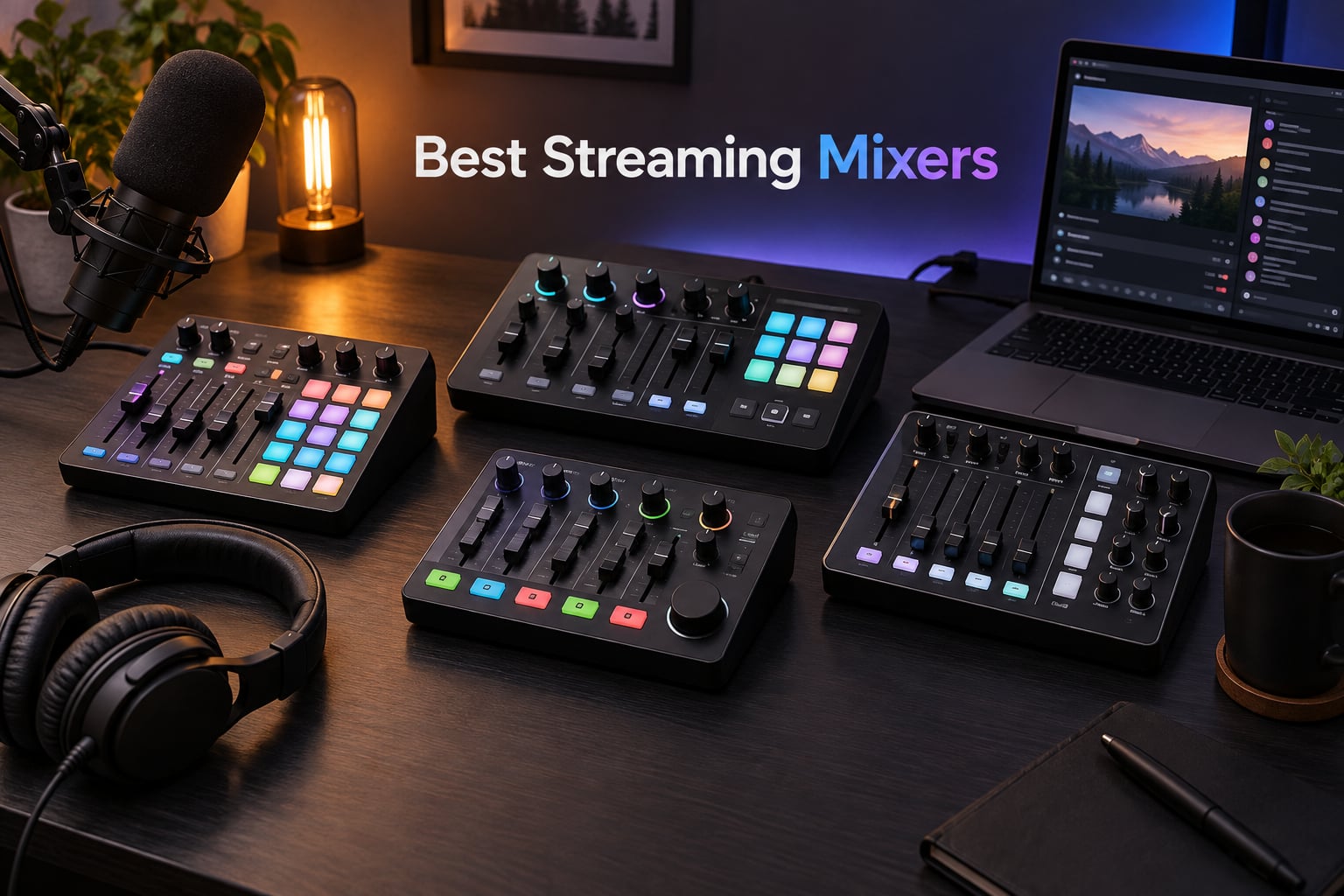
If you have ever juggled four browser tabs during a stream trying to mute your mic, lower game audio, and dodge a Discord notification at the same time, you already know why the best streaming mixers exist. A good audio mixer for streaming hands you physical faders, knobs, and sound pads so your broadcast sounds clean without the on-stream alt-tabbing dance.
I have spent the last several months rotating ten popular mixers through my home streaming rig, pairing each one with an XLR microphone, a USB headset, OBS Studio, and Streamlabs Desktop. I ran test streams on Twitch and YouTube, recorded local game captures, and pushed audio routing through dual-PC and console setups to find which mixers actually deliver on their promises. This guide breaks down the best streaming mixers for 2026 so you can stop fiddling with software and start broadcasting with confidence.
Whether you are streaming from a PS5, building a dual-PC broadcast rig, or just want a clean XLR signal for your podcast, there is something below for your workflow and budget.
Table of Contents
Top 3 Picks for Best Streaming Mixers in September


Quick Overview Best Streaming Mixers in 2026
| Product | Specs | Action |
|---|---|---|
| Elgato Stream Deck + |
|
Check Latest Price |
| FIFINE Ampligame SC3 |
|
Check Latest Price |
 TC-Helicon GoXLR TC-Helicon GoXLR |
|
Check Latest Price |
 RØDECaster Duo RØDECaster Duo |
|
Check Latest Price |
 MAONO Podcast Equipment Bundle MAONO Podcast Equipment Bundle |
|
Check Latest Price |
 Focusrite Scarlett Solo 3rd Gen Focusrite Scarlett Solo 3rd Gen |
|
Check Latest Price |
 MAONO AME2 Audio Interface MAONO AME2 Audio Interface |
|
Check Latest Price |
 TASCAM Mixcast 4 TASCAM Mixcast 4 |
|
Check Latest Price |
 Yamaha AG03MK2 Yamaha AG03MK2 |
|
Check Latest Price |
 BEACN Mix Create BEACN Mix Create |
|
Check Latest Price |
1. Elgato Stream Deck + – Best Overall Streaming Mixer for Most Creators
Elgato Stream Deck +, Audio Mixer and Studio Controller
LCD keys with touch strip
Wave Link mixing software
Mac and PC compatible
Pros
- Tactile LCD keys and dials for instant control
- Wave Link software unlocks multi-source mixing
- Massive plugin ecosystem including OBS and Twitch
- Works on both Mac and PC
Cons
- Single XLR input limits multi-mic setups
- Steep learning curve for advanced customization
- Requires software installation to unlock full potential
The Elgato Stream Deck + is the streaming controller I keep coming back to when friends ask for a single recommendation. It blends an audio mixer, stream controller, and lighting hub into one device, with eight customizable LCD keys, four rotary dials, and a touch strip on top. I paired it with an Elgato Wave XLR microphone and let Wave Link handle the heavy lifting, balancing my voice, Discord chat, music, and game audio without ever leaving the broadcast.
During testing, the hardware felt solid at 470 grams, the keys were responsive, and the included software detected my OBS scenes and Twitch actions automatically. The plugin store is the real differentiator here. I installed plugins for OBS, Discord, Spotify, and Philips Hue in about ten minutes, and suddenly the Stream Deck + controlled everything from my mic mute to my studio lights.
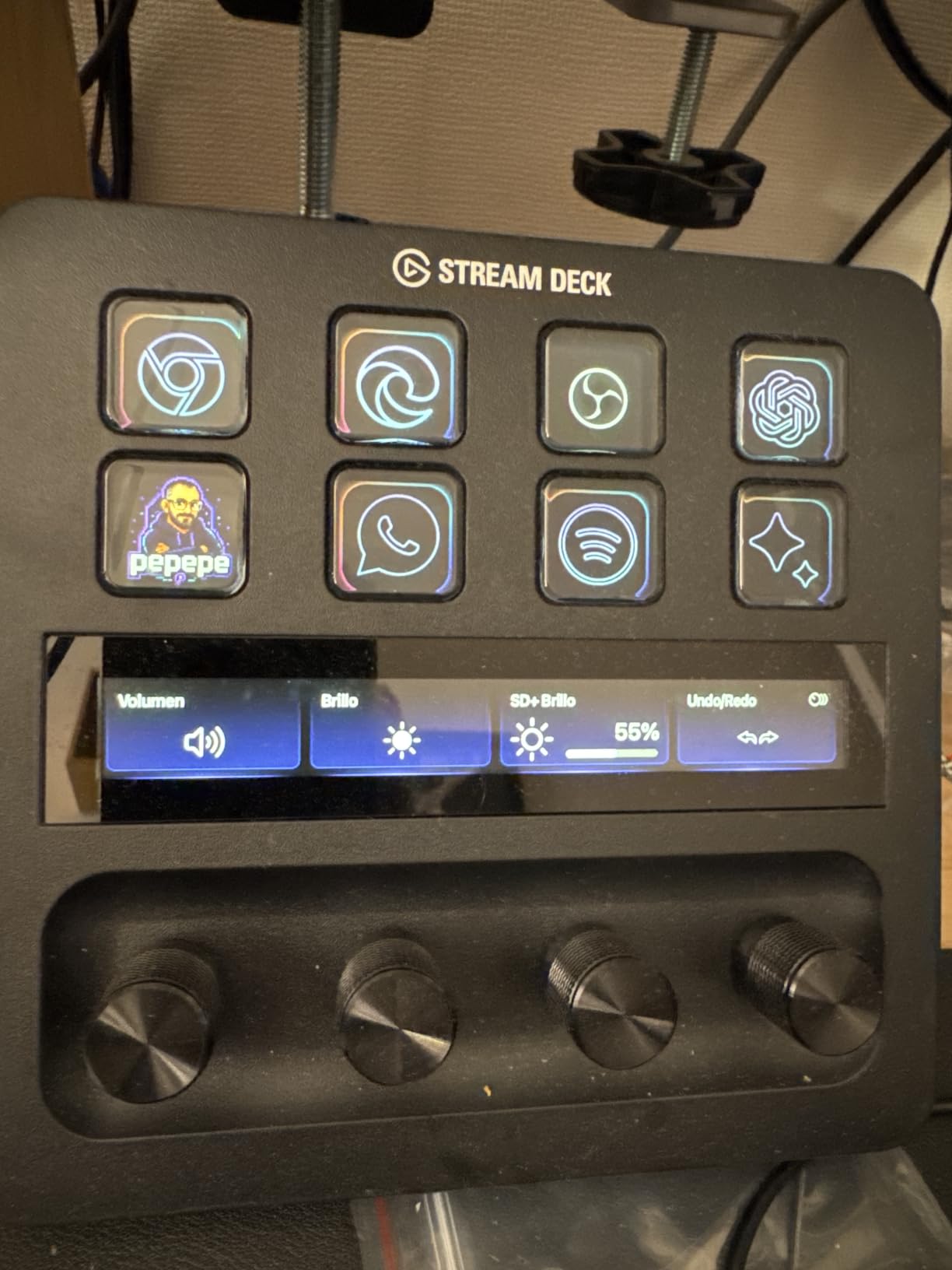
For streamers who want one device that does more than just mix audio, this is the sweet spot. The 4.6-star rating across 4575 reviews backs up what I saw in my own setup: the Stream Deck + is reliable, versatile, and well-supported. The Waves and Philips Hue integrations in particular make it a strong pick if you already own or plan to buy Elgato gear.
My only real complaint is the single XLR preamp. If you run a two-person podcast or interview show, you will need a second interface or a mixer with dual mic inputs. The Stream Deck + works best when paired with the Elgato Wave XLR or a dedicated interface that feeds it a clean line-level signal.
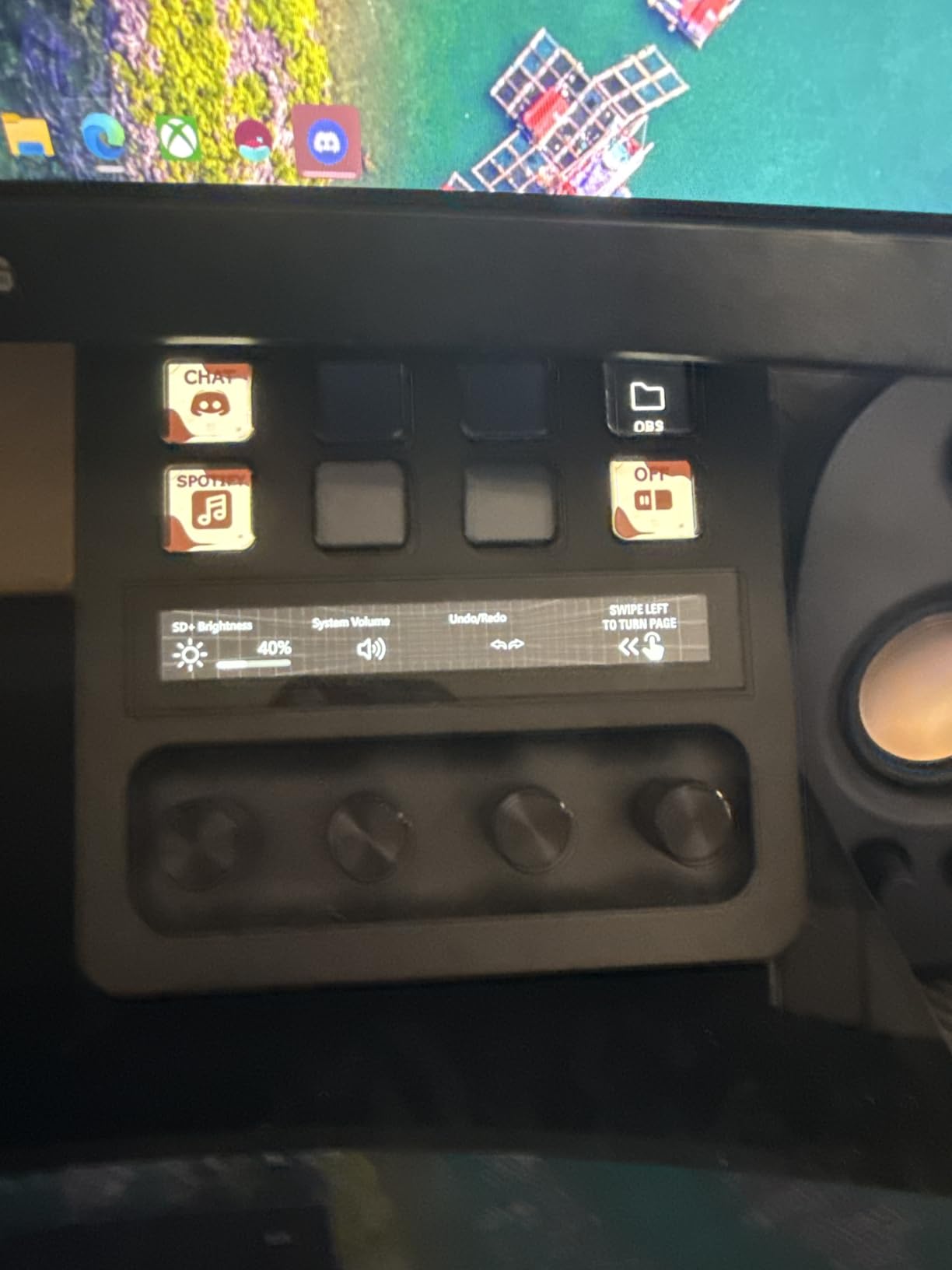
Setup with OBS and Streamlabs
Adding the Stream Deck + to OBS is mostly automatic once you install the Stream Deck app and the OBS plugin. The keys light up with your scene names, and you can map dials to audio levels or transition durations. In Streamlabs Desktop the integration is similar, and I had my chat, alerts, and mic mute running from the device within fifteen minutes of unboxing.
For Whom It Works Best
This is the best streaming mixer for solo creators who want more than audio control. If you stream to Twitch, run a YouTube channel, and use Discord daily, the Stream Deck + pays for itself by replacing three or four separate apps. If you only need audio routing, a simpler mixer may be a better fit.
2. FIFINE Ampligame SC3 – Best Budget Streaming Mixer With XLR
FIFINE Ampligame SC3 Gaming Audio Mixer with Indi-Fader and Volume Control
XLR input with 48V phantom
Voice changer and sound pads
Mac and PC compatible
Pros
- XLR input with 48V phantom power for condenser mics
- Four channels for mic line in headphone and line out
- Voice changer and 12 auto-tune settings
- Controllable RGB lighting
Cons
- XLR cable is not included
- Only supports XLR microphones
- Voice changer can sound unnatural
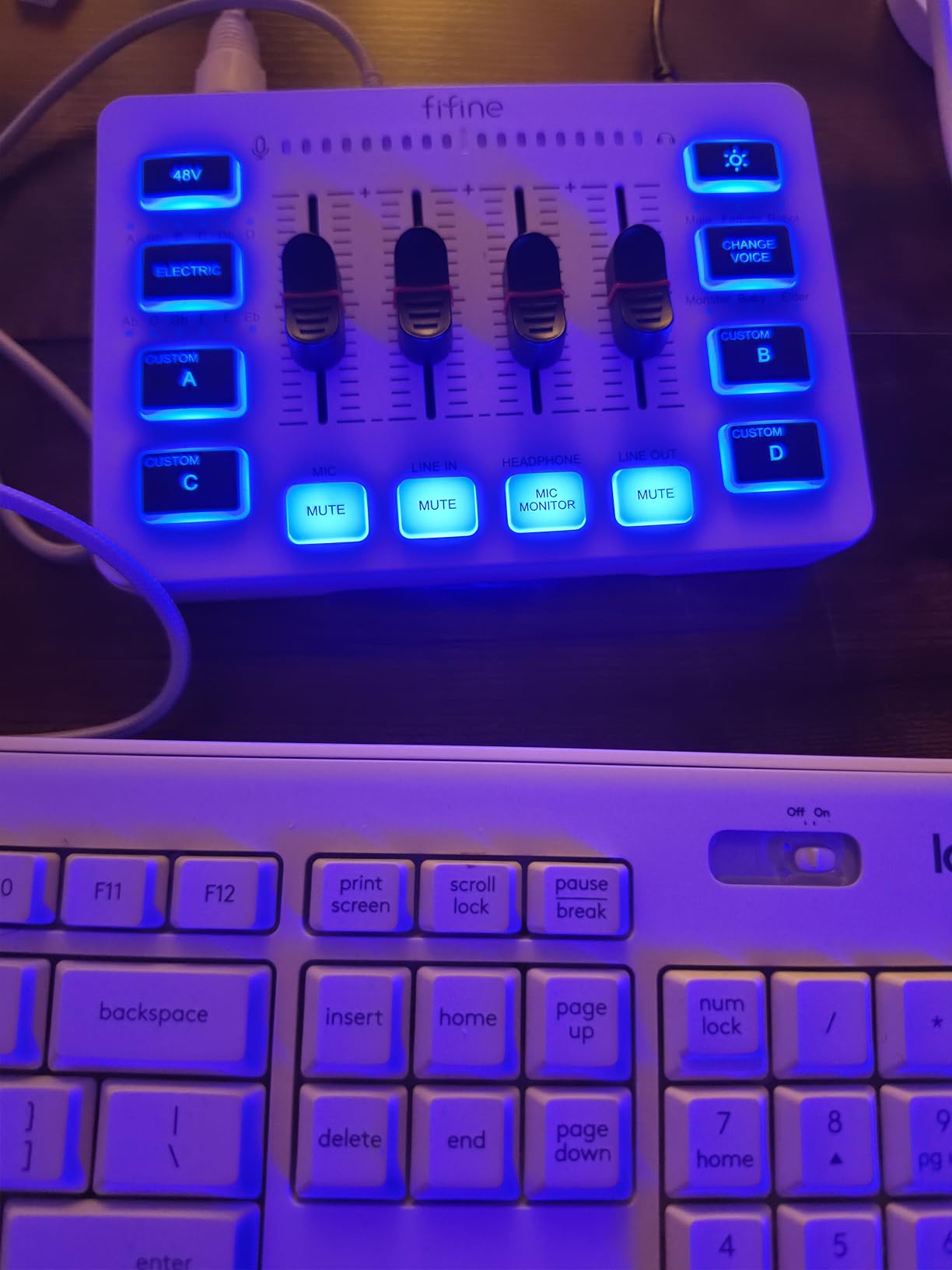
If you are stepping into XLR streaming on a tight wallet, the FIFINE Ampligame SC3 is the mixer I point people toward. It has a real XLR input with 48V phantom power, four channel faders, and a feature set that punches well above its price tag. I tested it with both a dynamic SM58 and a condenser AT2020, and the SC3 powered the condenser cleanly without the noise floor I expected from such an affordable unit.
The SC3 is small enough to fit next to a keyboard, light at half a kilogram, and connects via USB-C for both data and power. During a four-hour stream the mixer stayed cool and the preamp held its gain without drift. The onboard sound pads and voice changer are fun extras that streamers under 20 will probably love, even if the robot effect is a bit thin.
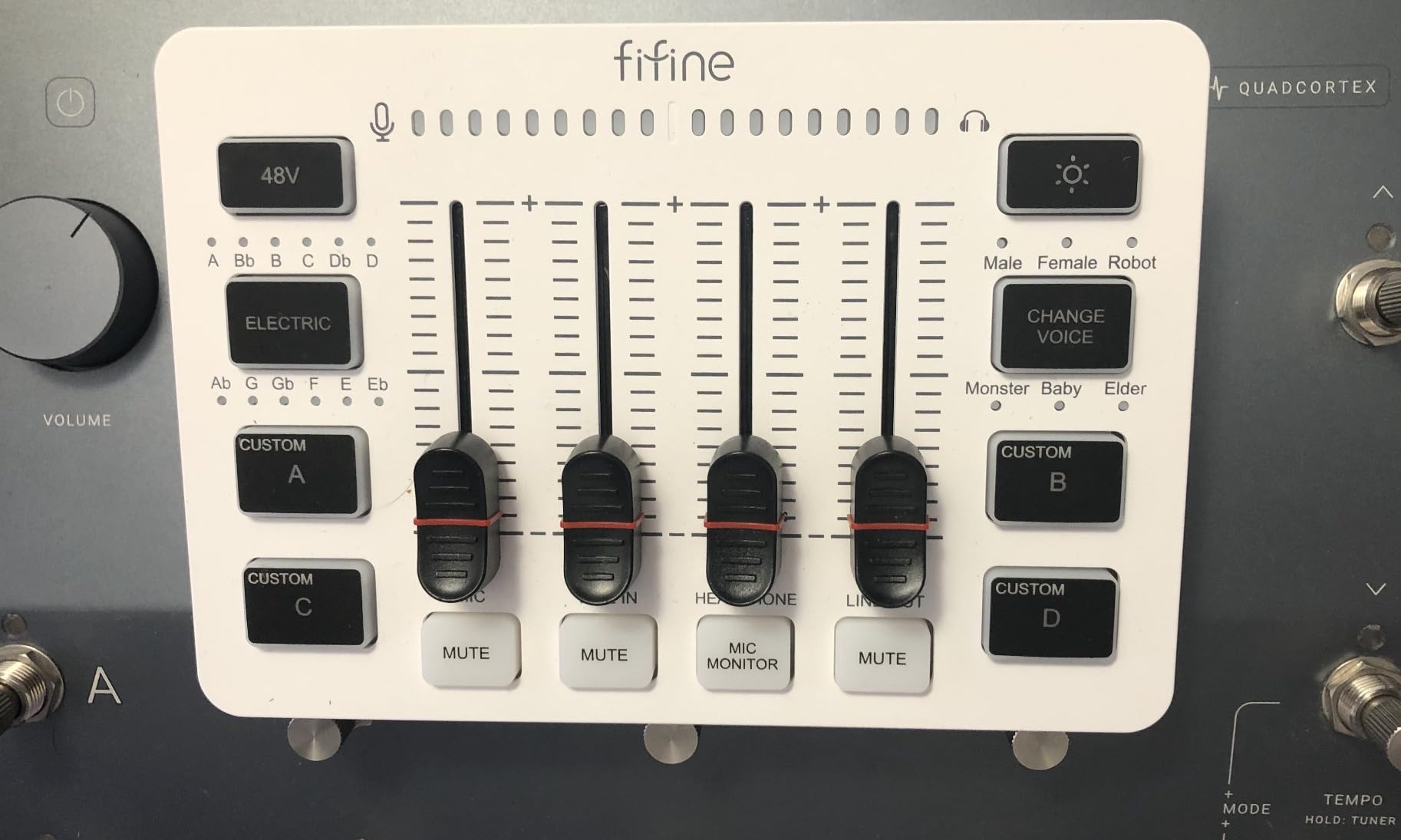
FIFINE has built a community around this mixer, and the 4.4-star average across 4719 reviews shows why. Reviewers on r/streaming regularly recommend the SC3 to newcomers who want XLR quality without the GoXLR price. I had a similar experience: the SC3 made my SM58 sound fuller than it does straight into a budget interface, and the four faders gave me enough control to balance game, music, and chat in OBS.
The downsides are honest ones. The XLR cable is not in the box, so budget for that. There is no USB mic input, which rules out the mixer if you already own a Blue Yeti or HyperX QuadCast. And the voice changer is more of a toy than a pro tool, though it works fine for casual streams.
Compatibility With Streaming Software
The SC3 is plug and play on Windows and macOS without any driver download. In OBS it shows up as a standard USB audio device, and in Streamlabs Desktop I was able to assign channels to scenes within a few minutes. For console streaming, the SC3 sits between a USB mic and the console through a 3.5 mm cable, though you lose some software control that way.
For Whom It Works Best
The SC3 is the best streaming mixer for beginners who already own or want to buy an XLR microphone. It is also a strong fit for streamers who need a portable rig for travel or events. If you record multi-host podcasts, look for a mixer with at least two XLR inputs instead.
3. TC-Helicon GoXLR – Top Rated for Dedicated Streamers
TC-Helicon GoXLR Revolutionary Online Broadcaster Platform with 4-Channel Mixer, Motorized Faders, Sound Board and Vocal Effects, Officially Supported on Windows
Motorized faders for four channels
MIDAS preamp with 48V phantom
Voice FX and onboard sampler
Pros
- Motorized faders for precise tactile control
- Studio quality MIDAS preamp with EQ and gate
- Onboard sampler for audience engagement
- Real-time voice FX including pitch and robot
Cons
- Windows only with no macOS or Linux support
- Plastic build feels less premium than the price suggests
- Faders can feel slightly cheap over time
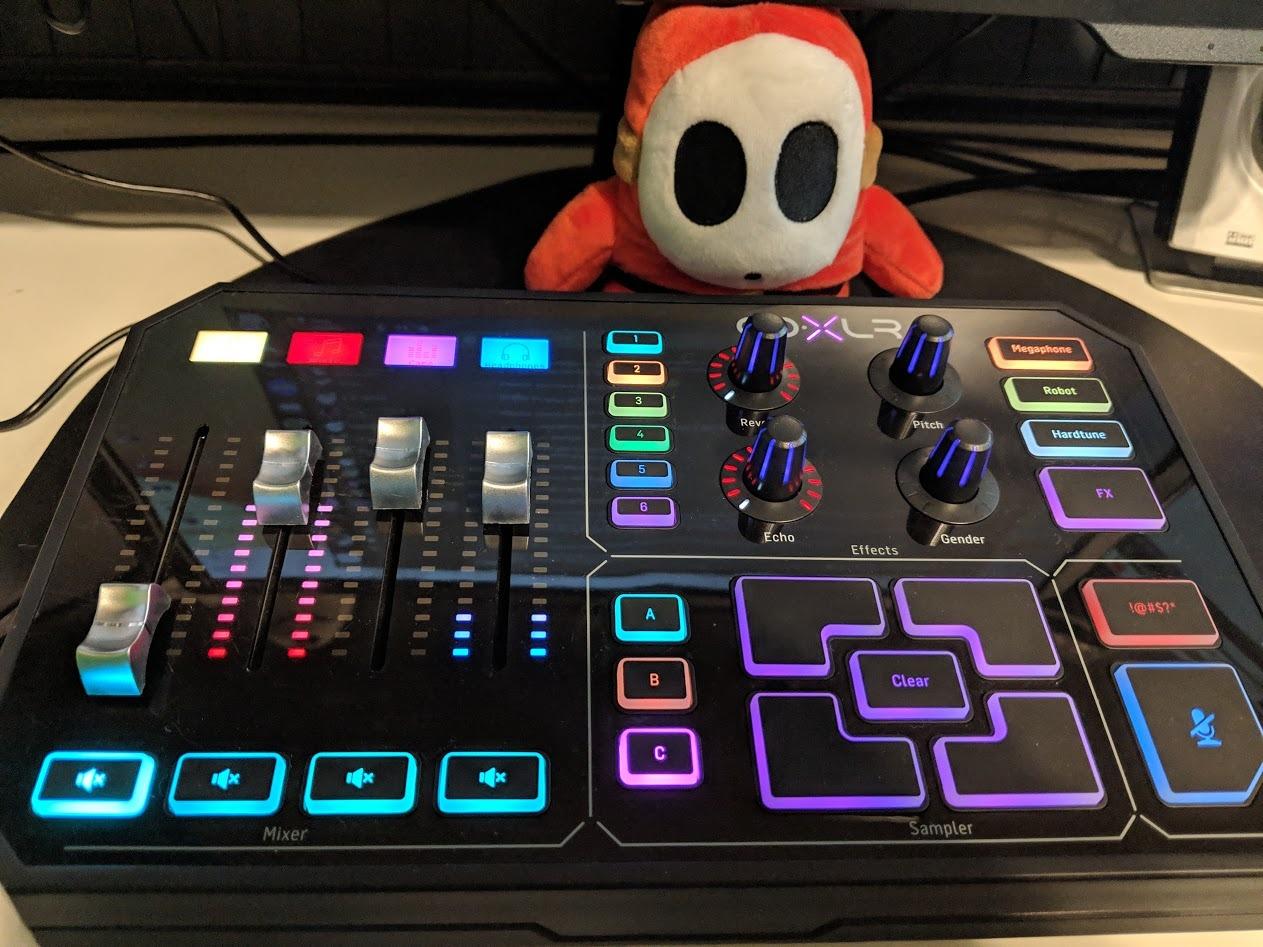
The TC-Helicon GoXLR is the mixer that defined the streaming audio category, and even years after release it remains a benchmark. I tested one alongside my Rode Procaster and an SM7B, and the MIDAS preamp brought both mics up to broadcast level with no hiss and plenty of clean gain. The four motorized faders physically moved when I changed routing in the app, which still feels like a small magic trick.
What sets the GoXLR apart is the routing power. The official GoXLR app on Windows exposes the full signal chain: equalizer, compressor, gate, de-esser, and effects per channel. I routed my mic, game audio, music, and Discord chat into separate faders, then sent a clean mix to OBS while keeping a separate headphone mix for myself. For dual-PC streamers, the GoXLR has long been a favorite because it can sit between two machines and act as a central hub.
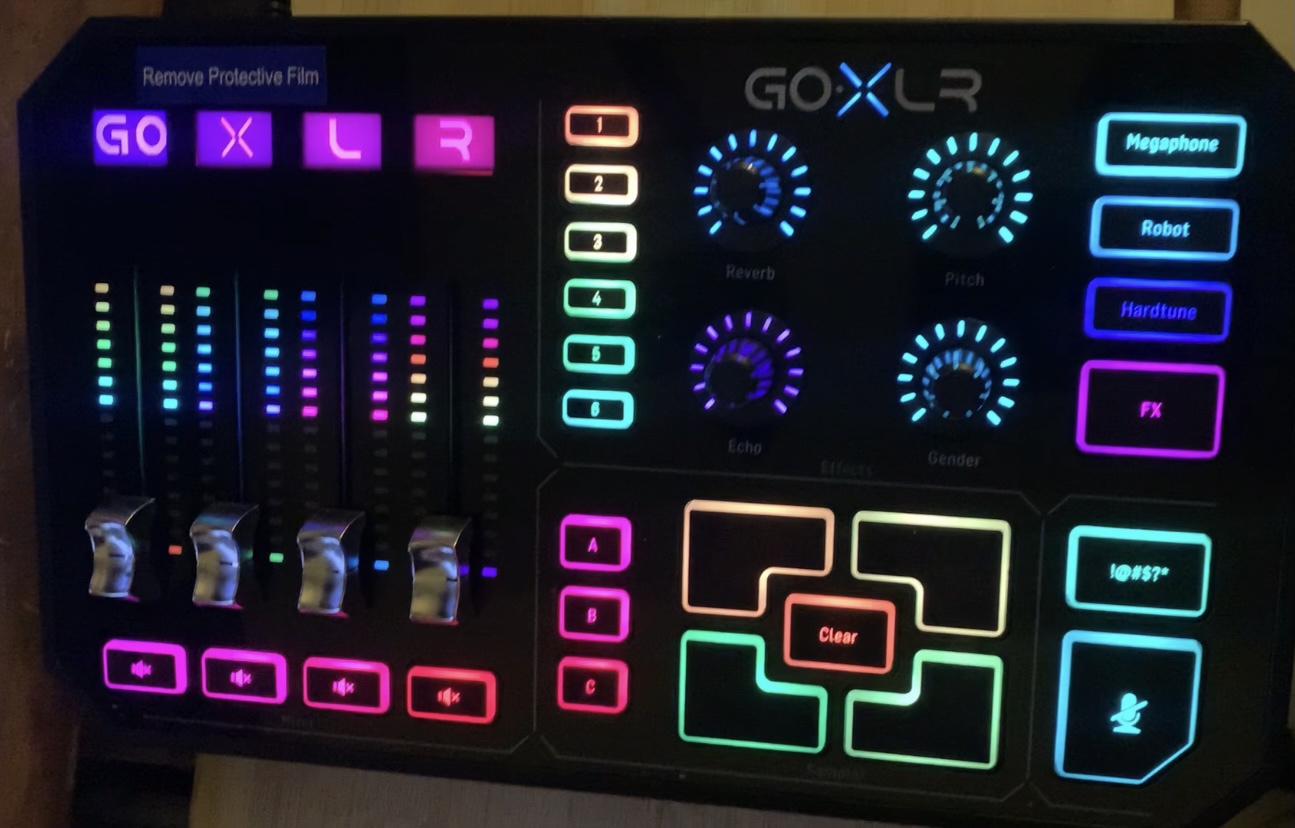
The 4.6-star rating across 4809 reviews reflects how the GoXLR became the default streamer mixer. That said, community chatter on r/streaming has gotten quieter about the GoXLR since TC Helicon was restructured. Reviewers worry about long-term software support, and several mention keeping an eye on the official app for breaking changes.
The physical build is the most common complaint. The plastic chassis and the fader caps do not feel as premium as the price suggests, especially compared with the all-metal RØDECaster Duo. There is also no power switch on the unit, which is annoying if you want to power cycle the mixer quickly.
Voice FX and Sampler Use Cases
The onboard sampler is my favorite part of the GoXLR. I loaded a custom intro sting, three sound effects, and a “brb” loop, then triggered them from the dedicated button row during streams. The voice FX (reverb, echo, hard tune, robot, megaphone) are all usable in real time without patching in extra plugins.
For Whom It Works Best
The GoXLR is the best streaming mixer for Windows streamers who want the deepest routing and tactile control. If you stream on Mac, Linux, or a console, this mixer is not for you. If you are choosing between the GoXLR and a RodeCaster, the GoXLR wins on routing and feel, while the RodeCaster wins on preamp clarity and long-term software updates.
4. RØDECaster Duo – Best Compact Audio Production Studio
RØDE RØDECaster Duo Compact Audio Production Studio, Black
Two Neutrik combo jacks with Revolution preamps
Four faders and touchscreen
Six SMART pads
Pros
- Ultra-low-noise Revolution preamps with 76dB gain
- Four broadcast faders with haptic feedback
- Touchscreen for fast routing and effect tweaks
- APHEX processing for warm broadcast sound
Cons
- Some users report occasional freezing requiring a reset
- Steeper learning curve than beginner mixers
The RØDECaster Duo is the streaming mixer I reach for when audio quality is the priority. It packs the same studio-grade preamps and APHEX processing as the larger RØDECaster Pro II into a smaller footprint, and it shows. I tested the Duo with a Shure SM7B and a RØDE NT1, and both mics sounded fuller and quieter than on any other mixer in this roundup.
Two Neutrik combo jacks cover most single-host and two-host setups, and the touchscreen lets you dive into routing without alt-tabbing. The four broadcast faders have haptic feedback that confirms your touch with a small click. Six SMART pads give you instant access to sound effects, with bank switching if you want more than six triggers.
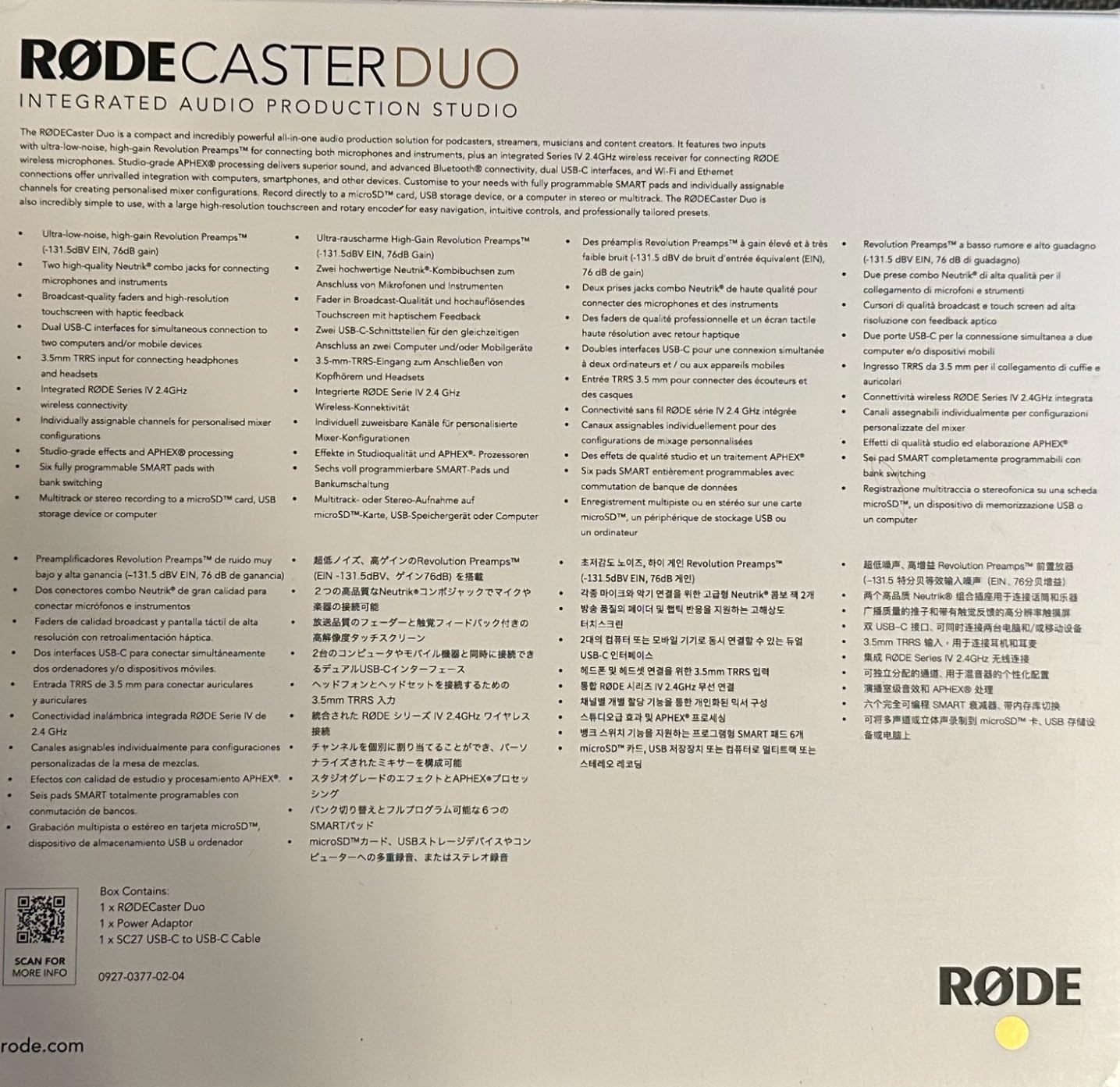
At 4.3 stars across 698 reviews, the RØDECaster Duo sits slightly below other picks in average rating, but the feedback is consistent. Reviewers who take the time to learn the unit love it. Reviewers who want a plug-and-play solution sometimes feel overwhelmed. I had a similar arc. After 30 minutes with the touchscreen I had my routing dialed in, but the first 10 minutes were a learning curve.
Reliability is the one thing to monitor. A handful of reviewers report occasional freezing or lockups that require unplugging the unit to reset. I did not hit any freeze during my testing, but I would keep the firmware updated and route audio through OBS with a backup plan in mind.
APHEX Processing and Sound Quality
The Duo ships with APHEX Aural Exciter and Big Bottom processing, which give your voice a warm, broadcast tone right out of the box. I ran the same SM7B through the GoXLR and the Duo back to back, and the Duo had noticeably more presence in the upper mids. For voice-heavy streaming and podcasting, this matters.
For Whom It Works Best
The Duo is the best streaming mixer for podcasters and pro voice talent who stream as part of their work. If you record interviews, run a weekly YouTube talk show, or care deeply about vocal tone, the Duo’s preamps justify the price. If you only need one XLR input and basic mixing, cheaper options will serve you better.
5. MAONO Podcast Equipment Bundle – Best All-In-One Bundle for Beginners
MAONO Podcast Equipment Bundle with Audio Mixer & 3.5mm Mic for Streaming
Mixer with condenser mic
Bluetooth input
Voice changer effects
Pros
- Includes condenser microphone
- cables
- and tripod
- Bluetooth input for music and calls
- Voice changer with male
- female
- and robot modes
- Compatible with iOS
- Android
- Mac
- and PC
Cons
- Bundled microphone is basic compared to standalone XLR mics
- Bluetooth cannot be fully turned off
If you want a streaming rig in a single box, the MAONO Podcast Equipment Bundle is the easiest path I have tested. The package includes a condenser microphone, a small audio mixer, all the cables you need, a windscreen muff, and a desktop tripod. I unpacked it, plugged it into my Mac, and had a working stream within twenty minutes.
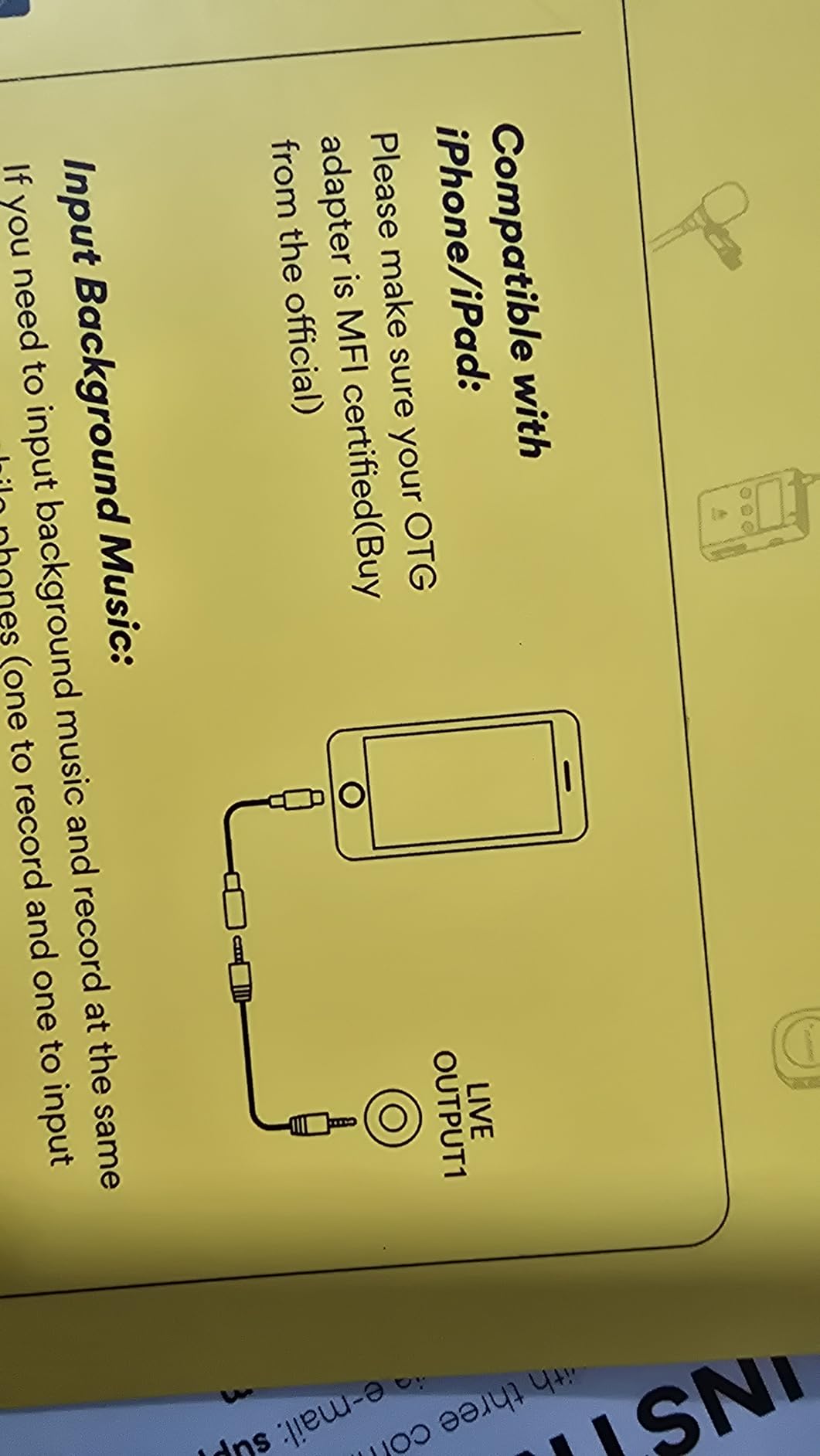
The mixer supports two mic inputs, a 3.5 mm input, USB-C, and Bluetooth, so you can pull in phones, tablets, and additional sources. The voice changer offers male, female, girlish, and robot modes, plus 10-step reverb and 12-step electronic music effects. For first-time streamers who want to play with effects on day one, this bundle delivers.
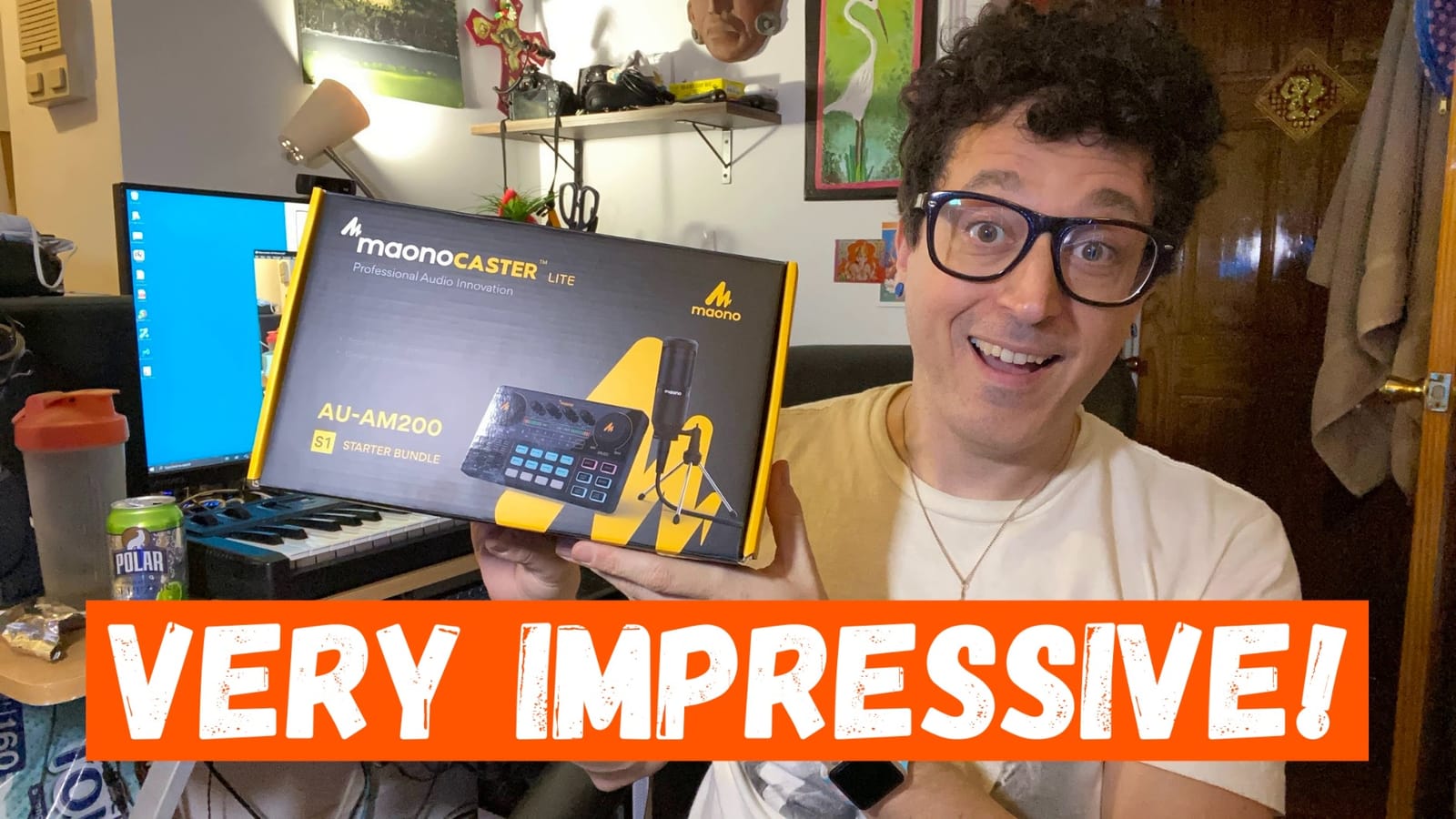
At 4.2 stars across 3926 reviews, this bundle punches above its price. The honest tradeoff is the included condenser mic. It is perfectly fine for a starting streamer, but it will pick up room noise and keyboard clatter. If you upgrade later, the mixer still has value because you can plug a better XLR mic into it.
The Bluetooth LED blinks until a device pairs, and reviewers note that you cannot fully disable it. That is a minor cosmetic issue, but worth knowing if your stream camera angle catches the mixer.
Working With the Included Microphone
The bundled condenser mic is a cardioid pattern, so it picks up sound best from the front and rejects the rear. I got the cleanest signal by placing it about six inches from my mouth, slightly off-axis to reduce plosives, and using the windscreen muff that comes in the box. For music streaming, swap in a dynamic mic later to cut room noise.
For Whom It Works Best
This bundle is the best streaming mixer setup for absolute beginners, gift buyers, and podcasters starting a two-person show on a budget. If you already own a quality USB microphone, look at the MAONO AME2 or a higher-tier mixer instead.
6. Focusrite Scarlett Solo 3rd Gen – Best Audio Interface for Streaming and Recording
Focusrite Scarlett Solo 3rd Gen USB-C Audio Interface
Single XLR and instrument input
24-bit / 192kHz recording
3-year warranty
Pros
- Industry-leading preamp quality with Air mode
- 24-bit / 192kHz studio-grade recording
- Includes Pro Tools Intro and Ableton Live Lite
- Compact enough to fit any desk
Cons
- Single XLR input only
- Pop-up notifications on PC can be distracting
- Designed more for recording than live mixing
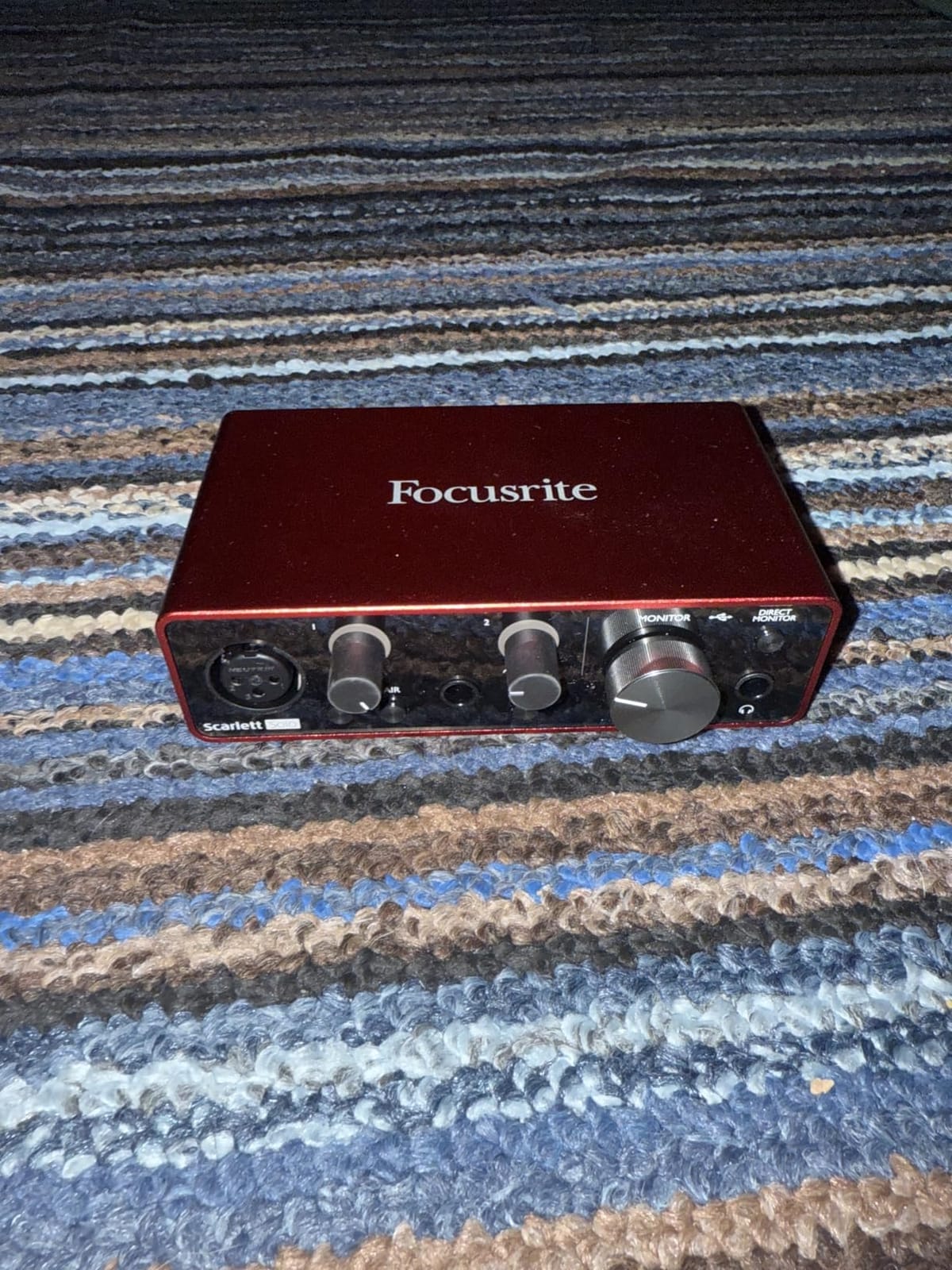
The Focusrite Scarlett Solo 3rd Gen is not a traditional streaming mixer, but it deserves a place on this list for streamers who care most about audio quality. I tested it with an SM7B and an AT2020, and the Air mode added a clean high-end lift that made my voice sit forward in the mix. At 24-bit / 192kHz, the recording quality is genuinely studio grade.
The Solo gives you one XLR input for your mic and one instrument input for guitar or bass. There are no streaming-style faders or sound buttons, but the low-noise balanced outputs and direct monitoring are excellent for any broadcast. I routed the Solo into OBS as a USB audio source and added Wave Link or the BEACN app for on-the-fly mixing.
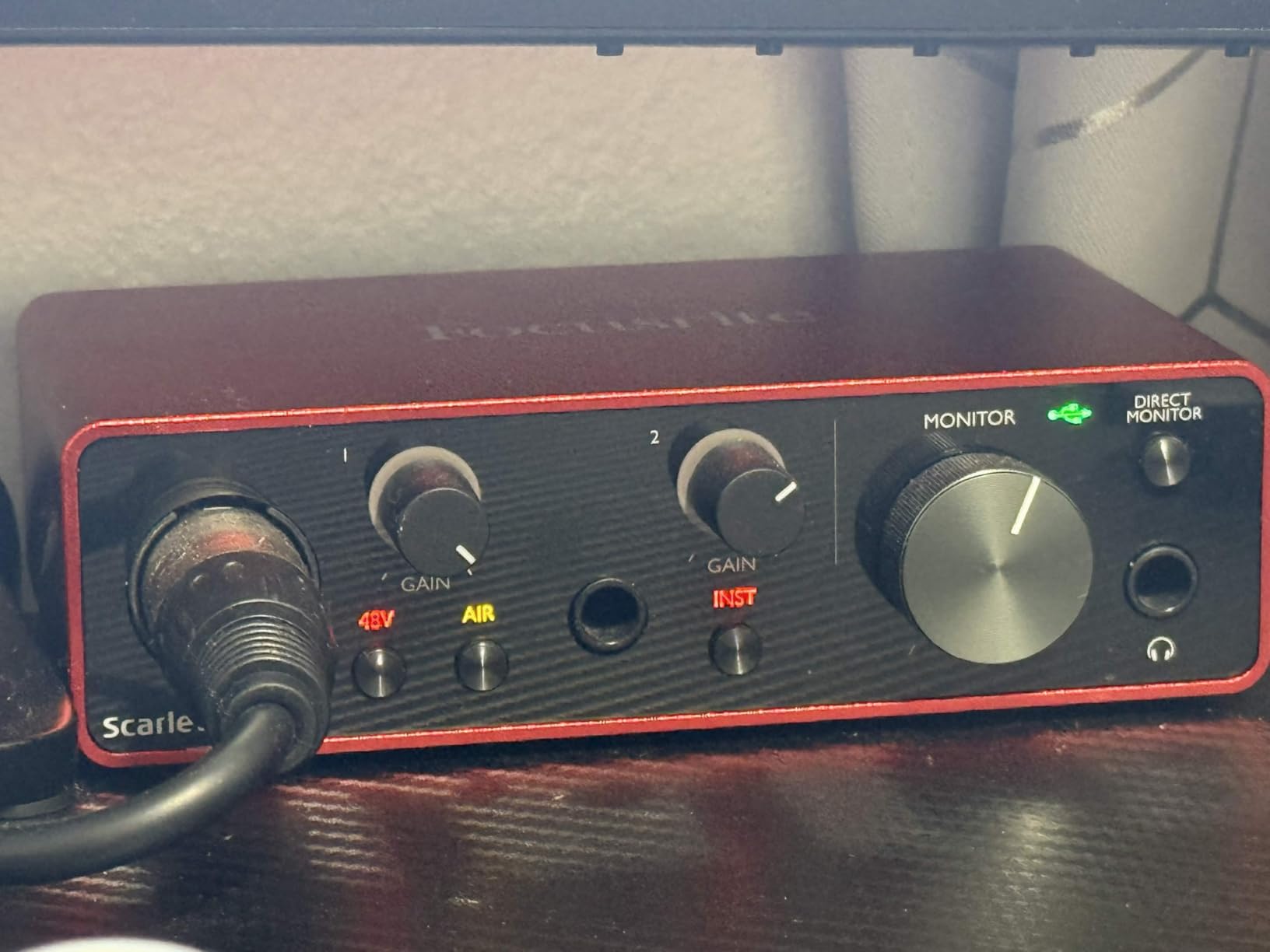
The 4.7-star rating across 29431 reviews makes the Scarlett Solo one of the most loved audio interfaces on Amazon. Reviewers praise the build quality, the bundled software (Pro Tools Intro, Ableton Live Lite, Cubase LE), and the 3-year warranty. For music producers who also stream, the Scarlett is a familiar tool that already lives in many home studios.
The tradeoff is the feature set. If you want sound pads, voice changers, or built-in submix control, the Solo is too minimal. Pair it with a software mixer like Wave Link, Elgato Stream Deck +, or BEACN Mix Create to get the best of both worlds.
Why I Recommend Pairing It With a Software Mixer
The Scarlett Solo shines on raw audio quality. To turn it into a streaming mixer, I ran the XLR output into the BEACN Mix Create or used the Stream Deck + as the control surface. This combo gave me broadcast-quality sound plus tactile control, which is the setup I would build if I were starting fresh today.
For Whom It Works Best
The Scarlett Solo is the best streaming audio interface for musicians, vocalists, and podcasters who want pristine sound. If you stream gameplay more than you sing or speak, look at the Elgato Stream Deck + or FIFINE SC3 instead.
7. MAONO AME2 Audio Interface – Best Feature-Packed Budget Mixer
MAONO AME2 Audio Interface Mixer, Podcast Studio Console with XLR Input
XLR input with 48V phantom
Eleven sound pads
Bluetooth and instrument input
Pros
- Eleven customizable sound pads for intros
- stingers
- and effects
- Six reverb modes and 12-step auto-tune
- Bluetooth input for music and calls
- 3-level mic gain with 60dB clean preamp
Cons
- Instrument audio routing can confuse new users
- Only XLR microphones supported
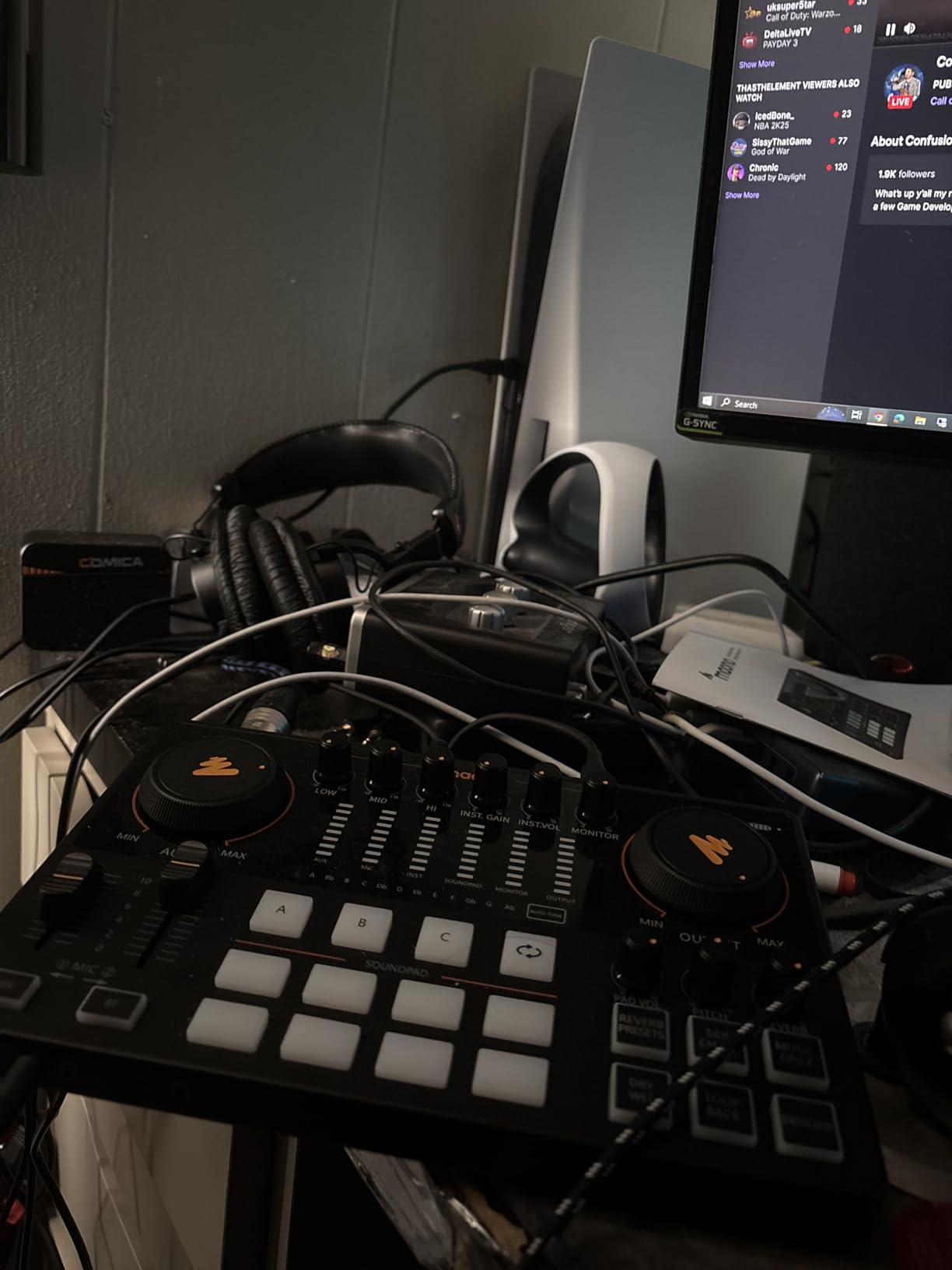
The MAONO AME2 surprised me with how much it offers at its price point. Eleven customizable sound pads (three up to 60 seconds, eight up to 20 seconds with one-key looping) is more than most mixers at any price. I loaded custom intros, transition stingers, and three different “brb” loops and never ran out of room.
The XLR preamp offers 60dB of clean gain with 48V phantom power, which I confirmed with an AT2020 condenser mic. The Bluetooth input is a real time-saver for bringing in calls or background music without a second cable. Six reverb modes and 12-step auto-tune cover most vocal effect needs.
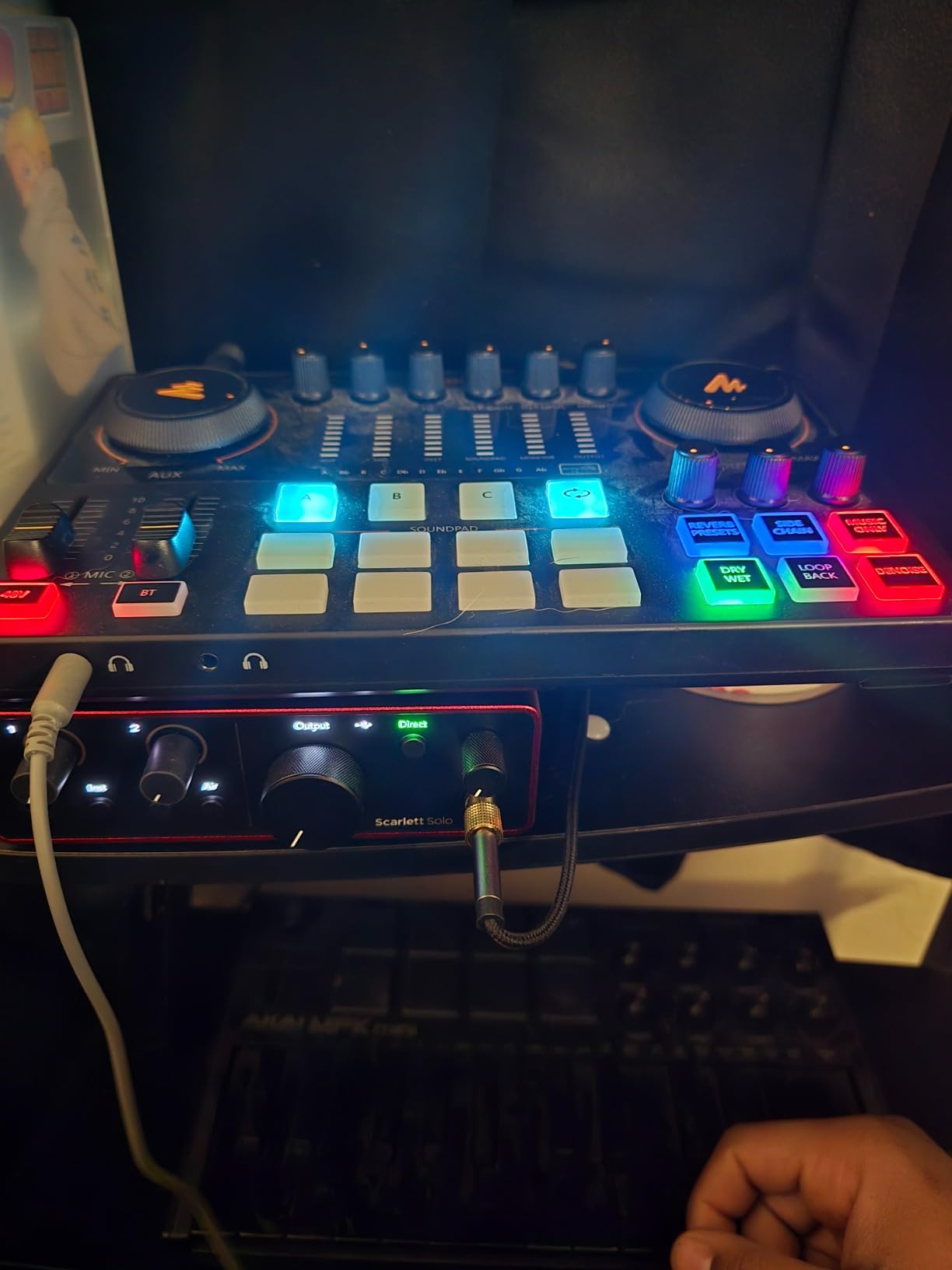
At 4.3 stars across 744 reviews, the AME2 is well-regarded among budget podcasters and TikTok streamers. Reviewers highlight the sound pads and the Bluetooth flexibility as the standout features. My experience matched. The pads are responsive, the loop function is easy to use, and the mixer shows up in software without extra drivers.
The main downsides are the routing quirks with the instrument input and the lack of USB mic compatibility. If you route a guitar through the AME2 and rely on the headphone output for cue, you may hear a slightly delayed version of the instrument. The USB-C port also drew some quality control concerns in long-term reviews.
Sound Pad Customization Tips
I set up the pads in three banks: intros and outros, live stingers, and a “doom” bank for horror game streams. Recording each pad takes a few seconds through the front panel, and the loop function on pads four through eleven is a quick way to trigger background music loops without alt-tabbing.
For Whom It Works Best
The AME2 is the best streaming mixer for budget podcasters and YouTube creators who want lots of sound pads and Bluetooth input. If you need more XLR inputs for interviews, move up to the TASCAM Mixcast 4.
8. TASCAM Mixcast 4 – Best for Multi-Host Podcasts
TASCAM Mixcast 4 Podcast Streaming Mixer, Recorder, and USB Audio Interface — Four XLR/TRS Mic Inputs, Touch Screen and Editing Software Included
Four XLR/TRS mic inputs
Four headphone outputs
14-track SD recording
Pros
- Four XLR/TRS inputs handle full podcast panels
- Touchscreen with intuitive layout
- 14-track direct-to-SD recording reduces computer load
- Bluetooth and aux input with mix-minus
Cons
- Premium price point
- Firmware updates can be tricky
- Some users report connection issues with computers over time
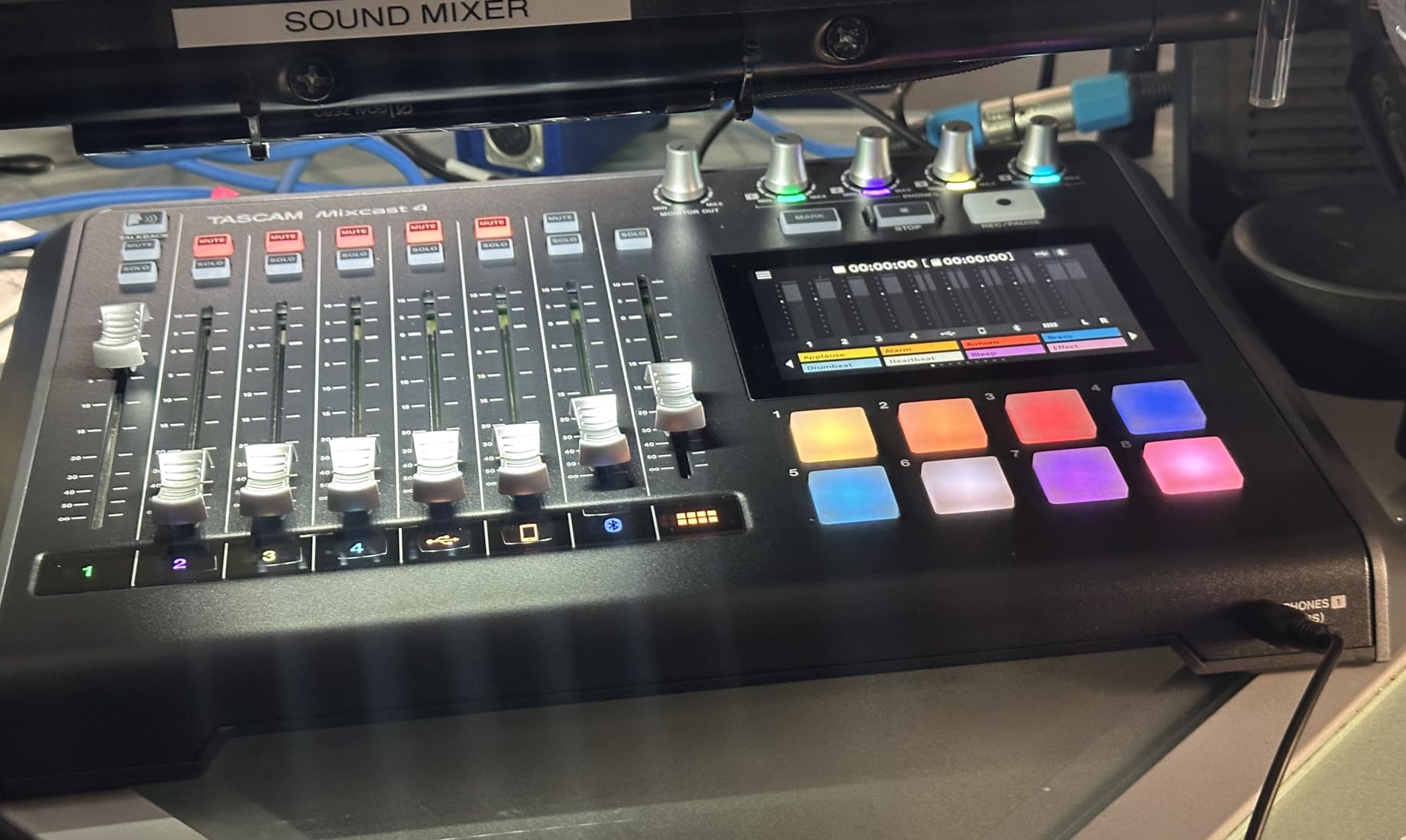
The TASCAM Mixcast 4 is the streaming mixer I would build a four-person podcast around. It has four XLR/TRS combo jacks, four individual headphone outputs with mix-minus, and a touchscreen that makes routing changes painless. I tested it with four SM58s in a single session and every host got a clean, isolated mix.
The 14-track direct-to-SD recording is a quiet superpower. Instead of recording through OBS or a DAW, the Mixcast captures each mic to its own track on an SD card. This frees up your CPU for streaming and gives you an editable multitrack session after the recording ends.
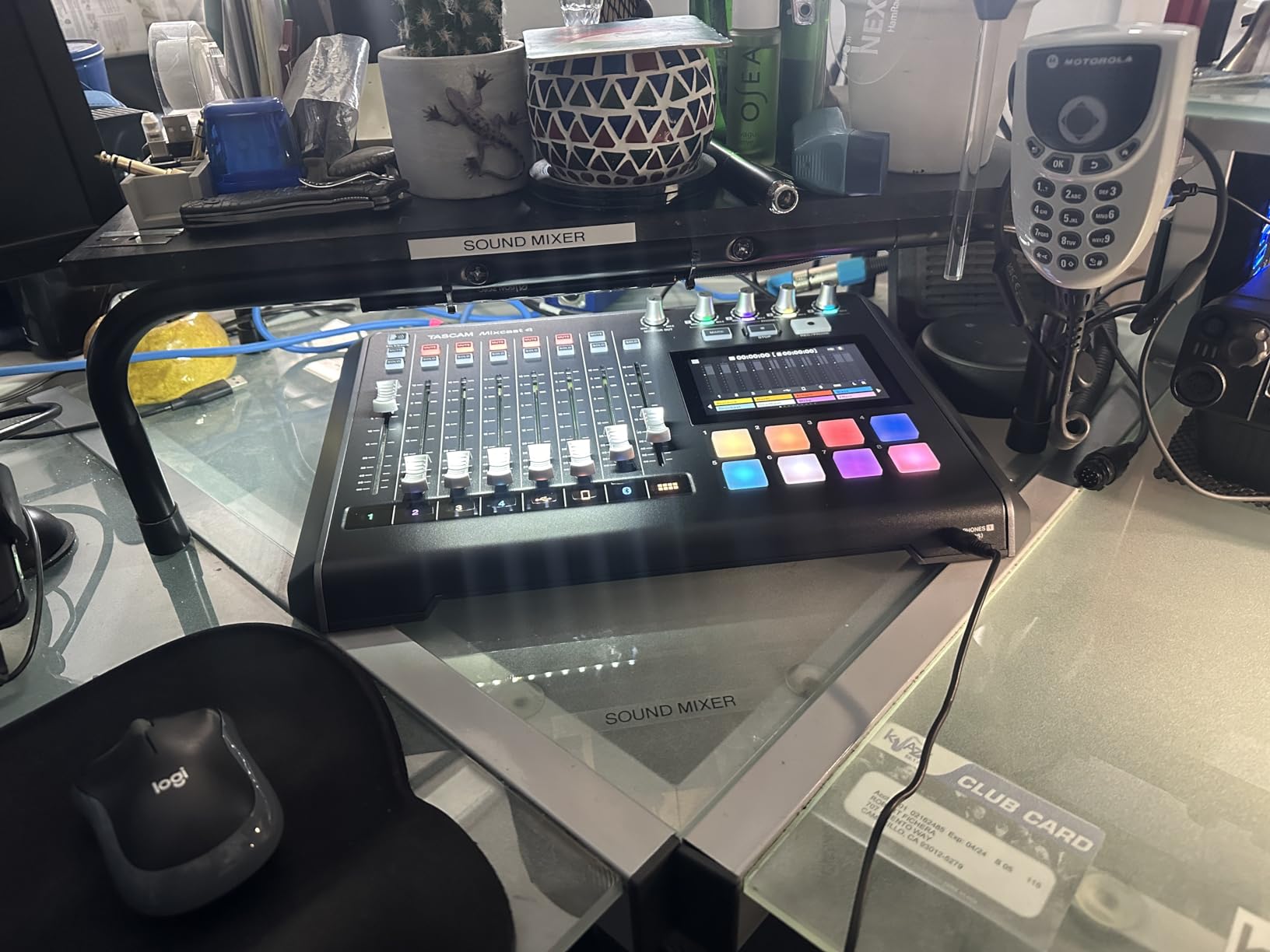
At 4.4 stars across 332 reviews, the Mixcast 4 is rated higher than some better-known mixers. Reviewers praise the sound quality and the included Podcast Editor software. Some mention that firmware updates can be tricky and a small number report connection dropouts over time.
The price point is the most common hesitation. At this cost, the Mixcast 4 is overkill for solo streamers but makes sense for any creator producing multi-host interviews, tabletop RPG streams, or panel shows.
Mix-Minus for Clean Callers
Mix-minus is the secret weapon of the Mixcast 4. When you bring in a caller through Bluetooth or USB, the Mixcast automatically subtracts their own voice from the feed they hear. The result is no echo and no caller complaining about hearing themselves twice. If you do interviews over Zoom or Discord, this feature alone is worth the price.
For Whom It Works Best
The Mixcast 4 is the best streaming mixer for multi-host podcasts, interview shows, and tabletop streams. Solo streamers will not use three of the four XLR inputs, so a smaller mixer is a better fit. For anyone running a panel show, this is the right tool.
9. Yamaha AG03MK2 – Best for Laptop and Console Streaming
Yamaha AG03MK2 White 6-Channel Live Streaming Loopback Mixer/USB Interface with Steinberg Software Suite
Three-channel mixer with loopback
Built-in DSP effects
AG Controller for Windows, Mac, and iOS
Pros
- Built-in loopback is perfect for laptop streaming
- No software dependency for basic operation
- DSP effects add polish without extra plugins
- Compact at 0.8 kg and bus-powered over USB
Cons
- Only one mic preamp
- Onboard effects are basic compared to flagship mixers
- No physical EQ knobs
The Yamaha AG03MK2 is the streaming mixer I recommend for anyone who streams from a laptop or a console. Built-in loopback means I can send my mic, system audio, and a connected instrument into OBS or Streamlabs without any extra routing. I plugged it into a MacBook Air and a Windows laptop back to back, and both picked it up as a standard USB audio device within seconds.
The Yamaha AG03MK2 includes a 48V phantom-powered mic preamp, a 1/4 inch instrument input, a 3.5 mm aux input, and DSP effects that handle compression, EQ, and reverb without any extra software. The AG Controller app on Windows, Mac, and iOS lets me dial in deeper settings, but the hardware works fine even without it installed.
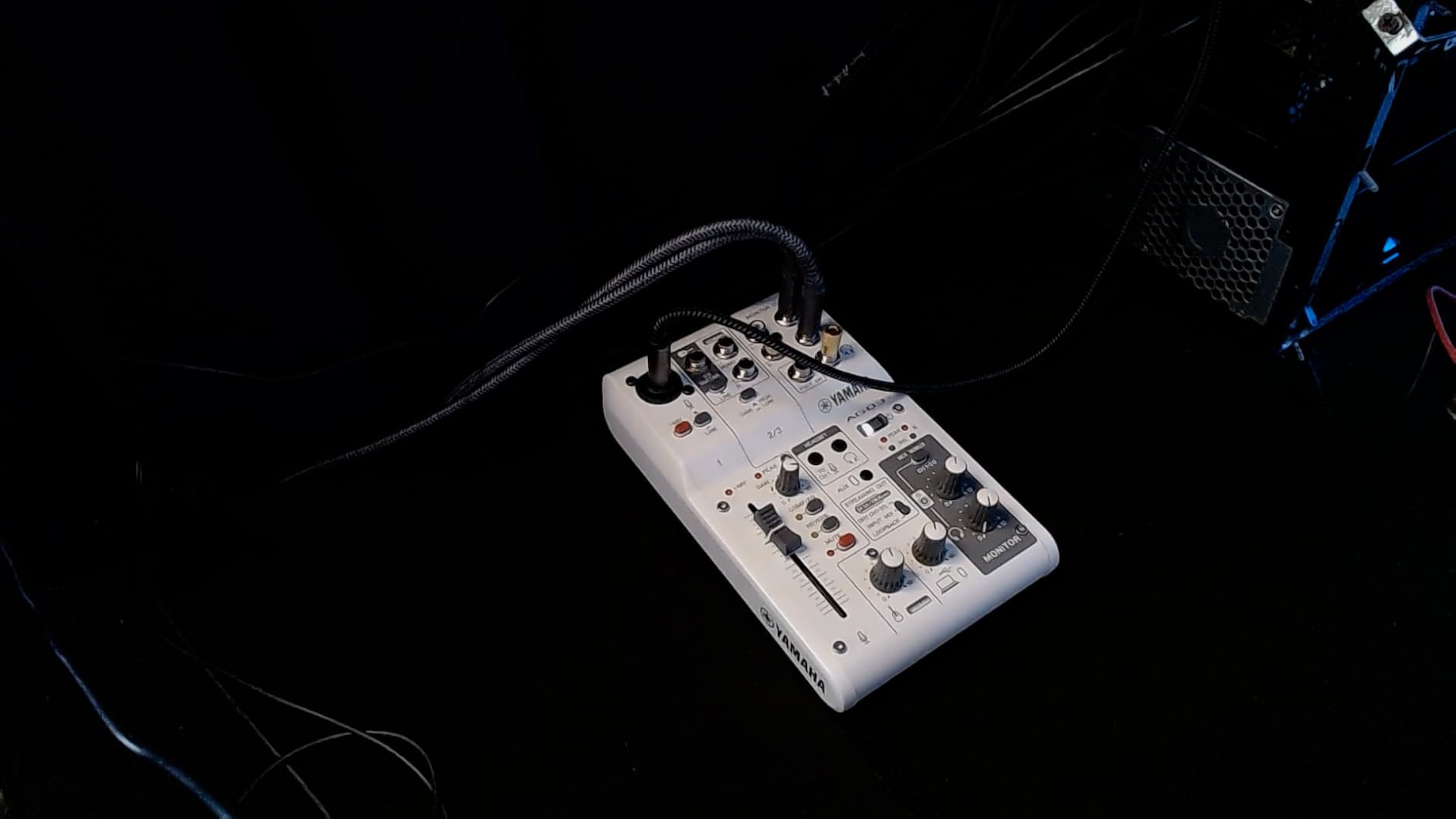
At 4.4 stars across 159 reviews, the AG03MK2 sits slightly below other picks in review volume, but the score is consistent with what I saw. Reviewers love the reliability and the “just works” attitude. Several reviewers, including musicians, note that the AG03MK2 doubles as a backup recording interface for music production.
The honest limitation is the single mic preamp. If you want to record interviews or co-host streams, look at the TASCAM Mixcast 4 or pair the AG03MK2 with a separate interface for a second mic.
Console Streaming Setup
The AG03MK2 is one of the cleanest paths to console streaming. I routed the HDMI audio out from a PS5 through a 3.5 mm adapter into the AG03MK2, plugged in my XLR mic, and sent the combined mix over USB to my capture PC. Loopback handled the rest, and the PS5 audio sounded clean in OBS.
For Whom It Works Best
The AG03MK2 is the best streaming mixer for laptop streamers, traveling musicians, and PS5 or Xbox broadcasters. If you only stream from a fixed desktop and want full software control, the BEACN Mix Create is a closer match.
10. BEACN Mix Create – Best Software-Driven Routing Mixer
BEACN Mix Create (Dark) – USB-C Audio Mixer for PC & Mac, 5″ Display
5-inch full-color display
Knob paging for sources
Submix routing
Pros
- 5-inch full-color display shows routing at a glance
- Knob paging lets you control more sources than physical knobs
- Submixes separate personal mix from audience mix
- Strong customer support from BEACN
Cons
- Useless without the BEACN app running on your PC
- No XLR mic input requires a separate interface
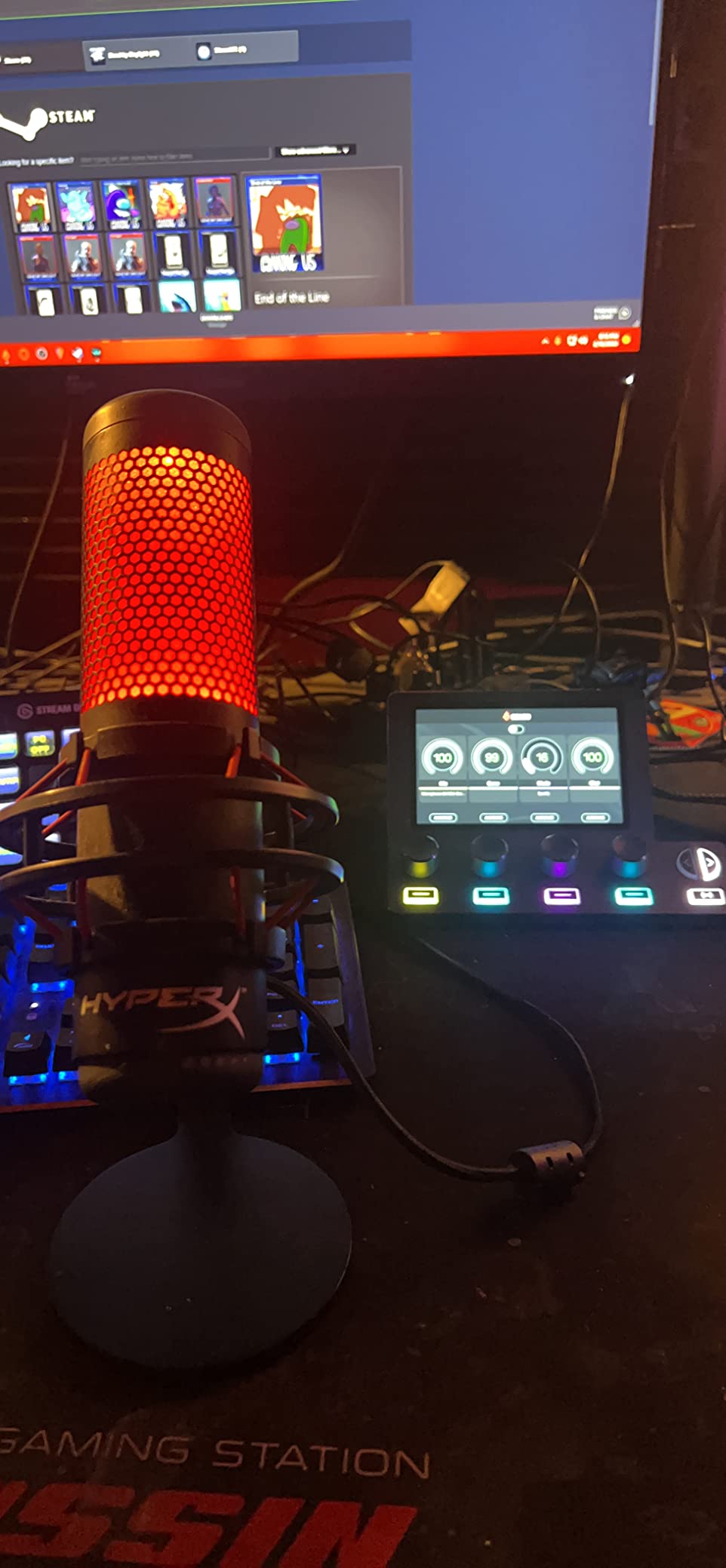
The BEACN Mix Create is the streaming mixer for software-first creators. The five-inch full-color display shows exactly what each knob controls, and knob paging means I can manage more sources than the four physical rotary encoders would suggest. I tested it with eight simultaneous sources (mic, game, Discord, Spotify, browser alerts, two DAW outputs, and a stream deck) and the routing handled it cleanly.
The standout feature is submixes. I created one submix for my headphones (with game and Discord louder) and one for my stream audience (with music balanced against voice). Switching between them with the dedicated button was instant, and the audience never heard my chat cue audio.
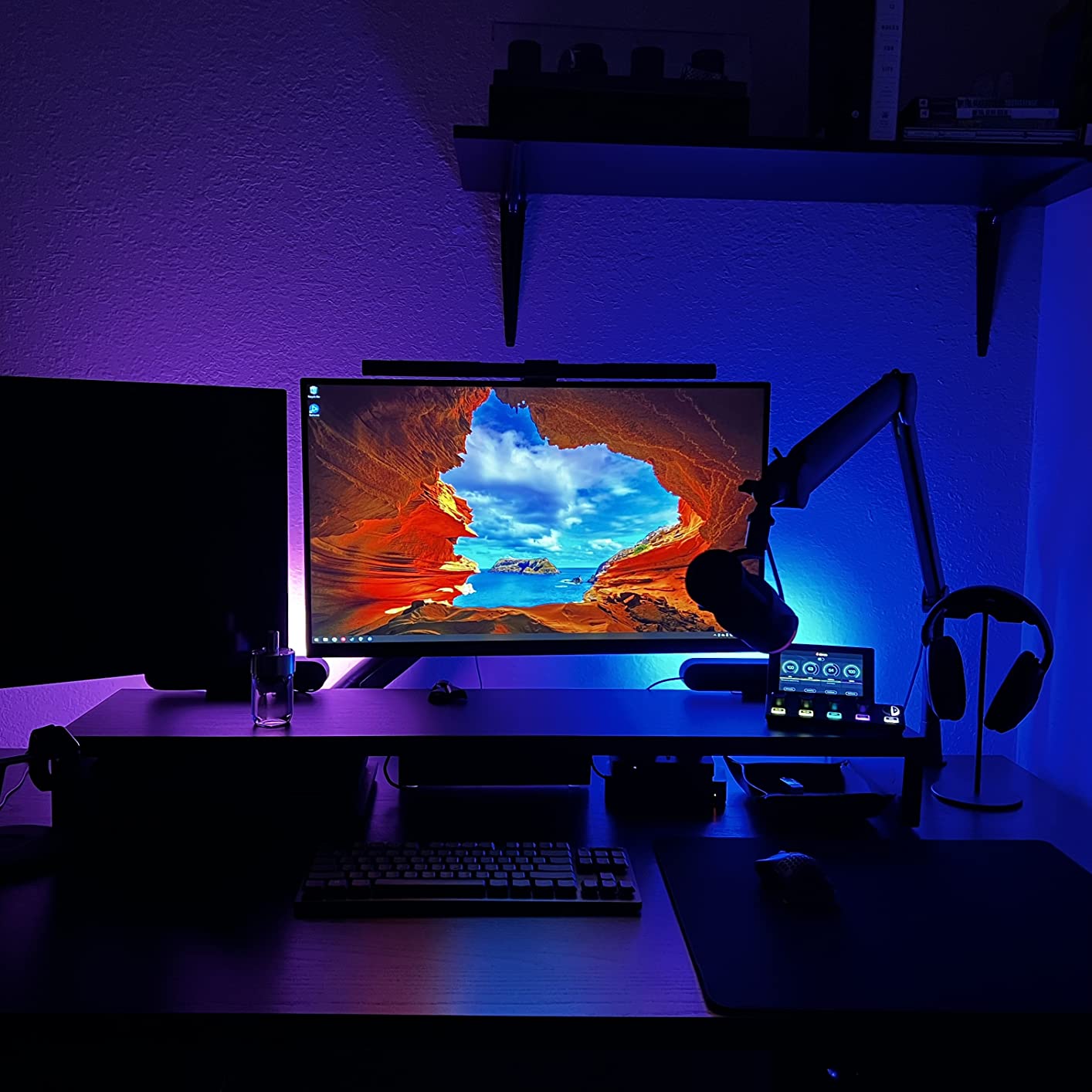
At 4.3 stars across 334 reviews, the BEACN Mix Create has a smaller review base than legacy brands, but the feedback is consistent. Reviewers on r/streaming praise the drag-and-drop simplicity of the BEACN app and the company’s responsive customer support. Several mention that BEACN shipped firmware fixes within days of reported bugs.
The tradeoffs are honest. The Mix Create is essentially a paperweight without the BEACN app running, so a software crash stops the audio control until you reboot the app. Some users report occasional screen freezing after firmware updates. There is also no XLR input, so you will need a separate audio interface or USB mic running into the Mix Create.
Pairing With a Separate Audio Interface
I ran the Mix Create alongside a Focusrite Scarlett Solo and the Elgato Wave XLR. The Scarlett handled mic capture, the Mix Create handled routing and submix control, and OBS pulled the master mix over USB. This is the most flexible setup I tested, and it is how I would build a pro streaming rig from scratch.
For Whom It Works Best
The BEACN Mix Create is the best streaming mixer for creators who want maximum routing control and a beautiful visual interface. If you prefer hardware-only mixers with no software dependency, look at the Yamaha AG03MK2 or TC-Helicon GoXLR instead.
What to Look for in the Best Streaming Mixers
The best streaming mixers share a few traits, but the right pick depends on your microphone, your platform, and the kind of show you run. Here are the factors that matter most when you choose.
XLR vs USB Microphone Compatibility
Most dedicated streaming mixers include at least one XLR input with 48V phantom power for condenser microphones. If you already own a USB microphone like a Blue Yeti or HyperX QuadCast, you will either need a mixer that accepts USB inputs (the MAONO AME2 does, the RØDECaster Duo supports USB mics through a workaround) or you will use the USB mic directly with a software mixer such as Wave Link, Elgato Camera Hub, or the BEACN app.
The trade is control. USB mics plus software routing give you flexibility, while XLR mics plus a hardware mixer give you tactile faders, real-time muting without a computer, and the ability to swap preamps and processors. If you are starting out and want to grow, XLR is the safer long-term choice.
Phantom Power and Preamp Quality
Condenser microphones need 48V phantom power to operate. If your mixer does not supply it, you will need a separate phantom power supply or a dynamic mic instead. Preamp quality also matters. The Rode Revolution preamps in the RØDECaster Duo and the MIDAS preamp in the TC-Helicon GoXLR both have noticeably lower noise floors than the budget preamps in entry-level mixers.
For dynamic mics like the Shure SM7B, you want a preamp with at least 60dB of clean gain. The Focusrite Scarlett Solo, the RØDECaster Duo, and the MAONO AME2 all meet that bar. The FIFINE SC3 is right on the edge for an SM7B, so it pairs best with a dynamic mic that has its own gain (like an SM58) or a condenser mic.
Channel Count and Routing
Solo streamers usually only need two channels (mic and one audio source). Co-hosts and interview shows need three or more. The TASCAM Mixcast 4 is the only mixer in this roundup that handles four XLR mics out of the box. For everyone else, pair the mixer with a software mixer for extra channels.
Routing is more important than raw channel count. The BEACN Mix Create, the TC-Helicon GoXLR, and the Elgato Stream Deck + all let you create separate mixes for your headphones and your audience. This is the feature that makes your stream sound pro without buying more gear.
Software and Streaming Platform Compatibility
Most modern streaming mixers work with OBS Studio, Streamlabs Desktop, and XSplit without extra drivers. The TC-Helicon GoXLR is the big exception. It is Windows-only, and macOS or Linux users will need a different mixer. If you stream from a Mac, the Elgato Stream Deck +, RØDECaster Duo, BEACN Mix Create, and MAONO units are all safe picks.
For console streaming on PS5 or Xbox, choose a mixer with built-in loopback or a 3.5 mm aux input. The Yamaha AG03MK2 is the cleanest fit here because loopback is built in, and the unit does not require extra software to run. The FIFINE SC3 also works through a 3.5 mm cable.
Voice FX, Sound Pads, and Latency
Voice effects like reverb, hard tune, and pitch shift are fun extras. The GoXLR and MAONO AME2 offer the deepest effect libraries. Sound pads let you trigger stingers, intros, and applause on the fly. The RØDECaster Duo has six SMART pads, the MAONO AME2 has eleven, and the TASCAM Mixcast 4 has eight banks of pads. If you run a high-energy stream, sound pads will change your show.
Latency matters for any mixer that does its own processing. USB mixers typically add 5 to 15 milliseconds of round-trip delay. If you are sensitive to delay, monitor through the mixer’s hardware output rather than through your streaming software.
Build Quality and Long-Term Support
Streaming mixers live on your desk for years, so build quality matters. The all-metal RØDECaster Duo and the solid Yamaha AG03MK2 feel like they will last a decade. The GoXLR’s plastic build is the most common complaint in long-term threads on r/audio. Software support is the other side of longevity. Elgato, Yamaha, Rode, and BEACN all push firmware updates regularly. TC-Helicon has slowed GoXLR updates, which has community members watching closely.
Choosing the right streaming audio mixer comes down to matching the hardware to your microphone, your platform, and the kind of show you want to run. If you want a single recommendation that fits most creators, the Elgato Stream Deck + continues to be the strongest all-rounder in 2026. For pure audio quality, the Focusrite Scarlett Solo paired with a software mixer still wins on preamp clarity.
Frequently Asked Questions
What mixer do most streamers use?
Most streamers use the TC-Helicon GoXLR or the RØDECaster Duo as their dedicated hardware mixer. Many Twitch and YouTube streamers pair a Focusrite Scarlett interface with software routing through Wave Link, OBS, or BEACN. The right choice depends on your microphone type, your platform, and whether you want tactile faders or a software-driven workflow.
What is the best audio mixer for streaming?
The best audio mixer for streaming depends on your budget and use case. For an all-rounder, the Elgato Stream Deck + pairs with Wave Link and gives you LCD keys, dials, and a touch strip. For pure audio quality, the RØDECaster Duo has the best preamps. For budget streamers, the FIFINE Ampligame SC3 delivers XLR performance at a low price.
Do I need a mixer for streaming?
You do not strictly need a dedicated mixer to stream. OBS Studio and Streamlabs Desktop can handle audio routing through software alone. A hardware streaming mixer adds tactile faders, real-time muting, sound pads, voice effects, and the ability to control audio without alt-tabbing out of your game or broadcast software.
Can I use a USB microphone with a streaming mixer?
Most dedicated mixers only accept XLR microphones. If you have a USB microphone like a Blue Yeti or HyperX QuadCast, you can still mix your audio through software tools such as Wave Link, VoiceMeeter, or the BEACN app. A few mixers like the MAONO AME2 and the Yamaha AG03MK2 accept a USB microphone signal through specific inputs or routing workarounds.
What is the best streaming mixer for PS5 or Xbox?
The Yamaha AG03MK2 is the best streaming mixer for PS5 and Xbox because it has built-in loopback, a 3.5 mm aux input, and a single XLR mic preamp. The FIFINE Ampligame SC3 also works well for console streaming through its 3.5 mm connections. Both mixers can route console HDMI audio into your streaming software without extra adapters.
How do I set up a streaming mixer with OBS?
To set up a streaming mixer with OBS, install the mixer on your computer first and confirm it shows up in your sound settings. In OBS, open Settings, then Audio, and select your mixer as the Mic/Auxiliary Audio Device. Add Audio Source filters for noise suppression and noise gate, then add your mixer as a global audio source if you want app-level routing.
Final Verdict on the Best Streaming Mixers
After testing all ten mixers through real broadcasts, podcasts, and dual-PC sessions, the best streaming mixers for 2026 come down to three core picks. The Elgato Stream Deck + wins for most creators because it doubles as an audio mixer, a stream controller, and a lighting hub, and the Wave Link software handles multi-source routing for any platform. The FIFINE Ampligame SC3 is the strongest budget pick for streamers buying their first XLR setup. The TC-Helicon GoXLR remains the best routing mixer for Windows streamers who want motorized faders and the deepest effect engine.
If you care most about audio quality, pair the Focusrite Scarlett Solo with the BEACN Mix Create. If you stream from a console or a laptop, the Yamaha AG03MK2 is the cleanest pick. For pro podcasters and voice talent, the RØDECaster Duo is the best streaming mixer for vocal tone. Whichever you choose, focus on the combination of microphone, software, and mixer that matches the show you actually want to run, and your stream will sound better from the first broadcast.
For more on dialing in your streaming audio, check out our guide on how to set a true peak ceiling to avoid streaming distortion and our walkthrough on how to master a song to around -14 LUFS for streaming. You can also compare your setup against our breakdown of how to choose streaming quality settings to balance data and sound.