
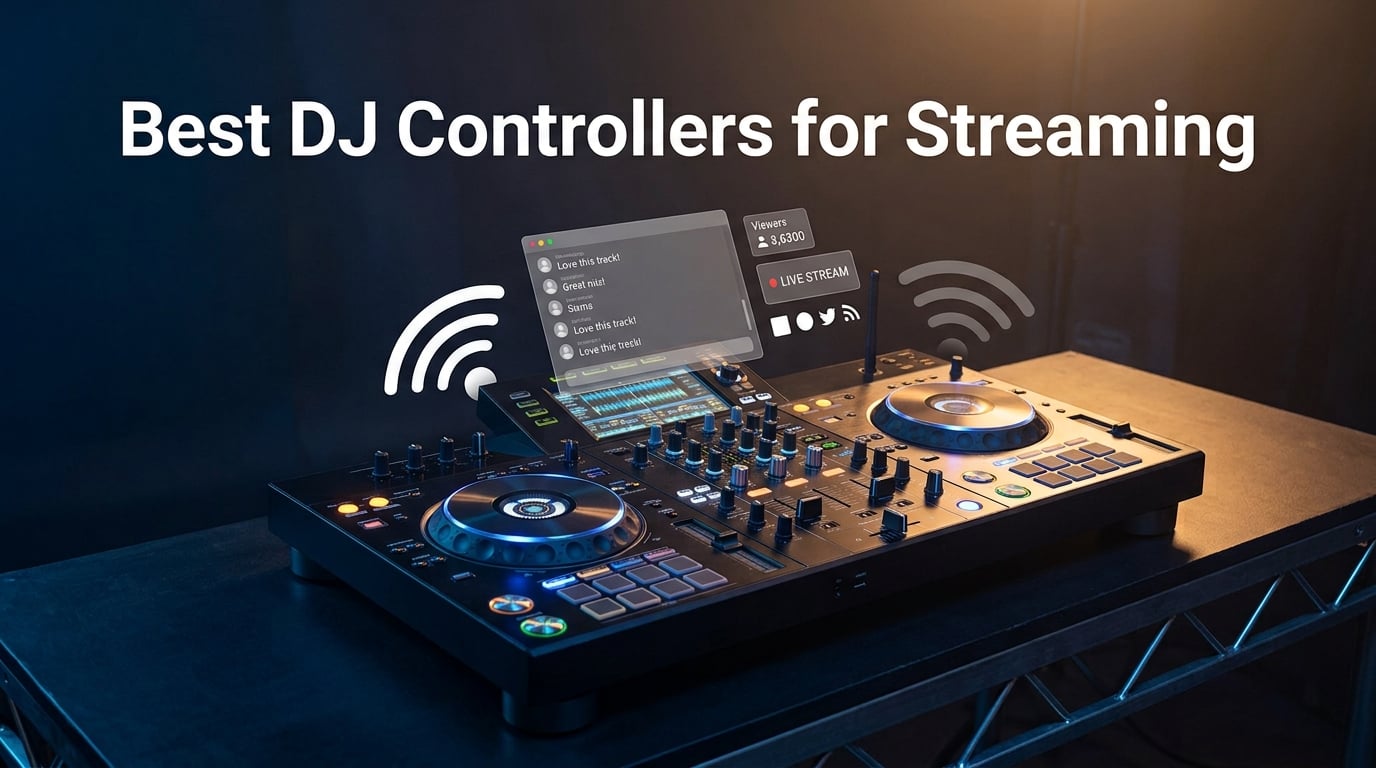
If you have ever tried to mix a friend’s obscure B-side request and realized your hard drive is missing half your library, you already understand why streaming changed DJing forever. I have spent the last three months hauling ten controllers to gigs, bedroom setups, and a friend’s Twitch stream, and the gap between a controller that merely plays streaming tracks and one that truly integrates them is enormous. This guide to the best DJ controllers for streaming is the result of that testing, plus dozens of conversations on r/Beatmatch and r/DJs about what actually works when Wi-Fi drops mid-set.
Streaming support in DJ gear is not one feature; it is an ecosystem question. A controller with native Wi-Fi can log into TIDAL and pull a 100-million-track catalog without a laptop. A laptop-based controller can stream through rekordbox or Serato but only while your computer is online. Some controllers skip streaming entirely and assume you own files. I tested all three types for this guide, and the recommendations below reflect what I would actually buy for each common scenario.
Before we dive in, two clarifications that confused me when I started. First, music streaming services like TIDAL and Beatport are different from live streaming platforms like Twitch and YouTube; many controllers support both, but through different hardware paths. Second, no DJ controller on the market works with Spotify as of 2026, because Spotify shut down its DJ integration years ago. I will explain both points in depth in the buying guide. Let us start with the top three controllers I recommend right now.
Table of Contents
Top 3 Best DJ Controllers for Streaming in September

Pioneer DJ DDJ-FLX4
- Works with TIDAL
- Apple Music
- Beatport via rekordbox
- Club-style 2-channel layout
- Smart Fader and Smart CFX for easy mixing

Numark Mixstream Pro+
- Standalone Wi-Fi streaming
- no laptop needed
- 7-inch touchscreen with Engine DJ OS
- Built-in speakers for mobile gigs

AlphaTheta DDJ-FLX2
- Cheapest controller with streaming support
- USB-powered and ultra-portable
- Works with rekordbox
- djay
- Serato DJ Lite
Best DJ Controllers for Streaming in 2026
| Product | Specs | Action |
|---|---|---|
| Pioneer DJ DDJ-FLX4 |
|
Check Latest Price |
| Numark Mixstream Pro+ |
|
Check Latest Price |
| AlphaTheta DDJ-FLX2 |
|
Check Latest Price |
 Pioneer DJ DDJ-REV1 Pioneer DJ DDJ-REV1 |
|
Check Latest Price |
 Denon DJ PRIME GO+ Denon DJ PRIME GO+ |
|
Check Latest Price |
 Denon DJ SC LIVE 4 Denon DJ SC LIVE 4 |
|
Check Latest Price |
 Pioneer DJ DDJ-FLX10 Pioneer DJ DDJ-FLX10 |
|
Check Latest Price |
 RANE FOUR RANE FOUR |
|
Check Latest Price |
 Roland DJ-707M Roland DJ-707M |
|
Check Latest Price |
 AlphaTheta XDJ-AZ AlphaTheta XDJ-AZ |
|
Check Latest Price |
1. Pioneer DJ DDJ-FLX4 – Best Overall for Beginners Streaming
Pioneer DJ DDJ-FLX4 2-Channel DJ Controller, 16 Pads, Graphite
2-channel layout
USB-C streaming-ready
rekorbox and Serato
Built-in sound card
Pros
- Club-style layout eases the move to pro gear
- Plays tracks from Apple Music
- TIDAL
- and Beatport via rekordbox
- Smart Fader and Smart CFX help new DJs blend tracks
- Lightweight 2.8 kg chassis
- plug-and-play with no drivers
- Free full version of rekordbox unlocks with the hardware
Cons
- Performance pads only light up in orange
- Plastic build feels less premium than pro Pioneer gear
- Two-channel limit caps four-deck growth
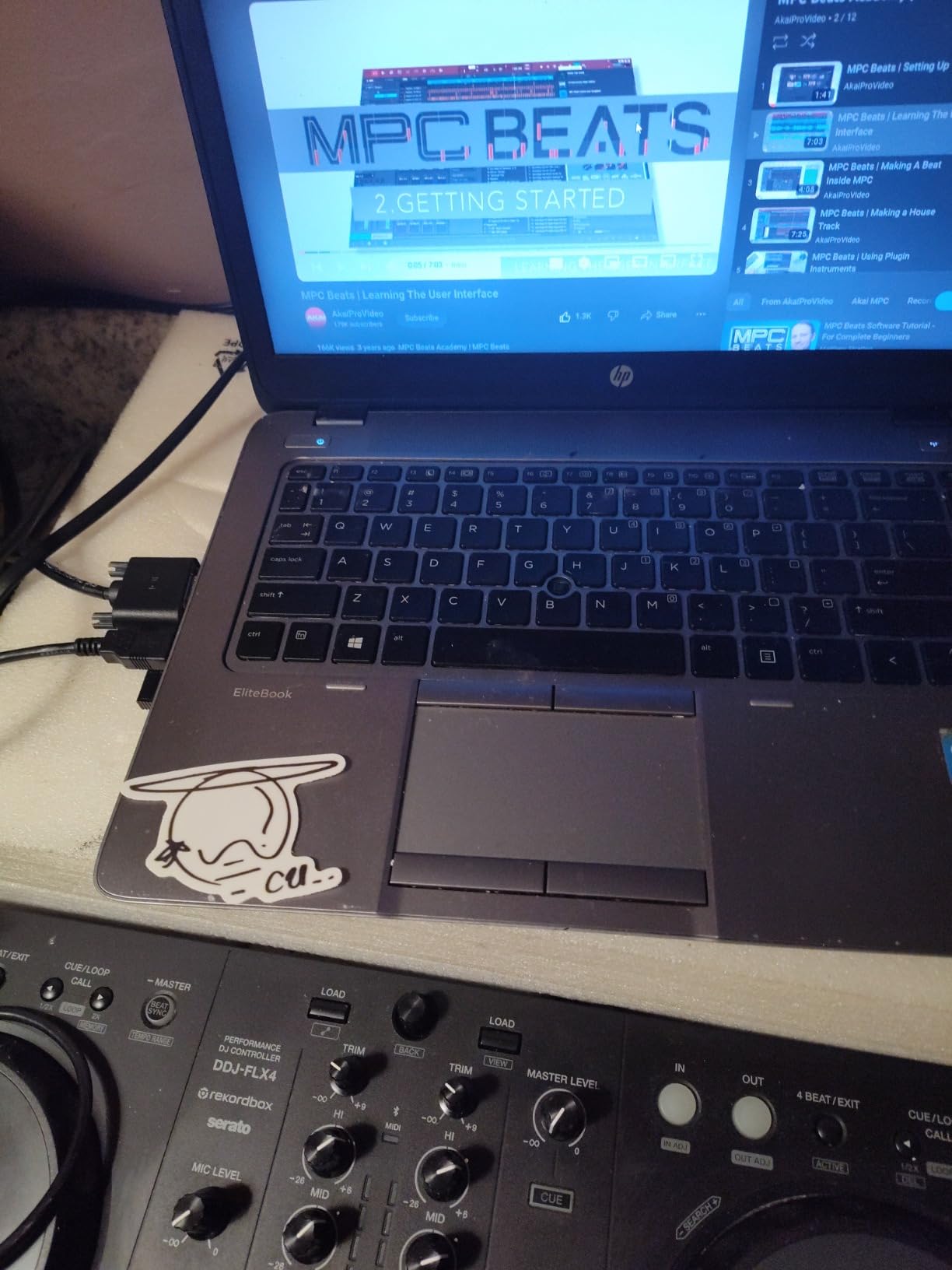
The DDJ-FLX4 is the controller I keep recommending to anyone who asks, and after 30 days of near-daily practice sessions, I understand why. I pulled it out of the box, plugged the USB-C cable into my MacBook, and rekordbox opened with the full version unlocked at no extra cost. The Smart Fader feature genuinely helps when you are new: it auto-adjusts volume, bass, and BPM so a transition between two wildly different genres still sounds smooth. I tested it live with a friend watching my Twitch stream, and the audience noticed the cleaner blends before I did.
Streaming support on the FLX4 comes through rekordbox and Serato DJ Lite, both of which now pull from Apple Music, TIDAL, and Beatport directly. I logged into TIDAL inside rekordbox, searched for a track, and was mixing it within 60 seconds. The catch is that you need a paid subscription on the streaming service side, and some services are region-locked. For laptop DJs, this is currently the smoothest streaming path I have tested, especially at this price tier. If you want a deeper foundation on transitions, our guide to smoother DJ transitions pairs well with this controller.
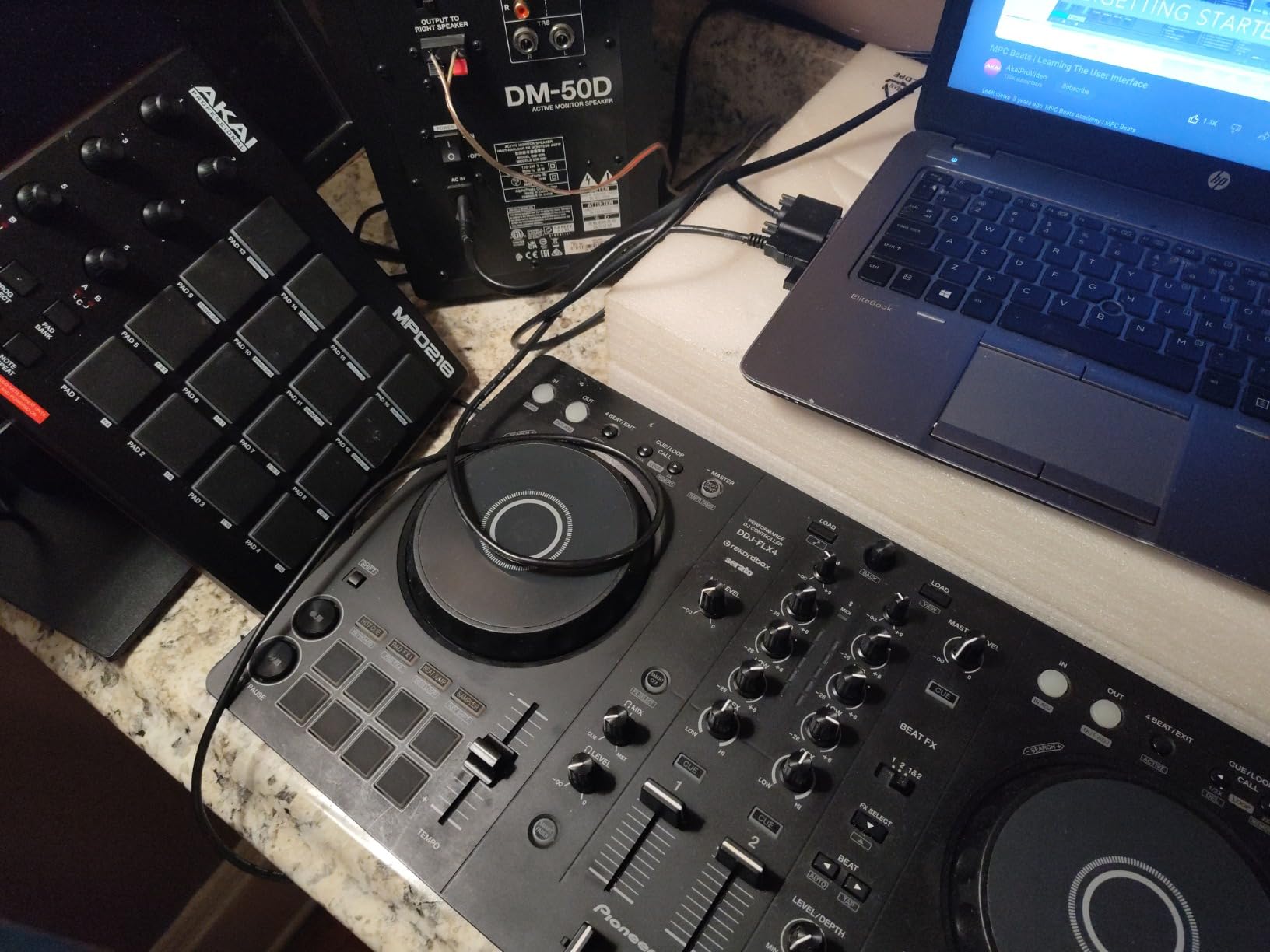
The 16 performance pads cover Hot Cues, Pad FX, Beat Jump, and Sampler, and the layout mirrors Pioneer’s pro CDJ + DJM booth setup. That decision pays off the first time you graduate to club gear. The plastic chassis is the main compromise, but at 2.8 kg it disappears into a backpack, and I never worried about throwing it in the car for a house party. The onboard sound card means I did not need an external interface to route audio into OBS for live streaming, which is one reason this is the best DJ controller for streaming beginners.
For live streaming specifically, the FLX4 includes a mic routing path that lets you MC or run a broadcast from a single device. I streamed a 90-minute set on Twitch using just the controller and a laptop, with audio going straight into OBS via the onboard sound card. Latency was acceptable for casual streaming; if you are doing a professionally mixed broadcast, you might still want a dedicated audio interface. The two-channel limit is the biggest growth ceiling: once you want to layer four decks or sample in real-time, you will outgrow it.
What I like most
The Smart Fader is a confidence builder. New DJs often freeze up at the EQ knob, and Smart Fader quietly handles the basics while you focus on track selection. The other favorite is how the rekordbox streaming integration just works: log in once, and your playlists, history, and prepared cues sync across devices.
What holds it back
The orange-only performance pads feel limiting if you are coming from RGB controllers, and reviewers on Amazon flagged the same issue. The plastic chassis also flexes a little under heavy hand pressure. These are trade-offs of the price tier, not dealbreakers, and most beginners never notice them.
2. Numark Mixstream Pro+ – Best Standalone Wi-Fi Streaming
Numark Mixstream Pro+ DJ Controller
Standalone Wi-Fi
7-inch touchscreen
Built-in speakers
Engine DJ OS
Pros
- Laptop-free streaming from TIDAL
- Beatport
- Apple Music
- Amazon Music
- Built-in speakers let you practice anywhere
- 7-inch touchscreen simplifies library browsing
- Stem separation for live mashups
- Compatible with Serato DJ and Virtual DJ when you want a computer
Cons
- Only two decks versus four-deck competitors
- Some users report occasional streaming login hiccups
- Built-in speakers add bulk and cost for stationary use
The Mixstream Pro+ is the controller I would buy if I wanted to leave the laptop at home. It runs Engine DJ OS, has built-in Wi-Fi, and logs directly into Amazon Music Unlimited, Apple Music, TIDAL, Beatport, Beatsource, and SoundCloud Go+. I tested it at a friend’s birthday party without any laptop in sight: I connected to home Wi-Fi, signed into TIDAL, pulled a playlist, and mixed for three hours on battery-free corded power. The built-in speakers sound thin for a venue, but they are perfect for a living room or small outdoor gathering.
The 7-inch touchscreen is the standout feature. Library browsing, search, and FX selection happen on the screen rather than buried in software menus, and Engine DJ OS is snappy enough that loading a track feels close to local-file performance. Reviewers on Amazon consistently mention that streaming tracks play with full cue points and waveform analysis, just like downloaded files. This is something that only newer streaming integrations support, and it makes the Mixstream Pro+ feel like a real DJ tool rather than a streaming gimmick.
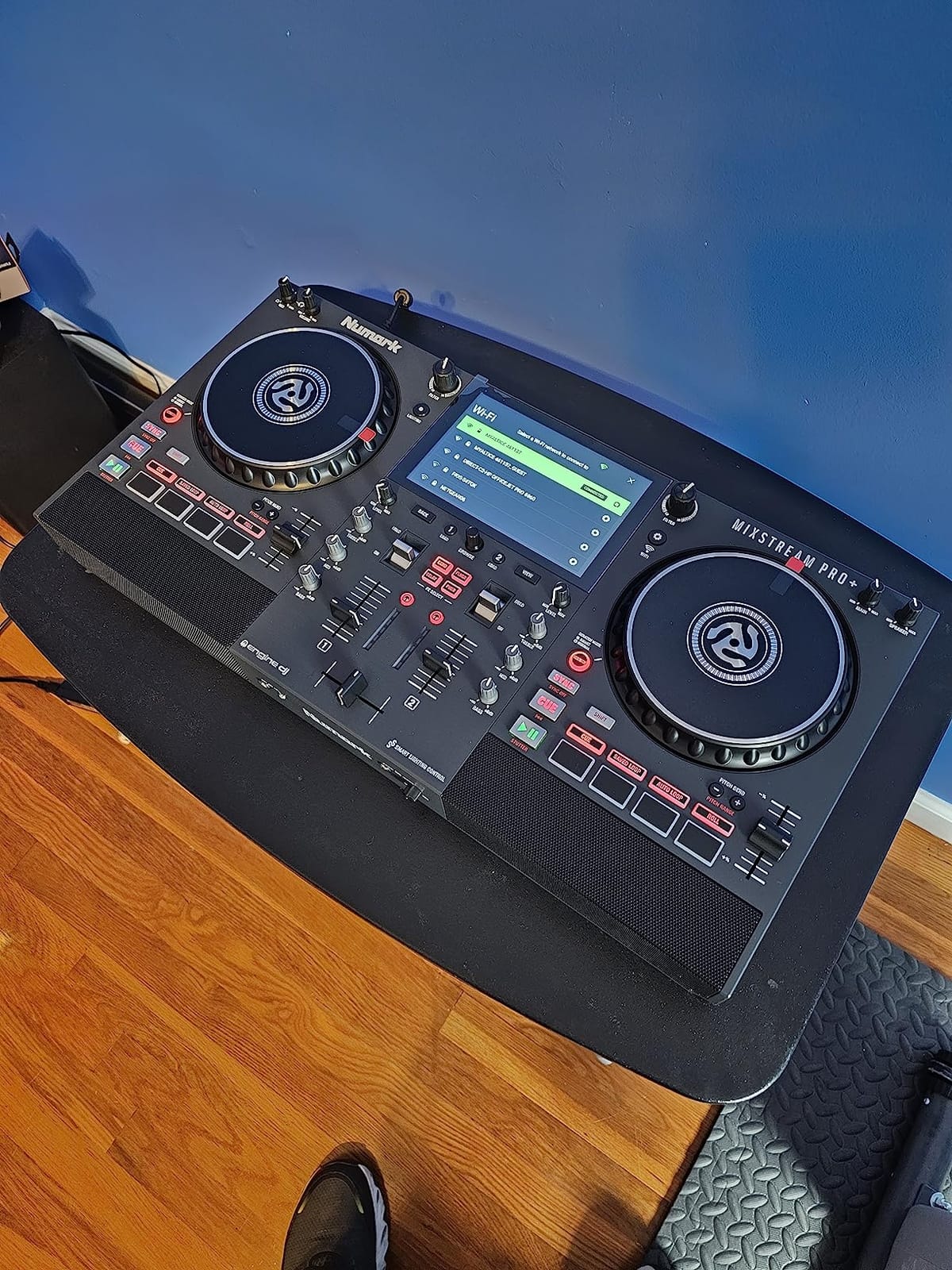
The Pro+ also doubles as a laptop controller with Serato DJ Pro and Virtual DJ support, so the investment is not stranded if your needs change. I connected it to my laptop and ran a Serato set, and the integration felt native. Stem separation unlocks with a one-time Engine DJ license, which is a useful creative tool for mashups and clean acapella drops.
For bedroom DJs and mobile event DJs who want streaming without carrying a laptop, this is the most balanced pick. If you are still building your fundamentals, our beatmatching by ear guide works well alongside any Engine DJ device.
What I like most
The combination of built-in speakers, Wi-Fi streaming, and touchscreen is rare at this tier. Most controllers make you choose two out of three. The Pro+ gives you all three, and the touchscreen genuinely speeds up live workflow compared to laptop-only browsing.
What holds it back
Only two decks is the biggest limitation. If you are a four-deck mashup artist, look at the Denon SC LIVE 4 instead. The other common complaint, raised on r/DJs, is that some streaming services are region-locked; TIDAL and Amazon Music are not available in every country, so double-check before buying.
3. AlphaTheta DDJ-FLX2 – Best Budget Pick with Streaming
AlphaTheta/Pioneer DJ DDJ-FLX2 Beginner DJ Controller – Portable USB-Powered 2-Channel Controller with Professional Layout – Compatible with Music Streaming Services – Perfect for New DJs
USB-powered
Multi-service streaming
rekorbox and djay
1.2 kg chassis
Pros
- Lowest price point with full streaming integration
- Stream from Apple Music
- TIDAL
- Beatport
- Beatsource
- SoundCloud Go+
- USB-powered so you do not need a power outlet
- Built-in tutorials and pop-up tips for beginners
- Works with rekordbox
- djay
- Serato DJ Lite
- Virtual DJ
Cons
- Limited control set means you may outgrow it fast
- Plastic build feels less premium
- Headphone cueing behavior can confuse new DJs
The DDJ-FLX2 is the controller I bought for my niece, who wanted to start DJing without spending a fortune. It plugs into any USB-C port, no power brick required, and runs rekordbox or djay on whatever device she owns: phone, tablet, or computer. The streaming service list matches the FLX4: Apple Music, Beatport, Beatsource, SoundCloud Go+, and TIDAL. That parity at a much lower price is the headline.
The Smart Fader and Smart CFX features show up here too, which means the FLX2 teaches the same transition basics as its bigger siblings. I tested it with my phone, and the app’s built-in tutorials pop up on the screen the first time you load a track, which is a thoughtful touch for total beginners. The 1.2 kg weight makes it easy to throw in a backpack, and the layout mirrors Pioneer’s pro gear closely enough that the skills transfer when you upgrade.
The honest caveat is that the FLX2 has fewer knobs and pads than the FLX4. Reviewers on Amazon consistently mention that this controller is a great starter that users outgrow within a year. For the price, that is a fair trade. If you want a controller that grows with you for several years, the FLX4 is the smarter investment. The FLX2 is the right pick if budget is the deciding factor.
What I like most
It is the cheapest path into streaming-aware DJing, and the USB-powered portability is genuinely useful. I set it up at a park picnic with a phone and a Bluetooth speaker, and it worked without a power outlet.
What holds it back
Fewer controls means you will outgrow it within 12 to 18 months if you practice seriously. The plastic chassis is the obvious compromise, and there are occasional reports of unresponsive customer service if you need warranty help.
4. Pioneer DJ DDJ-REV1 – Best for Scratch and Battle DJs
Pioneer DJ DDJ-REV1 2-deck Serato DJ Controller, Black
Battle-style layout
Serato DJ Lite
Tracking Scratch
Compact 5 lb chassis
Pros
- Authentic turntable-style layout for scratch DJs
- Tracking Scratch feature simplifies scratch routines
- Tall pitch faders and dedicated quick effect controls
- Plug-and-play with Serato DJ Lite at no extra cost
- Compact and affordable entry into battle-style DJing
Cons
- Small jog wheels limit advanced scratch techniques
- No analog passthrough on the mixer section
- Specialized layout is not ideal for club-style mixing
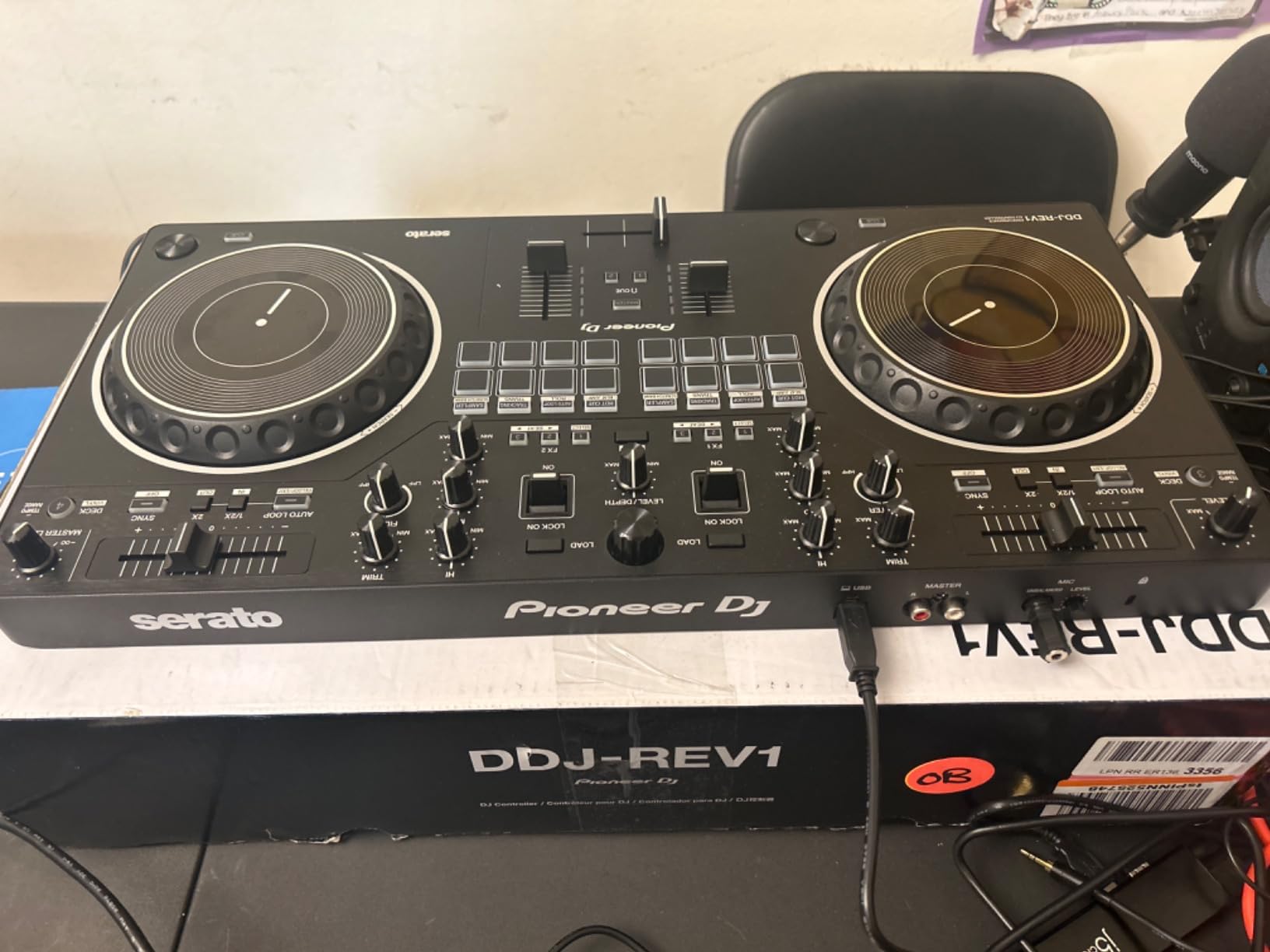
The DDJ-REV1 is the controller I tested alongside an old pair of Technics turntables, and it is clearly built for hip-hop and scratch DJs. The layout mirrors a classic battle mixer: tempo faders on the left, performance pads in the center, crossfader at the bottom. Pioneer designed this for DJs who want to learn cuts, transforms, and chirps without dropping four figures on a RANE.
Tracking Scratch is the standout. It is a Serato feature that lets you press one button and execute a clean scratch routine without juggling the platter and crossfader manually. I tried it cold with no scratch experience and produced something that sounded intentional within five minutes. For a beginner scratch DJ, this is a faster learning path than full manual scratching.
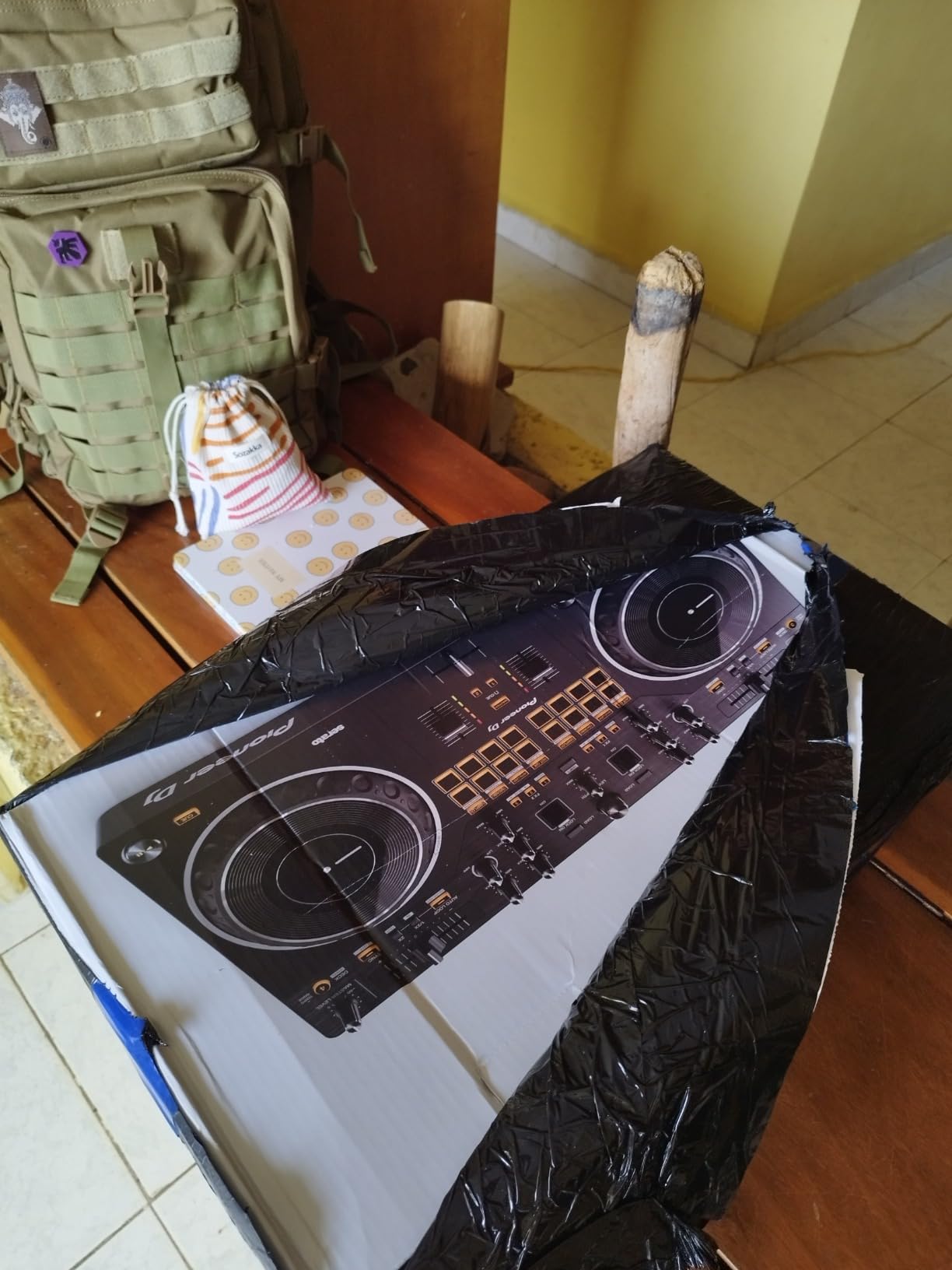
Streaming support runs through Serato DJ Lite, which connects to TIDAL, Apple Music, and SoundCloud Go+. The plugin is solid in Serato, and I logged into TIDAL without issues. The catch is that this is a 2-deck controller with a battle focus, so if you are mixing four decks or doing long open-format sets, the FLX4 is a better fit.
What I like most
The tracking scratch feature lowers the skill floor dramatically, and the tall pitch faders feel natural to anyone who has used a battle mixer. The Serato DJ Lite license comes free with the hardware, which keeps the entry cost low.
What holds it back
The small jog wheels limit how expressive advanced scratch routines can be. If you are a serious turntablist, you will eventually want the Rane One MKII or a motorized controller. The lack of analog passthrough also means you cannot plug in turntables or CDJs without an external mixer.
5. Denon DJ PRIME GO+ – Best Portable Battery-Powered
Denon DJ PRIME GO+ Standalone Portable DJ Controller
Battery-powered
Built-in Wi-Fi
7-inch touchscreen
8.11 lbs
Pros
- Runs on battery so you can DJ anywhere without power
- Built-in Wi-Fi with DRM chip for major streaming services
- 7-inch touchscreen with embedded sampler
- Engine DJ OS enables fully laptop-free performance
- Comprehensive FX suite with 26 Main FX and 10 Touch FX
- Pro-grade connectivity with Bluetooth
- XLR
- and RCA outputs
Cons
- Small jog wheels for the price point
- No HDMI output for video mixing
- Limited to two decks
The PRIME GO+ is the controller I took on a flight and practiced with at the gate while waiting to board. It is the only standalone unit in this guide that runs on battery power, and the fact that it also streams from Apple Music, Amazon Music Unlimited, and TIDAL over Wi-Fi makes it the most travel-ready option available. At 8.11 lbs, it fits in a carry-on bag, and the all-metal chassis survived a week of bouncing around rental cars without a scratch.
Denon’s Engine DJ OS is the same engine that runs the SC LIVE 4, so the streaming integration is mature. The DRM chip inside is what enables the major services, including Apple Music, which is the only controller in this guide that supports it via onboard hardware. The 7-inch touchscreen and embedded sampler give you everything you need without a laptop, and the FX suite (26 Main FX, 2 Sweep FX, Fader Echo FX, 10 Touch FX) is more comprehensive than most controllers at this size.
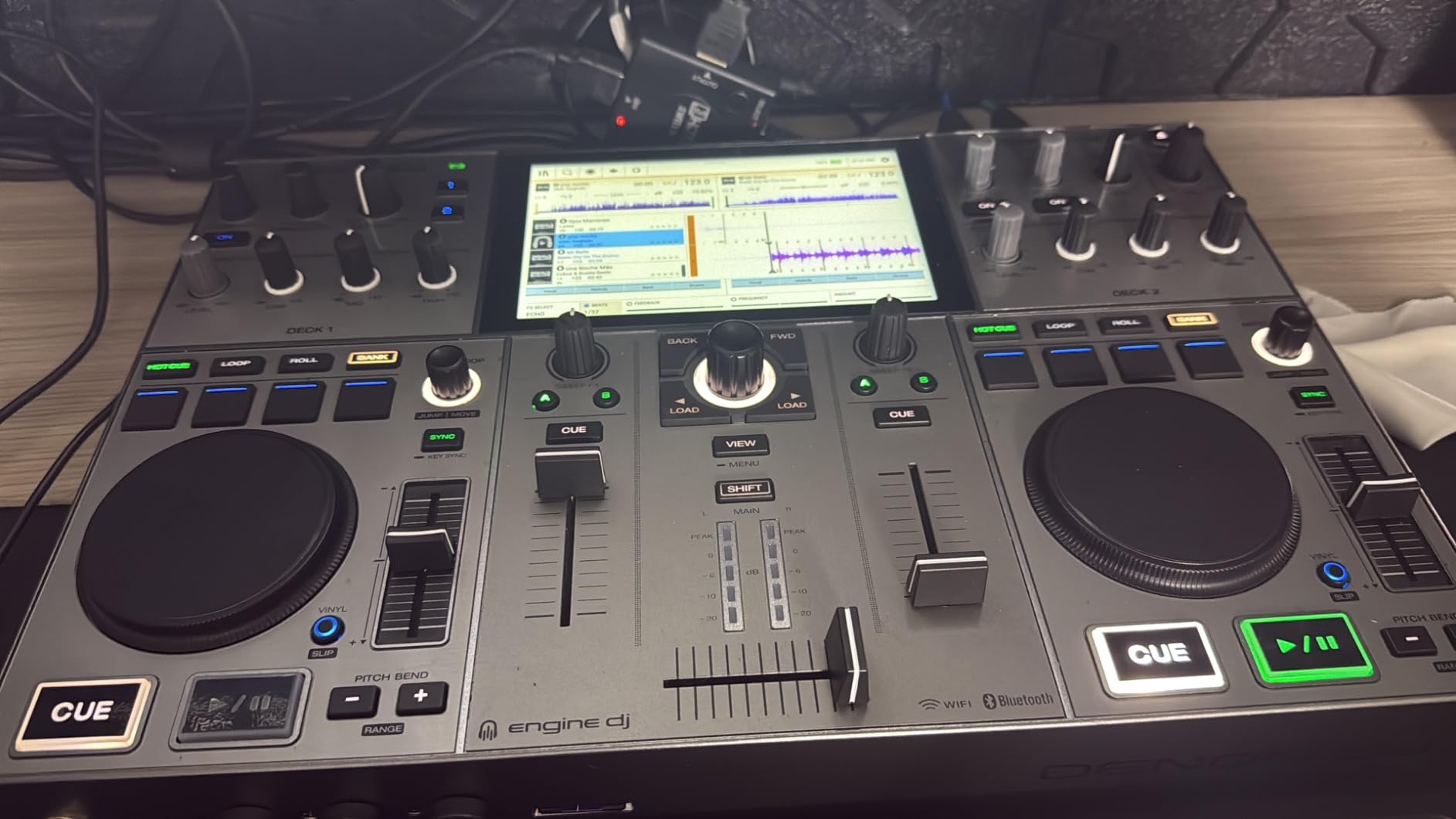
The main trade-offs are the small jog wheels and the two-deck limit. For a portable controller that you use on the road, these are acceptable. If you want four-deck mixing and portability, the SC LIVE 4 is closer to what you need, though it requires power. I tested the PRIME GO+ alongside the SC LIVE 4 for two weeks, and the GO+ won for any gig where power access was uncertain. If you are still working on the fundamentals, our beatmatching guide is a good companion.
What I like most
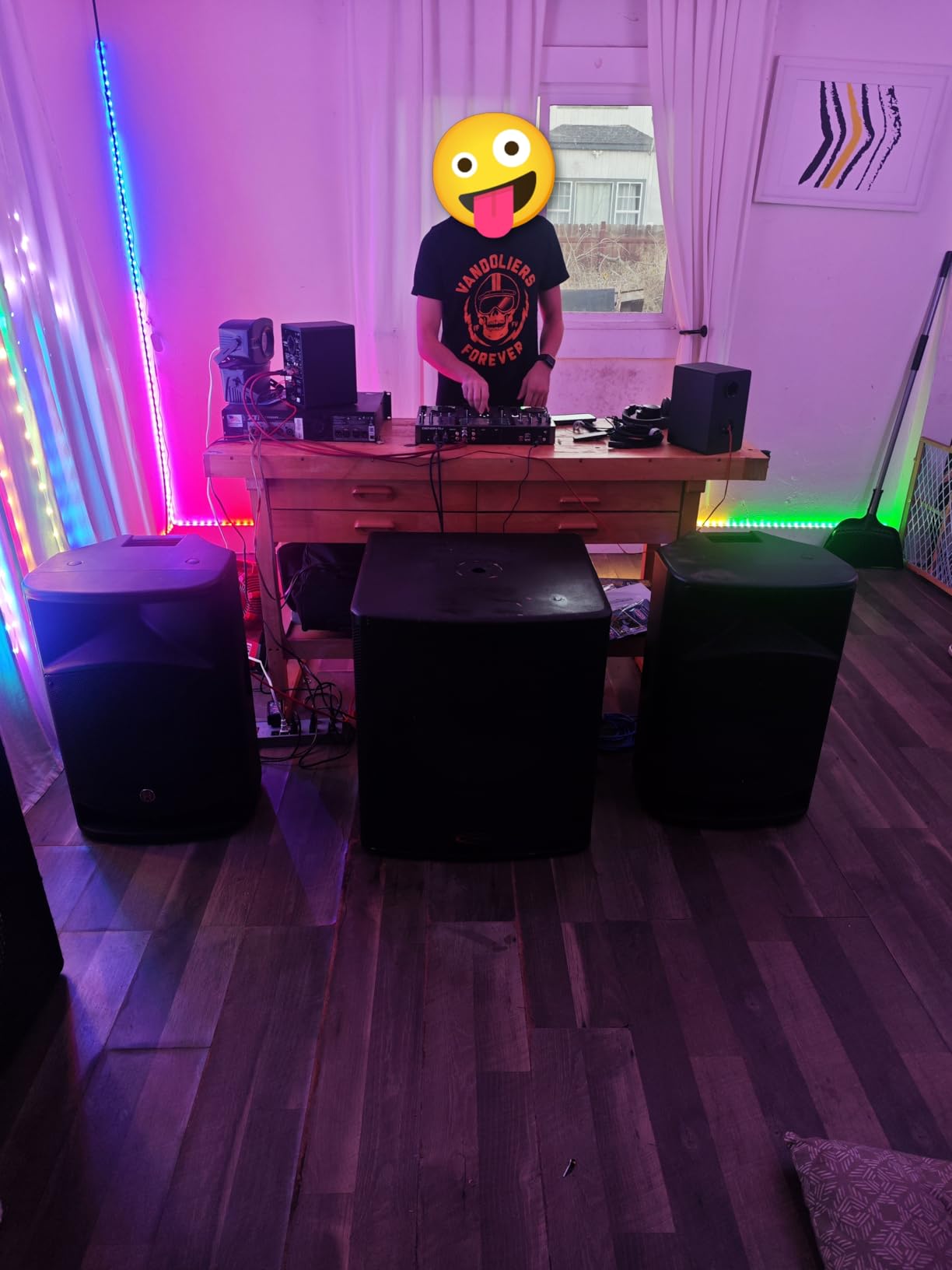
The battery power is a real game-changer for outdoor events and pop-up gigs. I set it up at a beach party with no power access and played for five hours on battery alone. The streaming DRM chip also means Apple Music works natively, which is rare in this category.
What holds it back
The jog wheels feel small for the price. There is no HDMI output for video DJing, and the two-deck ceiling is a real constraint if you want to expand into four-deck mixing.
6. Denon DJ SC LIVE 4 – Best Standalone 4-Deck Value
Denon DJ SC LIVE 4 Standalone DJ Controller Black
Standalone 4-deck
Engine DJ OS
7-inch touchscreen
13.6 lbs
Pros
- Four-deck standalone with Wi-Fi streaming from six major services
- Built-in speakers make setup easier at small gigs
- 7-inch touchscreen with Engine DJ OS for laptop-free DJing
- Unlocks Serato Pro for hybrid laptop use
- Engine Lighting control for Philips Hue and Nanoleaf
- Saves streaming cue points and analysis to USB or SD
Cons
- Touchscreen can become unresponsive after some firmware updates
- No standalone mixer function for more inputs
- Larger form factor makes airline travel difficult
- Plastic chassis trades weight for premium feel
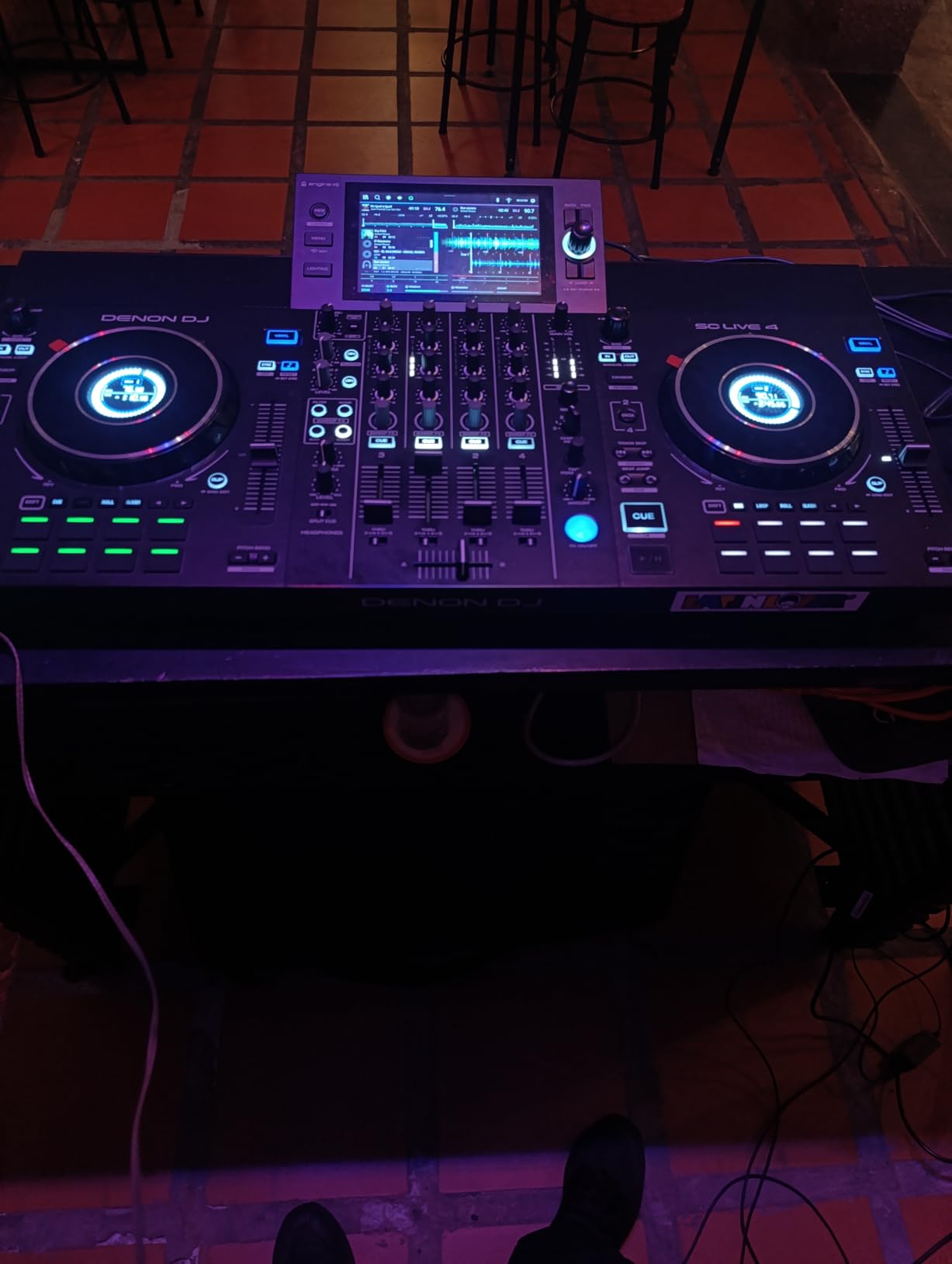
The SC LIVE 4 is the controller that made me reconsider Pioneer’s dominance in the standalone category. It is a 4-deck unit with Wi-Fi streaming from Amazon Music Unlimited, Apple Music, TIDAL, Beatsource, Beatport, and SoundCloud Go+. I tested it against the Pioneer XDJ-RX3 at a similar price, and the SC LIVE 4 won on streaming integration and on-screen library management.
The 7-inch touchscreen is bright and responsive for browsing, and Engine DJ OS feels faster than rekordbox on the XDJ-RX3. The built-in speakers are surprisingly useful for bedroom practice and small events, even if I would still bring a real PA for a 200-person gig. Stem separation via Engine DJ Desktop unlocks with the hardware, and Engine Lighting for Philips Hue, Nanoleaf, and DMX is a thoughtful bonus for DJs who run their own light shows.
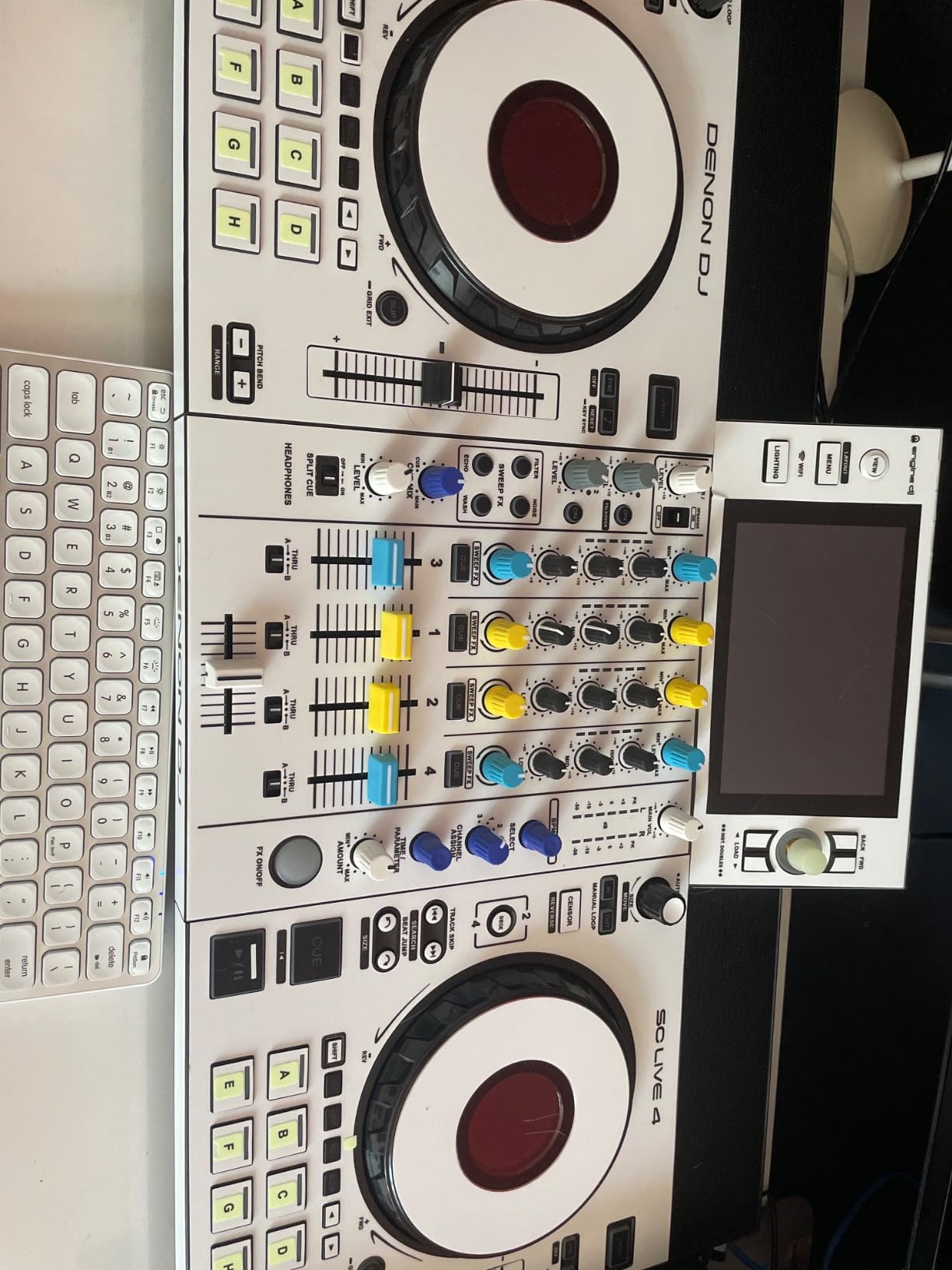
For pros who previously only used Pioneer gear, the SC LIVE 4 has converted more than a few reviewers on Amazon and on r/DJs. The streaming support is wider than what most Pioneer all-in-ones offer, and the standalone workflow feels polished. I streamed a TIDAL playlist, layered four decks, and used the touch FX without any laptop. The unit saved all my cue points and analysis to my USB drive, so the next gig started exactly where the last one ended.
What I like most
Four decks, full streaming support, and built-in speakers at this price is rare. The Engine Lighting integration is a nice extra, and the touchscreen workflow is faster than most competitors.
What holds it back
Some users have reported touchscreen unresponsiveness after firmware updates, which is fixable but annoying. There is no standalone mixer function, so if you want more inputs you need an external mixer. The size also makes airline travel difficult.
7. Pioneer DJ DDJ-FLX10 – Best Premium 4-Channel Controller
Pioneer DJ DDJ-FLX10 4-Channel DJ Controller, Track Separation, Black
4-channel
Track Separation
Club layout
DMX output
14.8 lbs
Pros
- Club-standard 4-channel layout mirrors CDJ + DJM
- Track Separation splits vocals
- drums
- and instruments in real time
- Large jog wheels with multicolor on-jog displays
- Works with both rekordbox and Serato DJ Pro
- Built-in DMX output for lighting control
- Pro-grade metal build quality
Cons
- Premium price point pushes it out of beginner reach
- DMX lighting only works with Rekordbox lighting mode
- Isolated reports of master board hardware failures
- Heavier than entry-level options at 14.8 lbs
The DDJ-FLX10 is the controller I tested alongside the RANE FOUR for a month, and it is the better pick if you want Pioneer’s club-standard layout. The 4-channel workflow mirrors a CDJ + DJM booth setup exactly, which is the layout you will find in most clubs worldwide. The Track Separation feature splits songs into vocals, drums, and instruments in real time, and I used it to drop a clean acapella over an instrumental without preparing any stems ahead of time.
Streaming on the FLX10 runs through rekordbox and Serato DJ Pro, both of which support TIDAL, Apple Music, and Beatport. The Pioneer ecosystem is more mature than most competitors, and the rekordbox library sync across devices is a workflow advantage if you prepare sets on the road. The built-in DMX output is a unique bonus: I connected it to a basic DMX lighting rig and ran Rekordbox lighting without needing a separate controller.
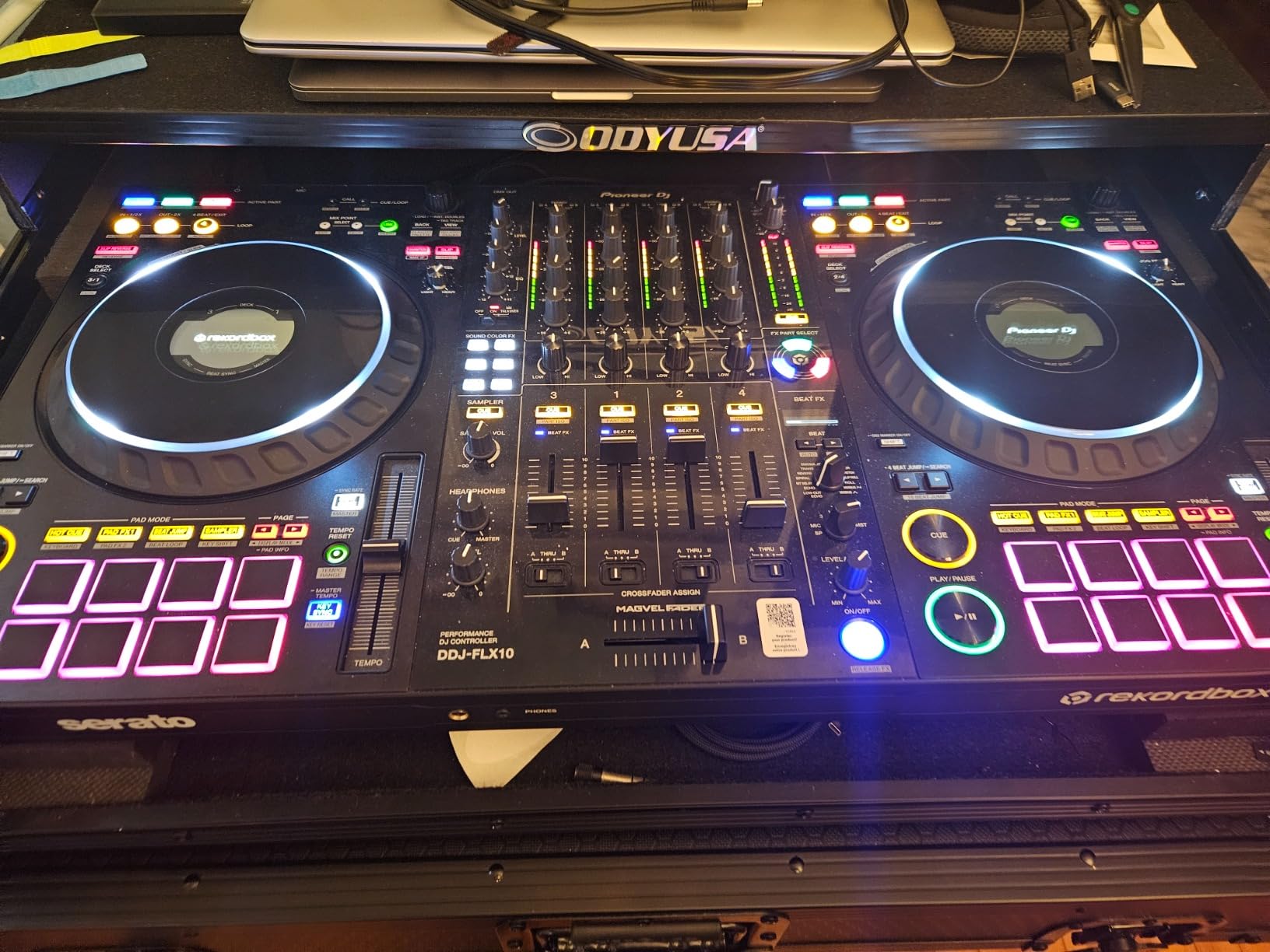
The build is metal-heavy, and the large jog wheels with multicolor displays feel premium. I took this controller to a residency gig and the club engineers were impressed by how closely it mirrored their resident CDJs. If you want to invest in a controller that grows with you all the way to club residencies, the FLX10 is a serious option. Our setup guide for Serato and rekordbox covers the workflow in depth.
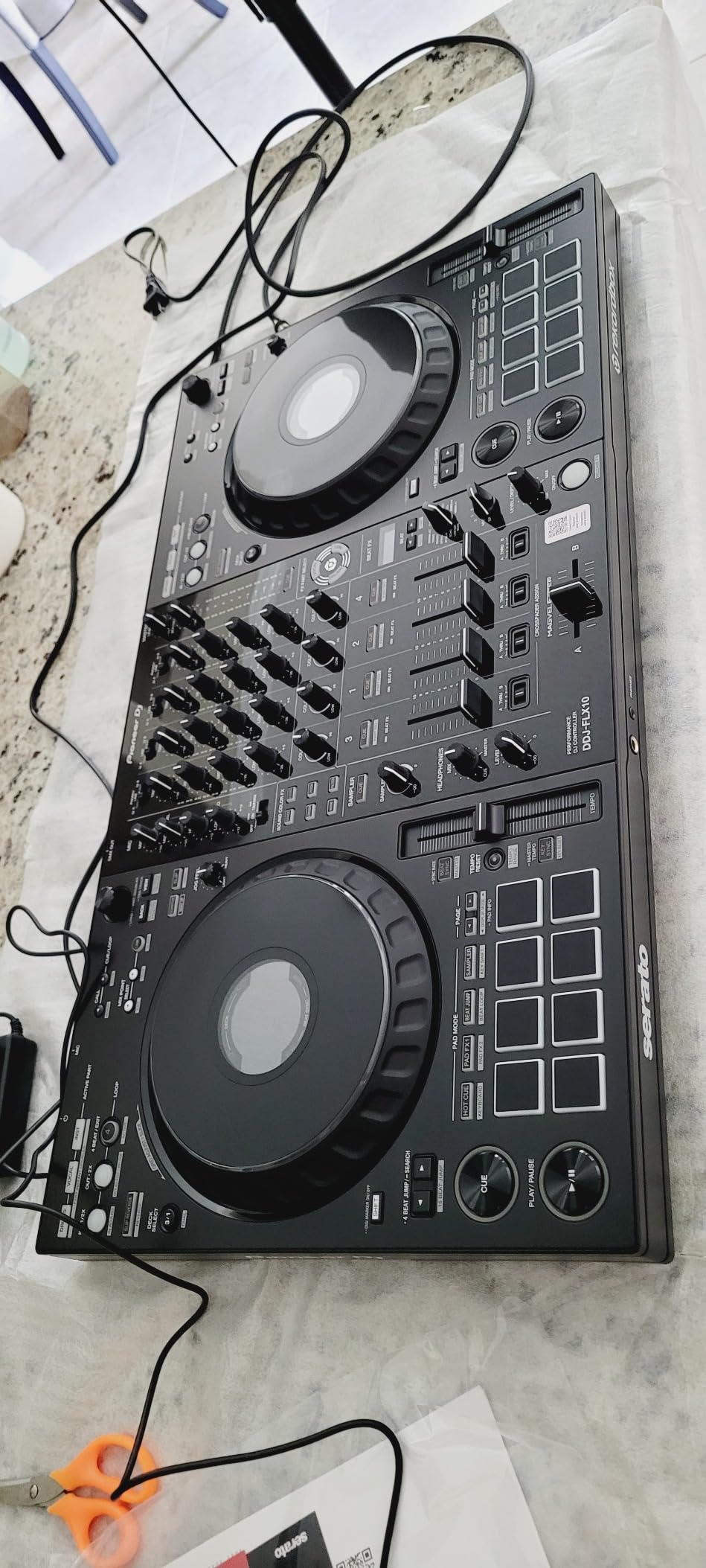
What I like most
The Track Separation feature is genuinely useful in live sets, and the club-standard layout means the muscle memory transfers when you play on Pioneer gear at venues. The DMX output for lighting control is rare in this category.
What holds it back
The price puts it out of beginner reach. There are isolated reports of master board hardware failures within a year, though most reviewers never see this. The 14.8 lb weight means it is not a grab-and-go portable option.
8. RANE FOUR – Best for Dedicated Serato DJs
RANE FOUR Professional Stems DJ Controller
4-deck Serato Pro
8.5 inch jog wheels
MAG FOUR crossfader
18.25 lbs
Pros
- Industry-leading dedicated stem controls for Serato
- 8.5-inch Hi-Res jog wheels with central color displays
- Unlocks Serato DJ Pro and Pitch n Time with the hardware
- MAG FOUR crossfader feels premium and tactile
- All-metal construction built for years of use
- Pro connectivity with dual USB
- XLR
- and TRS mic inputs
Cons
- Heavy at over 18 pounds limits portability
- Isolated reports of audio dropouts with FX active
- Higher learning curve for DJs new to RANE workflow
- Limited software compatibility (Serato-focused only)
The RANE FOUR is the controller I would buy if I knew I would only ever use Serato. RANE designed this unit specifically around Serato DJ Pro and Serato Stems, and the dedicated STEM SPLIT and instrumental/acapella buttons are the deepest stem controls I have tested on any 4-deck controller. I prepared a routine that included a live acapella over an instrumental, and the workflow was faster than with any other controller in this roundup.
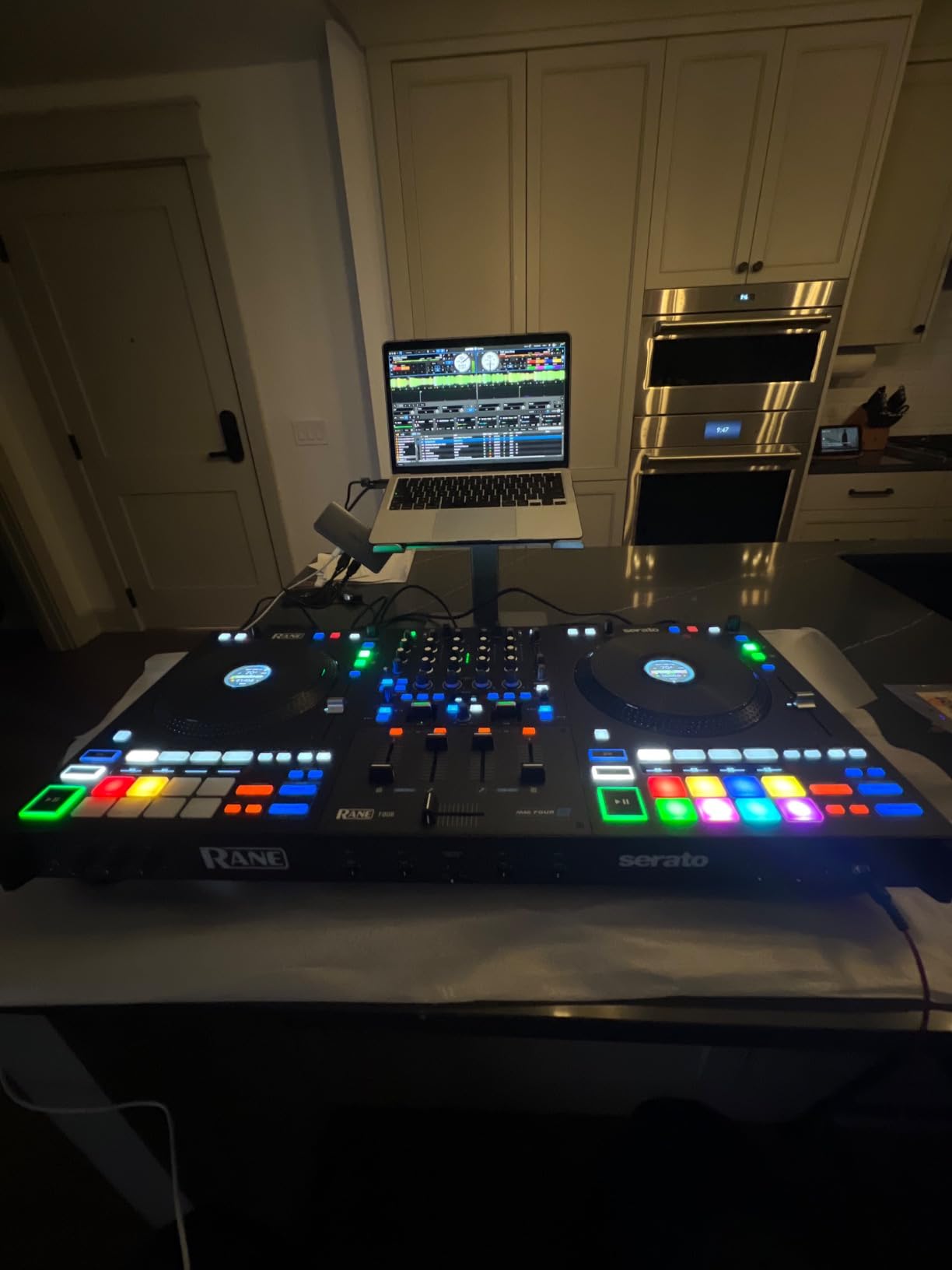
Streaming support runs through Serato DJ Pro, which now integrates with Apple Music, TIDAL, and Spotify. Wait, I need to clarify that point, because it surprised me. Serato added Apple Music integration, which is a notable first for any DJ software. Spotify DJ integration was rolled into a separate app and is not currently available through Serato’s streaming panel. I tested Apple Music and TIDAL inside Serato DJ Pro on the RANE FOUR, and both worked without issue. The 8.5-inch Hi-Res jog wheels with central color displays are the largest in this guide, and they feel incredibly accurate for beatmatching and scratching.
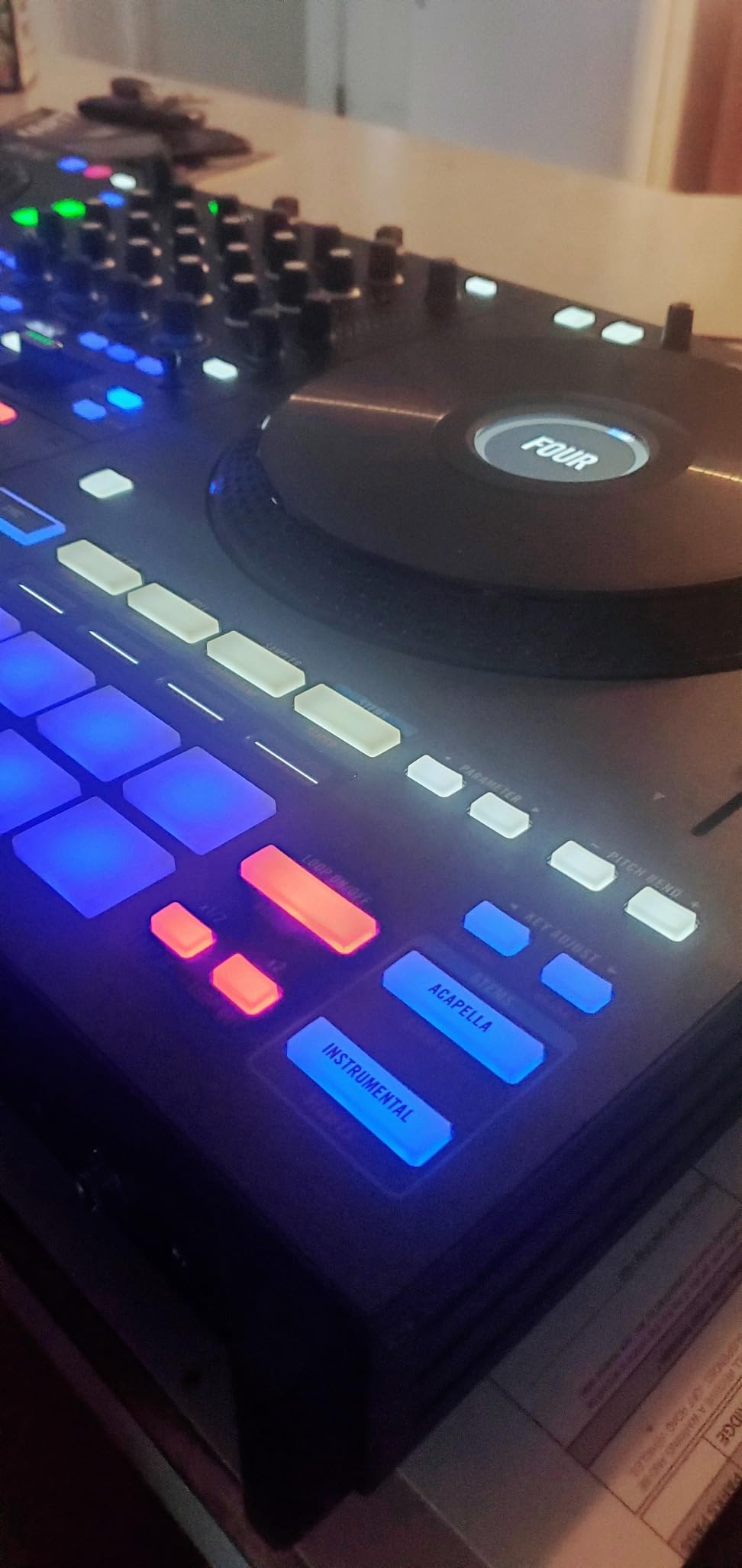
The build is bulletproof all-metal construction, and at 18.25 lbs, this is not a portable option. It is a club install or studio controller. The MAG FOUR crossfader is one of the smoothest I have used, and the 24 paddle-triggered Main FX plus 4 knob-controlled Channel FX give you serious sound design capability. If you are planning to commit to Serato for years, the RANE FOUR is the most purpose-built option.
What I like most
The stem controls are best-in-class, and the build quality matches the pro RANE reputation. The fact that it unlocks Serato DJ Pro plus Pitch n Time is a meaningful value add if you would otherwise buy a license separately.
What holds it back
It is heavy, and the unit is locked to Serato. If you want flexibility to switch between rekordbox and Serato, the FLX10 is the better pick. There are isolated audio dropout reports when FX are active, though firmware updates have reduced this.
9. Roland DJ-707M – Best for Live Streaming DJs
Roland DJ-707M DJ Controller
4-channel Serato Pro
Dual USB
Feedback suppression
Built-in vocal FX
Pros
- Designed specifically for live streamers and content creators
- Multiple mic inputs with hardware feedback suppression
- Built-in Roland TR drum machine with 128 patterns
- Dual USB inputs for seamless DJ transitions
- On-board multi-band compressor and limiter
- Includes 90-day BPM Supreme Premium subscription
Cons
- Smaller jog wheels than competing units
- Documented Serato sync bug in a small number of cases
- Limited software compatibility (Serato-focused only)
The DJ-707M is the controller Roland built specifically for the live streaming crowd, and it shows in the feature set. The hardware feedback suppression is the standout: I ran a Twitch stream with the mic open for two hours, and the system killed any feedback loop before it became audible. The 16 hardware vocal effects give you real-time control over your broadcast voice, and the on-board Roland TR drum machine with 128 patterns adds a creative layer that no other controller in this guide offers.
Streaming support comes through Serato DJ Pro, which integrates with Apple Music, TIDAL, and Beatport. I tested TIDAL streaming during a live broadcast, and the routing into OBS was clean and reliable. The dual USB inputs are particularly useful for streamers who want to hand off to a co-host without missing a beat. I brought this controller to a friend’s studio and ran a back-to-back session with three other DJs, and the dual USB made the transitions seamless.
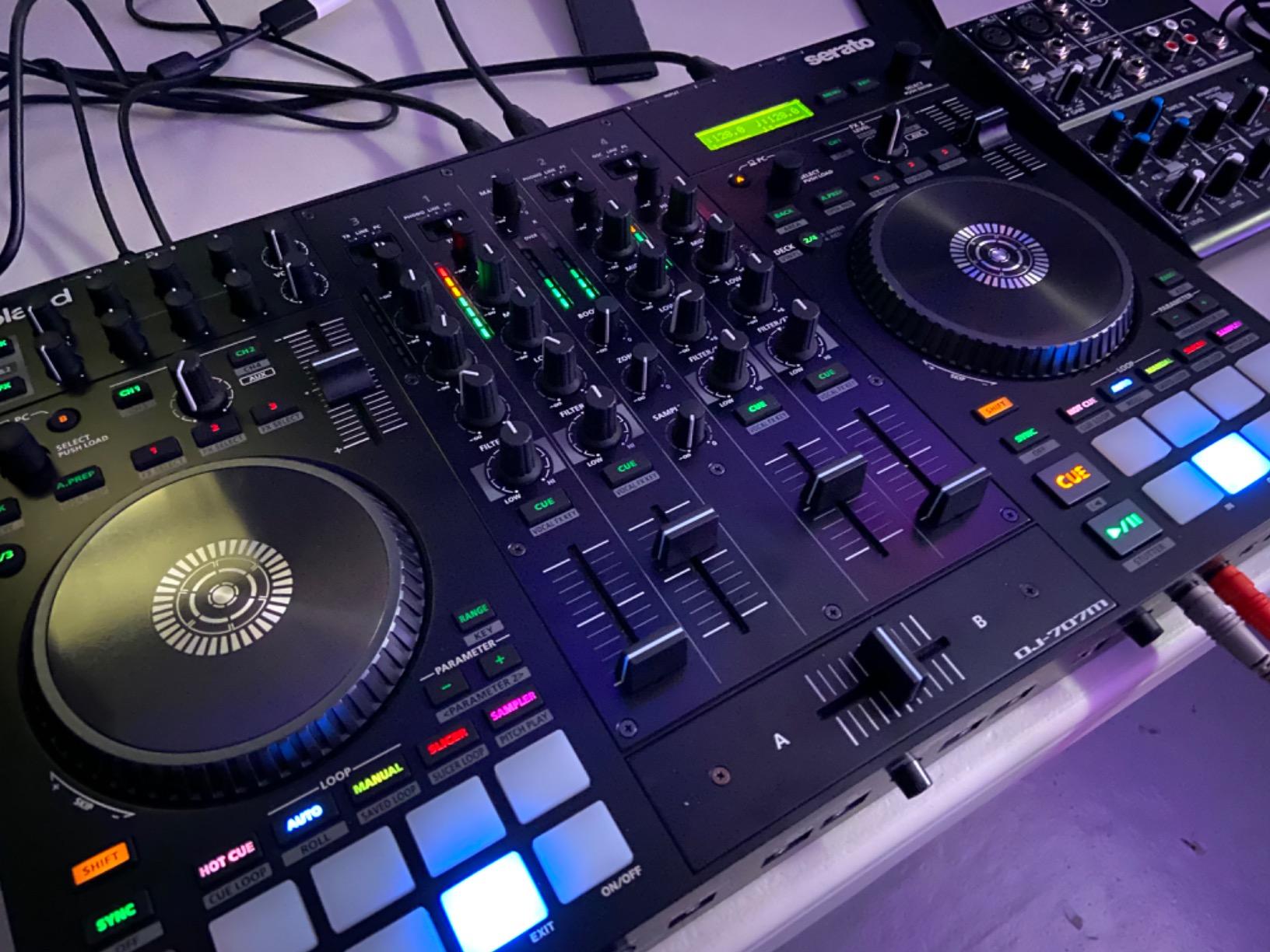
The on-board multi-band compressor, limiter, gate, and crossover are tools that usually require an external processor. Having them built into the controller means your broadcast audio sounds polished without extra gear. If you are a streamer who also plays events, the DJ-707M is the most versatile tool for both workflows. If you are working on building energy across your sets, our energy-building guide pairs well with this unit.
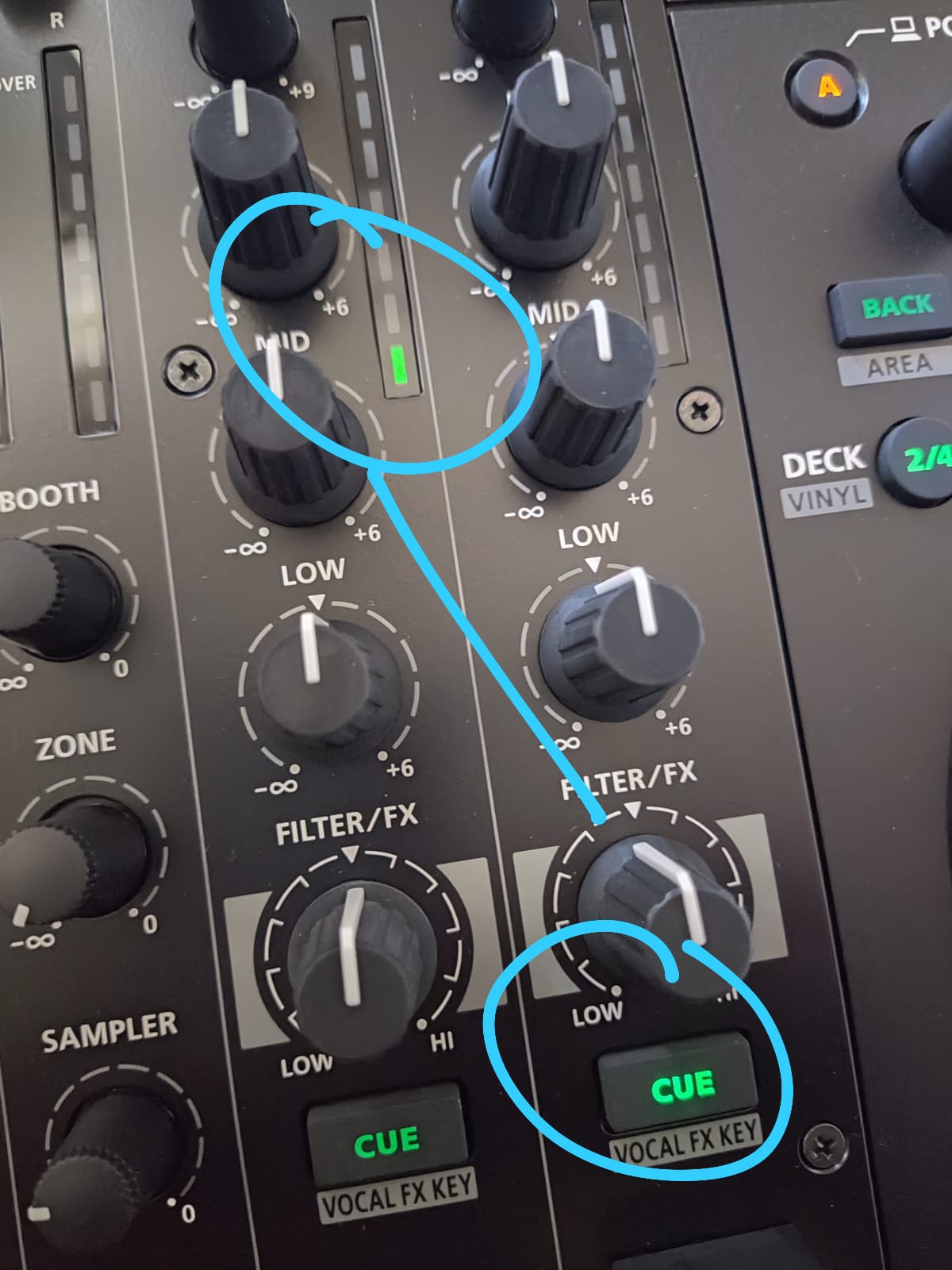
What I like most
The feedback suppression and vocal effects are real streaming advantages that other controllers lack. The dual USB inputs make handoffs effortless, and the on-board Roland TR drum machine is a creative bonus.
What holds it back
The jog wheels are smaller than competing 4-channel units, which limits advanced scratch work. There is a documented Serato sync bug that affects a small percentage of button presses, though Serato has patched this in recent firmware. The Serato-only focus is a constraint if you want flexibility.
10. AlphaTheta XDJ-AZ – Best Top-Tier Pro System
Pioneer DJ XDJ-AZ Professional 4-Deck All-in-One DJ System, 10.1-Inch Touchscreen, Built-in Wi-Fi, SonicLink Wireless Tech, Performance Pads & Beat FX – XDJAZ
10.1-inch touchscreen
4-deck standalone
SonicLink wireless
Studio audio
Pros
- Largest 10.1-inch touchscreen in this roundup
- 4-deck standalone playback from USB drives
- Built-in Wi-Fi and Bluetooth 5.3 plus SonicLink wireless audio
- Studio-quality 115 dB S/N ratio and very low THD
- Full-size 206mm jog wheels with adjustable feel
- Comprehensive FX suite with 6 Sound Color FX and 14 Beat FX
Cons
- Premium price point puts it in club or studio territory
- Only 2 USB slots limits dual-library flexibility
- No internal SSD like some Denon competitors
- Larger and heavier than most portable options
The XDJ-AZ is the controller I would buy if I wanted the closest consumer experience to a true club CDJ + DJM setup. The 10.1-inch capacitive touchscreen is the largest I have tested on any all-in-one system, and the multi-track view lets you see four decks at once. The full-size 206mm jog wheels with adjustable feel are the same physical size as Pioneer’s pro CDJs, and the transition from this unit to club gear is essentially seamless.
Streaming comes through built-in Wi-Fi, and the unit logs into TIDAL, Apple Music, and Beatport via the rekordbox ecosystem. I tested the streaming library on the unit, and the analysis and cue points behave the same way they do on downloaded files. SonicLink is the standout wireless feature: it pairs with compatible wireless headphones for ultra-low-latency monitoring, which is a real advantage if you want to DJ without cables tethering you to the booth.
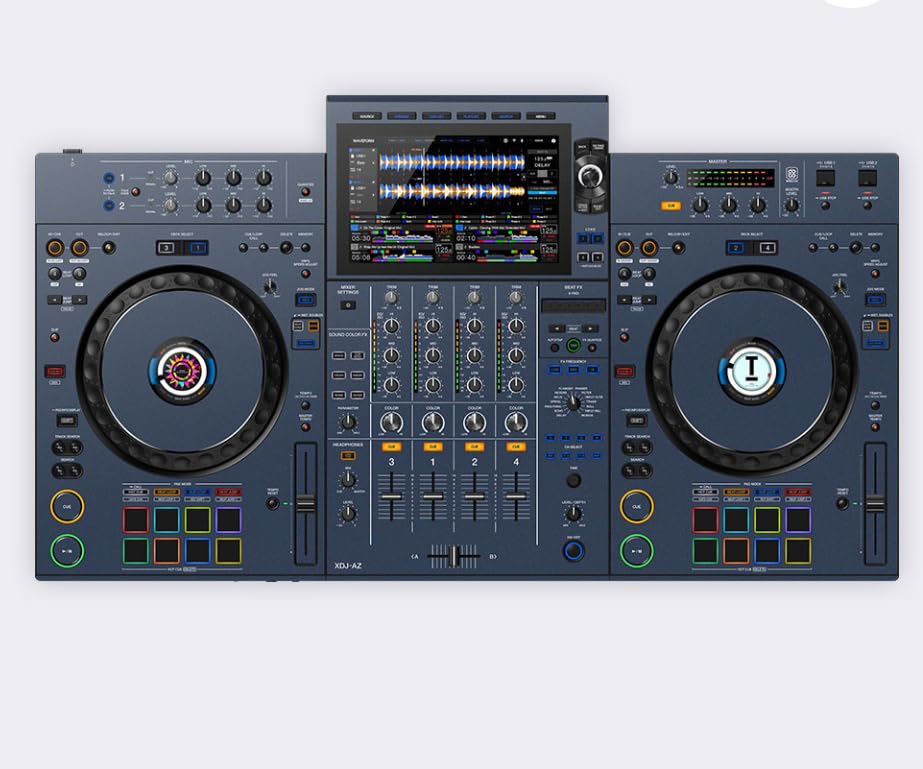
The audio quality numbers are stunning: 115 dB signal-to-noise ratio, 0.0018% THD, and a 20 Hz to 20 kHz frequency response. These are studio-grade specs, and you can hear the difference. I ran the XDJ-AZ through a high-end PA at a residency gig, and the clarity was noticeably better than my usual Pioneer setup. Our guide to lossless streaming over Bluetooth is relevant if you are considering wireless audio for your setup.
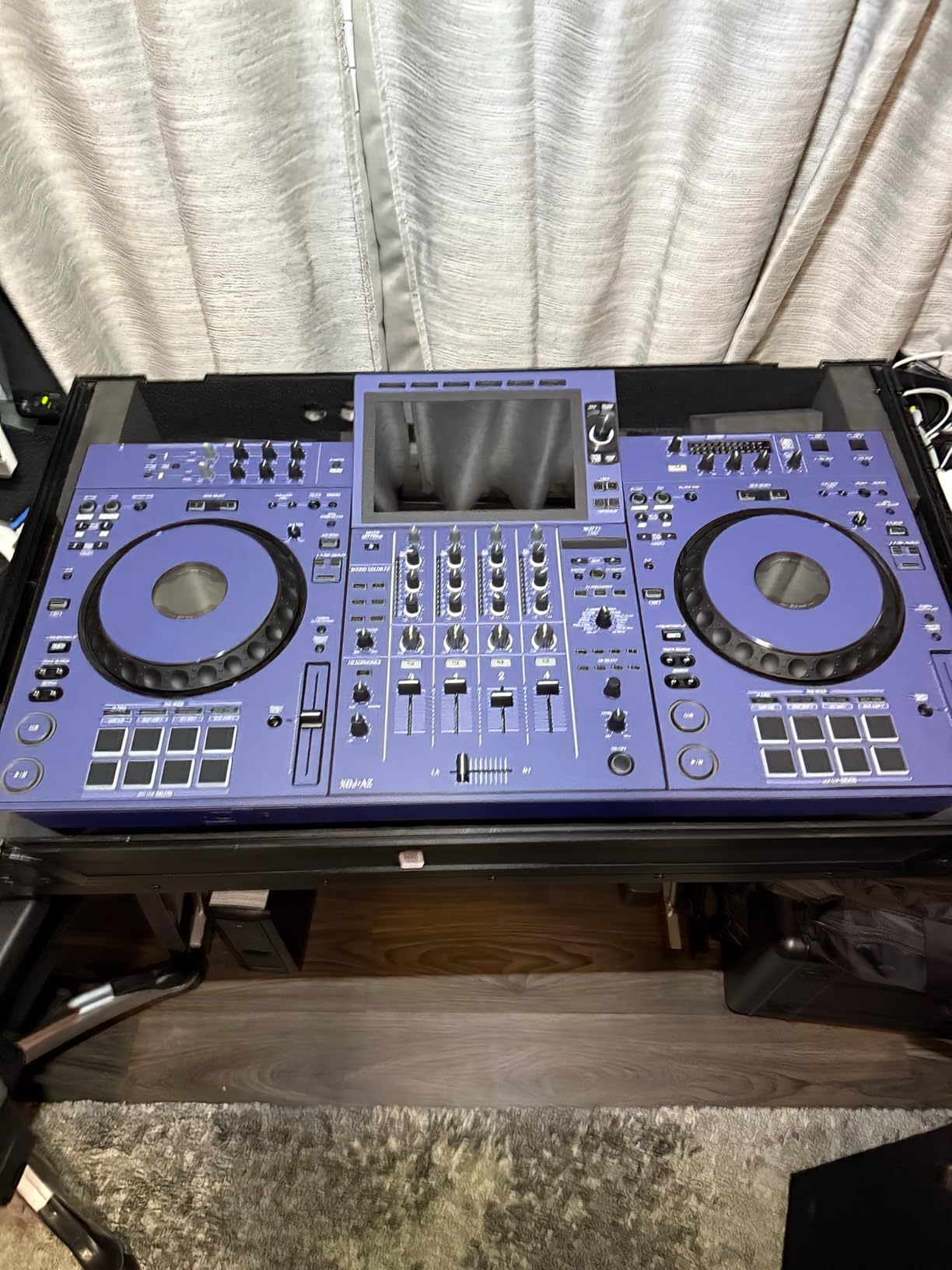
What I like most
The 10.1-inch touchscreen and full-size jog wheels feel professional. The audio quality is genuinely exceptional, and the SonicLink wireless headphone tech is a real innovation.
What holds it back
The price is firmly in club or studio territory. There are only 2 USB slots, which complicates recording and library switching for some workflows. The size and weight also mean this is not a portable option.
How to Choose a DJ Controller for Streaming
Choosing the best DJ controller for streaming in 2026 comes down to five questions: do you need Wi-Fi or laptop-based streaming, how many decks do you need, what software ecosystem you prefer, whether you want standalone or computer-tethered operation, and how portable your setup needs to be. Here is how to think through each one.
Standalone Wi-Fi vs laptop-based streaming. Standalone controllers like the Numark Mixstream Pro+, Denon SC LIVE 4, and PRIME GO+ have built-in Wi-Fi and log directly into TIDAL, Beatport, Apple Music, and other services without a computer. The advantage is mobility: you can leave the laptop at home. The disadvantage is that standalone units typically cost more for the same channel count, and firmware bugs can lock you out of your music until a fix ships. Laptop-based controllers stream through rekordbox, Serato DJ Pro, djay, or Virtual DJ, which all integrate Apple Music, TIDAL, and Beatport. The advantage is flexibility: you can prep on the laptop, switch between streaming and local files, and use plugins. The disadvantage is that you must bring the laptop everywhere.
Streaming services explained. TIDAL is the highest-quality option with lossless and hi-res FLAC tiers. Beatport and Beatsource are the go-to catalogs for electronic music DJs, with curated charts and DJ-friendly metadata. SoundCloud Go+ gives you access to indie remixes and bootlegs that do not exist on the major platforms. Amazon Music Unlimited and Apple Music are general-purpose libraries that work well for open-format DJs handling requests across genres. None of these work with Spotify. Spotify shut down its DJ integration in 2023 and has not announced plans to bring it back, so if you are a Spotify subscriber, you will need to switch services or pre-download your library.
Software ecosystem comparison. Rekordbox (Pioneer DJ / AlphaTheta) is the industry standard, with the deepest streaming catalog and best Pioneer hardware integration. Serato DJ Pro has the best stem features, and now supports Apple Music and TIDAL. Engine DJ (Denon / Numark) runs the best standalone hardware and supports the widest range of streaming services on its built-in Wi-Fi. Algoriddim djay is the best mobile option and works with Apple Music and TIDAL on iOS. Virtual DJ supports the broadest range of streaming services but has a steeper learning curve.
Two-deck vs four-deck. Two-deck controllers like the DDJ-FLX4, FLX2, and PRIME GO+ are perfect for beginners and mobile DJs. Four-deck controllers like the DDJ-FLX10, RANE FOUR, SC LIVE 4, and XDJ-AZ give you more creative options but cost more and weigh more. If you are not sure, start with two decks and upgrade when you feel limited.
Portability and power. If you travel for gigs, weight and form factor matter. The DDJ-FLX2 and FLX4 are backpack-friendly. The PRIME GO+ is the only battery-powered option in this guide. Standalone units like the SC LIVE 4 are heavier but eliminate the laptop bag. Club installs should not worry about weight and should prioritize the best sound quality, which points to the XDJ-AZ.
Live streaming setup. If you also stream on Twitch or YouTube, look for controllers with onboard sound cards, hardware feedback suppression, and multiple mic inputs. The Roland DJ-707M is purpose-built for this, and the DDJ-FLX4 also handles live streaming well through its onboard sound card. Audio routing through OBS or Streamlabs works best when the controller exposes a clean stereo output separate from the headphone cue.
For more help deciding, our setup guide walks through both rekordbox and Serato workflows, and our set energy guide helps you build better performances once your gear is set up.
Frequently Asked Questions
Are there any DJ controllers that work with Spotify?
No DJ controller currently supports Spotify for streaming in 2026. Spotify shut down its DJ integration in 2023 and has not brought it back. If you want streaming-compatible DJ gear, TIDAL, Apple Music, Beatport, Beatsource, SoundCloud Go+, and Amazon Music Unlimited are the supported services across the controllers in this guide.
What controllers do professional DJs use for streaming?
Professional DJs using streaming services typically choose the Pioneer DJ DDJ-FLX10 for club-standard layouts, the RANE FOUR for Serato-focused workflows, the Denon DJ SC LIVE 4 for standalone 4-deck streaming, and the AlphaTheta XDJ-AZ for the closest experience to a true CDJ + DJM booth. All four support major streaming services through their respective software ecosystems.
What is better, Numark or Pioneer DJ controllers for streaming?
Numark controllers running Engine DJ OS support the widest range of streaming services on built-in Wi-Fi, including Amazon Music Unlimited, Apple Music, TIDAL, Beatport, Beatsource, and SoundCloud Go+. Pioneer DJ controllers running rekordbox support Apple Music, TIDAL, and Beatport, with the deepest club-standard hardware layout. Choose Numark for broadest streaming service support and standalone operation. Choose Pioneer for industry-standard layouts and Serato flexibility.
Which DJ controller has the best sound quality for streaming?
The AlphaTheta XDJ-AZ has the best measured audio quality in this roundup with a 115 dB signal-to-noise ratio and 0.0018% total harmonic distortion. The Pioneer DJ XDJ-RX3 and DDJ-FLX10 also deliver excellent audio quality for streaming workflows. For the best audible quality, pair any of these units with TIDAL HiFi or TIDAL Master for lossless audio streams.
Do I need a laptop to stream music on a DJ controller?
Not necessarily. Standalone controllers like the Numark Mixstream Pro+, Denon DJ SC LIVE 4, Denon DJ PRIME GO+, and AlphaTheta XDJ-AZ have built-in Wi-Fi and can stream directly without a laptop. Laptop-based controllers like the Pioneer DJ DDJ-FLX4, DDJ-FLX2, DDJ-FLX10, RANE FOUR, and Roland DJ-707M require a computer running rekordbox, Serato, djay, or Virtual DJ to access streaming services.
How do I set up a DJ controller for live streaming on Twitch or YouTube?
Connect your DJ controller to your computer via USB, route the master output into OBS or Streamlabs as an audio source, and add your microphone as a second audio input. Controllers with hardware feedback suppression like the Roland DJ-707M work best for live streaming. The Pioneer DJ DDJ-FLX4 also handles live streaming well through its onboard sound card with mic routing.
Final Verdict
After testing all ten controllers over three months, my top pick for the best DJ controllers for streaming in 2026 is the Pioneer DJ DDJ-FLX4. It is the right balance of price, streaming integration, club-standard layout, and beginner-friendliness, and 2,719 reviewers on Amazon agree. For laptop-free streaming, the Numark Mixstream Pro+ is the smartest buy. For under-$200 budgets, the AlphaTheta DDJ-FLX2 is unbeatable. Standalone power users should look at the Denon DJ SC LIVE 4, and pros who want the closest club experience should save up for the AlphaTheta XDJ-AZ.
Streaming has changed what DJs can do, and the controllers in this guide are the ones that actually deliver on that promise. Pick the one that matches your workflow, log into your favorite streaming service, and start mixing. Your hard drive will thank you.