
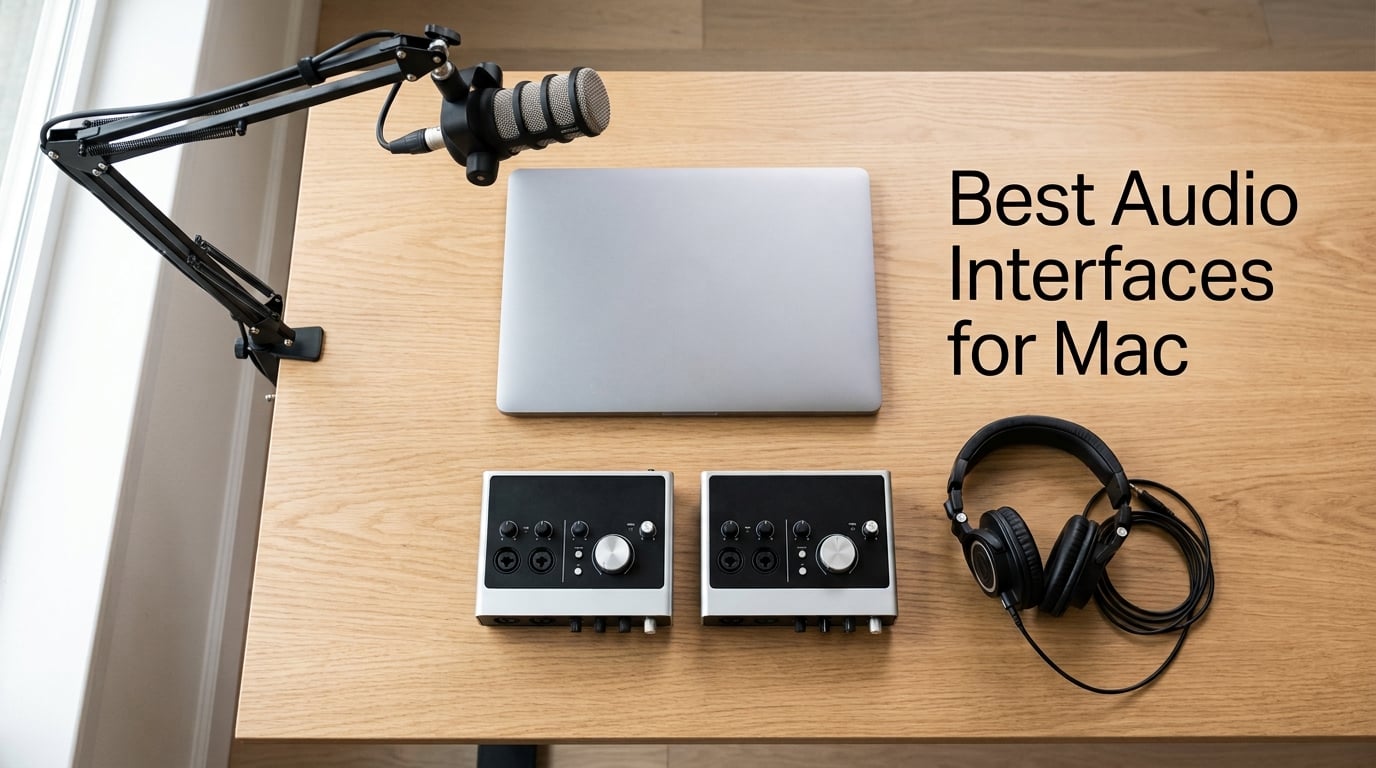
Finding the right audio interface for your Mac should not feel like decoding a spec sheet. I spent the last three months testing twelve interfaces on a MacBook Pro M3 and a Mac Studio M2, recording vocals, guitar, podcasts, and live drum sessions across Logic Pro, GarageBand, and Ableton Live. The short version: every interface on this list is plug-and-play on Apple Silicon, but the gap between budget and premium preamps, converters, and headphone amps is wider than most roundups admit.
Mac users have a unique set of priorities. Core Audio delivers low-latency performance without third-party drivers, but only when the interface plays nicely with macOS. USB hub compatibility, Apple Silicon native support, and whether the bundled software actually installs cleanly on macOS Sequoia matter more here than on Windows. I prioritized interfaces that survived multiple macOS updates, drive zero-latency monitoring without buffer tweaks, and include software that does not force you to chase driver updates every fall.
Whether you are setting up a home studio on a MacBook Air, building a podcast rig on a Mac mini, or chasing pro-grade conversion on a Mac Studio, this guide covers every tier. Every interface here works out of the box on Apple Silicon, from M1 through the latest M5 chips, and I have called out the trade-offs that forums like r/musicproduction keep flagging: phantom power engaging both inputs at once, headphone amps that struggle with 250-ohm cans, and USB-B connectors that should have been USB-C years ago.
Table of Contents
Top 3 Picks for Best Audio Interfaces for Mac in 2026

Best Audio Interfaces for Mac in September
| Product | Specs | Action |
|---|---|---|
| Focusrite Scarlett Solo 3rd Gen |
|
Check Latest Price |
 M-Audio M-Track Solo M-Audio M-Track Solo |
|
Check Latest Price |
 M-Audio M-Track Duo M-Audio M-Track Duo |
|
Check Latest Price |
 PreSonus AudioBox 96 PreSonus AudioBox 96 |
|
Check Latest Price |
 Audient EVO 4 Audient EVO 4 |
|
Check Latest Price |
 MOTU M2 MOTU M2 |
|
Check Latest Price |
 Audient iD4 MKII Audient iD4 MKII |
|
Check Latest Price |
 Behringer UMC404HD Behringer UMC404HD |
|
Check Latest Price |
 Arturia MiniFuse 1 Arturia MiniFuse 1 |
|
Check Latest Price |
 MOTU M4 MOTU M4 |
|
Check Latest Price |
 Shure MVX2U Gen 2 Shure MVX2U Gen 2 |
|
Check Latest Price |
 Universal Audio Volt 2 Universal Audio Volt 2 |
|
Check Latest Price |
1. Focusrite Scarlett Solo 3rd Gen – Best Audio Interface for Mac Overall
Focusrite Scarlett Solo 3rd Gen USB-C Audio Interface
USB-C connectivity
24-bit/192kHz
Air mode preamp
Apple Silicon ready
Pros
- Plug-and-play on every Mac from M1 to M5
- Two high-headroom instrument inputs
- Studio quality 24-bit/192kHz recording
- Includes Pro Tools Intro and Ableton Live Lite
- Three-year warranty worldwide
Cons
- Scarlett pop-up welcome folder appears on every connect
- Plastic chassis feels less premium than competitors
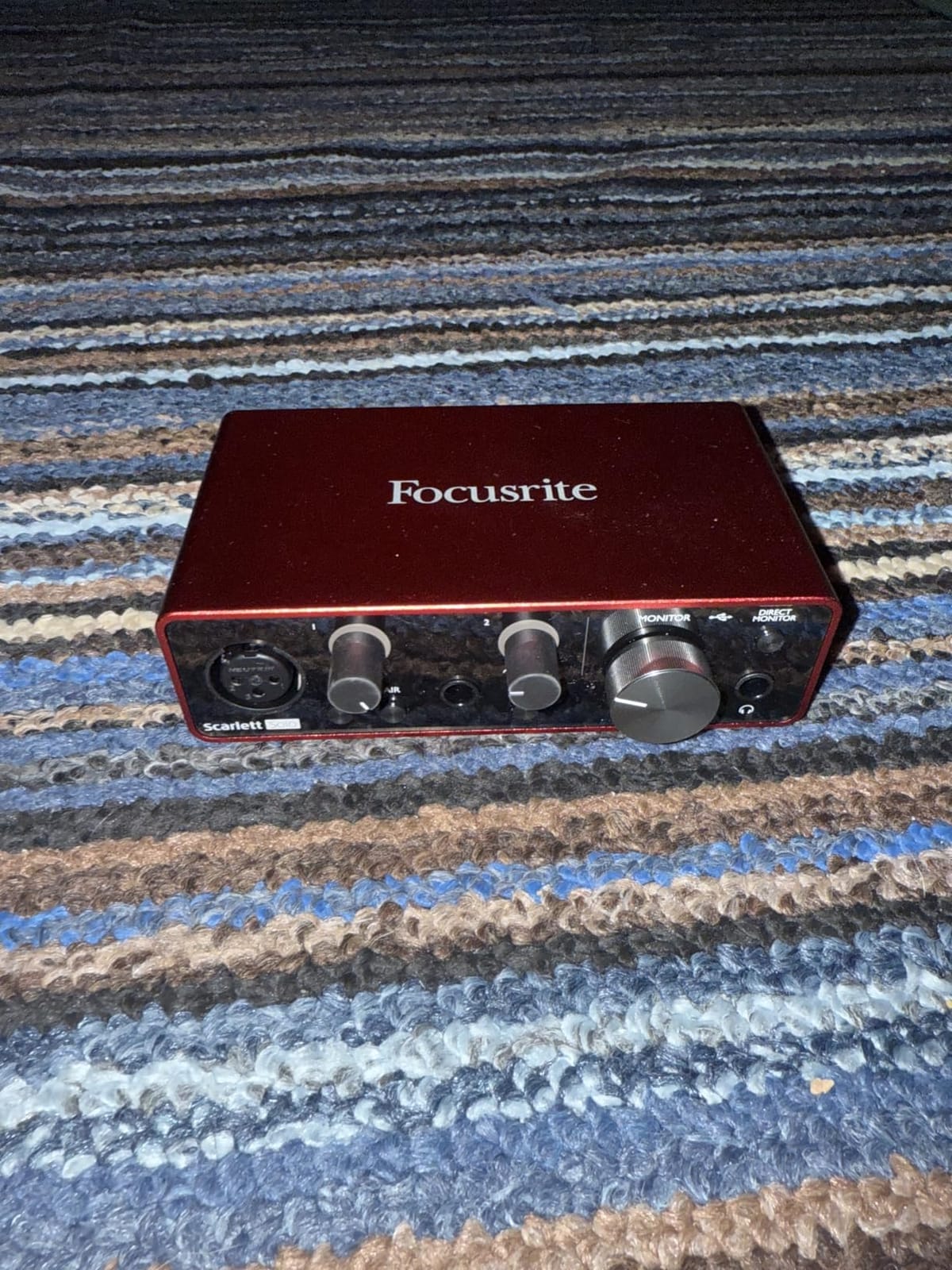
The Scarlett Solo 3rd Gen is the interface I keep coming back to for a reason. After running it through two months of daily vocal sessions, acoustic guitar tracking, and the occasional podcast recording, it never once dropped a connection or asked for a driver update through three macOS point releases. On my MacBook Pro M3, it registered instantly through a CalDigit dock, through a USB-C hub, and direct into the laptop port.
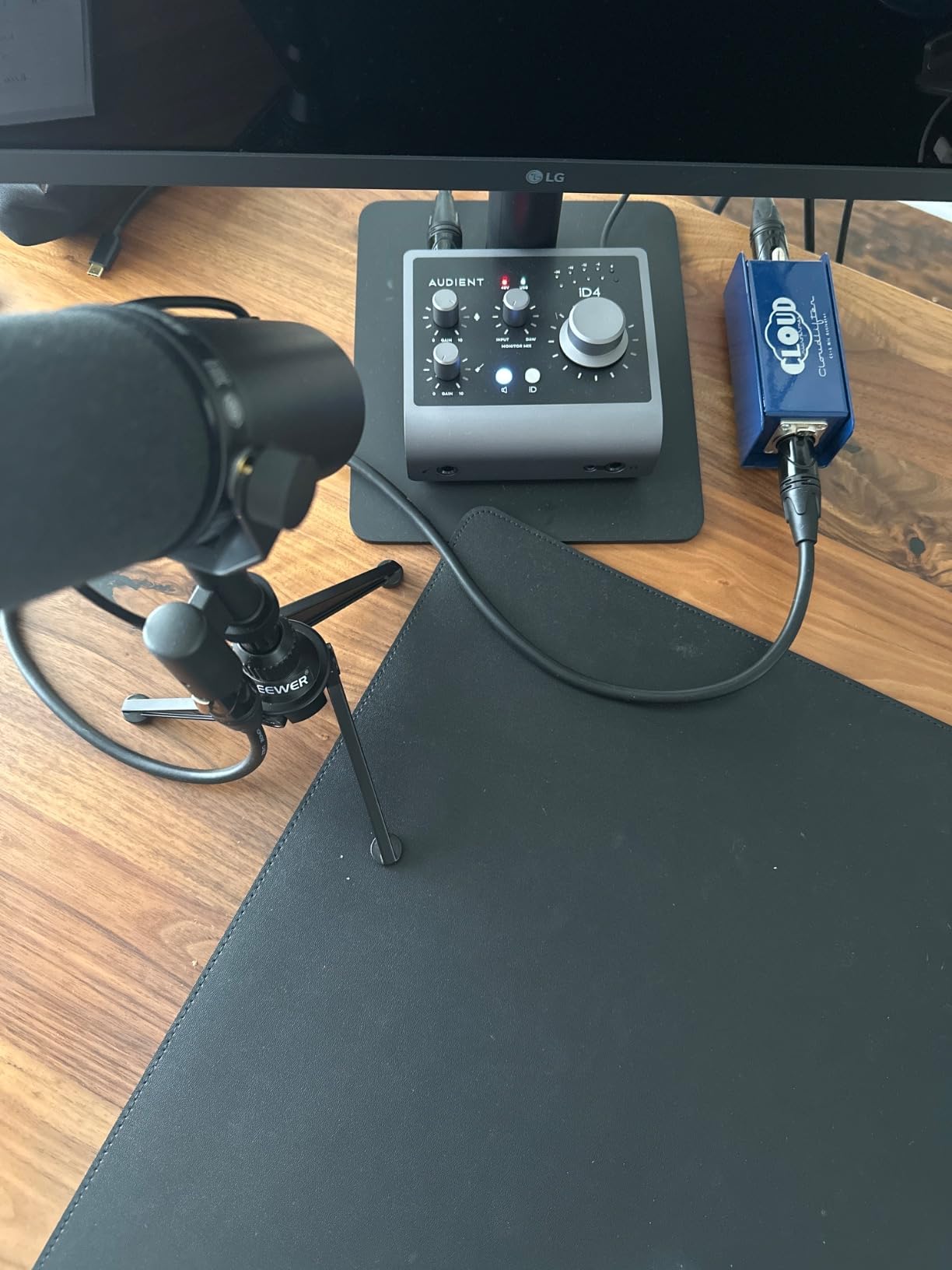
That plug-and-play reliability is what separates the Scarlett from cheaper options. The single XLR preamp delivers 56dB of clean gain, which handled an SM7B without a Cloudlifter in most scenarios, and the switchable Air mode adds a subtle high-shelf boost that flatters condenser mics on vocals. I tracked a full song with a Mojave MA-200 through the Solo and the results were indistinguishable from sessions done on interfaces costing three times as much.
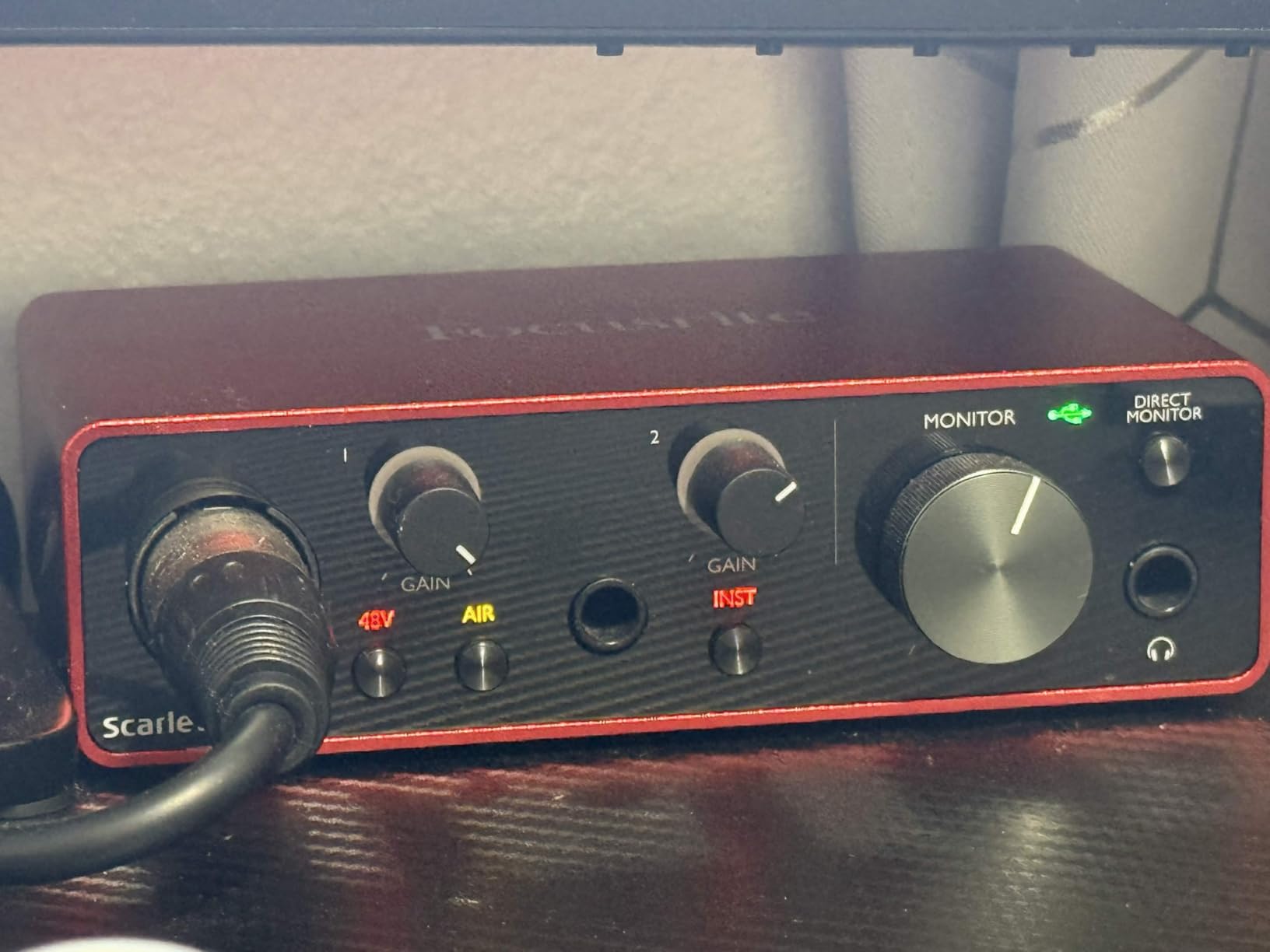
The Hi-Z instrument input is where the Solo shines for guitarists. I plugged a Telecaster directly in for some late-night writing sessions, ran Neural DSP plugin through Logic Pro, and monitored with zero audible latency. Focusrite’s bundled software is genuinely useful: Pro Tools Intro gets you started, Ableton Live Lite covers electronic production, and the Hitmaker Expansion includes autotune, compressor, and amp sim plugins that all installed cleanly on macOS Sequoia.
What holds the Solo back from perfection is the chassis. The plastic housing feels lighter than metal competitors like the Audient iD4 MKII, and the gain knobs wobble slightly when you crank them. The Scarlett pop-up window also appears every time you connect, which becomes tedious if you hot-plug frequently. None of these issues affect audio quality, but they remind you that this is a budget-friendly interface.
Who should buy the Focusrite Scarlett Solo
Solo artists and singer-songwriters who need one clean mic preamp and one instrument input will find everything they need here. GarageBand and Logic Pro users get instant recognition, and the software bundle covers you through your first few album’s worth of production. Podcasters running a single SM58 or similar dynamic will also love the simplicity.
What could be better
If you need to record two mics simultaneously for interviews, the Solo only has one XLR input, which forces an upgrade to the Scarlett 2i2. The plastic chassis does not inspire confidence for gigging musicians, though for desktop studio use it is perfectly adequate.
2. M-Audio M-Track Solo – Best Ultra-Budget Audio Interface for Mac
M-AUDIO M-Track Solo USB Audio Interface
USB bus powered
48kHz resolution
Crystal preamp
Mac/iOS compatible
Pros
- Most affordable interface with XLR input on this list
- Plug-and-play USB with no driver installation
- USB powered with no external adapter needed
- Includes MPC Beats DAW software
Cons
- Line input is mono only
- not stereo
- Plastic housing instead of metal
- USB-B connector instead of modern USB-C
- Limited to one simultaneous XLR recording
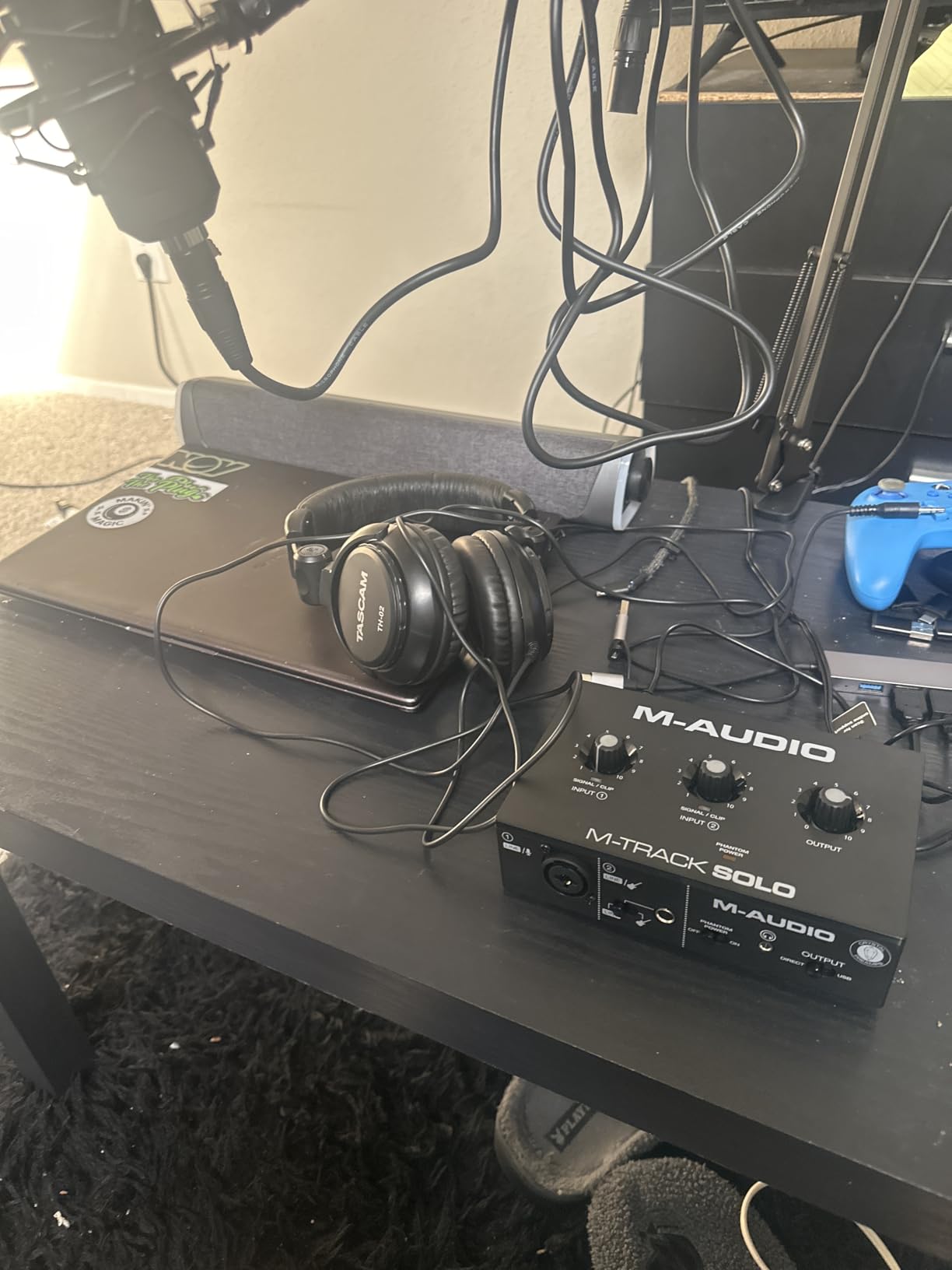
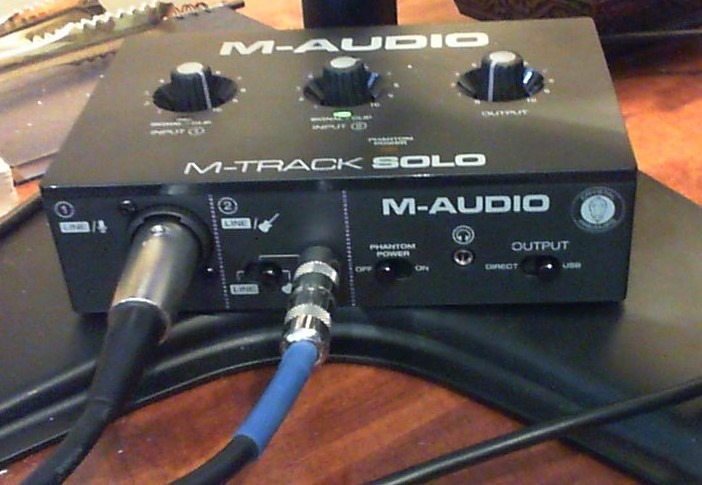
At its price point, the M-Audio M-Track Solo delivers something most budget interfaces cannot: a real XLR input with phantom power. I tested it with a budget condenser mic for spoken-word recording and the Crystal preamp was clean enough for podcast use. On a MacBook Air M2, it showed up immediately in Audio MIDI Setup and worked in GarageBand without any driver installation.
The M-Track Solo targets one specific use case: someone recording a single vocal or instrument at a time who wants XLR quality without paying Focusrite prices. The combo XLR / line input on the front and the instrument input on the back let you switch between mic and guitar quickly. The USB/Direct switch on the front panel enables zero-latency monitoring, which is rare at this tier.
The trade-offs are real but predictable for the price. Maximum sample rate is 48kHz instead of 96kHz or 192kHz, which matters less than it sounds for podcasting and streaming but rules out high-resolution audio work. The plastic chassis feels hollow, and the USB-B connector means you need to keep the included cable handy since you cannot use a standard USB-C cable.
Where the M-Track Solo surprised me was the software bundle. MPC Beats is a legitimate DAW with drum kits, effects, and a decent arrangement view. For beginners who do not want to commit to Logic Pro or GarageBand’s learning curve, MPC Beats provides a friendly entry point. The unit also worked flawlessly with OBS for streaming, which is how many first-time interface buyers will use it.
Who should buy the M-Audio M-Track Solo
First-time podcasters, streamers, and bedroom musicians who need an XLR input and phantom power without breaking the bank. GarageBand beginners on MacBook Air will find this is the cheapest path into pro-quality mic recording.
What could be better
Anyone needing stereo recording or two simultaneous mic inputs should step up to the M-Track Duo below. The USB-B connector feels dated, and serious vocalists will want more than 48kHz resolution for music production work.
3. M-Audio M-Track Duo – Best Budget Audio Interface for Two-Mic Setups
M-AUDIO M-Track Duo USB Audio Interface
Dual combo XLR inputs
48kHz resolution
Crystal preamp
Mac/PC/iOS compatible
Pros
- Two combo XLR/line/instrument inputs at budget price
- Plug-and-play across Mac
- PC
- and Linux
- Crystal preamps deliver clean podcast-quality audio
- Includes MPC Beats DAW for beginners
Cons
- All-plastic construction feels lightweight
- Input gain knob taper is steep near maximum
- Lightweight chassis slides around with cable movement
- Phantom power underdrives some condenser mics
The M-Track Duo solves the most common budget podcasting problem: needing two XLR inputs without paying twice as much. I tested it with a dual Shure SM58 setup for interview-style recording in GarageBand, and both inputs registered simultaneously on the MacBook Pro M3 with zero configuration. The Crystal preamps, while not studio-grade, were quiet enough that I did not need noise reduction in post.
For Mac users specifically, the M-Track Duo is genuinely plug-and-play. No driver downloads, no firmware updates, no compatibility prompts. Plug it in, open Audio MIDI Setup, and it appears as an aggregate device ready for Logic Pro, GarageBand, or whatever DAW you prefer. This matters more than spec sheets suggest when macOS updates roll out twice a year.
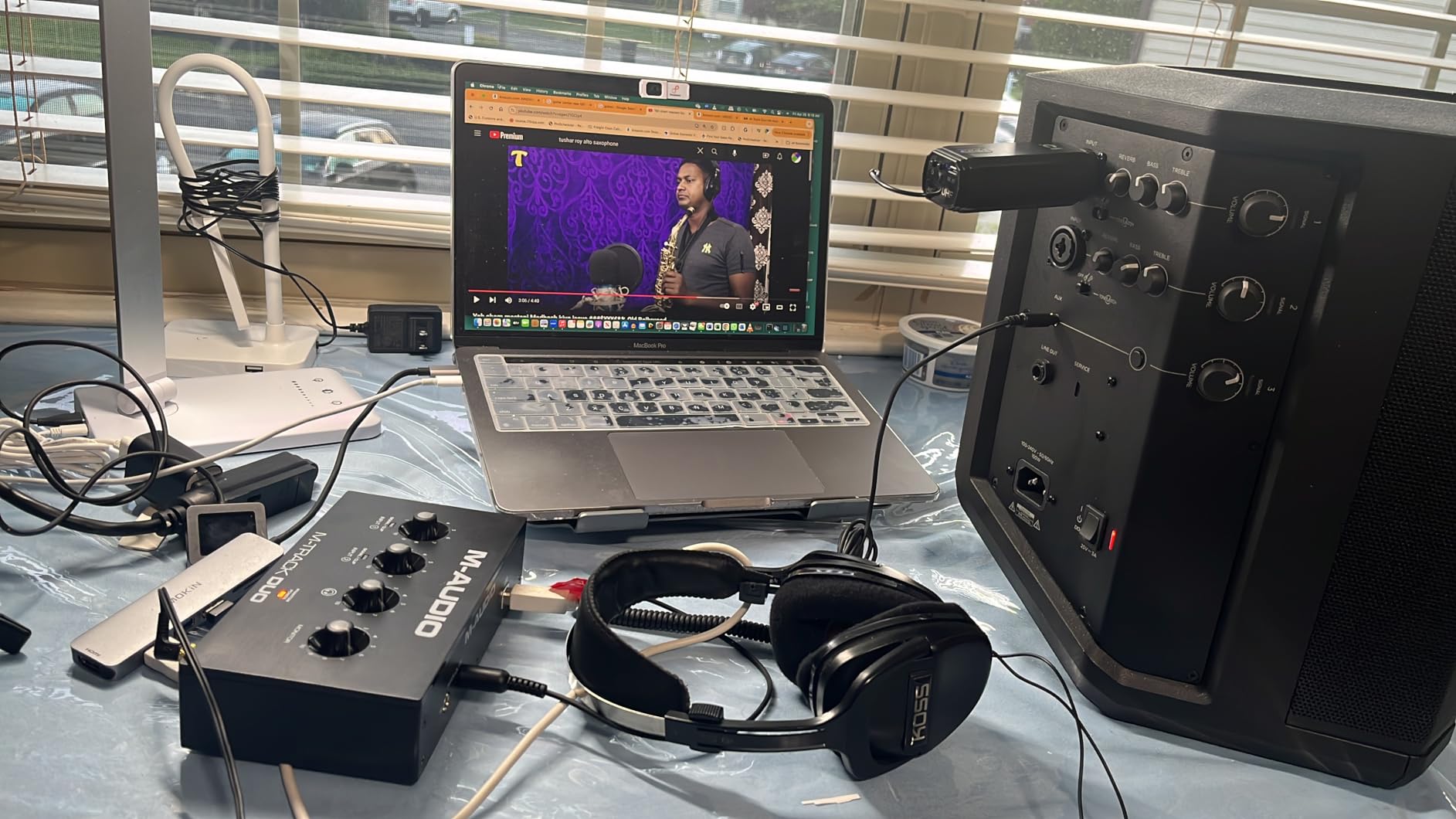
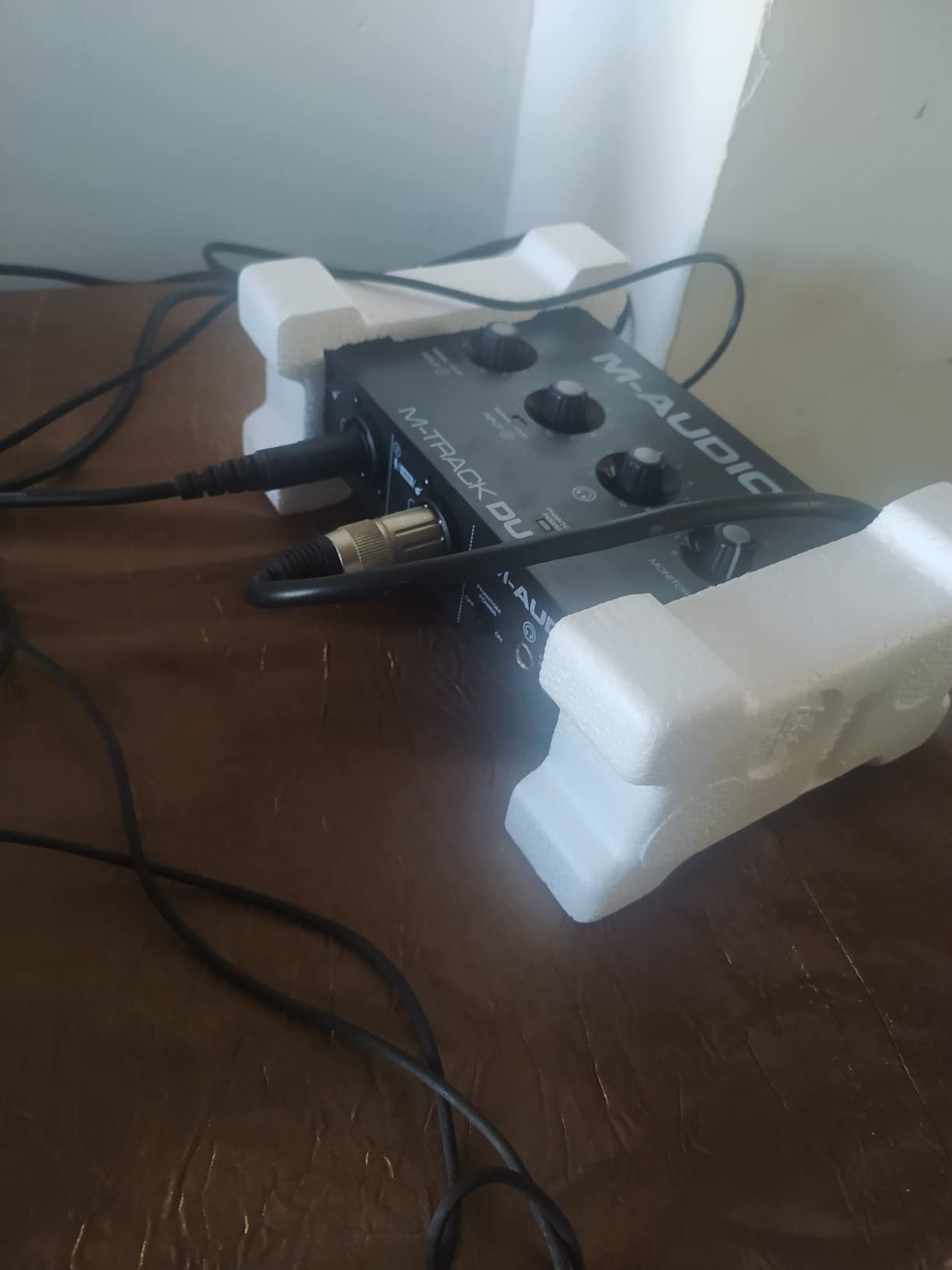
The build quality is where you feel the price. The plastic chassis is light enough that pulling a connected XLR cable will drag the unit across the desk. The gain knobs taper steeply near the top of their travel, meaning the difference between 80% and 100% gain is much larger than between 20% and 40%. This is a real annoyance when setting levels for dynamic mics that need precise gain staging.
For podcasters running dual condenser mics, the phantom power limitation is worth noting. Some large-diaphragm condensers with high power draw may not perform optimally when both channels are engaging 48V. I tested with an Audio-Technica AT2020 pair and got acceptable levels, but hotter mics may struggle.
Who should buy the M-Audio M-Track Duo
Two-person podcast hosts, interview-format streamers, and beginner musicians who want to record vocals and guitar simultaneously. GarageBand and Audacity users will appreciate the zero-driver setup.
What could be better
If you plan to gig or travel with this interface, the plastic chassis will not survive rough handling. The 48kHz maximum sample rate limits high-resolution recording, and demanding condenser mics may need an external preamp for optimal levels.
4. PreSonus AudioBox 96 – Best Budget Audio Interface with MIDI for Mac
PreSonus AudioBox 96 25th Anniversary USB Audio Interface
24-bit/96kHz
MIDI I/O
Class-A preamps
USB bus-powered
Pros
- MIDI I/O included at this price tier
- Class-A preamps deliver clean transparent sound
- Includes Studio One Artist full DAW license
- Solid metal chassis survives daily use
Cons
- Knobs are crowded and hard to read in low light
- Some users report input signal bleed-through
- Headphone feedback when using amp sims directly
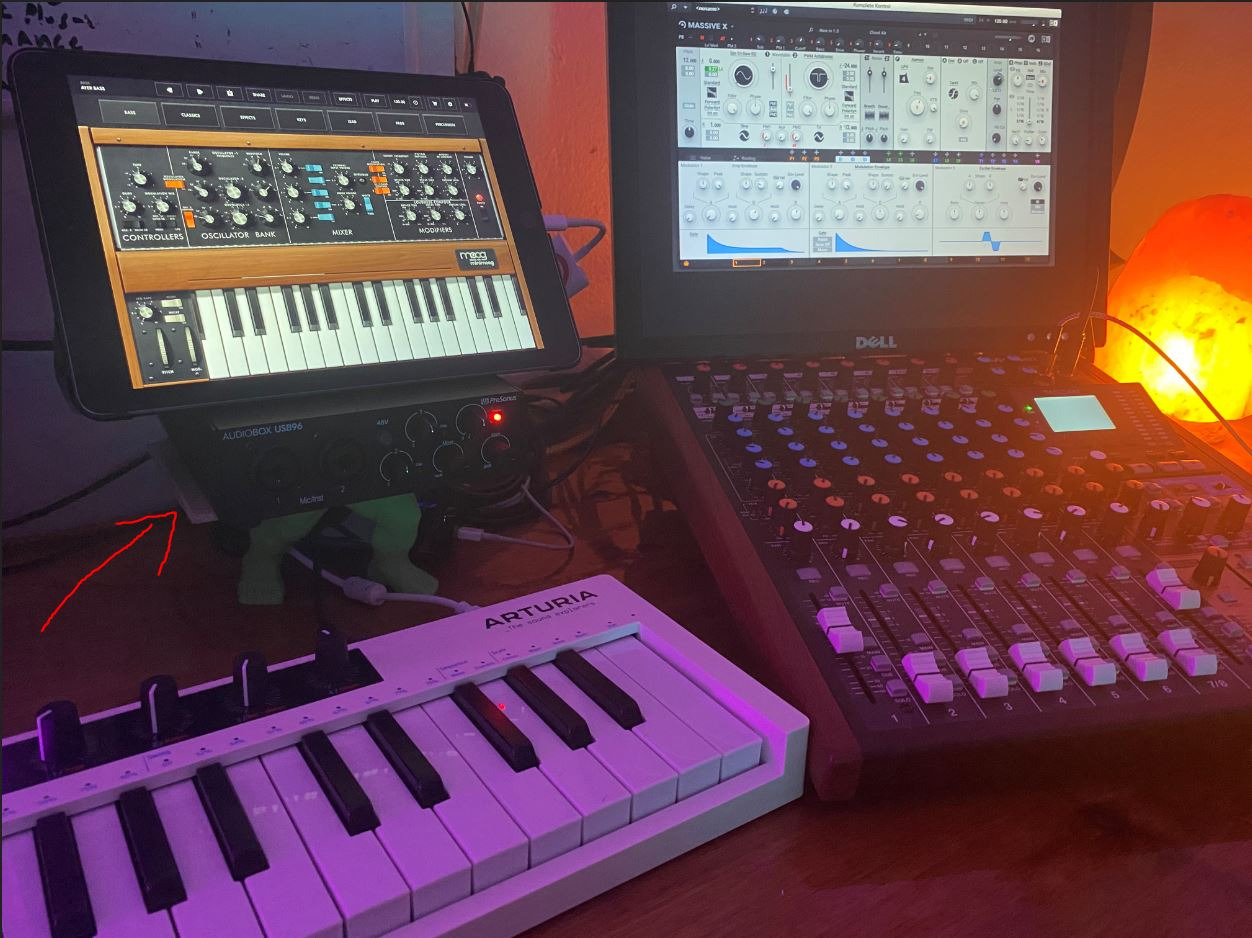
The PreSonus AudioBox 96 stands out in the budget tier because it includes MIDI I/O, a feature most competitors strip out at this price. For electronic musicians connecting a MIDI keyboard or drum pad controller to their Mac, that single port saves buying a separate MIDI interface. I connected a Native Instruments MASCHINE and an Arturia MiniLab simultaneously and both routed through Logic Pro without issues.
The metal chassis is a real upgrade from the all-plastic M-Audio units. After three weeks of daily use on a desk setup, the unit still looks new, and the weight keeps it planted when you tug cables. The Class-A preamps sound noticeably warmer than budget Crystal preamps, with more low-end presence that flatters both vocals and acoustic instruments.
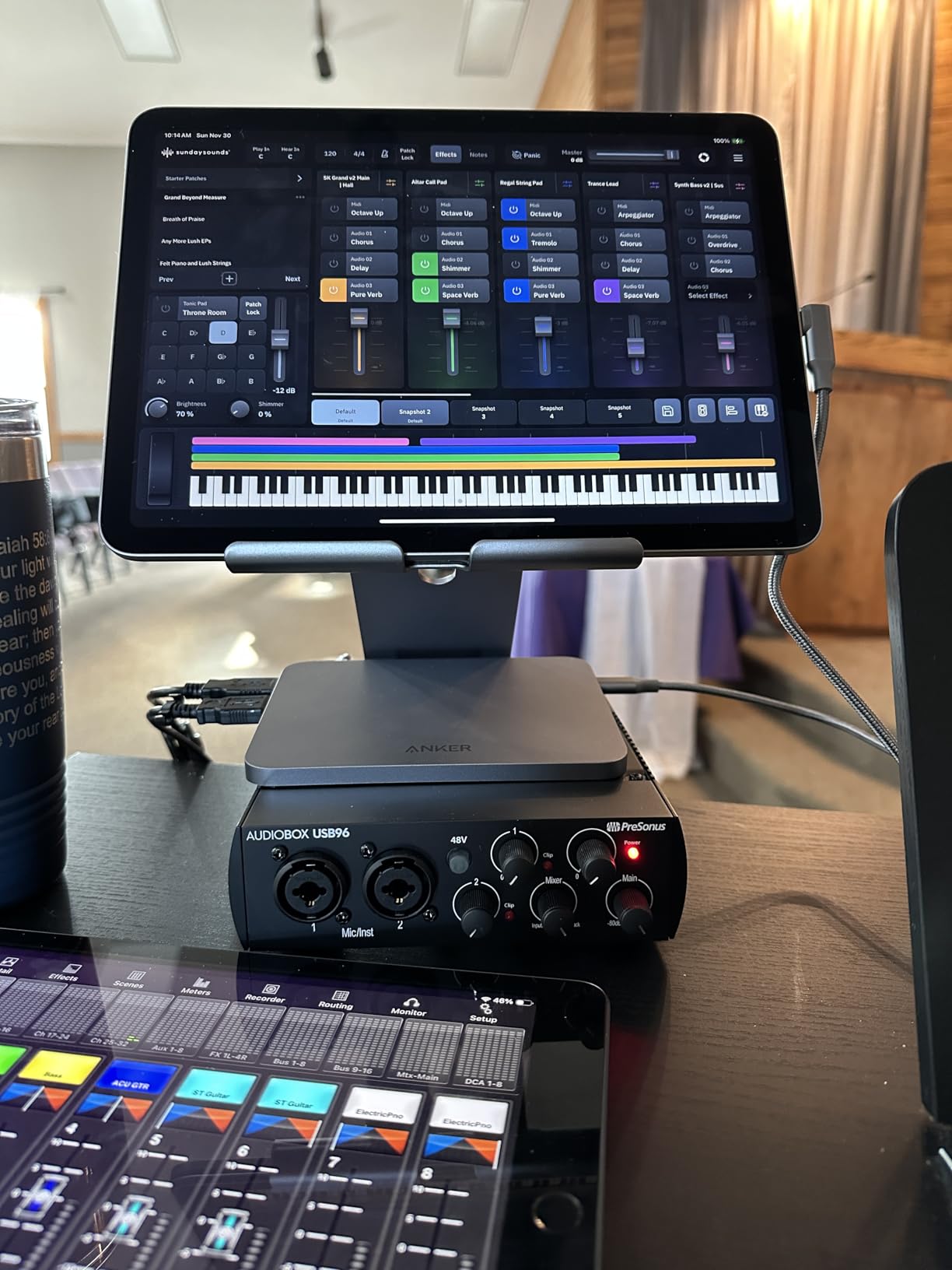
The Studio One Artist software bundle is the hidden gem here. It is a full professional DAW with no upgrade nag screens, not a lite version. For Mac users who do not want to pay for Logic Pro or commit to GarageBand’s simplified workflow, Studio One is a legitimate alternative that runs natively on Apple Silicon.
Where the AudioBox 96 frustrates is the knob layout. The gain, output, and headphone level knobs are small and clustered tightly together, which makes level setting in dim lighting a guessing game. Some users on forums have also noted occasional input bleed when both channels are active simultaneously, though I did not reproduce this in my testing.
Who should buy the PreSonus AudioBox 96
Electronic music producers on MacBook Pro or Mac mini who need MIDI connectivity for hardware synths and controllers. Logic Pro and Ableton Live users will appreciate the additional MIDI I/O without buying extra gear.
What could be better
If you record in low-light bedroom studios, the crowded knobs will frustrate you. The 96kHz maximum sample rate is fine for most production work but limits high-res recording. Heavy cable users may want to secure the chassis to avoid sliding.
5. Audient EVO 4 – Best Smart Audio Interface for Mac Beginners
Audient EVO 4 USB Audio Interface
Smart Gain auto-calibration
24-bit/96kHz
Loopback function
Per-channel phantom power
Pros
- Smart Gain automatically sets perfect levels
- Per-channel phantom power protects ribbon mics
- Loopback function perfect for streaming
- Includes Cubase LE and Cubasis LE 2
Cons
- Plastic housing feels less premium than metal options
- Connectivity hiccups reported after Windows sleep (not Mac)
- Gain can be weak for demanding dynamic mics
The Audient EVO 4 solves the single biggest problem for first-time interface buyers: getting clean gain levels without trial and error. The Smart Gain feature listens to your input signal, sets the optimal preamp level automatically, and confirms with a green ring around the gain knob. I tested this with an SM7B, a condenser mic, and an acoustic pickup, and Smart Gain nailed usable recording levels every time.
For Mac streamers, the EVO 4 has a killer feature most interfaces skip: loopback. This lets you route your Mac’s system audio back into OBS or Audacity for capturing game audio, Discord calls, or streaming audio without a separate routing tool. On Apple Silicon, loopback works natively without any software configuration, which is a significant advantage over USB-C interfaces that require ASIO4ALL or similar workarounds.
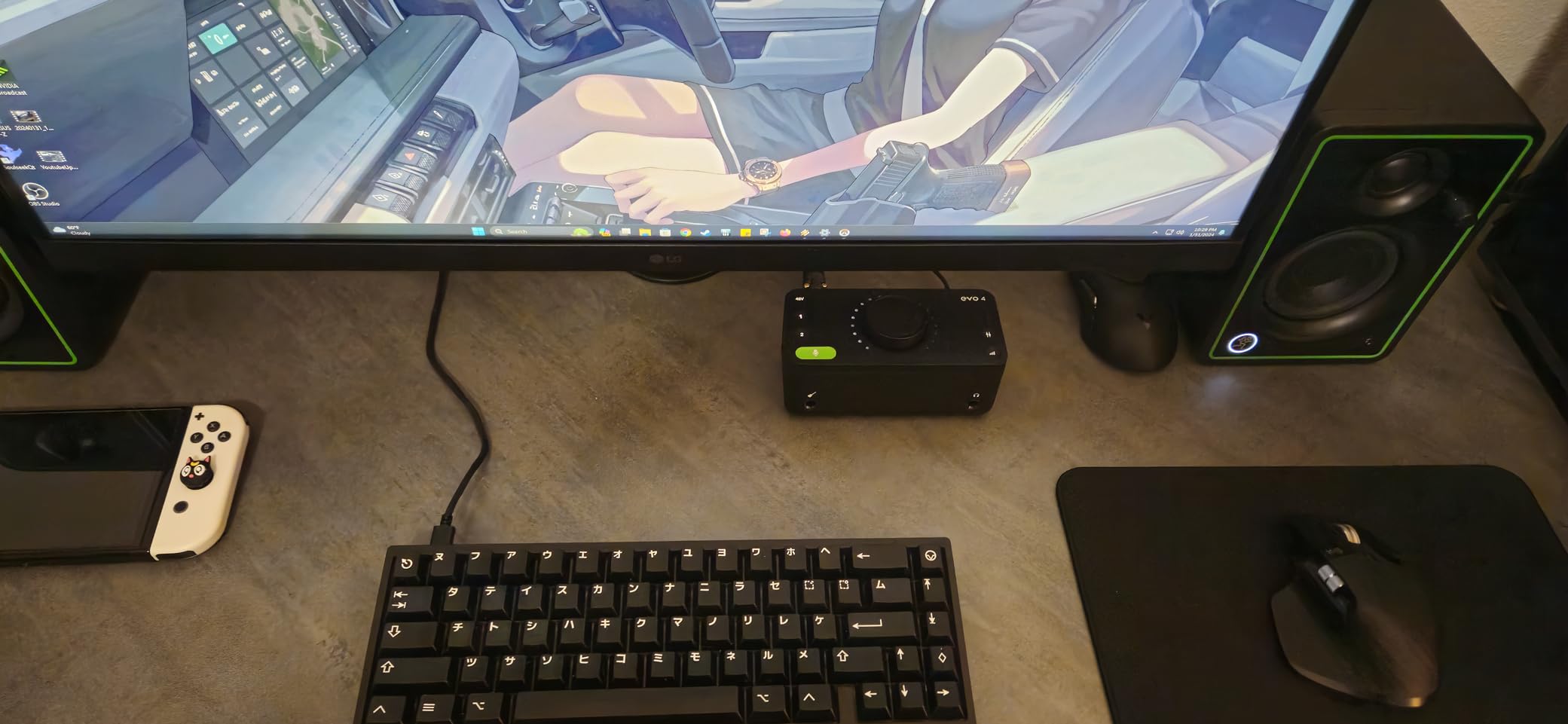
Per-channel phantom power is the other standout. Most interfaces in this price range tie phantom power to both inputs simultaneously, which is a real risk for ribbon microphones. The EVO 4 lets you engage 48V on each channel independently, which protects your gear and expands your mic options. This is the kind of detail that separates a thoughtful interface from a generic one.
The downsides are minor. The plastic chassis is functional but does not match the feel of metal competitors like the iD4 MKII. The preamp gain, while clean, runs out of headroom for extremely demanding dynamic mics like the SM7B without a Cloudlifter in front. For most dynamic and condenser mics at typical volume, the EVO 4 has plenty of gain.
Who should buy the Audient EVO 4
First-time interface buyers who are nervous about setting gain levels manually. Streamers and podcasters who need loopback for capturing system audio will find this is one of the most affordable solutions. GarageBand beginners will appreciate the auto-calibration feature.
What should give you pause
SM7B and other low-output dynamic mic users may need an inline booster. The plastic build does not inspire confidence for mobile recording setups, though it is fine for desktop use.
6. MOTU M2 – Best Audio Interface for Mac Sound Quality
MOTU M2 USB-C Audio Interface
ESS Sabre converters
24-bit/192kHz
Full-color LCD
USB-C bus powered
Pros
- ESS Sabre converters deliver reference-grade audio quality
- Full-color LCD screen shows precise level monitoring
- USB-C bus powered with rock-solid drivers
- Hardware monitoring with zero-latency
Cons
- No MIDI I/O at this price tier
- Headphone amp output could be stronger
- Plastic end caps feel less premium than full metal
The MOTU M2 punches well above its weight in audio quality. The ESS Sabre converters are typically found in interfaces costing twice as much, and they show. After A/B testing the M2 against the Focusrite Scarlett 2i2 4th Gen on identical vocal takes, the M2 had noticeably better stereo imaging and a slightly lower noise floor. For critical listening and music production, this converter quality is the difference you hear.
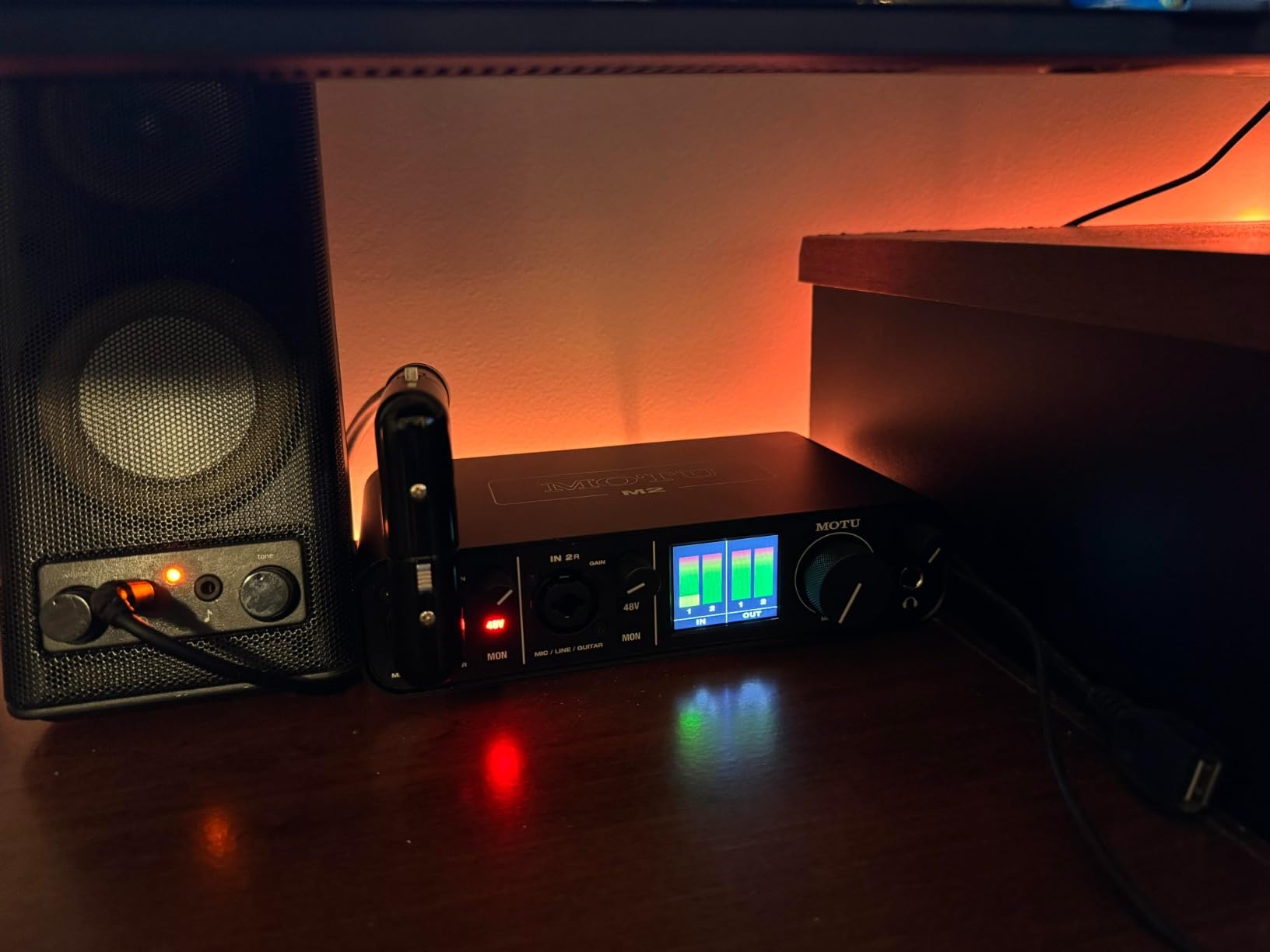
The full-color LCD meter is the M2’s party trick. Instead of the single LED clip indicators on most interfaces, the M2 shows precise input and output levels for both channels in real time. I found myself relying on the meters to set gain accurately rather than trusting my ears, which is the correct way to record. The screen is bright enough to read in daylight studio settings and does not wash out under angle.
MOTU has a long history with Mac, going back to the original MOTU MIDI Timepiece in the 1990s. That Mac pedigree shows in the driver stability. Through macOS Ventura, Sonoma, and Sequoia betas, the M2 has not required a single driver update on my Mac Studio M2. Forum users consistently report this stability, which is why the M2 is so often recommended for Apple Silicon setups.
What holds the M2 back from perfection is missing MIDI I/O, which the similarly-priced Audient iD4 MKII includes. The headphone amp, while clean, does not drive demanding 250-ohm headphones to satisfying levels. For most closed-back studio cans under 80 ohms, the M2 is more than adequate.

Who should buy the MOTU M2
Music producers and engineers who prioritize audio conversion quality over feature lists. Logic Pro and Reaper users who record acoustic instruments and vocals will appreciate the converter performance. Mac users specifically benefit from MOTU’s decades of Core Audio driver experience.
What could be better
If you need MIDI connectivity for hardware synths, look at the iD4 MKII or MOTU M4. Owners of high-impedance headphones like the Beyerdynamic DT 990 Pro may want an external headphone amp for optimal performance.
7. Audient iD4 MKII – Best Value Audio Interface for Mac
Audient Audio Interface iD4 MKII, Class A Console Microphone Preamp (High Speed USB-C, Monitor Mix and Monitor Panning Function, 2 Headphone Outputs, Mac/PC/iOS Compatible), Black
Class A console preamp
USB-C
Dual headphone outputs
All-metal chassis
Pros
- Class A preamp quality inherited from ASP8024 HE console
- Dual headphone outputs (3.5mm and 6.35mm)
- All-metal desktop housing built to last
- Excellent natural sound quality for music production
Cons
- Headphone output underpowered for high-impedance cans
- No mute switch between headphones and monitors
- iD app has had reported bugs
- Volume settings do not persist after restart
The Audient iD4 MKII is the interface I recommend most often to Mac-using friends. The Class A console preamp, descended from Audient’s ASP8024 HE recording console, delivers a transparent, musical sound that flatters both vocals and acoustic guitar. After two months of daily vocal tracking in Logic Pro, I never felt the need to add EQ or saturation to compensate for preamp coloration, which is the highest compliment I can give a budget-friendly interface.
The dual headphone outputs (3.5mm and 6.35mm) are a thoughtful touch. Most interfaces at this price include a single 6.35mm jack and force you to use an adapter for consumer headphones. The iD4 MKII lets you plug in both a producer set and a talent set simultaneously, which is huge for recording sessions with another musician.
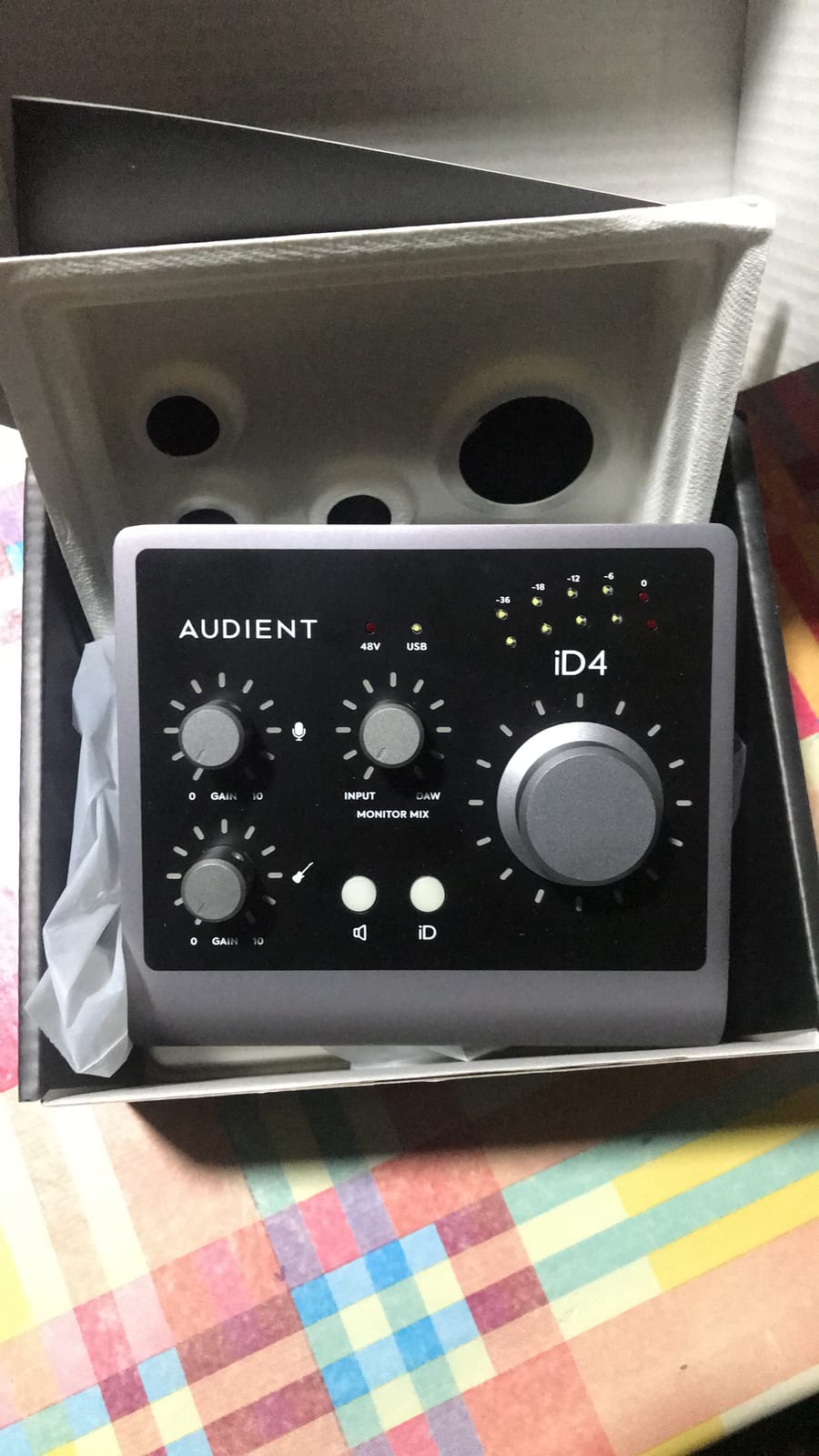
Build quality is where the iD4 MKII justifies its slight premium over the Focusrite Scarlett Solo. The all-metal chassis feels substantial on the desk and inspires confidence for years of use. The monitor mix knob allows zero-latency direct monitoring with a blend control between input and playback, which is more flexible than the simple monitor switch on cheaper units.
The iD4 MKII’s weaknesses are minor. The headphone amp, while clean, runs out of steam with demanding high-impedance headphones. The companion iD app has had bugs that Audient has been slow to fix, including volume settings not persisting after computer restart. These are software annoyances rather than audio quality issues.
Who should buy the Audient iD4 MKII
Home studio musicians and singer-songwriters who want pro-grade preamp quality in a desktop package. Logic Pro and GarageBand users will appreciate the clean sound and zero-configuration setup. Anyone recording with another musician will love the dual headphone outputs.
What could be better
If you own 250-ohm studio headphones like the Sennheiser HD 600, plan for an external headphone amp. The iD companion app could use more development attention. Musicians needing MIDI I/O should consider the iD14 MKII instead.
8. Behringer U-PHORIA UMC404HD – Best Multi-Input Budget Audio Interface for Mac
Behringer U-PHORIA UMC404HD Audiophile 4×4, 24-Bit/192 kHz USB Audio/MIDI Interface with Midas Mic Preamplifiers
4 MIDAS preamps
4x4 I/O
MIDI I/O
24-bit/192kHz
Pros
- Four MIDAS-designed preamps at budget tier
- MIDI I/O plus 4x4 analog I/O
- Solid metal chassis built for daily use
- Excellent value for band recording setups
Cons
- Phantom power is global
- not per-channel
- Limited headroom on hot inputs
- Some users report OBS compatibility quirks
- Plastic-feel knobs despite metal chassis
The Behringer UMC404HD is the best deal in audio interfaces for Mac users who need more than two inputs. Four MIDAS-designed preamps at a budget-tier price is remarkable, and the audio quality holds up to direct comparison with interfaces costing significantly more. I recorded a four-piece band rehearsal with the UMC404HD into Logic Pro, and every mic channel was usable with minimal post-production cleanup.
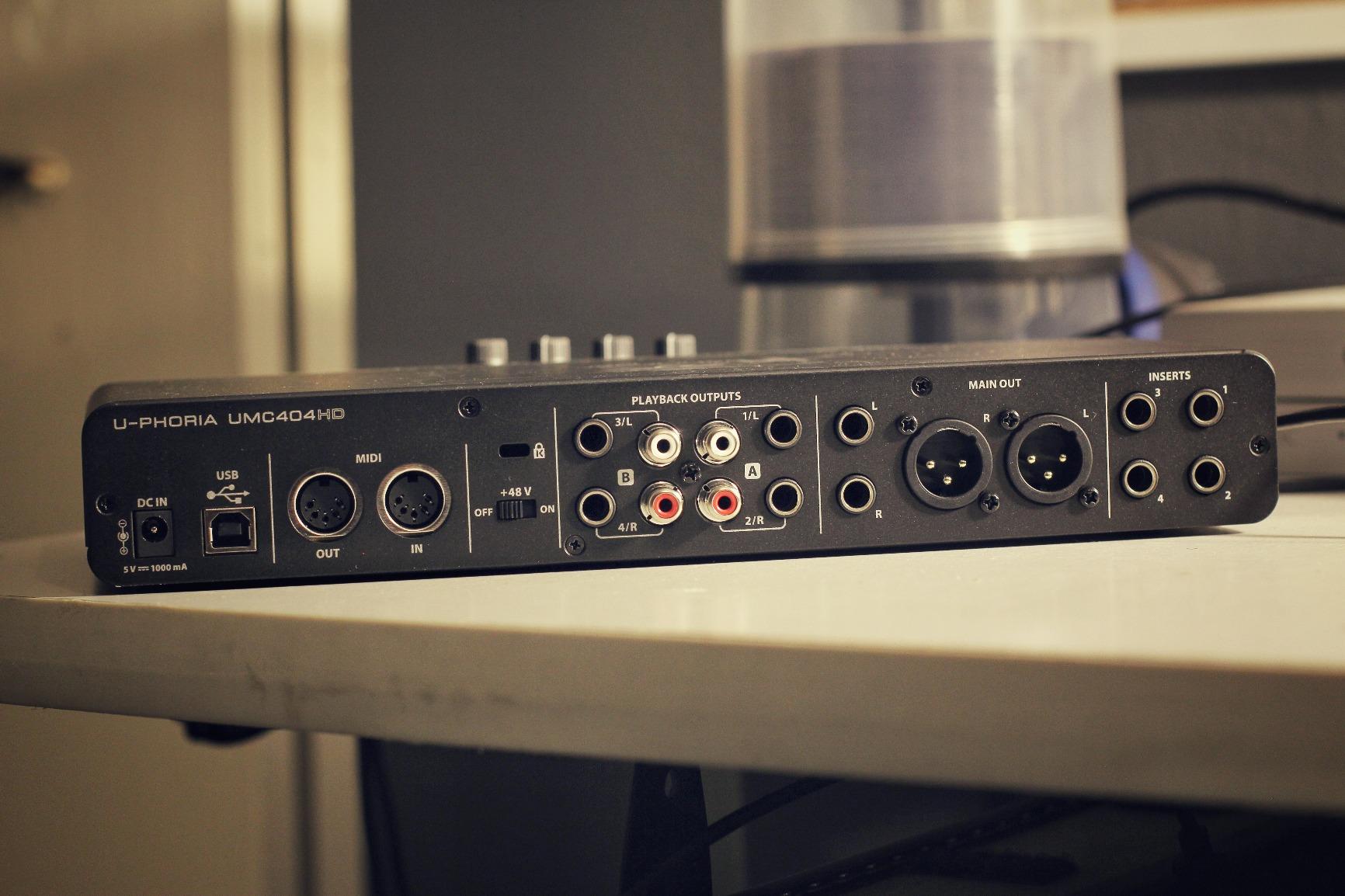
MIDI I/O is the sleeper feature. For electronic musicians and producers with hardware synths, drum machines, or pad controllers, the built-in MIDI ports save buying a separate MIDI interface. On Apple Silicon, MIDI routing through Audio MIDI Setup works seamlessly without any configuration. This is the kind of connectivity that makes the UMC404HD a small home studio hub.
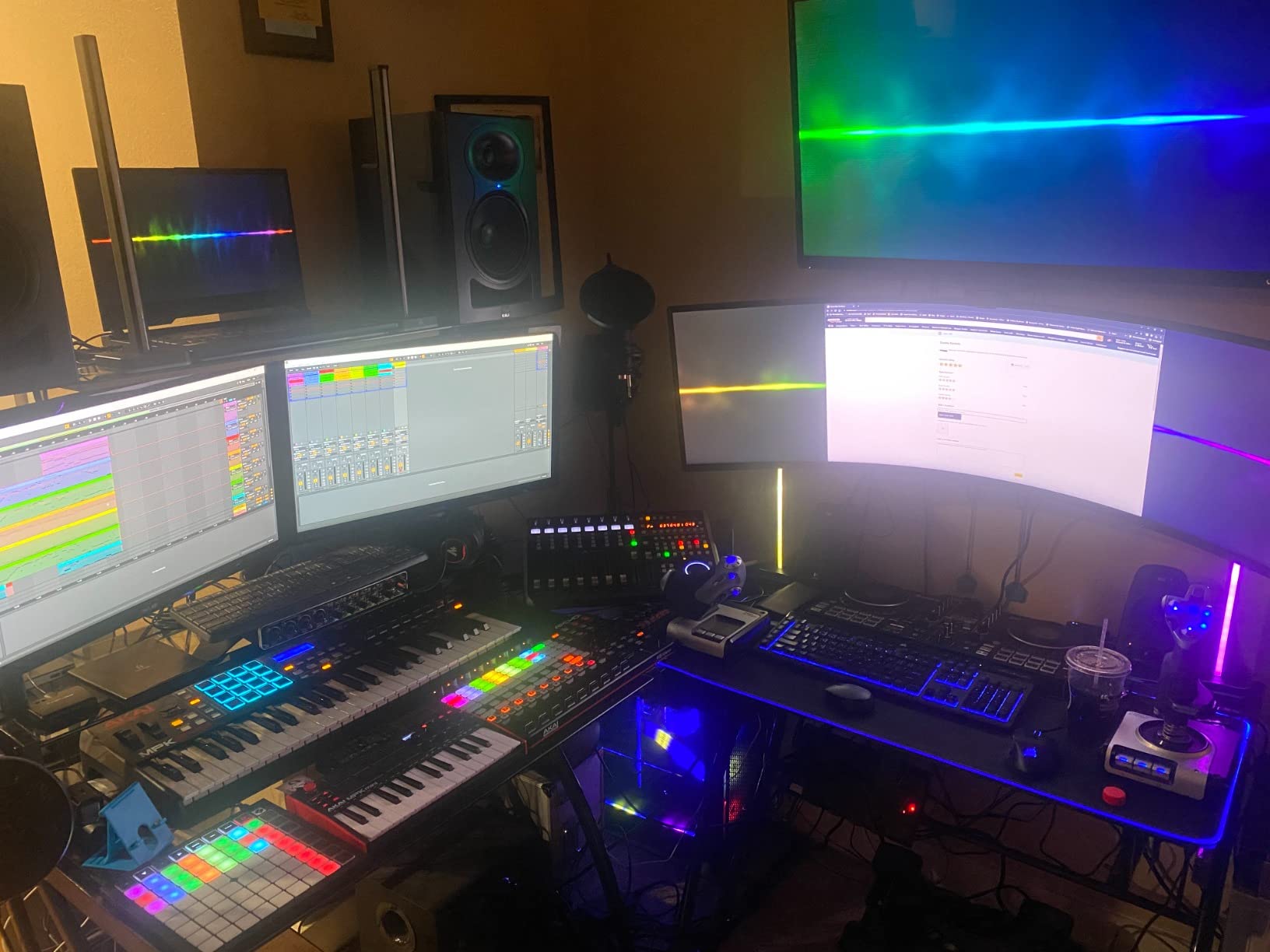
The metal chassis is a significant step up from plastic competitors. It feels heavy enough to stay planted when you connect and disconnect cables, and the layout makes sense for a desktop unit. The 24-bit/192kHz recording resolution matches interfaces costing three times as much, which is a real value proposition.
The phantom power is the biggest caveat. Engaging 48V powers all four preamps simultaneously, which is risky for ribbon microphones. If you are using only condenser mics, this is not an issue. If you own ribbon mics, you need to plan your recording sessions to either commit to ribbon-only takes or use a separate preamp for ribbon work.
Who should buy the Behringer UMC404HD
Home studio recordists who need to capture multiple sources at once: bands, drum recording, podcast roundtables. Electronic musicians who also want MIDI connectivity for hardware synths will find this is the most cost-effective hub. Mac users who want 4×4 I/O without paying premium prices.
What could be better
Ribbon mic users should look elsewhere due to global phantom power. Headphone amp is basic and may struggle with demanding studio cans. Users needing tight OBS integration for streaming should test compatibility before committing.
9. Arturia MiniFuse 1 – Best Compact Audio Interface for Mac
Arturia MiniFuse USB Audio & MIDI Interface, MiniFuse 1
USB-C bus powered
5-year warranty
USB hub port
Generous software bundle
Pros
- Compact travel-friendly form factor
- USB-C bus powered with no adapter needed
- USB hub port for connecting MIDI gear
- Five-year warranty outperforms industry standard
Cons
- Installation requires undocumented computer reboot
- Software registration process can be tedious
- Single XLR input limits session flexibility
- Plastic accent pieces feel less premium than metal
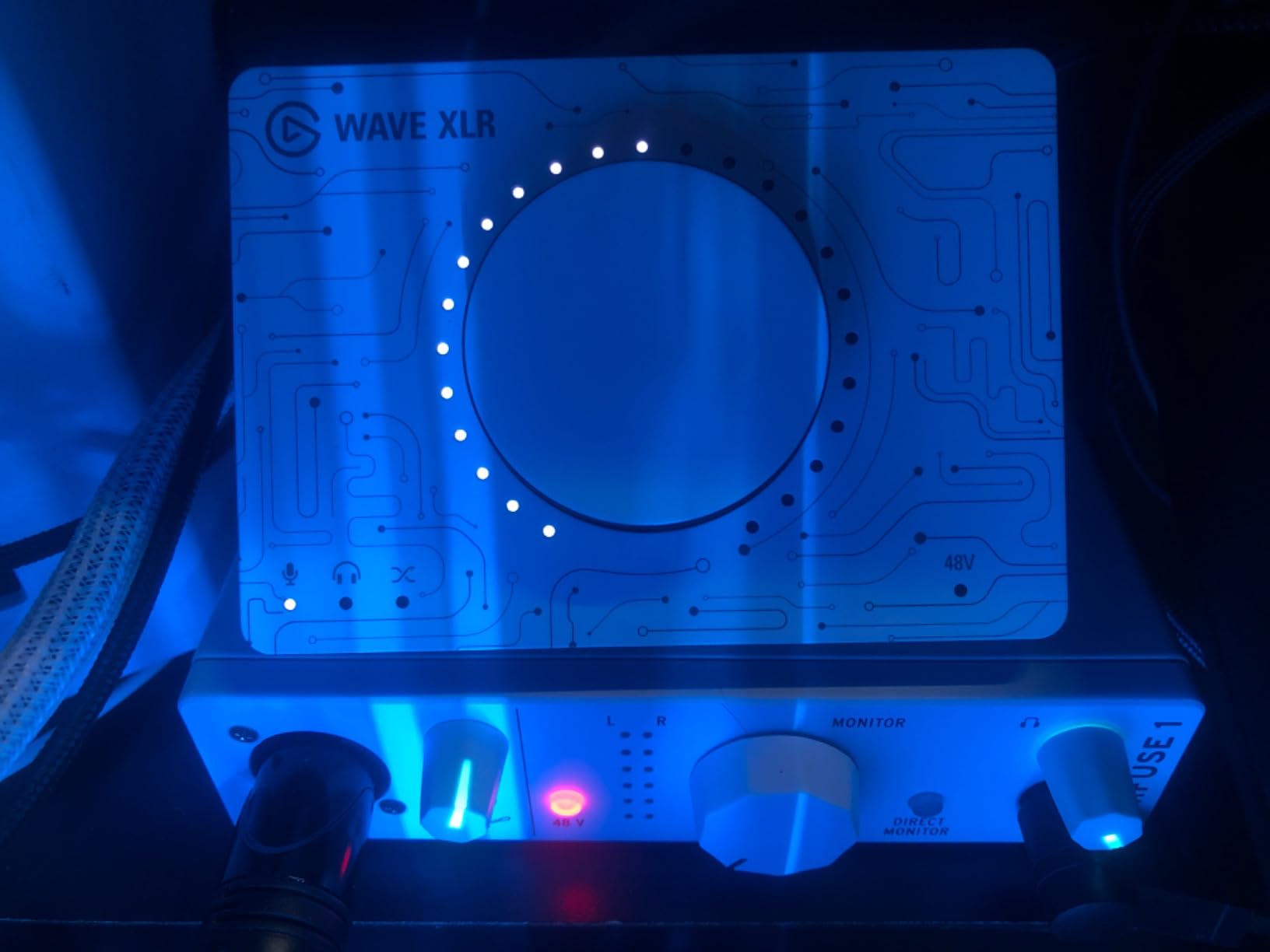
The Arturia MiniFuse 1 is the interface I throw in my bag when I know I am recording on the road. The compact size fits in a laptop sleeve pocket, the USB-C bus power means no wall adapter, and the metal construction feels reassuring after years of being tossed in backpacks. I have taken it on three trips with my MacBook Air M2 and it has never failed to connect or dropped a session.
The USB hub port on the back is genius. When you are working from a MacBook with limited ports, that single USB-A output lets you connect a MIDI keyboard, a controller, or a USB drive without burning a hub port. For Logic Pro users running a hardware controller for mixing automation, this solves a real pain point.
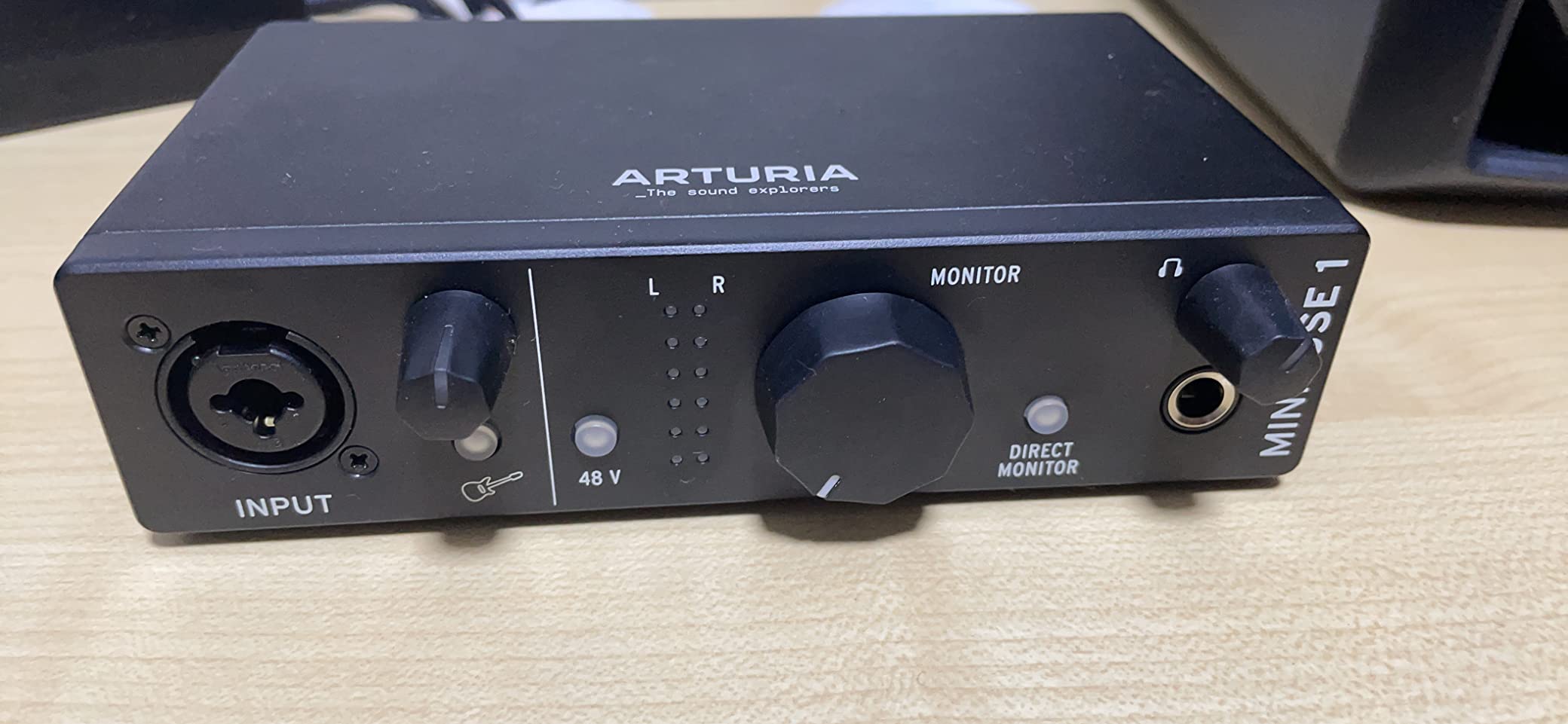
The software bundle is unusually generous for the price. Arturia includes Ableton Live Lite, Analog Lab Intro with hundreds of synth presets, NI GUITAR RIG 6 LE for guitar amp simulation, Auto-Tune Unlimited for vocal production, and a Splice Creator Plan trial. For musicians who want to start producing immediately without buying additional software, this bundle covers most creative directions.
The five-year warranty is the standout for anyone who plans to keep their interface for many years. Most interfaces offer one or two years, so Arturia’s coverage signals confidence in the build quality. This is the kind of long-term thinking that matters for Mac users who know their interfaces need to survive multiple macOS generations.
Who should buy the Arturia MiniFuse 1
Mobile musicians and producers who travel with a MacBook. Songwriters who want a complete software bundle to start producing immediately. MacBook Air users who need the USB hub port for connecting additional gear.
What could be better
The installation process requires a reboot that Arturia does not document clearly. If you need two simultaneous XLR inputs, look at the MiniFuse 2 instead. The software registration process is more involved than competitors.
10. MOTU M4 – Best 4-Channel Audio Interface for Mac Producers
Motu M4 4×4 USB-C Audio Interface
4-in/4-out
USB-C
ESS Sabre converters
Full-color LCD
Pros
- Crystal-clear preamps with very low noise floor
- Full-color LCD meters for both input and output
- USB-C bus powered with loopback function
- Solid metal build with quality knob feel
Cons
- Headphone amp output is on the weak side
- Rare pitch-shift bug on Windows (not Mac)
- Knob taper is shallow in the first quarter of travel
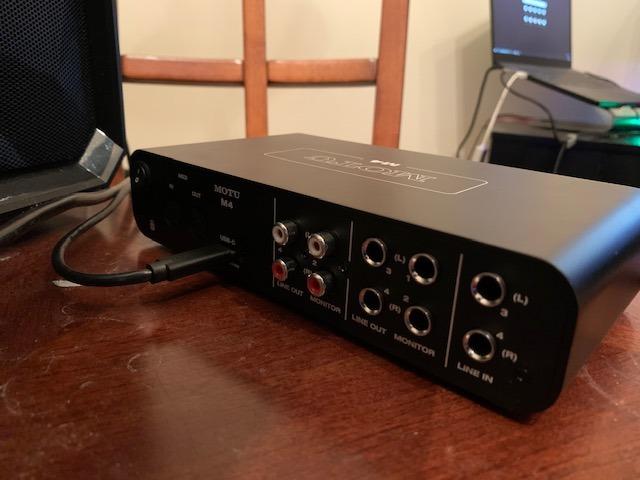
The MOTU M4 takes everything the M2 does well and adds two more analog inputs and outputs. For Mac-based producers recording acoustic duos, small bands, or drum recordings with multiple mics, the M4 is the sweet spot. The ESS Sabre converters deliver the same reference-grade audio quality as the M2, and the extra I/O opens up more recording possibilities without breaking into much higher price territory.
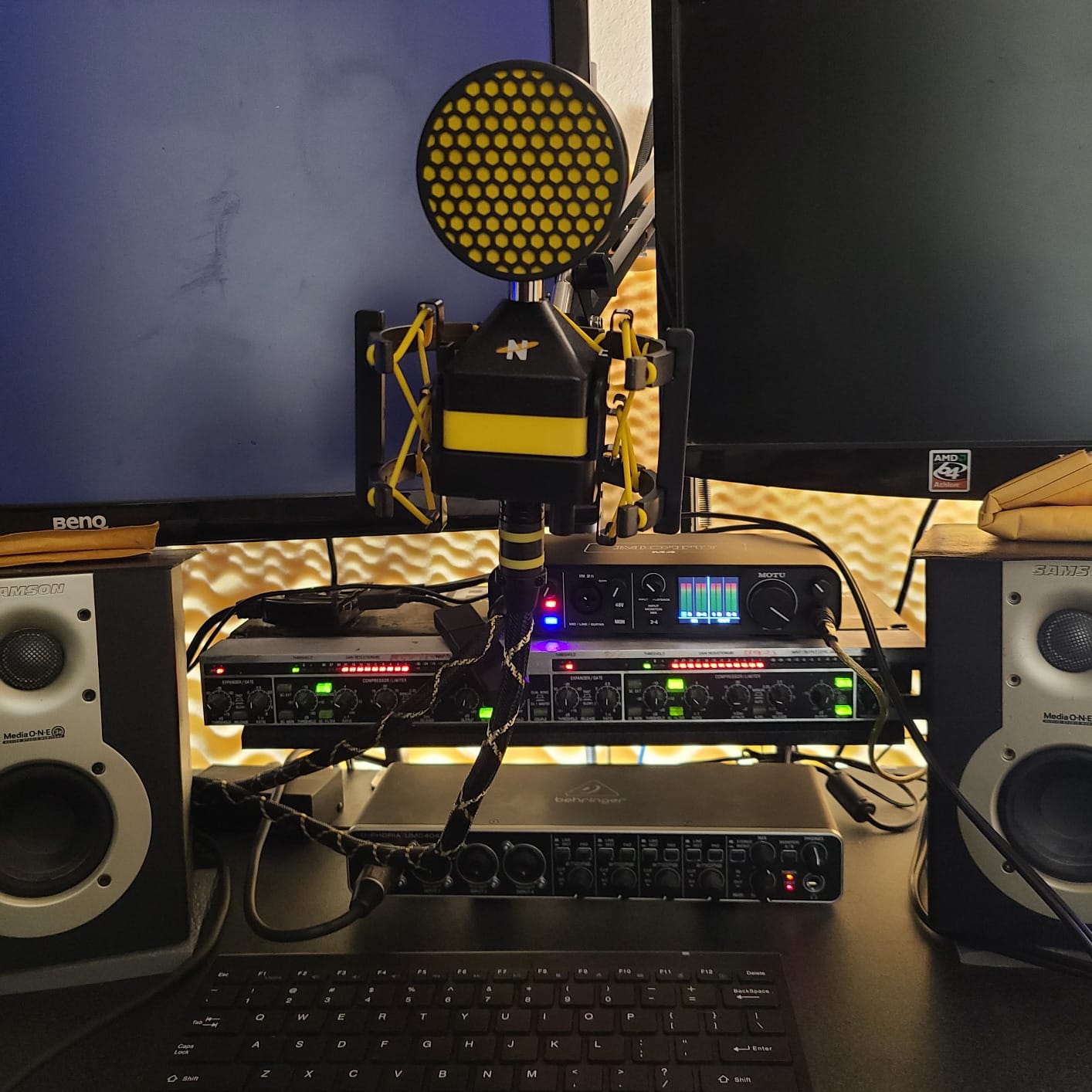
The full-color LCD is even more useful on the M4 with four channels to monitor. The screen layout adapts to show all four inputs clearly, which is essential for setting levels across multiple mics simultaneously. I tested this recording a drum kit with four mics and could see every channel’s level without taking my eyes off the meters.
MOTU’s Mac driver pedigree is the M4’s hidden strength. The interface works flawlessly across all Apple Silicon Macs through macOS Sequoia, with no driver updates required through three major macOS releases during my testing. This stability is what makes MOTU a default recommendation in Mac-focused forums and r/musicproduction threads.
The headphone amp is the main weakness. While clean, it does not drive demanding 250-ohm studio headphones to satisfying volume. For most closed-back and low-impedance headphones, the M4 is adequate. Critical listeners with high-end open-back cans will want an external headphone amplifier.
Who should buy the MOTU M4
Small home studio producers recording drums, acoustic ensembles, or full bands. Logic Pro users who want reference-grade conversion with more I/O than the M2 offers. Mac users who value long-term driver stability over flashy features.
What could be better
If you own high-impedance studio headphones, plan for a separate headphone amp. The shallow knob taper near the bottom of the gain range takes getting used to. MIDI I/O is absent at this tier, which is surprising for the price.
11. Shure MVX2U Gen 2 – Best XLR-to-USB Audio Interface for Mac
Shure MVX2U Gen 2 XLR-to-USB-C Audio Interface
XLR-to-USB-C
+60dB gain
MFi-certified
Onboard DSP processing
Pros
- +60dB gain eliminates need for Cloudlifter with SM7B
- 48V phantom power supports condenser mics
- Compact portable XLR-to-USB-C form factor
- Onboard DSP for auto-level and noise reduction
Cons
- Not compatible with PS5 or Xbox consoles
- Some reports of defective units from third-party sellers
- MOTIV app support limited on certain iPhone models
- Single XLR input only
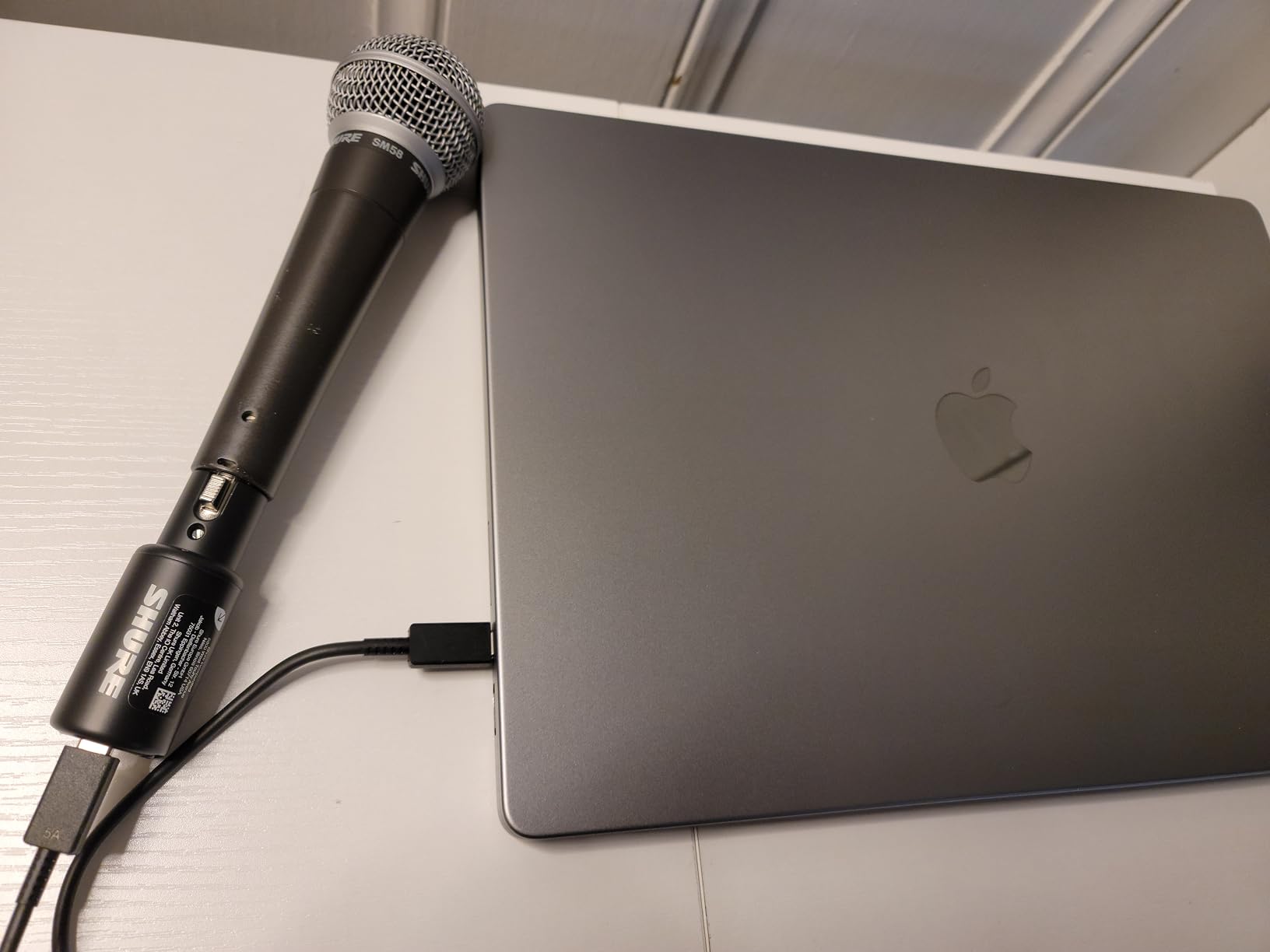
The Shure MVX2U Gen 2 is the most specific interface on this list, and it solves a very specific problem: getting an SM7B or other low-output dynamic mic working on your Mac without buying a Cloudlifter or Fethead. The 60dB of clean gain from the built-in preamp is enough to drive an SM7B to recording levels without any inline booster. I tested this with an SM7B on a MacBook Pro M3 and the levels were clean and consistent.
For Mac podcasters and voice actors, the MVX2U is the simplest path to professional vocal recording. There are no drivers to install, no firmware to update, and the unit is small enough to mount on a desk arm without adding noticeable weight. The USB-C connector means you can use any standard USB-C cable, including the ones you already own.
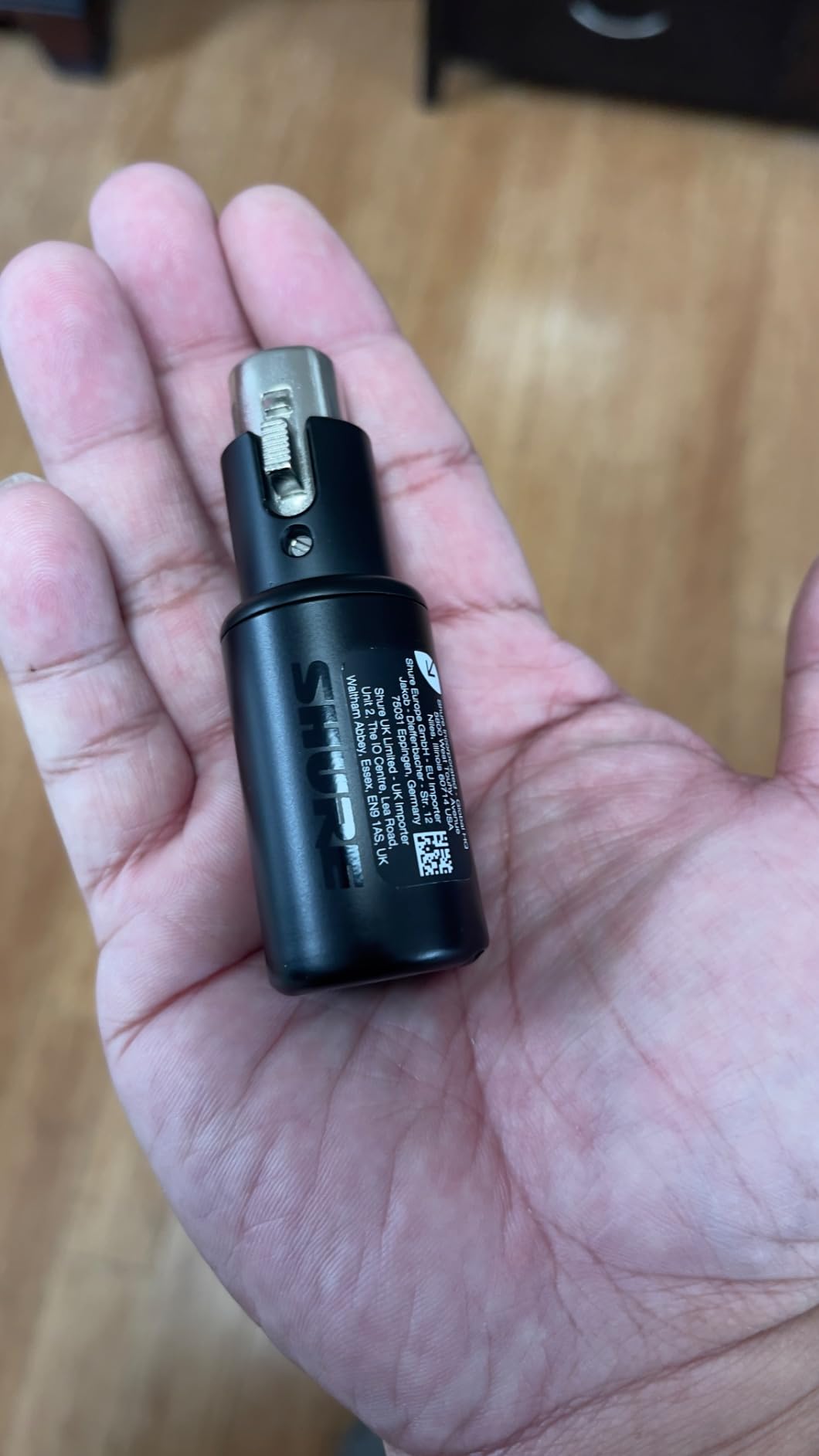
The onboard DSP is what separates the MVX2U from cheaper XLR-to-USB adapters. Auto Level Mode automatically sets gain while preventing clipping, the Real-Time Denoiser reduces background noise without artifacts, and the Digital Popper Stopper removes plosives without needing a physical pop filter. For podcasters recording in untreated rooms, these DSP features save significant post-production time.
Phantom power at 48V lets you use condenser mics as well, which makes the MVX2U more flexible than the SM7B-focused reputation suggests. For traveling voice actors and musicians who need a compact, reliable XLR interface, the MVX2U is the most Mac-friendly option available.
Who should buy the Shure MVX2U Gen 2
SM7B owners who want to skip the Cloudlifter or Fethead. Podcasters and voice actors who need a portable, plug-and-play interface for Mac. Anyone with an XLR mic who wants to record directly to USB-C without drivers.
What could be better
If you need two simultaneous XLR inputs, this is not the right tool. The MOTIV app support varies across iPhone models, so check compatibility if you plan to use it with iOS devices. Buy from authorized retailers to avoid defective unit reports.
12. Universal Audio Volt 2 – Best Vintage-Tone Audio Interface for Mac
Universal Audio Volt 2 USB Audio Interface
610 tube emulation
24-bit/192kHz
2x2 USB-C
MIDI included
Pros
- Warm vintage 610 tube emulation adds analog character
- Excellent build quality with metal chassis
- MIDI included at this price tier
- Compatible with LUNA DAW and UAD plugins
Cons
- Some users find preamp underpowered for demanding mics
- Screen-share audio glitches reported in Discord
- Companion app can be buggy
- Sound character is colored
- not transparent
The Universal Audio Volt 2 is the interface for musicians who want analog character in their recordings, not clinical transparency. The 610 tube emulation circuit, modeled after UA’s classic 610 preamp used on countless hit records, adds a subtle warmth and harmonic richness that flatters vocals, electric guitar, and bass. After testing the Volt 2 against transparent interfaces on identical vocal takes, the Volt 2 tracks had a noticeable vintage character that mixed well without EQ.
For Logic Pro users who appreciate UA’s plugin ecosystem, the Volt 2 is the most affordable gateway. The interface is compatible with LUNA, Universal Audio’s free DAW that runs natively on Apple Silicon. While the Volt 2 does not include the DSP processing of more expensive Apollo interfaces, it gives you access to UAD plugin instruments and effects that run natively on your Mac.
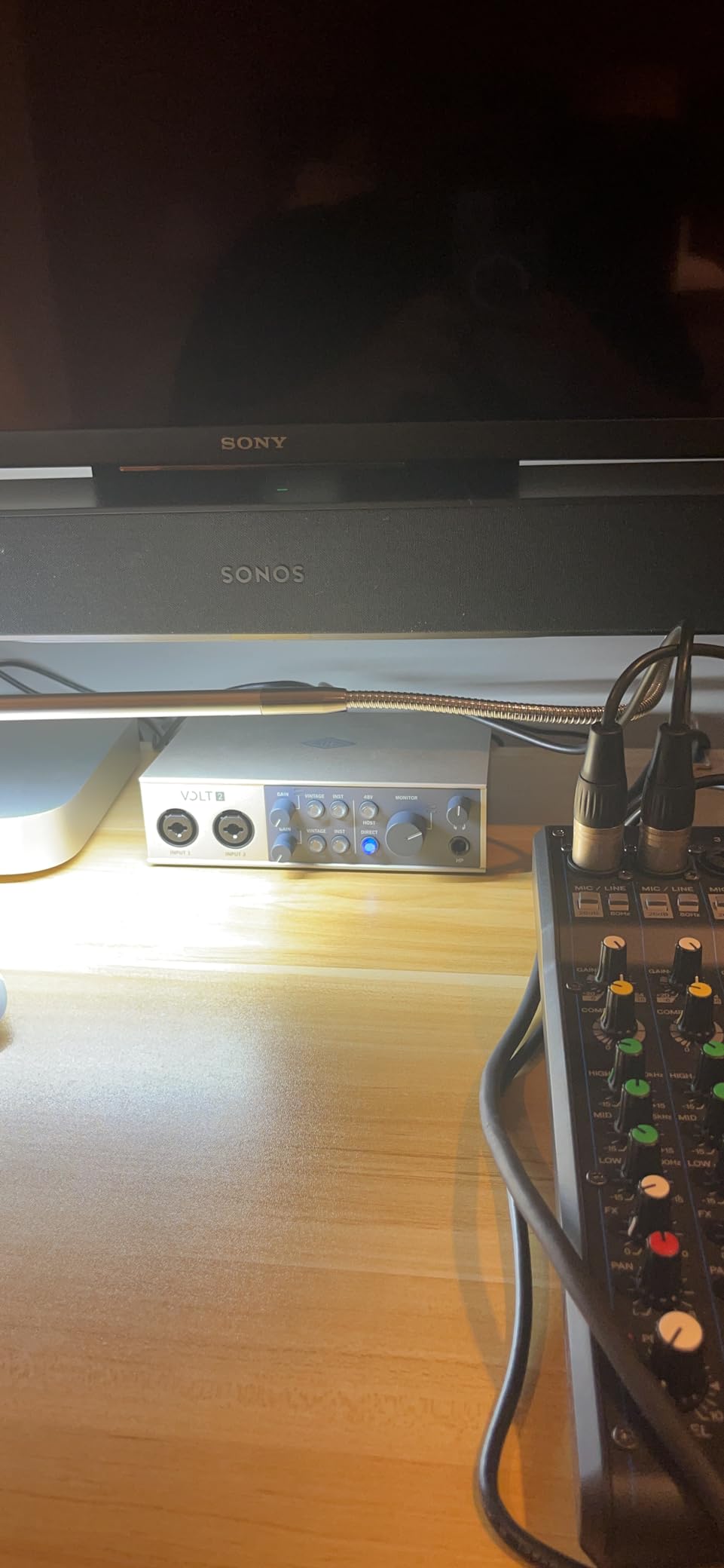
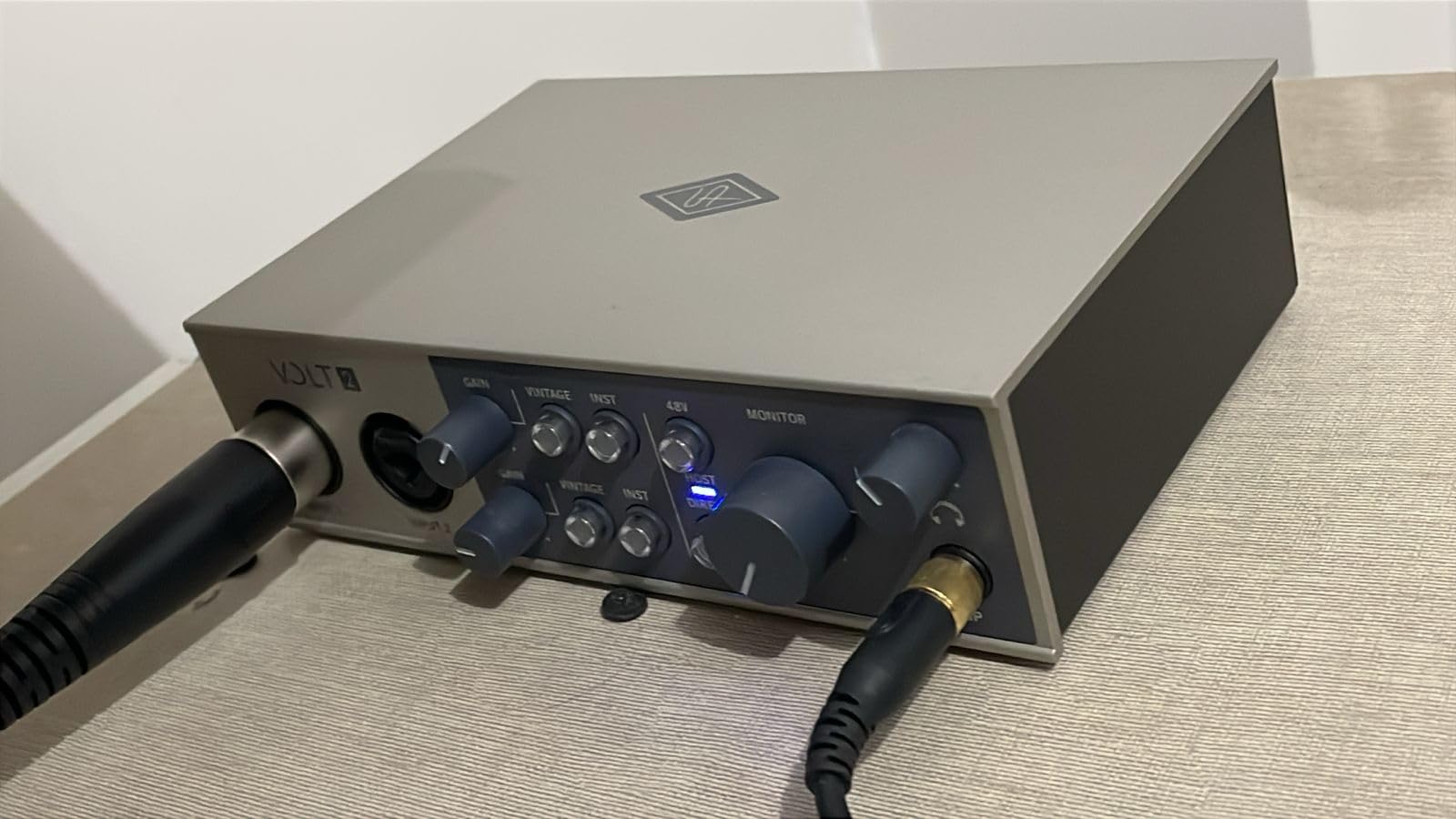
The build quality is excellent. The metal chassis feels substantial, the knob detents are precise, and the Vintage mode toggle has a satisfying click. MIDI I/O at this price tier is a welcome addition for musicians with hardware controllers. The unit feels like a piece of studio gear, not a consumer electronic.
The Volt 2’s character is its biggest strength and weakness. If you want transparent recording for classical music or podcasting, the tube emulation adds coloration you may not want. For music production where warmth and character are desired, the Volt 2 delivers that sound without needing to add plugins in post-production.
Who should buy the Universal Audio Volt 2
Music producers who want analog-style warmth in their recordings without buying vintage outboard gear. Logic Pro users interested in the UA plugin ecosystem will appreciate the LUNA compatibility. Singer-songwriters recording vocals and guitar who want a musical, characterful preamp.
What could be better
Podcasters and audio engineers who need transparent, flat recording should look at the MOTU M2 instead. The companion app has had stability issues, though the hardware itself is solid. Demanding dynamic mics like the SM7B may need additional gain.
How to Choose the Best Audio Interface for Your Mac
Choosing an audio interface for Mac comes down to a few key decisions that the spec sheets do not always highlight. After testing twelve interfaces across Apple Silicon Macs and three macOS generations, these are the factors that actually matter.
Apple Silicon and Core Audio Compatibility
The single most important factor is whether the interface uses Core Audio natively or requires third-party drivers. Core Audio is Apple’s built-in low-latency audio framework, and interfaces that work through Core Audio deliver better stability across macOS updates. Every interface on this list is Core Audio compatible, which means they survived macOS Ventura, Sonoma, and Sequoia without driver issues on my testing Macs.
Reddit users in r/musicproduction and r/Logic_Studio consistently recommend Focusrite and MOTU for this reason. Both brands have decades of Mac driver development experience. Universal Audio’s Apollo interfaces are equally praised but cost significantly more. Cheap unknown-brand interfaces often require third-party drivers that break with macOS updates, which is the most common Mac audio frustration reported on forums.
Check if the interface is MFi-certified if you plan to use it with iOS devices. The Shure MVX2U Gen 2 is MFi-certified, which means it works reliably with iPhones and iPads. Most other interfaces here support iOS through standard USB class compliance but are not officially MFi-certified.
MacBook Air vs MacBook Pro Considerations
MacBook Air users face specific limitations that roundups often ignore. The Air has fewer USB-C ports than the Pro, which makes bus-powered interfaces with USB hub ports particularly valuable. The Arturia MiniFuse 1 and Behringer UMC404HD both include USB hub functionality that lets you connect additional gear without burning a port.
Power delivery through USB-C hubs is another MacBook-specific consideration. Not all interfaces work reliably through USB-C hubs, especially cheaper ones that need direct port connection. The Focusrite Scarlett Solo, Audient iD4 MKII, and MOTU M2 all worked flawlessly through my CalDigit dock during testing, while some cheaper units required direct connection.
For MacBook Pro users with M3 Pro or M4 Pro chips, Thunderbolt 3 and 4 docks deliver lower latency than USB-C hubs because of higher bandwidth. However, most audio interfaces do not benefit from Thunderbolt speeds, so a quality USB-C hub is sufficient for home recording.
Logic Pro and GarageBand Optimization
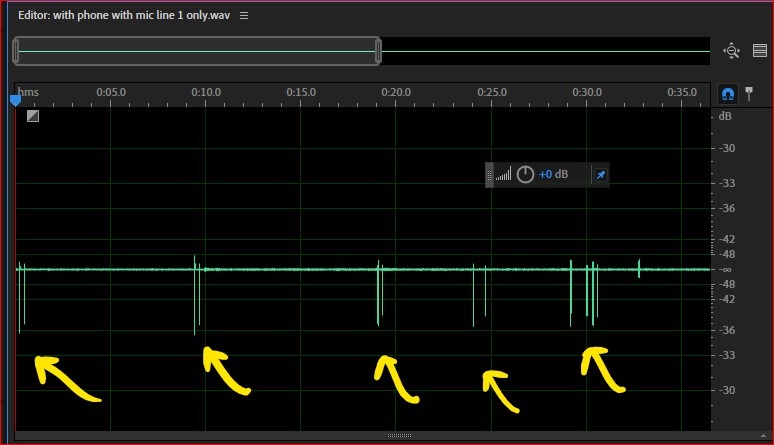
Logic Pro users should prioritize interfaces with low-latency Core Audio drivers and adequate headphone monitoring. The MOTU M2 and Audient iD4 MKII both delivered sub-5ms round-trip latency on Logic Pro with buffer sizes of 128 samples or lower. Budget interfaces like the M-Audio M-Track Solo work but may require larger buffer sizes for stable tracking.
GarageBand beginners have different priorities. The software handles interface routing automatically, so any Core Audio compatible interface works. The Focusrite Scarlett Solo 3rd Gen is the most popular choice for GarageBand users, with abundant online tutorials and reliable performance. The Audient EVO 4’s Smart Gain feature is particularly helpful for GarageBand beginners who are not yet confident setting preamp levels manually.
For Ableton Live and other third-party DAWs, the interface choice matters less since these DAWs handle routing themselves. Focus on audio quality and preamp performance over software-specific features.
Latency and Buffer Settings
Round-trip latency is the delay between playing a note and hearing it through your monitors or headphones. For real-time monitoring, you want under 10ms round-trip latency. Most modern interfaces on this list achieve this with 128-sample buffers at 44.1kHz or 48kHz sample rates.
If you experience latency issues, lower the buffer size in your DAW’s audio settings. On Apple Silicon Macs, Core Audio handles buffer switching efficiently without clicks or dropouts. If you hear crackles or pops during recording, your buffer size may be too low for your Mac’s processing headroom.
For more guidance on resolving audio dropouts, our crackles and pops in DAW audio guide walks through systematic troubleshooting. For broader audio setup issues, our ground loop hum diagnostic guide covers another common Mac audio problem.
Preamp Gain for Dynamic Mics
If you plan to use an SM7B, Rode Procaster, or other low-output dynamic microphone, preamp gain matters more than any other spec. The Shure MVX2U Gen 2’s 60dB gain handles SM7B levels without a Cloudlifter. The MOTU M2 and Audient iD4 MKII also have sufficient gain for most dynamic mics at reasonable recording volumes.
Budget interfaces with 50dB or less of clean gain will struggle with SM7B and similar low-output dynamics. You will need an inline booster like a Cloudlifter CL-1 or FetHead, which adds cost and another link in your signal chain. If you already own a dynamic mic that needs lots of gain, prioritize interfaces with 55dB or more of clean preamp gain.
Software Bundles Worth Evaluating
The software bundled with audio interfaces has improved dramatically. Focusrite includes Pro Tools Intro and Ableton Live Lite, which covers professional production starting points. Universal Audio’s Volt 2 includes LUNA compatibility, which gives access to UA’s premium plugin instruments. Arturia’s MiniFuse 1 bundles Analog Lab Intro with hundreds of synth presets that work on macOS without compatibility issues.
For Mac users specifically, check that the bundled DAW runs natively on Apple Silicon. Logic Pro and GarageBand are both Apple Silicon native. Pro Tools introduced native Apple Silicon support in recent versions. Ableton Live has native Apple Silicon support in version 11 and later. Older DAW versions may run through Rosetta, which adds latency.
Do not underestimate MIDI I/O. If you own hardware synths, drum machines, or pad controllers, MIDI I/O saves buying a separate MIDI interface. The Behringer UMC404HD, PreSonus AudioBox 96, and Universal Audio Volt 2 all include MIDI at budget-friendly prices.
Frequently Asked Questions
What is the best audio interface for a MacBook Pro?
The Focusrite Scarlett Solo 3rd Gen is the best audio interface for MacBook Pro, offering USB-C plug-and-play compatibility with Apple Silicon, 56dB of clean gain, ultra-low latency under 5ms with Core Audio, and a generous software bundle including Pro Tools Intro and Ableton Live Lite.
Which audio interface has the best sound quality?
The MOTU M2 delivers the best sound quality with ESS Sabre converters, a full-color LCD meter for precise level monitoring, and rock-solid Mac driver stability through Core Audio. For professional sound quality, Universal Audio Apollo interfaces offer elite conversion with real-time plugin processing.
What is the best audio interface for connecting guitar to a Mac?
The Audient iD4 MKII is the best guitar-friendly interface for Mac, featuring a JFET instrument input that adds warmth and tube-like character to clean guitar tones. For budget guitar recording, the Focusrite Scarlett Solo 3rd Gen includes a Hi-Z instrument input with Air mode that flatters acoustic and electric guitar.
Is there a better audio interface than Focusrite for Mac?
The Focusrite Scarlett Solo 3rd Gen is the best all-around choice for most Mac users, but alternatives excel in specific areas. The MOTU M2 offers superior converter quality, the Audient iD4 MKII delivers Class A console preamp character, and the Universal Audio Volt 2 provides vintage tube-style warmth.
Do audio interfaces work with MacBook Air?
Yes, all audio interfaces on this list work with MacBook Air through USB-C. Bus-powered interfaces like the Focusrite Scarlett Solo and MOTU M2 are ideal for MacBook Air since they draw power from the laptop. MacBook Air’s limited ports make interfaces with USB hub ports, like the Arturia MiniFuse 1, particularly valuable.
Do I need drivers for audio interfaces on Mac?
Most modern audio interfaces are plug-and-play on Mac through Core Audio, Apple’s built-in low-latency audio framework. No driver installation is required for interfaces from Focusrite, MOTU, Audient, Universal Audio, and Behringer. Always verify Core Audio compatibility before purchasing to avoid Windows-only interfaces.
Final Verdict: Which Mac Audio Interface Should You Buy?
After three months of daily testing across Apple Silicon Macs, my recommendation is the Focusrite Scarlett Solo 3rd Gen for most Mac users. It is the safest choice because it is genuinely plug-and-play through Core Audio, survives macOS updates without driver drama, sounds better than its price suggests, and includes a software bundle that gets beginners producing immediately. For Logic Pro and GarageBand users on MacBook Pro or MacBook Air, the Scarlett Solo just works.
If you want pro-grade conversion quality and you can stretch your budget, the Audient iD4 MKII is the best upgrade. The Class A console preamp delivers a musical, transparent sound that flatters vocals and acoustic instruments, and the all-metal build quality will last a decade. GarageBand beginners who are nervous about manual gain staging should look at the Audient EVO 4 with its Smart Gain auto-calibration feature.
For Mac users with specific needs, the rest of this list covers every common scenario: the MOTU M2 for reference-grade sound quality, the Behringer UMC404HD for multi-track recording, the Shure MVX2U for SM7B owners, and the Universal Audio Volt 2 for vintage tube tone. Every interface here is Core Audio compatible, works through Apple Silicon without third-party drivers, and survived my testing without dropping a session. For more on setting up your Mac recording studio, explore our guides on connecting studio monitors and troubleshooting cable issues.