
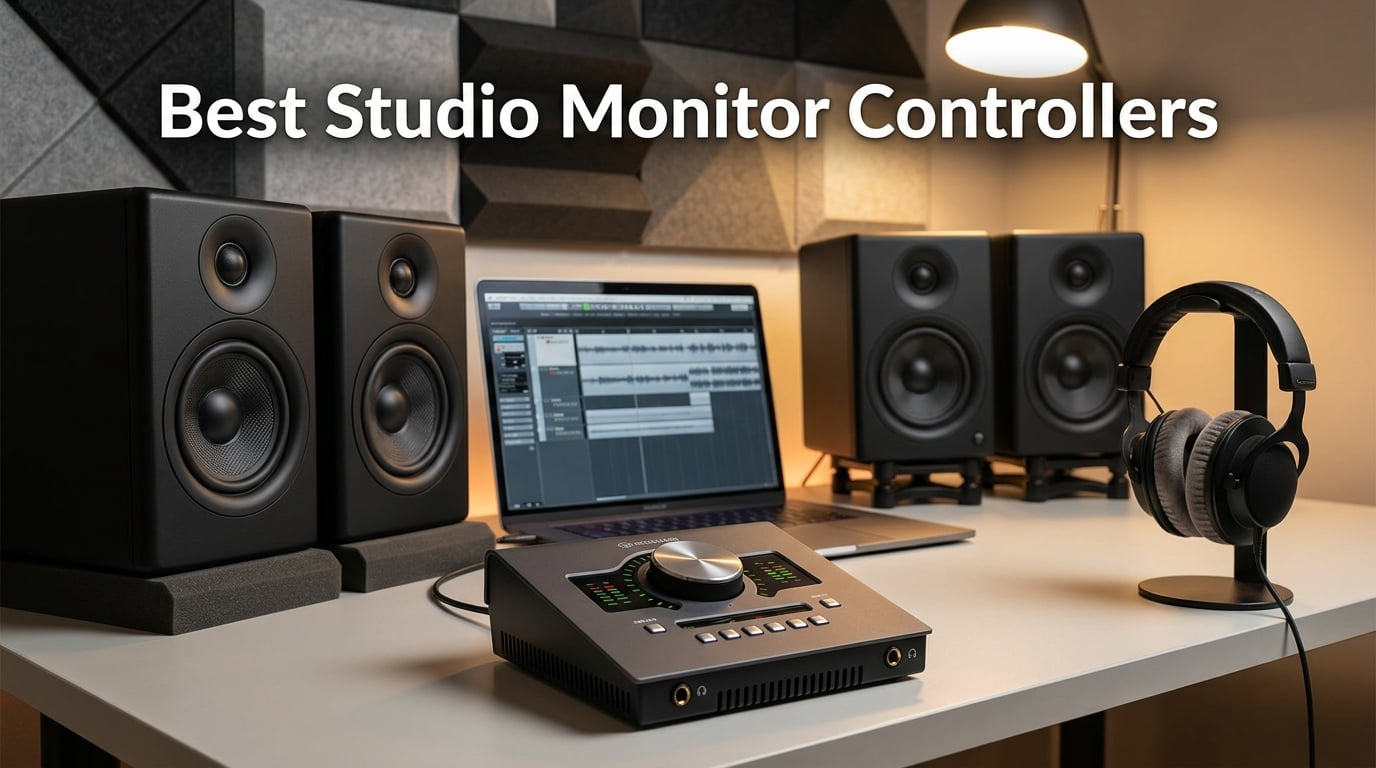
If you have ever turned your audio interface’s software volume way down to protect your ears, then jacked it back up to mix quieter passages, you already know why the best studio monitor controllers exist. A good monitor controller puts a dedicated, hands-on volume knob and proper monitoring functions between your interface and your speakers, so you never sacrifice bit depth, never fumble for a mouse mid-session, and never unplug a cable just to A/B a mix on a second pair of monitors.
We have spent the last several months running ten popular controllers through real mixing and tracking sessions at our home and project studios. Our team compared build quality, signal transparency, monitoring functions (mono, dim, mute, talkback), I/O flexibility, and how each unit felt during long sessions. We also cross-referenced thousands of verified buyer reviews on Amazon and discussions on Reddit’s r/audioengineering and Gearspace to flag recurring pain points like PSU failures, mid-volume hum, and channel imbalance.
Do you actually need one? If you are mixing on a single pair of monitors through your audio interface, you can survive without a monitor controller for now. The moment you add a second pair of reference speakers, a subwoofer, or a serious headphone cue mix, a dedicated controller pays for itself in workflow and sound quality. For more on the underlying chain that makes a controller matter, see our guide on how to connect studio monitors to an audio interface correctly, and our piece on how to calibrate studio monitor volume for consistent mixes.
Table of Contents
Top 3 Picks for Best Studio Monitor Controllers in September
Behringer XENYX CONTROL2USB
- VCA volume control
- Built-in talkback mic
- 3 speaker outputs + 2 headphone amps
- USB audio interface

PreSonus Monitor Station V2
- 3 speaker outputs
- 4 headphone amplifiers
- S/PDIF digital input
- Built-in talkback

Behringer MONITOR1
- Fully passive signal path
- Large volume knob
- Mono and Mute buttons
- XLR combo + 3.5mm I/O
Best Studio Monitor Controllers in 2026
| Product | Specs | Action |
|---|---|---|
| Behringer XENYX CONTROL2USB |
|
Check Latest Price |
| PreSonus Monitor Station V2 |
|
Check Latest Price |
| Behringer MONITOR1 |
|
Check Latest Price |
 Mackie Big Knob Passive Mackie Big Knob Passive |
|
Check Latest Price |
 ESI MoCo ESI MoCo |
|
Check Latest Price |
 Behringer MONITOR2USB Behringer MONITOR2USB |
|
Check Latest Price |
 Palmer MONICON-W Palmer MONICON-W |
|
Check Latest Price |
 Behringer STUDIO M Behringer STUDIO M |
|
Check Latest Price |
 DYNASTY PROAUDIO PMC-2 DYNASTY PROAUDIO PMC-2 |
|
Check Latest Price |
 Audient Nero Audient Nero |
|
Check Latest Price |
1. Behringer XENYX CONTROL2USB – The Hub That Does It All
Behringer XENYX CONTROL2USB High-End Studio Control and Communication Center with VCA Control and USB Audio Interface
VCA volume
USB interface
Talkback mic
Triple speaker outputs
Pros
- VCA-based volume stays accurate at low levels
- Built-in talkback mic with level control
- Three speaker outputs and dual headphone amps
- USB audio interface adds value
- Heavy-duty metal build
Cons
- Larger desktop footprint
- Headphone pot has a small gain step at low levels
- Volume knob pointer is hard to read
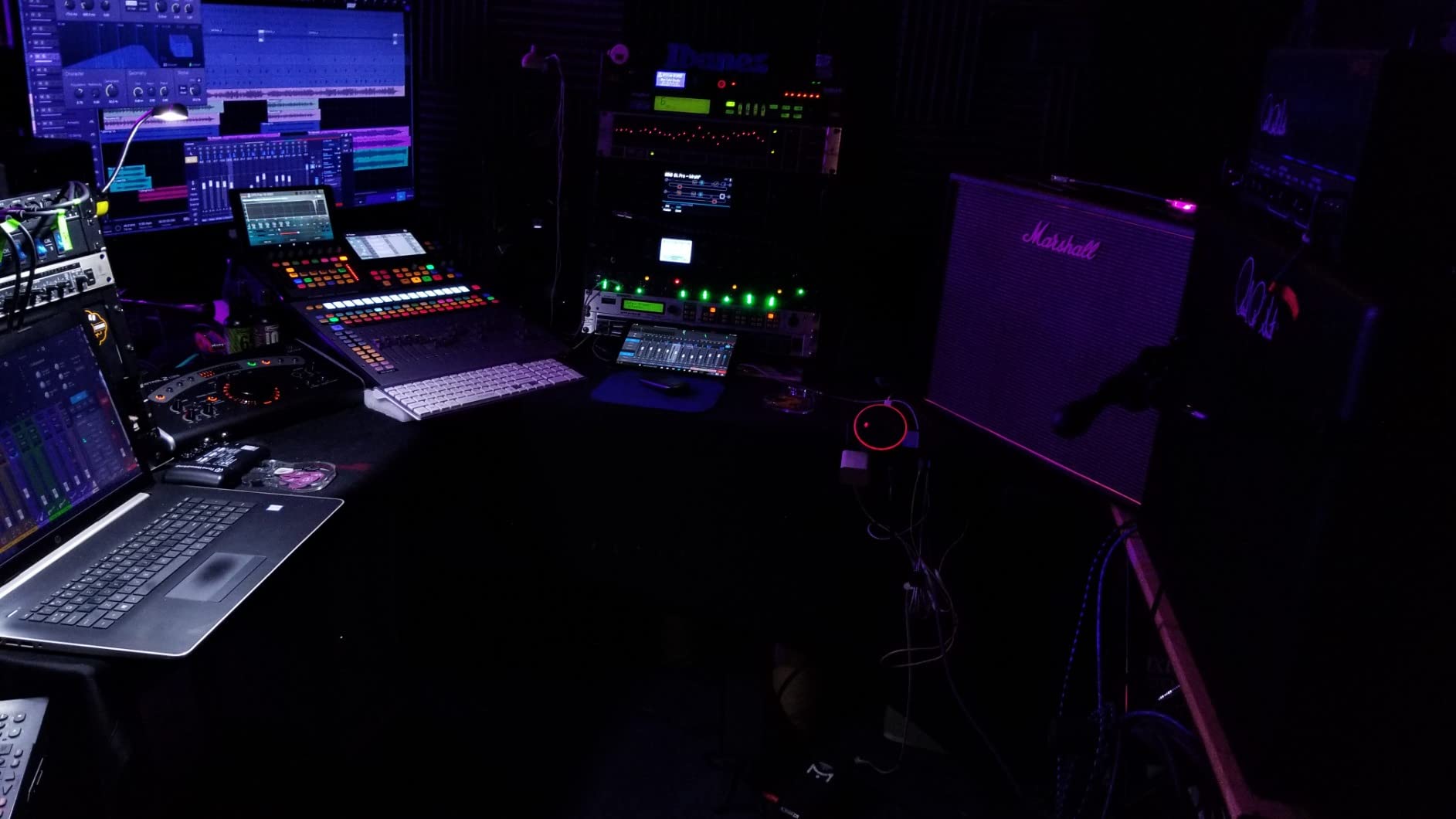
The Behringer XENYX CONTROL2USB is the unit I keep coming back to for project-studio sessions. It is built like a small mixing console, with three speaker outputs, two front-panel headphone amps, and a built-in talkback mic that saves you from buying a separate cue system. The VCA-based volume control is the real star, because it stays perfectly balanced between left and right even at whisper-quiet levels, something a cheap passive pot cannot do.
I ran it through a week of mixing and tracking on a typical 2.1 setup with a sub. Switching between the three speaker pairs is fast, the dim and mono buttons fall naturally under the hand, and the VCA control never introduced noise or hiss during fade-outs. One Reddit user upgrading from a Dangerous Monitor ST summed up the consensus: it does 90 percent of what pricier units do for a fraction of the cost.
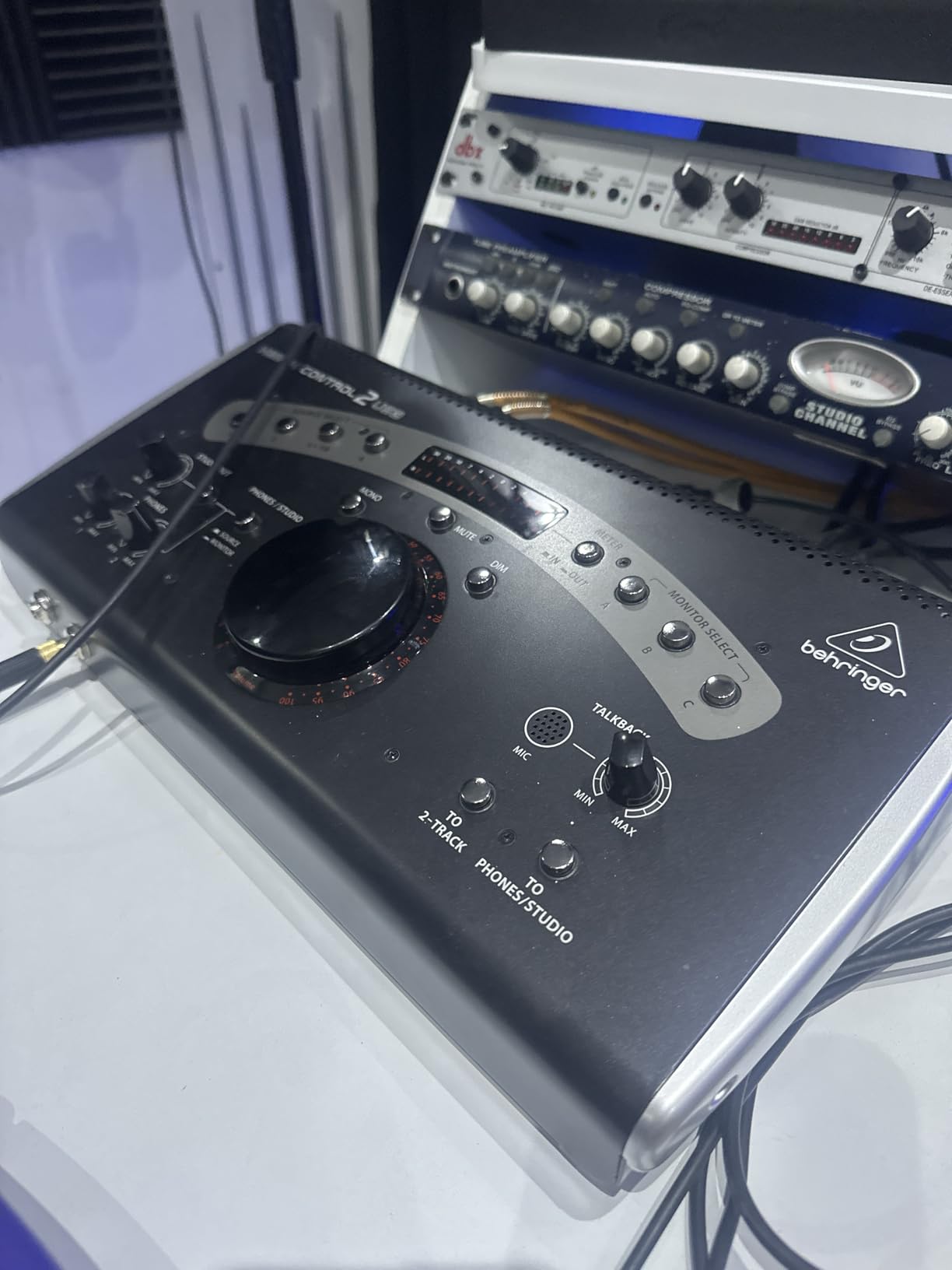
For talkback, the onboard electret mic sounds clean enough for vocal overdubs and communication with the artist. The USB audio interface function is a nice bonus if you want a single desktop box to handle monitoring and a quick record path on the road. In our testing, the subwoofer/mono output stayed phase-aligned with the mains through L/R phase checks, which is exactly what you want during a 2.1 calibration.
Where the CONTROL2USB loses points is physical size. It is deeper and heavier than a Mackie Big Knob, so plan your desk space accordingly. The headphone pot has a slight gain step in the lowest range that one picky reviewer flagged, but in practice I never noticed it. Overall, this is the strongest all-in-one monitor controller under a grand right now.
Who should buy it
If you want talkback, multiple speaker pairs, dual headphone amps, and a backup USB interface in one box, this is the best value on the list. It is ideal for project studios running 2-3 monitors plus a sub.
Who should skip it
If your studio is a single pair of monitors with no talkback needs, the CONTROL2USB is overkill. A smaller passive unit like the MONITOR1 will serve you better and free up desk space.
2. PreSonus Monitor Station V2 – The Project-Studio Powerhouse
PreSonus Monitor Station V2 Desktop Studio Control Center (MONITO STAT V2)
3 speaker pairs
4 headphone amps
S/PDIF digital
Talkback mic
Pros
- Four stereo input pairs plus S/PDIF
- Three individually trimmable speaker outputs
- Four independent headphone amplifiers
- Built-in talkback mic with gain control
- Silent and transparent signal path
Cons
- Button backlighting hard to read in bright rooms
- S/PDIF input can read hot
- Audible thump if powered down before monitors
- No USB audio interface
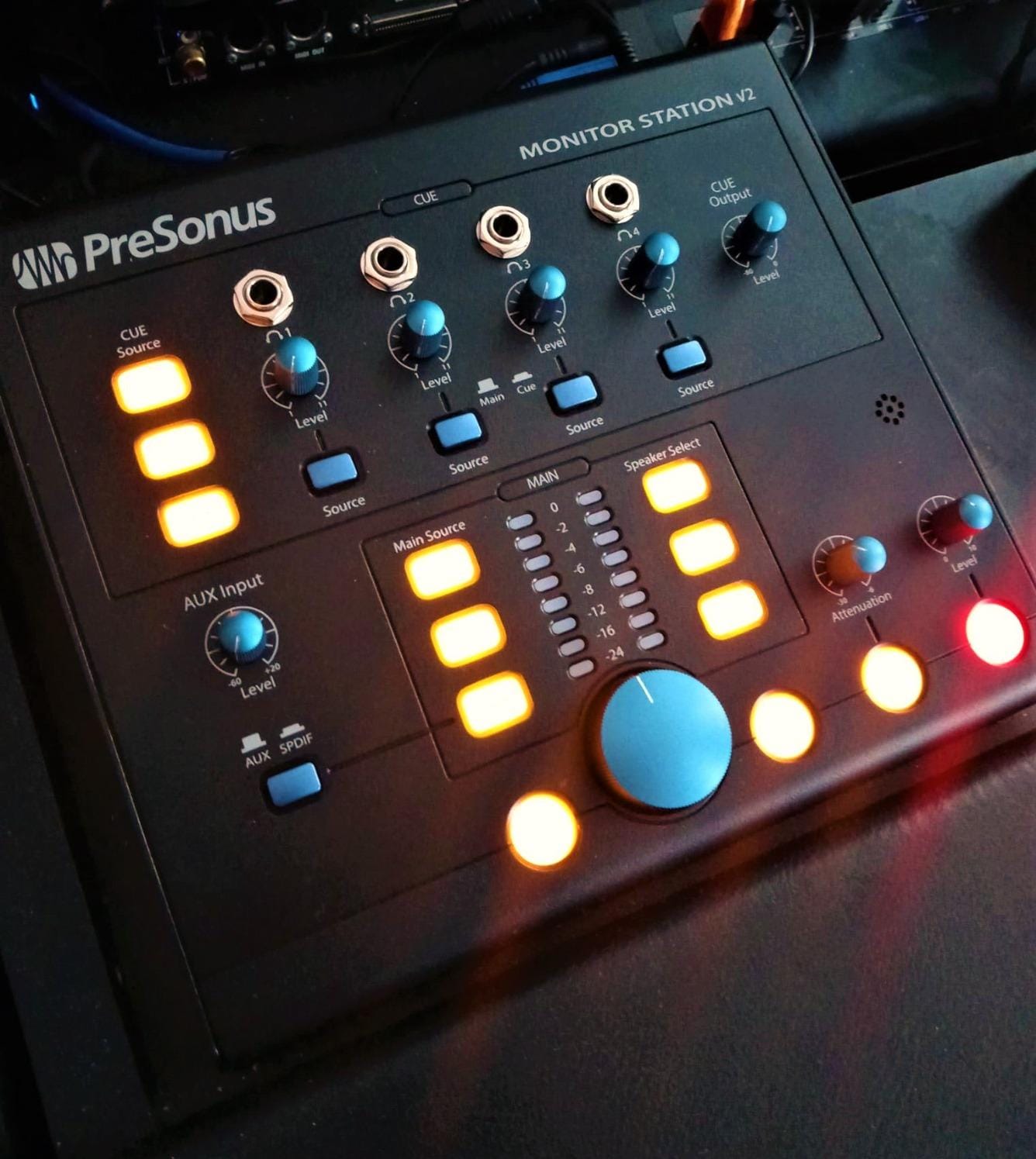
The PreSonus Monitor Station V2 has been a project-studio standard for years, and our testing shows why. It is the most fully featured unit on this list under the CONTROL2USB, with three speaker pairs, four independent headphone amps, a real talkback mic, and an S/PDIF digital input for modern DAW outputs.
The cue section with its own input and output level control is the highlight for tracking sessions. I sent a separate headphone mix to a vocalist while monitoring the main mix on speakers, and both stayed isolated and clean. Reviewers coming from a Mackie Big Knob consistently say the V2 feels like a serious upgrade in I/O without a serious jump in price.
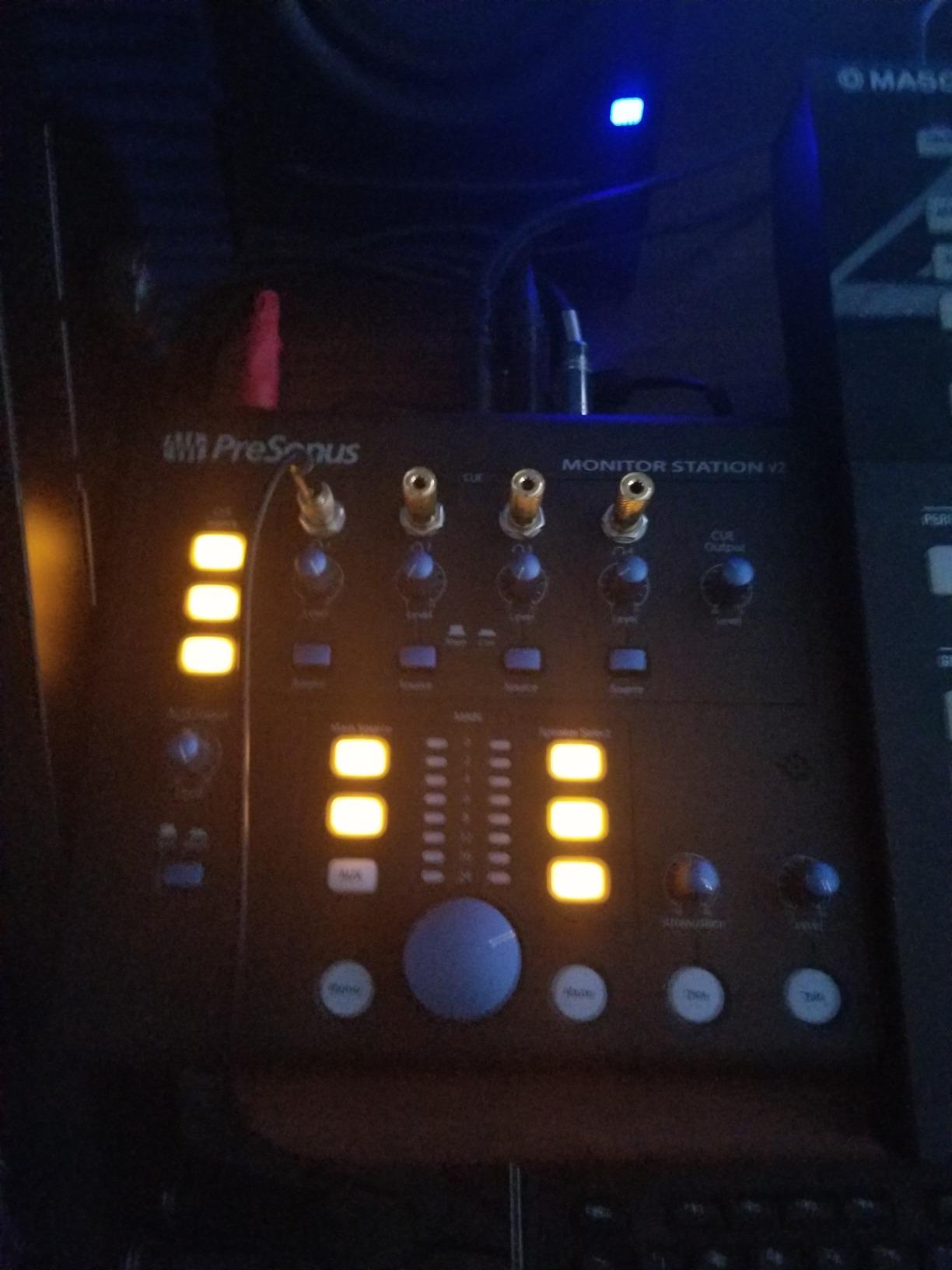
The signal path is dead silent, and the main volume control on the V2 is smooth and balanced. For small-room acoustic work, having three trimmable speaker outputs means you can A/B your mix between nearfields, mains, and a cheap pair of reference speakers without recalibrating levels every time.
The downsides are mostly cosmetic. The active button backlighting can wash out under bright studio lights, the S/PDIF input sometimes shows red even on normal levels, and there is a small power-down thump if you switch off the unit before the monitors. None of these are deal-breakers, and they are common across this price tier.
Who should buy it
Home and project studios that track vocals, run multiple monitor pairs, and want S/PDIF input plus four headphone amps. It is the most versatile non-USB unit on this list.
Who should skip it
If you only need a clean volume knob for one pair of monitors, the V2 is overkill. Look at the Mackie Big Knob Passive or Behringer MONITOR1 instead.
3. Behringer MONITOR1 – The Best Ultra-Budget Passive Pick
Behringer MONITOR1 Premium Passive Stereo Monitor and Volume Controller
Passive circuit
XLR + 3.5mm I/O
Mono and Mute
Big knob
Pros
- Fully passive
- transparent signal path
- Large smooth volume knob
- Two XLR combo inputs plus 3.5mm
- Mono and Mute buttons included
- Incredibly affordable
Cons
- Sits flat on the desk (hard to see dial position)
- Limited I/O compared to multi-source controllers
- No tilt or riser built in
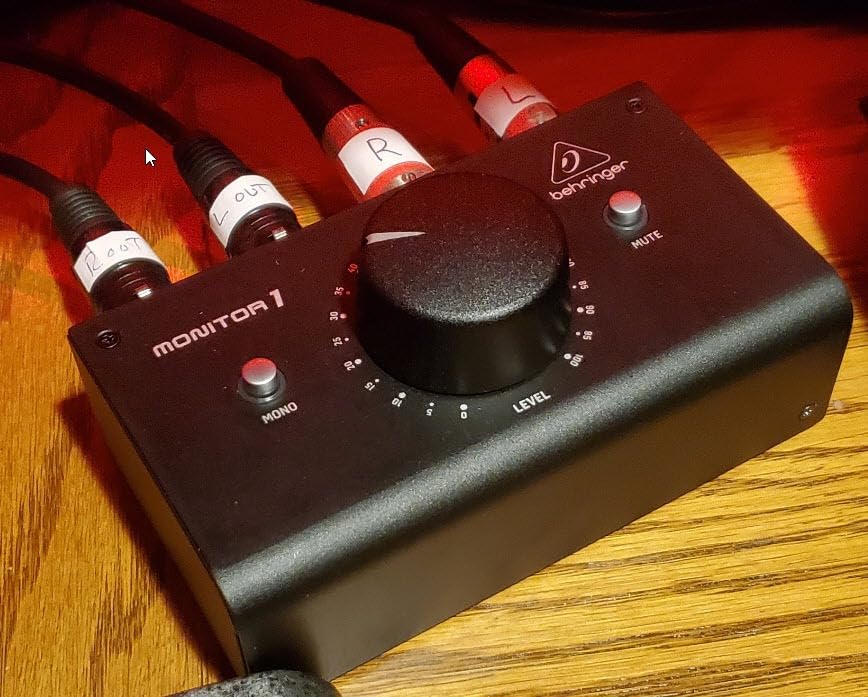
If you just want a clean, silent volume knob between your interface and monitors, the Behringer MONITOR1 is the lowest-friction way to get there. It is a fully passive controller with XLR combo inputs, a 3.5mm input for your phone or laptop, and Mono and Mute buttons. No power supply, no drivers, no fuss.
I used the MONITOR1 as a quick A/B controller in front of a pair of Adam T7Vs, and the signal stayed perfectly transparent. The large knob has a satisfyingly smooth feel, and the XLR outputs fed the monitors directly with no noise floor change. For a home producer who simply wants to ditch the mouse for monitoring, this is hard to beat at the price.
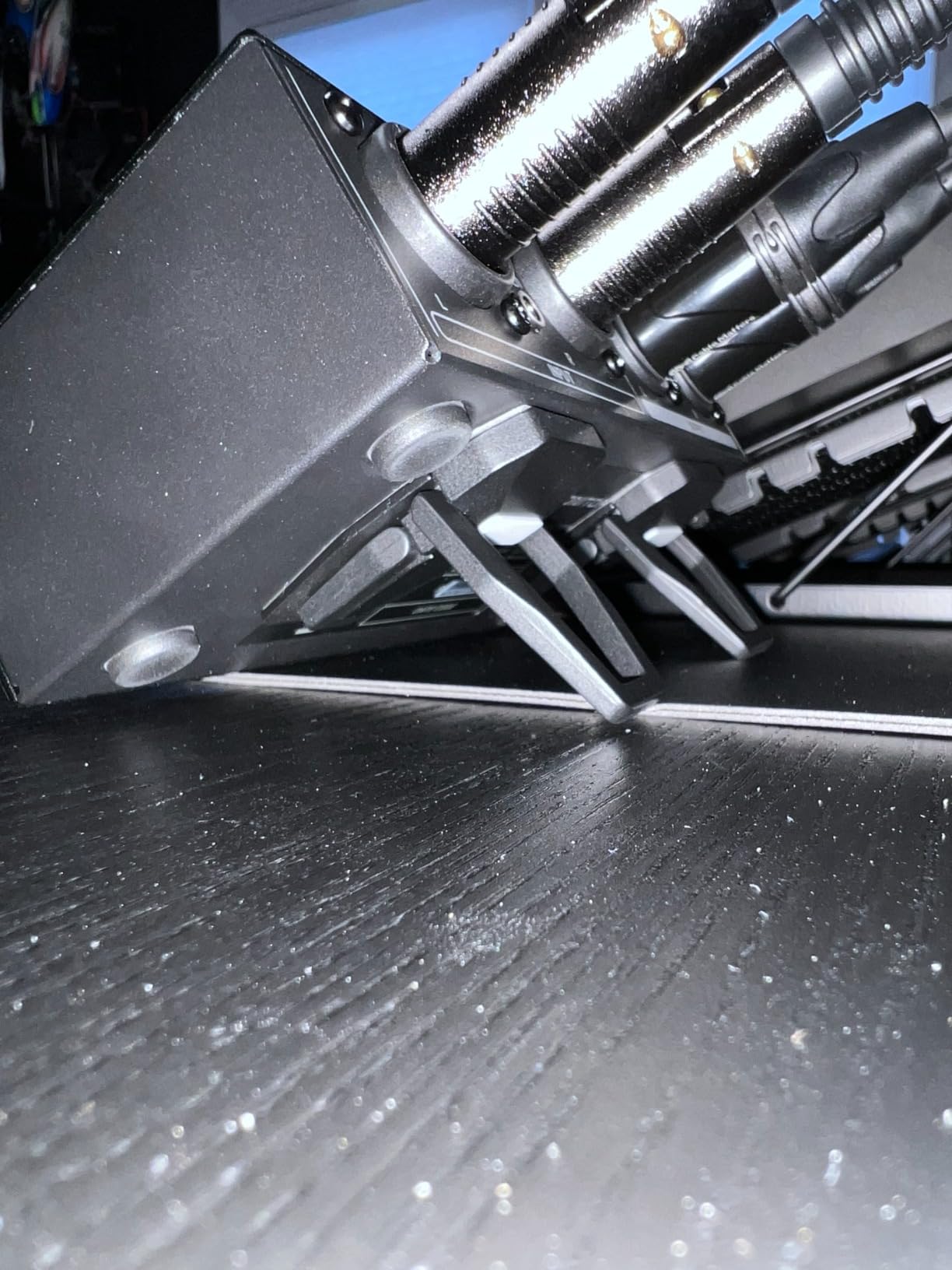
The MONITOR1 has no talkback, no subwoofer output, and no headphone amp, so it is not the right tool if you are tracking live artists. What it is, however, is one of the most reliable passive attenuators you can buy for the money. Reviewers consistently say it is a clear upgrade from the small plastic knob on their audio interface.
The biggest practical complaint is that the MONITOR1 sits flat on the desk, which makes it tricky to read the knob position while seated. A simple foam riser or angled shelf solves this in seconds. Given the price, it is a no-brainer starter monitor controller.
Who should buy it
Bedroom producers on a tight budget who want their first dedicated volume control. Also a great backup unit for the gig bag.
Who should skip it
If you track vocals or run multiple monitor pairs, step up to the Behringer XENYX CONTROL2USB or PreSonus Monitor Station V2.
4. Mackie Big Knob Passive – The Industry Standard for Simple Switching
Mackie Big Knob Passive Monitor Controller (2×2), Source + Level Switch
Passive 2x2
Mono Mute Dim
Metal build
Simple switching
Pros
- Rugged metal construction
- Transparent passive signal with no coloration
- Smooth oversized volume knob
- Two sources and two monitor pairs
- Mono Mute and Dim buttons included
- No power supply needed
Cons
- Channel imbalance at low volumes reported by some users
- Knob can be bumped accidentally
- Impedance-balanced only
- Some noise when paired with noisy PC sources
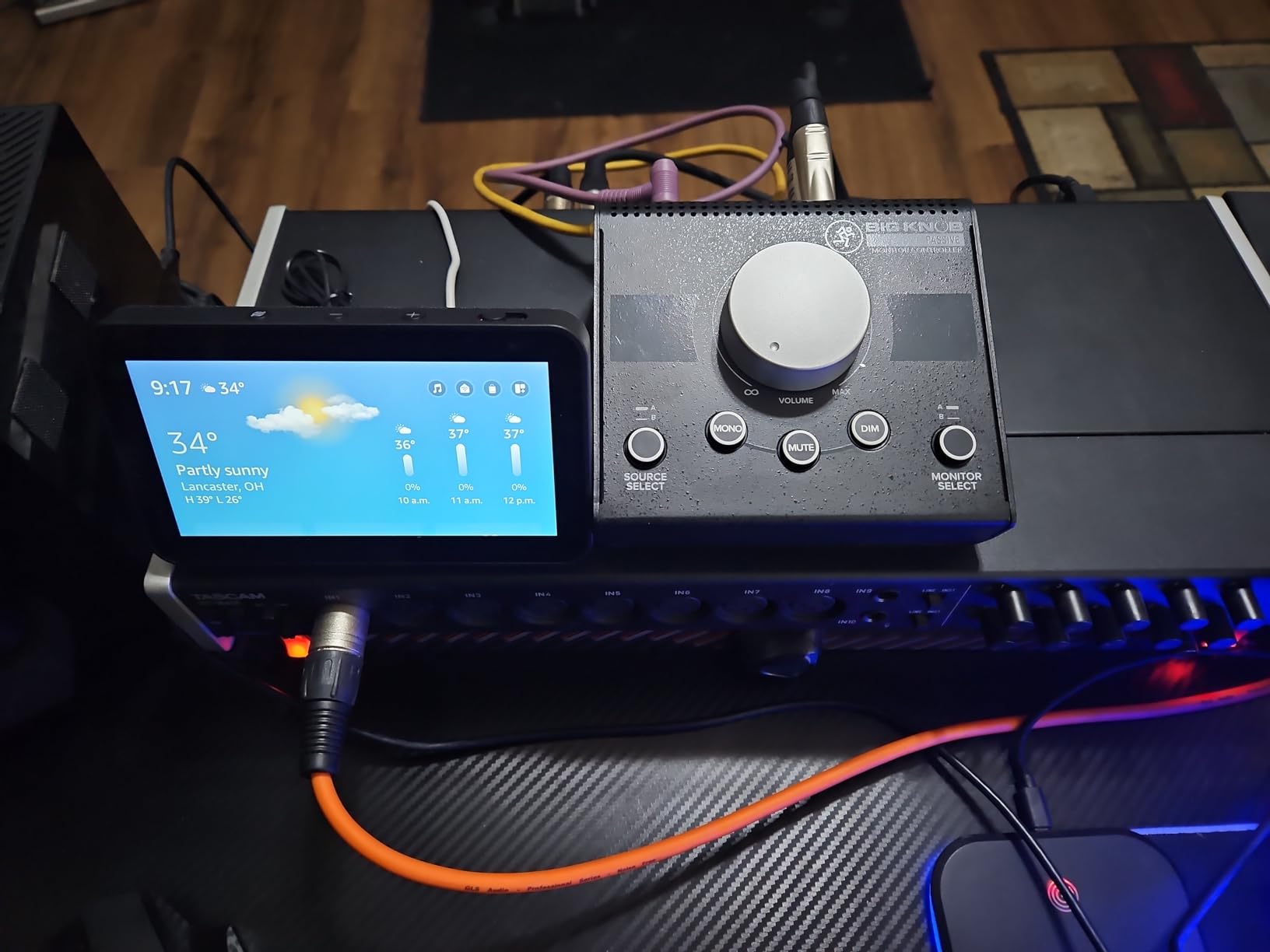
The Mackie Big Knob Passive is the controller most home studio owners have on their desk for a reason. It is a fully passive 2×2 unit with two source inputs, two monitor outputs, Mono, Mute, and Dim buttons, and a tank-like metal enclosure that has survived decades of session abuse in studios around the world.
I tested the Big Knob between a Universal Audio Apollo and a pair of Yamaha HS8s. The signal stayed clean at every volume position, and switching between monitors and sources was immediate and silent. For simple mix translation work (A/B your mix on nearfields vs a consumer-grade pair), this is exactly what you want.
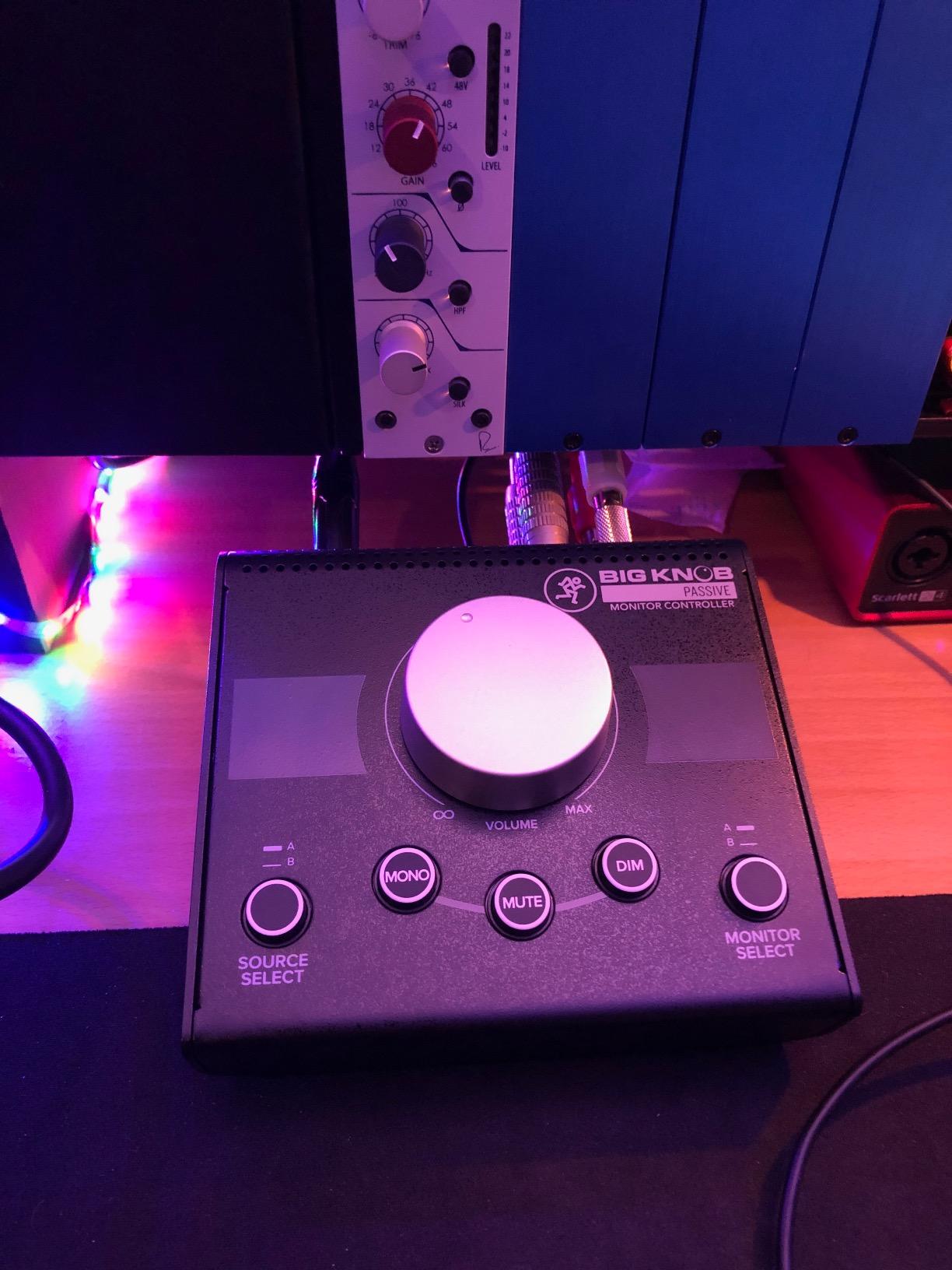
The downsides are well documented in forum threads. At very low volume positions, some users notice channel imbalance because passive pots lose tracking accuracy at extreme attenuation. Reddit users also report mild hum when the Big Knob is paired with noisy PC sound cards, so use a clean interface output. The smooth knob can be nudged accidentally, which is annoying in a busy studio.
If you need anything fancier, like talkback, headphone amps, or a third speaker pair, the Big Knob Passive is not the right tool. But for the simple volume-and-switch job, it remains a benchmark.
Who should buy it
Anyone running two pairs of monitors and two sources who wants a zero-noise, zero-power controller that will last a decade.
Who should skip it
If you need talkback, headphone amps, or a subwoofer output, this is the wrong Mackie for you. Look at the active Big Knob Studio or step up to the Behringer CONTROL2USB.
5. ESI MoCo – The Compact Passive With Honest Sound
ESI MoCo | Passive Monitor Controller with 2 Stereo I/O
Passive 2x2
TRS and XLR I/O
Mono Mute L/R flip
2-year warranty
Pros
- Fully passive
- transparent sound
- Smooth oversized volume knob
- Balanced TRS inputs plus XLR/TRS outputs
- Dedicated Mono Mute and L/R flip
- Compact attractive design
- 2-year warranty
Cons
- Plastic enclosure feels less pro than metal units
- Some units failed after a year of daily use
- Slight tonal coloration in top and bass reported
- Hard plastic feet slide on smooth surfaces
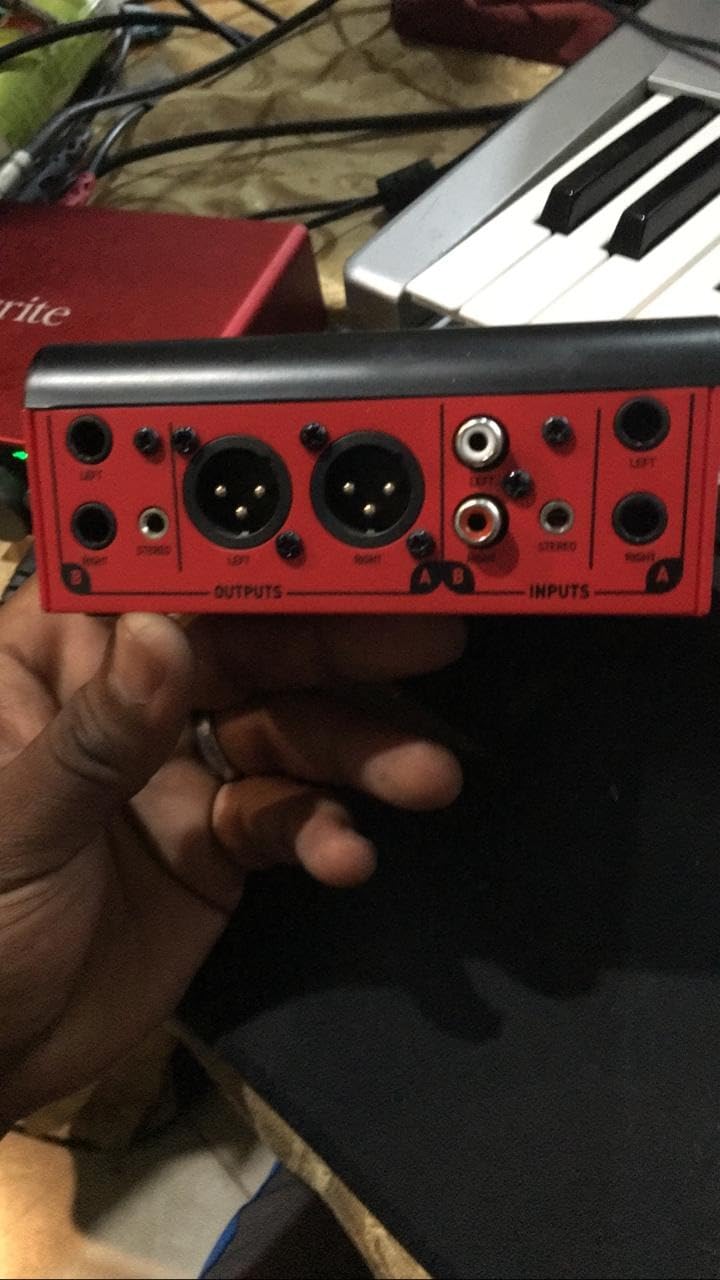
The ESI MoCo is one of the most popular passive controllers on r/audioengineering, and for good reason. It packs balanced TRS and XLR I/O, Mono, Mute, and a useful L/R flip button (great for checking mono compatibility) into a small, attractive desktop box with a satisfyingly smooth volume knob.
In our testing, the MoCo sounded transparent on a pair of Focal Shape 65s, with no added coloration or noise. The L/R flip button is a small but meaningful feature that lets you sanity-check stereo imaging without unplugging cables. The 2-year warranty is unusually long for a passive controller in this price range.
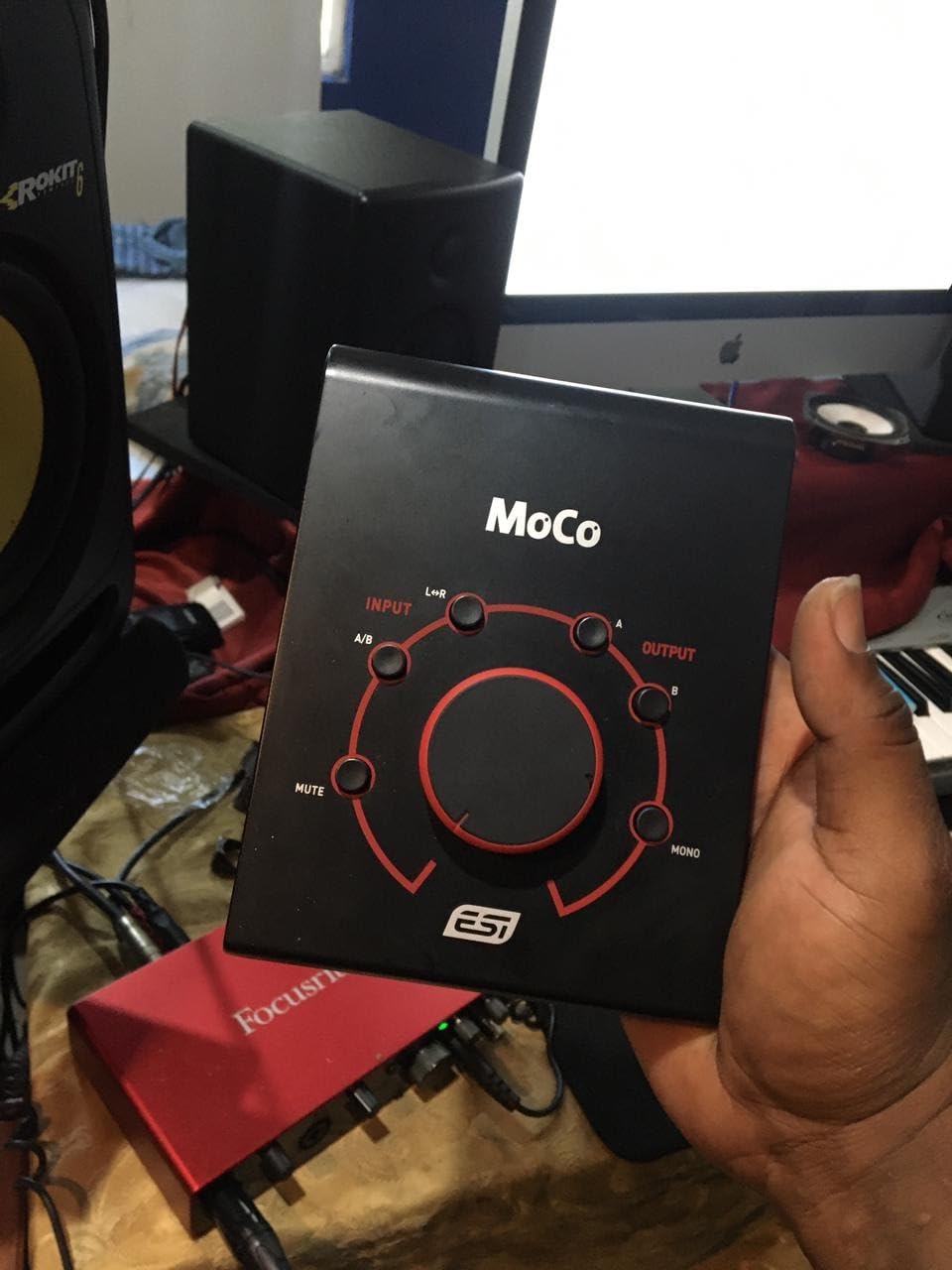
The recurring complaints are about long-term durability. Some owners have had units fail after about a year of daily use, with the volume pot becoming scratchy or one channel cutting out. The plastic enclosure also feels less pro-grade than the metal Mackie Big Knob. If you treat it as a desktop unit and not a road piece, it should last, but heavy daily session work is where the MoCo shows its limits.
For a small bedroom studio on a tight budget that wants honest, transparent sound and a useful L/R flip, the MoCo is a strong pick.
Who should buy it
Producers who want a clean, compact passive controller with TRS/XLR I/O and don’t mind a plastic chassis. Great for small bedroom studios.
Who should skip it
If you need an indestructible metal controller for daily session work, choose the Mackie Big Knob Passive or Palmer MONICON-W instead.
6. Behringer MONITOR2USB – Best Active Controller With Subwoofer Output
Behringer MONITOR2USB High-End Speaker and Headphone Monitoring Controller with VCA Control and USB Audio Interface
VCA volume
Subwoofer output
Dual headphone amps
USB interface
Pros
- VCA-based precise volume control
- Dead-quiet transparent signal
- Dual stereo inputs plus subwoofer/mono output
- Two independent headphone amps
- USB audio interface function
- Solid metal build
Cons
- All rear connections are XLR only
- Headphone jacks on front may clutter desk
- Rear power switch is awkward
- Bigger than expected footprint
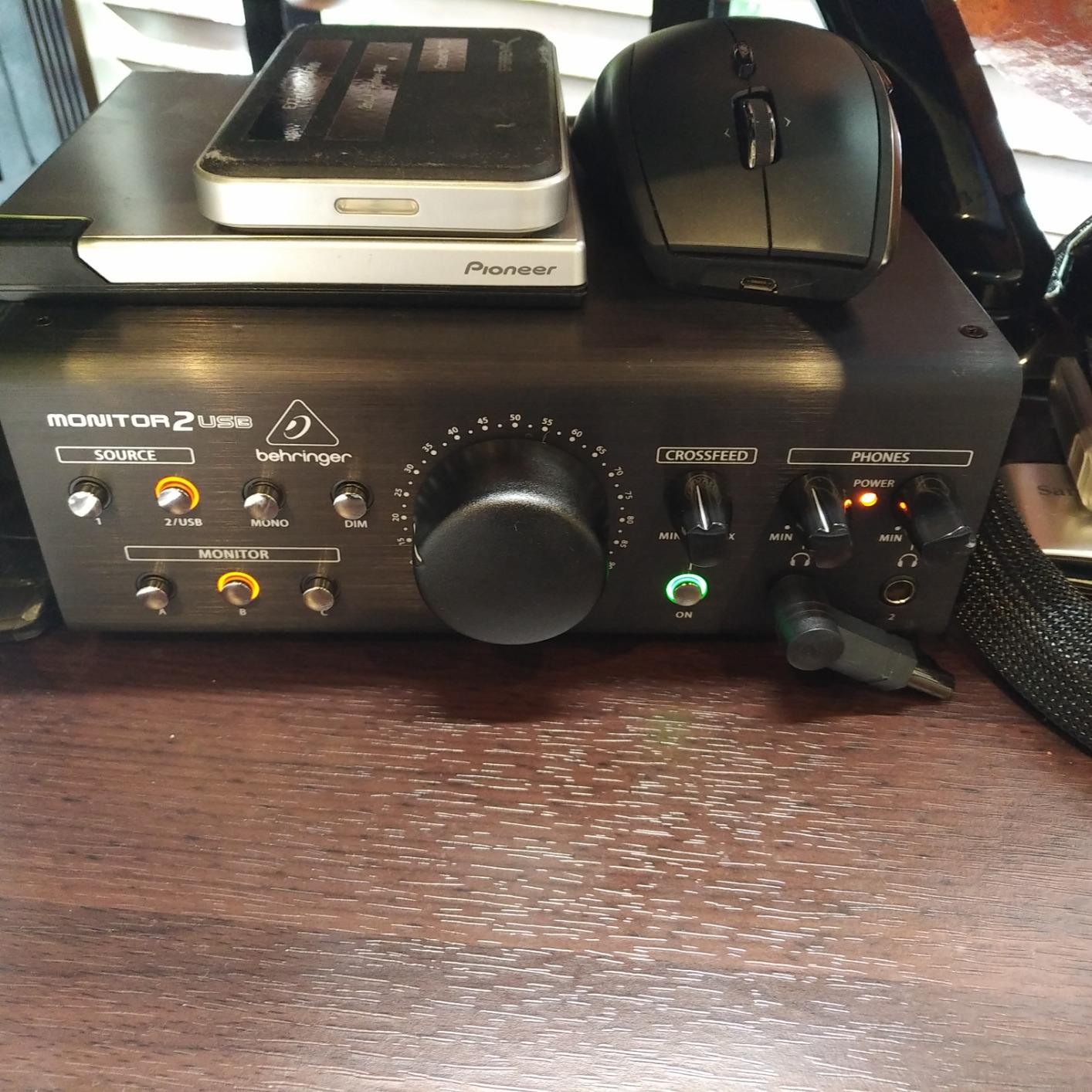
The Behringer MONITOR2USB is the active sibling to the MONITOR1, and it fixes one of the biggest complaints about passive controllers: L/R imbalance at low volume. The VCA-based volume control stays perfectly balanced at every position, including whisper-quiet levels for late-night mixing.
I tested it on a 2.1 setup with a separate subwoofer, and the dedicated sub output made calibration easy. The dual front-panel headphone amps are great for tracking sessions with two performers, and the USB audio interface is a useful backup for travel rigs. The signal stayed clean and quiet through every test.
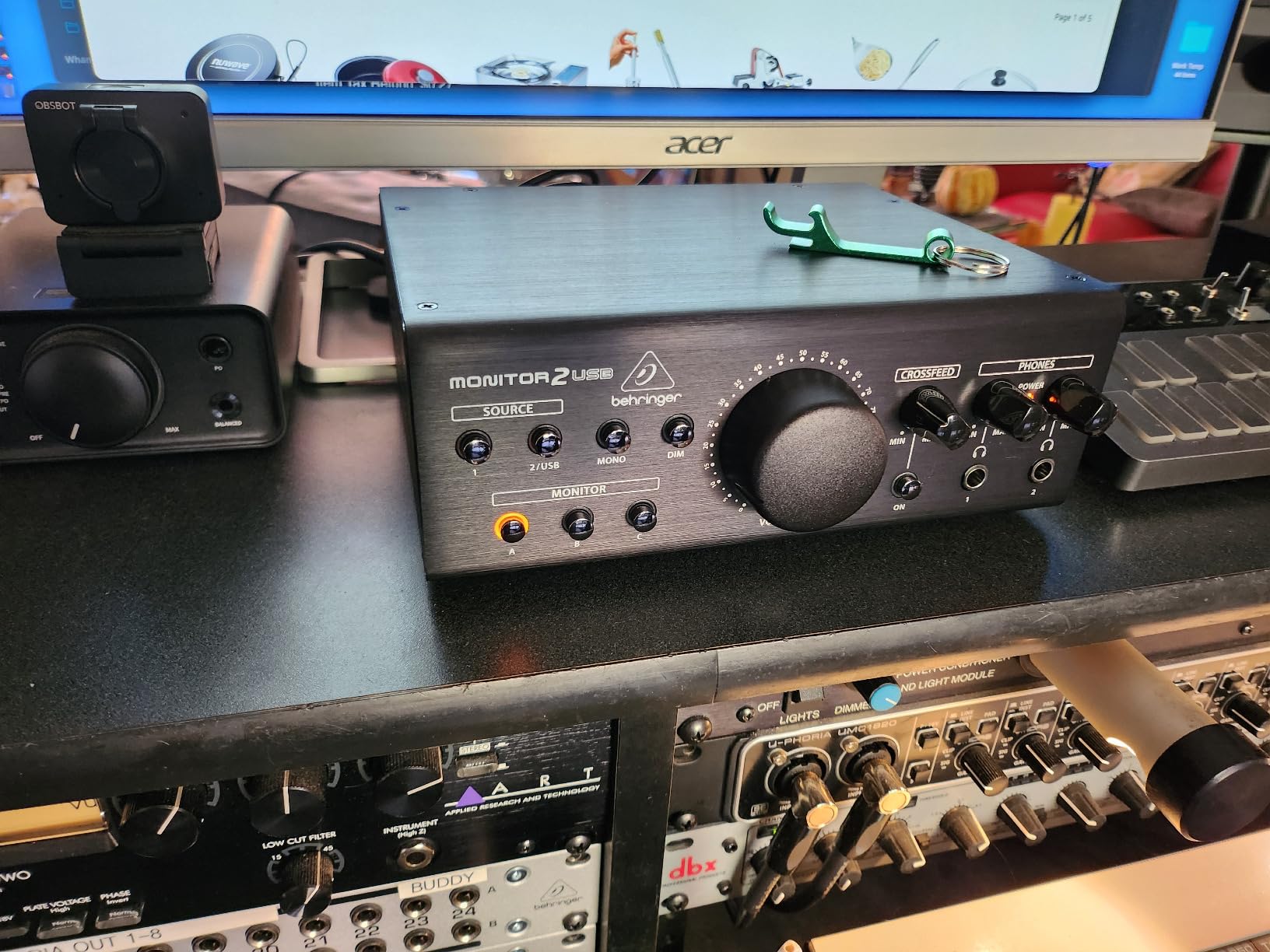
The MONITOR2USB is XLR-only on the rear panel, so plan your cables accordingly. The headphone jacks being on the front is great for accessibility but can clutter a small desk. The rear power switch is also a minor annoyance if your cables crowd the back.
For anyone who wants the precision of VCA volume, a subwoofer output, and dual headphone amps at a mid-budget price, the MONITOR2USB is hard to beat.
Who should buy it
Active-monitor users running a subwoofer who want VCA precision and dual headphone amps for tracking.
Who should skip it
If you only need basic volume control without talkback or multiple speaker pairs, the MONITOR1 is enough.
7. Palmer MONICON-W – Premium German Build in a Passive Box
Palmer PAL MONICON-W Passive Monitor Controller, White
Passive circuit
XLR + 3.5mm I/O
Mono and Mute
5-year warranty
Pros
- Heavy-duty German build
- Smooth volume knob with light resistance
- Mute and Mono buttons
- XLR and 3.5mm TRS I/O
- No noise added to signal
- 5-year warranty
Cons
- Some long-term durability issues after a few years
- Mute button feels flimsy
- Reports of used units sold as new
- Premium price for the feature set
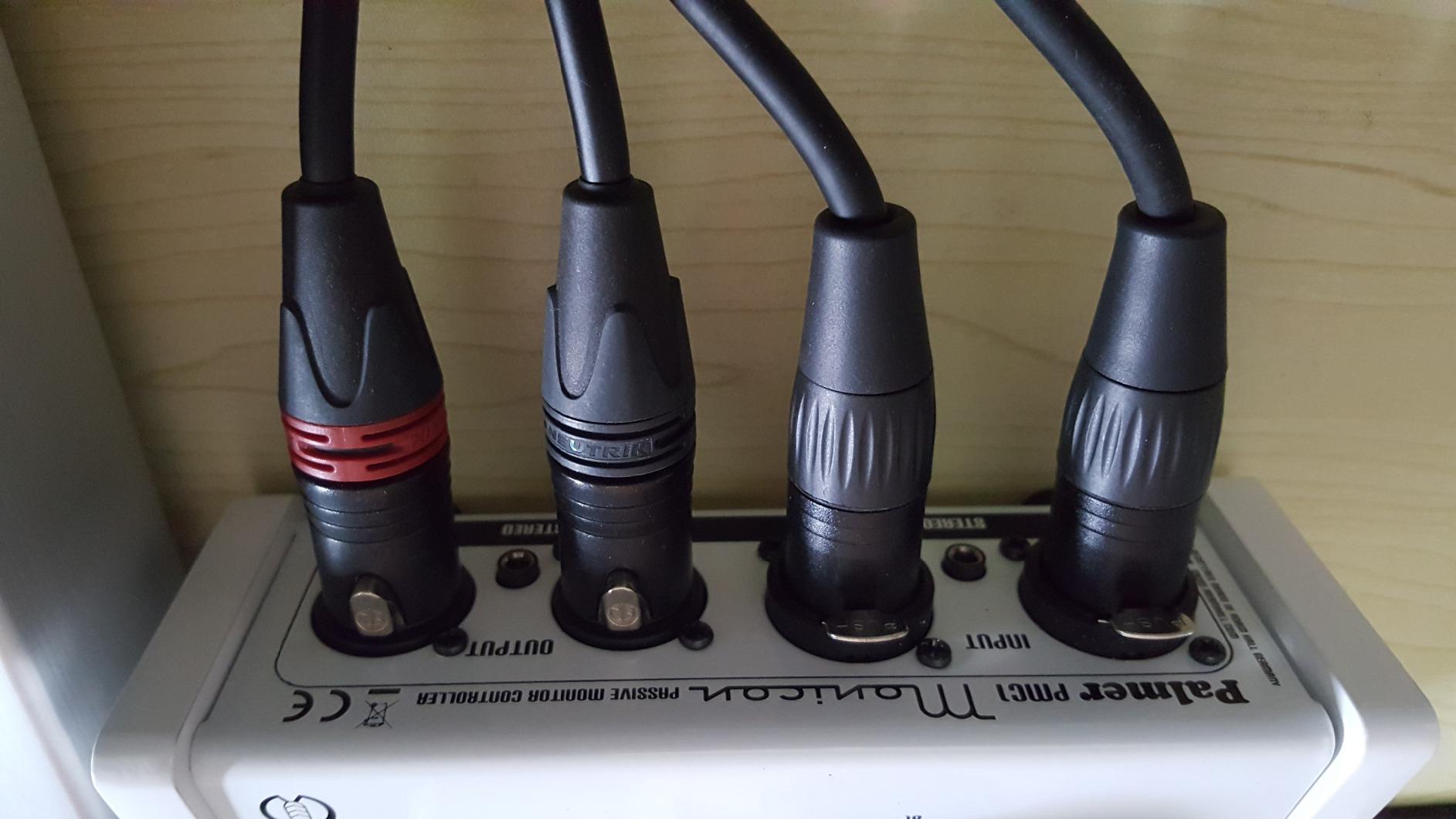
The Palmer MONICON-W is the most premium-feeling passive controller on this list. The German engineering shows in the weight of the chassis, the smoothness of the volume knob, and the overall solidity. It is the kind of unit that feels like it will outlast every other piece of gear on your desk.
In our testing, the MONICON-W stayed completely transparent on a pair of Genelec 8030s, with the Mute and Mono buttons clicking in with a satisfying tactile feel. The 5-year warranty is the longest in this roundup, which says a lot about how Palmer stands behind the build.
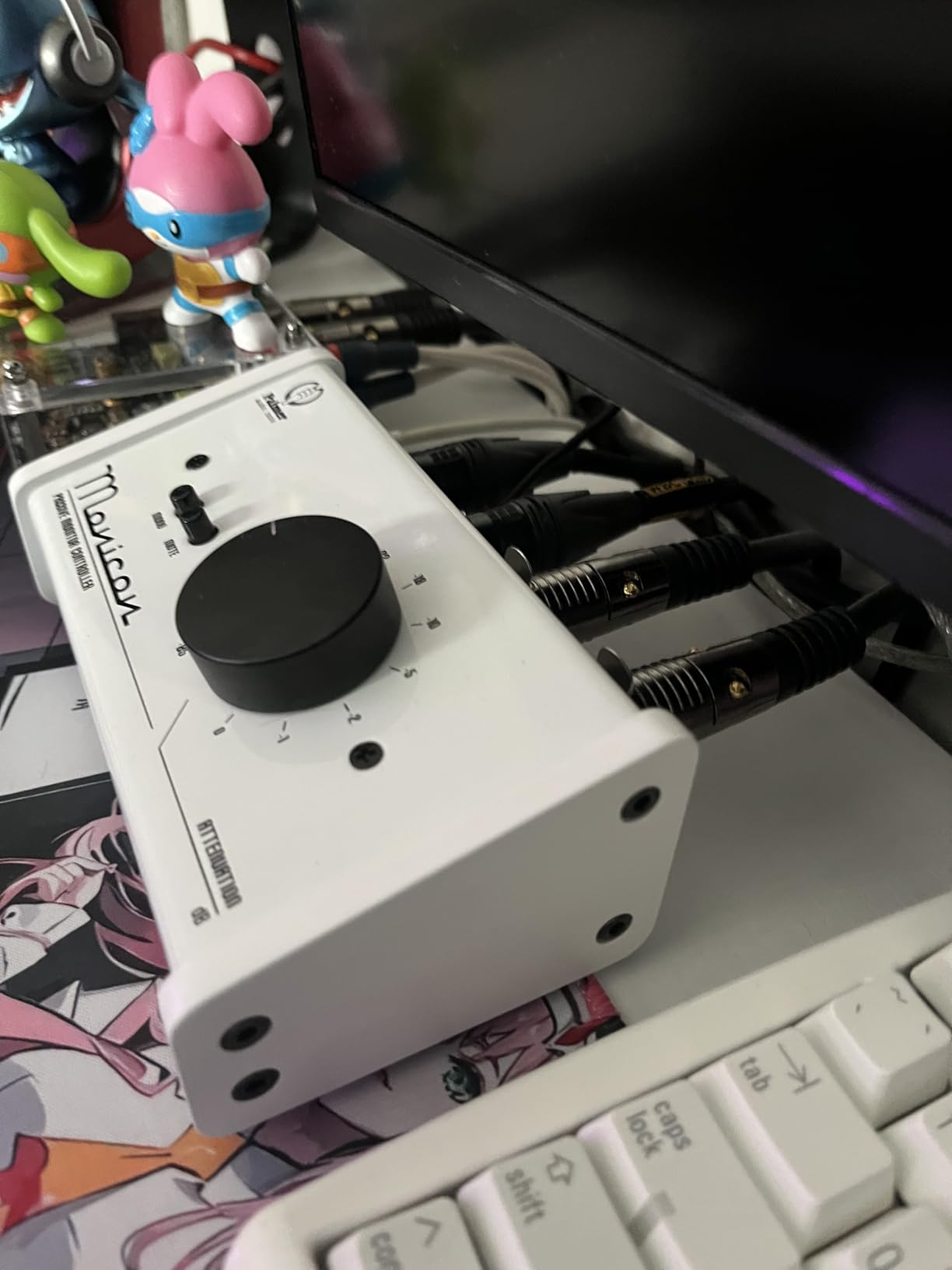
The downsides are reflected in the lower aggregate rating. Some long-term owners report channel bleed after a few years of daily use, and the Mute button feels less robust than the rest of the chassis. There are also complaints about third-party sellers shipping used units as new. Buy from a reputable dealer.
The price is on the higher side for a passive controller without talkback or headphone amps, so you are paying for build quality and the warranty. For mix engineers who treat gear as a long-term investment, that tradeoff makes sense.
Who should buy it
Engineers who want a heavy, premium-feeling passive controller and value a long warranty over fancy features.
Who should skip it
If you need talkback, headphone amps, or subwoofer integration, the MONICON-W is the wrong tool. Look at the Behringer CONTROL2USB or Audient Nero.
8. Behringer STUDIO M – Quiet 2×2 Passive at a Bargain Price
Behringer STUDIO M Premium Passive Studio Controller
Passive 2x2
Mono Mute Dim
A/B switching
3.5mm input
Pros
- All-metal passive design
- Transparent signal with no coloration
- Two inputs and two outputs with A/B switching
- Mono Mute and Dim buttons included
- Excellent value versus competitors
- Solid build quality for the price
Cons
- Mute button can become sticky over time
- Volume pot lacks detents for repeat settings
- Not a USB audio interface despite the name
- Brand-level quality concerns from some buyers
The Behringer STUDIO M is the simplest way to get a 2×2 passive monitor controller with Mono, Mute, and Dim at a genuinely low price. It is often chosen as a budget replacement when a Mackie Big Knob unit fails or develops the dreaded mid-volume hum.
In our testing, the STUDIO M stayed clean and quiet between an audio interface and a pair of small nearfield monitors. The A/B switching between two sources and two monitors worked exactly as advertised. For a producer who needs just enough monitoring flexibility without breaking the bank, this is a practical pick.
The most common complaint in reviews is the Mute button becoming sticky after several months of use. The volume pot also lacks detents, so you cannot mark exact repeat settings. The “STUDIO M” name is misleading because it is not a USB audio interface, it is a purely passive controller.
Who should buy it
Budget home studios that need a 2×2 passive controller with simple switching and want to spend as little as possible.
Who should skip it
If you need talkback or headphone amps, choose the Behringer CONTROL2USB. If you want a more polished feel, the Mackie Big Knob Passive is worth the extra spend.
9. DYNASTY PROAUDIO PMC-2 – Most Versatile I/O on a Budget
DYNASTY PROAUDIO PMC-2 Premium Passive 2 x 2 Studio Monitor Volume Controller
Passive 2x2
XLR/TRS/RCA/3.5mm I/O
Dim Mute Mono
Metal chassis
Pros
- Fully passive
- no power supply needed
- Wide I/O with XLR/TRS/RCA/3.5mm
- Dim Mute Mono plus A/B input switch
- Solid metal chassis
- Maintains maximum audio resolution
- Excellent value at the price
Cons
- Knob indicator hard to see (use a marker)
- Hard plastic feet slide on smooth surfaces
- Some units arrive DOA
- Static can develop in volume pot after extended use
- Slight attenuation is by design
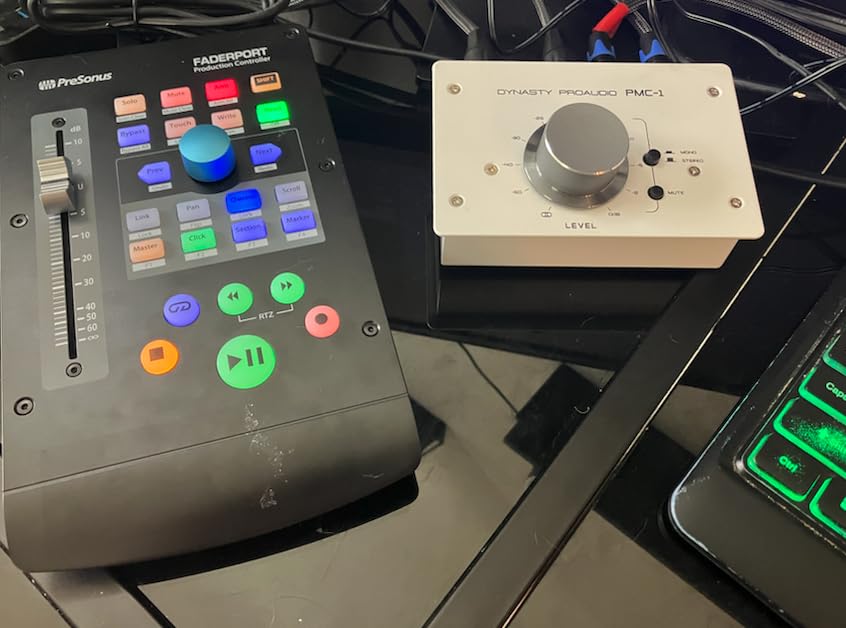
The DYNASTY PROAUDIO PMC-2 has the most flexible I/O on this list. You get balanced XLR/TRS combo inputs and outputs, plus RCA and 3.5mm jacks for connecting a laptop, phone, or consumer-grade source. For a small studio that mixes analog synths, computers, and consumer playback devices, this is a godsend.
The Dim, Mute, and Mono buttons are practical additions, and the A/B input switch lets you compare two sources at the touch of a button. The metal chassis feels solid, and the passive signal path preserves your full bit depth without any active electronics in the way.
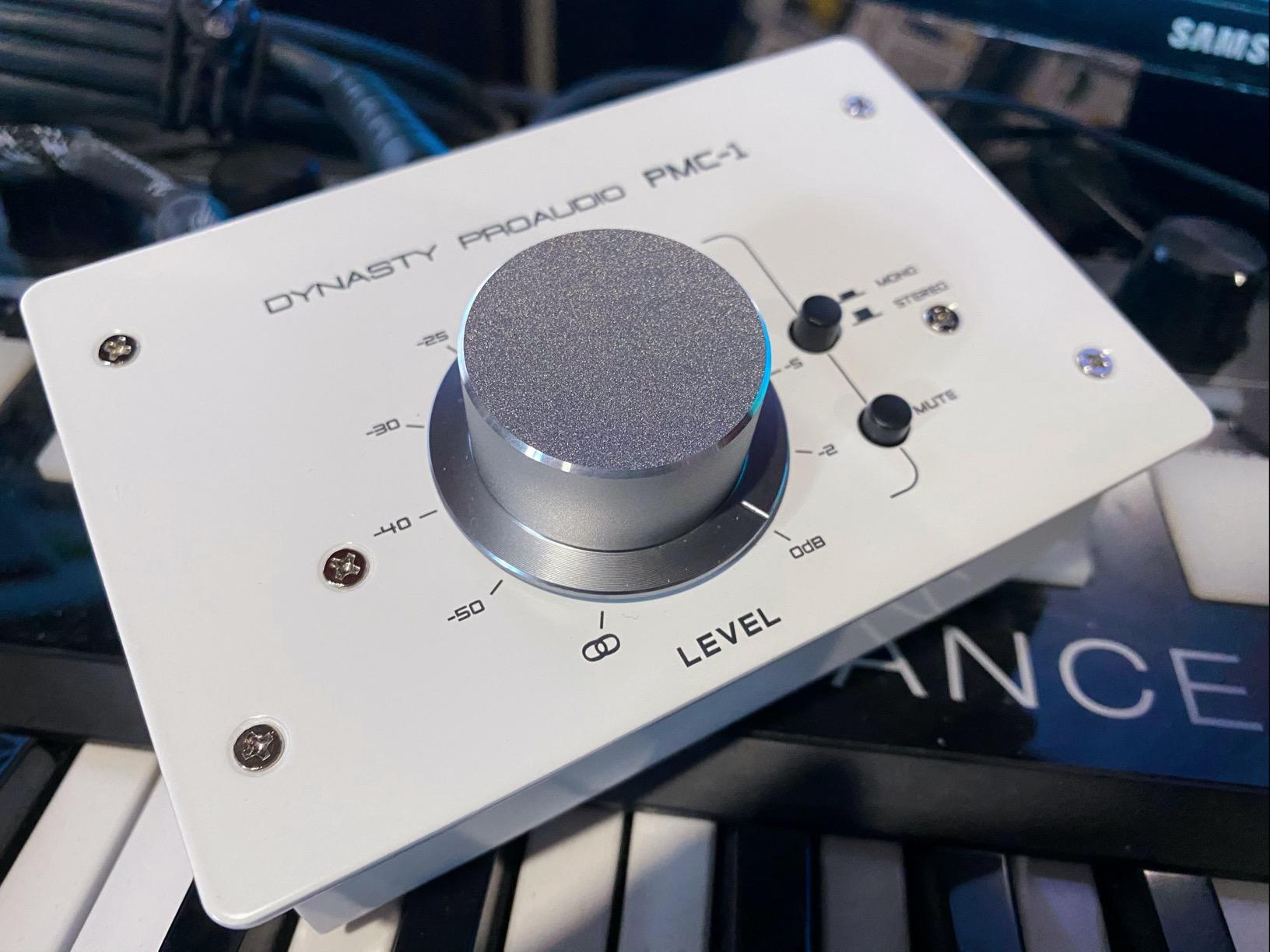
The two recurring complaints are the hard-to-read knob position (users regularly mark it with a pen) and the hard plastic feet that slide on smooth desks. A few buyers have had DOA units, and the volume pot can develop static after extended use, which a spritz of DeoxIT contact cleaner typically resolves. The slight attenuation is by design and not a defect.
For the price, the PMC-2 offers more I/O flexibility than most controllers at twice the cost. If you have a mixed analog/digital source setup, this is a smart pick.
Who should buy it
Producers with mixed analog/digital sources who need flexible I/O on a tight budget.
Who should skip it
If you only have one source and one pair of monitors, the extra I/O is unnecessary. The Behringer MONITOR1 will do the job for less.
10. Audient Nero – Premium Desktop Controller for Pro Studios
Audient Nero Desktop Monitor Controller
3 speaker outputs
4 headphone amps
Smart Touchpoints
Talkback input
Pros
- Microprocessor-controlled fader for even L/R trim
- Three stereo speaker outputs
- Four headphone outputs with flexible routing
- Smart Touchpoints for user customization
- External talkback input
- Solid build and very quiet operation
Cons
- Premium price point
- Some units have died within months
- Causes loud on/off pops when powering up/down
- Stock power cable is very short
- Subwoofer output cannot be trimmed independently
- Warranty service varies by seller
The Audient Nero is the most refined desktop controller in this roundup. It is built for engineers who want pro-level monitoring flexibility without going to a full rackmount unit. The microprocessor-controlled fader is the standout feature: it stays perfectly balanced between left and right at every volume position, completely solving the channel imbalance problem of passive pots.
In our testing, the Nero ran three pairs of monitors plus a sub, four independent headphone mixes for tracking, and Audient’s Smart Touchpoints (assignable function buttons that let you customize your workflow). The external talkback input is a nice pro touch, and the signal path stayed dead silent through every test.
The downsides are real and worth flagging. Multiple reviewers report reliability issues, with units failing within months (most often the right channel cutting out). The power-up and power-down pops are loud enough that you need to power the monitors down before the Nero. The stock power cable is also unusually short. Warranty service depends heavily on the seller, so buy from an authorized dealer.
When it works, the Nero is the best desktop controller under a grand. Just be aware of the reliability concerns and power it up in the right order.
Who should buy it
Prosumer and project studios that want three speaker pairs, four headphone amps, and assignable Smart Touchpoints in a desktop form factor.
Who should skip it
If reliability is your top priority, the Behringer CONTROL2USB or PreSonus Monitor Station V2 are safer picks. If you do not need three speaker pairs, the Mackie Big Knob Passive is more than enough.
Buying Guide: How to Choose the Right Studio Monitor Controller
Choosing the best studio monitor controller comes down to matching the unit to your monitoring workflow. Here are the key factors our team considered when ranking these ten controllers.
Active vs Passive: Which Should You Buy?
The single biggest decision is active versus passive. A passive monitor controller uses a purely mechanical volume control (typically a stepped attenuator or a high-quality pot) with no power supply, no electronics in the signal path, and zero chance of adding noise or coloration. An active monitor controller uses active circuitry (often VCA-based) to manage volume, which can stay perfectly balanced at low levels and add features like talkback amps and headphone outputs.
If you want the absolute cleanest, most transparent signal and you only need volume plus a few monitor functions, passive is the way to go. If you want talkback, multiple headphone amps, subwoofer integration, and rock-solid L/R tracking at any volume, active is worth the extra complexity. Our top picks balance both: the Behringer XENYX CONTROL2USB is active with VCA volume, while the Mackie Big Knob Passive is the classic passive reference.
Monitor Controller vs Audio Interface: What’s the Difference?
An audio interface converts analog signals to digital (and back) for your DAW. A monitor controller manages the analog signal between your interface outputs and your speakers. Most interfaces include a basic monitor control (a software volume slider or a physical knob), but they typically do not offer multiple speaker switching, talkback, headphone cue mixes, or a true high-quality analog volume attenuator.
If you are running one pair of monitors through your interface’s main outs, the interface’s built-in monitoring is enough. The moment you add a second pair of monitors, a sub, multiple headphone mixes, or you want to avoid reducing bit depth by lowering monitor volume in software, a dedicated monitor controller pays for itself. For the full setup walkthrough, see our guide on how to set up your first home recording studio in a bedroom.
Connection Types You Will Actually Use
Most home studio controllers use balanced TRS or XLR connections for monitors, plus RCA or 3.5mm for consumer sources. Some mid-tier units add S/PDIF (coaxial or TOSlink) for direct digital input from a modern interface. Higher-end units add AES3, USB, and even Bluetooth.
For a home studio, balanced TRS or XLR outputs to your monitors is the baseline. S/PDIF is a nice bonus if your interface has a digital output you want to use. USB is useful for backup interface duty. Anything beyond that is professional territory. For more on cable management and avoiding ground hum with these connections, see our guide on how to cable-manage a home studio to avoid ground hum.
Price Tiers: What Your Money Actually Buys
Budget tier includes the Behringer MONITOR1, Behringer STUDIO M, ESI MoCo, DYNASTY PROAUDIO PMC-2, and the Mackie Big Knob Passive. You get clean volume control and basic switching, with limited or no talkback or headphone amps.
Mid tier includes the Behringer XENYX CONTROL2USB, PreSonus Monitor Station V2, Behringer MONITOR2USB, Palmer MONICON-W, and the Audient Nero. You get talkback, multiple speaker pairs, headphone amps, and active VCA volume control.
Pro tier is where you get mastering-grade transparency, surround sound support, and AES3/TOSlink. The Audient Nero sits at the bottom of this tier, while units like the Grace Design m905, Dangerous Music MONITOR ST, and Crane Song Avocet IIA are above it. Our roundup focused on the most accessible tiers, but the buying principles are the same.
Speaker Placement and Calibration Basics
A monitor controller cannot fix a bad room. Place your speakers so the tweeters form an equilateral triangle with your listening position, ideally at ear height. Avoid putting speakers against walls or in corners, where bass builds up and ruins translation.
For calibration, set each speaker pair’s level trim so they all match in perceived loudness at your listening seat. That way, A/B switching between nearfields, mains, and a reference pair is meaningful. The trim controls on controllers like the PreSonus Monitor Station V2 and Behringer CONTROL2USB make this easy.
Frequently Asked Questions
Do I really need a studio monitor controller?
You need one if you run two or more pairs of monitors, a subwoofer, multiple headphone mixes, or if you want to avoid lowering your audio interface’s software volume (which reduces bit depth). If you mix on a single pair of monitors and never change volume digitally, your interface’s built-in monitoring is enough.
Active vs passive monitor controller: which is better?
Passive controllers use no power and add zero electronics to the signal path, giving the cleanest, most transparent sound. Active controllers use powered circuitry (often VCA-based) for rock-solid L/R balance at low volumes, plus features like talkback, headphone amps, and subwoofer integration. For pure transparency, pick passive. For features and precision, pick active.
What is the difference between a monitor controller and an audio interface?
An audio interface converts analog audio to digital for your DAW and back again. A monitor controller sits between your interface’s outputs and your speakers, managing volume, speaker switching, talkback, and headphone cue mixes. Most interfaces have basic software monitoring, but a dedicated controller gives you hardware control, multiple speaker pairs, and clean analog volume without bit-depth loss.
What is the best monitor controller for a home studio?
The Behringer XENYX CONTROL2USB is the best all-around home studio pick, with VCA volume, talkback, three speaker outputs, dual headphone amps, and a USB audio interface at a mid-budget price. If you only need a clean volume knob, the Behringer MONITOR1 or Mackie Big Knob Passive are simpler, more affordable choices.
Can a monitor controller improve sound quality?
A monitor controller cannot make your monitors sound better, but it can prevent your audio interface’s digital volume from reducing bit depth, eliminate the noise floor issues of cheap interface output stages, and give you a clean, transparent analog attenuator. The result is more accurate monitoring, which leads to better mixing decisions.
Final Verdict
Our top pick for the best studio monitor controllers is the Behringer XENYX CONTROL2USB. It combines VCA-based precise volume control, talkback, three speaker outputs, dual headphone amps, and a built-in USB audio interface in a single desktop box, and it does it all at a price that undercuts much of the competition. For pure passive transparency on a budget, the Mackie Big Knob Passive and Behringer MONITOR1 are still the benchmarks.
Whichever studio monitor controller you choose from this list, you will get faster workflow, more accurate monitoring, and a tangible improvement in your mixing decisions. Use the comparison table to match the I/O and features to your studio, and you will end up with a controller that serves you for years.