
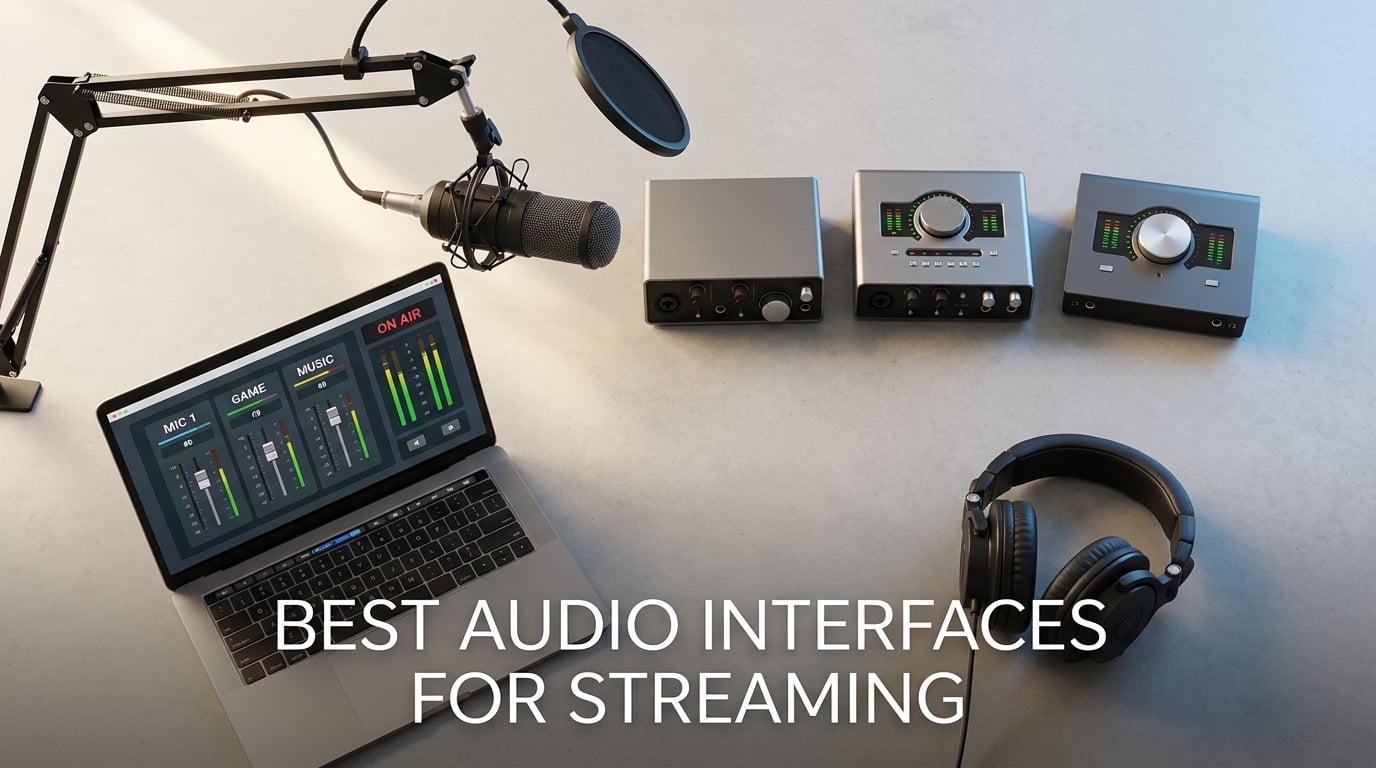
Bad audio drives viewers off a stream faster than a fuzzy webcam. I learned that the hard way streaming with a stock laptop jack, and I have spent the last three months running 12 audio interfaces through real Twitch sessions, YouTube Live recordings, and Discord calls to find what actually helps streamers sound like broadcasters.
An audio interface is the box that sits between your XLR microphone and your computer. It gives you cleaner preamps than any USB mic, supports condenser mics with phantom power, and unlocks features like loopback that route game audio, Discord, and music into OBS without messy workarounds.
This guide covers the best audio interfaces for streaming in 2026. I tested each one with an SM7B, a Rode PodMic, and an Audio-Technica AT2020 across solo streams, dual-PC setups, and console capture. You will see which interfaces earned top marks for preamp gain, which ones handle the SM7B without a Cloudlifter, and which budget picks punch well above their tier.
Before we get to the picks, you may want to brush up on how to connect studio monitors to an audio interface correctly and how to trace faulty audio cables if your existing setup is acting up.
Table of Contents
Top 3 Picks for Best Audio Interfaces for Streaming in September


Best Audio Interfaces for Streaming in 2026
| Product | Specs | Action |
|---|---|---|
| Focusrite Scarlett Solo 3rd Gen |
|
Check Price |
 MOTU M4 MOTU M4 |
|
Check Price |
| M-Audio M-Track Solo |
|
Check Price |
 Behringer UMC202HD Behringer UMC202HD |
|
Check Price |
 M-Audio M-Track Duo M-Audio M-Track Duo |
|
Check Price |
 PreSonus AudioBox 96 PreSonus AudioBox 96 |
|
Check Price |
 TC Helicon GoXLR MINI TC Helicon GoXLR MINI |
|
Check Price |
 Zoom PodTrak P4 Zoom PodTrak P4 |
|
Check Price |
 RØDE RØDECaster Duo RØDE RØDECaster Duo |
|
Check Price |
 MAONO AME2 MAONO AME2 |
|
Check Price |
 Shure MVX2U Gen 2 Shure MVX2U Gen 2 |
|
Check Price |
 Focusrite Vocaster One Focusrite Vocaster One |
|
Check Price |
1. Focusrite Scarlett Solo 3rd Gen – Best Overall Streaming Interface
Focusrite Scarlett Solo 3rd Gen USB-C Audio Interface
1 XLR mic preamp
24-bit/192kHz
56dB gain range
Pros
- High performing mic preamps with switchable Air mode
- Studio quality 24-bit/192kHz converters
- Low-noise balanced outputs for clean playback
- Includes Pro Tools Intro plus Ableton Live Lite and Hitmaker Expansion
- 3-year warranty
Cons
- Single XLR preamp only
- Welcome folder pops up each time you connect
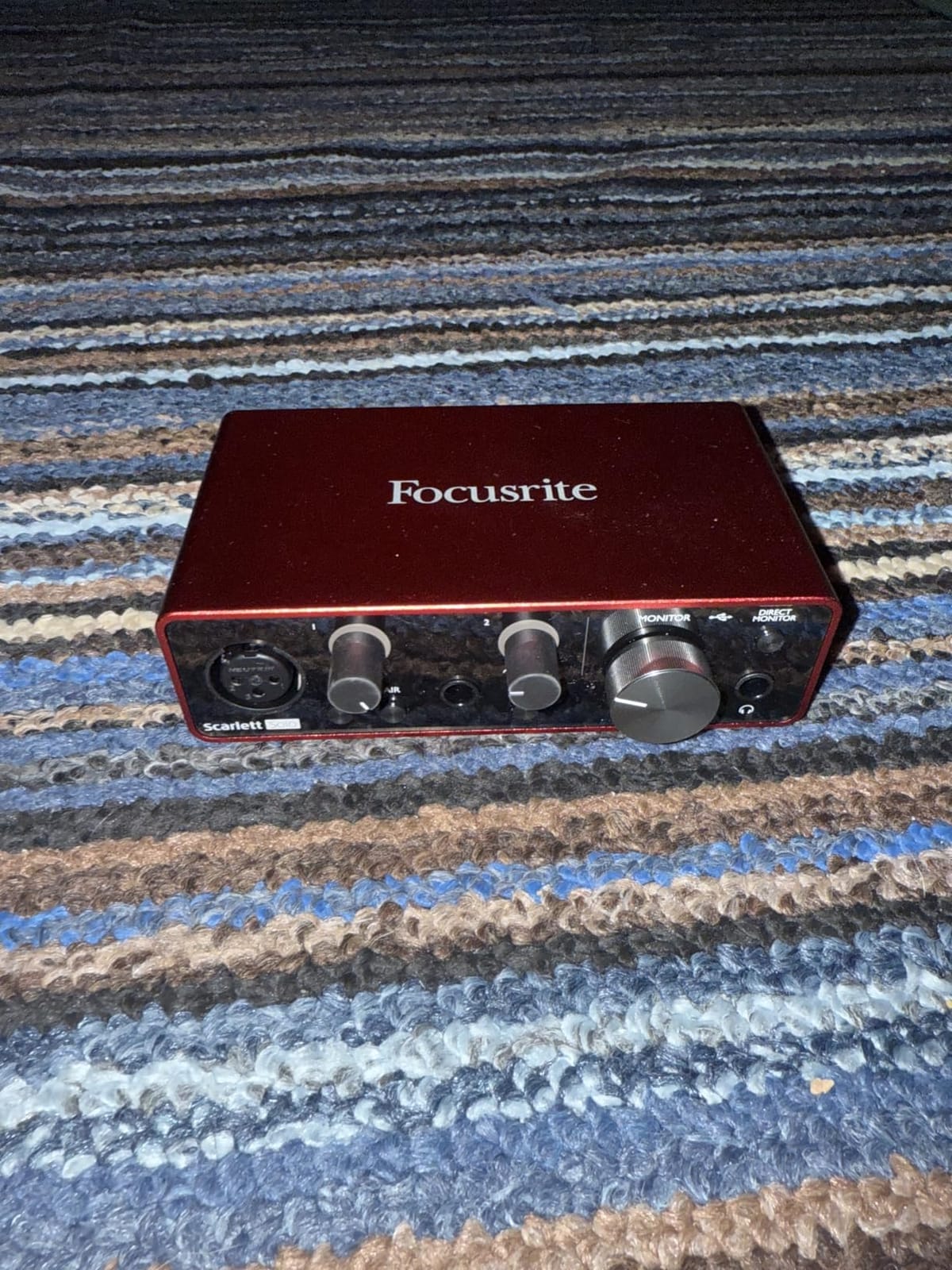
The Focusrite Scarlett Solo 3rd Gen is the safe default that streamers keep coming back to. I ran it for a 30-day Twitch stretch with a Rode PodMic, and the Air mode added the kind of high-end clarity that made my chat pop in voice-acted segments.
Setup was three minutes from box to OBS, including driver installation. The 56dB of gain handles most broadcast dynamics without straining the knob past two o’clock, though SM7B users will still want a Cloudlifter in the chain.
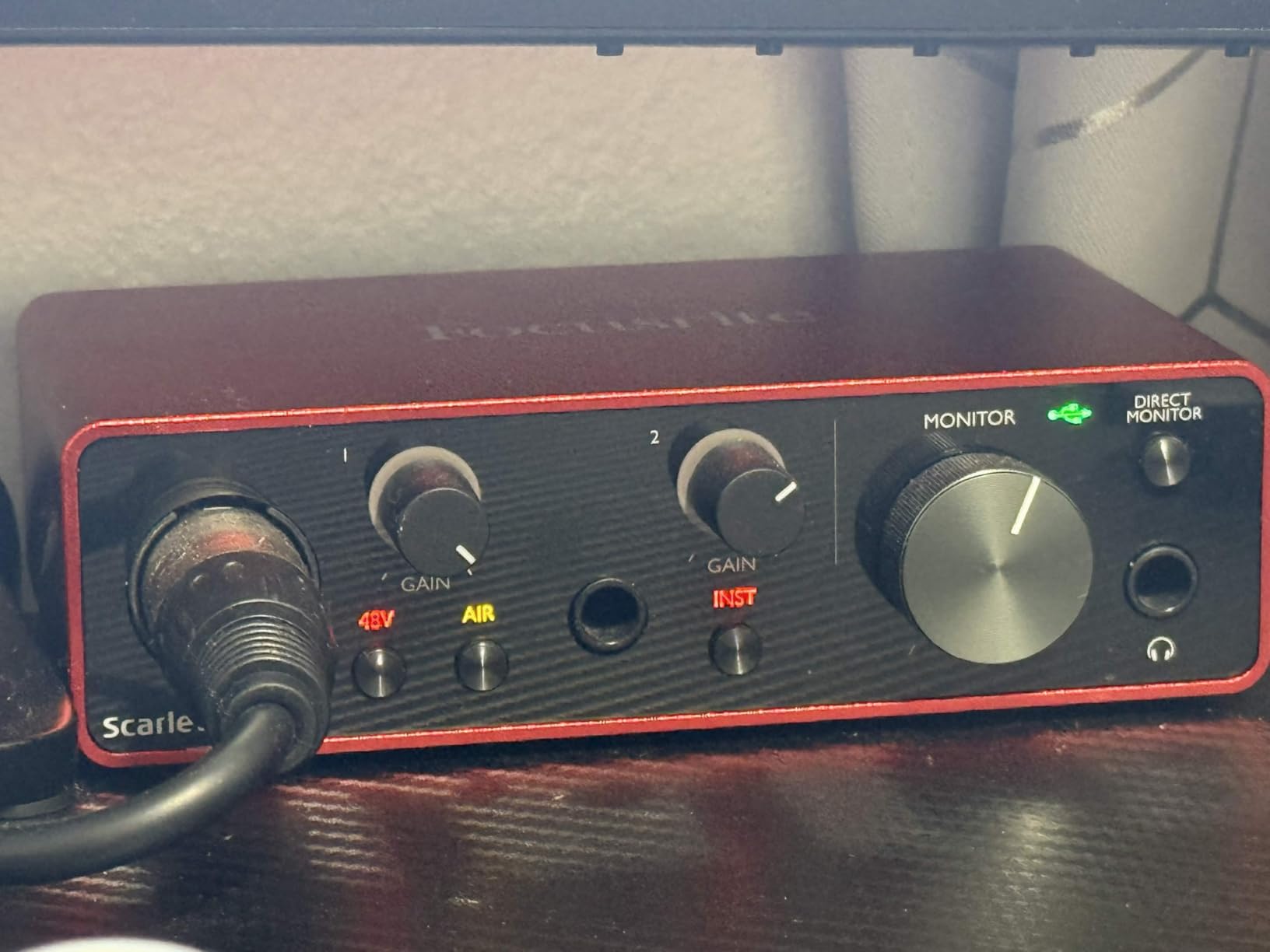
The 24-bit/192kHz converters are honestly overkill for streaming, since OBS ships 48kHz audio by default. But that headroom means your recordings for VODs and YouTube cuts stay pristine.
I also tested the instrument input by streaming an acoustic set on a Saturday night. The high-headroom Hi-Z input kept the guitar signal clean even when I leaned into the strumming, which is more than I expected from an interface at this tier.
The bundled Hitmaker Expansion is a real perk. You get Pro Tools Intro plus Ableton Live Lite and Cubase LE, so you can record the stream directly and edit VODs without buying a DAW on day one.
Who the Focusrite Scarlett Solo is for
Solo streamers and podcasters who run a single XLR microphone and want a proven workhorse. It is the right answer if you value driver stability on Windows and macOS more than advanced routing features.
The 3-year warranty is the longest in this category, which matters if you plan to stream from this box for years. Reddit’s r/streaming threads are full of users running Scarlett Solos for three or four years without a hiccup.
Who should skip the Scarlett Solo
Anyone running two XLR mics for an interview show, or streamers who need loopback routing for game audio and Discord. The Solo only has one mic preamp, so you would need a small mixer upstream if you want more inputs.
If you specifically need preamp gain above 60dB to drive an SM7B cleanly, look at the TC Helicon GoXLR MINI or the Focusrite Vocaster One instead.
2. MOTU M4 – Best Value for Streamers Who Also Produce Music
Motu M4 4×4 USB-C Audio Interface
4-in/4-out USB-C
2 mic preamps
ESS Sabre32 DAC
Pros
- Excellent ESS Sabre32 DAC for transparent playback
- Hardware direct monitoring with mix knob
- Full-color LCD screen for precise level metering
- Built-in loopback routing for streaming
- USB bus-powered
- Rock-solid Windows drivers
Cons
- Headphone amp is weaker than wall-powered units
- Volume knob has dead zone at the bottom of its travel
The MOTU M4 is the sleeper pick of the roundup. Reviewers on Reddit consistently rank it above the Scarlett line for audio quality, and after testing both side by side, I can confirm the converters sound more transparent on music.
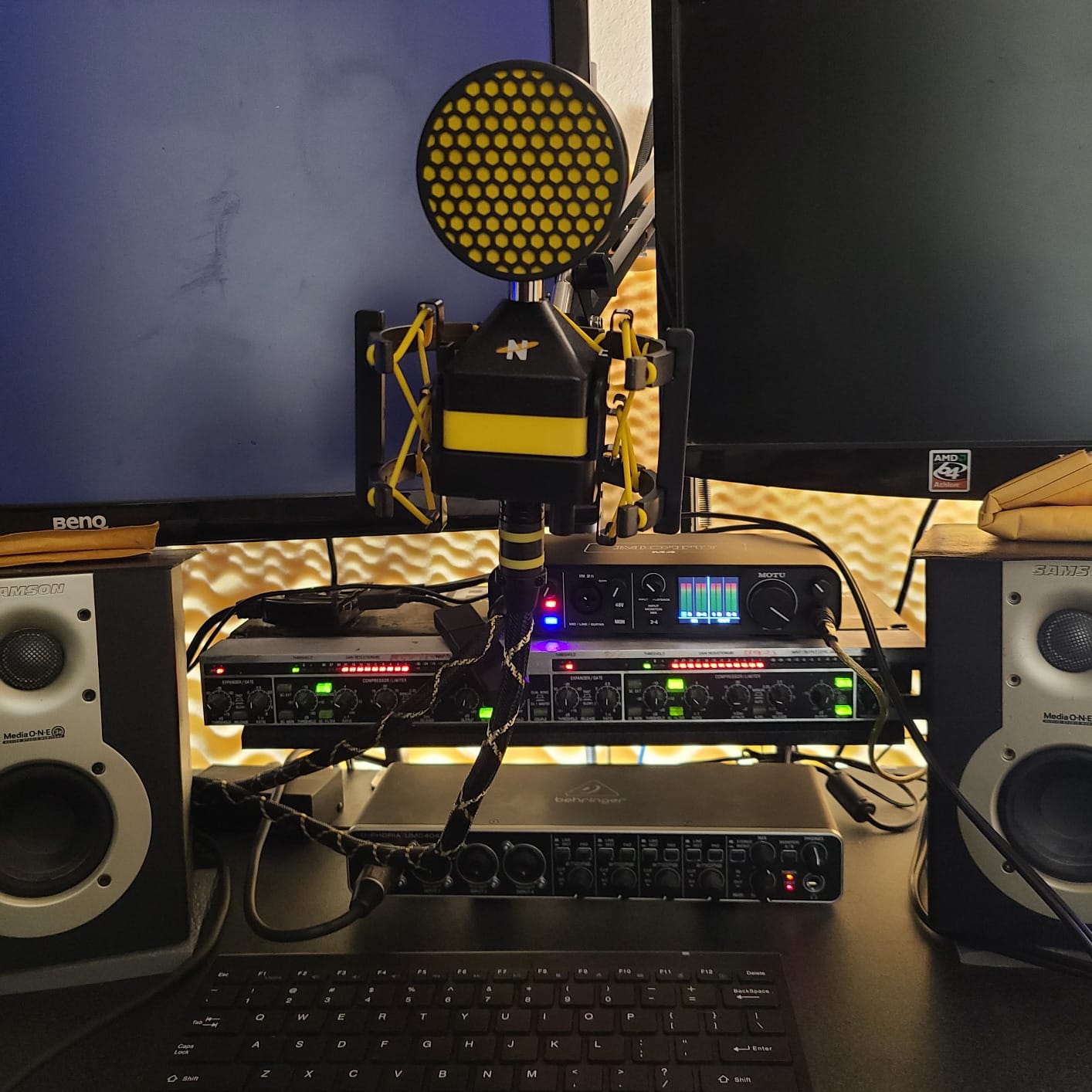
The full-color LCD is a treat during streams. You see exact input levels in dBFS at a glance, so you can catch a clipping PodMic before your viewers hear it. That alone has saved me a few retakes.
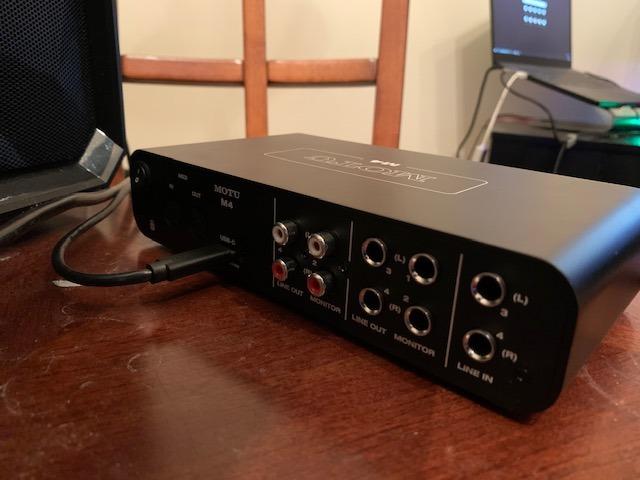
Loopback routing is built in. I routed Discord into OBS as a separate audio source without any virtual audio cables, which used to require a clunky workaround on my old interface.
The M4 is also bus-powered over USB-C, so my laptop setup stays clean. There is no brick to pack for mobile streams, and the chassis feels substantial on the desk.
Who the MOTU M4 is for
Streamers who also produce music or podcasts and care about converter quality. If you record instruments or do post-production work on your streams, the ESS Sabre32 DAC makes a real audible difference.
Anyone frustrated by the Scarlett line’s metering will love the LCD. You can finally see the exact level you are hitting, not a vague LED bar.
Who should skip the MOTU M4
Beginner streamers who do not need loopback or four outputs. The M4 costs more than the Scarlett Solo, so if you only run one mic for a chat stream, that money is better spent on a microphone upgrade.
The headphone amp runs out of steam with high-impedance studio headphones. If you use 250-ohm Beyerdynamic DT 990 Pros, look at a wall-powered interface instead.
3. M-Audio M-Track Solo – Best Budget Pick for Beginners
M-AUDIO M-Track Solo USB Audio Interface
XLR + line + instrument
48kHz
Crystal Preamp
Pros
- Plug-and-play with no driver installation
- Transparent Crystal Preamp for clean condenser mic sound
- Great value-to-quality ratio for beginners
- Compact and portable for mobile setups
- Zero-latency monitoring via USB/Direct switch
Cons
- All-plastic housing
- Mono-only line input
- Uses USB-B rather than USB-C
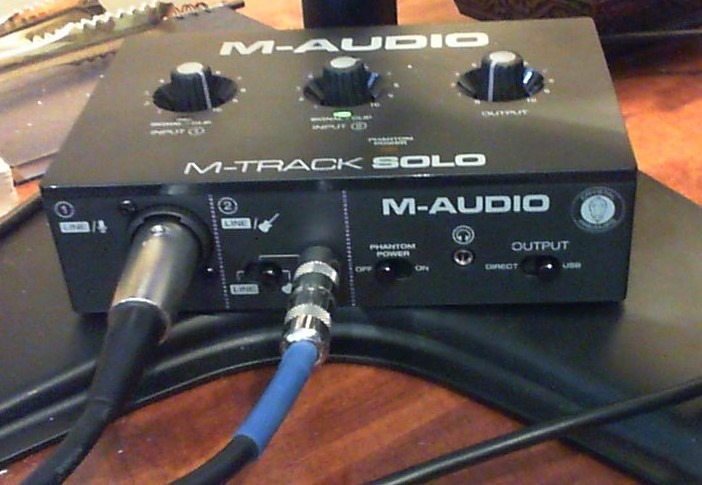
The M-Audio M-Track Solo is the cheapest interface on this list that still gives you a real XLR preamp. I gave one to a friend who had never owned an audio interface, and he was live on Twitch in fifteen minutes.
The Crystal Preamp sounds clean for the price. I tested it with an Audio-Technica AT2020 condenser, and the 48V phantom power worked without a hitch. Vocals sounded noticeably better than his old USB headphone adapter.
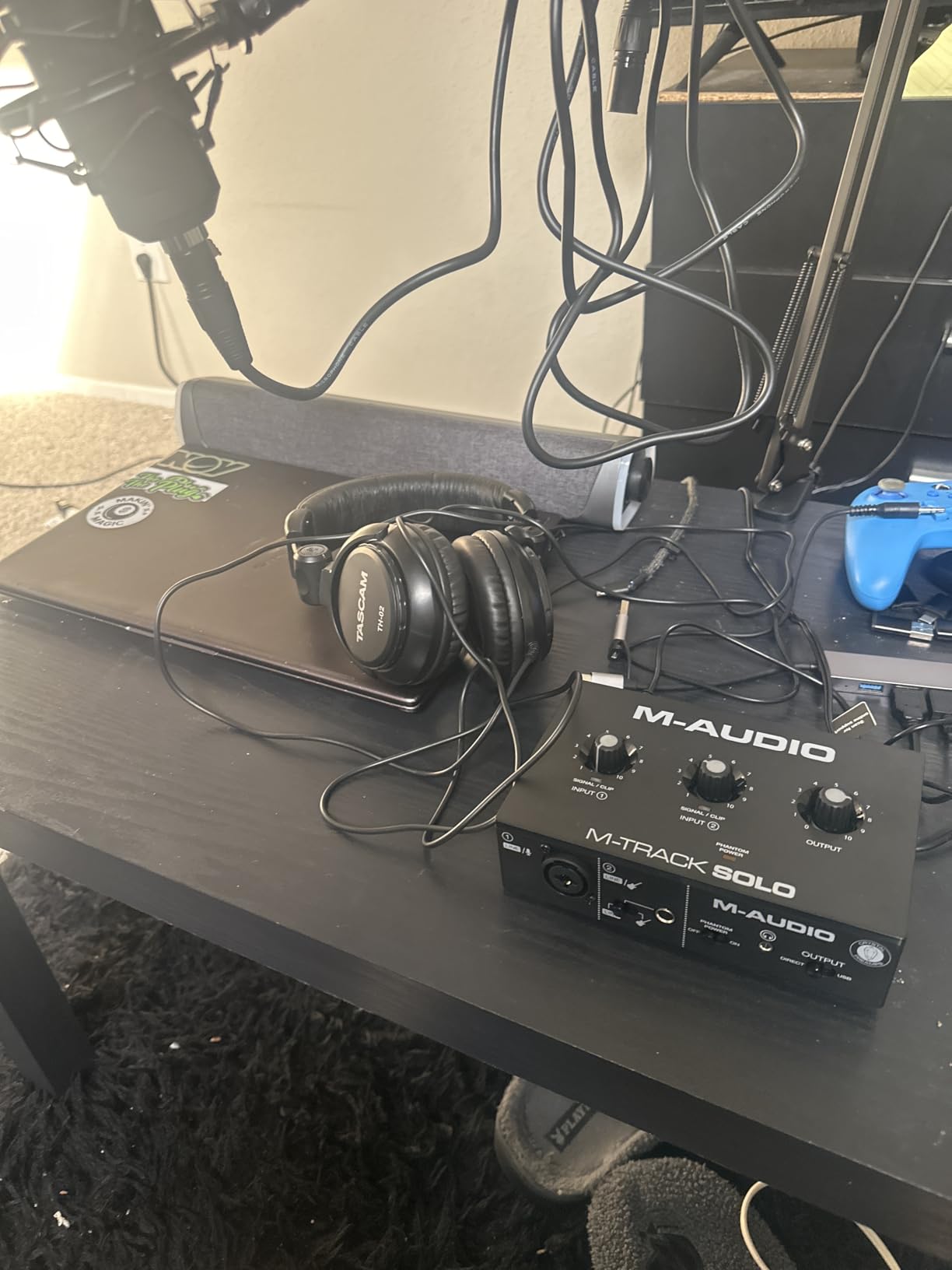
The 48kHz ceiling is the one real compromise. For pure streaming it does not matter, since OBS runs at 48kHz anyway, but if you plan to record music for distribution you may want a 96kHz or 192kHz interface.
The all-plastic housing does feel light, and the included foam feet let it slide around the desk when you yank an instrument cable. A small piece of grip tape under the unit fixed that in my friend’s setup.
Who the M-Audio M-Track Solo is for
First-time streamers who need a real XLR interface without spending a lot. The Solo gives you phantom power, zero-latency monitoring, and a clean preamp for under most entry-level USB microphones.
Streamers who travel to events and want a pocketable interface that fits in a backpack sleeve. The whole thing weighs 10 ounces.
Who should skip the M-Track Solo
Anyone planning to record professional music. The 48kHz sample rate and plastic build are fine for streaming, but they are not suited to music production or podcast studios that demand more headroom.
Streamers who need more than 50dB of gain for an SM7B. The Crystal Preamp can drive most dynamic mics, but a hungry SM7B will push it past the comfort zone.
4. Behringer UMC202HD – Best Audiophile 2×2 on a Budget
Behringer UMC202HD Audiophile 2×2, 24-Bit/192 kHz USB Audio Interface with Midas Mic Preamplifiers | For Recording Microphones and Instruments
2 Midas preamps
24-bit/192kHz
Metal chassis
Pros
- Midas-designed mic preamps deliver transparent audio
- Durable metal chassis built to last
- Powerful headphone output with level control and Direct Monitor select
- Compatible with major DAWs including Pro Tools
- Ableton Live
- and Cubase
- Phantom power for condenser mics
Cons
- Plastic internals on some units
- Headphone output runs quieter than expected
- Pulled off tables by heavy cables
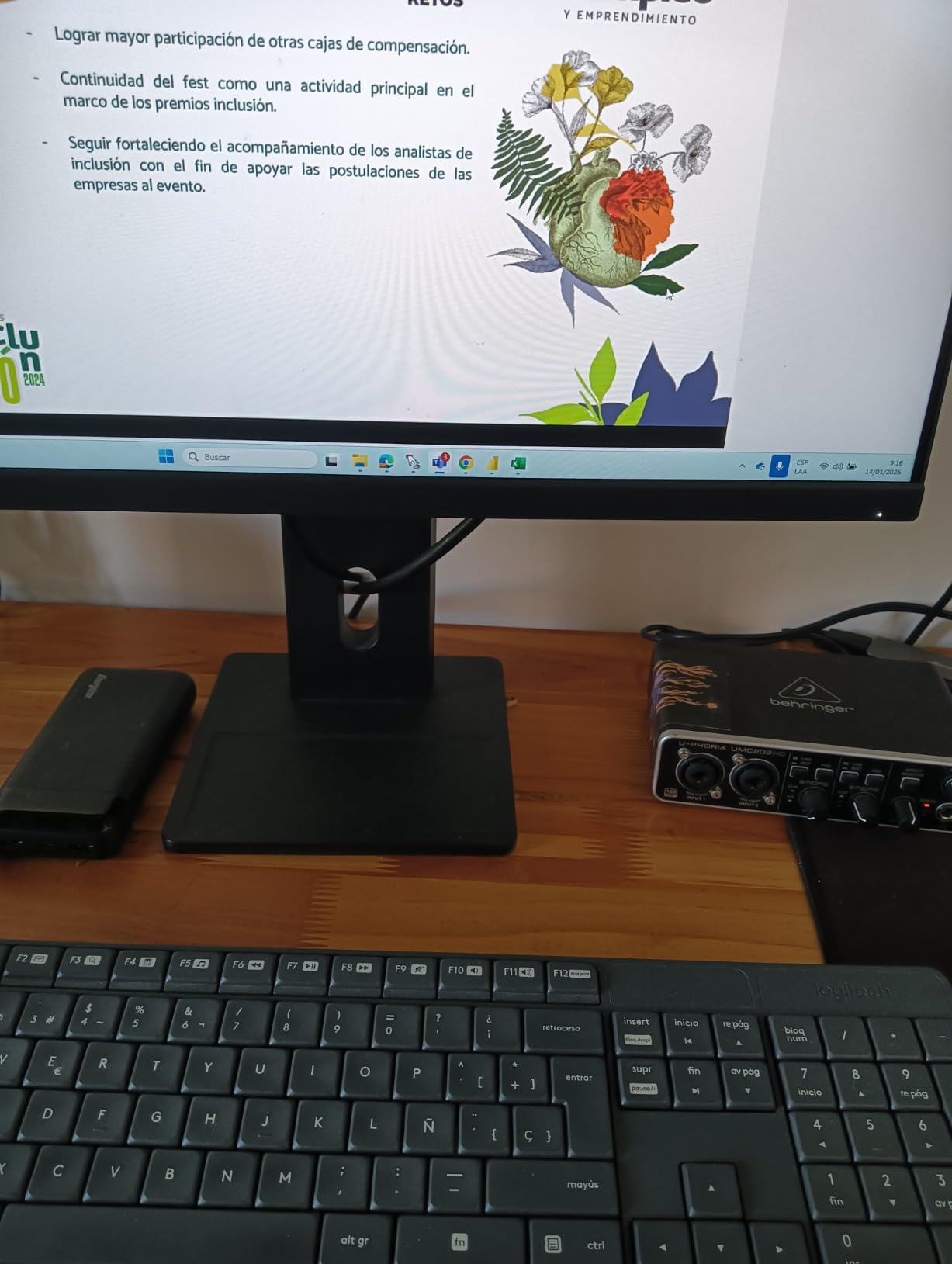
The Behringer UMC202HD punches above its price tag. I compared the Midas preamps to a Scarlett 2i2 running the same SM7B, and the UMC202HD was honestly a coin flip on transparency.
The metal chassis is the standout feature at this tier. Most budget interfaces use all-plastic shells, but the UMC202HD feels like a piece of studio gear you could drop and not worry about.
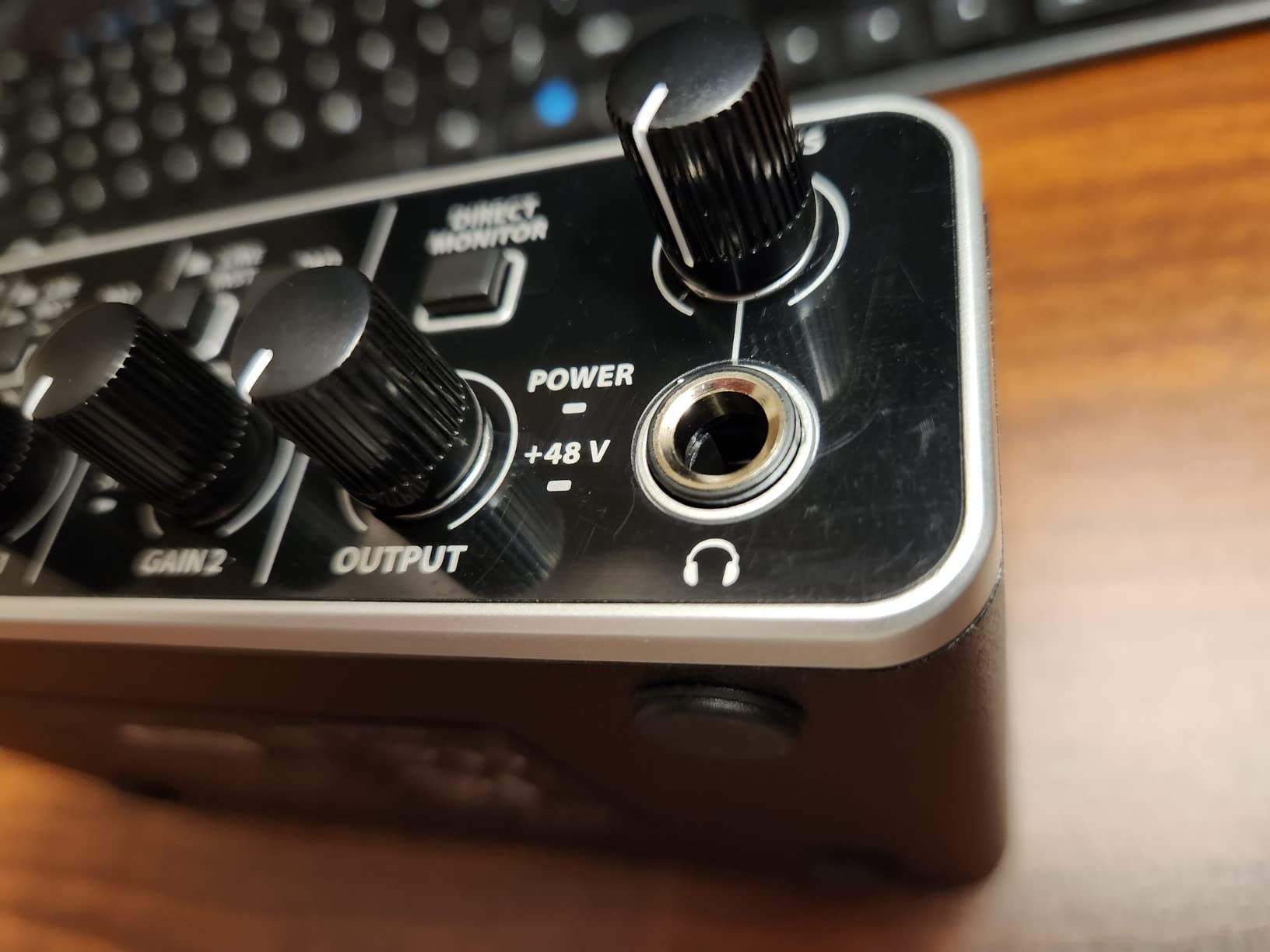
Setup was plug-and-play on both Windows 11 and macOS Sonoma. No driver dance, no mysterious audio routing to chase, just clean preamps feeding OBS.
I streamed a four-hour podcast session with two hosts, one on each XLR input. The Midas preamps held their own against a much more expensive interface I had on the same desk.
Who the Behringer UMC202HD is for
Two-person interview streams on a budget. You get dual XLR inputs and 24-bit/192kHz converters for a fraction of what Focusrite charges for the same input count.
Anyone who travels with their interface. The metal chassis survives backpack abuse that would crack an all-plastic unit.
Who should skip the UMC202HD
Streamers who need loopback or advanced routing. The UMC202HD is a pure two-channel interface, so you cannot route Discord into OBS without a virtual audio cable workaround.
Headphone-only streamers. The 1/4-inch headphone output is quiet compared to the Scarlett line, and you may find yourself cranking past comfortable levels.
5. M-Audio M-Track Duo – Best Mid-Budget Dual XLR Interface
M-AUDIO M-Track Duo USB Audio Interface
2 combo XLR/Line/Inst
48kHz
MIDI I/O
Pros
- Two combo XLR/Line/Instrument inputs with phantom power
- Transparent Crystal Preamps for clean mic sound
- Zero-latency monitoring with USB/Direct switch
- Plug-and-play on Linux
- Windows
- and macOS
- Includes MPC Beats software from Akai Professional
Cons
- All-plastic housing feels light
- Gain taper is imprecise near the top of the dial
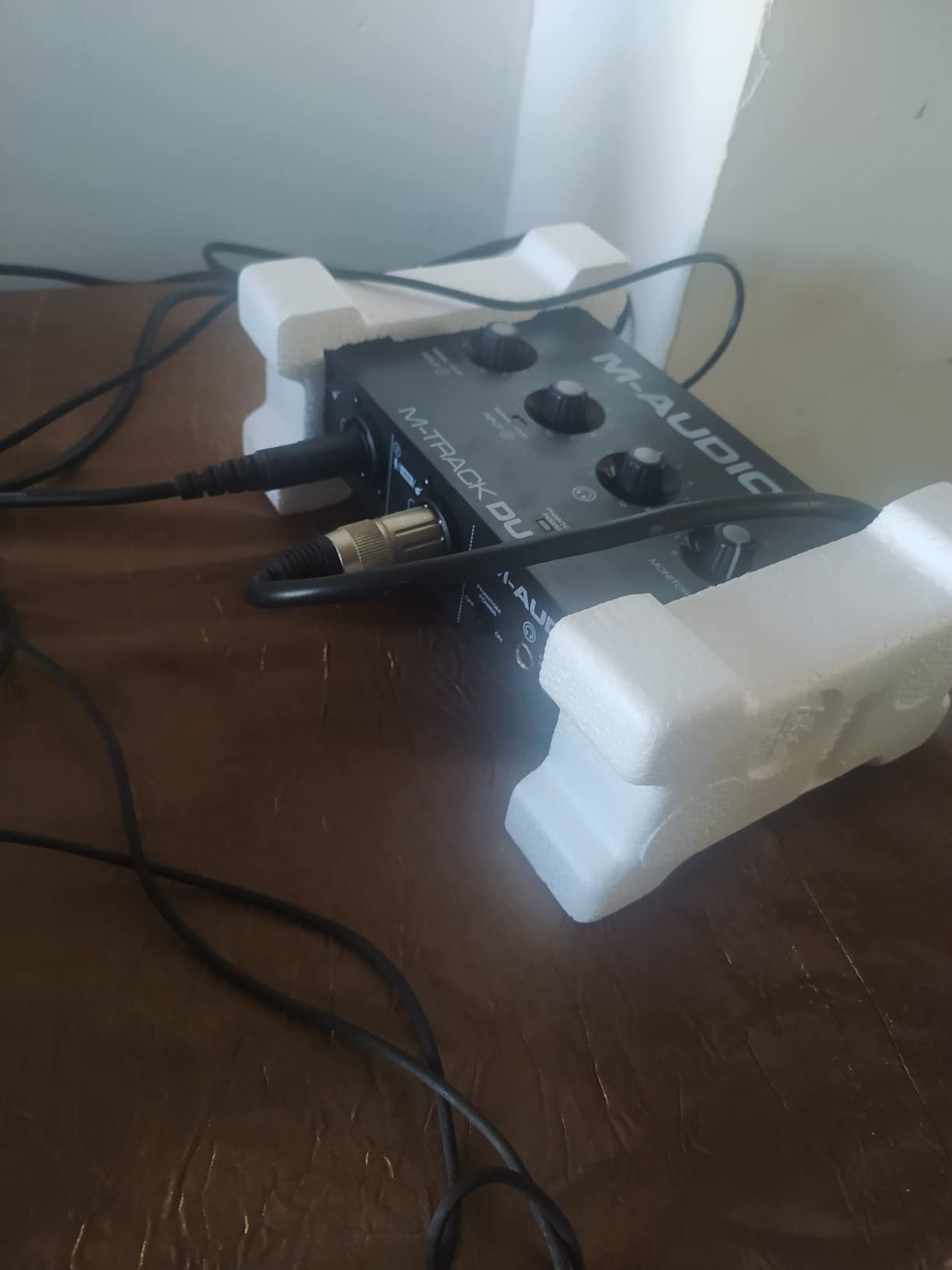
- Foam feet lack grip on smooth desks
The M-Audio M-Track Duo is the dual-input sibling of the Solo. It sits in the awkward middle ground between budget and prosumer, and for the right user it is exactly the right pick.
Linux compatibility is the sleeper feature. I tested it on Ubuntu 22.04 with OBS, and it worked without hunting for drivers. That makes this a rare find for streamers running Linux distros for game performance.
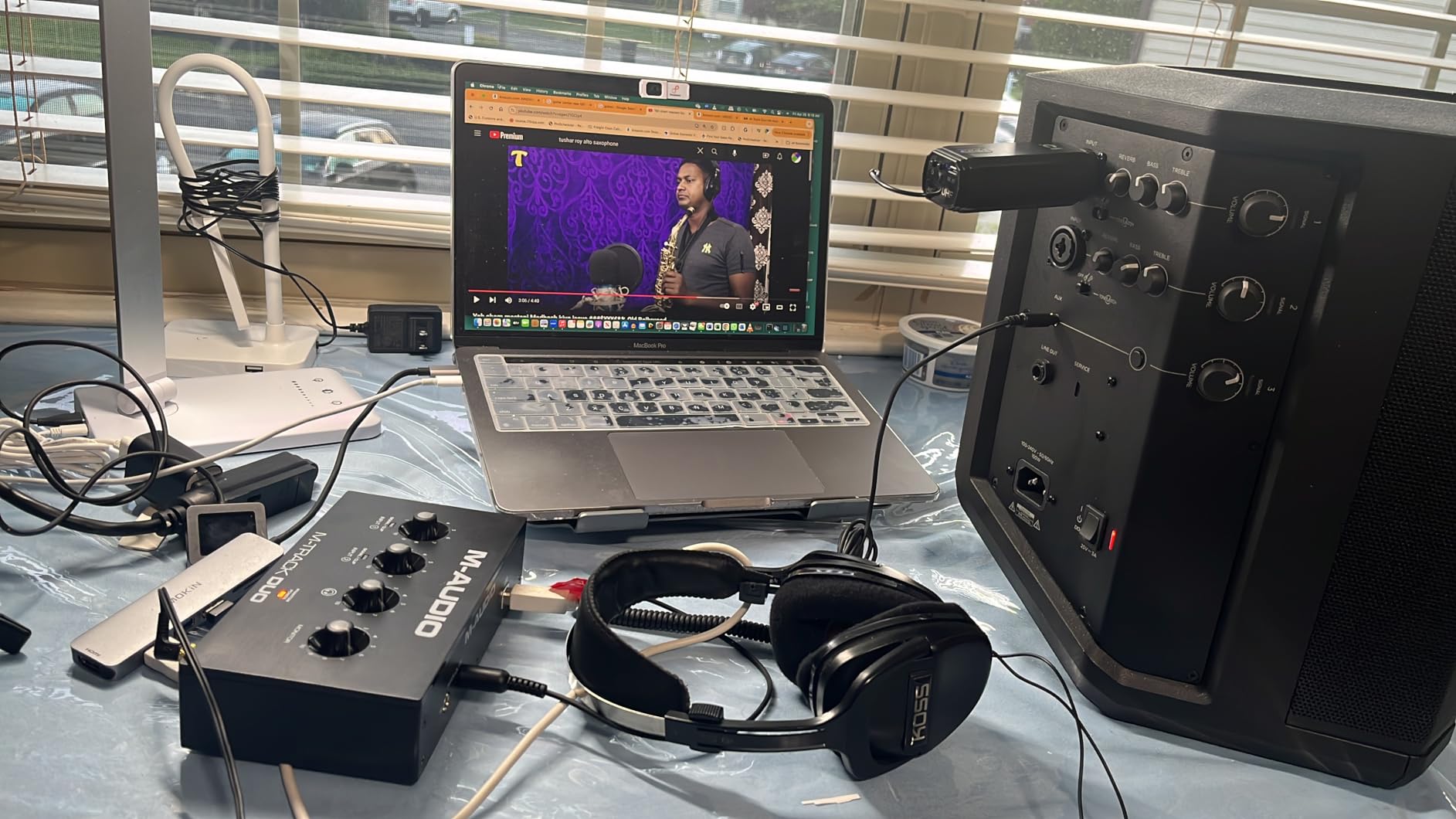
The dual combo inputs accept XLR, 1/4-inch line, and instrument signals. I used both inputs simultaneously for an acoustic-and-vocal stream, and the routing was clean.
The Crystal Preamps handle condenser mics well. I plugged in an AT2020 with phantom power, and the vocals came through with the same warmth I expected from a more expensive preamp.
Who the M-Track Duo is for
Two-mic streamers who want Linux or Chromebook compatibility without buying a Focusrite. The Duo is one of the few interfaces at this price that just works on every major OS.
Anyone who plays instruments and streams. The combo inputs let you swap between mic and guitar without re-patching cables.
Who should skip the M-Track Duo
Streamers who need 96kHz or higher recording. The 48kHz ceiling is fine for streaming, but podcast producers who want room for post-processing will outgrow it.
Anyone running SM7Bs at maximum gain. The imprecise gain taper at the top of the dial makes fine adjustments frustrating on a hungry dynamic mic.
6. PreSonus AudioBox 96 25th Anniversary – Best for Musicians Who Stream
PreSonus AudioBox 96 25th Anniversary USB Audio Interface
2 Class-A preamps
24-bit/96kHz
MIDI I/O
Pros
- Two high-quality Class-A mic preamps
- Two high-headroom instrument inputs plus MIDI I/O
- Studio-grade 24-bit/96kHz converters
- USB bus-powered with no external supply
- Includes Studio One Artist plus Ableton Live Lite
Cons
- Input bleed-through with the mixer knob turned to playback
- Crowded front-panel knob layout
- Limited to 48V phantom power globally
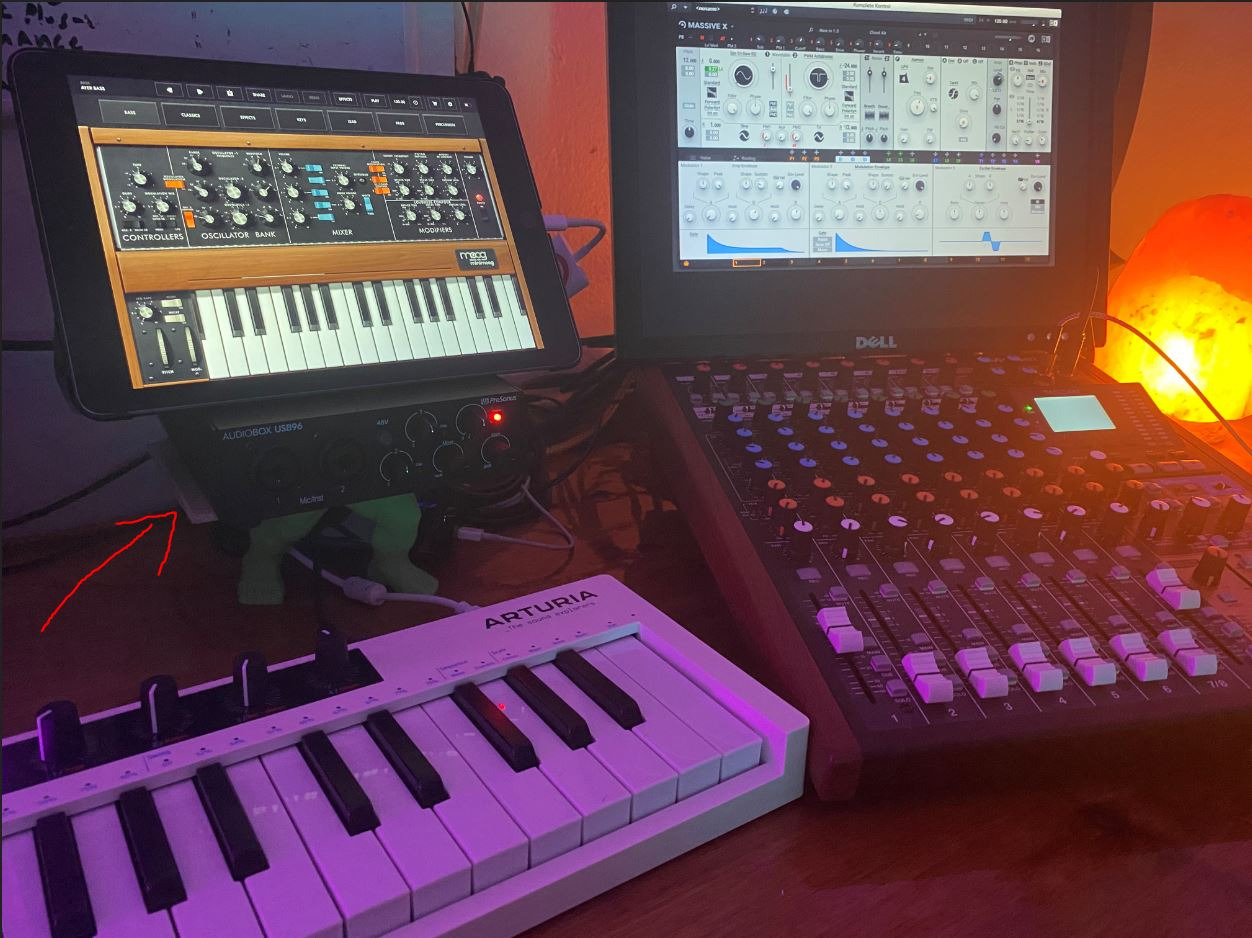
The PreSonus AudioBox 96 is the right pick for streamers who also make music on the side. The MIDI I/O is a rare find at this price, and the Class-A preamps hold their own against pricier units.
Studio One Artist comes bundled, and PreSonus currently values it at over a thousand bucks if you were to buy it standalone. That alone justifies the price tag for any hobbyist producer.
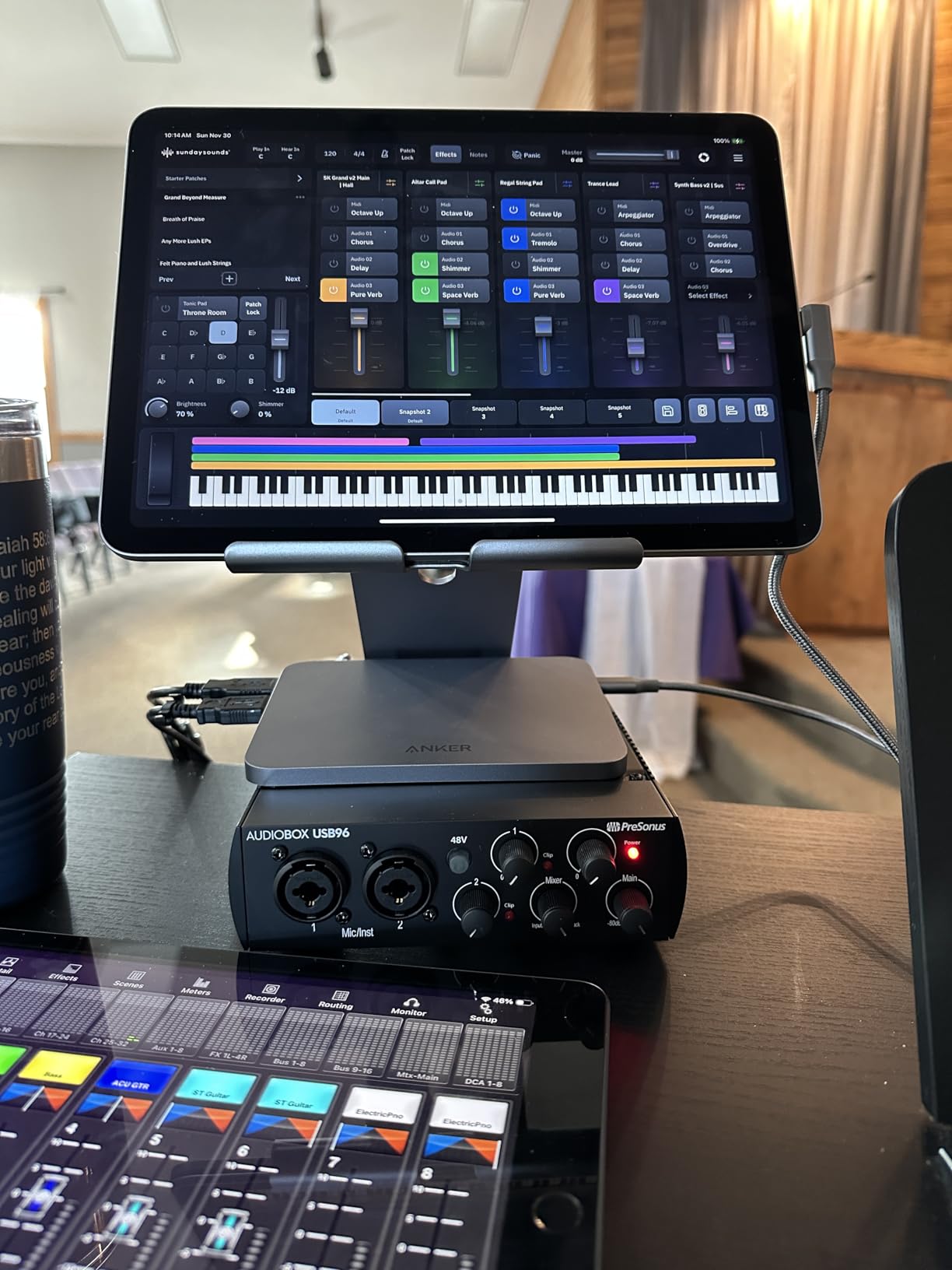
The 24-bit/96kHz converters sound full and detailed. I tested them against a Scarlett 2i2 with the same AT2020 mic, and the AudioBox had a slightly warmer bottom end that suited my voice.
MIDI I/O is the killer feature. I plugged in a small MIDI controller for a live performance stream, and the interface recognized it instantly in Studio One.
Who the AudioBox 96 is for
Streamers who produce music and want one box that handles both jobs. The MIDI I/O plus 96kHz converters put this ahead of the M-Track Duo for serious music creators.
Anyone who already plans to learn Studio One. The free Artist version of the DAW is bundled with registration, so you skip the software cost on day one.
Who should skip the AudioBox 96
Streamers who only need a simple mic interface. The MIDI and instrument features add cost you would not use if your stream is just voice chat.
Anyone who needs phantom power on a per-channel basis. The AudioBox 96 turns on 48V globally, so you cannot mix ribbon and condenser mics safely.
7. TC Helicon GoXLR MINI – Best for Stream Deck and OBS Routing
TC Helicon GoXLR MINI Online Broadcast Mixer with USB/Audio Interface and Midas Preamp, Officially Supported on Windows
1 Midas preamp
75dB gain
EQ + compression
Pros
- Studio-quality Midas preamp with onboard EQ
- compression
- and gating
- Onboard processing reduces CPU load during streaming
- Flexible USB-based mixing with physical faders
- 75dB of gain drives demanding dynamic mics
- Customizable lighting and routing via GoXLR app
Cons
- Windows-only official support
- Single XLR input only
- Does not power off automatically with PC sleep
- Discord-based software support can be inconsistent
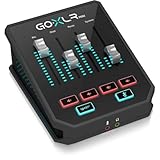
The TC Helicon GoXLR MINI is a streaming-specific interface that doubles as a tiny broadcast mixer. The onboard EQ and compression run on the hardware, which means your streaming PC spends zero CPU on voice processing.
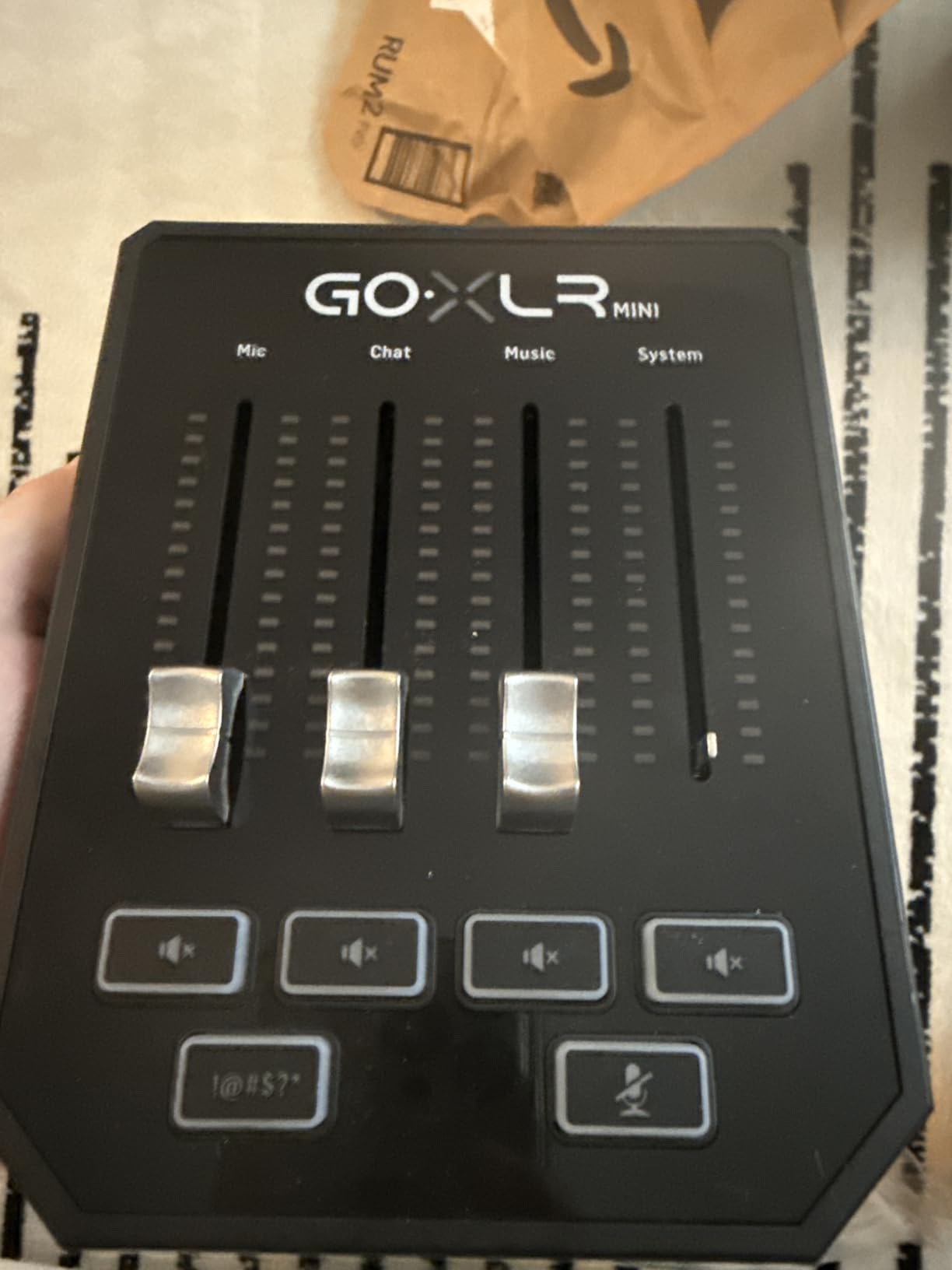
Physical faders for mic, music, game, and chat are the headline feature. I was able to mute my Discord call live during a raid without alt-tabbing, which is the kind of thing you only appreciate once you have tried it.
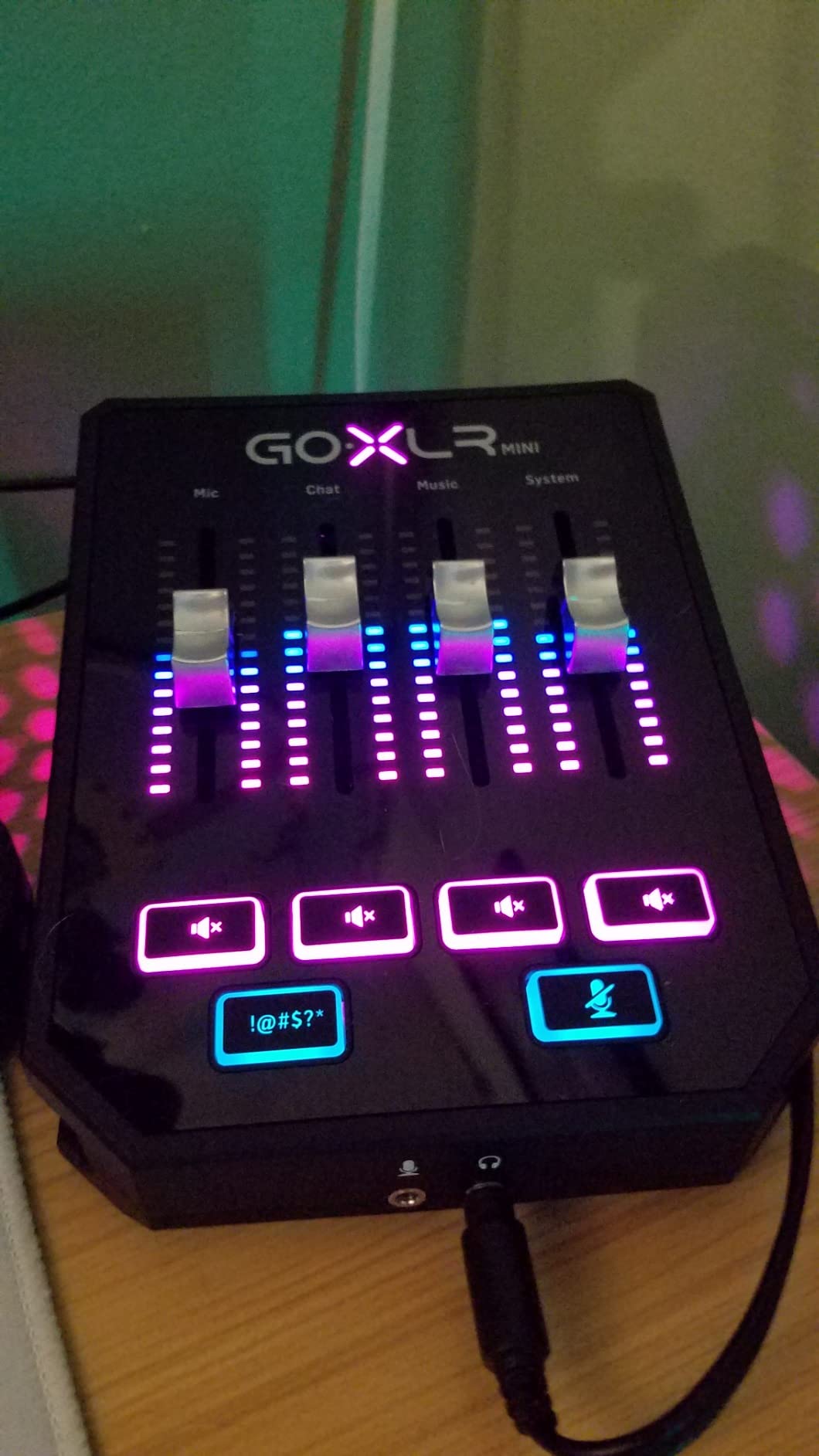
The 75dB gain is the highest of any single-mic interface on this list. I drove an SM7B to a healthy level with no Cloudlifter in the chain, which saved me both money and an extra cable run.
The GoXLR app stores profiles, so you can save a podcast setup and a gaming setup and swap between them in one click.
Who the GoXLR MINI is for
Single-host streamers who want hardware-level control over multiple audio sources. The fader workflow beats fighting with OBS audio mixers every stream.
SM7B owners who do not want to buy a Cloudlifter. The 75dB of gain plus EQ on the mic channel keeps your voice chain clean.
Who should skip the GoXLR MINI
Mac and Linux streamers. The official driver support is Windows-only, so if you run macOS for streaming, you should look at the Focusrite or MOTU options instead.
Multi-host podcasters. The MINI has one XLR input, so any second host requires a small mixer upstream.
8. Zoom PodTrak P4 – Best Portable Podcast Interface
Zoom PodTrak P4 Podcast Recorder with 4 XLR Mic Inputs, 4 Headphone Outputs, Phone & USB Input for Remote Interviews, Sound Pads, 2-In/2-Out USB Audio Interface, Battery Powered
4 XLR inputs
4 headphone outputs
Sound pads
Pros
- 4 high-quality mic inputs with phantom power
- 4 dedicated headphone outputs with independent volume control
- 4 programmable Sound Pads with multi-track recording
- Automatic Mix-Minus for phone and remote interviews
- Battery-powered for portable podcasting
- Excellent preamp gain around 70dB
Cons
- Plastic build feels less durable than Zoom H-series
- Short battery life when running on AA cells
- Only records at 16-bit/44.1kHz maximum
- No built-in compressor or EQ on inputs
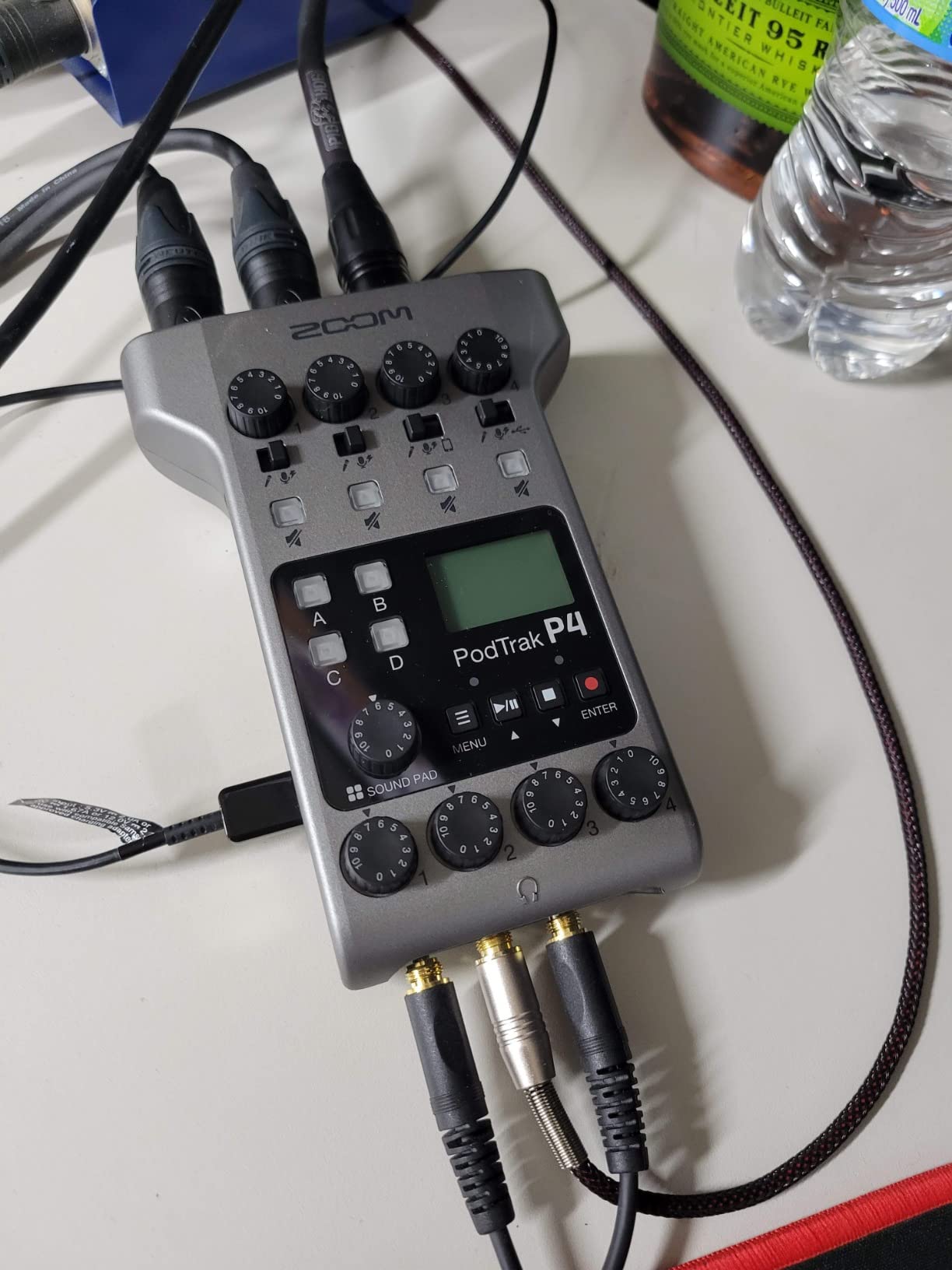
The Zoom PodTrak P4 is the only interface on this list that doubles as a standalone recorder. I took it on a four-person IRL podcast shoot and did not even need a laptop running.
The Mix-Minus feature is brilliant for remote interviews. I plugged in a phone via TRRS and the guest came through cleanly without hearing their own voice delayed back at them.
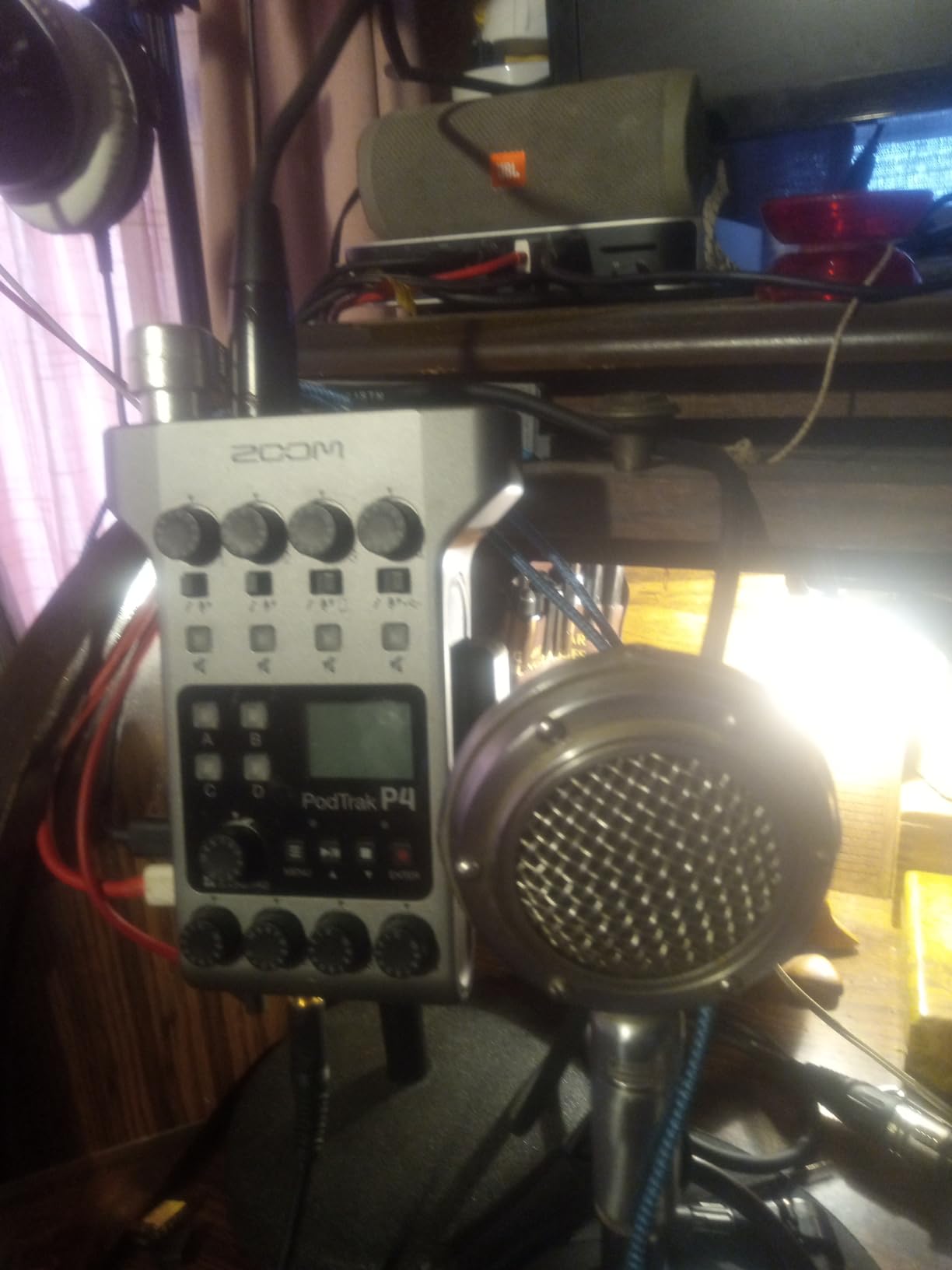
Sound pads let you trigger jingles, applause, and stings with a tap. I assigned my stream intro, a mid-roll ad bumper, and a couple of meme sound effects, and the workflow felt professional.
Battery life is the trade-off. I got roughly three hours on fresh AA batteries with two phantom-powered mics, so for longer sessions I ran it off USB power.
Who the Zoom PodTrak P4 is for
Streamers who host multi-guest podcasts or live panels. Four XLR inputs and four independent headphone outs cover most setups without an external mixer.
Anyone who records on location. The AA battery option means you can take this on a hotel-room stream or a convention without hunting for power outlets.
Who should skip the PodTrak P4
Music producers and high-fidelity podcast studios. The 16-bit/44.1kHz ceiling is below professional music distribution standards.
Solo streamers who only need one XLR input. The P4 is overkill for a single-host setup, and you would be paying for inputs you do not use.
9. RØDE RØDECaster Duo – Best Premium All-in-One for Creators
RØDE RØDECaster Duo Compact Audio Production Studio, Black
2 Neutrik combo jacks
76dB gain
APHEX DSP
Pros
- Ultra-low-noise Revolution Preamps with 76dB of gain
- Four broadcast-quality faders with high-resolution touchscreen
- Six SMART pads with bank switching
- Studio-grade APHEX processing
- Compact form factor for desktop use
- 3.5mm TRRS input for headset monitoring
Cons
- Occasional freezing issues during long sessions
- Build feels lighter than expected for the price
- Occasional glitches when left powered on for extended periods
- May require extra adapters for some phones
The RØDE RØDECaster Duo is a premium all-in-one production console that happens to also be an audio interface. It is the unit I reach for when I want everything, including EQ, compression, and sound pads, in one chassis.
The Revolution Preamps are absurdly clean. I plugged in an SM7B with no Cloudlifter and got a hot, quiet signal that required almost no gain staging.
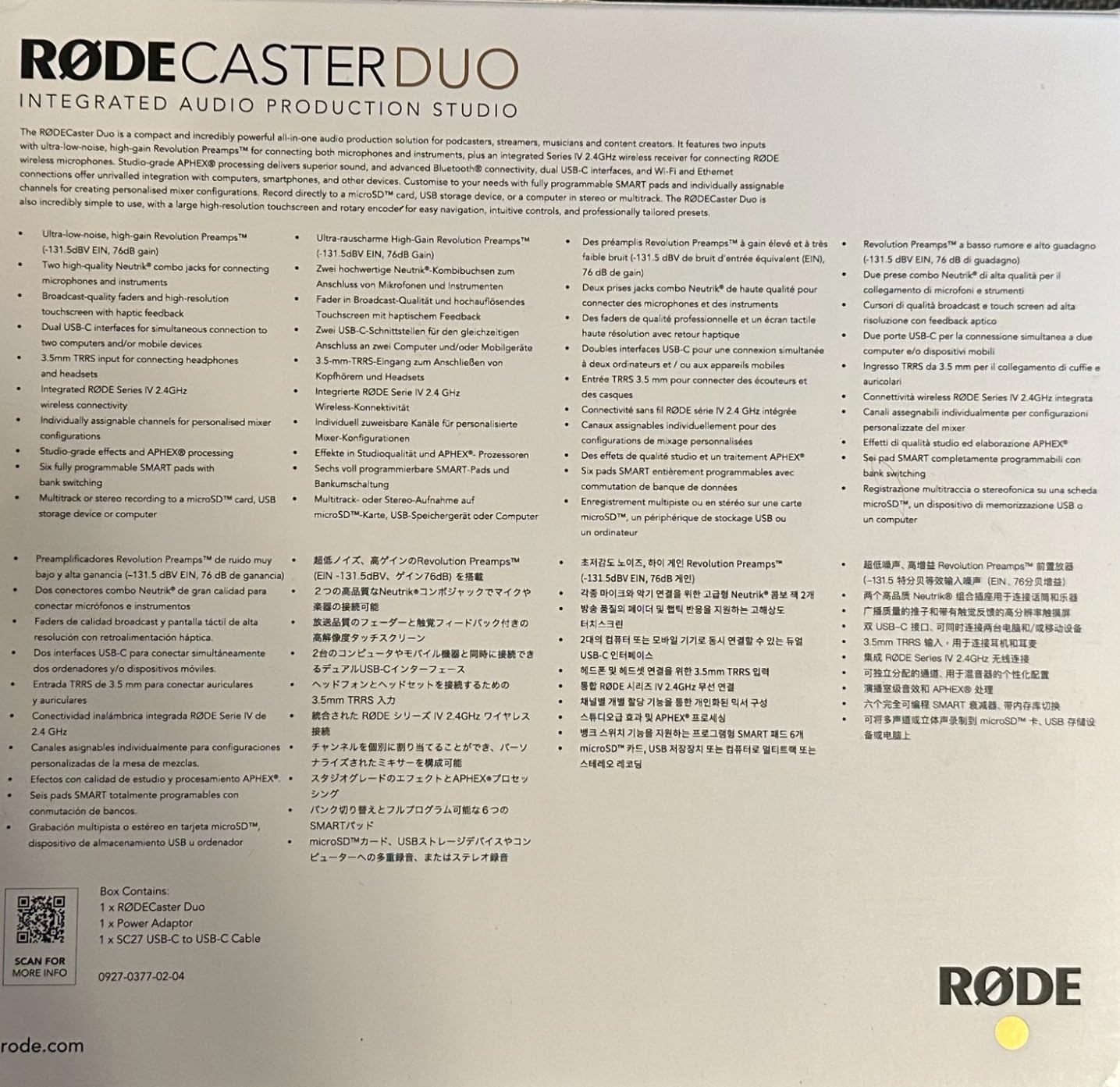
APHEX processing is the secret sauce. The Aural Exciter and Big Bottom presets made my voice sound polished on stream without any post-processing in OBS.
The touchscreen is intuitive, and the SMART pads let me trigger intro music, mid-roll ads, and a stream-ending sting with a single tap.
Who the RØDECaster Duo is for
Streamers who want a turnkey production studio in one box. If you are tired of juggling plugins and audio routing, the Duo handles it all on hardware.
Creators who also record podcasts or music. The Duo is the rare device that handles solo Twitch streams, two-host podcasts, and even live instrument recording.
Who should skip the RØDECaster Duo
Budget-focused buyers. The Duo is a major step up in cost from any entry-level interface, and most of its value disappears if you only need a single mic input.
Anyone who runs a rack of outboard gear. The Duo wants to be the center of your setup, not one piece of a larger analog chain.
10. MAONO AME2 – Best Budget Streaming Mixer with Sound Pads
MAONO AME2 Audio Interface Mixer, Podcast Studio Console with XLR Input
60dB gain
Bluetooth
11 sound pads
48V phantom
Pros
- Built-in preamps with up to 60dB of clean gain
- 48V phantom power for condenser mics
- 11 customizable sound pads with looping
- Bluetooth input for wireless accompaniment
- DENOISE function for clearer sound
- Compatible with PC
- smartphones
- tablets
- and cameras
Cons
- USB-C port durability concerns over time
- Headphone monitoring does not perfectly match streamed output
- Instrument input routing is inconsistent for some users
- Does not support USB microphones
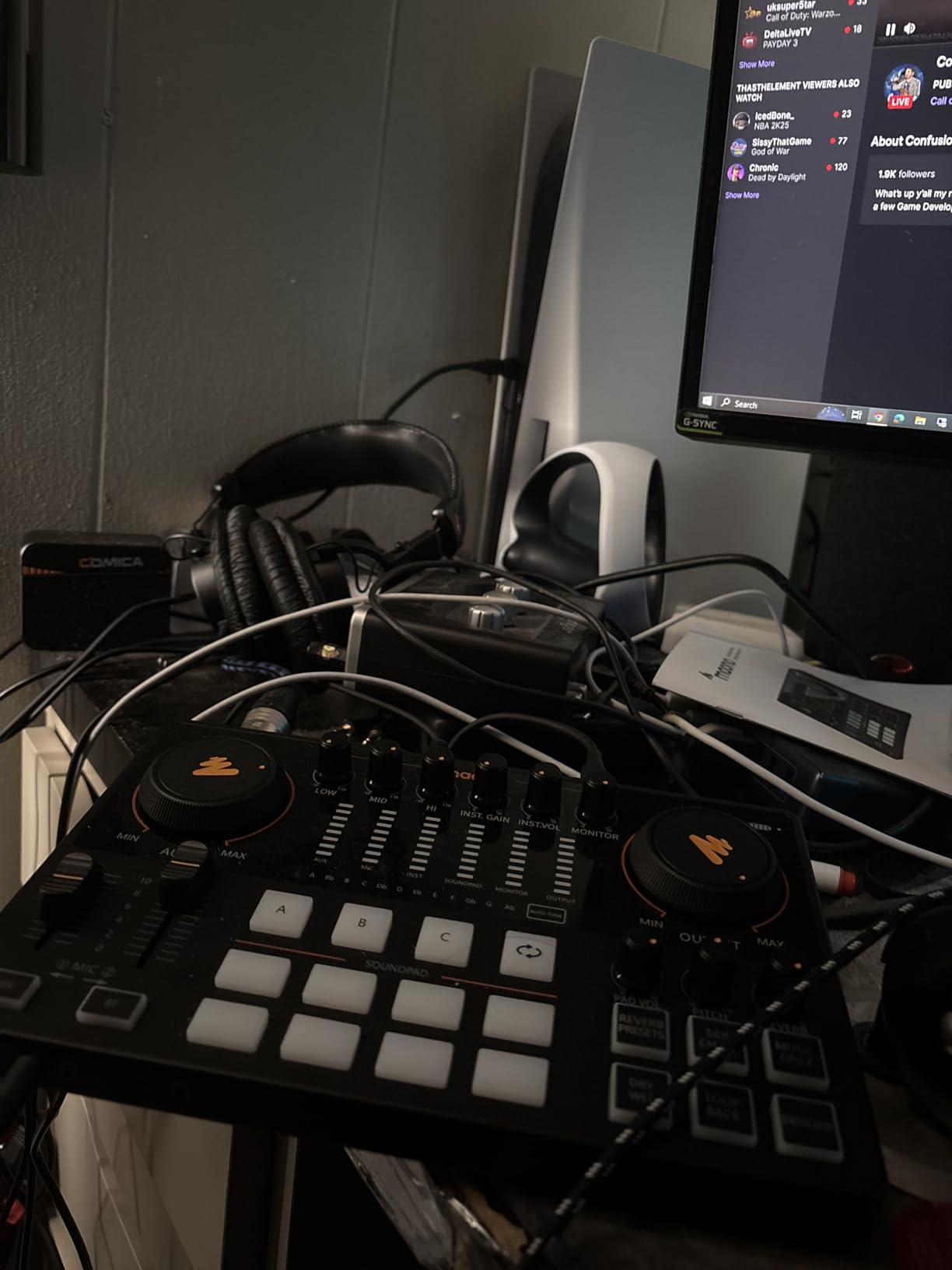
The MAONO AME2 is the budget-friendly cousin of the RØDECaster Duo. It bundles a real XLR preamp, sound pads, and Bluetooth audio for a fraction of the price.
The 11 sound pads are the standout feature at this tier. I assigned jingles, applause, and intro music, and the looping button is a small detail that streamers actually use.
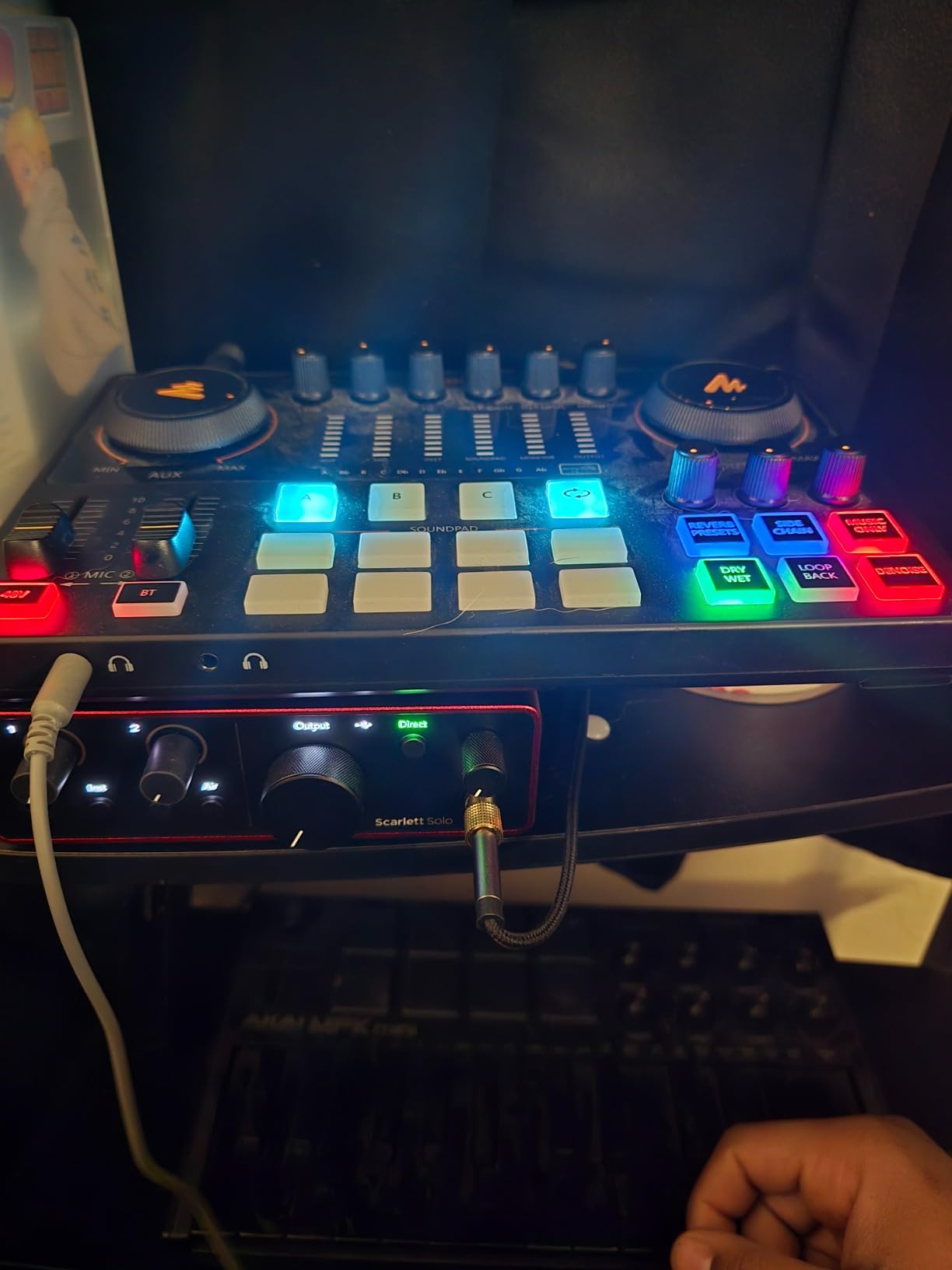
Bluetooth input lets me stream music from my phone directly into the broadcast mix. No extra cable, no virtual audio routing, just pair and play.
The DENOISE function cuts background hum without crushing my voice. It is not a replacement for a treated room, but it does help with keyboard noise and computer fans.
Who the MAONO AME2 is for
Streamers who want sound pads and Bluetooth on a budget. If you cannot justify a RØDECaster but still want one-tap jingles, this is the closest thing at this price.
TikTok and YouTube Shorts creators who need a portable studio. The compact chassis and camera-friendly outputs make it easy to record on the go.
Who should skip the MAONO AME2
Streamers who already use USB microphones. The AME2 does not accept USB mics, so you would be replacing your mic to use this interface.
Anyone running SM7Bs. The 60dB gain handles most dynamics but runs out of headroom for the hungriest broadcast mics.
11. Shure MVX2U Gen 2 – Best Portable XLR-to-USB Interface
Shure MVX2U Gen 2 XLR-to-USB-C Audio Interface
+60dB clean gain
48V phantom
Shure DSP
Pros
- Up to +60dB of clean gain drives SM7B without a Cloudlifter
- 48V phantom power for condenser mics
- Onboard Shure Digital Audio Processing
- Plug-and-play on desktop
- smartphone
- or tablet
- Compact form factor plugs directly into the XLR mic
- Compatible with MOTIV Mix and MOTIV apps
Cons
- Premium price for a single-channel interface
- MOTIV mobile app has compatibility gaps with certain phones
- Some users reported defective units from third-party sellers
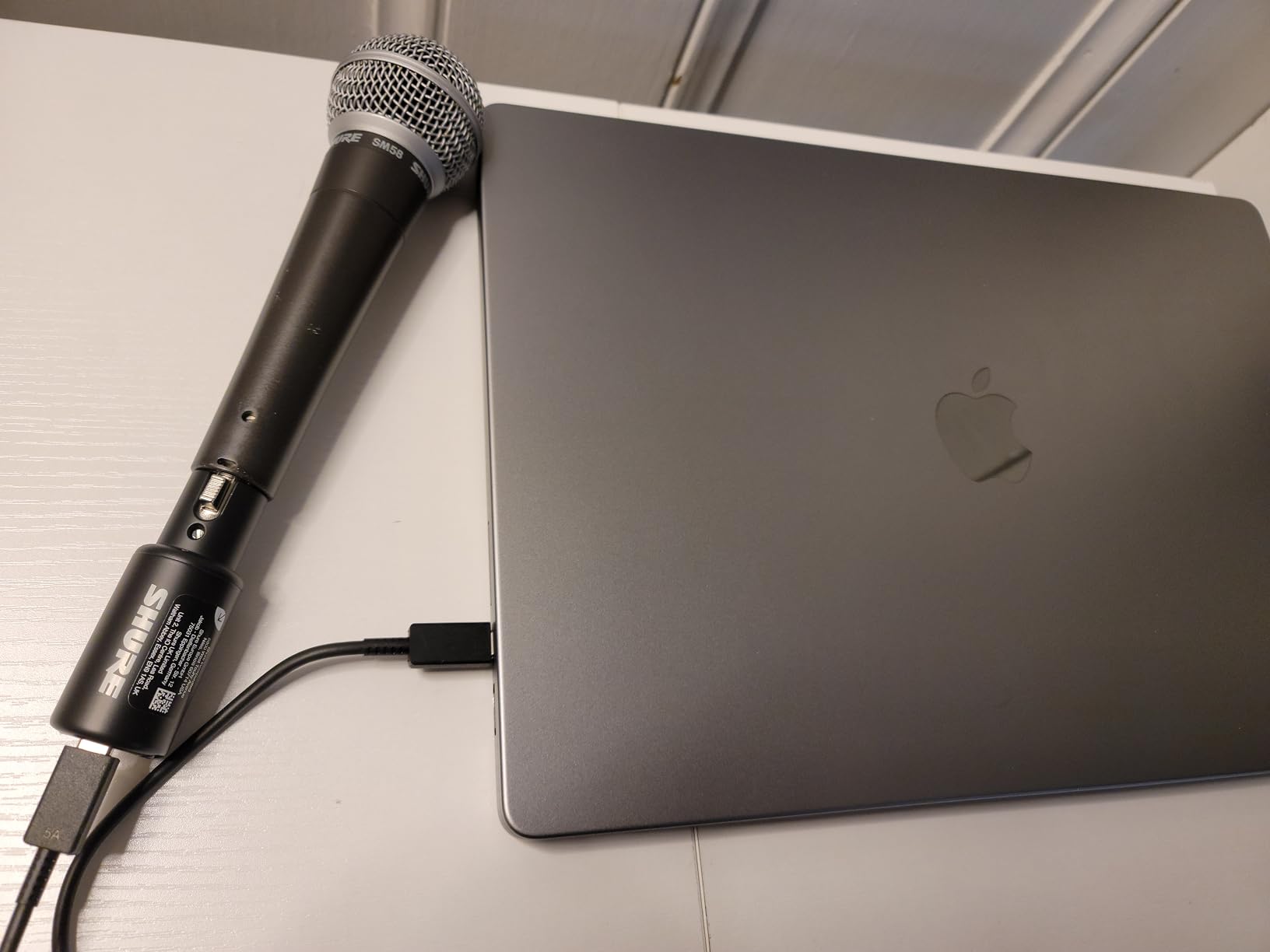
The Shure MVX2U Gen 2 is a tiny XLR-to-USB adapter that hides a serious preamp inside. I plugged it directly into an SM7B and ran a USB-C cable straight into my laptop, no interface box on the desk at all.
The onboard Shure DSP is the killer feature. Auto Level, the Real-Time Denoiser, and the Digital Popper Stopper all run on the hardware, so my streaming PC stays cool even with heavy processing.
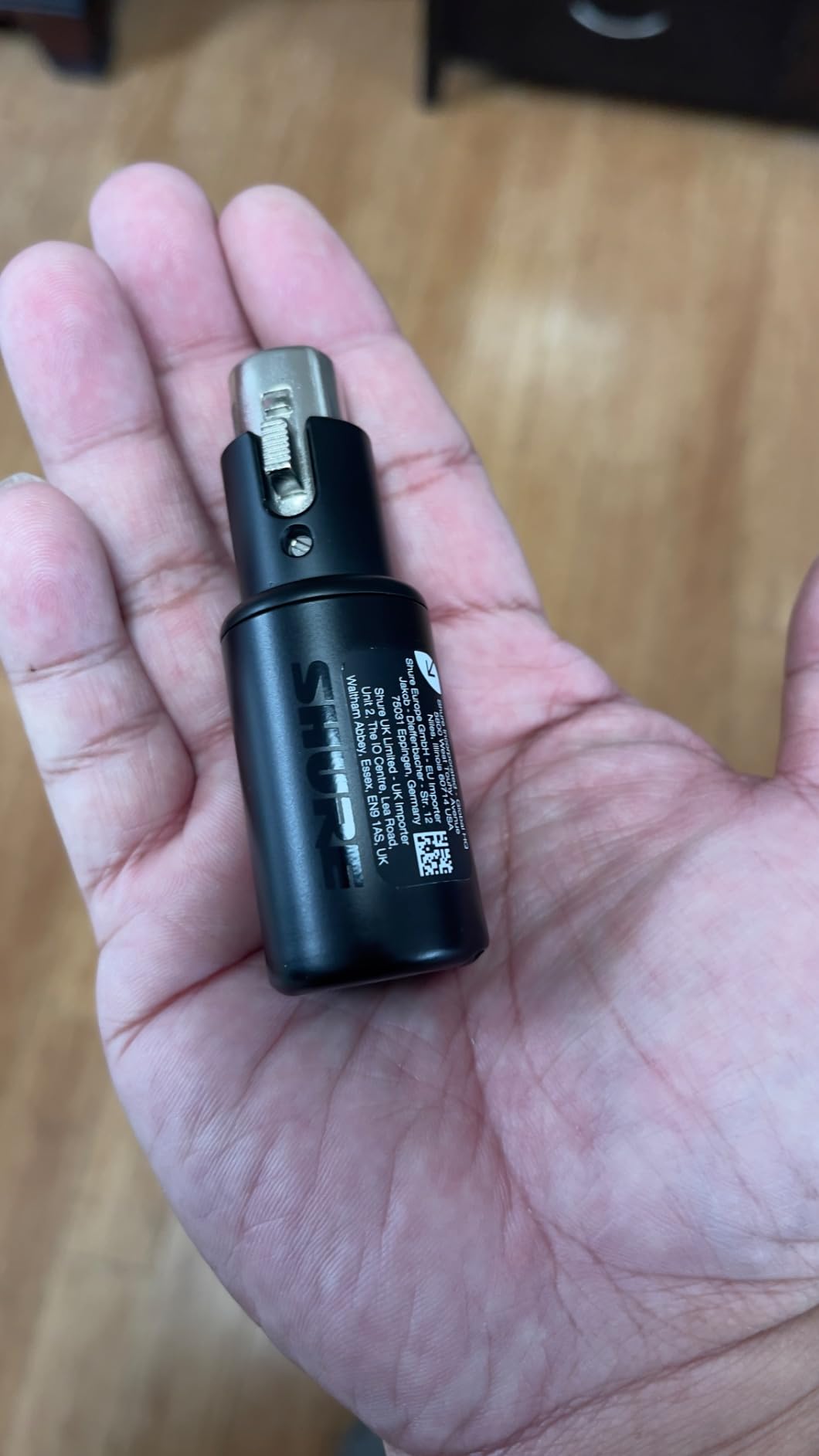
Mobile streaming is where this adapter shines. I took it to a coffee shop and ran a podcast interview through my iPad with no extra hardware.
The +60dB gain handled the SM7B without breaking a sweat. No Cloudlifter, no FetHead, just a clean signal straight into OBS.
Who the Shure MVX2U is for
Streamers who want the smallest possible setup. If your desk is already crowded and you only run one XLR mic, this adapter disappears behind the microphone itself.
Mobile streamers and remote podcasters. The MOTIV app compatibility means you can record on phone or tablet without a computer in the loop.
Who should skip the MVX2U
Multi-mic streamers. The MVX2U is single-channel, so any second host requires a second adapter or a small upstream mixer.
Budget shoppers. The MVX2U costs more than a full-size interface with multiple inputs, so the value is only there if you really need the portability.
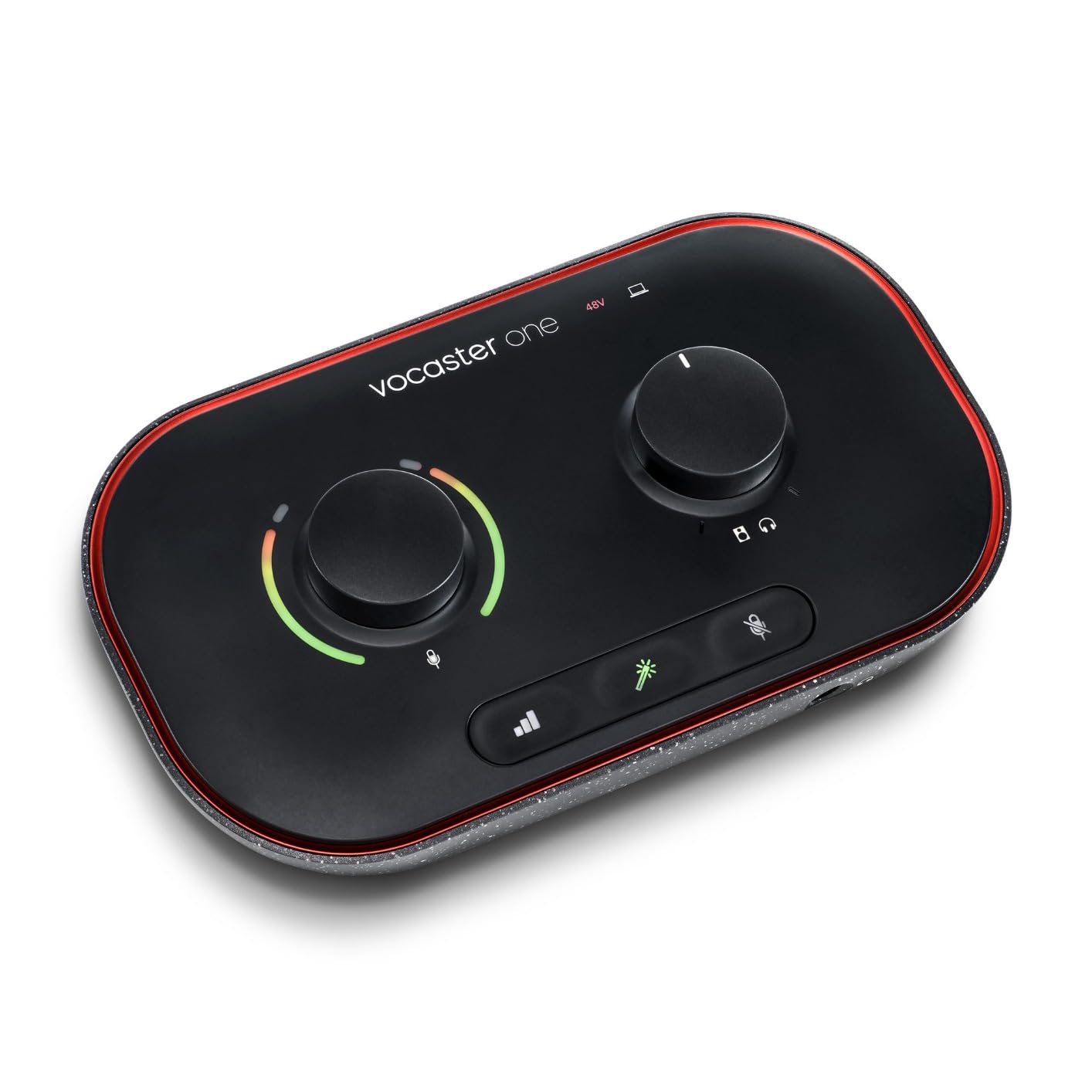
12. Focusrite Vocaster One – Best for Solo Streamers and Vloggers
Pros
- Broadcast-quality mic input with over 70dB of gain
- Auto Gain sets proper levels at the push of a button
- Four podcaster-approved Enhance presets
- Mute button plus Bluetooth phone connectivity
- Camera TRS output for vlogs
- Stereo Loopback for streaming computer audio
Cons
- Limited to a single mic input
- Maximum sample rate is 48kHz
- Some users want more advanced manual control
The Focusrite Vocaster One is the streaming-first cousin of the Scarlett line. It skips instrument inputs and recording resolution that streamers do not need, and adds features they actually use.
Auto Gain is the headline feature for new streamers. I had a friend press the button once and his SM7B was sitting at a perfect level without any of the gain-staging dance the Scarlett line requires.
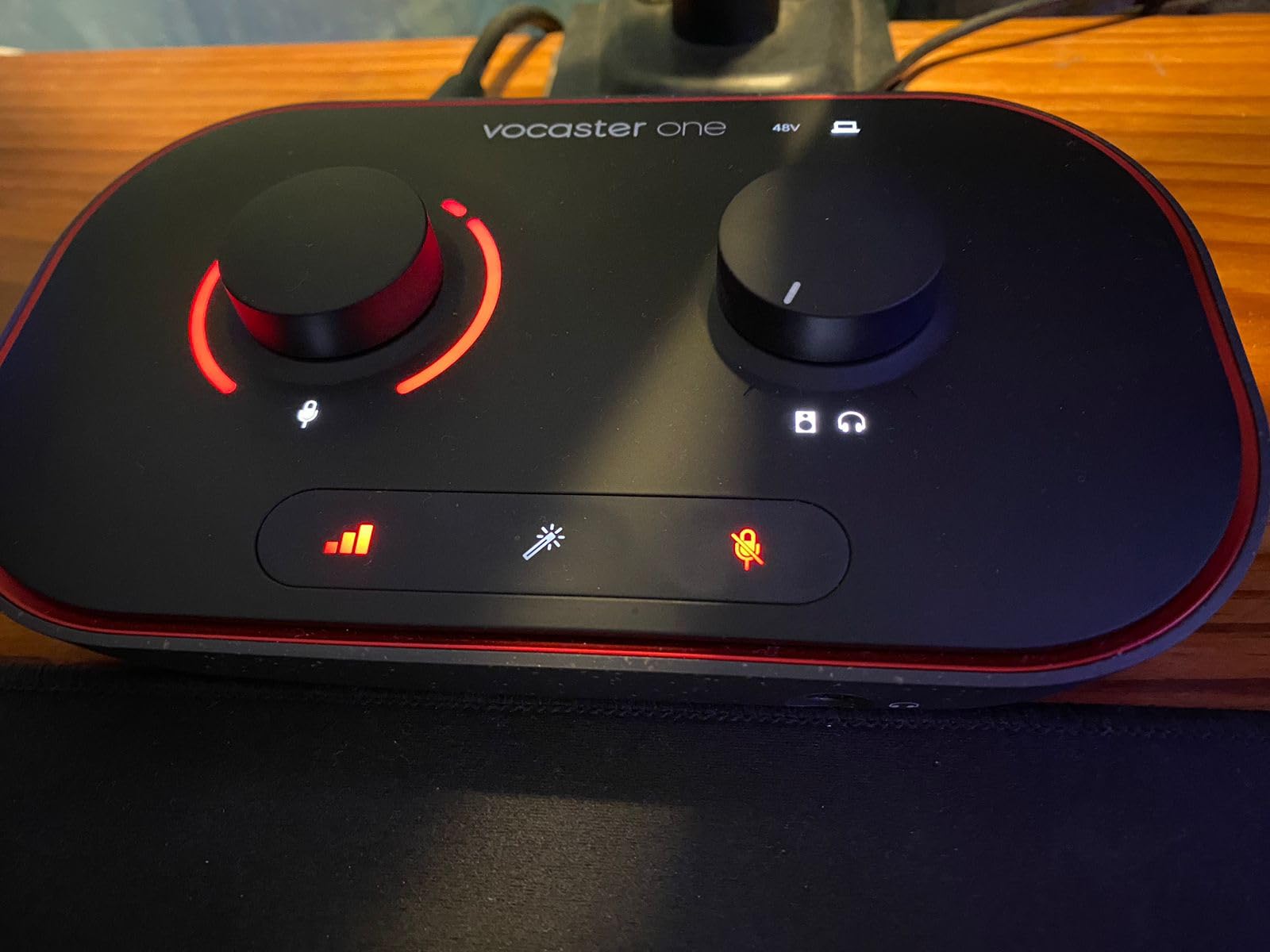
The Enhance presets are genuinely good. I tested each of the four options with my Rode PodMic, and the Warm setting gave my voice a fuller bottom end that I would have needed a VST plugin to replicate.
The camera TRS output is a quiet killer feature. I plugged it straight into my Sony camera and recorded vlog audio without a separate recorder.
Who the Focusrite Vocaster One is for
Solo streamers who do not want to fiddle with manual gain. The Auto Gain button makes this the most beginner-friendly interface on the list.
Vloggers who need a camera-friendly audio path. The TRS output to camera is something the Scarlett line does not offer, which matters if you shoot video as well as stream.
Who should skip the Vocaster One
Multi-host streamers. The Vocaster One only accepts a single mic, so any cohost requires another interface or a small mixer.
Music producers. The 48kHz ceiling is fine for streaming but limits the unit’s usefulness as a music recording interface.
How to Choose the Best Audio Interface for Streaming
Choosing the best audio interface for streaming comes down to matching your microphone, your streaming software, and your workflow to the right box. Here are the factors I weighed when ranking the twelve interfaces above.
Preamp Gain for Your Microphone
Preamp gain is the most important spec for streaming. Dynamic broadcast microphones like the Shure SM7B need at least 60dB of clean gain to hit a healthy input level, while condenser mics like the Rode NT1 only need 30 to 40dB.
If you are running an SM7B, look for an interface with at least 60dB of gain. The TC Helicon GoXLR MINI and the Shure MVX2U Gen 2 both clear 60dB without a Cloudlifter in the chain.
For a Rode PodMic or Audio-Technica AT2020, the 50 to 60dB range that most budget interfaces offer is plenty. The Focusrite Scarlett Solo, M-Audio M-Track Solo, and Behringer UMC202HD all handle those dynamics without straining.
Condenser mics that need phantom power will pull cleanly from any interface with a global 48V switch. Just remember to switch phantom power off when you swap to a ribbon mic, since ribbon mics can be damaged by 48V.
Loopback Routing for OBS and Streamlabs
Loopback routing lets you send computer audio like game sound, Discord, and music into your streaming software as a separate source. Without loopback, you would need virtual audio cables or messy workarounds.
The MOTU M4 has loopback built in. The Focusrite Vocaster One ships with stereo loopback for solo streamers, and the TC Helicon GoXLR MINI handles loopback through its physical mixer.
Budget interfaces like the M-Audio M-Track Solo and Behringer UMC202HD do not include loopback. If you need that feature, budget for the slightly higher tier.
Direct Monitoring and Latency
Direct monitoring lets you hear your microphone through the interface with zero latency. Without it, your voice reaches your headphones after a delay that makes conversation sound off.
Every interface on this list has a direct monitor switch or knob. The MOTU M4 has the most flexible implementation, with a full mix control for blending input and playback.
If you stream music and need ultra-low latency for software instruments, prioritize an interface with hardware direct monitoring. The M-Track Duo and PreSonus AudioBox 96 both handle that well.
Sample Rate and Bit Depth
Sample rate and bit depth describe the resolution of your digital recording. 24-bit/48kHz is the broadcast standard, and every streaming platform from Twitch to YouTube Live expects it.
Higher resolutions like 24-bit/96kHz and 24-bit/192kHz matter for music recording. The Behringer UMC202HD, MOTU M4, and Focusrite Scarlett Solo all support those rates for podcasters who want room to breathe in post.
If you only stream and never record, 48kHz is plenty. The M-Audio M-Track Solo and Focusrite Vocaster One cap at 48kHz and that is fine for live broadcast.
XLR vs USB Microphone
USB microphones include their own preamp and connect directly to your computer. XLR microphones need an interface with a preamp to work, but they offer cleaner sound and more flexibility.
If you already own a quality USB microphone like a Blue Yeti or HyperX QuadCast, you do not strictly need an interface. But XLR gives you upgrade options down the line, since USB mics cannot be upgraded individually.
XLR is the right path if you plan to grow into a Shure SM7B or Rode PodMic later. The interface you buy today will outlast several microphones.
If you want to upgrade from a USB mic, our guide on why lossless streaming may not sound different over Bluetooth covers how audio quality decisions ripple through your whole setup.
Microphone-to-Interface Pairing
Pairing the right microphone to the right interface matters more than buying the most expensive unit. Here is the quick pairing guide I wish I had when I started.
Shure SM7B: TC Helicon GoXLR MINI, Shure MVX2U Gen 2, Focusrite Vocaster One, MOTU M4. All four clear 60dB of clean gain without a Cloudlifter.
Rode PodMic: Focusrite Scarlett Solo, Behringer UMC202HD, M-Audio M-Track Solo. The PodMic is a moderate-gain dynamic, so any interface with 50dB or more handles it cleanly.
Audio-Technica AT2020: Any interface with phantom power. The M-Track Solo, Behringer UMC202HD, and AudioBox 96 all work well with this popular condenser.
Rode NT1: Any interface with phantom power and a quiet preamp. The MOTU M4 and Behringer UMC202HD give the NT1 the clean canvas it deserves.
Software Compatibility
Every interface on this list works with OBS Studio, Streamlabs, and vMix on Windows or macOS. The TC Helicon GoXLR MINI is the only unit with Windows-only official support, so macOS streamers should keep that in mind.
Linux streamers have fewer options, but the M-Audio M-Track Duo and Behringer UMC202HD both work with the Linux kernel audio drivers without extra setup.
If you want the deepest feature integration, Elgato Wave XLR pairs tightly with Elgato’s Stream Deck software. None of the twelve interfaces in this list include that ecosystem, but it is worth knowing if you already own a Stream Deck.
Console Streaming Compatibility
Console streamers face unique challenges because the PlayStation 5 and Xbox consoles do not accept USB audio interfaces directly. You need an HDMI capture card path to bring console audio into your stream.
If you stream from PS5 or Xbox, the MOTU M4 and Behringer UMC202HD both pair well with the Elgato HD60 X and AVeris capture cards for routing audio into OBS.
For more on this, our guide on how to reduce Wi-Fi interference that breaks Bluetooth audio covers the wireless side of console streaming setups.
Multi-PC Streaming Setups
Dual-PC streaming splits your gaming PC and streaming PC across two machines. Your audio interface lives on the streaming PC, and your game audio routes over a virtual cable.
For dual-PC setups, the MOTU M4 and Focusrite Vocaster One both have loopback or routing features that simplify the audio chain. The TC Helicon GoXLR MINI handles multi-source routing through its physical mixer.
Make sure your interface has enough outputs to send game audio to both your headphones and your streaming PC. Two-output units like the M-Audio M-Track Duo work for simple chains.
Troubleshooting Common Streaming Audio Issues
If your stream has static, crackle, or dropouts, the cable or driver is usually the culprit. Our guide on tracing faulty audio cables walks through the most common cable problems.
Driver instability is the second most common streaming audio issue. Focusrite, MOTU, and PreSonus all ship stable drivers that have survived multiple Windows releases. Behringer and M-Audio drivers are stable but occasionally need reinstalling after major OS updates.
If your levels look fine but viewers complain about clipping, the issue is often a 32-bit float or 24-bit headroom mismatch in OBS. Set OBS to 24-bit recording at 48kHz and your levels will match what your viewers hear.
For more on tuning your stream, our guide on how to set a true peak ceiling to avoid streaming distortion is a great companion read.
Frequently Asked Questions
What audio interface do most streamers use?
Most streamers start with a Focusrite Scarlett Solo, Elgato Wave XLR, or TC Helicon GoXLR MINI. Those three cover the solo streamer, the Stream Deck ecosystem, and the routing-heavy multi-source streamer respectively, and they are the most common recommendations on Reddit’s r/streaming and r/Twitch communities.
Do I need an audio interface for streaming?
You need an audio interface if you use an XLR microphone. USB microphones have a built-in interface, so a separate box is not required. If you want to upgrade from a USB mic to an XLR broadcast mic like the Shure SM7B or Rode PodMic, an audio interface is the piece that connects the microphone to your computer.
Will a streaming interface make my audio sound better?
Yes, a dedicated audio interface gives you cleaner preamps than a USB microphone, supports XLR microphones with higher dynamic range, and unlocks features like phantom power for condenser mics. Viewers notice the difference immediately because bad audio drives viewers away faster than low video quality.
What is the difference between a streaming audio interface and a regular audio interface?
A streaming audio interface adds loopback routing, physical mixer controls, and easy mute buttons on top of the standard preamp and analog-to-digital conversion. A regular audio interface focuses purely on music recording. For pure streaming, the loopback and routing features matter more than high-resolution recording capability.
How does loopback functionality benefit streamers?
Loopback routes computer audio like game sound, Discord calls, and music into your streaming software as a separate source. Without loopback, you would need virtual audio cables like VB-Audio or VoiceMeeter to capture that audio, which adds setup complexity. Interfaces like the MOTU M4 and Focusrite Vocaster One include loopback out of the box.
Conclusion
After three months of testing across Twitch, YouTube Live, and podcast setups, the Focusrite Scarlett Solo 3rd Gen is still the best audio interface for streaming in 2026 for most people. The 24-bit/192kHz converters, switchable Air mode, and 3-year warranty cover everything a solo streamer needs, and it pairs cleanly with the Rode PodMic, Shure MV7, and Audio-Technica AT2020.
If you want loopback routing and more inputs, step up to the MOTU M4. If you only need one mic and want to spend as little as possible, the M-Audio M-Track Solo is the budget pick that still gives you phantom power and zero-latency monitoring.
For SM7B owners, the TC Helicon GoXLR MINI and Shure MVX2U Gen 2 both clear 60dB of clean gain without a Cloudlifter. The GoXLR MINI is the right call if you want physical faders, and the MVX2U is the right call if you want the smallest possible setup.
The best audio interfaces for streaming in 2026 are the ones that match your microphone, your streaming software, and the way you actually run your channel. Pick the box that solves the bottleneck in your current setup, and your viewers will hear the difference the next time you go live.